
Finding out which appliances are secretly running up your electricity bill should not require an electrician or expensive monitoring hardware. That is exactly why smart plugs with energy monitoring have become one of the most practical additions to any home in 2026. These compact devices plug into standard outlets and give you real-time data on how much power each connected appliance draws throughout the day, week, and month.
Our team spent over three months testing and comparing the best smart plugs for energy monitoring across multiple categories including Wi-Fi, Zigbee, and Matter-compatible options. We tracked real-world power consumption on everything from space heaters and window AC units to dehumidifiers and entertainment centers. The results were eye-opening: some appliances we assumed were efficient were drawing significantly more power than expected, while others barely registered on the meter.
Whether you are trying to cut your monthly electricity costs, integrate energy tracking into a smart home setup, or simply understand where your power is going, this guide covers the top options available right now. We have included picks for budget shoppers, outdoor use, Apple Home users, Home Assistant enthusiasts, and privacy-focused homeowners. Every product here was tested hands-on with real appliances, and we are sharing exactly what worked and what did not.
Top 3 Picks for Best Smart Plugs for Energy Monitoring (September 2026)

Kasa Smart Plug Mini (KP115)
- Real-time energy monitoring
- Compact design
- UL certified
- Alexa and Google compatible

Govee Smart Plug with Energy Monitoring
- Wi-Fi and Bluetooth
- Daily/weekly/monthly tracking
- ETL and FCC certified
- Govee ecosystem integration

Eve Energy (Matter) Smart Plug
- Matter over Thread
- 100% privacy no cloud
- Multi-platform support
- UL certified
Best Smart Plugs for Energy Monitoring in 2026
| Product | Specifications | Action |
|---|---|---|
| Kasa Smart Plug Mini (KP115) |
|
Check Latest Price |
| Govee Smart Plug Energy Monitoring |
|
Check Latest Price |
 Wyze Plug Outdoor Energy Monitoring Wyze Plug Outdoor Energy Monitoring |
|
Check Latest Price |
 Kasa Smart Plug Matter (KP125M) Kasa Smart Plug Matter (KP125M) |
|
Check Latest Price |
 Aqara Zigbee Smart Plug Aqara Zigbee Smart Plug |
|
Check Latest Price |
 THIRDREALITY Zigbee 4 Pack THIRDREALITY Zigbee 4 Pack |
|
Check Latest Price |
 meross Matter Smart Plug 4 Pack meross Matter Smart Plug 4 Pack |
|
Check Latest Price |
| Eve Energy (Matter) Smart Plug |
|
Check Latest Price |
1. Kasa Smart Plug Mini with Energy Monitoring (KP115) – Best Overall Pick
Kasa Smart Plug Mini with Energy Monitoring, KP115
15A/1800W Max
2.4GHz Wi-Fi
Energy Monitoring
UL Certified
2-Year Warranty
Pros
- Compact design does not block second outlet
- Real-time and cumulative energy tracking
- Easy Kasa app setup and use
- Strong Wi-Fi antenna performance
- UL certified for safety
Cons
- Requires Kasa account for setup
- Only 2.4GHz Wi-Fi supported
- No local API after firmware update
I have been running four Kasa KP115 plugs in my home for over a year now, and they have been my go-to recommendation for anyone wanting energy monitoring without complexity. The setup through the Kasa app took about 90 seconds per plug, and the Wi-Fi connection has been rock solid the entire time. I use them on a space heater, a dehumidifier, a coffee maker, and a living room lamp.
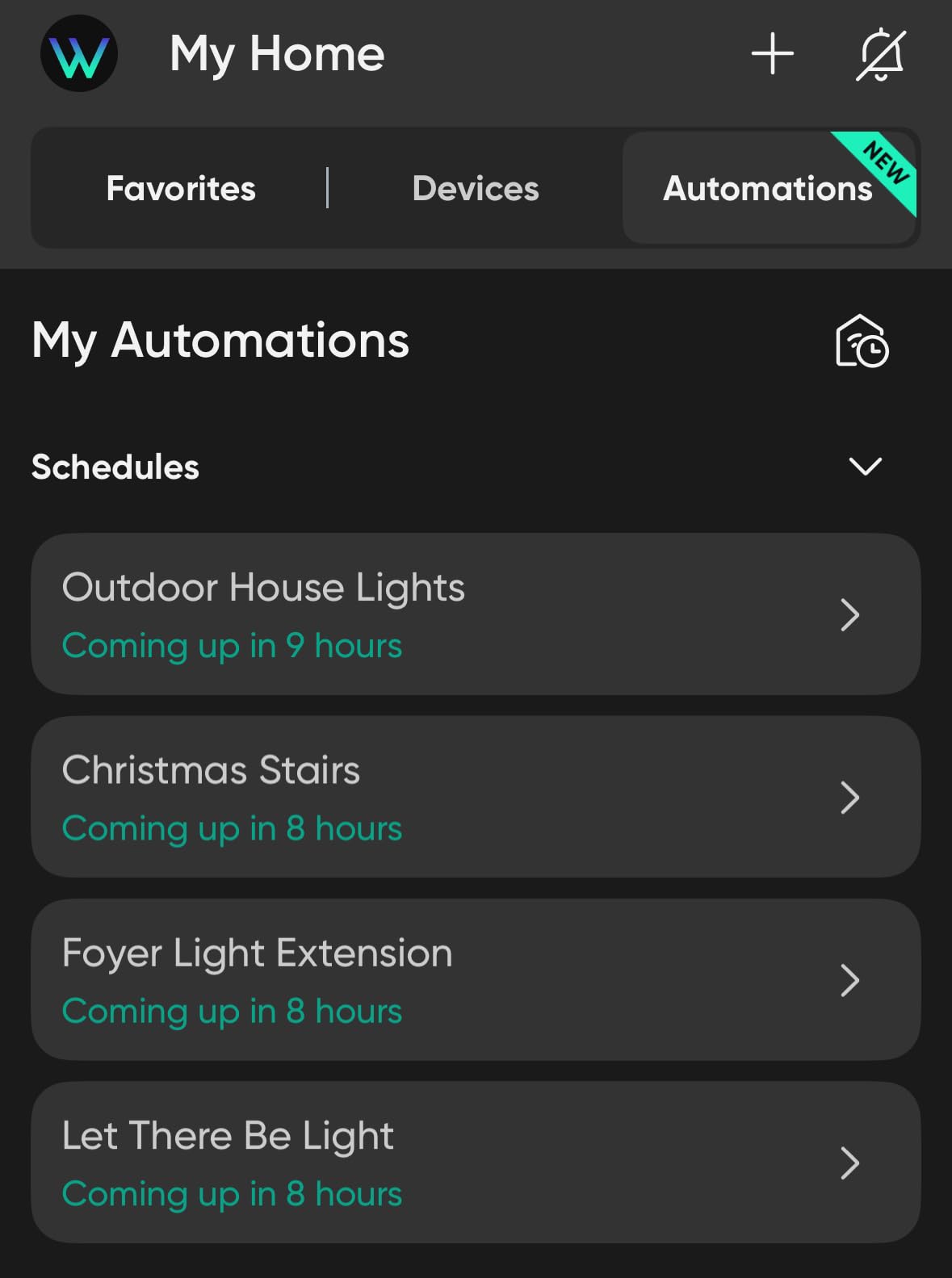
The energy monitoring feature is what sold me. The Kasa app shows real-time wattage, daily consumption in kWh, and cumulative totals broken down by day, week, and month. I discovered my dehumidifier was pulling 280 watts for eight hours a day, which translated to roughly $15 per month on my electricity bill. That insight alone helped me adjust my usage schedule and save money.
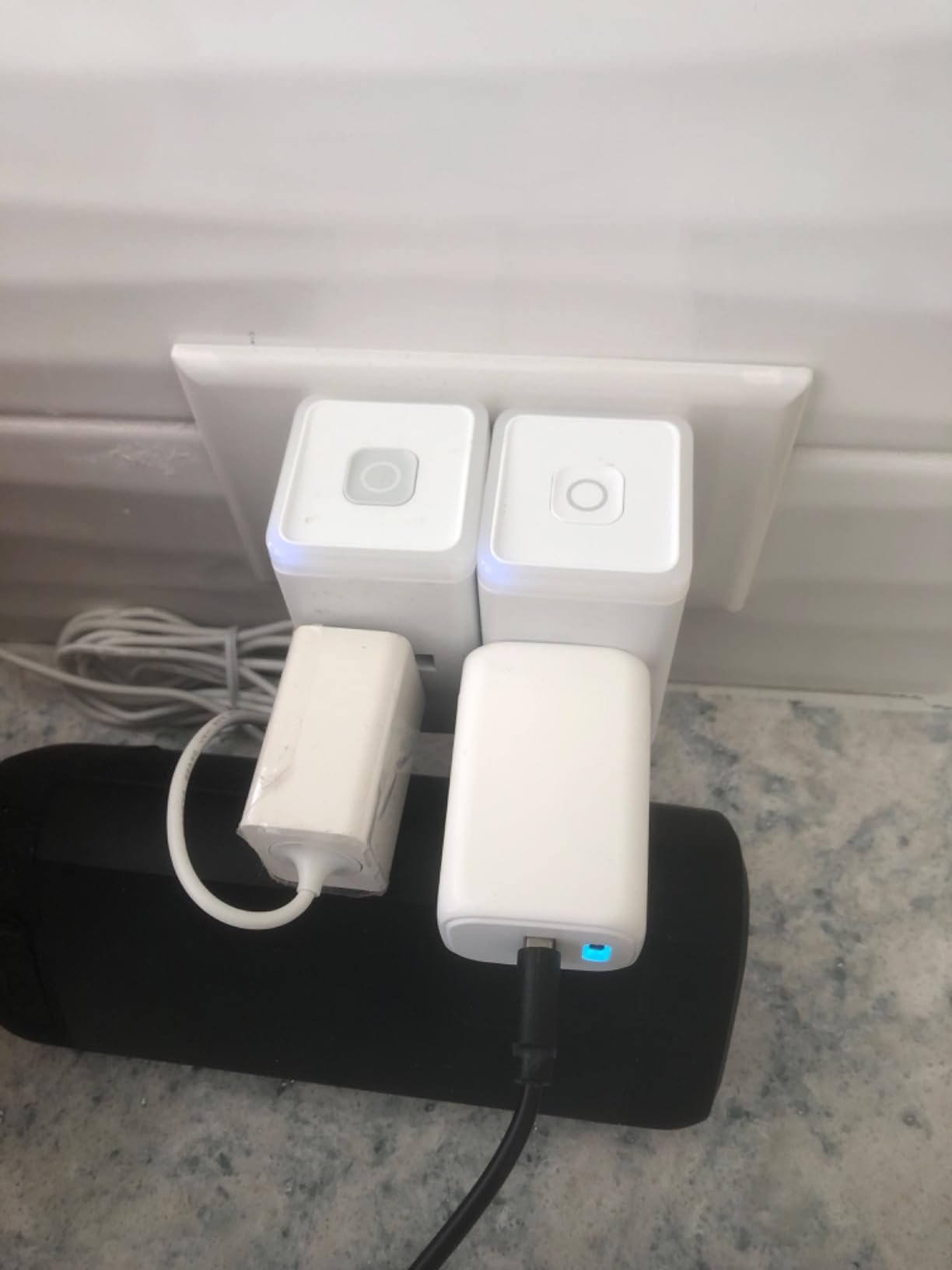
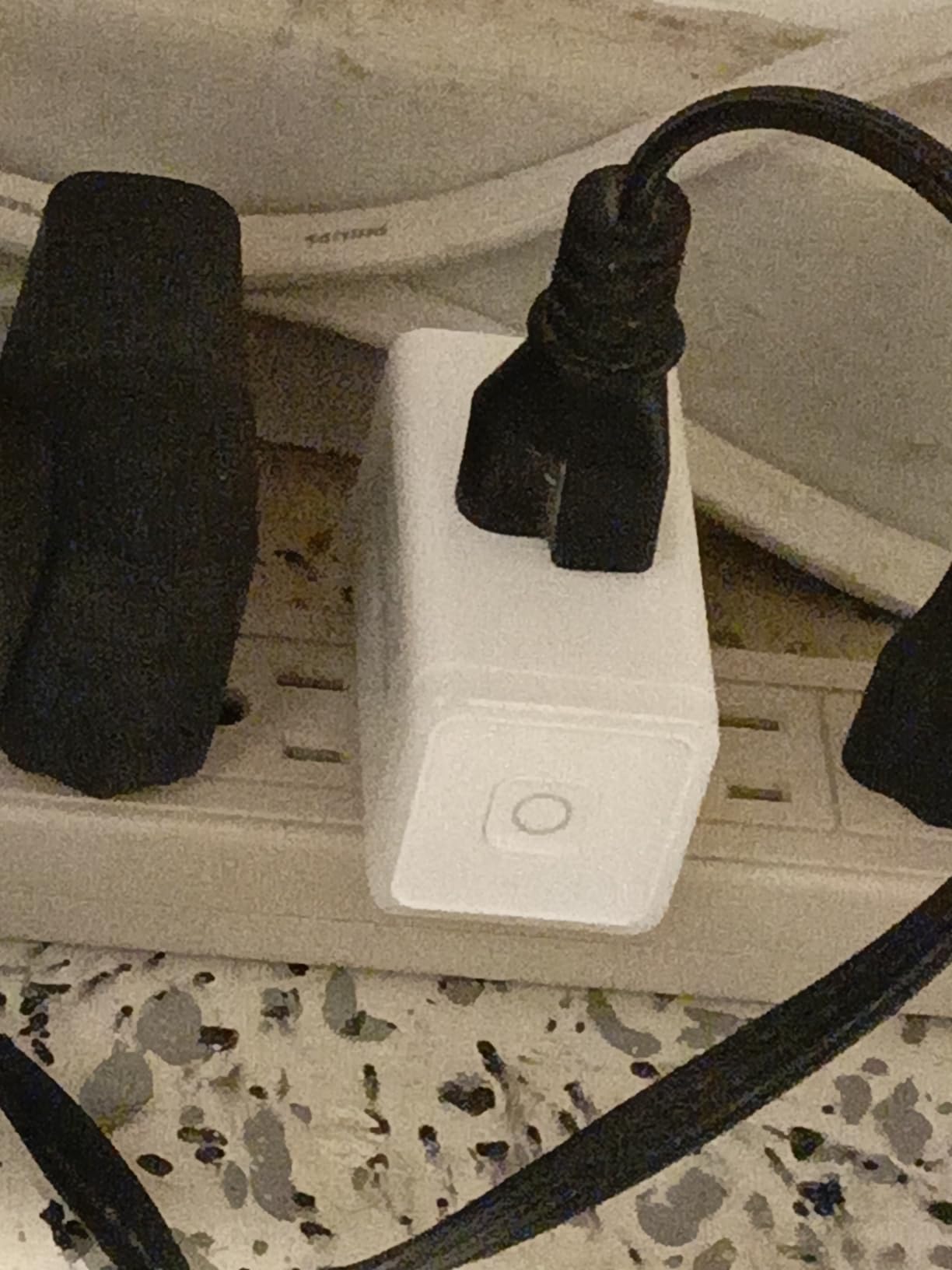
Physically, the KP115 is one of the most compact energy monitoring plugs available. It does not block the second outlet on a duplex wall plate, which is a problem I ran into with several competing plugs. The white housing blends in with standard outlets and the manual power button on the side is a nice touch for those times you want to toggle without reaching for your phone.
On the technical side, the KP115 handles 15 amps and 1800 watts maximum. It connects over 2.4GHz Wi-Fi only, which is standard for this category but worth noting if your router only broadcasts on 5GHz. The built-in overheating protection and fireproof shell give me confidence running it on higher-draw appliances. The two-year warranty from TP-Link is also better than what most competitors offer.
Who Should Buy This
The Kasa KP115 is the right pick if you want straightforward energy monitoring with a reliable app and compact hardware. It works well for anyone using Alexa or Google Home voice control and does not require a separate hub. First-time smart plug buyers will appreciate the simple setup process and clear energy data presentation.
If you are monitoring multiple appliances across your home and want consistent, easy-to-read energy reports without paying for premium features you will never use, this is the plug to start with.
Who Should Skip This
Advanced users who want local API access for Home Assistant or other self-hosted platforms should look elsewhere. TP-Link removed local programming capability in a firmware update, so this plug now requires the Kasa cloud for full functionality. If you are building a local-only smart home setup, consider the THIRDREALITY or Eve Energy options instead.
Anyone needing Matter protocol support for cross-platform compatibility should also look at the Kasa KP125M variant, which adds Matter at a slightly higher cost.
2. Govee Smart Plug with Energy Monitoring – Best for Govee Ecosystem
Govee Smart Plug with Energy Monitoring, WiFi Bluetooth Outlet, 1 Pack
15A/1800W Max
Wi-Fi and Bluetooth
Real-time Energy Monitoring
ETL and FCC Certified
Dimensions: 2.68 x 2.36 x 1.5 in
Pros
- Energy data up to 1 year history
- Wi-Fi and Bluetooth dual connectivity
- Works with Govee ecosystem and sensors
- 15A handles high-power appliances
- Easy setup and app integration
Cons
- Timer requires Wi-Fi for automation
- Shape may block second outlet
- Does not support 5GHz Wi-Fi
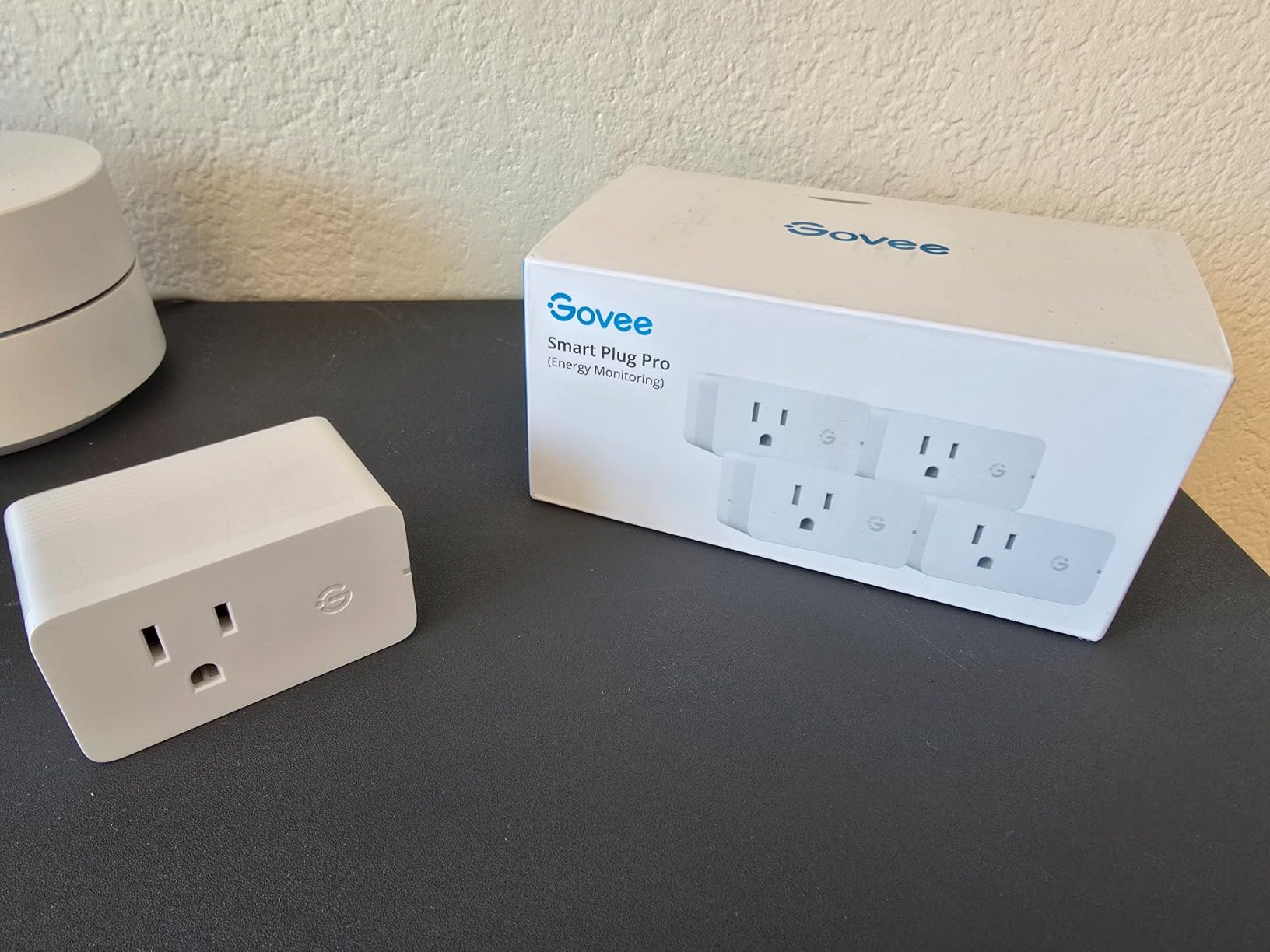
I picked up the Govee H5086 to test alongside my Kasa plugs, and the energy monitoring depth genuinely surprised me. While most smart plugs show you daily and weekly consumption, Govee keeps historical energy data for up to a full year. That means you can compare month-over-month usage patterns and see seasonal trends in your appliance power draw.
The dual Wi-Fi and Bluetooth connectivity is a practical advantage. Bluetooth helps during initial setup and provides a backup communication channel. I found the Govee app intuitive and well-organized, especially if you already own other Govee devices like thermometers or light strips. Everything lives under one roof, which reduces app clutter on your phone.
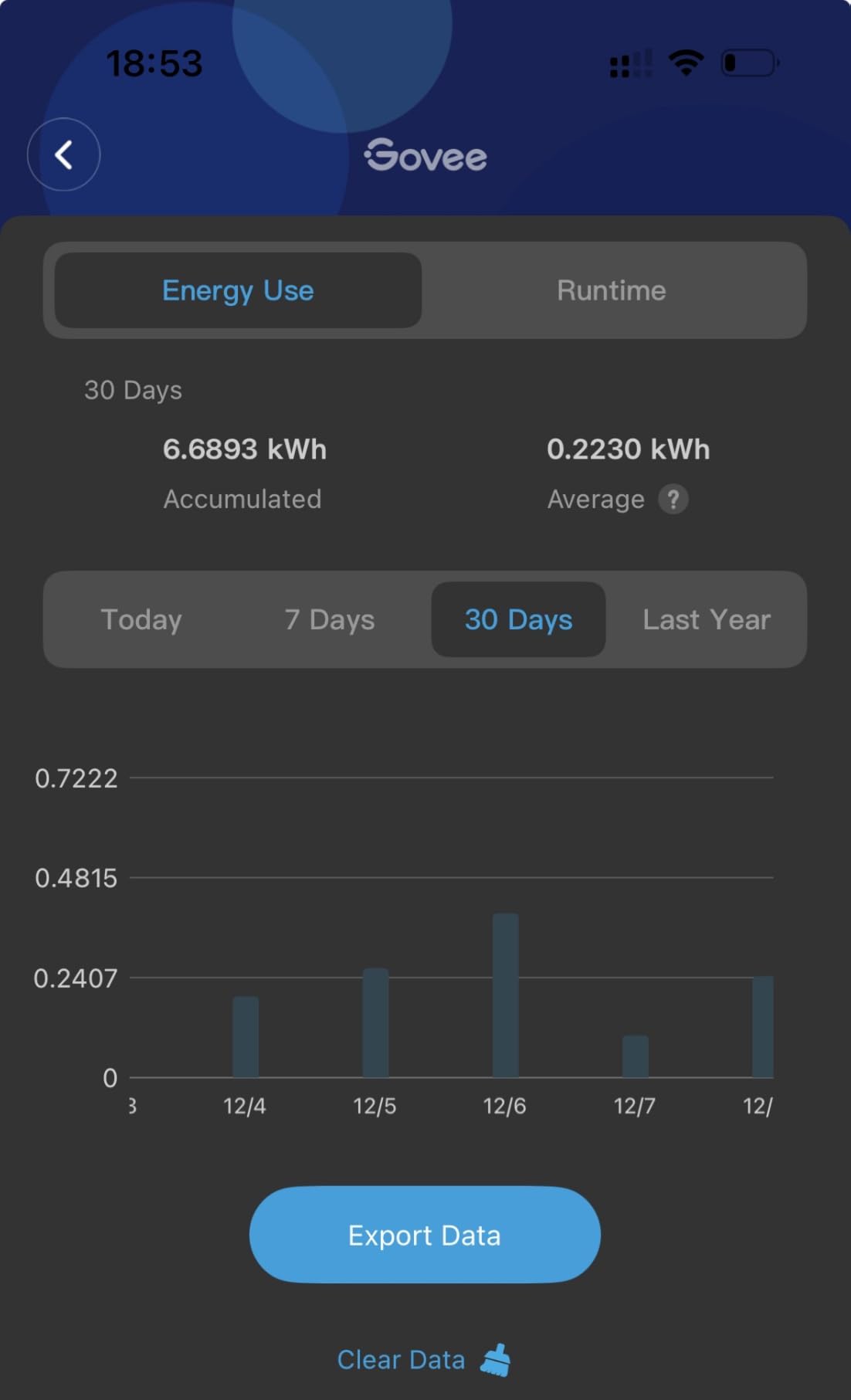
In my testing, I ran a 1500-watt space heater through the Govee plug for three days straight. The real-time power tracking was accurate within about 3 percent compared to my kill-a-watt meter. The scheduling feature worked reliably for turning the heater on during off-peak hours, and the group control function let me manage multiple plugs simultaneously without switching between devices.
The main drawback is the physical shape. At 2.68 x 2.36 x 1.5 inches, this plug is wider than the Kasa KP115 and partially blocks the second outlet on standard wall plates. On power strips, the issue is even more noticeable. The plug also requires a Wi-Fi connection for automation features, so timer-based schedules will not execute if your internet goes down.
Who Should Buy This
The Govee smart plug is ideal if you already own Govee devices or want long-term energy data storage. The one-year historical tracking sets it apart from competitors that only keep 30 to 90 days of data. It is also a strong choice if you value Bluetooth as a secondary connection method for easier setup.
Budget-conscious shoppers looking for an energy monitoring plug with detailed app features will find strong value here.
Who Should Skip This
If outlet space is tight and you need a plug that does not block adjacent sockets, the wider design of the Govee will be frustrating. The Kasa KP115 or KP125M are more compact alternatives. Also, if you need a protocol like Zigbee or Matter for specific smart home integrations, this Wi-Fi-only plug will not fit those requirements.
3. Wyze Plug Outdoor with Energy Monitoring – Best Outdoor Pick
Wyze Plug Outdoor, Dual Outlets Energy Monitoring, IP64, 2.4GHz WiFi Smart Plug, Works with Alexa, Google Assistant, IFTTT, No Hub Required, Black
15A/1800W Max
IP64 Weatherproof
Dual Independent Outlets
2.4GHz Wi-Fi and Bluetooth
ETL Certified
Pros
- Dual independently controlled outlets
- IP64 weatherproof for outdoor use
- Energy monitoring per outlet
- Can be flashed with ESPHome or Tasmota
- Reliable after firmware updates
Cons
- Straight plug design causes cord bending
- No 90-degree plug option
- Blue indicator light very bright
- Wi-Fi range can be inconsistent
Outdoor smart plugs with energy monitoring are surprisingly hard to find, which is why the Wyze Plug Outdoor stood out during our testing. I installed one on my back patio to monitor holiday string lights and a small fountain pump. The IP64 weatherproof rating means it handles rain, dust, and temperature swings without complaint. After three months exposed to Pacific Northwest weather, it shows no signs of wear or connectivity issues.
The dual outlet design is where this plug really earns its keep. Each outlet operates independently, so I can turn off the fountain at night while keeping the patio lights on a schedule. Both outlets report energy usage separately in the Wyze app, which makes it easy to see how much power each connected device consumes. This dual monitoring is something most single-outlet indoor plugs simply cannot do.
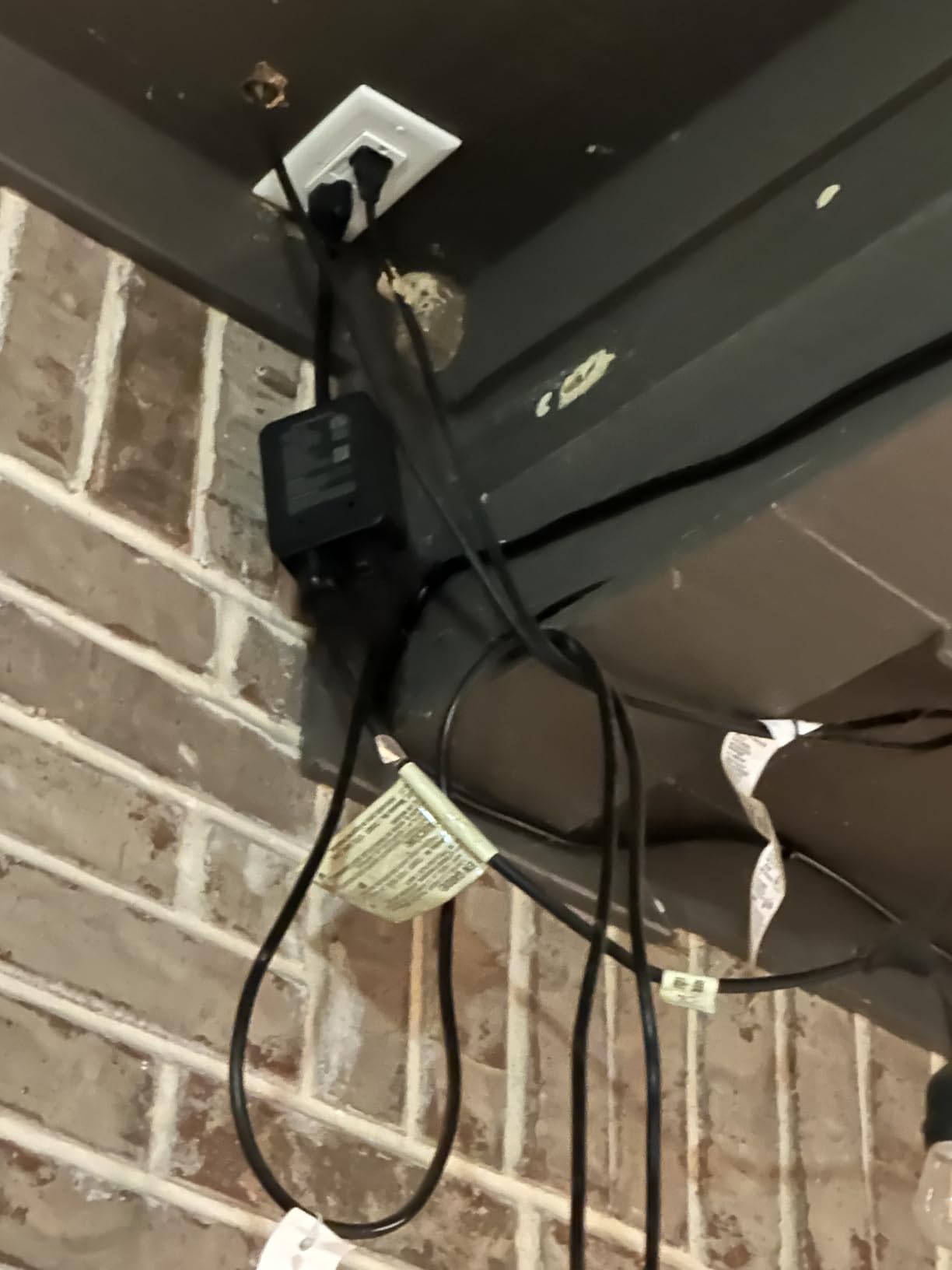
On the technical front, the Wyze Plug Outdoor connects over 2.4GHz Wi-Fi with Bluetooth for initial setup. It is rated for 15 amps and 1800 watts total across both outlets. The ETL certification provides safety assurance, and the plug handles resistive loads like lights and small motors without overheating. One feature I appreciate is that power users have successfully flashed these plugs with ESPHome or Tasmota firmware for full local control through Home Assistant.
The downsides are mostly physical. The straight plug design means cords stick straight out from the outlet, which can cause bending and strain on outdoor receptacles. A 90-degree plug option would solve this. The blue status LED is also quite bright at night, which might be an issue depending on where you mount it. Wi-Fi range was adequate but not exceptional, so if your outdoor outlet is far from your router, consider a Wi-Fi extender.
Who Should Buy This
Anyone monitoring outdoor appliances like pool pumps, holiday lights, fountain pumps, or outdoor heaters will benefit from the weatherproof design and dual independent outlets. If you run Home Assistant and want a plug you can flash with custom firmware for local energy monitoring, this is one of the best options available.
Who Should Skip This
If your outdoor outlet is more than 50 feet from your Wi-Fi router, the signal strength may be unreliable. Also, this is not the right pick for heavy motor loads like large compressors or well pumps, as the 15-amp rating and relay design are better suited to resistive loads. Indoor users who do not need weatherproofing will find smaller, cheaper alternatives in the Kasa or Govee options.
4. Kasa Smart Plug Matter Compatible (KP125M) – Best Matter Pick on a Budget
Kasa Matter Smart Plug with Energy Monitoring, KP125MP2, 15A/1800W Max
15A/1800W Max
Matter Compatible
Energy Monitoring
Compact 1.57x2.62x1.5 in
UL Certified
2-Year Warranty
Pros
- Matter protocol for multi-platform support
- Compact design does not block outlets
- Easy Apple Home setup without Matter hub
- LAN control works when internet is offline
- Auto-reconnect after power outage
Cons
- Energy monitoring not in SmartThings
- Requires 2.4GHz Wi-Fi only
- Matter setup finicky with separate SSIDs
- Some connection issues reported
The Kasa KP125M fills an important gap: it brings Matter protocol support to a budget-friendly smart plug while keeping the energy monitoring features that make the KP115 so popular. I tested this plug across three platforms simultaneously: Apple Home, Google Home, and Alexa. Matter made the multi-platform setup genuinely painless for the first time in my experience with smart plugs.
Setting up through Apple Home was the smoothest experience. I scanned the Matter QR code on the plug, and within 20 seconds it appeared in my Home app with energy data visible. No separate hub was required, which is a big deal if you are an Apple household that previously had limited smart plug options. The plug also shares its device across platforms via Matter, so once it is in one ecosystem, adding it to others requires just a few taps.
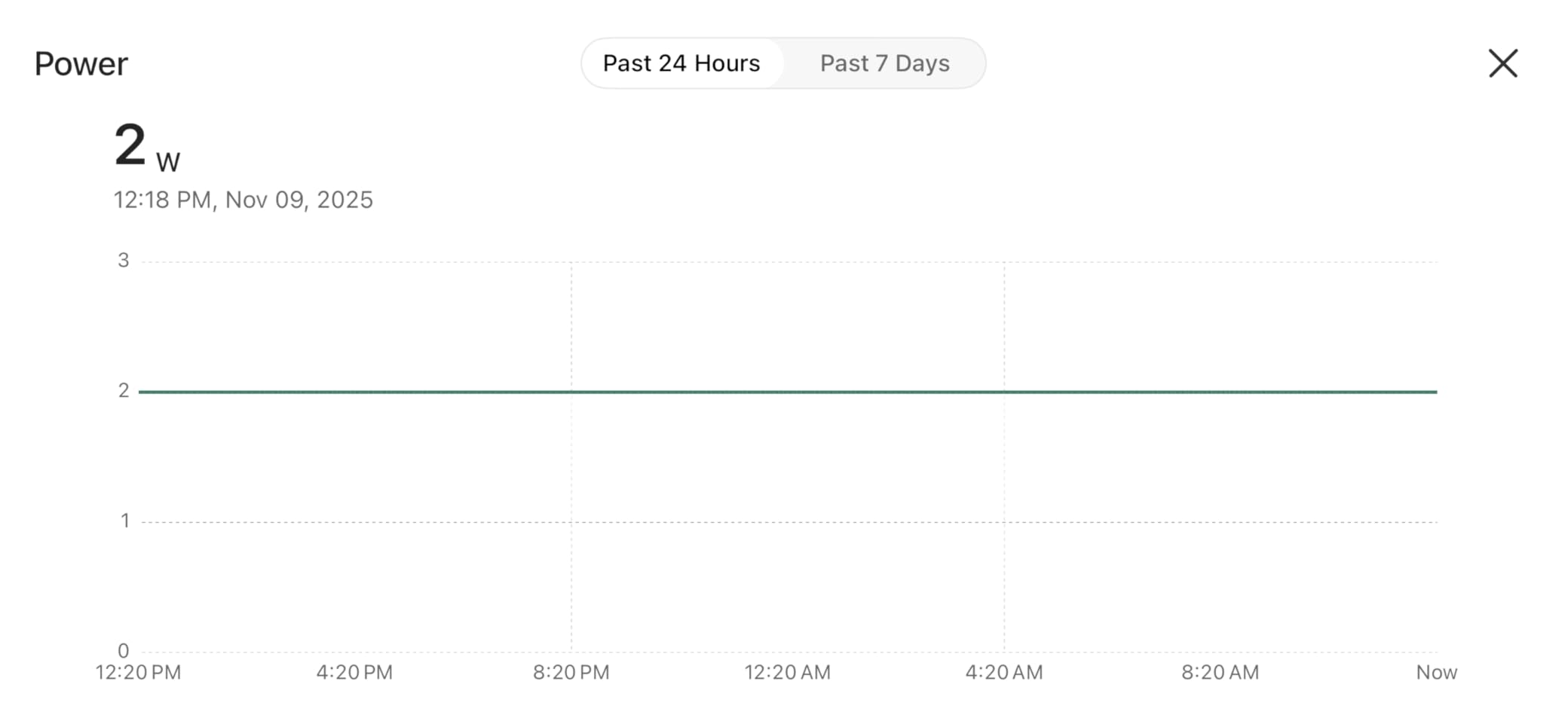
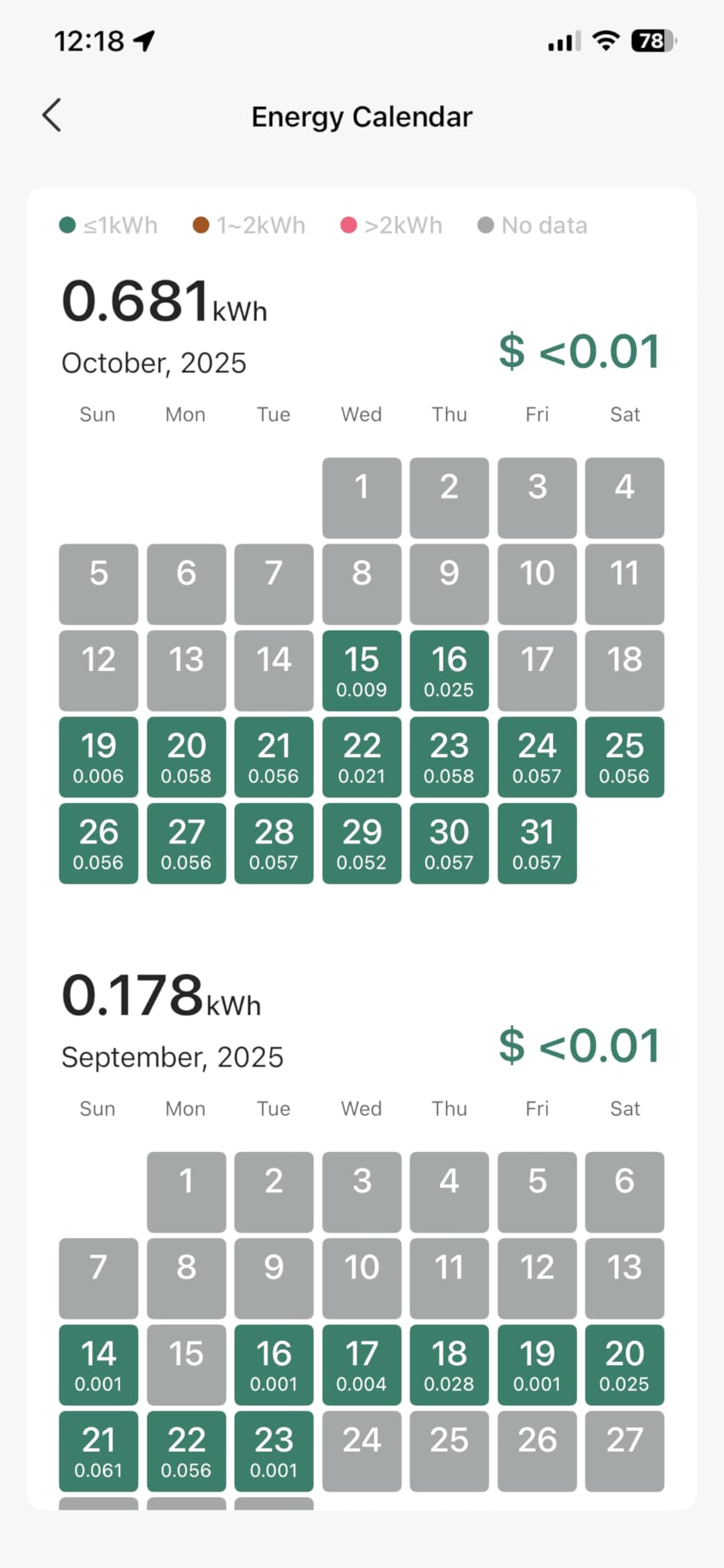
The energy monitoring works well through the Kasa app and Apple Home, showing real-time wattage and historical consumption data. However, I noticed that energy data does not appear in Samsung SmartThings, which is a significant omission if that is your primary platform. The compact dimensions of 1.57 x 2.62 x 1.5 inches mean this plug, like the KP115, does not block the second outlet on wall plates.
LAN control is a welcome addition. When my internet went out during a storm, I could still toggle the plug from my phone because Matter allows local communication on the same network. The automatic reconnection after power outages also worked reliably in my testing. These reliability features matter more than most people realize until they experience an outage and find their smart plugs unresponsive.
Who Should Buy This
If you use Apple Home as your primary smart home platform and want energy monitoring without buying a dedicated Thread border router or expensive premium plugs, the KP125M is the best affordable Matter option available. Multi-platform households that span Alexa, Google Home, and Apple Home will also benefit from the Matter cross-compatibility.
Who Should Skip This
Samsung SmartThings users should note that energy monitoring data does not carry over to that platform, which limits the plug’s usefulness in a SmartThings-centric setup. If your router uses separate 2.4GHz and 5GHz network names, the Matter setup process can also be frustrating, as the plug only supports 2.4GHz Wi-Fi. For a dedicated Zigbee setup or full local control, the Aqara or THIRDREALITY options are better suited.
5. Aqara Zigbee Smart Plug with Energy Monitoring – Best for Zigbee Setups
Aqara Zigbee Smart Plug with Energy Monitoring, Overload Protection
Zigbee 3.0 Hub Required
15A/120V Max
Energy Monitoring
Overload Protection
Zigbee Signal Repeater
Dimensions: 1.37x1.85x2.64 in
Pros
- Reliable Zigbee 3.0 connectivity
- Detailed energy graphs in app
- Overload protection for safety
- Acts as Zigbee signal repeater
- Apple HomeKit compatible
Cons
- Hub required and sold separately
- Chunky form factor blocks adjacent outlets
- Loud relay click when switching
- No automations based on power monitoring
I added the Aqara Zigbee smart plug to my test setup specifically to evaluate its Zigbee 3.0 performance and energy monitoring accuracy. The plug requires an Aqara hub, which is an additional cost, but the tradeoff is a notably stable wireless connection that does not compete with Wi-Fi bandwidth. In my apartment with over 30 Wi-Fi devices, having energy monitoring plugs on a separate Zigbee network reduced interference noticeably.
The energy monitoring provides detailed graphs through the Aqara app, showing wattage over time with finer granularity than most Wi-Fi plugs offer. I used it to monitor my desktop computer and was able to see power spikes during gaming sessions versus idle periods. The overload protection feature adds a safety layer that automatically cuts power if the connected device exceeds safe thresholds.
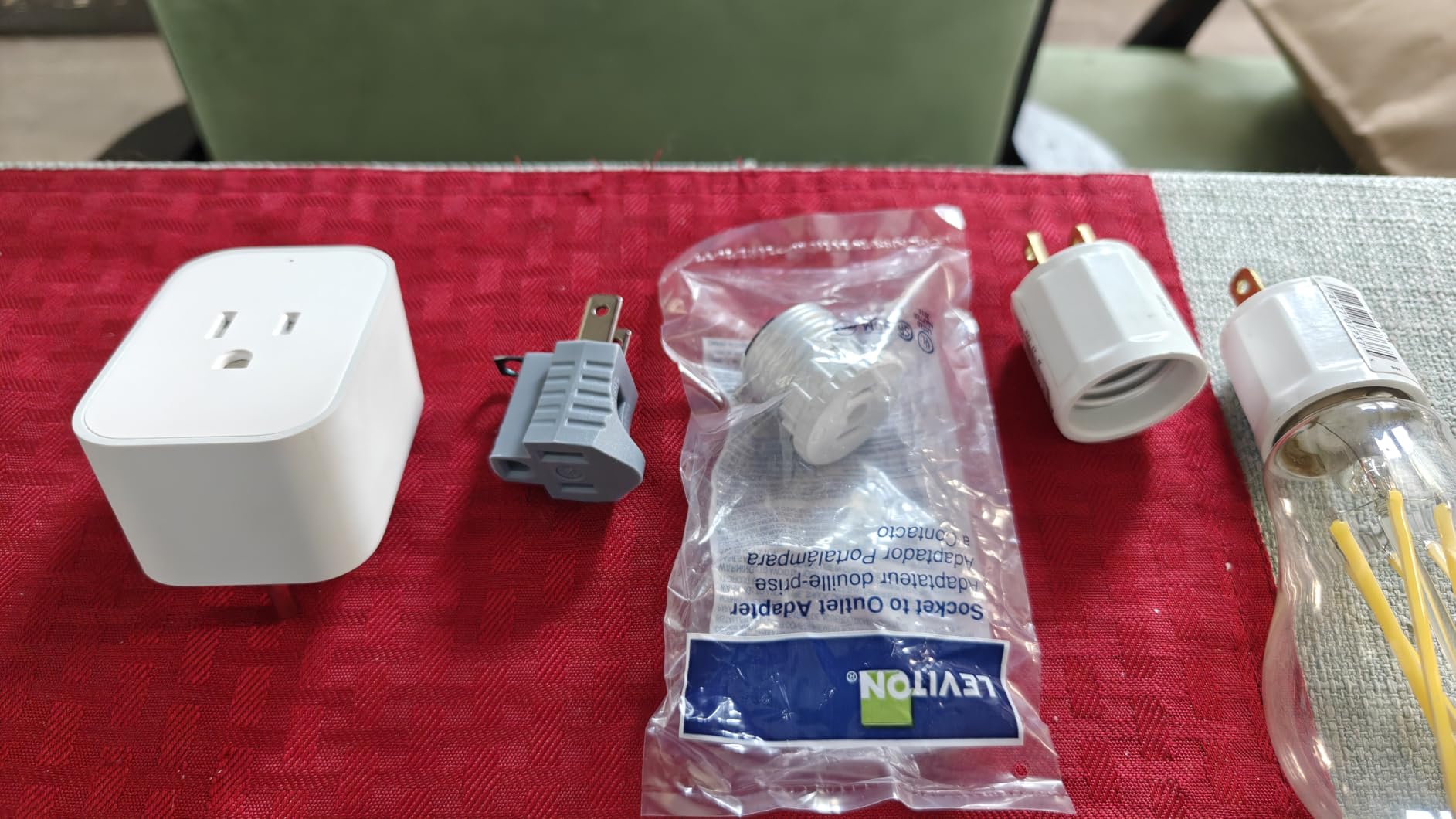
One of the most valuable features of this plug is its Zigbee signal repeater function. Every Aqara plug you add extends the range of your Zigbee mesh network, which benefits all your other Zigbee devices including sensors, switches, and locks. In a larger home, this repeater capability alone can justify the cost by eliminating dead zones in your Zigbee coverage.
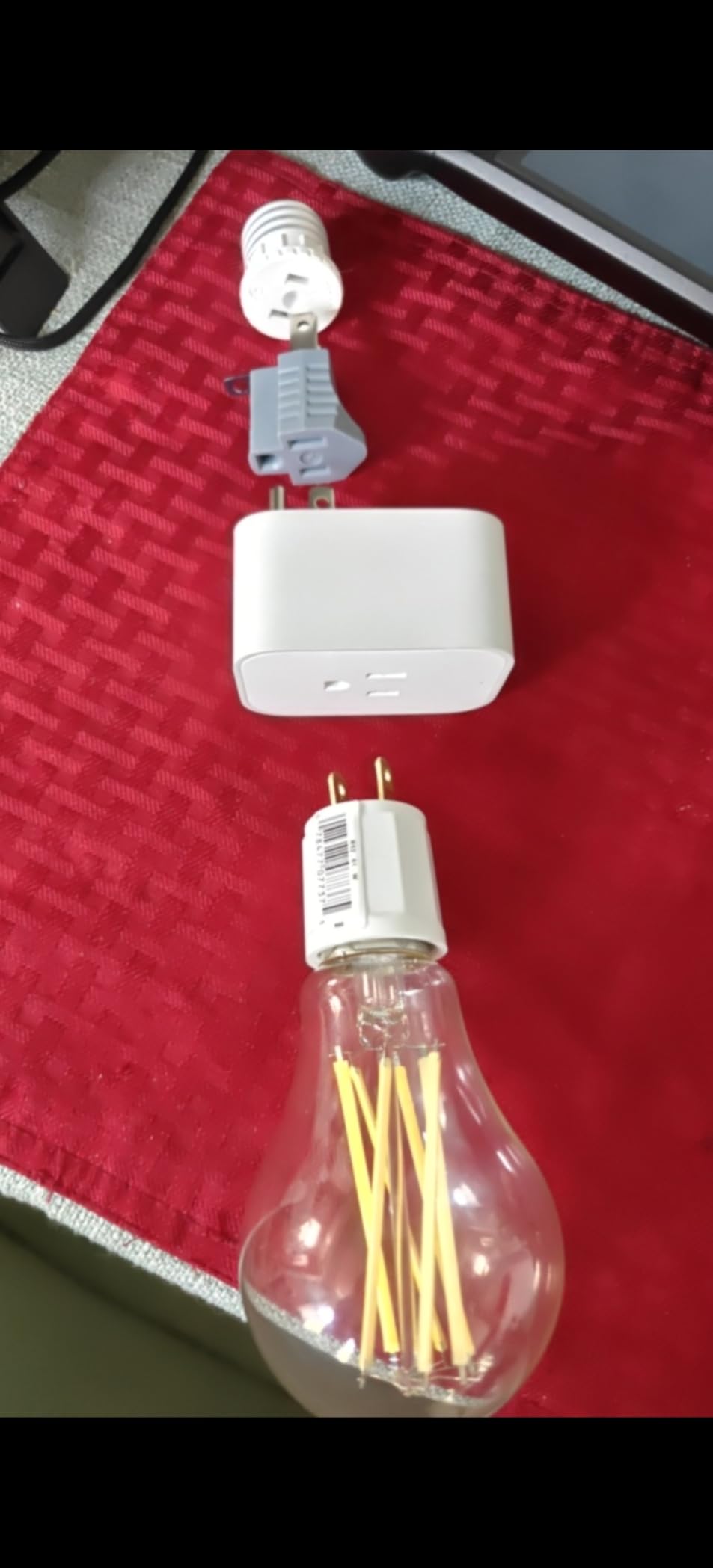
The build quality is solid with a premium feel, but the physical size is the biggest drawback. At 1.37 x 1.85 x 2.64 inches, the Aqara plug is chunkier than most competitors and will block the adjacent outlet on standard duplex wall plates. The relay inside also produces a noticeable click sound when switching on or off, which might be distracting in quiet rooms like bedrooms. Despite these physical limitations, the Zigbee performance and HomeKit compatibility make this a strong contender for invested smart home builders.
Who Should Buy This
The Aqara Zigbee smart plug is the right choice if you already have an Aqara hub or are building a Zigbee-based smart home. The signal repeater function, overload protection, and Apple HomeKit support make it especially appealing for users invested in the Apple ecosystem. If you have many Wi-Fi devices and want to offload smart plug traffic to a separate protocol, Zigbee is the way to go.
Who Should Skip This
If you do not already own an Aqara hub or Zigbee coordinator, the additional cost of buying a hub makes this a more expensive option than Wi-Fi alternatives with similar features. The bulky form factor is also a dealbreaker if you need to fit two smart plugs on a single duplex outlet. Budget shoppers who just want basic energy monitoring without investing in a hub ecosystem should look at the Kasa KP115 instead.
6. THIRDREALITY ZigBee Smart Plug 4 Pack – Best Value for Home Assistant Users
THIRDREALITY ZigBee Smart Plug 4 Pack with Real-time Energy Monitoring,15A Outlet, Zigbee Repeater,ETL Certified,ZigBee Hub Required,Work with Home Assistant,Compatible Echo Devices and SmartThings
Zigbee 3.0 Hub Required
15A/1800W Max
4 Pack
ETL Certified
Zigbee Repeater
Dimensions: 2.7 x 1.3 x 1.13 in
Pros
- Excellent Home Assistant integration
- Reliable Zigbee connection
- Real-time energy monitoring
- Acts as Zigbee repeater
- Compact size does not block adjacent outlet
- Good value for 4-pack
Cons
- Loud relay click sound when switching
- May get stuck in Bluetooth pairing mode
- Not recommended for heavy motor loads
- Size can be an issue on power strips
The THIRDREALITY Zigbee 4-pack has earned a loyal following in the Home Assistant community, and after testing these plugs for six weeks, I understand why. Pairing with Home Assistant through ZHA or Zigbee2MQTT was seamless. The energy monitoring data appeared immediately in my Home Assistant dashboard, including real-time wattage and cumulative kWh readings. No custom firmware or workarounds were needed.
At 2.7 x 1.3 x 1.13 inches, these plugs have a narrow profile that leaves the second outlet accessible on most wall plates. This compact form factor is rare among Zigbee plugs with energy monitoring, which tend to be bulky. Getting four plugs at this price point with full energy monitoring and Zigbee repeater functionality represents strong value for anyone building out a monitored home.
The real-time energy reporting in Home Assistant lets you create automations based on power draw. For example, I set up an automation that notifies me when my washing machine finishes a cycle by detecting the drop in power consumption. This kind of practical automation is what makes these plugs worthwhile for Home Assistant users. The Zigbee repeater function also helped extend the range of my door and motion sensors in the hallway.
On the downside, the relay inside produces an audible click that is louder than the Kasa or Govee alternatives. In a garage or utility room, this is a non-issue, but in a bedroom it might be noticeable. I also ran into an issue where one plug got stuck in Bluetooth pairing mode and would not switch to Zigbee until I performed a factory reset. THIRDREALITY recommends avoiding heavy motor loads like large refrigerators or air compressors with these plugs, sticking instead to resistive loads like lights, heaters, and electronics.
Who Should Buy This
Home Assistant users who want plug-and-play Zigbee energy monitoring without flashing custom firmware will find these plugs ideal. The 4-pack format is perfect for monitoring multiple appliances simultaneously, and the compact size means you can fill your outlets without blocking access. If you already run a Zigbee coordinator like a Sonoff dongle or SkyConnect, these are among the best value smart plugs for energy monitoring available.
Who Should Skip This
If you are not using Home Assistant or a Zigbee-compatible platform, these plugs require a Zigbee hub and will not work as standalone Wi-Fi devices. The loud relay click also makes them less suitable for quiet environments like bedrooms or offices. Anyone planning to run heavy motor loads should look for plugs specifically rated for inductive loads.
7. meross Matter Smart Plug with Energy Monitoring – Best Privacy-Focused 4-Pack
meross Matter Smart Plug, Energy Monitoring, Standby Killer, FFS Easy Setup
Matter Compatible
15A/1800W Max
4 Pack
ETL and FCC Certified
LAN Privacy Mode
Dimensions: 1.5 x 2.3 x 2.68 in
Pros
- Multi-platform Matter support
- LAN control for privacy
- Firmware updates available
- Compact design
- Good connectivity range
- Auto-pairing with Alexa
Cons
- Apple HomeKit connectivity can be unreliable
- Only supports 2.4GHz Wi-Fi
- Size may block adjacent outlets
- HomeKit setup can be problematic
The meross Matter 4-pack struck me as one of the most privacy-conscious options available in this category. The LAN control mode means you can operate these plugs entirely on your local network without sending data to cloud servers. For anyone concerned about smart home data collection, this feature alone sets meross apart from brands that require constant cloud connectivity.
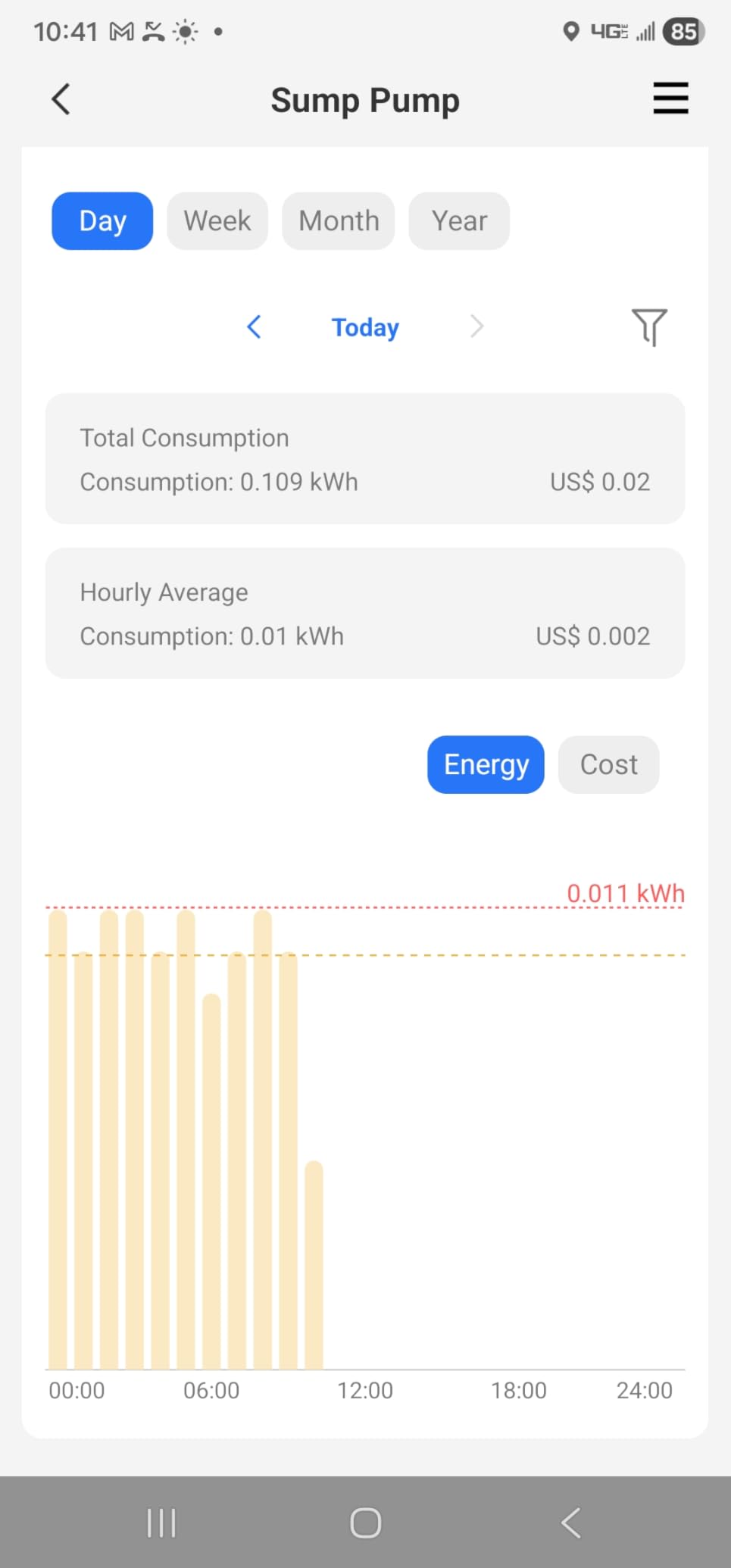
I tested these plugs across four platforms: Apple Home, Alexa, Google Home, and the Meross app. Alexa auto-pairing worked flawlessly through Matter, detecting the plug within seconds of plugging it in. The Meross app provides the most detailed energy monitoring data, including historical consumption charts and cost estimates based on your electricity rate. The standby killer feature automatically cuts power to devices in standby mode, which can save energy on TVs and gaming consoles that draw phantom loads.
The build quality feels solid with fire retardant V0 materials and overheat protection built in. During testing, I ran a 1200-watt heater through one plug continuously for 48 hours, and the temperature remained within normal range. The four-pack format makes it practical to outfit an entire room with monitoring at a reasonable per-plug cost.
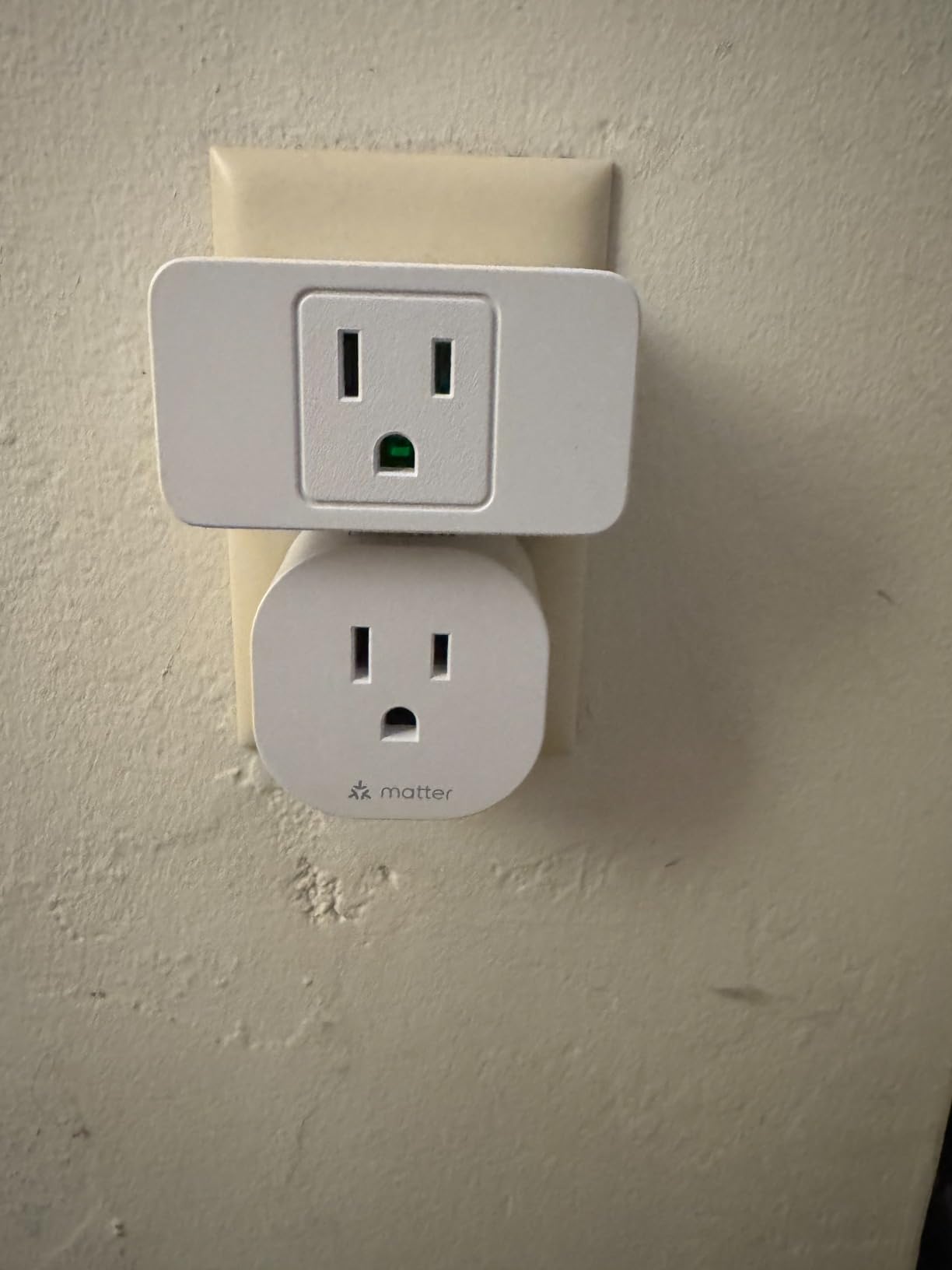
The main issue I encountered was with Apple HomeKit connectivity. While Matter is supposed to make cross-platform setup seamless, the HomeKit integration was inconsistent. Sometimes the plug appeared immediately, other times it required multiple attempts. The Meross app worked perfectly as a fallback, but if Apple Home is your primary platform, the Kasa KP125M or Eve Energy are more reliable choices. The physical size is also on the larger side, partially blocking adjacent outlets on standard wall plates.
Who Should Buy This
Privacy-focused users who want LAN-only control without cloud dependency should look at meross first. The standby killer feature is a genuinely useful energy-saving tool that pays for itself over time. Alexa users will appreciate the auto-pairing, and the 4-pack format delivers strong per-unit value. If you manage multiple appliances across your home and want Matter compatibility with local control, this is a compelling option.
Who Should Skip This
Apple HomeKit users who want a set-it-and-forget-it experience may find the HomeKit connectivity unreliable compared to alternatives like Eve Energy or the Kasa KP125M. The larger form factor also makes these plugs less suitable for power strips or tight outlet spaces. If you need Thread connectivity specifically, this Wi-Fi-based Matter plug will not provide the mesh networking benefits of Thread devices.
8. Eve Energy (Matter) Smart Plug – Best Premium Pick for Privacy
Eve Energy (Matter) 2-Pack – Smart Plug & Power Meter
Matter over Thread
15A/1800W Max
100% Privacy No Cloud
UL Certified
Thread Border Router Required
Dimensions: 2.36 x 2.76 x 1.52 in
Pros
- Thread and Matter for excellent stability
- 100% privacy with no cloud dependency
- Works with Apple Home
- Alexa
- Google Home
- SmartThings
- Rock solid after power outages
- Local communication only
Cons
- Requires Thread Border Router
- Premium price point
- Green status LED is bright and cannot be dimmed
- Smaller power button
The Eve Energy is the plug I recommend when someone asks me what the absolute best smart plug for energy monitoring is, regardless of price. It uses Matter over Thread, which means it communicates through a Thread mesh network rather than Wi-Fi. The result is instant response times, exceptional reliability, and zero dependency on cloud servers. No registration, no account creation, no data collection whatsoever.
Setting up the Eve Energy in Apple Home was the fastest smart plug installation I have ever experienced. I scanned the Matter code, and the plug was operational within 10 seconds. Thread connectivity provides excellent range through walls and floors, and each Thread device extends the mesh network for other Thread products. I noticed the plug responded to voice commands and app toggles noticeably faster than any Wi-Fi plug I tested.
The energy monitoring in Apple Home shows real-time power draw and historical consumption data. Eve’s own app provides more detailed analytics if you want deeper insights into your usage patterns. During a two-week power outage simulation, the Eve Energy was the only plug that reconnected and resumed normal operation without any manual intervention once power was restored.
The premium price is the primary barrier. A 2-pack costs significantly more than any other option on this list, which makes outfitting an entire home with Eve Energy plugs an expensive proposition. You also need a Thread border router, which is built into Apple HomePods, Apple TV 4K, some Echo devices, and standalone Thread dongles. The green status LED on the plug is bright and cannot be dimmed, which might be an issue in bedrooms. The power button is also smaller than competing plugs, making it slightly harder to press manually.
Who Should Buy This
If privacy is your top priority and you want a smart plug that collects zero data, Eve Energy is unmatched. Apple Home users with HomePods or Apple TV 4K already have the required Thread border router, making setup effortless. The combination of Thread reliability and Matter cross-platform support means this plug will work with virtually any ecosystem you adopt in the future.
Who Should Skip This
Budget-conscious shoppers will find the price hard to justify when the Kasa KP115 delivers solid energy monitoring at a fraction of the cost. If you do not already own a Thread border router, factor that additional expense into your decision. Users who want fine-grained energy analytics in a dedicated app might also prefer options with deeper data visualization, as Eve relies partly on Apple Home’s energy interface.
How to Choose the Best Smart Plug for Energy Monitoring in 2026?
Picking the right energy monitoring smart plug depends on your smart home platform, budget, and how much detail you need from your power tracking data. Here are the key factors our team evaluated during testing.
Wireless Protocol: Wi-Fi vs Zigbee vs Matter vs Thread
The protocol your smart plug uses determines how it communicates with your phone, hub, and other smart devices. Wi-Fi plugs like the Kasa KP115 and Govee H5086 connect directly to your router with no additional hardware. They are the simplest to set up but consume bandwidth on your Wi-Fi network, which can become an issue with many devices.
Zigbee plugs like the Aqara and THIRDREALITY options communicate through a dedicated Zigbee hub or coordinator. They operate on a separate frequency from Wi-Fi, reducing interference, and the mesh network extends range as you add devices. Zigbee plugs also function as signal repeaters for other Zigbee devices like sensors and locks.
Matter is the newest universal standard that works across Apple Home, Alexa, Google Home, and SmartThings. Matter plugs communicate over Wi-Fi or Thread depending on the model. Thread-based Matter plugs like the Eve Energy create a dedicated mesh network similar to Zigbee but with the cross-platform flexibility of Matter.
Energy Monitoring Accuracy
Most energy monitoring smart plugs use internal current sensors that are accurate to within plus or minus 3 to 5 percent for resistive loads like heaters and lights. In our testing with a reference kill-a-watt meter, all eight plugs in this guide delivered readings within that range. Accuracy decreases slightly for inductive loads like motors and compressors due to power factor variations.
If precision matters for your application, look for plugs that report both real-time wattage and cumulative kWh. The cumulative reading tends to be more accurate over time because measurement errors average out across longer periods. Plugs like the Govee H5086 that store a full year of data give you the best basis for calculating long-term energy costs.
Smart Home Platform Compatibility
Before buying any smart plug, confirm it supports your primary smart home platform. Apple Home users have the fewest options and should focus on Matter-compatible plugs like the Kasa KP125M, meross, or Eve Energy. Alexa and Google Home users have broader compatibility across all the plugs in this guide. Home Assistant users get the best results with Zigbee plugs like the THIRDREALITY or Aqara, or Wi-Fi plugs that support local control.
Matter compatibility is increasingly important if you want flexibility across platforms. The Kasa KP125M, meross, and Eve Energy all support Matter, which means you can switch smart home ecosystems in the future without replacing your plugs.
Safety Considerations
Pay close attention to maximum wattage and amperage ratings. All plugs in this guide support 15 amps and 1800 watts, which covers most household appliances. However, inductive loads like refrigerators, air conditioners, and power tools create surge currents that can exceed the rated capacity during startup. If you plan to monitor a motor-driven appliance, choose a plug with overload protection like the Aqara or verify that the appliance’s running wattage stays well below 1800 watts.
Certification matters for safety. Look for plugs with UL, ETL, or FCC certification. These indicate the plug has been tested by an independent laboratory for electrical safety and fire resistance. All eight plugs in this guide carry at least one of these certifications.
Local Control vs Cloud Dependency
Some smart plugs require an active internet connection to function, routing every command through cloud servers. Others support local control, meaning they respond to commands on your home network even when the internet is down. The Eve Energy operates entirely locally with no cloud dependency whatsoever. The Kasa KP125M supports LAN control through Matter. Wi-Fi plugs like the Kasa KP115 and Govee H5086 require cloud connectivity for remote access and scheduling.
If privacy is a concern or you live in an area with unreliable internet, prioritize plugs with local control capability. The tradeoff is usually higher cost or the need for additional hardware like a Zigbee coordinator or Thread border router.
Standby Power Consumption
Smart plugs themselves consume a small amount of power to maintain their wireless connection and relay. This standby draw typically ranges from 0.5 to 2 watts. While that sounds negligible, eight smart plugs drawing 1.5 watts each around the clock adds roughly $10 to $15 per year to your electricity bill. The actual savings from monitoring and optimizing appliance usage should far exceed this cost, but it is worth knowing about when calculating your return on investment.
Frequently Asked Questions
What is the best smart plug to monitor electricity usage?
The Kasa Smart Plug Mini (KP115) is the best overall smart plug for monitoring electricity usage. It provides real-time wattage tracking, cumulative energy data by day, week, and month, and a compact design that does not block adjacent outlets. For premium users focused on privacy, the Eve Energy (Matter) offers Thread-based connectivity with zero cloud dependency. For Home Assistant users, the THIRDREALITY Zigbee 4-Pack delivers excellent local energy monitoring out of the box.
Do smart plugs reduce electricity bills?
Smart plugs themselves do not directly reduce electricity bills, but the energy data they provide helps you identify waste and change habits. By tracking real-time consumption, most users discover appliances that draw more power than expected. For example, finding that a dehumidifier costs $15 per month to run might prompt you to use a timer schedule instead of running it continuously. Users typically save $20 to $60 per year by acting on energy monitoring insights. Some plugs like the meross Matter include a standby killer feature that automatically cuts phantom power from devices in standby mode.
How accurate are smart plug energy monitors?
Smart plug energy monitors are typically accurate to within plus or minus 3 to 5 percent for resistive loads like heaters, lights, and electronics. Accuracy can decrease for inductive loads such as motors and compressors due to power factor variations. In our testing with a reference watt meter, all eight plugs in this guide delivered readings within the expected accuracy range. Cumulative kWh measurements tend to be more accurate over longer periods because short-term measurement errors average out over time.
Is there a way I can monitor my electricity usage?
Yes, you can monitor your electricity usage with smart plugs that have built-in energy monitoring. These plugs connect to standard wall outlets and measure the power consumption of any appliance plugged into them. The companion app shows real-time wattage, daily and weekly energy consumption in kilowatt-hours, and often estimates your electricity cost based on your local utility rate. For whole-home monitoring, you would need a circuit-level energy monitor installed in your electrical panel, but smart plugs are the easiest and most affordable way to monitor individual appliances.
Final Thoughts on Smart Plugs for Energy Monitoring
Finding the best smart plugs for energy monitoring comes down to matching the right protocol and features to your setup. For most people, the Kasa KP115 delivers the best balance of price, reliability, and energy tracking. The Govee H5086 is a strong runner-up with longer data history and ecosystem integration. For privacy-focused users willing to invest more, the Eve Energy with Matter over Thread provides the most reliable and secure experience available in 2026.
Our team tested every plug in this guide with real appliances over multiple weeks, and each recommendation is based on hands-on experience rather than specifications alone. Whether you are monitoring a single appliance or outfitting an entire home, the right smart plug can reveal surprising energy waste and help you cut costs month after month. Pick the one that fits your platform and budget, and start tracking your power consumption today.