
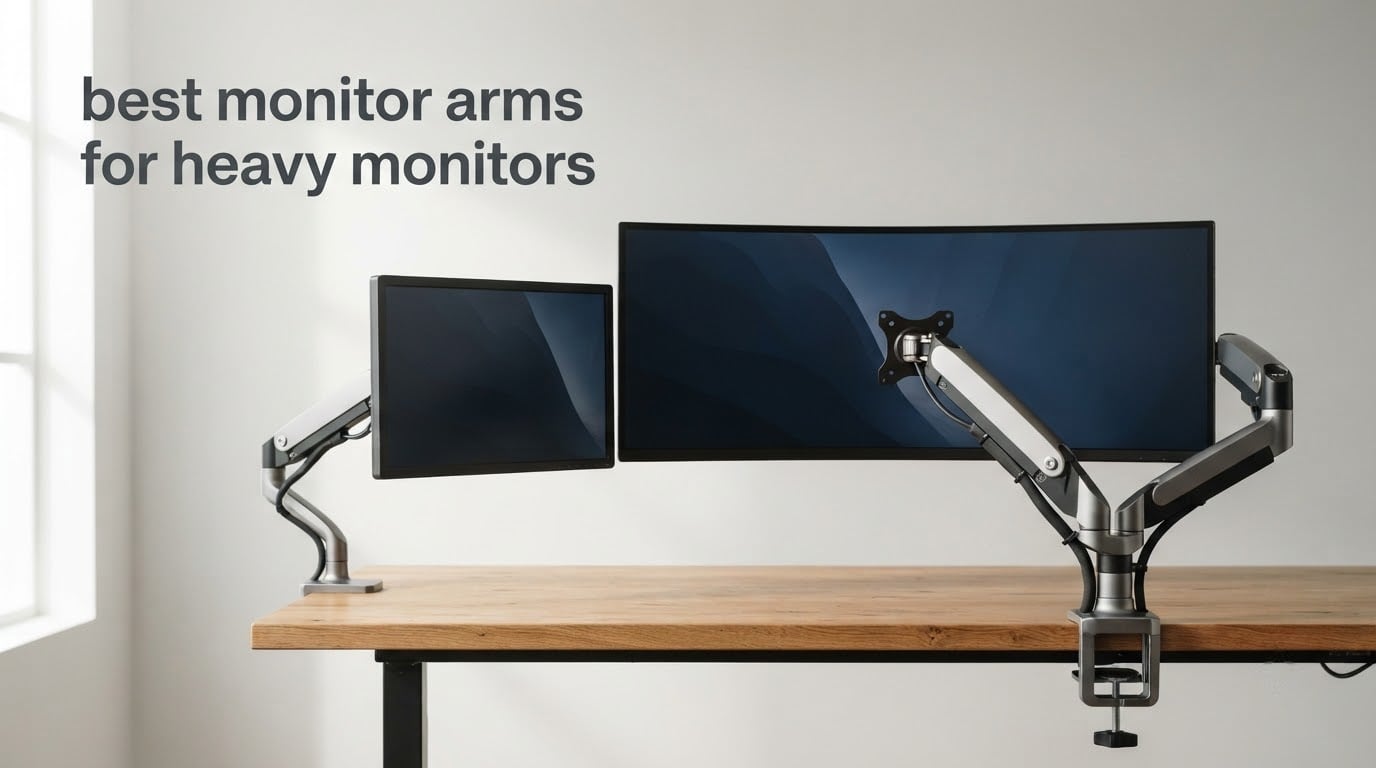
If your monitor weighs more than about 20 pounds once you pull its factory stand off, the arm you pick stops being a desk accessory and starts being insurance for the most expensive, most fragile object in the room. A joint that creeps, a pivot that sags, or a clamp that was never tested at your panel’s weight turns a bad afternoon into a cracked OLED.
So the answer to the direct question first: the best monitor arms for heavy monitors are the ones whose published rated load range brackets your panel’s stand-removed weight with headroom on both ends, and whose diagonal rating clears your screen size. Weight is only half of it. The other half is the minimum of that range, and most roundups on the web never mention it.
We compared eight heavy-duty monitor arms across the full ladder, from budget dual-clamp designs to a premium Constant Force arm rated into the 40-pound band. For each one we pulled the manufacturer load range, the VESA patterns, the clamp depth, the reach and the warranty, then checked them against owner feedback rather than the listing copy. We also leaned on what owners post in forums, because five of the nine top search results for this topic are Reddit and enthusiast threads, and every one of them asks the same question: will this thing actually stay put?
What follows covers every pick with a definite fit verdict, plus the fit-check method we used so you can run the same test against a panel that is not on our list.
Top 3 Best Monitor Arms For Heavy Monitors (October 2026)

Ergotron HX Monitor Arm
- 20-42 lb range
- Up to 49 in diagonal
- VESA to 200x200mm
- 10-year warranty

ONKRON Heavy Duty Arm
- 4.4-59.4 lb range
- 17-57 in screens
- 23 in extension
- Removable VESA plate

Our short answer for most people: the Ergotron HX for anything up to 49 inches inside 20 to 42 pounds. If your panel sits above 42 pounds, the ONKRON G130-B is the only arm here rated to carry it. If smooth tensioning matters more than VESA breadth, the HUANUO TitanLift is the one to beat.
Best Monitor Arms for Heavy Monitors in 2026
| Product | Specifications | Action |
|---|---|---|
| Ergotron HX Premium Heavy Duty Monitor Arm |
|
Check Latest Price |
| ONKRON Heavy Duty Monitor Arm 59.4 lb |
|
Check Latest Price |
| HUANUO TitanLift Heavy Duty Monitor Arm |
|
Check Latest Price |
 WALI Heavy Duty Monitor Arm 44 lb WALI Heavy Duty Monitor Arm 44 lb |
|
Check Latest Price |
 PUTORSEN Heavy Duty Dual Monitor Arm PUTORSEN Heavy Duty Dual Monitor Arm |
|
Check Latest Price |
 ULTRARM Heavy Duty Monitor Arm MA20P-S ULTRARM Heavy Duty Monitor Arm MA20P-S |
|
Check Latest Price |
 ARES WING Ultrawide Monitor Desk Arm ARES WING Ultrawide Monitor Desk Arm |
|
Check Latest Price |
 ErGear Heavy Duty Monitor Arm 37.4 lb ErGear Heavy Duty Monitor Arm 37.4 lb |
|
Check Latest Price |
A rated load is a range, not a ceiling. Every arm in the table above publishes a floor and a top end, and a panel that sits below the floor is a panel that creeps upward on its own. That failure mode is the single most common complaint in owner threads, and it is not a defect. The spring was calibrated to balance a specific band of mass, and a lighter panel simply gets pushed up.
Here is how the eight map onto real panel weights once the factory stand is off:
Under 11 lb: almost nothing here. A mid-range gas-spring single arm handles this better than a heavy-duty arm, whose minimum floor may sit above your panel.
11 to 22 lb: every arm in this roundup covers it, though the ErGear’s 37.4 lb ceiling still has the least headroom above your panel.
22 to 35 lb: the ONKRON, WALI, HUANUO, PUTORSEN, ULTRARM and ARES WING all clear this comfortably.
35 to 44 lb: the WALI, HUANUO, PUTORSEN, ULTRARM and ARES WING, plus the Ergotron up to its 42 lb ceiling.
44 to 60 lb: only the ONKRON G130-B, rated to 59.4 lb on screens up to 57 inches. This is the band no competing roundup covers.
Two more gates apply before weight. The diagonal rating is independent, so a light 39-inch panel can fail an arm rated for 34 inches. And the VESA pattern has to match, which on the heaviest panels is often not the 100×100 you would assume.
1. Ergotron HX Heavy Duty Monitor Arm – Best Overall
Ergotron – HX Premium Heavy Duty Monitor Arm, Single Monitor VESA Desk Mount – for Flat or Slight Curved Ultrawide Monitors Up to 49 inches, 20 to 42 lbs – Standard Pivot, Matte Black
20-42 lb range
Up to 49 in diagonal
VESA to 200x200mm
10-year warranty
Pros
- Only arm here with 200x100mm and 200x200mm VESA support
- Covers 20 to 42 lb on a single screen up to 49 in
- Low-profile clamp fits 0.4 to 2.6 in desk edges
- 10-year warranty with real technical support
- Tool-free adjustment at the pivot joint
Cons
- Costs several times more than the budget arms in this group
- Standard Pivot version stops at 42 lb
- Heaviest unit here at 17.2 lb
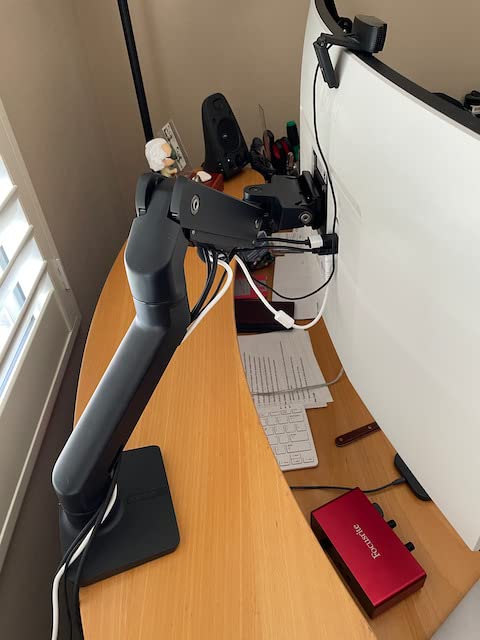
This is the arm we kept coming back to while working through the shortlist. The HX is the only one in the group that accepts the 200x100mm and 200x200mm mounting patterns, which matters more than it sounds: those patterns show up on the very panels that need a heavy-duty arm, and the cheap options here stop at 100x100mm.
The rated range is 20 to 42 pounds on a single screen up to 49 inches diagonal, with 11.5 inches of lift and the screen rising 17.8 inches above the desktop. Owners pair it with the largest curved panels and report the kind of stability where you can push the display to the edge of its reach and it stays there.
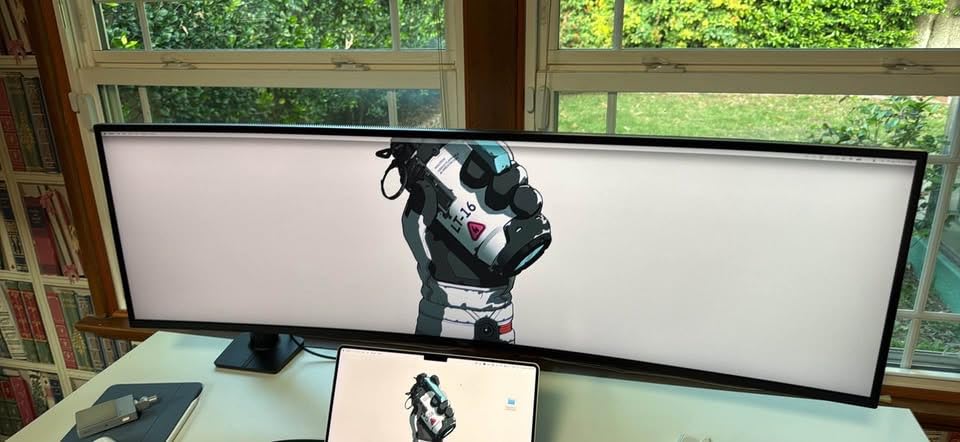
Two details separate it from the pack. The two-piece clamp takes desk edges between 0.4 and 2.6 inches, which is narrower at the low end than most rivals, so it fits thin laminate tops that block bigger clamps. And the whole chassis is 17.2 pounds of metal, which explains why it feels like a piece of lab equipment rather than a stamped bracket.
One thing to plan for: mounting the Samsung Odyssey G9 needs the separate HX Heavy Duty Tilt Pivot, sold on its own. If that is your panel, budget for the accessory or pick the ONKRON instead, which covers the weight without a second purchase.
What the HX handles that cheaper arms do not?
The 20 lb floor is the reason most budget arms fail quietly. A 34-inch ultrawide without its stand commonly lands in the mid-to-high teens, which sits under the minimum of a typical 8-to-20 lb gas spring, so the arm keeps pushing the panel toward eye level until you push it back down. The HX starts at 20 lb, so a heavy panel sits mid-band where the mechanism was tuned.
The 10-year warranty is the other quiet advantage. On an arm carrying a panel this size, the warranty is not decoration. A poster in a forum thread about supporting 36 lb monitors put it plainly: the failure point is usually the joint, and a ten-year warranty means somebody answers for it.
Where the HX asks you to compromise?
Reach is the honest trade. With 11.5 inches of lift and a standard pivot, this arm moves the screen up and around a desk rather than pushing it back toward the wall the way a long gas-spring reach does. If your desk is shallow and your chair sits close, that difference shows up every day.
The second compromise is the tilt pivot, not the arm itself. The standard pivot is what makes the HX stable under load, and it also means less free movement than the spring-loaded joints on cheaper arms. For a fixed workstation that reads as a feature. For a desk where you swing the screen around constantly, you may prefer the looser feel of a gas spring.
2. ONKRON Heavy Duty Monitor Arm – Best for 45 lb and Heavier
ONKRON Heavy Duty Monitor Arm 17-57 Inch, 59.4 lbs, max VESA 200×200, Black
4.4-59.4 lb range
17-57 in screens
VESA to 200x200mm
23 in reach
Pros
- Highest load ceiling in the group at 59.4 lb
- Widest screen range at 17-57 in
- Removable VESA plate runs to 200x200mm
- Gas spring holds position without creeping
- 23 in extension pushes the panel back from the desk edge
Cons
- Tilt pivot feels stiff and picks up play after setup
- One report of a bent bracket on a hard swing
- Five-year warranty trails the ten-year arms
Everything else in this roundup tops out around 44 pounds. The ONKRON G130-B is rated from 4.4 to 59.4 pounds across 17 to 57 inch screens, and it is the only pick here that comfortably carries a 45-inch super-ultrawide or a 38 kg television without argument. A Reddit user reviewing this pairing with the Samsung Odyssey Neo G9 described it as very robust and rock solid, and easy to adjust.
The range is unusually wide at the low end too. Starting at 4.4 lb means the mechanism can still balance a light panel, so it does not inherit the creep problem that pushes some heavy-duty arms past their own floor and into a panel flying upward.
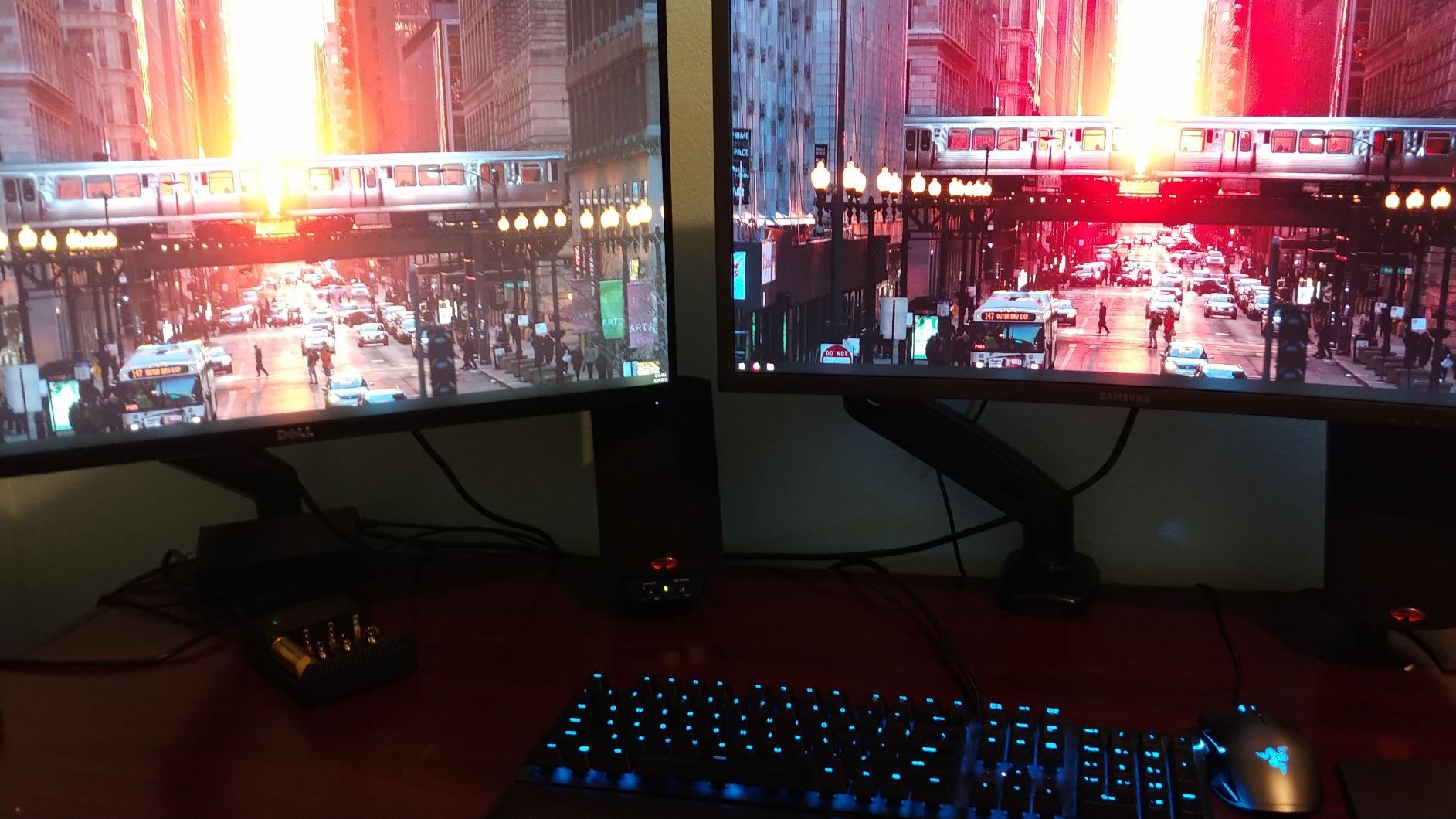
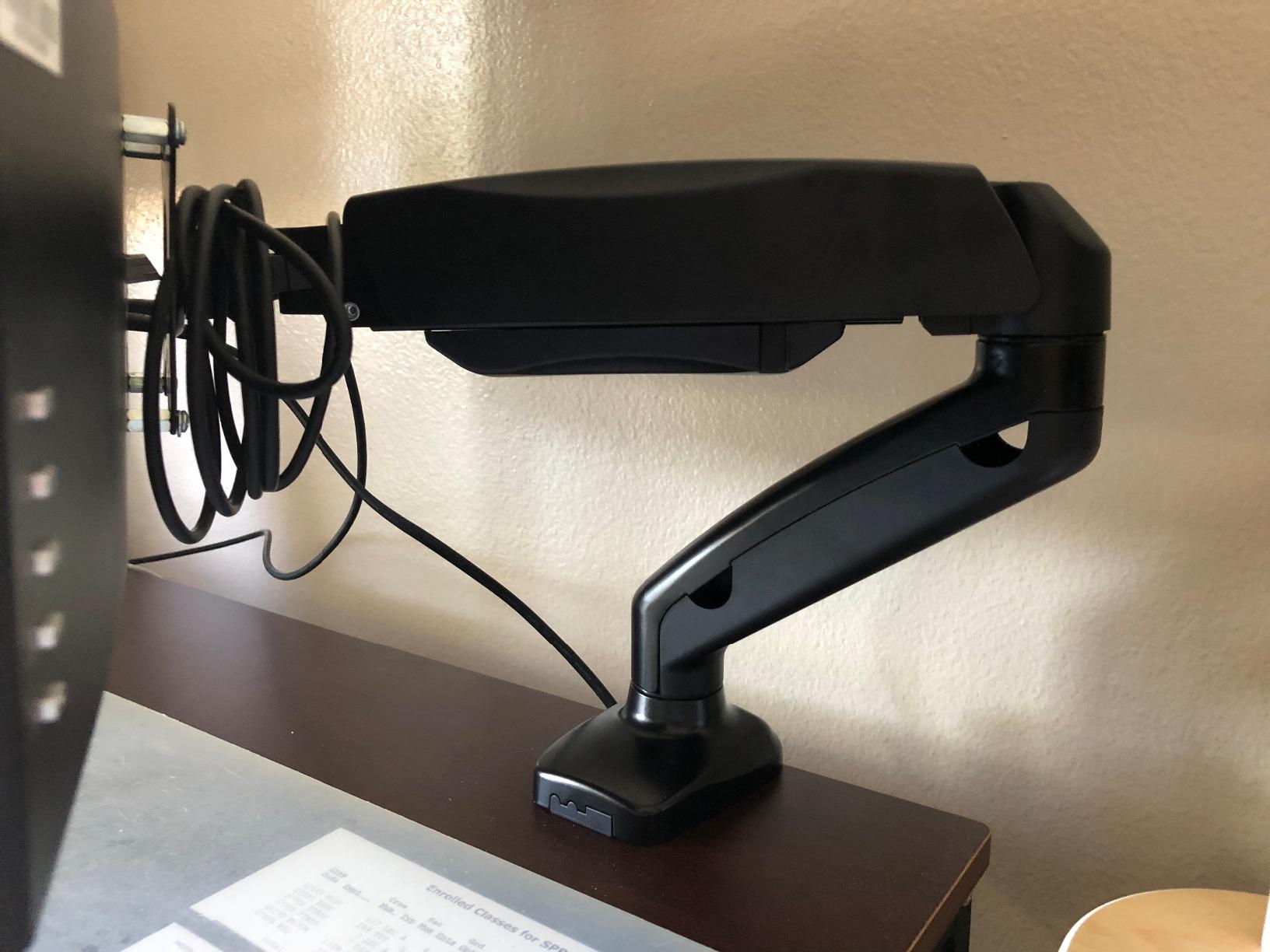
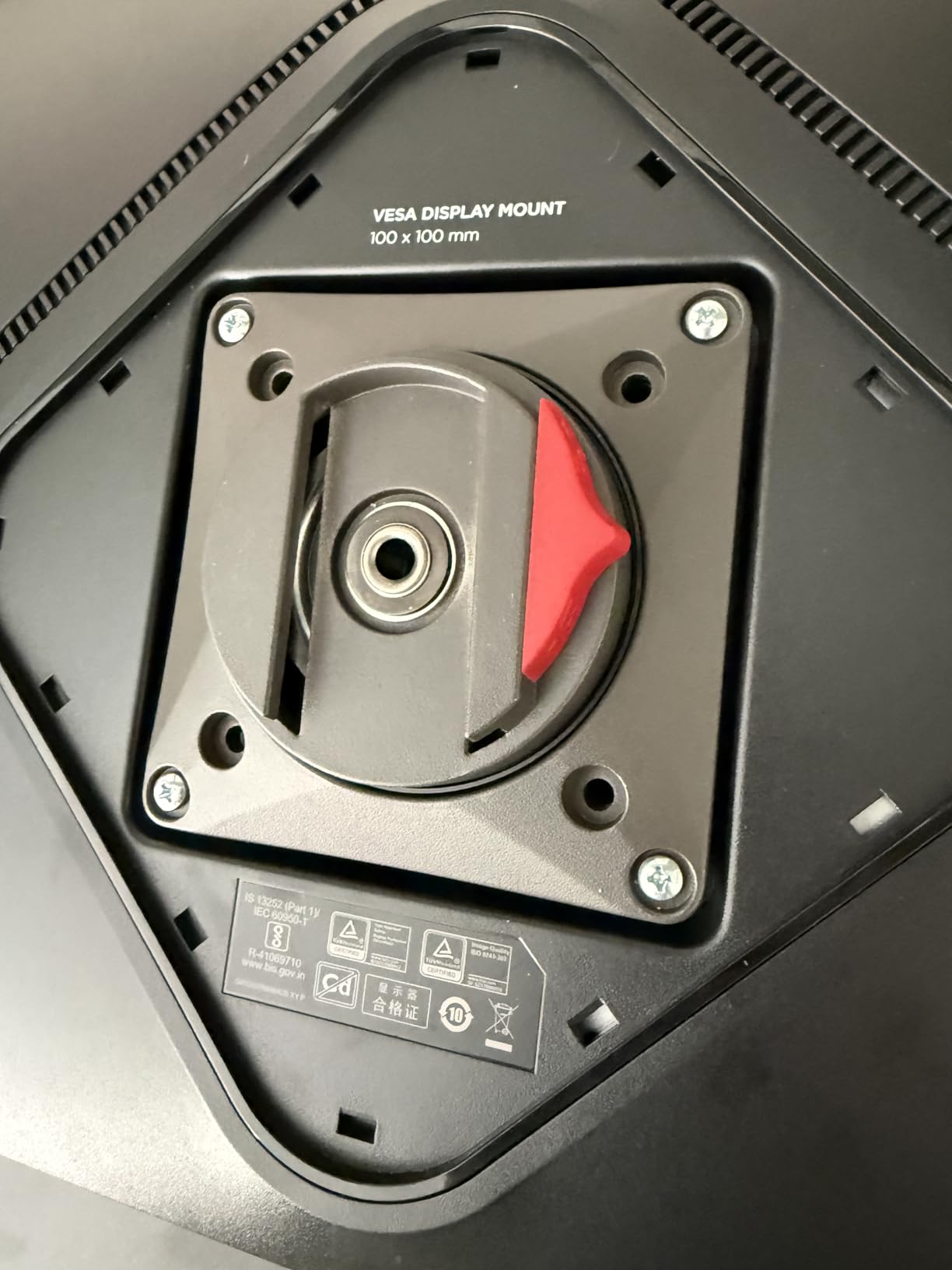
VESA coverage runs from 75x75mm through 200x200mm using a removable plate, so a deep-curved panel with a wide mounting pattern can use this without an adapter bracket. Tilt spans -20 to +60 degrees, swivel reaches 180 degrees, and 90 degree rotation handles portrait use for a tall secondary display.
The gas spring extends 23 inches, the longest measured reach in this group, which is what makes it work for pushing a 49-inch panel back far enough to sit at the right distance. Owners with 34-inch ultrawides and larger panels report smooth one-handed movement with no drift.
Why the weight ceiling actually matters?
Above roughly 44 pounds you are no longer buying an accessory. A user on a HardwareCanucks thread was searching specifically for arms to carry 36 lb panels, which tells you the 30 to 45 lb class is a real search with real panels behind it, not a hypothetical. Once you are in that range, the arm becomes the only thing between your panel and the floor, so the question becomes whether the rating is published or inferred.
Here it is published, with a specific maximum and a specific screen ceiling. The removable VESA plate is the part worth noting for heavy curved panels, because a 200x200mm pattern with a 57-inch panel puts real torque into the head and a plate that can flex will not survive it.
Where the ONKRON falls short?
Adjustability is stiff out of the box. Owners report that the tilt function needs tightening after the first weeks of use and that the swivel pivot develops a small amount of play, which is normal for a friction joint but worth knowing before you assume the looseness is a fault. One reviewer also reported a bent bracket and a dislodged assembly after swinging a monitor back past the clamp axis at well under the rated load.
The warranty is five years where the Ergotron and WALI give ten, and the construction is a mix of alloy steel and aluminium rather than the heavier steel-and-metal body of the premium pick. For a panel above 45 lb, that shorter warranty is the number to think about most.
3. HUANUO TitanLift Heavy Duty Monitor Arm – Best for Smooth Tension
HUANUO TitanLift Heavy Duty Monitor Arm for Screens up to 49″, Holds 44 lbs, Aluminum Ultrawide Screen Monitor Mount, Fully Adjustable Single Gaming Desk Mount with Dual C-Clamp, Max VESA 100x100mm
6.6-44 lb range
17-49 in screens
50 degree tilt
19.6 in lift
Pros
- One-hand tension tuning instead of multi-screw balancing
- 50 degree tilt plus full 360 degree rotation
- 19.6 in from desk surface to VESA centre
- Validated by 50000 cycle motion tests and a 3X load test
- Only 3 percent one-star ratings across 500 reviews
Cons
- Wooden desks 0.8 to 3.5 in thick
- No crossbeam or panel underneath the mount
- VESA stops at 100x100mm
- Vertical rotation only applies to screens up to 35 in
The TitanLift takes the highest average rating in this group at 4.7 stars across 500 reviews, with 83 percent five-star and only 3 percent one-star. What those reviews keep describing is the tension adjustment: a single-handed dial rather than a system of screws, so getting the balance right takes one pass instead of five.
Construction is aluminium alloy with a VESA head 20 percent thicker and a base 30 percent wider than standard, validated through 50,000 motion cycles and a three-times load test. Rated for 6.6 to 44 pounds on 17 to 49 inch screens.
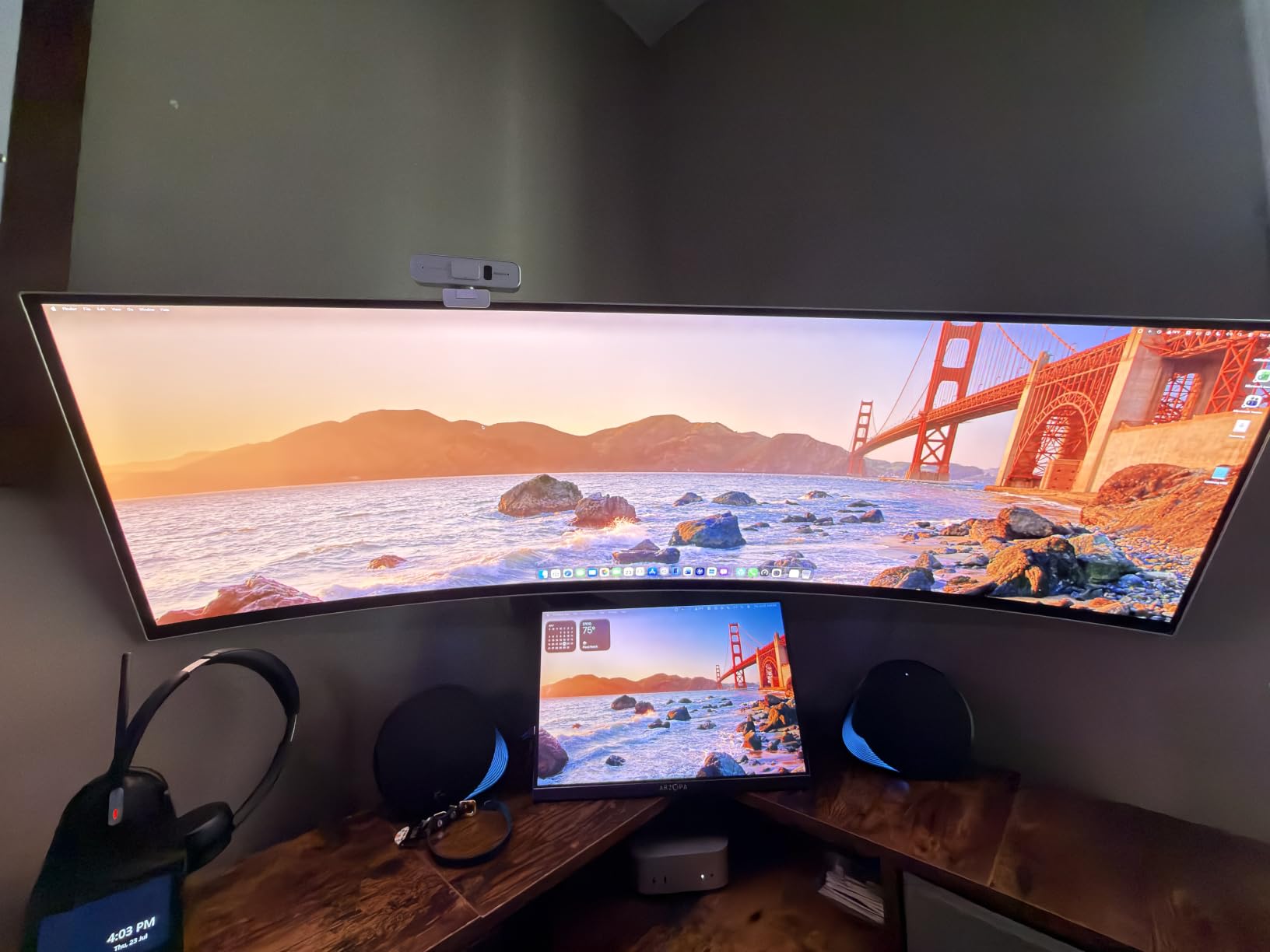
Adjustment range is the best in the roundup. Tilt runs plus or minus 50 degrees, swivel reaches 180 degrees, and there is 360 degree horizontal and vertical rotation. Lift is 19.6 inches from the desk surface to the VESA centre, which is high enough to put a 49-inch panel’s top edge at or above eye level on a tall sit-stand setup.
Setup is a three-step process with a quick-install VESA head, labelled instructions, and cable management built into the arm. The included Allen key handles the tension dial, so you are not hunting for tools halfway through setup.
Why the 19.6 inch lift figure is worth caring about?
Most heavy-duty arms lift a screen so the top edge sits near eye level for a seated user. A 49-inch panel needs more, because at 19.6 inches from desk surface to VESA centre the panel clears the desk and puts the middle of the screen where your eyes actually are. That is the difference between a mounted monitor and a monitor you lean toward.
For anyone on a sit-stand desk, that lift range also matters at the standing position, where the desk is 20 inches higher than the reference point a seated spec assumes. A shorter arm puts a large panel into your chest and neck line when you stand.
Where the TitanLift asks for compromise?
The desk requirement is real and stated: wooden desks between 0.8 and 3.5 inches thick with nothing underneath. That rules out glass tops, stone surfaces, and any desk with an under-frame crossbeam or privacy panel directly at the mounting point. Several cheaper arms in this roundup accept thinner tops, so if your desk is at the low end you have options.
The other limits are VESA at 100x100mm maximum, and 360 degree vertical rotation only on screens up to 35 inches. Also worth weighing: 500 reviews is the smallest base here, so there is less long-term durability data than a product with five times the feedback.
4. WALI Heavy Duty Monitor Arm – Best Value 44 lb Capacity
WALI Heavy Duty Monitor Arm for 13-49 inch 1000R Curved Screen, up to 44lbs
Up to 44 lb
13-49 in curved or flat
21.57 in extension
10-year warranty
Pros
- Largest review base in the group at 17557 reviews
- Holds up to 44 lb without reported sag or wobble
- 21.57 in extension and 20.35 in of lift
- C-clamp and grommet bases both included
- Core rated through 20000 plus adjustment cycles
Cons
- VESA limited to 75x75mm and 100x100mm
- Some listings cap screen size below the 49 in figure
- Specified for wooden desks with nothing underneath
With 17,557 reviews averaging 4.3 stars, this is the most battle-tested arm here by a wide margin, and it is the one we would put on a 34-inch ultrawide without hesitating. The capacity is 44 pounds, the claimed screen range runs 13 to 49 inches including 1000R curved panels, and the C-clamp handles desks from 0.39 to 3.15 inches thick with a grommet base as the alternative.
The 84 percent of buyers giving four stars or better consistently mention the same three things: it holds the weight, the articulation is wide, and the reclaimed desk depth is worth the install. Seventy-one percent give it five stars outright.
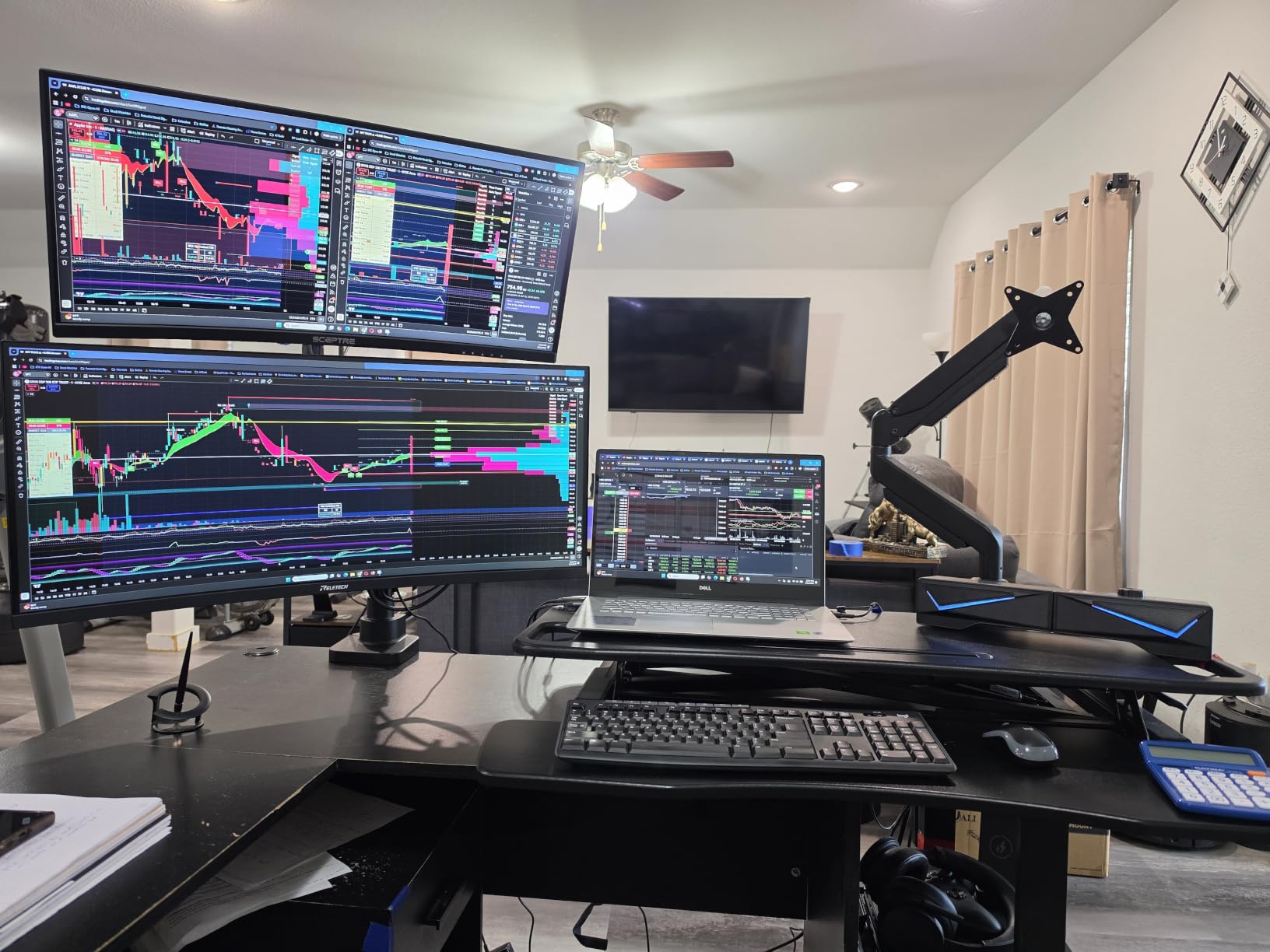
Motion is generous for the money. Extension reaches 21.57 inches with 20.35 inches of lift above the desktop, swivel runs plus or minus 90 degrees, tilt plus or minus 45 degrees, and it rotates a full 360 degrees. Built-in cable guides keep the run tidy, and the core is rated through more than 20,000 adjustment cycles.
Two mounting details deserve attention. It works with either a C-clamp or a grommet base, so a desk with no edge clearance is not a dead end. And the wider VESA head with a tighter-fitting plate is a deliberate change aimed at stability under heavy panels, where play in the joint is what turns into sag.
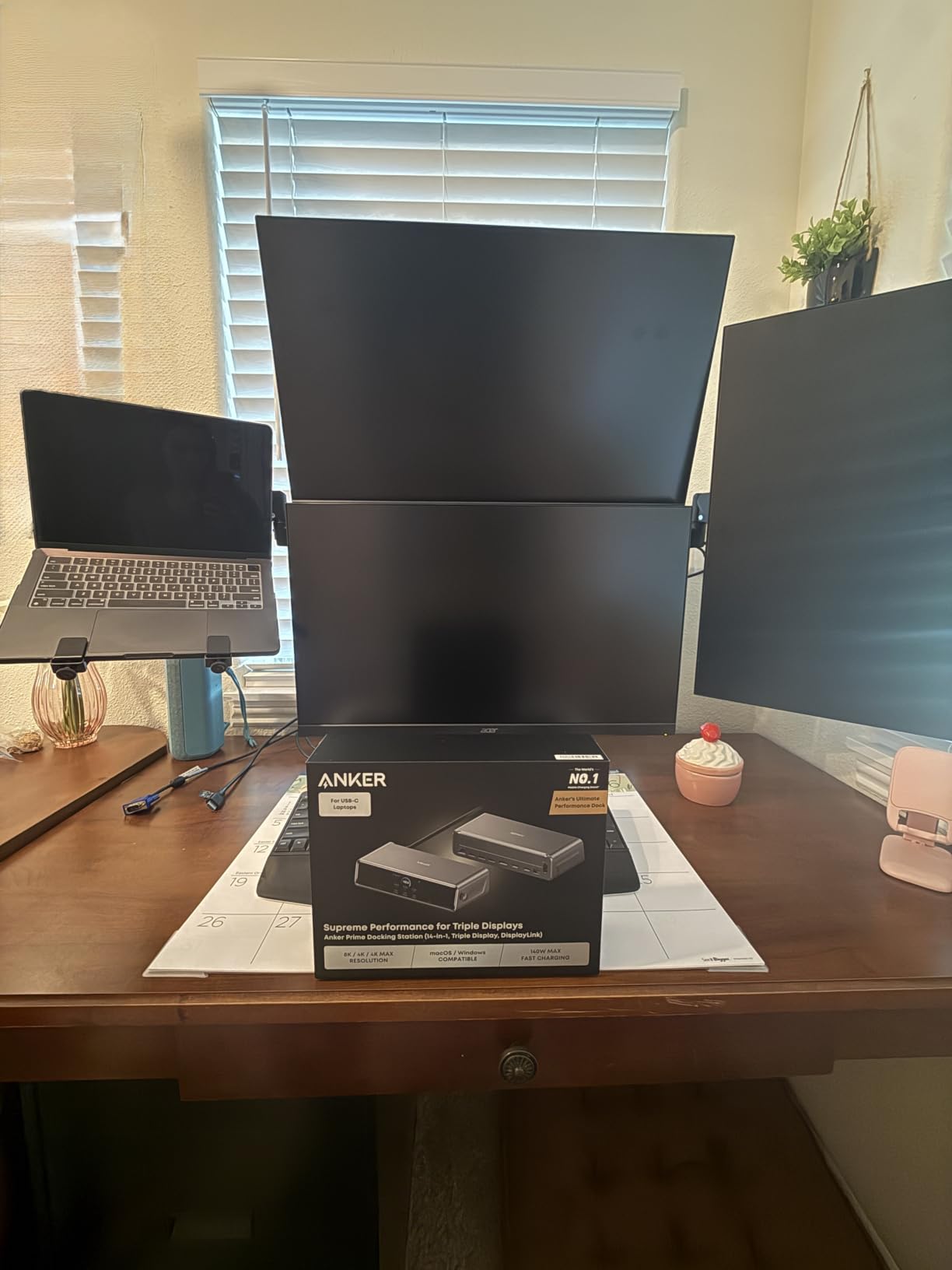
What the review volume tells you that the spec sheet does not?
A 17,000-review product has failure modes somebody has already written down. The recurring minor complaints here are VESA pattern limits on wide-mount panels, screen-size caps in some listings that sit below the 49-inch headline, and the wooden-desk-only installation guidance. None of those are structural problems, but all three are things you can check in two minutes before ordering.
That density of feedback also tells you the 44-pound rating is not a marketing figure sitting on a listing. It is a number thousands of buyers have tested indirectly by hanging a heavy panel on the arm and watching what happens over a year of adjustment cycles.
Where the WALI falls short?
VESA is limited to 75x75mm and 100x100mm. If your panel uses a 200x200mm pattern, this arm is out regardless of weight, which is the one hard exclusion in its profile.
The installation guidance also names wooden desks with no crossbeam underneath, so on a desk with an under-frame support bar or a modesty panel you will need the grommet route instead. If your plan depends on the clamp, measure the underside of your desk before you commit.
5. PUTORSEN Heavy Duty Dual Monitor Arm – Best for Two Heavy Panels
Heavy Duty Dual Monitor Arm for 17-49″ Screens, Vertical Stack, 44lbs
Two arms at 44 lb each
17-49 in per arm
19.69 in stacking pole
10-year warranty
Pros
- Only dual-arm design here holding two 44 lb panels
- 19.69 in pole genuinely stacks two ultrawides
- Owners report no sag with two heavy monitors
- Full 360 degree rotation faces a screen across the desk
- 10-year warranty with responsive replacement support
Cons
- Tilt adjustment is stiff and one head stopped tilting down
- Terse instructions and a small plastic cover that breaks easily
- Chunky 3 by 4 in base footprint
Do you need a dual monitor arm for two 32-inch monitors? Not one of these, if both panels are heavy. A standard dual arm usually splits a single load budget across two heads, and the result on 20-plus pound panels is a slow lean toward the desk that gets worse over a year. This one rates each arm at 44 pounds independently, which is a different claim.
The extra tall 19.69 inch centre pole is the reason to look at it at all. That height genuinely supports a vertical stack of two ultrawides, which is a configuration most single arms on this list simply cannot reach.
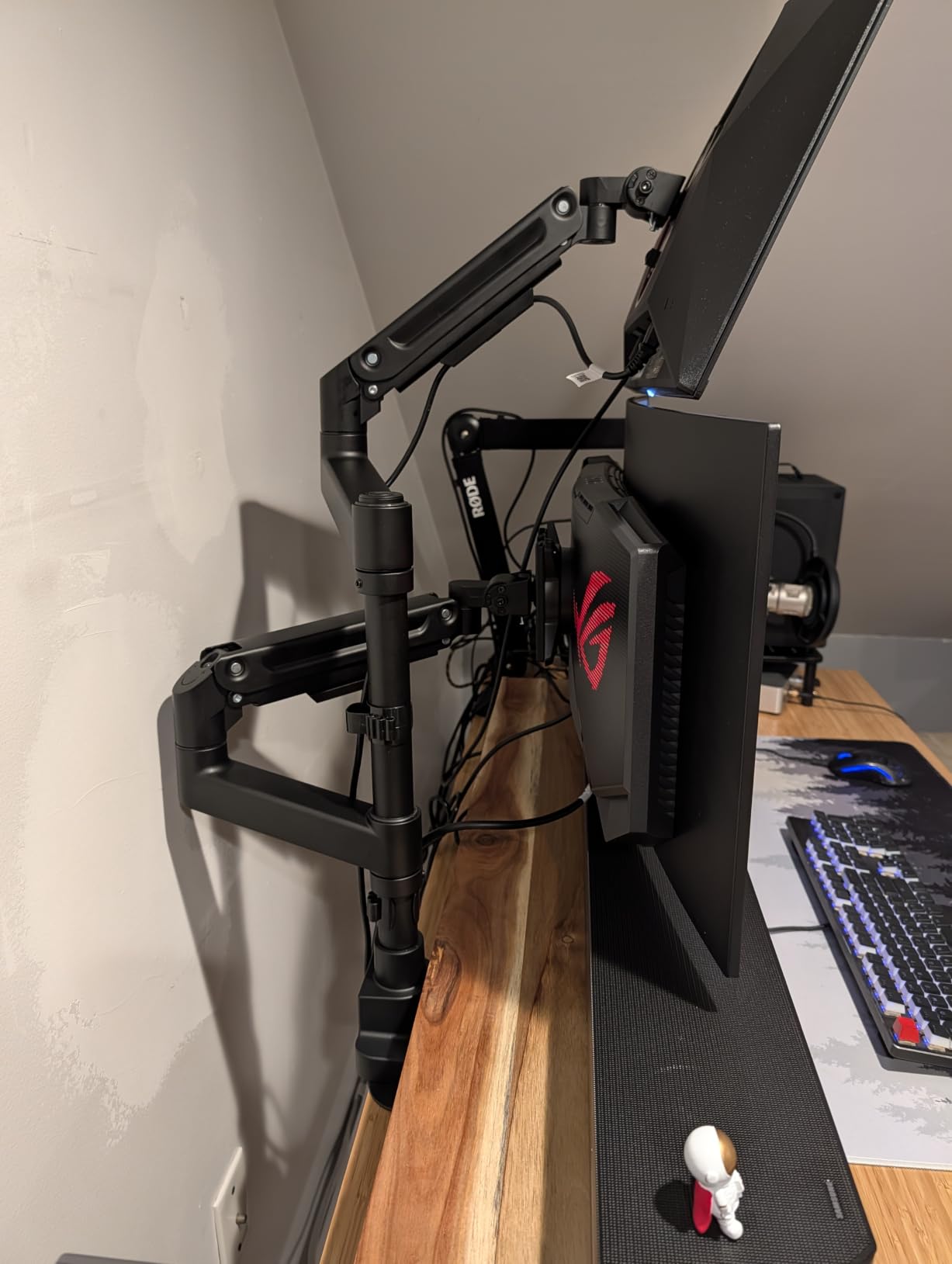
Owners running two monitors between 18 and 23 pounds each report no sag and no drift over many months, and the gas-spring tension is fine-tunable with the included Allen keys. Full 360 degree rotation means one panel can face someone sitting across the desk for a shared session, which is the kind of thing a dual arm gives you and two singles do not.
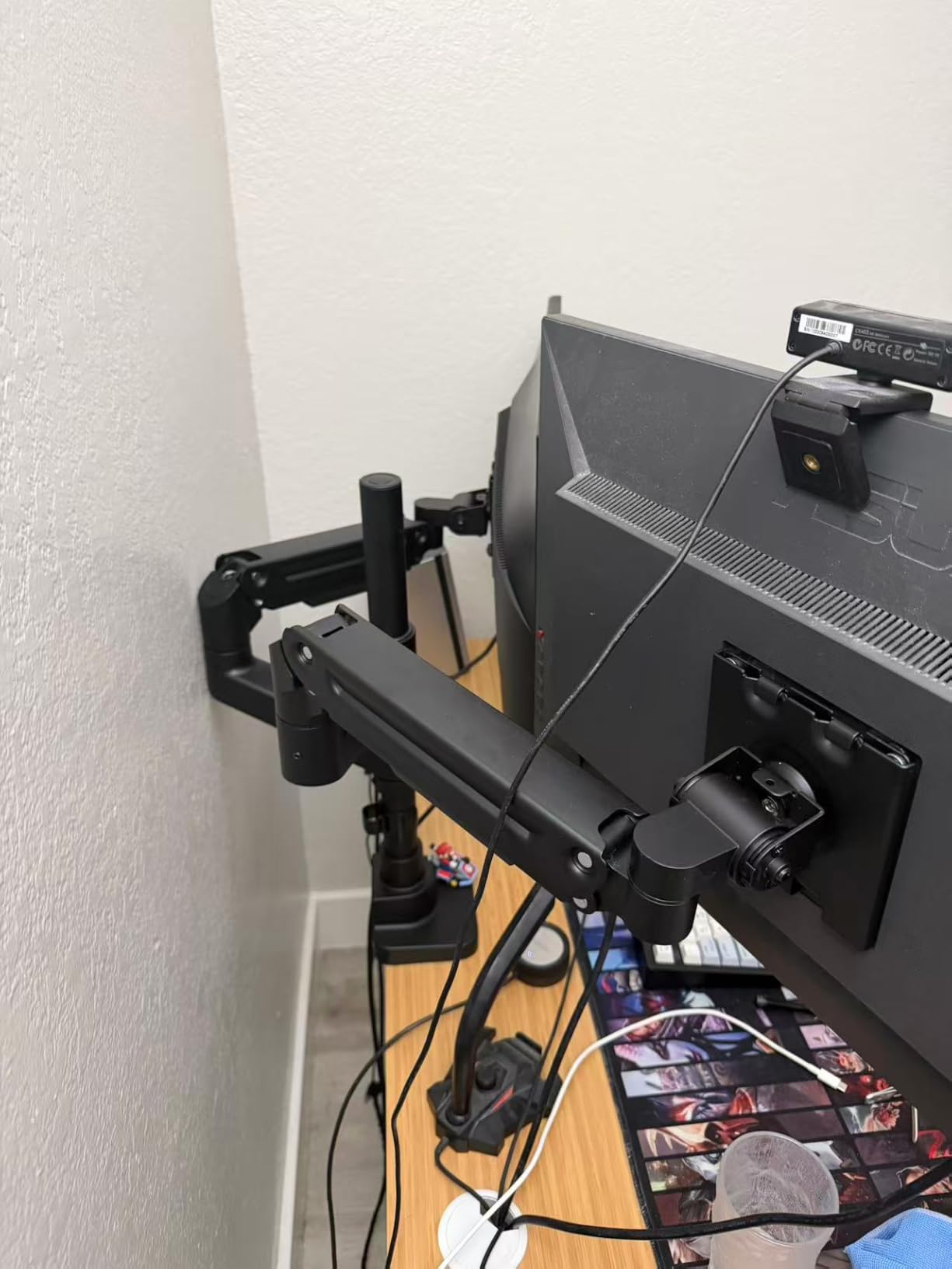
The base is an edge clamp roughly 3 inches deep by 4 inches wide. Compared with two factory stands, that is a large amount of reclaimed desk depth, and for a stacked 34-inch-plus-27-inch layout it is often the only arrangement that fits at all.
Why the per-arm rating changes the math?
When a dual mount publishes one total figure, you divide it and hope. Two 24 lb panels on a 40 lb total rating is 48 lb, which is over. The failure is not dramatic: the upper head dips a little further each month until the top of the display looks tilted in a photograph.
Publishing 44 lb per arm removes that arithmetic. Two 24 lb panels sit at just over half capacity on each head independently, and a 34-inch ultrawide at 19 lb stacked over a 27-inch at 12 lb is well inside both bands. Our guide to monitor arms for dual monitor setups covers the side-by-side versus stacked trade in more detail.
Where the PUTORSEN falls short?
Tilt is the recurring complaint. Adjustment is stiff, and one owner reported a head that eventually stopped tilting downward at all, which points at a friction pivot wearing rather than a setup error. Side-by-side mounting is also tight with two very large panels, and not every monitor size fits the head despite the stated range.
Two smaller things worth knowing: the instructions are diagram-heavy with very little written guidance, and the plastic cable-hiding piece is easy to snap. Ten percent one-star ratings is the highest share in this group, with a report of stripped threads, so buy it from somewhere that will replace a part if needed.
6. ULTRARM Heavy Duty Monitor Arm – Best If You Will Stack Later
ULTRARM Heavy Duty Monitor Arm for Ultrawide Monitors up to 57″ and 44 lbs, Single Desk Stand, Pneumatic Height Adjustable, Modular Extension Arms – Max VESA 100×100, Black, MA20P-S
Up to 44 lb per screen
Ultrawides to 57 in
88 lb pole base
13 in of lift
Pros
- Pole base rated to 88 lb and upgradable to two or three screens
- Quick-release VESA plate simplifies monitor swaps
- 13 in of smooth pneumatic height travel
- Spacer hardware included for recessed VESA slots
- Owners report zero sag where cheaper arms sagged
Cons
- Tilt tension needs an Allen key instead of tool-free adjustment
- Shallow cable channels get tight with multiple thick cables
- One report of the VESA bracket bending while tightening
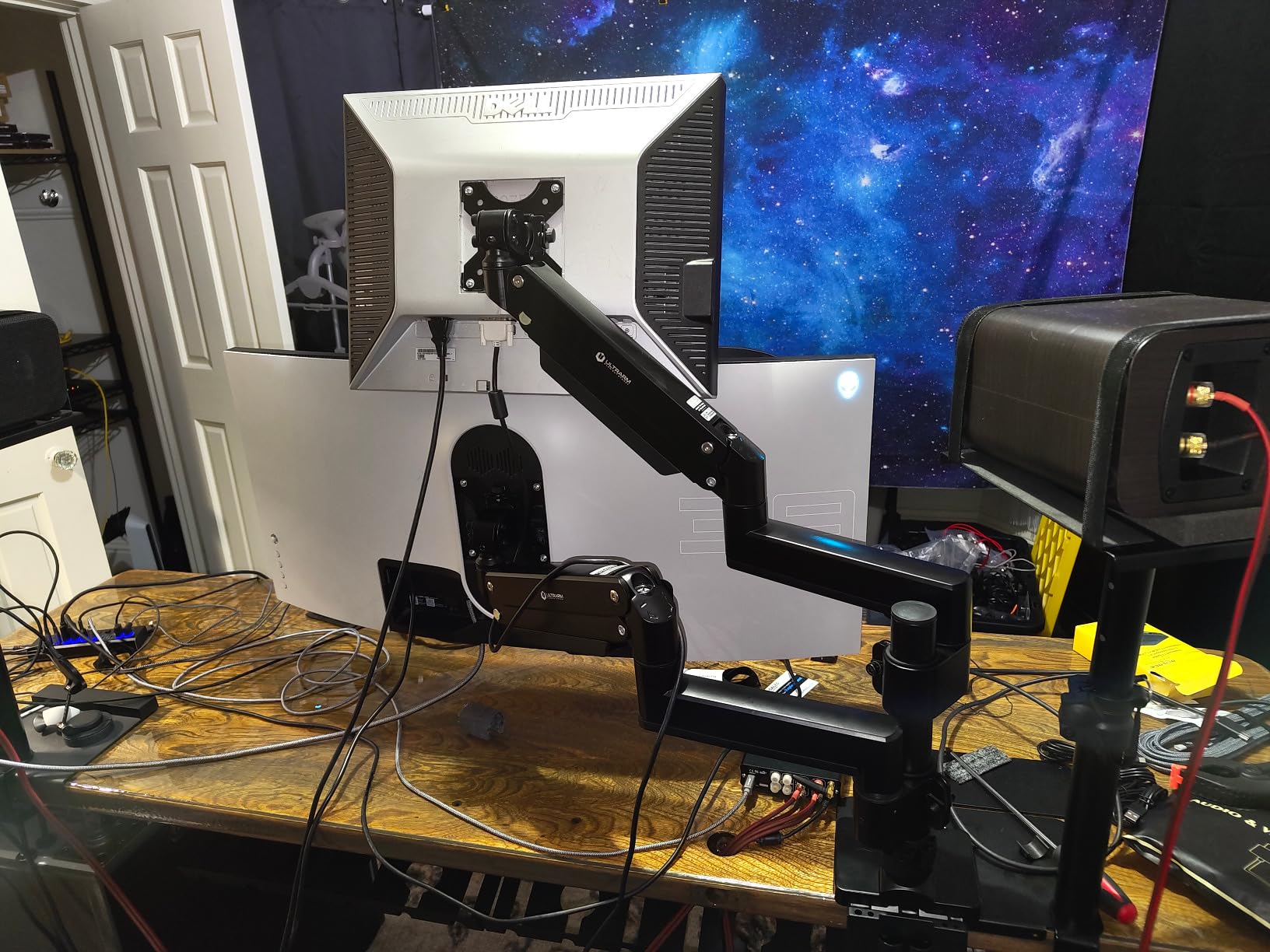
This is the only arm here designed around the assumption that your setup will grow. The base has an extra tall pole rated to 88 pounds, which is twice the single-screen rating, and that same base upgrades to dual or triple monitor configurations. A dual stacked setup fits two 49-inch ultrawides on it.
Single-screen duty is 44 pounds on displays up to 57 inches, including 1000R curved panels. Owners report holding a 57-inch Samsung Neo G9 without complaint, and one describes zero sag on 34-inch to 38-inch ultrawides where cheaper arms had sagged.
Height adjustment is a pneumatic spring system with 13 inches of travel, and the motion holds height without drifting over months. Tilt runs plus or minus 25 degrees, swivel 180 degrees, rotation 180 degrees. The C-clamp takes desktops from 0.6 to 3.3 inches, which is one of the wider clamp ranges in this roundup, with a grommet option for 0.6 to 1.9 inches.
Spacer hardware for recessed VESA slots is in the box, which saves a trip when your panel mounts flush rather than proud. Quick-release means swapping a panel is a two-hand job instead of a screwdriver job.
When the 88 lb pole earns its cost?
If your plan is one screen now and two later, no other arm here makes that path without replacing the mount. The 88-pound pole is rated to carry a stacked pair well past the per-screen rating, so adding a second ultrawide does not mean re-buying the base.
It also matters for a sit-stand desk with a stacked layout. A two-screen stack is the heaviest load in this article, and putting it on a pole rated to double the single-screen figure gives the base margin that a single-arm mount cannot offer. Our sim racing monitor stand guide covers the same stacked-versus-ultrawide question from the rig side.
Where the ULTRARM falls short?
It has the lowest average rating here at 4.2 stars, with 9 percent one-star reviews, so expect a few more fit-and-finish complaints than the rest of the list. Tilt tension needs an Allen key where some competitors adjust tool-free, and the cable channels are shallow enough to be awkward with several thick HDMI and USB cables.
One reviewer reported the VESA bracket bending open while tightening it, with the arm sagging even at full tension, so check the bracket for flex if you have any doubt about the panel fit. The pole is also thicker than a typical arm, which crowds a compact desk, and 13 inches of travel leaves it barely tall enough when two large ultrawides are stacked.
7. ARES WING Ultrawide Monitor Desk Arm – Best Matched to the 49 Inch Class
ARES WING Ultrawide Monitor Desk Arm for 17 to 49 Inch Screen, Holds 44 Lbs
4.4-44 lb range
17-49 in screens
22.4 in extension
8.7-18.7 in height
Pros
- 44 lb capacity matched to the largest 49 in ultrawides
- Detachable VESA plate allows fitting from the top side
- Fatigue-tested gas spring inside a steel arm
- Both C-clamp and grommet bases included
Cons
- VESA stops at 100x100mm so some panels need an adapter
- Narrowest clamp range here at 0.5 to 1.8 in
- Three-year warranty is the shortest in the group
The ARES WING is built around one job: holding a 49-inch ultrawide, including the Samsung Odyssey G9, at 44 pounds without complaint. Rated 4.4 to 44 pounds on 17 to 49 inch flat and curved screens, with steel construction and a fatigue-tested internal gas spring.
The detachable VESA plate is the feature we would highlight first. On a 49-inch panel the plate has to be brought to the screen rather than the screen to the arm, and pulling the plate off means you fit it from the top instead of crawling under the desk with a heavy panel in your hands.
Movement is full articulation: plus 50 to minus 20 degree tilt, 180 degree swivel, 360 degree rotation. Height adjusts from 8.7 to 18.7 inches with up to 22.4 inches of extension, which gives real desk depth recovery on a 49-inch panel that takes up most of the front edge anyway.
Cable management runs inside the arm, and the brand supplies one-on-one installation support. At 638 reviews with 75 percent five-star ratings, the feedback is solid but not as deep as the top four.
Why a 49-inch panel needs a purpose-built arm?
A 49-inch curved panel is heavy, wide, and mounted far out on the arm, which multiplies the torque on the joint. The desk-edge bending moment is the reason a clamp that looks adequate on a 27-inch panel can slowly work loose on a 49-inch one, because the load is applied well away from where the clamp grips the top.
That is why the 200x100mm and 200x200mm VESA support on the Ergotron matters more than it first appears. On the very panels in this class, a 100x100mm-only plate can flex under the extra reach, and a flexing plate is the start of the wobble that owners report a year later.
Where the ARES WING falls short?
The C-clamp takes desks from 0.5 to 1.8 inches thick, the narrowest range of the eight arms here. If your desktop is thicker than 1.8 inches, this arm will not clamp onto it and you need the grommet base or a different arm entirely. Measure your desk thickness before ordering.
VESA stops at 100x100mm, so a panel with wider mounting holes needs a separately sourced adapter. The three-year manufacturer warranty is also the shortest in this roundup, and 10 percent one-star ratings is the second highest share among the single arms, both reasons to buy from a seller who will stand behind a replacement.
8. ErGear Heavy Duty Monitor Arm – Best Budget Entry
ErGear Heavy Duty Monitor Arm for 13-49″ Ultrawide Screens, 37.4 lbs Capacity, Full Motion Monitor Desk Mount, Rock-Solid Support, Dual C-Clamp & Grommet Mount, VESA 75×75/100x100mm
Up to 37.4 lb
13-49 in screens
VESA 75x75 and 100x100mm
10-year warranty
Pros
- Pre-assembled design makes setup quick
- Dual C-clamp spreads load under heavy panels
- 22.2 in lift with 360 degree rotation
- 10-year warranty and spare part availability
Cons
- 37.4 lb ceiling is the lowest capacity in the group
- No 200x200mm VESA support
- Grommet mount has a narrower desk thickness range
The ErGear is the entry point into this roundup, and for a lot of panels it is genuinely enough. It holds 13 to 49 inch flat, curved and super-wide displays up to 37.4 pounds, rated at 4.4 stars across 9,022 reviews with 74 percent five-star.
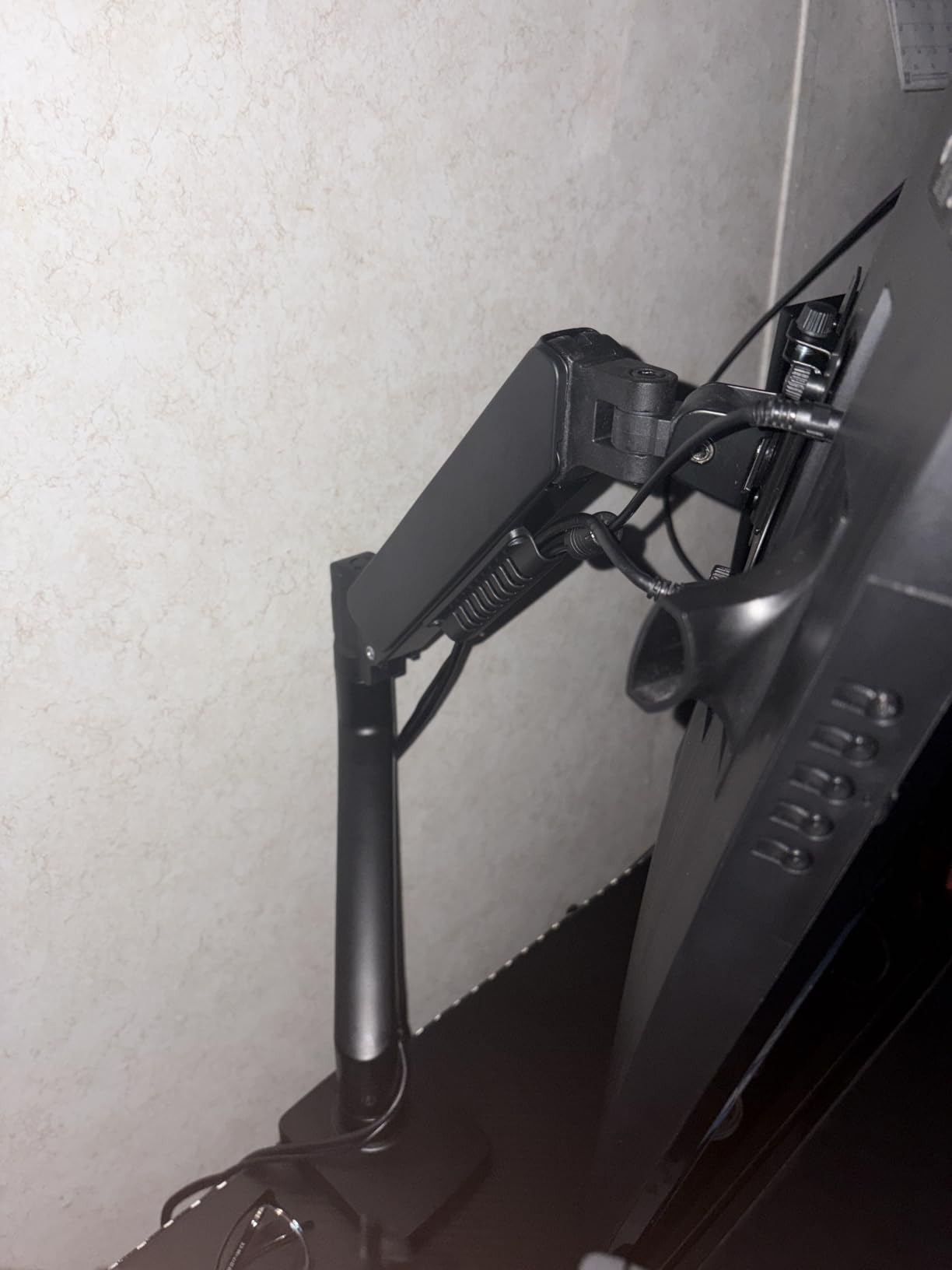
What earns that score is the dual C-clamp, which spreads the load across two contact points instead of one, and a thickened steel arm that owners say stays steady where single-clamp designs shake. The pre-assembled design means setup is close to a five-minute job rather than an evening.
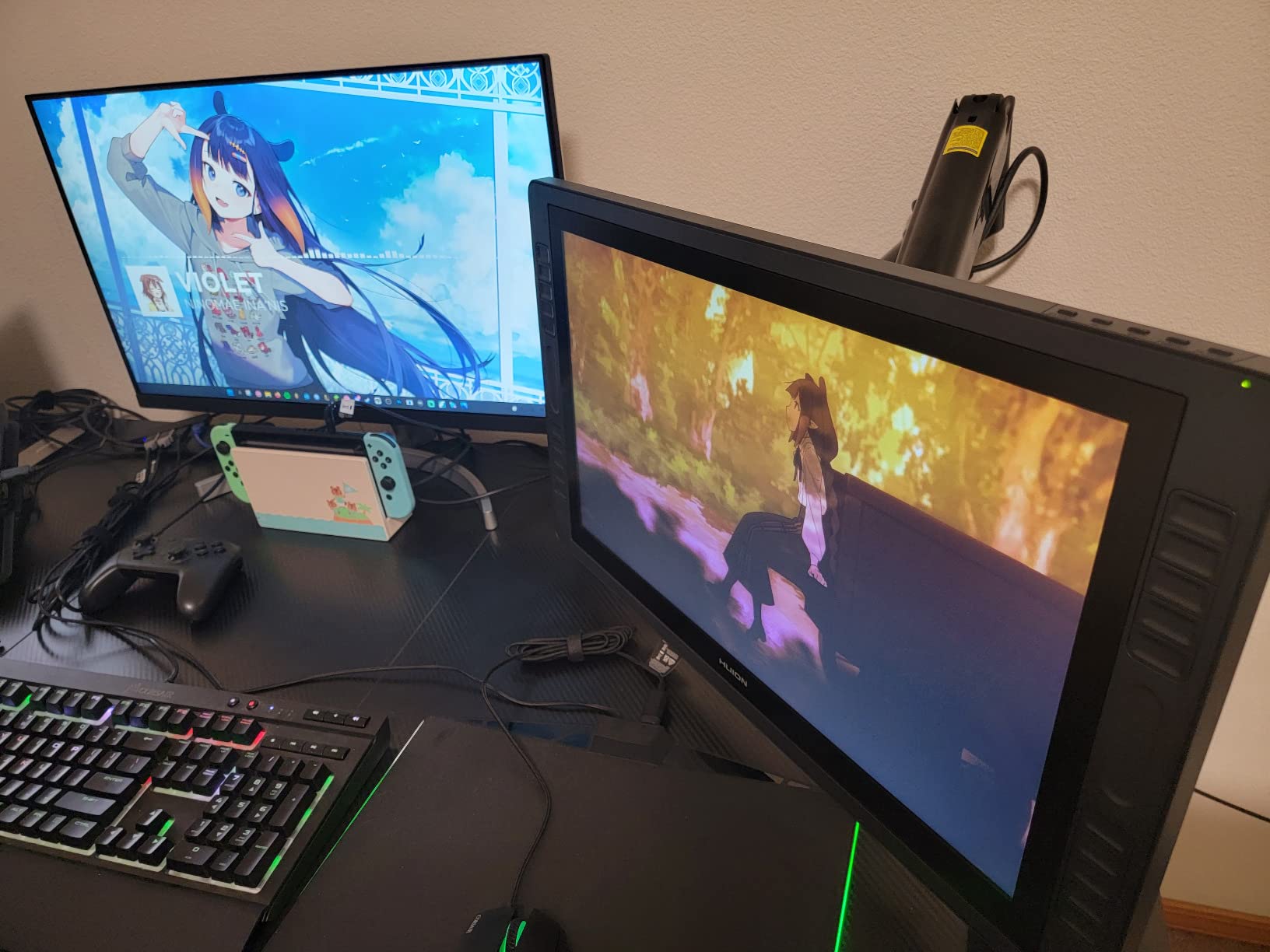
Adjustment is generous for the tier: 21.2 inches of extension, 22.2 inches of lift, plus or minus 30 degree tilt in one direction and minus 40 in the other, plus or minus 90 degree swivel and 360 degree rotation. The C-clamp fits desks from 0.39 to 3.15 inches, with a grommet option for 0.39 to 2 inches.
A 10-year warranty with ten years of spare parts availability is unusual at this level and worth more than it looks, because the failure points on a cheap arm are exactly the pivot screws and the clamp thread.
Where 37.4 pounds is enough and where it is not?
For most 34-inch ultrawides and nearly every 32-inch 4K productivity panel, the stand-removed weight lands somewhere in the mid-teens to low twenties. This arm handles that with roughly 15 pounds of headroom above a 22 lb panel, which is a reasonable buffer for the leverage a wide screen puts on the joint.
It stops being enough at the top of the class. Above roughly 30 pounds, the margin between your panel and the 37.4 lb ceiling gets thin, and the ONKRON, WALI and HUANUO all give you substantially more room for the same general design. A poster on a deals forum warned outright against budget arms carrying multiple heavy monitors because none of them are rated for that weight, and this is the ceiling they were describing.
Where the ErGear falls short?
The 37.4 lb rating is the lowest ceiling in this article, which is the trade for everything else. VESA is limited to 75x75mm and 100x100mm with no 200x200mm support, so wide-pattern panels are excluded.
The grommet mount also has a narrower thickness range than the clamp, at 0.39 to 2 inches against the clamp’s 3.15 inch reach. On a thick desk where you are relying on the grommet route, that difference decides whether the arm fits at all.
How to Choose a Heavy-Duty Monitor Arm (2026)?
How to read a rated load range?
A rated load is a band, not a ceiling. Every arm worth buying publishes a minimum and a maximum, and your panel’s stand-removed weight has to land between them. Below the minimum, the spring pushes the panel upward and it climbs on its own, which is why does my monitor arm keep drifting upward is such a common question. Above the maximum, the joint takes load it was not designed for and the arm sags or the pivot deforms.
The floor is the number most listings bury. A typical 8-to-20 lb gas spring is a poor match for a 24 lb panel for exactly this reason, and it is why so many people end up pushing their monitor back down every morning. Among the arms here, the ONKRON’s 4.4 lb floor and the HX’s 20 lb floor sit at opposite ends of that problem.
How to measure your monitor without the stand?
Search the model number plus weight, or check the spec sheet on the manufacturer’s page, then subtract nothing. The figure you want is the panel alone, not the panel plus stand. Shipping weight is worse still, because packaging and the stand assembly can add several pounds and lead you to size an arm one class too big.
If you cannot find a number, weigh what you can and subtract an estimate for the removed stand assembly, then give yourself at least five pounds of headroom. For panels above 40 pounds, do the lift with two people. Nobody regrets the extra pair of hands.
Gas spring versus mechanical counterbalance
Both mechanisms do the same job: they put upward force on the panel to match its weight across a range. A gas spring is a sealed cylinder, it moves smoothly with almost no backlash, and it needs an Allen key to tension. A weight-compensating mechanical spring uses an exposed coil or elastomer stack, it is adjustable by hand or dial, and it feels lighter to move.
For a heavy panel the difference shows up in adjustment range and in tolerance. Gas springs hold position very precisely and are the better choice when you will move the screen often. Mechanical systems are easier to tune without tools, which matters more to beginners. Both fail the same way when used outside their band, and a user on a LinusTechTips dual-stack thread put the price question better than any spec sheet: Ergotron arms are expensive, but they are made for big heavy monitors.
VESA patterns and when 200×200 actually appears
VESA is the four-hole mounting standard in millimetres, and it is where compatibility surprises live. 75x75mm and 100x100mm cover almost everything mainstream. 200x100mm and 200x200mm appear on the larger curved panels, and 400x400mm exists on the very largest formats. The heavier the panel, the wider the pattern is likely to be, which is why the arm you chose for weight often decides VESA for you.
Only the Ergotron HX and the ONKRON G130-B in this roundup cover 200x200mm natively. The rest stop at 100x100mm, so if your panel has wider holes and you have already picked a weight rating, check the pattern before you order. Adapter brackets exist, but on a heavy panel an adapter is another joint carrying the same reach force.
The diagonal rating is a separate gate
Can a monitor arm hold a 49-inch super-ultrawide? Yes, if the arm is rated for both the weight and the diagonal. A panel that weighs 30 pounds can still exceed a 34-inch cap, because the rating exists to limit how far the screen can sit from the clamp, and a wide panel on a long arm multiplies the load on the joint.
Check the diagonal cap even when the weight clears. Several arms here list 49 inches in the title while their product details name a lower ceiling, which is exactly the discrepancy one reviewer flagged. If the two numbers on the page disagree, assume the lower one is the real rating.
Desk thickness, clamp depth and thick tops
What to do if your desk is too thick for the monitor arm? Work down this list. First, use the grommet mount: every arm here includes one, and it removes desk thickness from the equation entirely if you can drill. Second, look for an arm whose clamp range reaches your measurement, which varies widely here from 0.4 inches on the Ergotron to 3.3 inches on the ULTRARM. Third, add a clamp extension plate or a backer board under the desktop. Fourth, as a last resort, mount to a wall bracket or a monitor rail instead.
Before any of that, measure your desktop thickness and check what sits underneath. A C-clamp needs clearance to close, and desks with a crossbeam, a modesty panel, or a privacy panel under the surface will not take one. Glass tops and stone surfaces need a reinforcement plate between the clamp and the surface, and a poster on a shopping forum noted that a heavy arm on glass can crack the top if the clamp bears directly on it.
What a sagging or drifting arm actually means?
If your monitor arm is sagging, first rule out the easy causes. Check that the panel’s weight is inside the published range and that the tension dial is fully engaged. Confirm the VESA screws are torqued and the head is not rotating on the plate. Then look at the load path: a panel extended far past the desk edge multiplies the torque at the joint, so pulling it back toward the clamp often removes the sag on its own.
If it still leans, the mechanism has lost tension. On a gas spring this usually means the pivot has loosened from cycles of use, which a centre-screw tightening fixes. On a friction-pivot arm the counterweight screw has crept and simply needs a turn. If the head itself is bent or the clamp thread is stripped, replacement is the only real answer. Adding a ballast plate to a panel that is too light for the arm does not fix upward creep; it makes the arm work, but it also puts more mass in the same joint.
Why Ergotron costs more?
Why is Ergotron so expensive? Three things. The clamp is a two-piece, low-profile design that fits desk edges down to 0.4 inches where bulkier clamps cannot, machined rather than stamped. The VESA head covers four patterns including 200x200mm, which means fewer adapters on the heavy panels. And the warranty runs ten years with real technical support, which on a joint under 40 pounds of load is the part that actually protects you.
It is also 17.2 pounds of metal, which is the clearest sign that material cost went into the arm rather than into the packaging. Whether that matters depends on your panel. On a 20 lb 32-inch monitor, a well-built budget arm is the sensible call. On a 40 lb ultrawide, the gap between a five-year warranty and a ten-year one is worth the difference.
Frequently Asked Questions
What is the weight limit for a monitor arm?
It depends on the arm. Standard single gas-spring arms usually stop around 20 lb, while heavy-duty arms here run from a 37.4 lb ceiling on the ErGear up to 59.4 lb on the ONKRON for panels from 17 to 57 inches. Always read the range, not just the top end, because a panel lighter than the arm’s minimum will creep upward.
What is the best monitor stand for heavy monitors?
The best monitor arms for heavy monitors are the ones whose published load range brackets your panel’s stand-removed weight and whose diagonal rating clears your screen size. In this roundup the Ergotron HX covers 20 to 42 lb up to 49 inches with the broadest VESA coverage, and the ONKRON G130-B is the pick above 42 lb.
Why is Ergotron so expensive?
Three reasons show up in the spec sheets: a two-piece low-profile clamp machined to fit desk edges down to 0.4 inches, a VESA head that covers 200x100mm and 200x200mm patterns so heavy panels need no adapter, and a 10-year warranty with real technical support. It also weighs 17.2 lb, which is a fair sign the cost is in the metal.
What to do if the desk is too thick for the monitor arm?
Try the grommet mount first, since every arm in this roundup includes one and it removes desk thickness from the equation. If you need the clamp, look for an arm whose range reaches your measurement, which here spans 0.4 to 3.3 inches. If neither works, add a clamp extension plate or backer board, or mount to a wall rail instead.
Are gas spring monitor arms good?
For heavy panels, yes. A gas spring gives smoother movement with almost no backlash and holds position precisely, which matters when the joint is under load. The trade is that tensioning usually needs an Allen key, and a panel lighter than the arm’s minimum load will still creep upward no matter how good the mechanism is.
Do I need a dual monitor arm for two 32-inch monitors?
Only if both panels are heavy and you want a vertical stack. A standard dual arm splits one total load budget across two heads, so two 24 lb panels can exceed it and the upper display dips over time. The PUTORSEN here rates each arm at 44 lb independently with a 19.69 in pole, which is what makes a stacked pair of ultrawides work.
Best Monitor Arms for Heavy Monitors: The Verdict
Start with the number that decides everything: your panel’s stand-removed weight. Under 22 lb, most of these arms work and the WALI is the pick with the deepest owner history. Between 22 and 44 lb, the HUANUO TitanLift and the ONKRON both give you clean tension control. Above 44 lb, the ONKRON G130-B is the only arm here rated to 59.4 lb, and the ULTRARM pole base is the one to buy if a stacked second panel is coming later.
For most heavy-monitor setups the Ergotron HX is our pick as the best monitor arms for heavy monitors in 2026, because it is the only arm in this roundup that covers 200x200mm VESA alongside a 20 to 42 lb band and a 10-year warranty. Whatever you choose, verify the diagonal cap, measure your desk thickness, and lift a panel over 40 pounds with two people.