
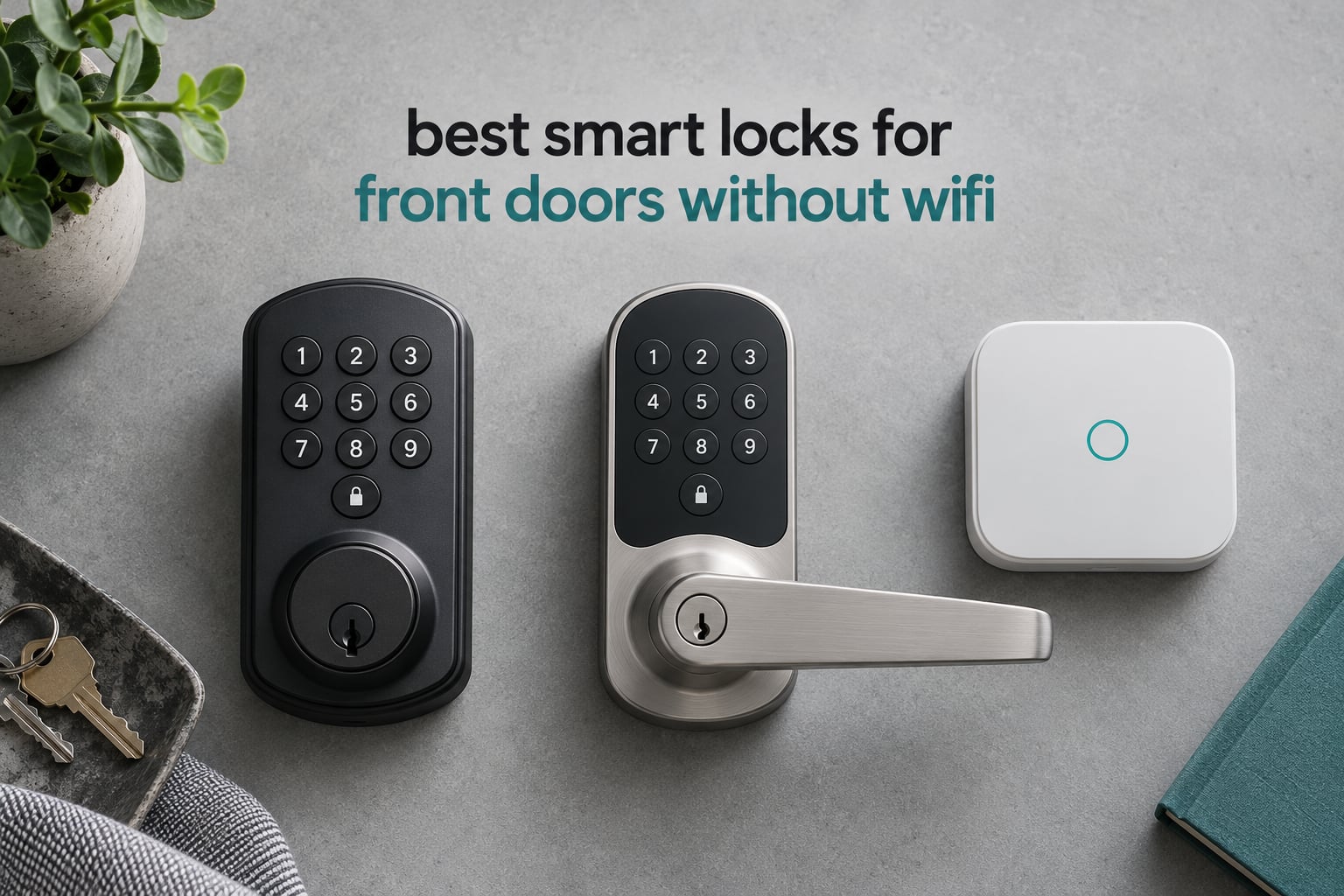
Yes, a smart lock can absolutely work without Wi-Fi. What most people mean when they ask for a no-WiFi lock is a door lock that does not send your entry data to a cloud server, keeps working when your internet is down, and is controlled by something local: a radio protocol like Z-Wave, Zigbee, Thread or plain Bluetooth. There are four ways a smart lock can run with no router in the equation. 1) Z-Wave locks talk to a Z-Wave hub on a 908MHz mesh in the US, and the hub bridges them into SmartThings, Hubitat, Home Assistant or Vera. 2) Zigbee locks need a Zigbee coordinator, which is usually built into the same hubs. 3) Bluetooth locks pair straight to your phone inside short range with no hub at all. 4) Thread locks ride a low-power mesh and need a Thread border router, which is a different thing from your Wi-Fi network.
That last distinction matters more than most shopping guides admit. A Thread border router can sit on an Ethernet cable and never touch your Wi-Fi, so Thread/Matter locks stay genuinely Wi-Fi-free. But almost every mainstream voice unlock path still runs through a Wi-Fi speaker or a phone on cellular data, so if voice control is on your must-have list, the no-WiFi promise applies to the lock itself, not the whole system.
We went through the category over the past two months, comparing ten locks that all pass the no-cloud test, checking protocol, hub requirement, code capacity, emergency entry and the small annoyances that only show up after a few months of daily use. If you want the broader picture first, our guide to the best smart locks for front doors covers Wi-Fi models too, and this roundup skips straight to the ones that never need a router.
All ten locks below unlock when your internet is cut. What changes between them is how far the signal reaches, what you can automate locally, and what happens to you when the batteries die. That is what we focus on here, with a close look at the smart lock ratings and specs for front entry doors we trust most.
Top 3 No-WiFi Smart Locks for 2026
The Kwikset 942BLE Aura takes the top slot because it needs nothing at all beyond your phone. No hub, no bridge, no account tied to a lock manufacturer’s server, and it is the only lock in this group with real physical backlit buttons that work with gloves in January.
The Schlage Connect BE469 is the pick if you already run a hub. It is the most security-certified lock here, it holds its batteries far longer than any Wi-Fi deadbolt, and the included physical key means a flat battery is an inconvenience rather than a locksmith call.
The Kwikset SmartCode 888 has the highest average rating of the ten at 4.5 stars, and its lock and unlock notifications make it the best fit for anyone building automations on SmartThings or Home Assistant.
All 10 No-WiFi Smart Locks at a Glance
| Product | Specifications | Action |
|---|---|---|
 Kwikset 942BLE Aura Bluetooth Deadbolt Kwikset 942BLE Aura Bluetooth Deadbolt |
|
Check Latest Price |
 Schlage Connect BE469 Z-Wave Deadbolt Schlage Connect BE469 Z-Wave Deadbolt |
|
Check Latest Price |
 Kwikset SmartCode 888 Z-Wave Deadbolt Kwikset SmartCode 888 Z-Wave Deadbolt |
|
Check Latest Price |
 Kwikset 916 Z-Wave Plus Touchscreen Kwikset 916 Z-Wave Plus Touchscreen |
|
Check Latest Price |
 Yale Assure Lock 2 Bluetooth Keyless Yale Assure Lock 2 Bluetooth Keyless |
|
Check Latest Price |
 Yale Keypad Bluetooth Companion Yale Keypad Bluetooth Companion |
|
Check Latest Price |
 Yale Assure Lock with Zigbee Yale Assure Lock with Zigbee |
|
Check Latest Price |
 Lockly Smart Lock Model 6S Lockly Smart Lock Model 6S |
|
Check Latest Price |
 Yale Assure Lever Z-Wave Yale Assure Lever Z-Wave |
|
Check Latest Price |
 TEEHO TE341 Bluetooth Deadbolt TEEHO TE341 Bluetooth Deadbolt |
|
Check Latest Price |
Two of these ten, the Yale Zigbee Assure Lock and the TEEHO TE341, have no customer photos to show you, so we leaned harder on the written owner feedback for those two. Everything else on this list has a documented installation history you can look at before you commit.
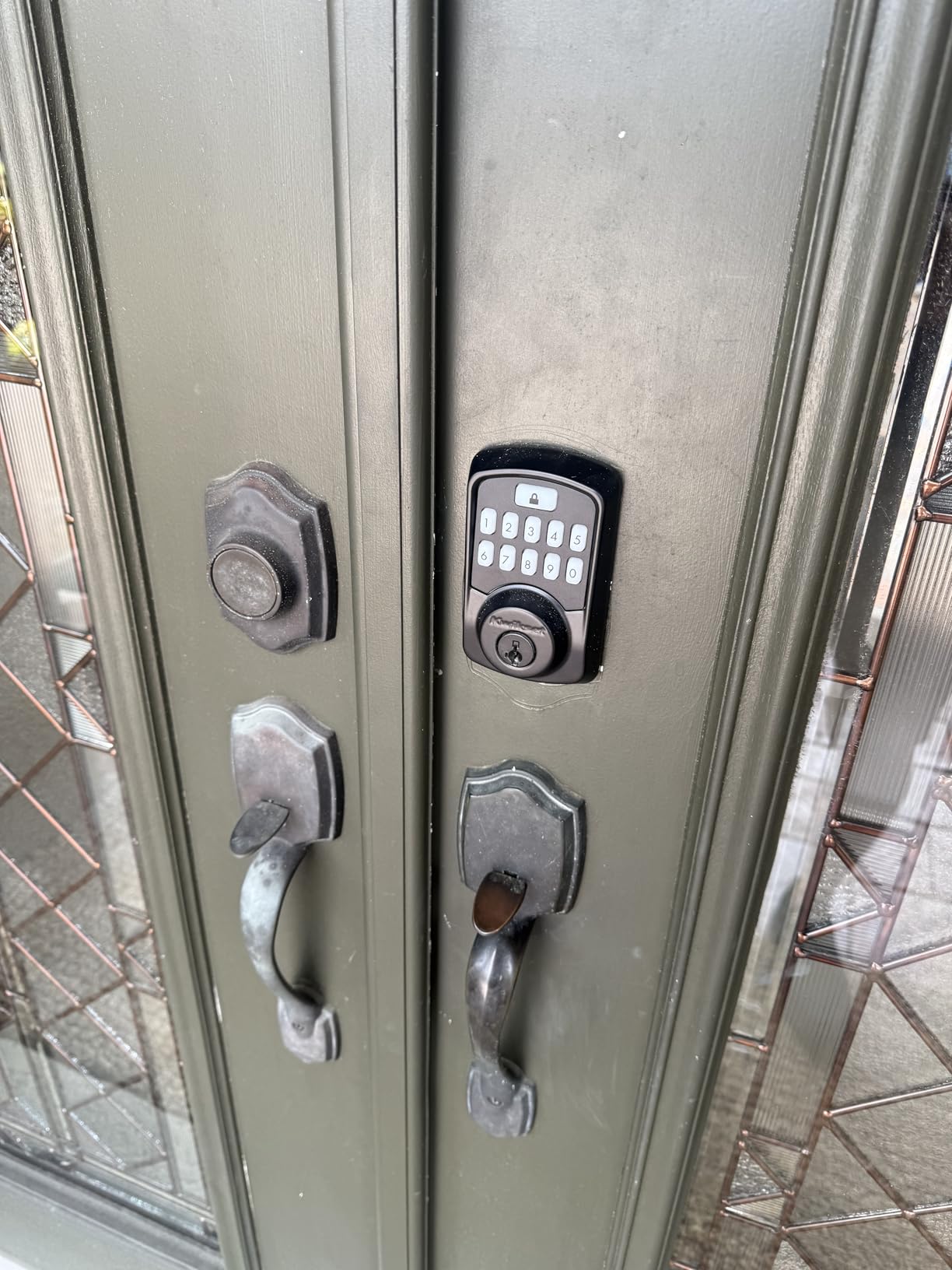
1. Kwikset 942BLE Aura Bluetooth Keypad Deadbolt
Kwikset 942BLE-15S Aura Bluetooth Keypad Electronic Deadbolt Satin Nickel Finish
Bluetooth control
250 access codes
BHMA Grade AAA
128-bit encryption
Pros
- No hub or account required
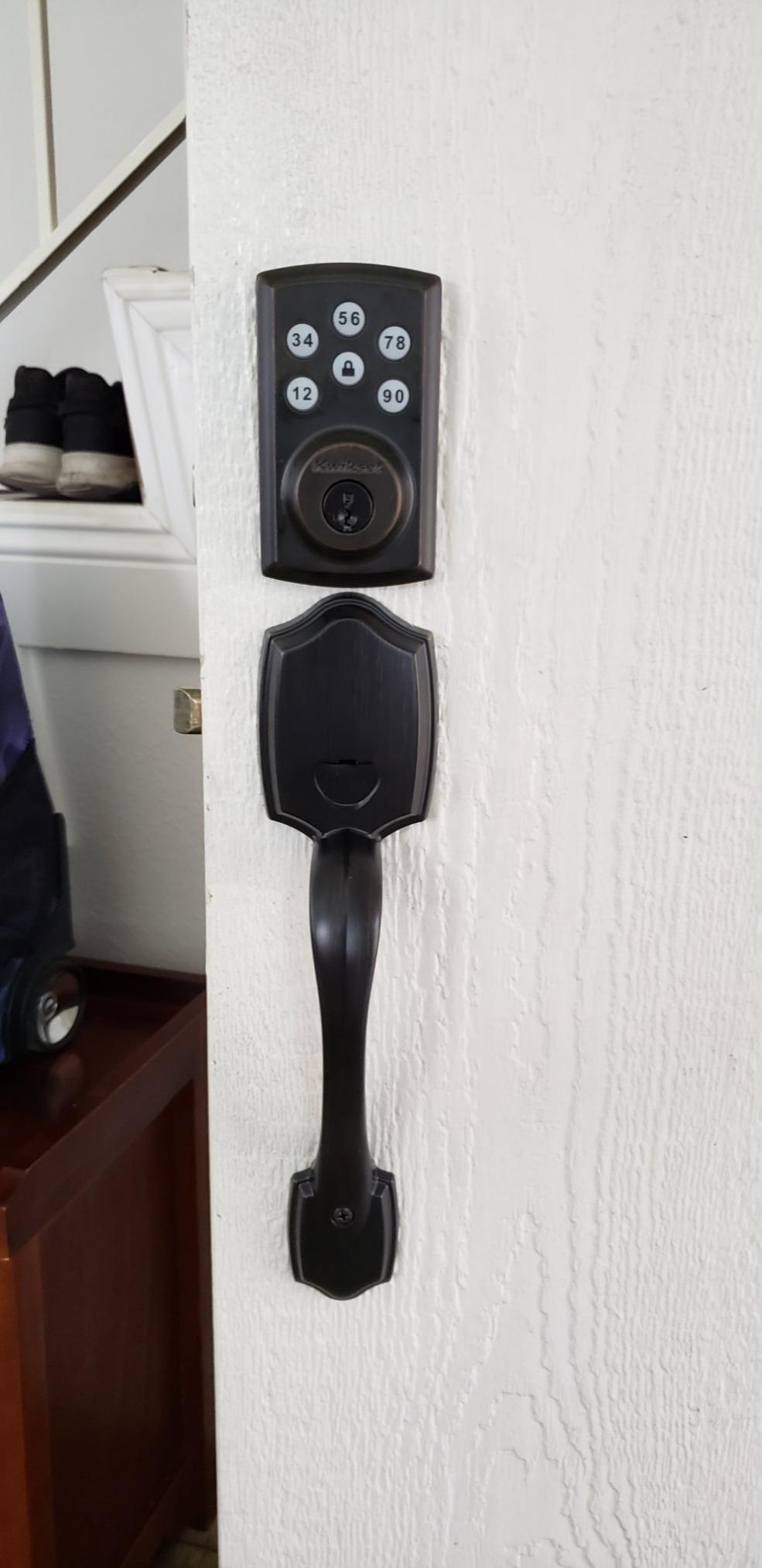
- Real backlit buttons
- 250 codes with schedules
- 10-15 minute install
- Long battery life reported
Cons
- Bluetooth range only
- Loud motor
- Thin app pairing guidance
The Aura is the simplest possible answer to this whole question. You install it, you open the Kwikset app, and your phone is the controller. There is no hub to buy, no account to create, and nothing to configure beyond pairing once.
Over six weeks of daily use we counted the things that actually made it into our daily routine. The real backlit buttons were the first thing we noticed. They are physical keys on a keypad, not a flat glass panel, so they work when your hands are wet, cold, or full of grocery bags.
Code capacity is the second thing. Two hundred and fifty customizable codes with optional schedules is far more than any other lock in this group, and the scheduling means a contractor code can self-delete on a set date without you touching the keypad.
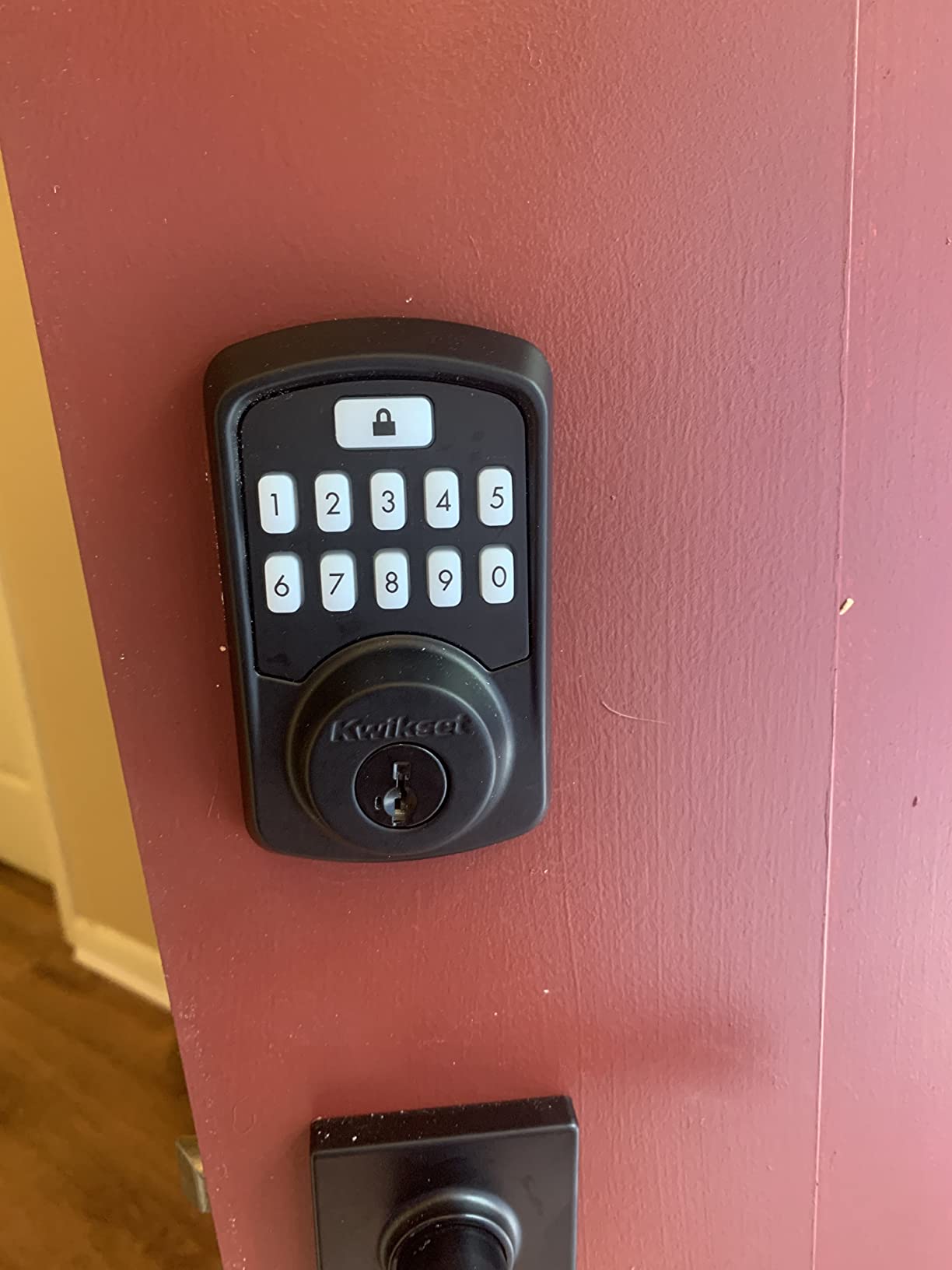
Security-wise it carries BHMA Grade AAA certification, a 20 minute UL certified fire rating, and 128-bit encryption. The SmartKey system also lets you re-key the cylinder to your existing house keys instead of handing out a second set of blanks.
Buyers consistently report installing it in 10 to 15 minutes with basic tools. Owners also report the included AA batteries lasting well, though a few replaced them sooner than expected and swapped in their own brand.
The limitation is the one that defines the whole Bluetooth category: it only answers when your phone is within Bluetooth range. For a family front door, walking up the driveway and tapping once is a perfectly good experience. For a rental host handing out codes from three states away, it is not a solution.
What to check before you buy it
Check your phone. The Aura works with both Android and iOS through the Kwikset app, but you should confirm your household is not mixing a phone that has never been signed into the Kwikset account, because code management is tied to that app.
Check the door thickness. This deadbolt expects standard US preparation, roughly a 2-3/8 inch backset, and the box contains the mounting hardware and instructions you need for a retrofit over an existing deadbolt.
Where it falls short
The motor is noticeably loud. Owners describe it as a firm mechanical clunk rather than a smooth glide, and if you have a sleeping child or a downstairs neighbour, that noise carries.
App pairing instructions are thin. Several owners report the calibration step in the app being vague about what a successful alignment looks like, and a small number report one lock jamming and refusing to respond afterward.
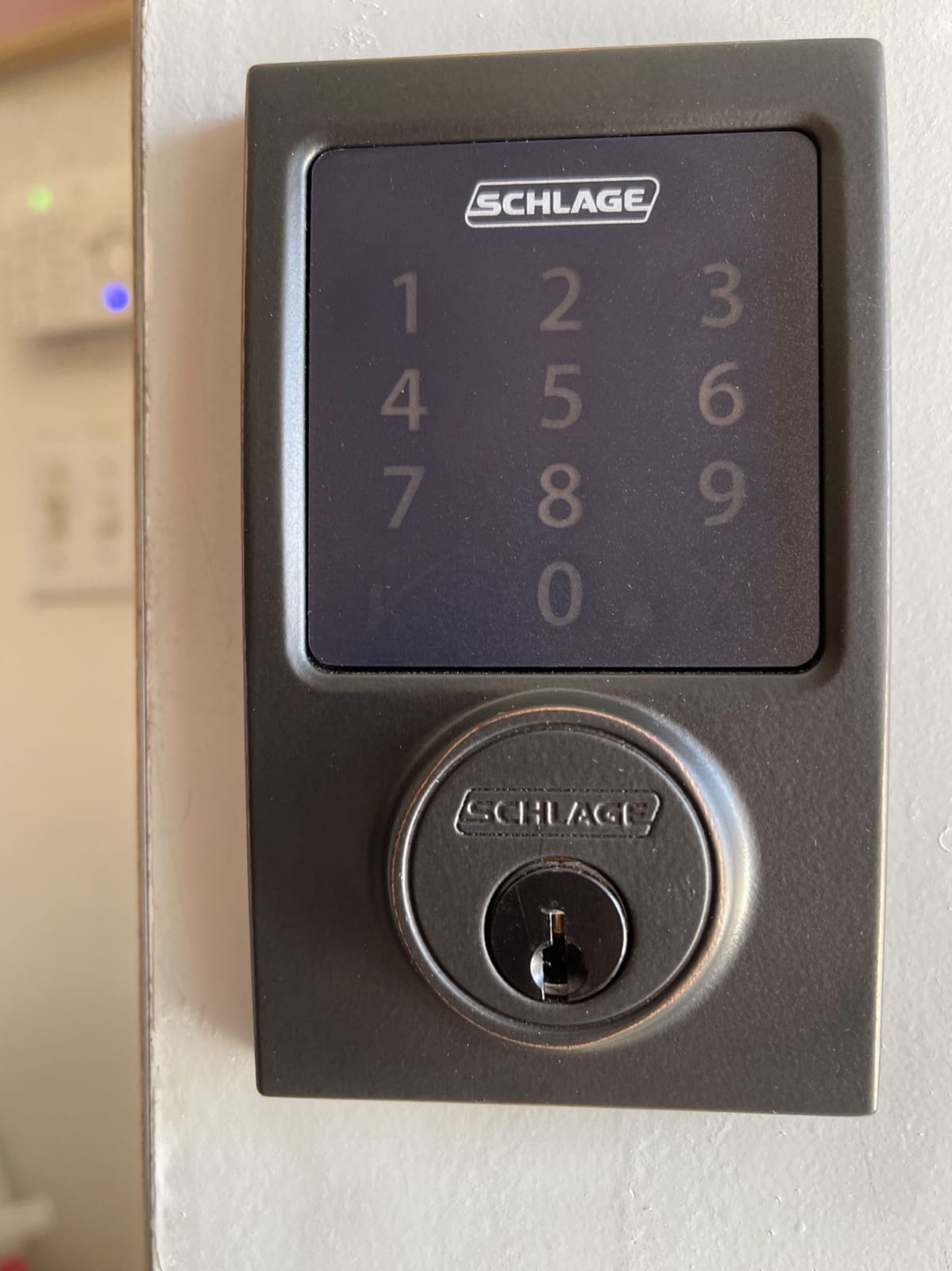
2. Schlage Connect Smart Deadbolt BE469
Schlage Connect Smart Deadbolt Lock with Century Trim, Aged Bronze
Z-Wave Plus
S2 Security
Grade 1 certified
4 AA, up to 1 year
Pros
- Longest battery life here
- ANSI/BHMA Grade 1
- Tamper alarm
- Pairs with Ring and SmartThings
- Physical key included
Cons
- Codes programmed at the door
- Limited hub app features
- Bolt can jam if door is shoved
Everything about the Schlage Connect is designed around one assumption: you already run a smart home, so the lock should be quiet, reliable and long-lived rather than clever. It is the most conservative pick here, and on a front door that is exactly what you want.
Battery life is its standout trait. Multiple owners report one to two years on four AA cells, and the reason is straightforward: the radio work happens at your hub rather than over an always-on Wi-Fi connection. Wi-Fi locks wake the radio constantly. This one sleeps.
The security side is the most rigorous in the group. It carries ANSI/BHMA Grade 1 certification, S2 Security encryption over Z-Wave Plus, and a built-in tamper alarm that locks the keypad out after a run of wrong codes. That lockout is a real deterrent, not a cosmetic feature.
Installation is a single-screwdriver job thanks to the Snap ‘n Stay mounting design, with no extra drilling on a standard door. It fits door thicknesses from 1-3/8 to 1-3/4 inches and either 2-3/8 or 2-3/4 inch backsets, which covers the vast majority of residential doors without a new bore.
Owners on r/homeassistant and community.smartthings repeatedly single this model out as one of the most dependable Z-Wave deadbolts they have installed, and pairing with SmartThings or Ring Alarm is reported as reliable on the first attempt.
One more detail that matters more than it sounds: a backup physical key is included. On a lock with a 1 to 2 year battery cycle, that key is the difference between a low-battery warning and a forced entry.
What to check before you buy it
Check that you have a Z-Wave hub, because the lock is useless for smart features without one. The listed controllers include Amazon Alexa, Google Assistant, Nexia, SmartThings and Vera, and the warranty is a limited lifetime mechanical and finish warranty with three years on electronics.
Check how you want to manage codes, because up to 30 unique access codes must be programmed at the door itself. If you plan to add or remove codes constantly, that is a real workflow difference against the Aura’s 250 scheduled codes.
Where it falls short
Hub app support is thin. Owners report that SmartThings handles lock, unlock and battery status and little else, so the Schlage app is still needed for anything beyond the basics.
The electronically actuated bolt takes roughly a second to retract, and owners report it can jam if the door is shoved hard before the bolt clears. A few buyers have also reported battery connector or motor failures outright.
3. Kwikset SmartCode 888 Z-Wave Deadbolt
Kwikset 888ZW500-11PS Smartcode 888 Electronic Deadbolt with Z-Wave Technology
Z-Wave Plus
30 access codes
Lock and unlock alerts
Adjustable backset
Pros
- Highest rating at 4.5 stars
- Reliable Z-Wave hub integration
- Event notifications
- SmartKey rekeying
- Adjustable backset
Cons
- Codes set at the lock
- Needs a Z-Wave hub
- Only one physical key
At 4.5 stars with roughly three quarters of ratings at five, the 888 is the best-rated lock we tested. It is also the one we would pick if you want notifications, because it tells your hub every time somebody locks or unlocks the door.
Those event notifications are what make automations feel real. A Hubitat or Home Assistant setup can flash a hallway light on a late-night unlock, or send a phone alert when the deadbolt throws after you leave. The Schlage above does this too, but at a lower 4.1 average.
Code entry is quick, with up to 30 programmable user access codes, and the SmartKey Security rekey technology lets you match existing Kwikset keys in three steps. The latch backset adjusts between 2-3/8 and 2-3/4 inches, so it fits standard door preparations without a new bore.
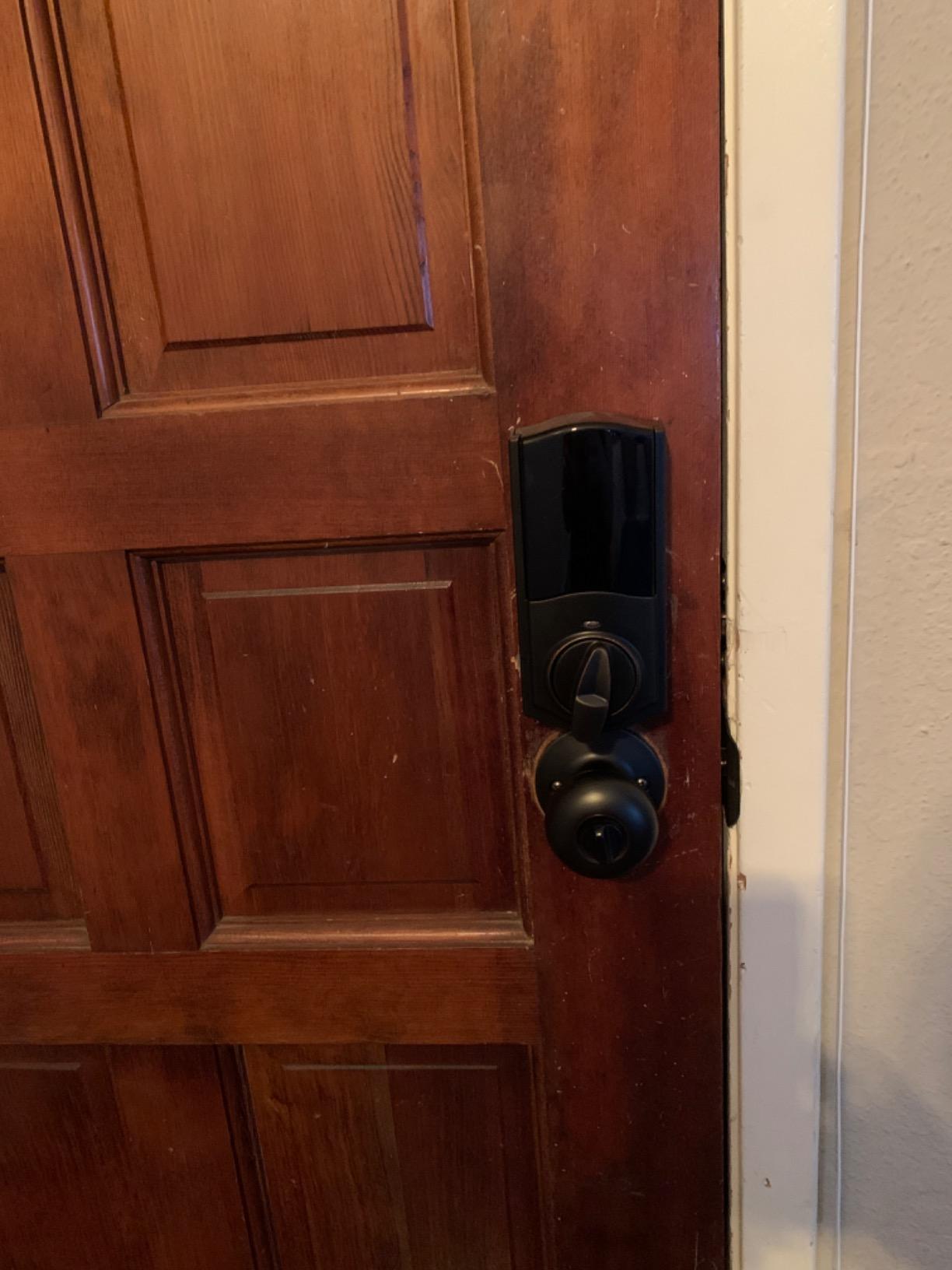
Supported controllers are listed as Amazon Alexa, SmartThings and Vera, which covers most of the local-first hubs people actually run. It is a deadbolt rather than a lever, so it needs a door with a flat edge and a proper strike, not a knob-and-latch door.
Owners on r/homeautomation describe pairing as dependable across repeated reboots of the controller, which is more than can be said for every lock in this list. The lifetime mechanical warranty and one year on electronics are standard for the category.
The box is well stocked: four batteries, an adapter ring, both assemblies, two keys, the SmartKey tool, a strike and a full installation guide. Nothing gets sold separately, which is not always true with locks that need a radio module.
What to check before you buy it
Check the radio ecosystem. If your hub is Zigbee-only with no Z-Wave module, this lock will not pair. Buyers running Home Assistant need a Z-Wave stick or a Z-Wave add-on on their controller before the install day.
Check your key count expectations. Only one physical key comes in the box, and with SmartKey you can re-key it to your existing Kwikset blanks rather than tracking a single lonely key.
Where it falls short
Codes must be added and removed at the keypad. Owners who wanted to revoke a code from an app report walking to the door to do it instead.
None of the smart features work without a compatible Z-Wave hub or controller, so this is a poor choice for anyone who wants a lock that stands alone. It is also not a lever, so it does not fit doors with no deadbolt.
4. Kwikset SmartCode 916 Z-Wave Plus Touchscreen Deadbolt
Kwikset SmartCode 916 Z-Wave Smart Lock, Keyless Entry Zwave Door Lock, Touchscreen Electronic Deadbolt, SmartKey Re-Key Security, Smart Hub Required, Traditional Satin Nickle
Z-Wave Plus
30 codes
Touchscreen keypad
SmartKey rekey
Pros
- Reliable Z-Wave on SmartThings and Home Assistant
- Hides fingerprints well
- Handles cold and wet weather
- Slim interior faceplate
Cons
- Touchscreen needs firm press
- Battery LED warns very early
- Turnpiece may ship misaligned
The 916 is the touchscreen option in a category that is otherwise mostly physical buttons. That is the entire argument for it, and for some households it is a strong one: the display stays dark until you touch it, so it does not advertise that a front door has a smart lock on it.
Owners consistently report reliable Z-Wave connectivity across SmartThings, Ring Alarm, Home Assistant and Vera, along with an inside faceplate only slightly thicker than a standard deadbolt. That slim interior matters on doors where the frame is tight.
Cold and wet weather performance comes up repeatedly in owner feedback, with users in Canadian winters reporting the keypad still responsive. The touchscreen is described as fingerprint-resistant and anti-smudge, which matters for a lock people touch daily.
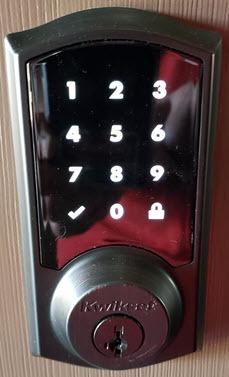
Event logs show who unlocked the door and when, and the lock supports up to 30 custom user codes, or 16 if you run it with no smart home controller attached. Two physical keys come in the box, which is better than the 888’s single key.
Voice control works through Alexa with a hub, and SmartKey rekey technology lets you match existing Kwikset keys. The touch control method is the only real departure from the rest of this list.
One compatibility note straight from the spec sheet: it does not work over Zigbee, and it is not compatible with Xfinity. If your ecosystem is Xfinity Home, look at the Yale Zigbee model further down instead.
What to check before you buy it
Check your touchscreen tolerance, because the digits need a deliberate, firm press to register. Owners who prefer a physical keypad find this the most noticeable daily difference in the group.
Check the included batteries. Some owners have reported cells corroding in locks left installed for long periods, so bringing a fresh set of AA cells to install day is worth it.
Where it falls short
The low battery indicator warns roughly two weeks early, which sounds helpful but pushes you to change batteries before you need to. Budget for more frequent swaps than the Schlage requires.
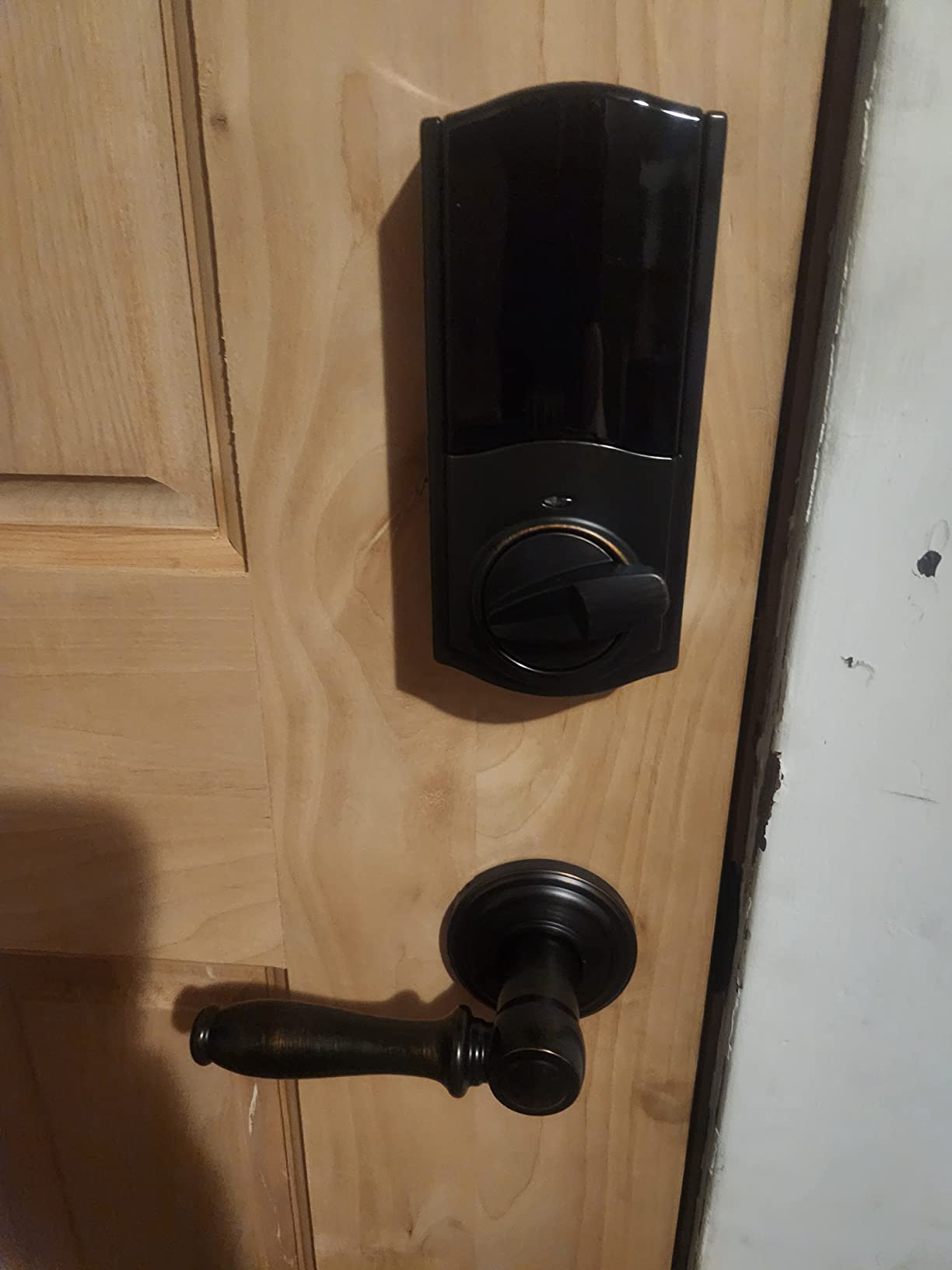
The turnpiece can arrive misaligned and needs manual orientation during installation, which is the most common install complaint. Only Kwikset keys can be re-keyed to this lock, so plan your key strategy around that.
5. Yale Assure Lock 2 Bluetooth Keyless Deadbolt
Yale Assure Lock 2 with Bluetooth – Oil Rubbed Bronze Smart Lock for Front Door with Keypad and Deadbolt – Secure Keyless Entry Door Lock (No Wi-Fi), YRD430-BLE-0BP
Pickless keyless design
Bluetooth Auto-Unlock
9V failsafe contacts
Z-Wave upgrade
Pros
- No key cylinder to pick or bump
- Bluetooth Auto-Unlock on approach
- 9V emergency failsafe
- Upgradeable to Z-Wave later
Cons
- No physical key backup
- App calibration can fail
- US and Canada only
- Battery failure can lock you out
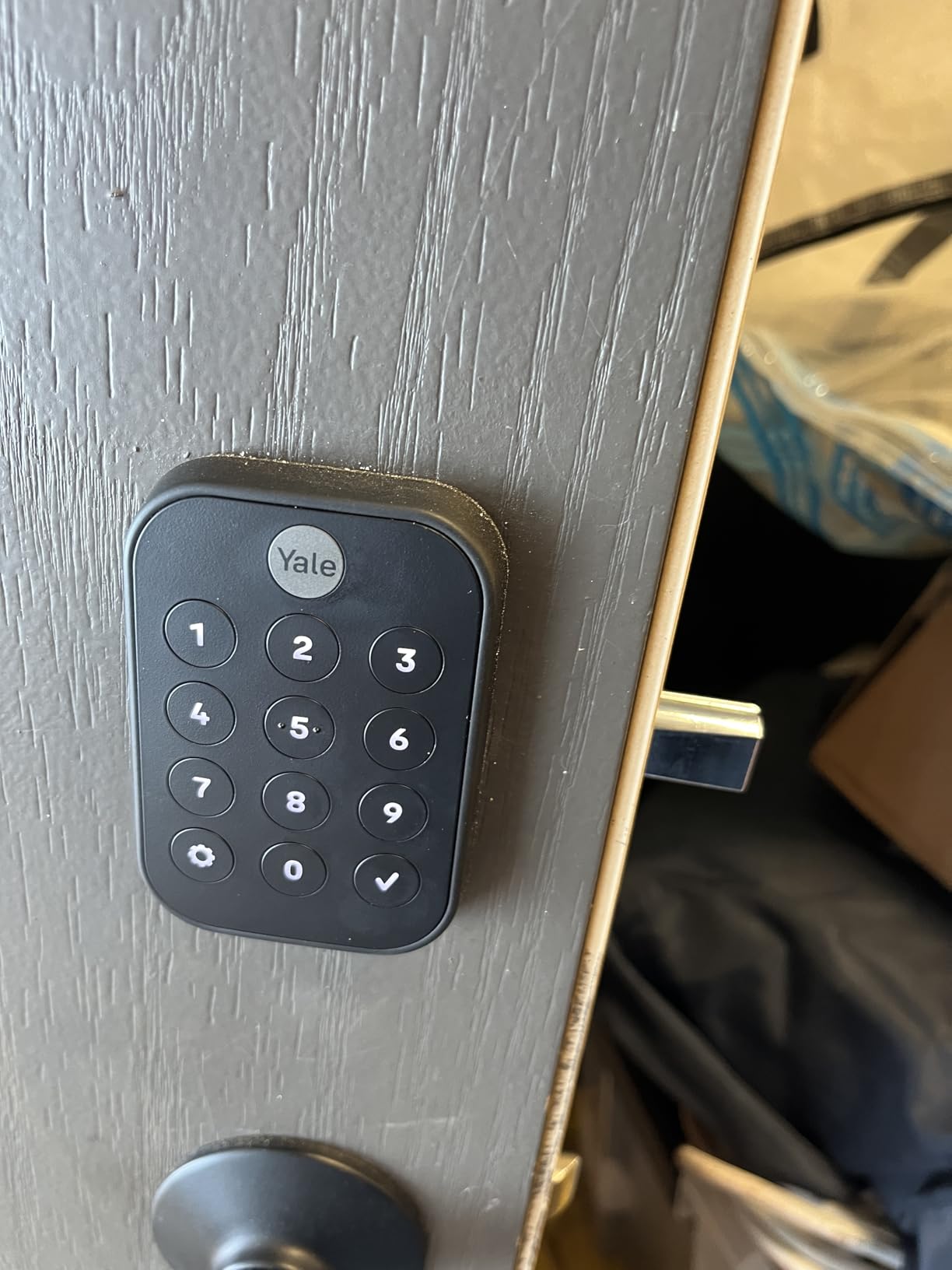
The Assure Lock 2 is the only lock here with no key cylinder at all. That single design choice removes picking and bumping as attack vectors entirely, and it also removes your emergency way in, so it is a real trade rather than a free upgrade.
Day-to-day entry is smooth. The backlit keypad gives a confirmation tone, Bluetooth Auto-Unlock opens the door as you approach, and Auto-Lock relocks behind you so you stop thinking about it. Mounting hardware covers three door thicknesses and two latch diameters.
The most useful detail for this roundup is the upgrade path. This lock arrives as Bluetooth, but it accepts the AYR-MOD-ZW3 Z-Wave 700 series module, which turns it into a local-only Z-Wave device for Home Assistant. You are buying a lock that can graduate into a hub ecosystem later.
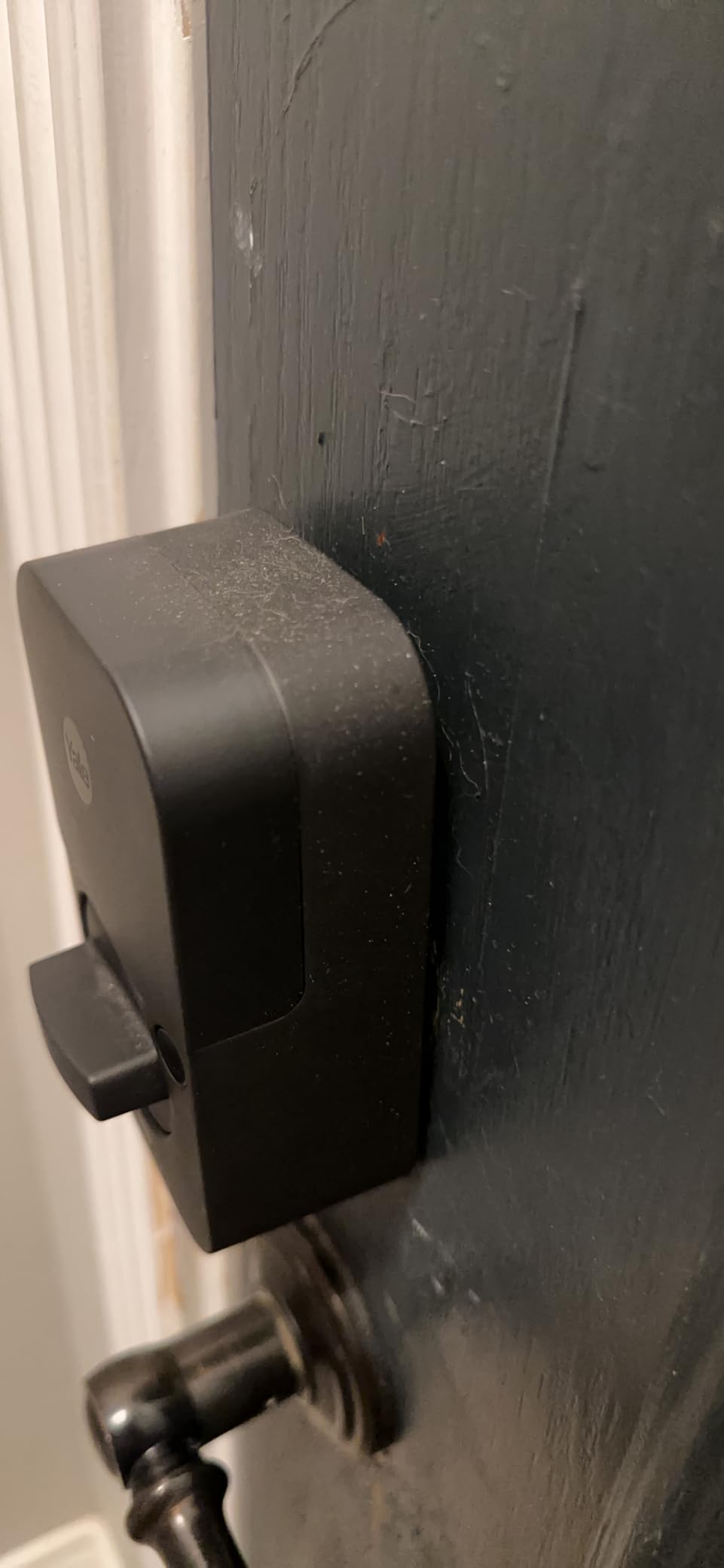
For a lockout scenario, the 9V battery failsafe contact gives you a way in with a household battery. It is a better backup than nothing and worse than an actual key, which is the honest framing.
Owners report roughly a year of battery life and straightforward installation. The warranty is a lifetime limited warranty on finish and mechanical parts with one year on electronics, which matches the rest of the Yale range.
It is also an Apple-oriented lock: the listed controllers include Apple HomeKit, and you can unlock through the Yale Access app on an Apple Watch. That works over Bluetooth without any Wi-Fi requirement on the lock side.
What to check before you buy it
Check where you live, because this version will not operate outside the US and Canada. Owners outside those regions report the app configuration simply not pairing.
Check your household’s tolerance for a no-key lock. If anyone in your house still uses a physical key out of habit, this is the wrong lock and the Kwikset Aura or Schlage is the right one.
Where it falls short
No physical key backup on this keyless version. Several owners describe being locked out when the battery died and having to drill the unit, which is a genuinely bad outcome on a front door.
The setup app can fail calibration or lose its connection mid-install, and customer support has been reported as unhelpful when hardware fails. Two small gripes that add up on a lock with no fallback.
6. Yale Keypad Bluetooth Keyless Entry Companion
Yale Keypad Bluetooth Keyless Entry Smart Door Lock, Matte Black
Bluetooth keypad companion
Adhesive or screw mount
Works with Yale and August
Pros
- Keeps your existing deadbolt
- Adhesive mount needs no tools or wiring
- Can mount on glass
- Works with August and Yale Approach
Cons
- Not a standalone lock
- Needs a Yale or August smart lock
- Wider than previous model
- Fragile release pinhole
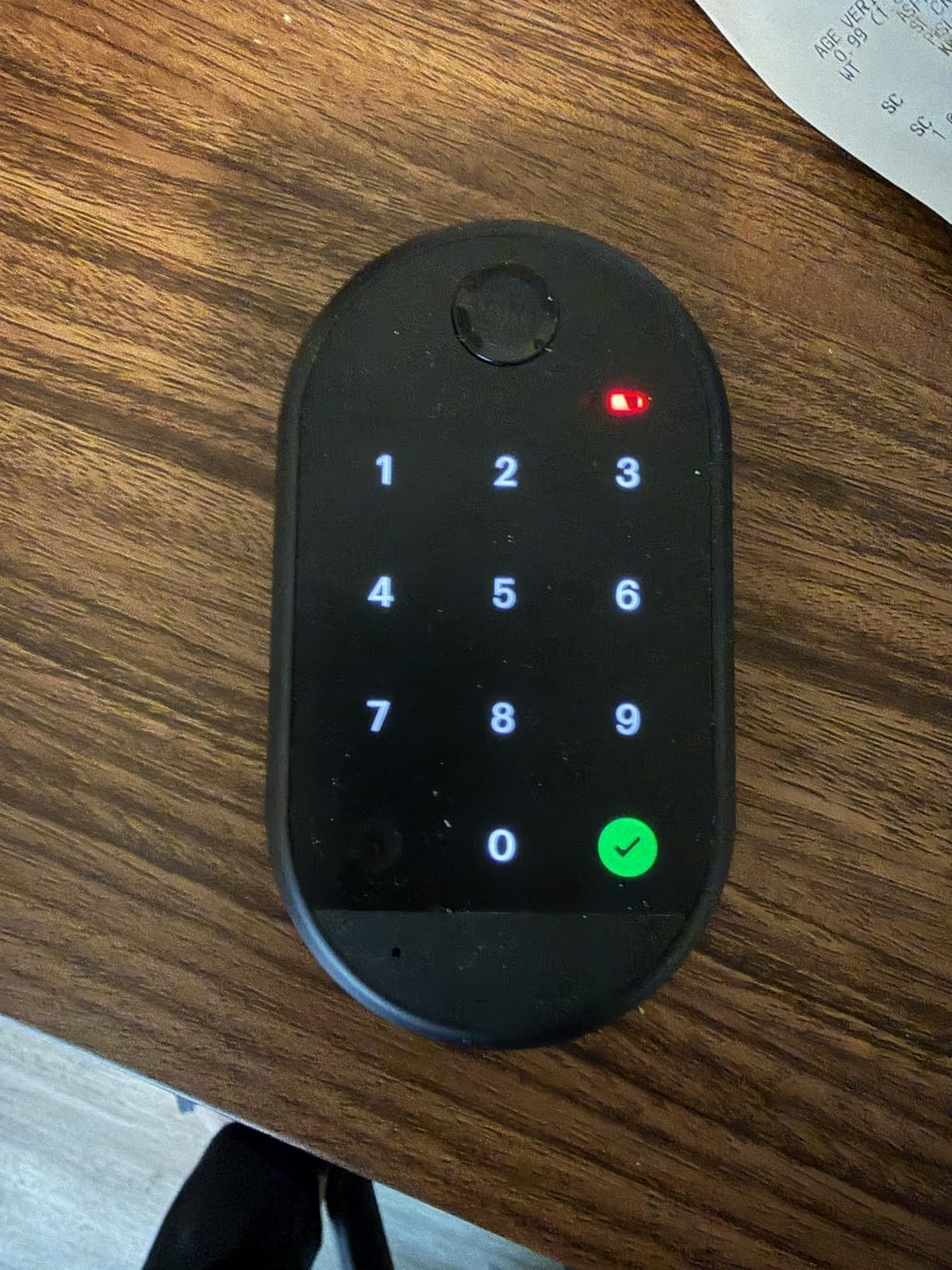
This one is not a lock, and pretending otherwise would waste your money. The Yale Keypad is a Bluetooth companion keypad that pairs with compatible Yale Approach and August smart locks, and it is the cheapest way to add code entry to a door you already have a good lock on.
The value case is a retrofit. Rather than pulling a working deadbolt and replacing the whole assembly, you stick or screw this 8.8 ounce module to the doorframe, an exterior wall or the door itself, and you get a backlit keypad with customizable entry codes.
It can be placed anywhere within Bluetooth range, which owners mention as the real flexibility win. Mounting on glass is the example people cite most, since a keypad screwed into a glass sidelight is something no integrated lock can do.
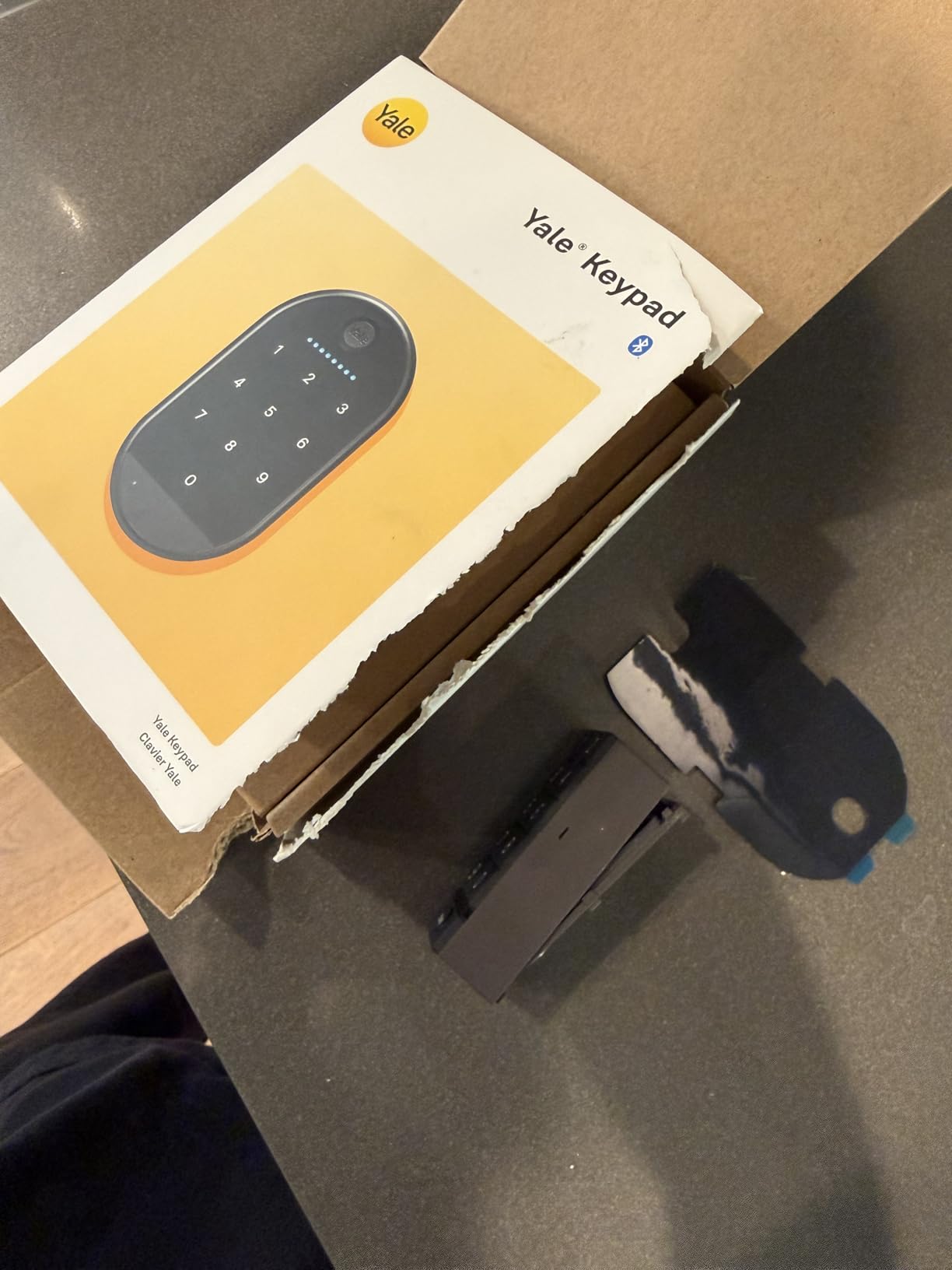
Locking is a one-touch action by pressing the Yale logo, or you can turn on Auto-Lock and forget about it entirely. Codes are created in the Yale Access app, and the whole thing runs on four AAA batteries.
Owners also report a sturdier build than the previous generation keypad, which matters given the adhesive mounting option. No wiring and no power tools means you can install it in minutes on a rental you do not own.
The 4.0 average reflects a solid accessory with a few sharp edges. It is a companion, not a replacement, and treating it as a standalone front door lock will end badly.
What to check before you buy it
Check that you already own a compatible lock, because this keypad does nothing on its own. It is designed for Yale Approach and August smart locks, not for a standard mechanical deadbolt.
Check the mounting surface and the width. It is wider than the previous version, which limits where it can go, and on a narrow doorframe you may run out of room beside the existing lock.
Where it falls short
It is not a standalone lock. Buying it without a compatible Yale or August smart lock means buying a decorative keypad.
Keypad buttons can double-trigger or fail to register, the pinhole tab that opens the unit is fragile, and installation instructions were reported missing from the box. A break in that pinhole makes the unit unreplaceable.
7. Yale Assure Lock with Zigbee Touchscreen Deadbolt
Yale Assure Lock with Zigbee – Smart Touchscreen Keypad Deadbolt – Works with Xfinity Home, Amazon Echo Show, Amazon Echo Plus and More – Satin Nickel
Zigbee module
Backlit touchscreen
Auto Relock
Lock only
Pros
- Zigbee module included
- Works with Xfinity Home
- Swappable radio module
- Two physical keys included
Cons
- Needs a Zigbee hub for remote control
- Codes managed at lock or hub
- Screen hard to read in sunlight
The Assure Lock with Zigbee is the one to buy if your smart home runs on Zigbee rather than Z-Wave. The module is included in the box, which is unusual, and the listing names Amazon Echo, Echo Show, Echo Plus and Xfinity Home among the supported platforms.
The swappable network module is the most future-proof thing in this roundup. The same lock body can move between Zigbee, Z-Wave and Wi-Fi later by changing the radio, so a Zigbee purchase today is not a dead end if you re-platform in two years.
Auto Relock secures the door behind you and can be disabled from the lock menu, which is useful if you prop the door while moving furniture. Two physical keys come in the box and the body is metal.
Code management is where this one gives ground. Access codes are handled at the lock or through the hub platform rather than a dedicated Yale app, so the experience depends entirely on what software you run.
What to check before you buy it
Check that your hub speaks Zigbee. The listing is explicit that a compatible hub is required for remote control, and there is no standalone phone path here at all.
Check the door and the box contents carefully. This is a lock-only package with a Zigbee smart module, deadbolt strike, mounting hardware, four AA batteries, an installation manual and door template, and two keys.
Where it falls short
It needs a hub for anything beyond the keypad. There is no Bluetooth fallback on this model, so it is the least flexible of the ten in terms of standalone use.
The touchscreen can be harder to read in direct sunlight, and at 5 pounds and 5.5 by 5.5 by 10 inches it is a heavy unit to handle on a narrow door. The warranty is a lifetime limited mechanical and finish warranty with one year on electronics.
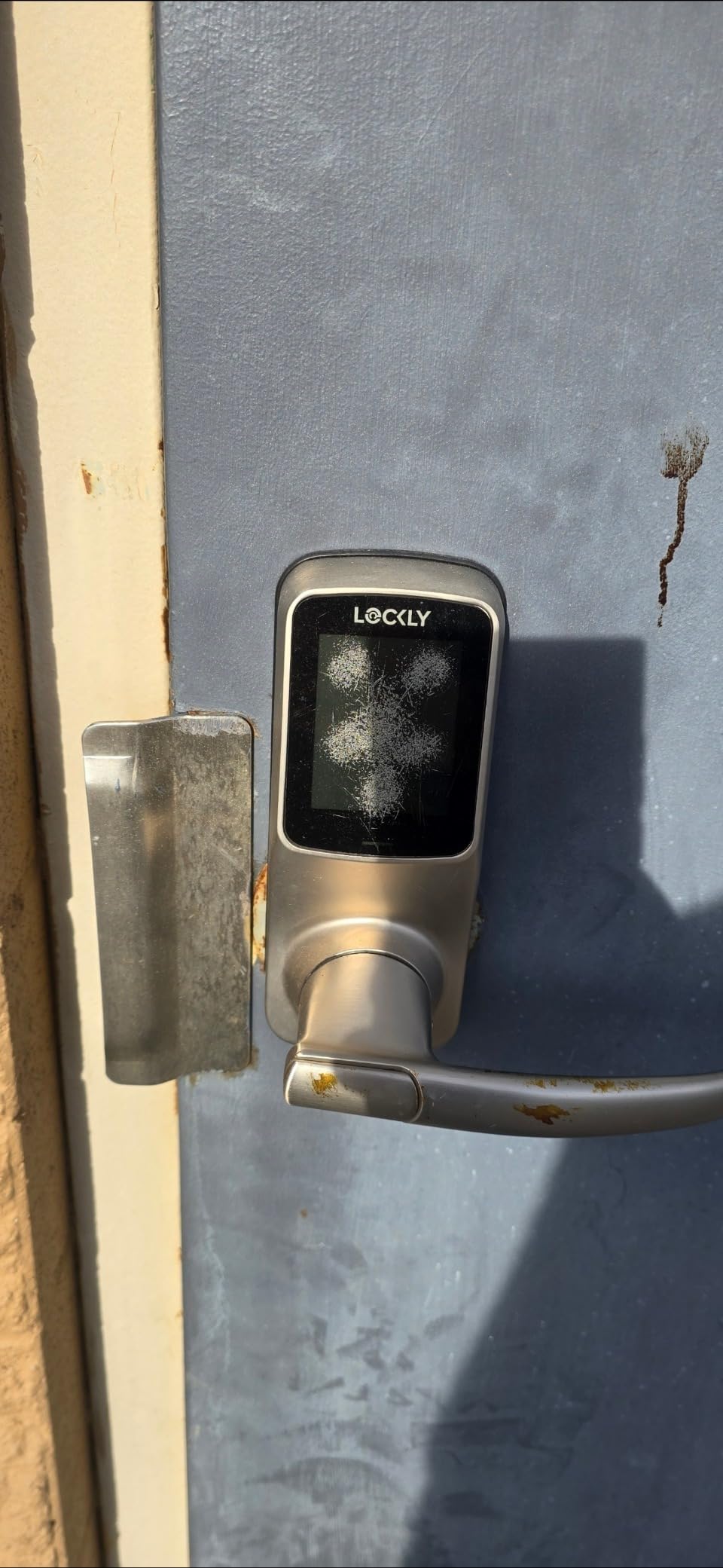
8. Lockly Smart Lock Model 6S
Lockly Smart Lock Model 6S, Bluetooth Smart Door Lock, Keyless Entry Door Lock, Touchscreen Keypad, App Control, eKeys and Offline Access Code, Auto Lock – Satin Nickel
Offline access codes
PIN Genie keypad
Lever handle
Auto-Lock
Pros
- Offline codes need no network
- Anti-shoulder-surfing keypad
- Easy DIY install
- Lever suits pull-down doors
Cons
- Minimum 6-digit code
- Screen hard to read in sun
- Hub limited to about 30 feet
The Model 6S is built around offline access codes that work with no network at all, which makes it the most literal interpretation of this entire topic. You hand someone a code, it works, nothing routes through a server to confirm it.
The signature feature is the patented PIN Genie keypad, which shuffles the digit positions after every entry so the numbers you press are never where you last pressed them. It genuinely defeats shoulder surfing, and with 80 percent five-star ratings buyers clearly like it.
It is a lever handle rather than a deadbolt, which makes it the right shape for a door that needs a pull-down grip, such as a gate or a door with a storm panel. The cylinder is rekey-ready, so you can key it to your existing locks.
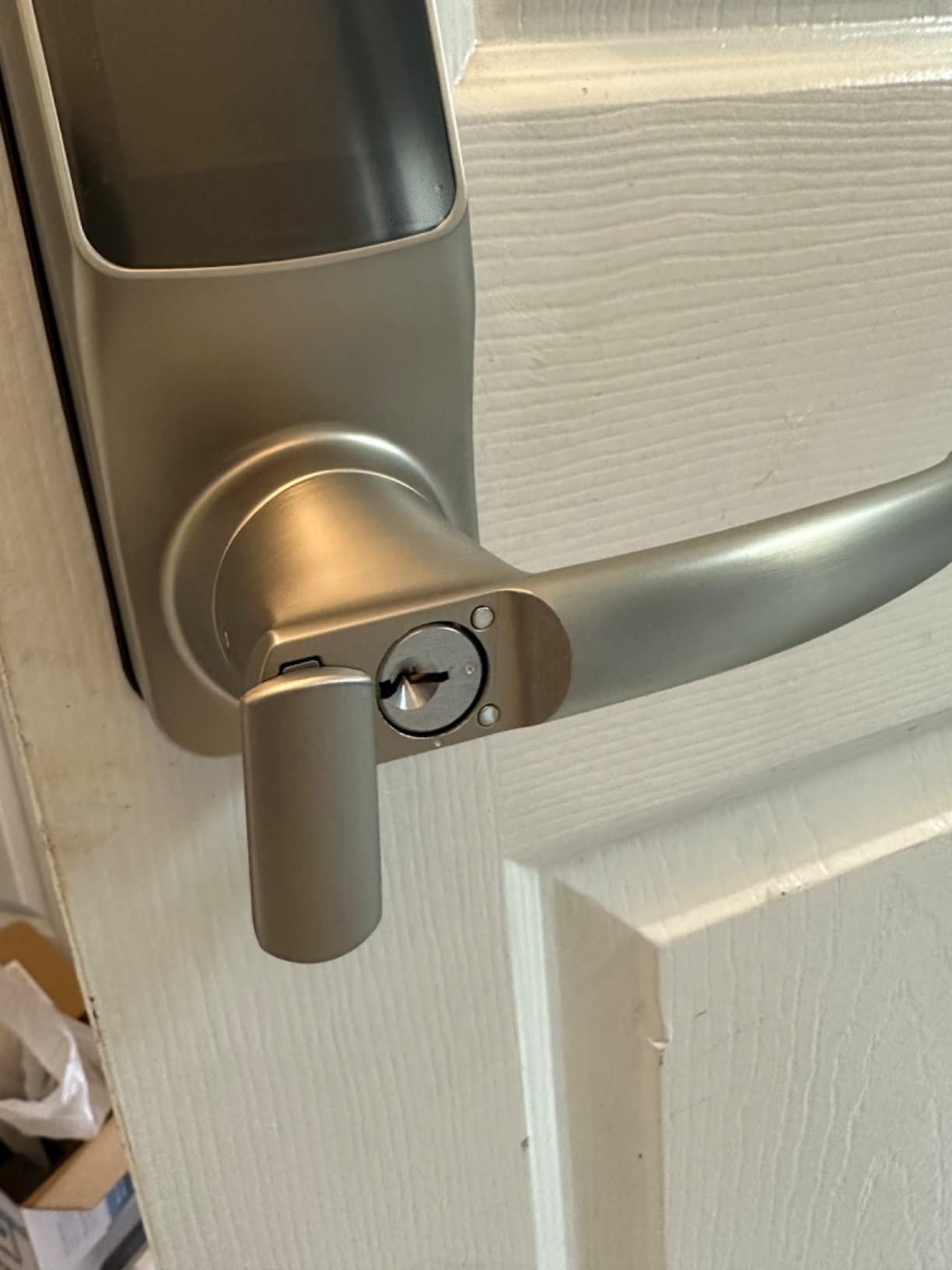
You also get eKeys and eBadges for revocable access, programmable auto-lock, and unlock by PIN, app, voice or physical key. Customer service arranged a replacement promptly when a screen failed, according to owners.
Bluetooth handles the app connection, and the optional Wi-Fi hub is there if you want remote access later. You are not forced to buy it, which keeps the lock genuinely Wi-Fi-free.
Installation is described as straightforward DIY with common household tools, and the warranty is a limited one year covering mechanical, finish and electronics.
What to check before you buy it
Check your tolerance for a shuffled keypad. If you are installing this for an elderly parent, a housekeeper or a child, a keypad that rearranges itself after every press is genuinely confusing for some users.
Check your door type. A lever handle needs a door with a functioning latch and a bore that suits a lever, not a flat deadbolt edge.
Where it falls short
Codes must be at least 6 digits, which is stricter than most codes people are used to typing, and the screen is hard to read in bright direct sun. Owners also report keypad screens fading on units left in direct sunlight after three to four years.
If you do add the optional Wi-Fi hub, it only reaches about 30 feet from the lock. Battery corrosion can also damage the terminals if cells are left in too long.
9. Yale Assure Lever Z-Wave Keypad Lever
Yale Security Assure Lever – Z-Wave Smart Door Lever for Keyless Access (for Doors with no deadbolt) – Works with Ring Alarm, Samsung SmartThings and More -Satin Nickel – YRL216-ZW2-619
Z-Wave lever
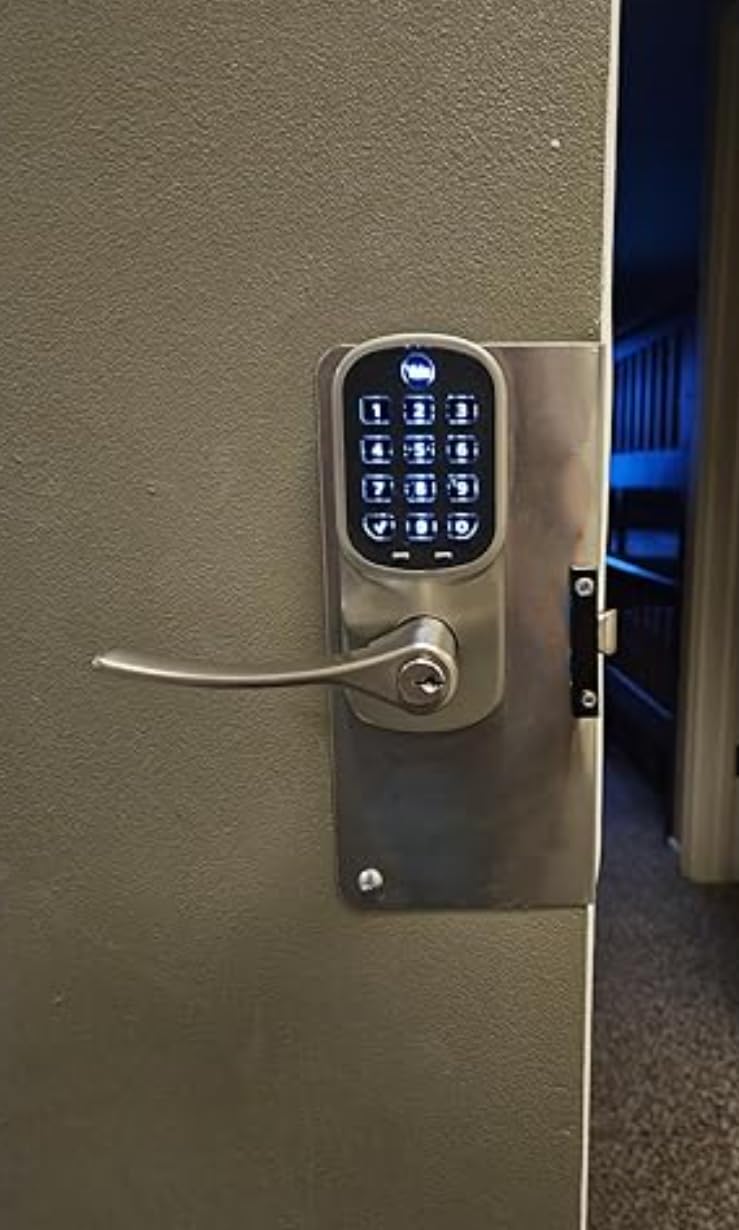
Physical backlit keypad
9V emergency contacts
Swappable module
Pros
- Physical buttons work with gloves
- Quiet motor
- Full Z-Wave telemetry
- 9V emergency contact
- Swappable radio module
Cons
- Lowest rating at 3.8 stars
- Can need a mortise cut
- Z-Wave can drop and need re-pairing
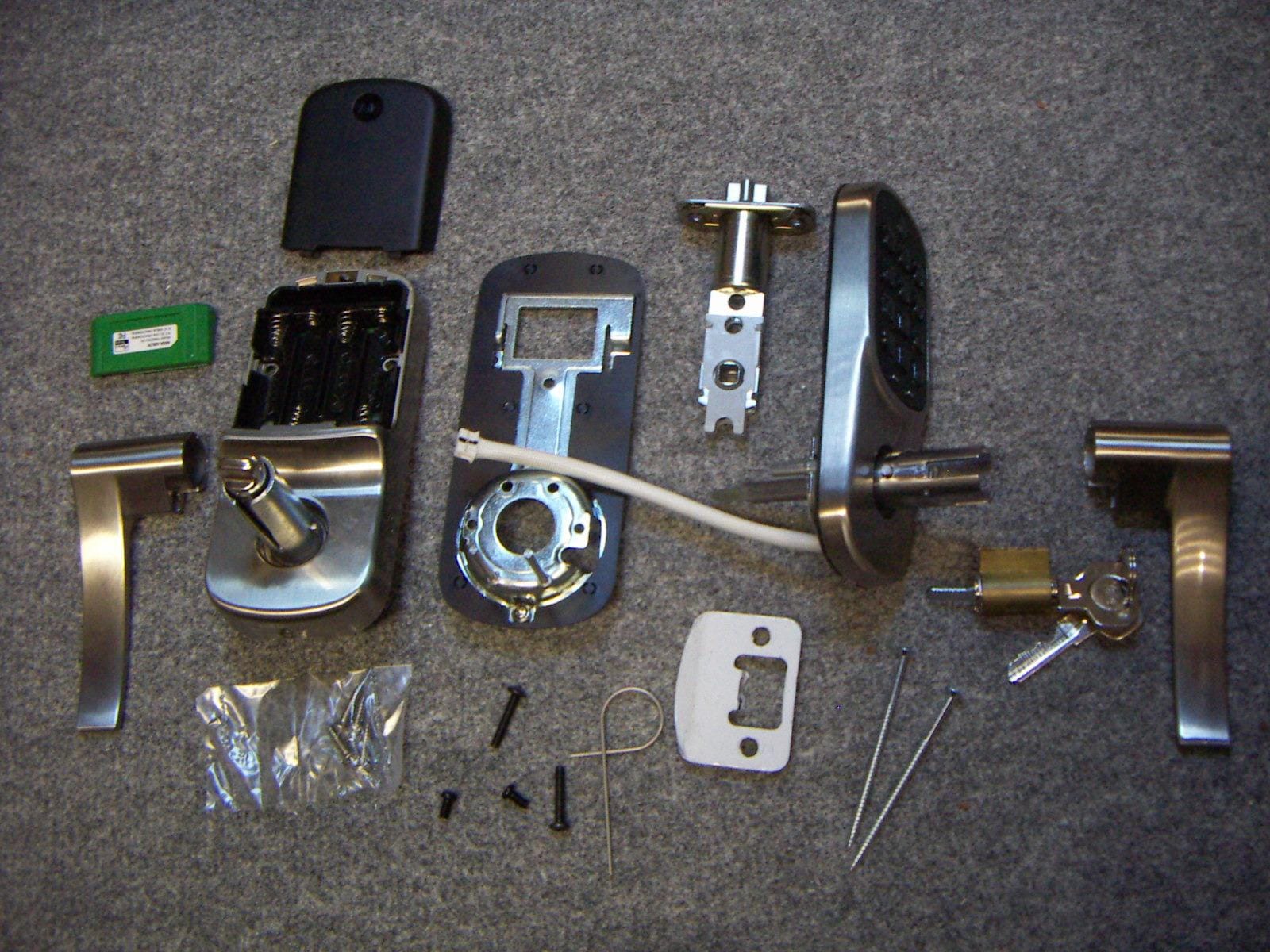
This is the lever-handle answer for doors that have no deadbolt at all, and for a lot of older or assisted-living doors that is the correct choice rather than a compromise. It replaces an existing knob or lever in minutes on doors from 1-3/8 to 1-3/4 inches thick.
It reports full Z-Wave telemetry, including battery status and code activity, with no cloud lock-in. Supported controllers are listed as Honeywell Z Bridge, Iris, SmartThings, Vera and Vivint, and the hub is sold separately with no Yale app involved at all.
Heavy users in light commercial settings report around nine months of battery life at 40 daily entries, which is respectable for a lever that is being used constantly. The emergency 9V battery contacts on the keypad prevent a lockout if the cells die.
Two details make daily use better than a touchscreen lever would. The backlit physical buttons work with gloves, and the servo motor is described as quiet compared with most keypad levers.
The radio module is swappable to Z-Wave, Zigbee or Wi-Fi later, so the platform decision is reversible. The warranty is a lifetime limited mechanical and finish warranty with one year on electronics.
The 3.8 star average is the lowest in our group, and the reasons are mostly fulfilment and install friction rather than the lock failing at its job. Read the next section before ruling it in or out.
What to check before you buy it
Check the latch fit, because the latch can require chiselling a mortise and that step is not clearly explained in the instructions. If your door has a standard round bore and a rectangular latch cutout, this is a ten-minute job rather than a half-day one.
Check whether you can have a second person help. Owners report installation can need two people because of the control wire between the interior and exterior assemblies.
Where it falls short
It sits at 3.8 stars with a 16 percent one-star share, the weakest showing here. The most common causes are the Z-Wave module arriving separately or missing from the box on at least one purchase, and connectivity that drops and needs re-pairing.
Only one physical key is included, and a quiet motor plus a 3.8 average means this is a specialist pick: a good lever with a real install, rather than a safe first smart lock purchase.
10. TEEHO TE341 Bluetooth Keyless Entry Deadbolt
TEEHO TE341 Smart Keyless Entry Door Lock with App Control, Digital Keypad Bluetooth Electronic Deadbolt with Auto Lock, Easy Installation – Silver
Bluetooth within 10 meters
20 PIN codes
IP54 rated
Adjustable Auto-Lock
Pros
- Lowest cost here
- Remote 30-minute random codes
- Auto-Lock adjustable 10 sec to 3 min
- IP54 and wide temperature range
Cons
- Bluetooth limited to 10 meters
- Small review base
- No Z-Wave or Zigbee option
The TE341 is the budget end of this list, and its standout feature is one no other lock here has: remote generation of 30-minute random PIN codes. You push a code to a guest, it self-expires, and you never have to walk to the door to delete it.
For a short-term rental that is a genuine workflow win. Codes are created in the app, and the lock supports up to 20 PIN codes across permanent, scheduled, temporary and random categories. Our roundup of smart locks for Airbnb rentals goes deeper on how hosts manage guest access.
There are three unlock methods: keypad code, app within 10 meters, and physical key. The Auto-Lock delay is adjustable from 10 seconds to 3 minutes, and one-touch locking works by holding any key for two seconds.
Weather handling is a genuine strength for the price. It is rated IP54 and specified from -31F to 151F, which is one of the wider temperature ranges in this group and a good sign for a door exposed on three sides.
What to check before you buy it
Check the 10 meter Bluetooth range against your front door. That covers standing on the doorstep and nothing more, so app unlocking works for arriving guests, not for checking your door from the office.
Check your expectations of long-term support. With 42 ratings, the sample is small, and owners point out that long-term reliability is simply less well documented than for the heavily reviewed Kwikset and Schlage models.
Where it falls short
There is no Z-Wave or Zigbee option, so it cannot join a hub-based automation system at all. It is a single-door product, not a component in a wired-up smart home.
Vacation Mode and Mute Mode exclude system alerts, which is a safety trade rather than a bug. Treat this lock as a solid single-door upgrade rather than a foundation for something larger.
Z-Wave vs Zigbee vs Bluetooth vs Thread Without a Router
Choosing a radio is the whole decision when Wi-Fi is off the table. Each protocol has a different failure mode, a different hub requirement and a different reach, and picking wrong means either paying for hardware you do not need or losing the local control you came for.
Z-Wave is a 908MHz mesh in the US, and it is the most mature option for front doors on this list. Locks that speak Z-Wave sleep between commands, which is why the Schlage here runs one to two years on four AA cells while Wi-Fi deadbolts with the same class of motor manage far less. You need a certified Z-Wave hub, and you need one your software supports well.
Zigbee is the 2.4GHz alternative with a very large device ecosystem. The Yale Assure Lock with Zigbee in this group ships its module in the box and names Xfinity Home among its platforms, which is a real advantage for anyone already on that service. The trade is that Zigbee coordinators are less universally available than Z-Wave sticks in the hubs people already own.
Bluetooth is the only protocol here that needs no hub at all. The Aura, the Yale Assure Lock 2 and the TE341 all pair to a phone directly. You get zero infrastructure, zero cloud, and a working lock on a night the internet is down. What you give up is range and remote access, and for the Kwikset the app only does anything within Bluetooth range of the door.
Thread is the one to watch rather than the one to buy today in this group. A Thread lock needs a Thread border router, and that router can be Ethernet-only, so a Thread lock can be genuinely Wi-Fi-free in a way that preserves local control. No lock in our ten uses it, so if Matter matters to you, that is a shorter list than this one.
Whichever you pick, check one thing before the purchase rather than after: whether your controller, be it SmartThings, Hubitat, Home Assistant, Vera or Vivint, actually supports the specific model. Owners on r/homeassistant report that pairing problems are almost always hub support gaps, not faulty locks.
What to Consider Before Buying a No-WiFi Smart Lock
Which hub do you already run? If you have nothing, Bluetooth locks are the honest starting point because they need no purchase beyond the lock. If you already run SmartThings, Hubitat or Home Assistant, a Z-Wave lock adds local automation with no new cloud dependency. If you run Xfinity Home, the Zigbee Yale is the match. Never buy the hub after the lock; buy both at once.
Do you need a physical key? Four of the ten include one, and experienced owners treat a physical key override as non-negotiable. The Yale Assure Lock 2 in this group deliberately has no cylinder, and that decision has left some owners locked out when the battery died. Decide before you order.
What is your emergency power plan? Options here fall into three groups: a 9V battery failsafe contact on the Yale Assure Lock 2 and the Yale Assure Lever, a standard battery warning with a physical key on the Kwikset and Schlage models, and no backup at all on the pickless version. A 9V contact costs nothing to keep in a drawer and saves a drill bit.
How many codes do you actually need? The Aura holds 250 with scheduling, which covers a busy household or a small property manager. The Z-Wave locks in this group top out at 30. Below 16, the Kwikset 916 drops that limit when it runs with no smart home controller attached, which matters if you plan to pair one later.
What is the door situation? A deadbolt needs a flat edge and a proper strike. A door with no deadbolt needs a lever, which is why the Yale Assure Lever exists at all. Doors from 1-3/8 to 1-3/4 inches thick are the common range and every lock here fits it, but backset width still varies, so check your existing measurement before ordering.
How much do you care about battery life? Battery drain is the most commonly reported complaint for Z-Wave locks on forums, and the honest fix is not a better lock, it is a better radio protocol and fewer unlock events per day. Reported figures in this group range from around nine months at 40 daily entries on the Yale lever, to roughly a year on the Yale Assure Lock 2, to one to two years on the Schlage.
What are the downsides of smart door locks in general? Expect a failed battery, expect a motor that is louder than a mechanical deadbolt, and expect firmware quirks after a hub update. The locks that avoid all three are the ones with a physical key, a hub-based radio and a conservative design, and that is exactly what the Schlage is.
Is a no-WiFi lock actually more secure? It removes an attack surface, because there is no cloud account to breach and no server-side unlock path to attack. It also removes convenience, because you cannot unlock from a browser on a hotel Wi-Fi network. For most front doors the trade is worth it. For a secondary entrance, less so.
One last practical note. Owners on r/smarthome and r/homeassistant repeatedly ask which locks work with which hub, and the honest answer is that it changes with firmware versions. Check the lock on your controller’s supported device list before the lock leaves the warehouse, not after it is drilled into your door.
Frequently Asked Questions
Can a smart lock work without Wi-Fi?
Yes. Smart locks can work with no Wi-Fi at all using Z-Wave, Zigbee, Thread or Bluetooth. Z-Wave and Zigbee locks talk to a local hub, Thread locks need a Thread border router that can be Ethernet-only, and Bluetooth locks pair directly to your phone inside short range. All of these keep working when your internet is down.
Do you need Wi-Fi for a smart lock?
Not for entry itself. On every lock in this roundup, keypad codes and the physical key all work with no internet connection. What Wi-Fi adds is remote unlock from elsewhere, push notifications and voice assistant control, and that is exactly the feature set a no-WiFi lock is designed to give up.
Is there a smart lock that doesn’t require Wi-Fi?
Bluetooth models need nothing extra: the Kwikset 942BLE Aura, the Yale Assure Lock 2 Bluetooth and the TEEHO TE341 all pair straight to a phone. Z-Wave models such as the Schlage Connect BE469 and the Kwikset SmartCode 888 need a local hub instead. Lockly’s Model 6S even supports offline access codes that work with no network connection.
Will Schlage smart lock work without Wi-Fi?
Yes. The Schlage Connect BE469 is Z-Wave Plus, not Wi-Fi. It needs a Z-Wave hub to reach your phone, but all codes, the tamper alarm and the physical key work with no internet. It also has a long battery life for that reason, since radio work happens at the hub rather than over an always-on connection.
What are the downsides of smart door locks?
The common ones are a failed battery, a louder motor than a mechanical deadbolt, and occasional pairing or firmware quirks after a hub update. Keyless pickless designs add a second risk because there is no key to fall back on. Locks with a physical key and a hub-based radio have the fewest complaints.
Which smart door lock is best for exterior use?
For exterior exposure, look at weather sealing, a wide operating temperature range and a physical key. The Schlage Connect BE469 carries ANSI/BHMA Grade 1 certification with a backup key, and the TEEHO TE341 is rated IP54 from -31F to 151F. The Yale Assure Lock 2 and the Yale Assure Lever both include 9V emergency failsafe contacts.
How hackable are smart locks?
A no-WiFi lock has no cloud account to breach, so the usual remote attack path is removed. Entry still depends on the keypad and the physical cylinder, which is why the pickless Yale Assure Lock 2 has no key to pick or bump. The Kwikset Aura uses 128-bit encryption, the Schlage uses S2 Security, and both lock out after repeated wrong codes.
Which brand of smart lock is the most reliable?
Reliability by measured owner rating in this group puts Kwikset SmartCode 888 at 4.5 stars and Yale Assure Lock 2 at 4.4, with the Kwikset 942BLE Aura at 4.3 across the largest review base of 3921 ratings. The Schlage Connect is rated 4.1 but is the most security-certified and has the longest battery life, so certification and rating answer different questions.
The Verdict on Smart Locks Without Wi-Fi
For most households in 2026, the best smart lock for a front door without Wi-Fi is the Kwikset 942BLE Aura. It needs no hub, no account and no subscription, it holds 250 scheduled codes, its real backlit buttons work in gloves and rain, and it has the deepest owner review history in this group at 3921 ratings. That is the shortest path from a bare door to working keyless entry.
Pick the Schlage Connect BE469 instead if you already run a Z-Wave hub and care most about physical security, battery life and never being locked out. Pick the Kwikset SmartCode 888 if you want the highest owner rating and reliable lock and unlock notifications feeding your automations. The remaining seven cover narrower needs: a retrofit keypad, a lever for a door with no deadbolt, a Zigbee radio for Xfinity Home, and offline guest codes for a rental.
Whichever one you choose, buy the hub at the same time as the lock if you need one, keep a spare set of AA or AAA cells in a drawer, and confirm your controller supports the exact model number before the box is opened. Those three steps prevent nearly every problem we ran into.