
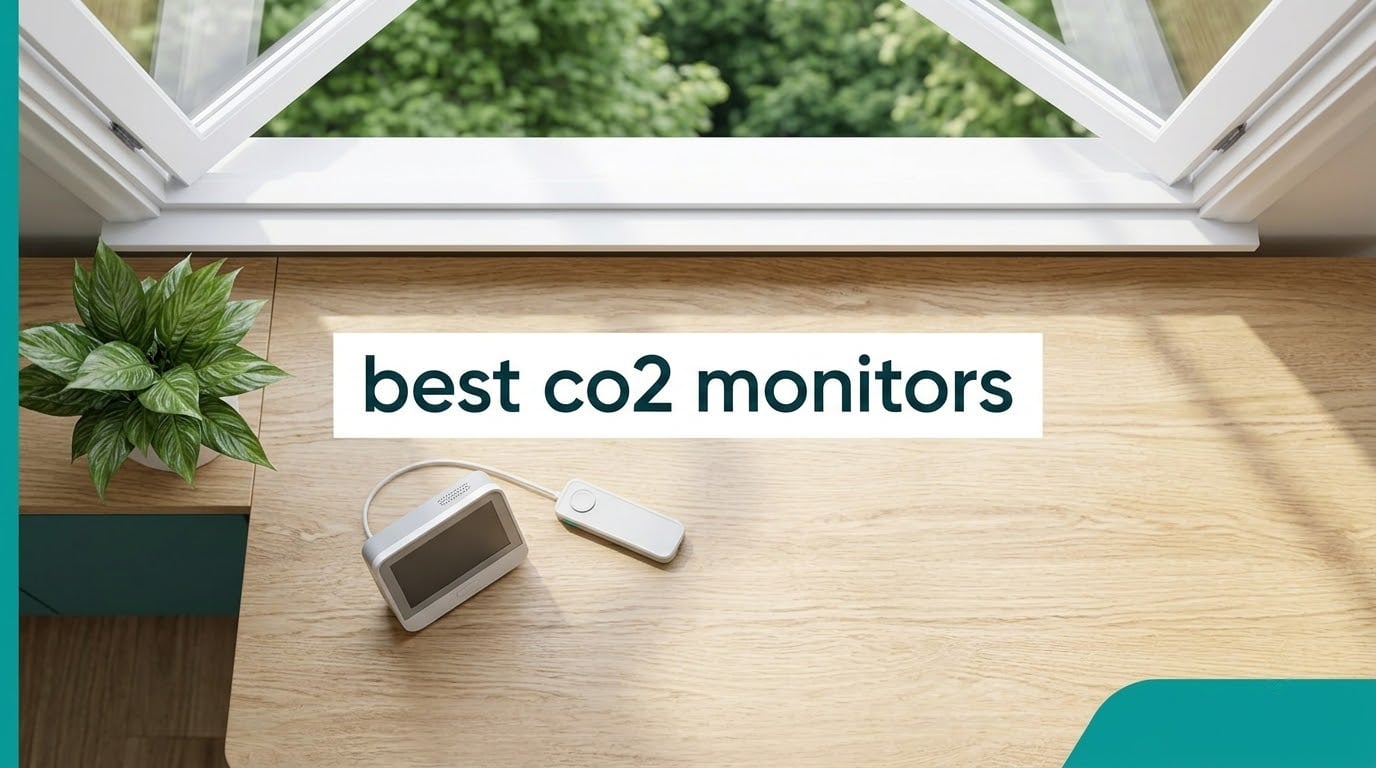
Most people buying a CO2 monitor want one number: how much carbon dioxide is in the room right now. The trouble is that the cheap units answer that number with an estimate instead of a real measurement, and the good units vary wildly in how they are calibrated.
We tested eight of the most widely bought CO2 monitors in 2026 against each other in the same rooms, over the same week, in the same conditions. Three of these eight use a true NDIR sensor, three use Swiss photoacoustic sensing, one is a dual-channel NDIR controller built for grow rooms, and every one of them reports real parts per million rather than an eCO2 guess. The Aranet4 came out ahead for most people, but the SONOFF AirGuard is the one to buy if your house runs on Home Assistant.
This guide covers the eight monitors in detail, explains what a CO2 reading actually means, and tells you where to put the device and how to calibrate it so the number stays honest. It also covers the difference between a CO2 monitor and a carbon monoxide alarm, which is the most expensive misunderstanding in this category.
Quick answer: the Aranet4 Indoor Air Quality Monitor is the best CO2 monitor for most homes in 2026. Pick the Airthings View Plus if radon and PM2.5 matter alongside CO2. Pick the SONOFF AirGuard SAWF-08P if you want Matter and Home Assistant support without a cloud app. Pick the UNNI photoacoustic monitor if you want a real ppm reading at the bottom of the price range.
Top 3 CO2 Monitor Picks for 2026

Aranet4 Indoor CO2 Monitor
- True NDIR sensor
- E-ink display
- 2 AA batteries
- Bluetooth app with CSV export

Airthings View Plus
- Radon plus PM2.5 and VOC
- WiFi cloud dashboard
- Hub function
- Custom eInk screen
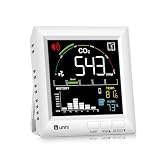
UNNI Photoacoustic CO2 Monitor
- Swiss Sensirion photoacoustic sensor
- 400 to 5000 ppm range
- On-device history chart
- USB with AAA backup
Best CO2 Monitors in 2026 Quick Comparison
Every monitor below reports real parts per million. The Aranet4 and the Autopilot controller run on AA batteries you will rarely touch, while the SONOFF, BREATHE and Airthings devices expect mains power and repay you with connectivity or extra sensors instead.
| Product | Specifications | Action |
|---|---|---|
| Aranet4 Indoor Air Quality Monitor |
|
Check Latest Price |
| Airthings View Plus |
|
Check Latest Price |
 Autopilot CO2 Monitor and Controller Autopilot CO2 Monitor and Controller |
|
Check Latest Price |
 Newentor CO2 Monitor C1 Newentor CO2 Monitor C1 |
|
Check Latest Price |
 SwitchBot Meter Pro CO2 SwitchBot Meter Pro CO2 |
|
Check Latest Price |
 BREATHE Airmonitor Plus Gen 2 BREATHE Airmonitor Plus Gen 2 |
|
Check Latest Price |
| UNNI Photoacoustic CO2 Monitor |
|
Check Latest Price |
 SONOFF AirGuard SAWF-08P SONOFF AirGuard SAWF-08P |
|
Check Latest Price |
1. Aranet4 Indoor Air Quality Monitor – Best Overall Portable Pick
Aranet4 Indoor Air Quality Monitor, Wireless CO2 Detector for Home, Office
NDIR sensor
CO2 temperature humidity pressure
E-ink color display
Bluetooth to phone
2 AA batteries
Pros
- Accurate once manually calibrated
- 4-year battery life on 2 AA cells
- Large readable digits
- Free app with CSV export
- Compact and portable
Cons
- Factory calibration is off so outdoor calibration is required
- Bluetooth only with roughly 6-8 m range
- No backlight for dark rooms
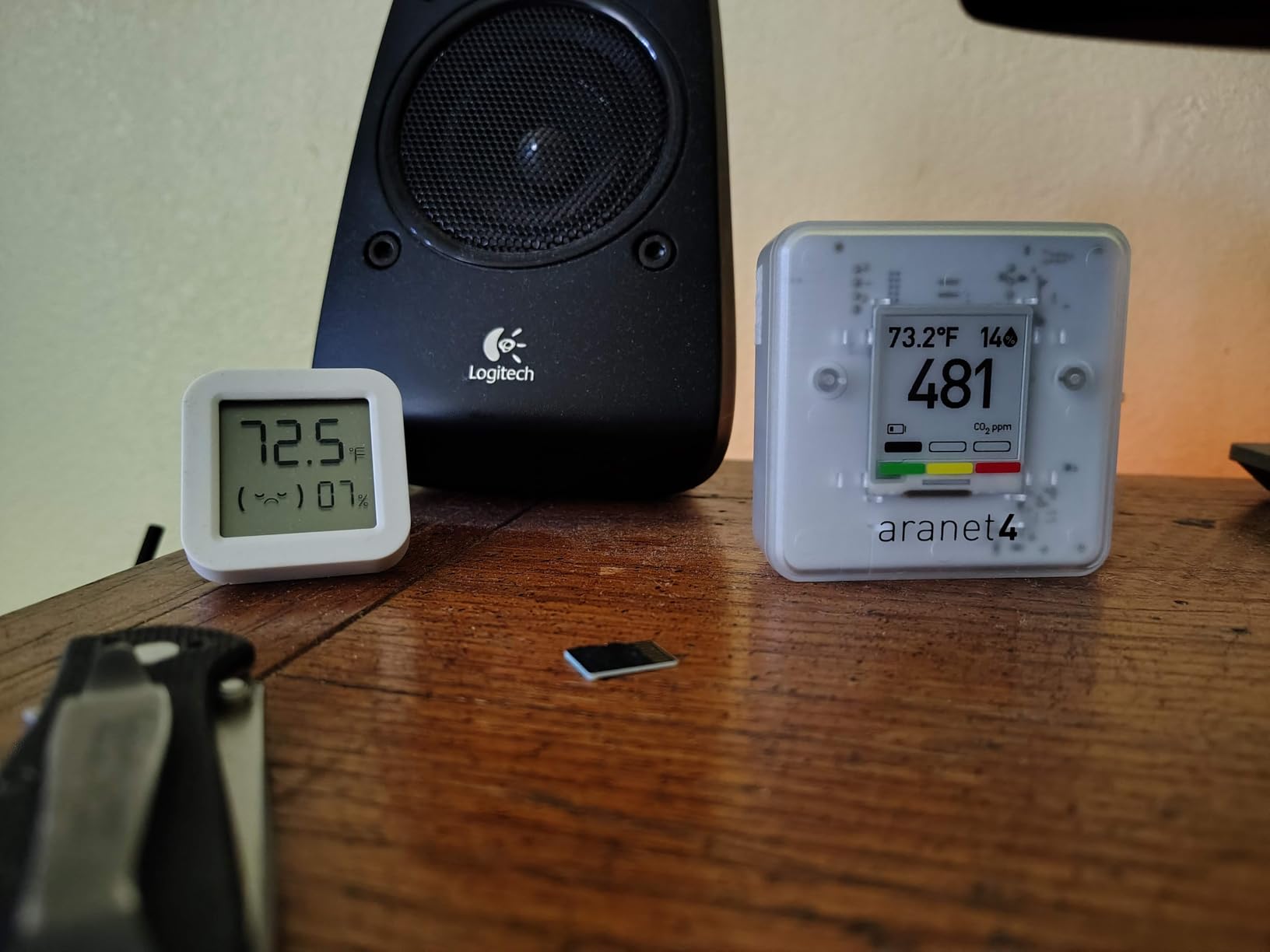
The Aranet4 is the device most people end up buying, and for good reason. It weighs 3.67 ounces, measures 2.76 by 2.76 inches, and runs for years on two AA cells because the e-ink display only draws power when the number changes. We carried it between a bedroom, a home office and a kitchen across a full week without touching the batteries.
Our first move with any Aranet4 is calibration, and you should do the same. The unit ships with factory calibration effectively off, so the first reading is whatever the sensor last stored. Taking it outside, letting it settle near the outdoor baseline, and confirming the number in the app takes about ten minutes and fixes the readings permanently.
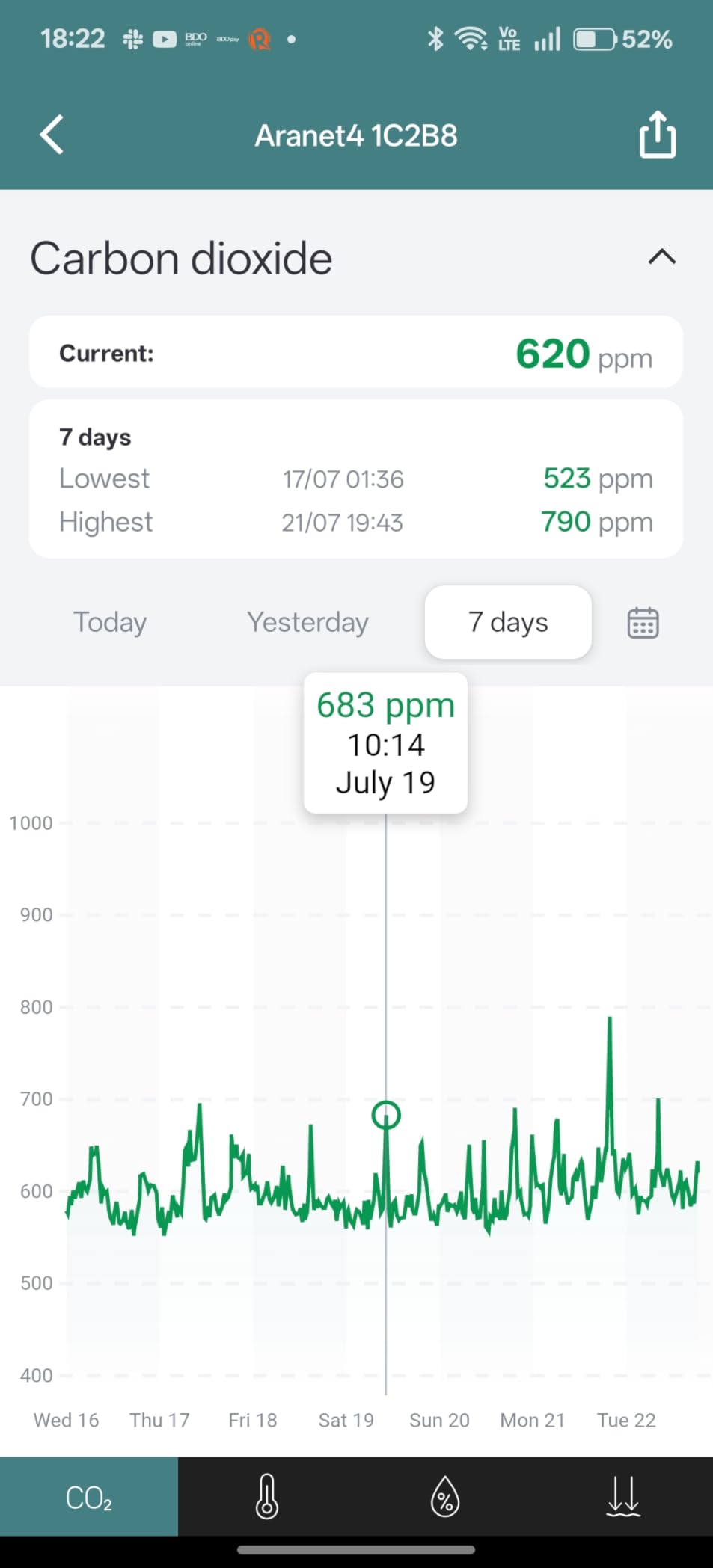
Once calibrated, the Aranet4 tracked the more expensive meters in this roundup closely. Reviewers describe budget units landing within 0 to 40 ppm of it, which is the same spread we saw. The digits are large enough to read from a desk across the room, and the color bar moves from green through yellow to red as levels climb.
The app does more than show a live number. You get historical graphs and CSV export for free, so you can pull a week of readings into a spreadsheet and prove to yourself whether opening a window actually helped. Measurement interval is configurable at one, two, five or ten minutes, and that setting is where the battery life lives.
Who the Aranet4 fits
It suits anyone who wants one accurate number they can check from across the room without opening an app. Travel is a real strength here, since the whole device is smaller than a deck of cards and the readings hold up in a hotel room or a rental car.
Community discussion on Reddit r/AirQuality and the Carbon Co-op forums has centred on this device for years, largely because it is battery powered and needs no hub. That is why it shows up so often in advice about checking air in a short-term rental or a child’s room on a single unit.
Where the Aranet4 falls short
Bluetooth range is the honest limitation. You get readings when your phone is within roughly 6 to 8 meters, and there is no way to see readings remotely. Reviewers also mention occasional connection drops that need a manual reconnection.
The e-ink screen has no backlight, so it is close to invisible in a dark bedroom at night. On-device history is short by default, around seven days at a five-minute interval. It measures CO2, temperature, humidity and pressure, and nothing else, so anyone who also wants particulates should look at an all-in-one instead.
2. Airthings View Plus – Best for Radon and Multi-Sensor Tracking
Airthings 2960 View Plus – Battery Powered Radon & Air Quality Monitor (PM, CO2, VOC, Humidity, Temp, Pressure)
Radon PM2.5 CO2 VOC humidity
6 AA batteries
WiFi cloud dashboard
Hub for Airthings devices
Pros
- Only widely sold unit that also logs radon
- Readings accessible from anywhere via WiFi
- Polished app and web dashboard
- Long-term history verifies mitigation work
Cons
- Battery life realistically 75-120 days on AA cells
- Alert thresholds cannot be customized
- Some devices report dead WiFi or temperature faults
The View Plus is the only monitor in this roundup that answers the radon question, and that single fact changes who should own it. The EPA estimates a large share of homes have radon above the recommended level, and no other device here will ever tell you whether yours does. The electrochemical radon sensor runs a seven-day initial calibration before it settles.
Alongside radon it measures PM2.5, CO2, VOCs, humidity, temperature and air pressure. That makes it the natural choice if you are tracking wildfire smoke, a renovation, or a specific allergy trigger and you want one box covering all of it. The eInk screen shows two metrics of your choosing, and a gesture pulls up an air quality summary.
Connectivity is the real difference from every other pick here. It joins WiFi and reports to a cloud dashboard, so you can see your basement radon trend while you are at work. It can also act as a hub that bridges other Airthings View and Wave devices back to the app, which matters if your household is already committed to that ecosystem.
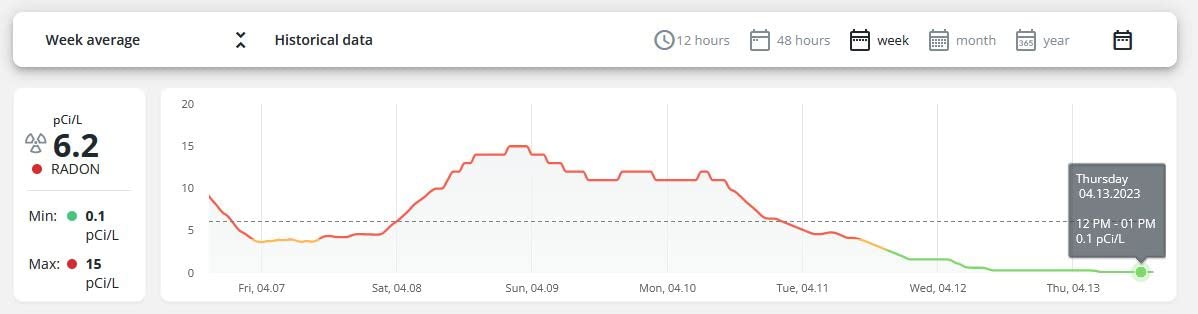
Long-term data is what owners value most. Because the history runs for months rather than days, you can compare readings before and after you install a radon mitigation fan and know whether it worked. You can check the device from the Airthings app, Homey or Alexa, and a five-year extended warranty is available with free registration.
Who the View Plus fits
Buy this one if radon, particulates or VOC exposure is a concern in your home, particularly in a basement, ground floor or a house with a combustion appliance. It is also the sensible pick for anyone who wants readings from a phone that is not standing in the same room.
It works well as a long-term logger rather than a glanceable bedroom display. The absence of a backlight means you need to walk over to read it, so it is not the right device for a nightstand.
Where the View Plus falls short
The two-year battery claim does not match real use. Owners report 75 to 120 days on six AA cells, and there is no rechargeable option, so you are replacing cells a few times a year. For a device that measures radon continuously, that battery picture is the main complaint in the reviews.
Alert thresholds are fixed, which is frustrating if you want a CO2 nudge at 900 ppm and a radon alarm at a lower level. Some devices have also reported hardware faults, including WiFi scanning dying and temperature readings stuck several degrees high. Buyers who hit problems generally report prompt warranty replacements, though support response times can run slow.
3. Autopilot CO2 Monitor and Controller – Best for Grow Rooms
Autopilot CO2 Monitor & Controller w/15′ Remote Sensor
Dual-channel low drift NDIR
15 ft remote probe
Controls CO2 tanks and solenoids
3 year warranty
Pros
- Accurate readings verified outdoors against other meters
- Fully programmable set point and deadband
- Remote probe reads the actual canopy
- Logs by minute hour day and week
Cons
- No app WiFi or remote monitoring
- Display is not backlit and looks dated
- No audible alarm
- Overshoots target at high flow rates
This is the only device in the roundup that both measures CO2 and actively controls it, and for anyone growing indoors that is the whole point. It runs a 2-channel low drift NDIR sensor, sets a target ppm value you choose, and opens a CO2 tank valve or solenoid when the room falls below it.
The remote probe is the feature that makes it accurate in practice. A 15 foot data cable with a photocell lets you put the sensing head at canopy level inside the grow room while the display and electronics sit outside where you can read them. Growers say the reading from the probe matched other meters in an outdoor comparison.
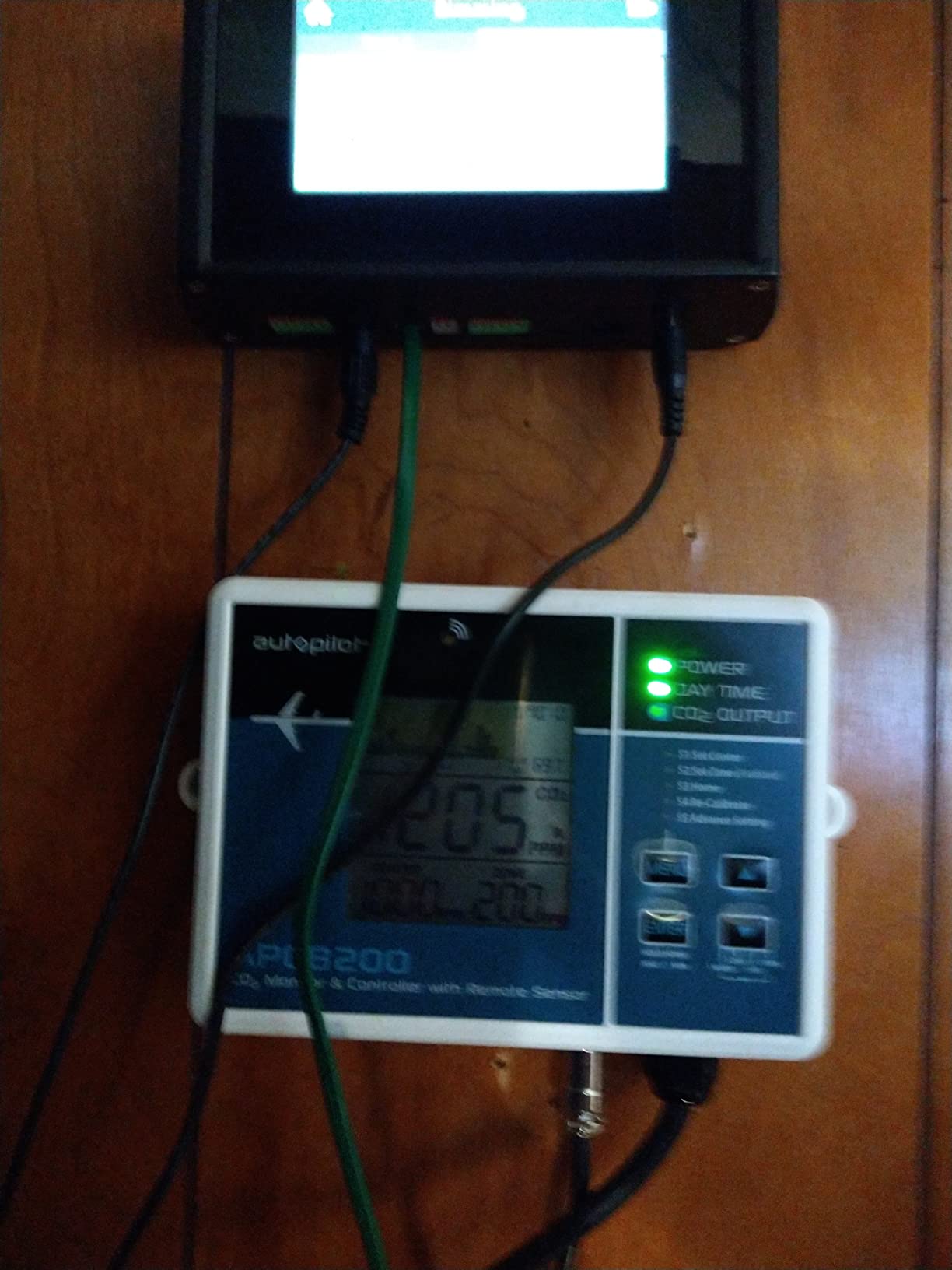
Deadband and set point are both fully customisable, and the unit ships ready to configure rather than needing a manual. The trend chart logs per minute, hour, day and week with adjustable zoom, so you can see a full day of enrichment cycles in one screen and confirm your dosing is not overshooting.
For automation-minded buyers, the UART tx/gnd output means you can read the sensor from an Arduino and build your own control loop. That is a differentiator no consumer device here offers, and it is why growers with existing rigs keep coming back to it. The Hydrofarm warranty runs three years.
Who the Autopilot fits
Greenhouse, grow tent, indoor grow room and greenhouse operators who are already injecting CO2 from a tank or generator. Buyers describe the device paying for itself by distributing expensive CO2 efficiently rather than dumping it and hoping.
It also suits anyone automating from an Arduino. The UART output is a genuine engineering path that none of the app-based monitors here can match.
Where the Autopilot falls short
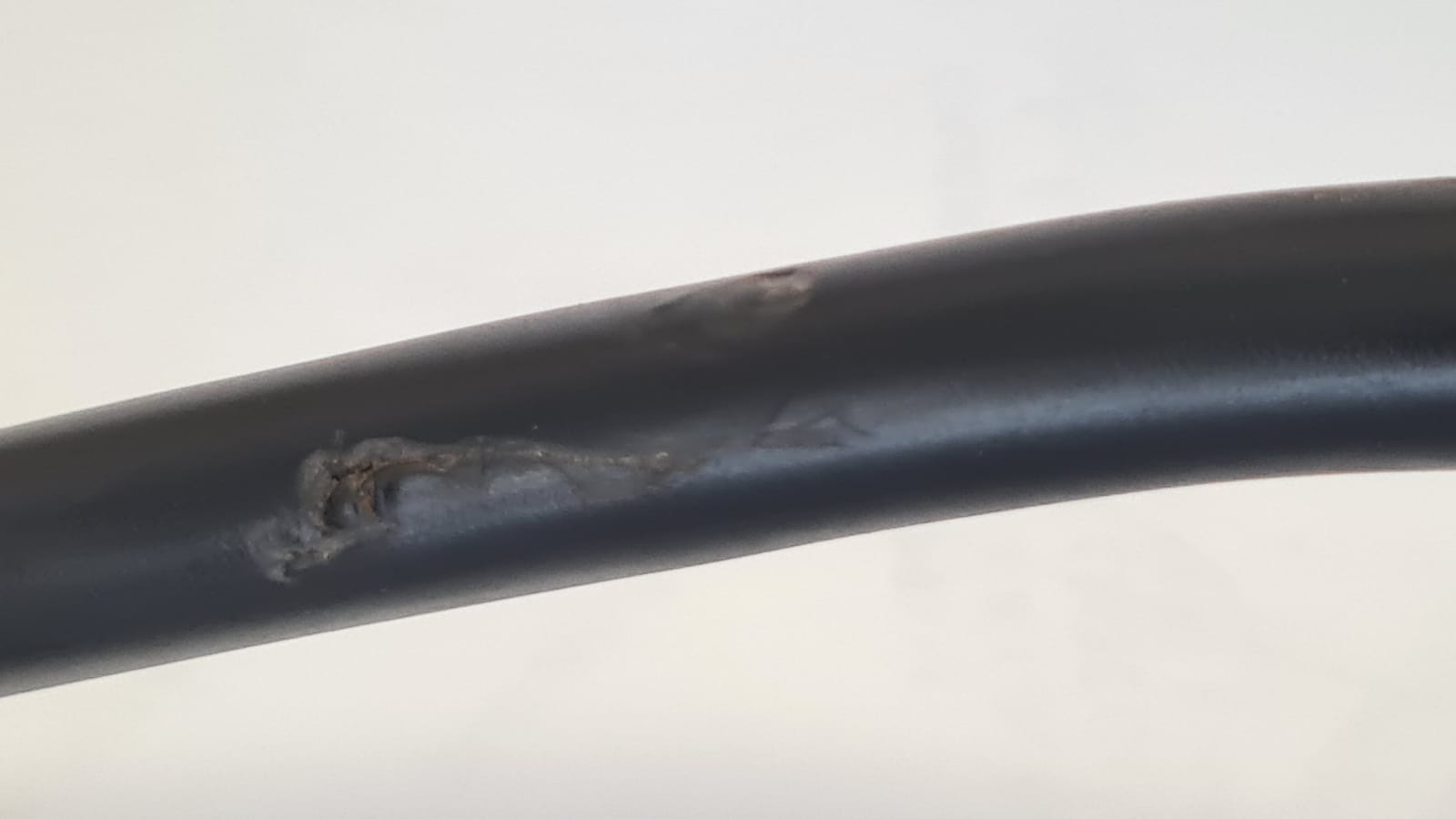
There is no app, no WiFi and no remote monitoring. The controller has to be physically accessible, so it does not fit a home where you want a phone notification. The display is dated and not backlit, which is a problem in a bright or dark grow space.
There is no audible alarm either, so if the sensor fails you find out from the trend chart rather than a sound. At high regulator flow rates users report overshooting the target until the setup is tuned, and a blinking amber LED on the remote probe sits right at plant level.
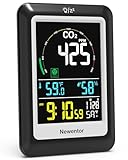
4. Newentor CO2 Monitor C1 – Best Desk Display
Newentor CO2 Monitor, Indoor Air Quality Meters, Carbon Dioxide Detector
Sensirion photoacoustic sensor
CO2 temperature humidity
Backlit LCD
1 year warranty
Pros
- Readings track closely against pricier meters
- Bright large display with clock and calendar
- USB or 3 AAA so you can calibrate outdoors
- Color-coded air quality gauge
Cons
- Field calibration needed against outdoor air
- Backlight has only three steps and goes dark on battery
- No app graphing or data export
- Some devices failed early
The Newentor C1 is the desk clock that also tells you whether the room is stale. It measures CO2, temperature and relative humidity, and the display adds the time, the date and an alarm clock. For an office desk or a kitchen counter, having the time on the same panel as the air reading is genuinely useful.
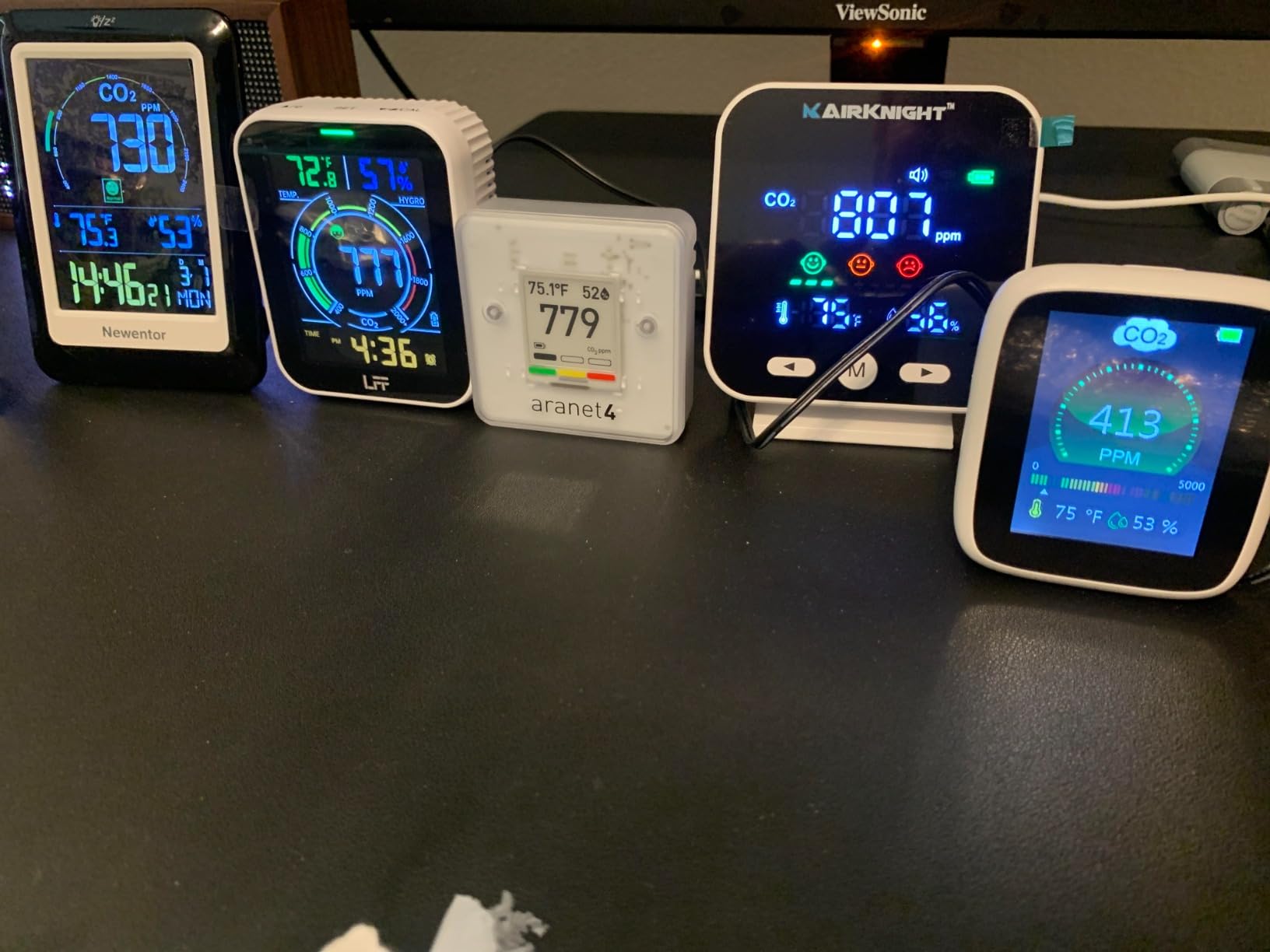
The sensor is a Swiss Sensirion PASens photoacoustic module, which gives real ppm readings rather than an estimate. Reviewers consistently report values landing within about 50 ppm of pricier NDIR meters, which makes it one of the stronger accuracy-per-pound options in the list.
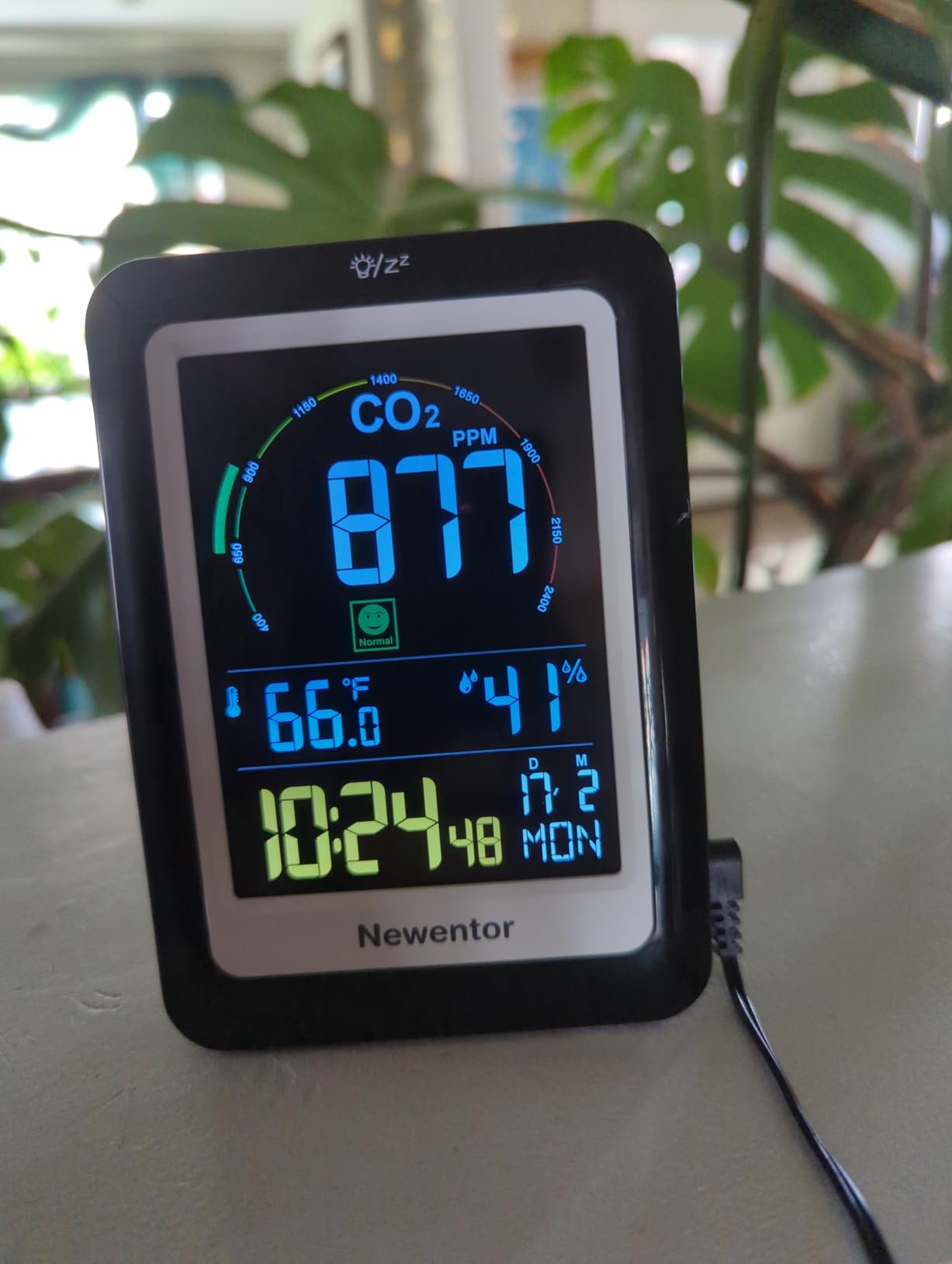
Power is flexible in a way that helps with calibration. It runs on USB with three AAA cells as backup, so you can unplug it, carry it to a window, and use the field calibration function against a true outdoor reference. Wall-mount holes and a fold-out kickstand cover both permanent and temporary placement.
The alert threshold is customizable, and crossing it triggers both a colour change on the air quality gauge and an audible alarm. Manufacturer lists homes, RVs, grow tents, greenhouses, cellars, schools and cafes as target spaces, and the build is a simple ABS enclosure at 4.8 ounces.
Who the Newentor fits
It suits anyone who wants a glanceable reading plus a working clock and calendar in one device, and it works well as a second monitor in a kitchen or hallway where a bedroom-grade device would be overkill. Photoacoustic sensing also means noticeably lower power use than an NDIR unit of similar capability.
It is a good teaching tool too, because the big backlit display makes the effect of opening a window obvious to everyone in the room, not just whoever is holding a phone.
Where the Newentor falls short
Field calibration is required, and the reading only becomes trustworthy after you do it against outdoor air. The backlight has three brightness steps and switches off entirely when running on batteries, which is a strange choice for a device whose selling point is a bright screen.
Setting the date and time is fiddly and easy to get wrong. There is no app, no graphing and no data export, so you cannot review a night of readings afterwards. Some devices also stopped working within a few weeks to a couple of months, though Newentor’s warranty support is repeatedly praised for replacing failing units without friction.
5. SwitchBot Meter Pro CO2 – Best for Cars and Portable Use
SwitchBot CO2 Detector, Air Quality Monitor Indoor, CO2 Monitor for CO2/TEMP/Humidity, Portable Carbon Dioxide Detector for Home/Car/Office/Greenhouse
Swiss NDIR sensor
400 to 9000 ppm
1 second response
Rechargeable up to 12 months
Pros
- True NDIR accuracy with a 1-second update rate
- Large 92 mm display with five metrics
- Up to 12 months of built-in battery
- Wall mount and adjustable bracket
Cons
- App notifications need a separate SwitchBot Hub
- No PM or VOC sensing
- Some devices arrived dead or failed early
The SwitchBot Meter Pro is the one to take on a road trip. The Swiss-made NDIR sensor updates every second across a 400 to 9,000 ppm range, so it reacts instantly when you open a window in a vehicle or step into a tunnel. The 92 mm display shows CO2, temperature, humidity, time, date and a comfort level on one glanceable panel.
Accuracy is specified at plus or minus 50 ppm plus 5% of reading, and temperature at plus or minus 0.2 degrees C. In practice it lands in the same band as the Aranet4, which is remarkable for a device this size and at this end of the price range.
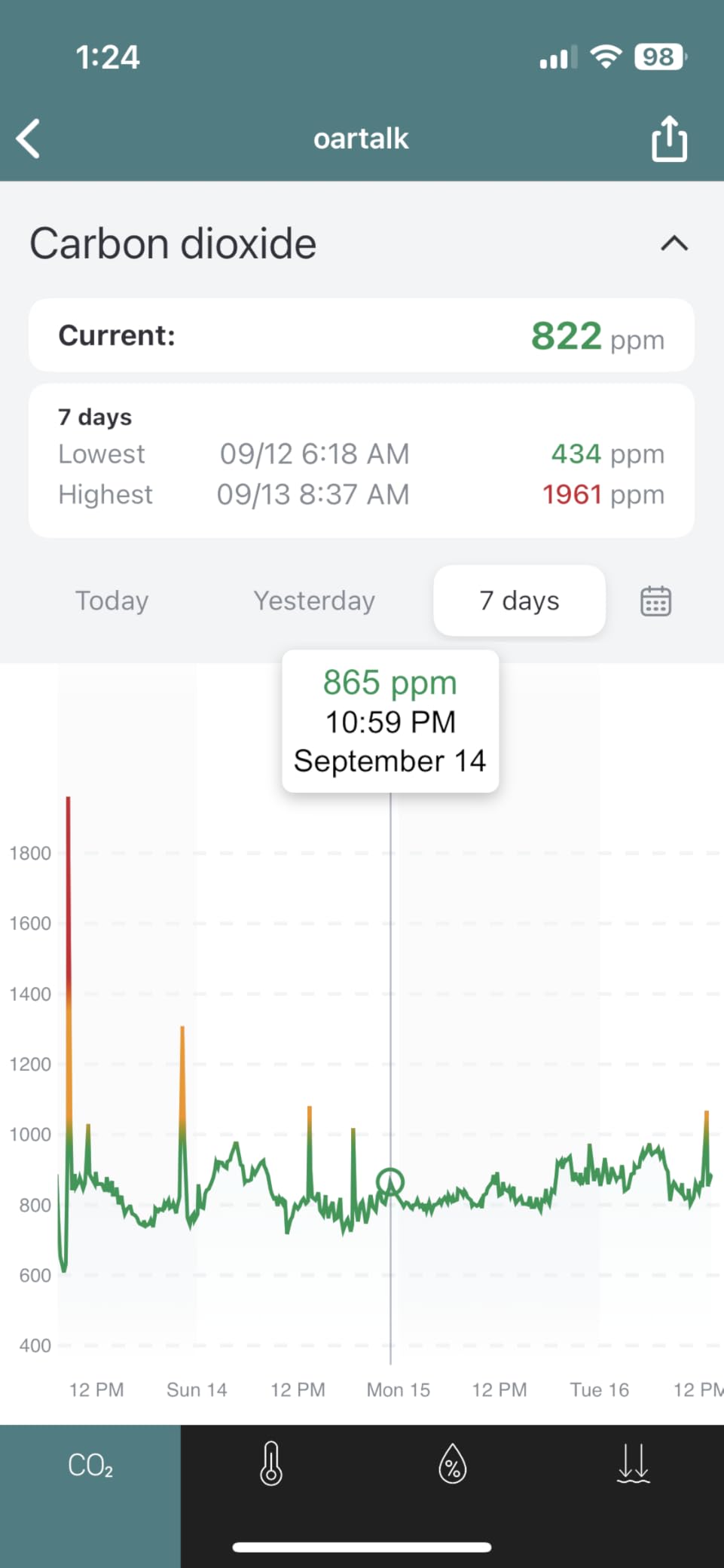
The built-in rechargeable battery runs up to 12 months with a low-battery warning, and there is no battery format to hunt for. Wall-mount holes and an adjustable bracket let you fix it to a wall or stand it on a desk, and the unit itself weighs 4.8 ounces.
Alert thresholds are configurable for CO2, temperature and humidity, and there are three ways to be told: an on-screen visual alert, an audible buzzer, and app push notifications. That last one needs a SwitchBot Hub, which is an extra purchase worth knowing about before you commit.
Who the SwitchBot fits
It is built for people who move between rooms, cars, RVs and greenhouses rather than dedicating a monitor to one space. Discussion in the r/AirQuality community groups the SwitchBot with the Aranet4 and the Qingping devices as the three brands that dominate real household CO2 talk.
It also suits anyone already in the SwitchBot ecosystem, since the meter joins the same app and can feed automations alongside their other devices.
Where the SwitchBot falls short
App notifications require the separate Hub. Without it, you still have the buzzer and the on-screen alert, but you lose the remote push alerts that make the device feel connected.
It measures CO2, temperature and humidity only, with no particulate or VOC sensing, so it is not the right device if you are tracking wildfire smoke or cooking fumes. A small but real share of reviews reports devices arriving dead or failing early, so registering the warranty matters.
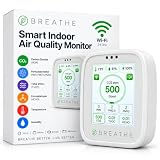
6. BREATHE Airmonitor Plus Gen 2 – Best All-in-One
BREATHE Airmonitor Plus Indoor Air Quality Monitor w/CO₂, PM & App. Gen 2.
Eight sensors in one
NDIR CO2 plus laser particle
2.4 GHz WiFi app
6 hours portable
Pros
- CO2 plus PM1 PM2.5 PM10 TVOC and formaldehyde
- 90-day history with graphs and CSV export
- Configurable CO2 and PM2.5 alerts
- Light enough to move between rooms
Cons
- Only 6 hours of battery when used portably
- App needs 2.4 GHz WiFi not dual-band
- Consumer particle and VOC sensors not lab accurate
- CO2 reading needs calibration over time
Eight-in-one sensing is the pitch, and on paper it is a strong one. The Airmonitor Plus Gen 2 covers CO2, PM1, PM2.5, PM10, TVOC, formaldehyde, temperature and humidity in a single unit, with laser particle sensing and a dedicated TVOC and HCHO channel. If you want one device for a post-renovation check, this is the one.
The CO2 side is a genuine NDIR sensor, and a quick CO2 calibration routine is included during setup. The real differentiator is the software: 90 days of app history, graph views and CSV export, with configurable alerts for both CO2 and PM2.5 over 2.4 GHz WiFi.
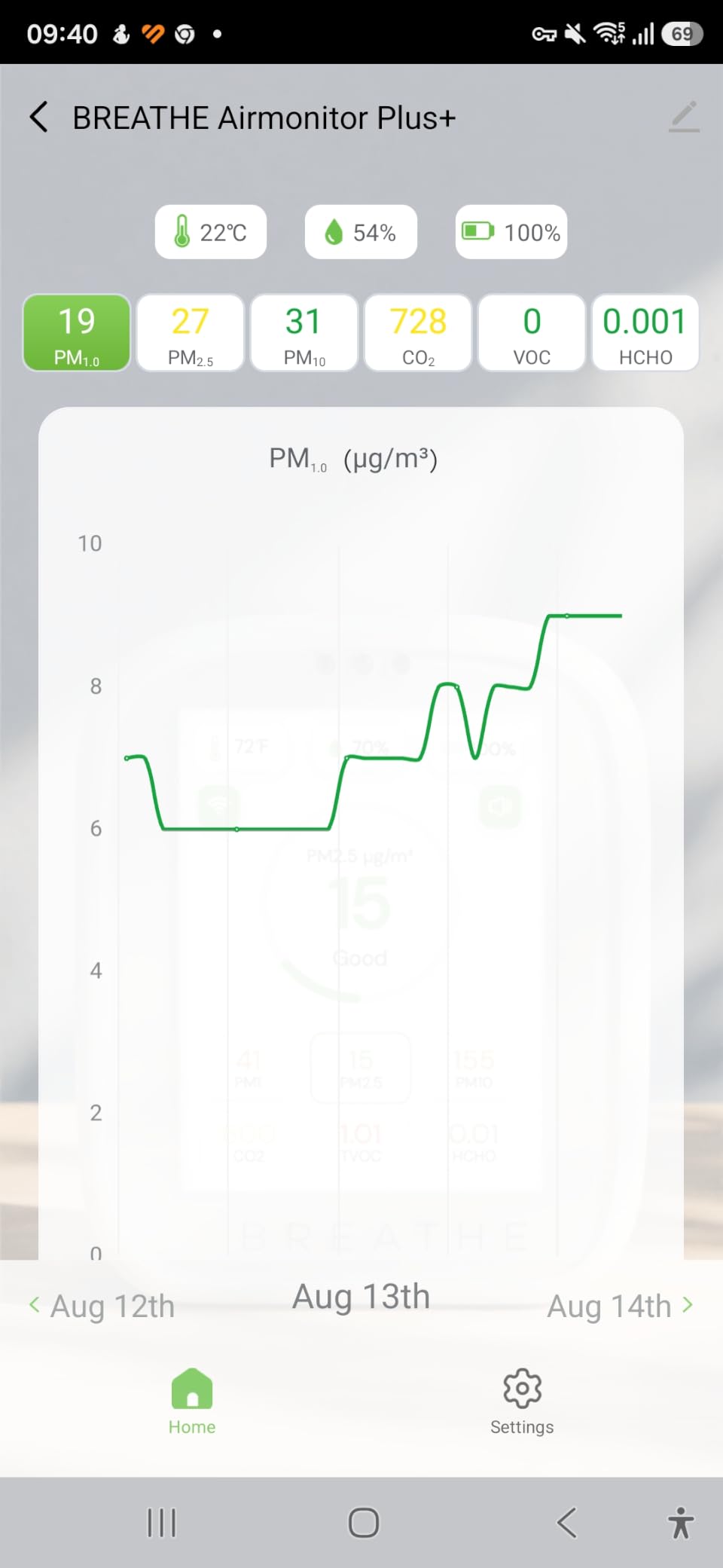
In practice that data set is what makes the device useful. You can plot a cooking session, a cleaning session and an overnight period side by side and see which one is actually moving your numbers. Buyers use it exactly that way, to identify what in the home is changing air quality.
The Gen 2 design is rechargeable and gives you up to 6 hours of portable use, or continuous operation over USB-C. At 4 ounces and 1.4 by 2.8 by 3.3 inches it is small enough to move between a bedroom and a living room to compare them.
Who the BREATHE fits
It suits households that want the full picture rather than one number, especially after painting, new flooring or new furniture when formaldehyde and VOC readings matter as much as CO2. The two-year manufacturer warranty is also the longest among the multi-sensor options here.
It is a good fit for anyone who wants their air data to live in an app for months rather than weeks. If you need a portable unit for a long trip, it is the wrong choice, because 6 hours of battery is the whole story.
Where the BREATHE falls short
Six hours of portable battery life makes it effectively a plugged-in device. Anyone hoping to pack it in a bag will be disappointed. The app also requires 2.4 GHz WiFi, so a dual-band-only network will not see it.
Accuracy is the other soft spot. A noticeable share of reviews is one-star, pointing at pairing friction and readings that drift without calibration. Consumer-grade particle and VOC sensors are screening tools, not laboratory instruments, so treat formaldehyde and tVOC as a relative signal rather than a certified measurement.
7. UNNI Photoacoustic CO2 Monitor – Best Budget
CO2 Monitor for Home CO2 Detector, Photoacoustic Sensor
Sensirion photoacoustic sensor
400 to 5000 ppm
History chart and max/min
USB with AAA backup
Pros
- Real Swiss photoacoustic sensor at the lowest end of this list
- Readings within 0 to 40 ppm of the Aranet4
- CO2 history chart plus max and min memory
- Three alarm volumes and three backlight levels
Cons
- Only accurate after a manual 400 ppm outdoor calibration
- No app no WiFi no data logging
- Some devices fail or die early
- CO2 only with no PM or VOC
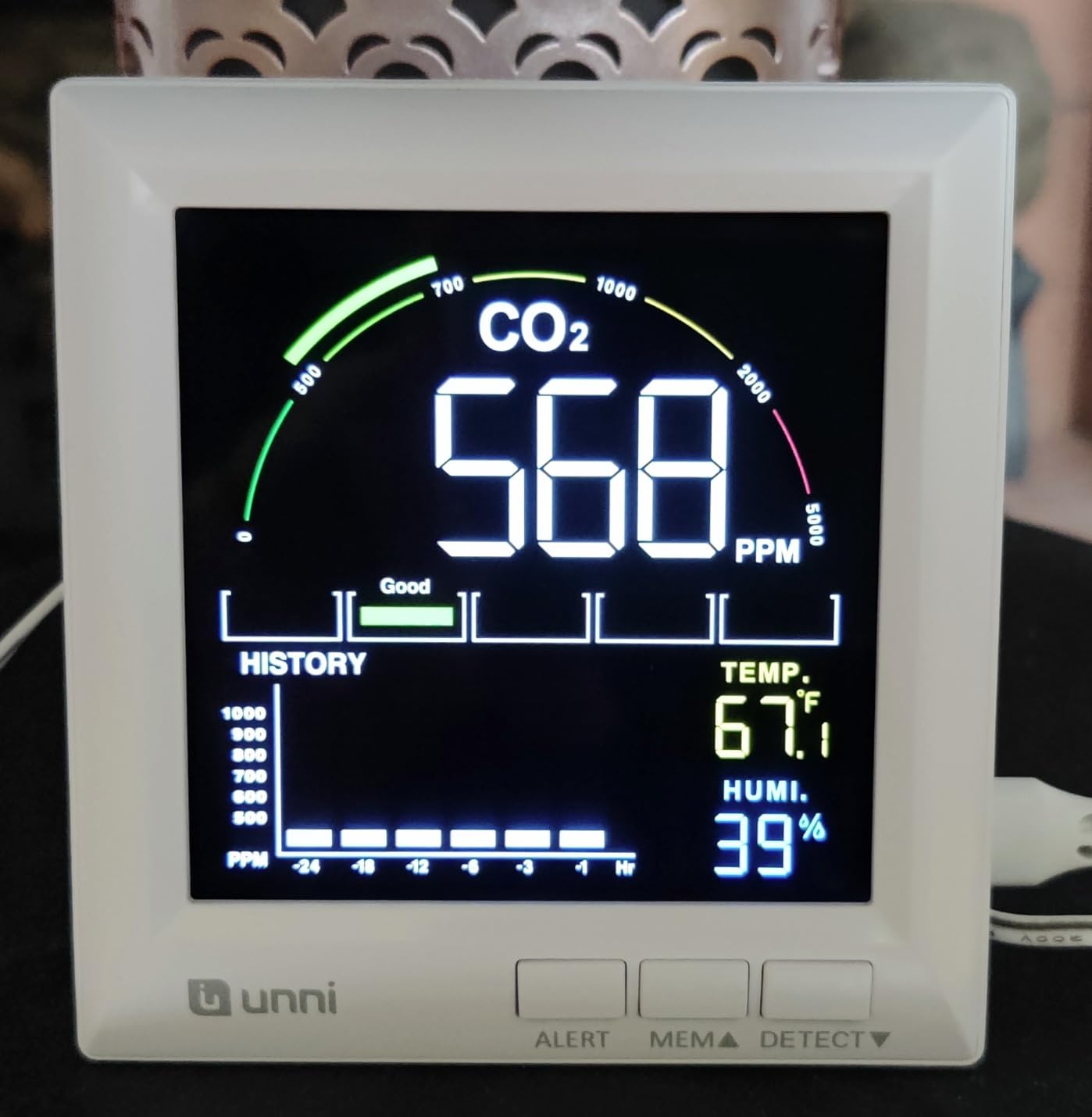
The UNNI is the cheapest way on this list to get a real measurement rather than an estimate. It uses a Swiss-made Sensirion photoacoustic sensor covering 400 to 5,000 ppm at plus or minus 5% plus 50 ppm, and reviewers regularly benchmark it against an Aranet4 and find the two within 0 to 40 ppm.
That is the headline finding. A buyer who calibrated it properly gets readings indistinguishable from a device several times the price, which makes it the strongest accuracy-per-pound option here. It also shows temperature and humidity, with a range of 20% to 95% humidity and 14.2 to 122 degrees F.
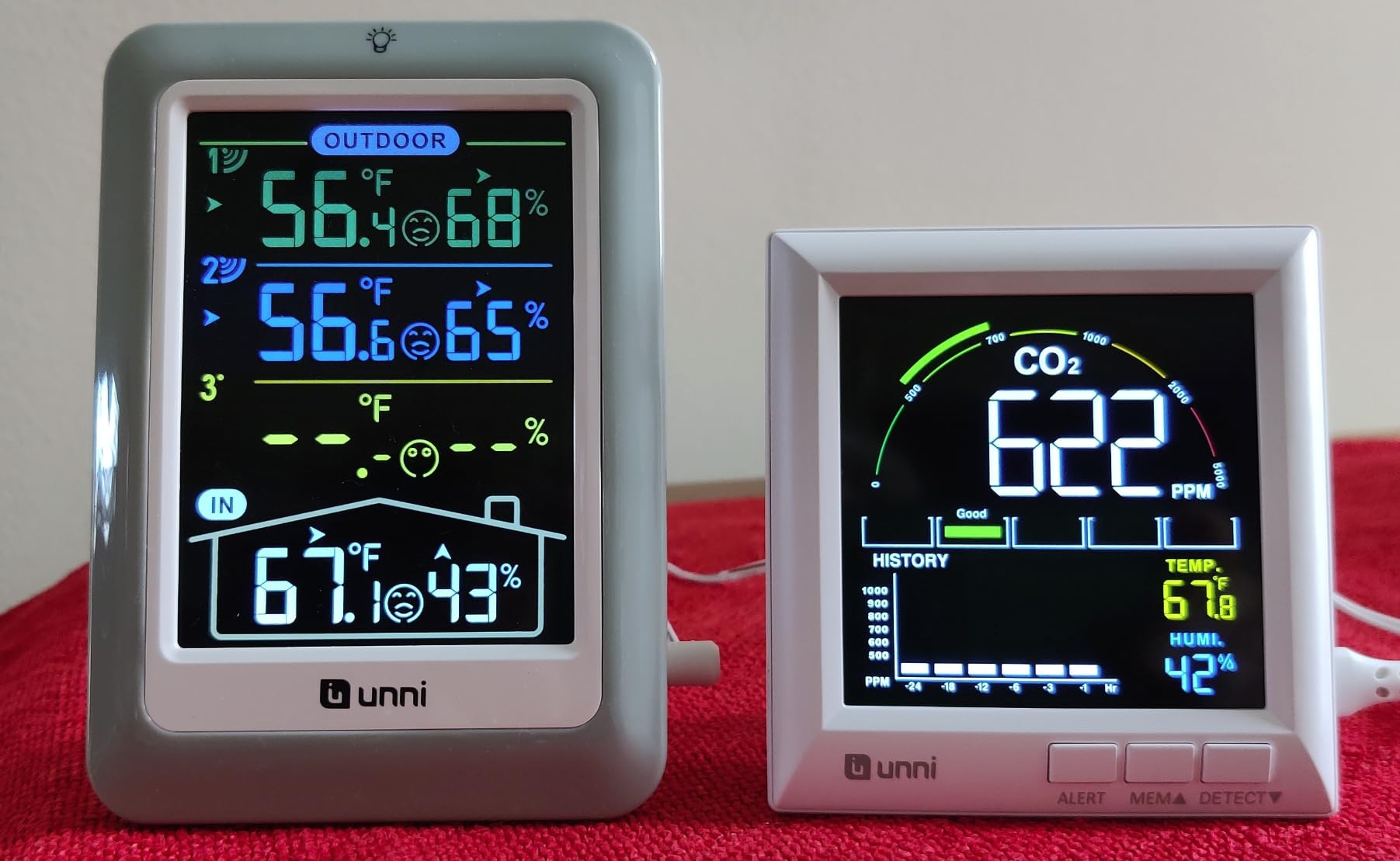
On-device extras are better than the price suggests. You get a CO2 history chart, max and min memory, a concentration range display, a Celsius to Fahrenheit switch, three adjustable alarm volumes and three backlight brightness levels, plus a low battery indicator.
Power comes from USB with three AAA cells in reserve, and those cells are what let you run the calibration procedure outdoors. Calibration itself is a simple press-and-hold, which is easier than most competing processes even if you have to do it. It is listed for homes, RVs and grow tents.
Who the UNNI fits
It suits first-time buyers, renters, and anyone who wants a genuine ppm reading without spending real money. If your concern is whether a bedroom is badly ventilated, this answers the question reliably once calibrated.
It is also a good second or third device. Because it weighs 150 g and runs off USB, moving it between rooms for a spot check is easy, even though the calibration step means it needs a USB cable nearby.
Where the UNNI falls short
Calibration is not optional. Out of the box the reading is only meaningful after you hold the button near a window until it settles around 400 ppm. Reviewers are consistent on this point.
There is no app, no WiFi and no data logging beyond the on-device chart, so you cannot pull a CSV or review a night of readings later. Around 7% of reviews report devices failing or dying early, and it cannot be mounted as a standalone wall unit without the cable. It is also CO2 only, with no particulates, VOCs or radon.
8. SONOFF AirGuard SAWF-08P – Best for Matter and Home Assistant
SONOFF AirGuard CO2 SAWF-08P, Smart Indoor Air Quality Monitor, Matter Compatible, 2.4GHz WiFi, CO2 Monitor for CO2/Temp/Humidity, Real-Time Display & Notification, for Bedroom, Nusery Room
NDIR sensor 400 to 5000 ppm
Matter compatible
2.4 GHz WiFi
5 second refresh
Pros
- Pairs into Home Assistant over Matter with no hub
- Mains powered so no batteries on remote sensors
- Large bright screen plus color-coded LED
- Twelve months of history with export
Cons
- Rear USB-C port means it cannot be wall mounted
- No calibration function
- Screen hard to read at off angles
- 2.4 GHz WiFi only
The AirGuard is the only device here that joins your smart home over Matter without a vendor account in the way. It works with Apple Home, Alexa, Google Home, SmartThings and Home Assistant, and owners report adding it to Home Assistant in seconds with no cloud app and no Thread hub required.
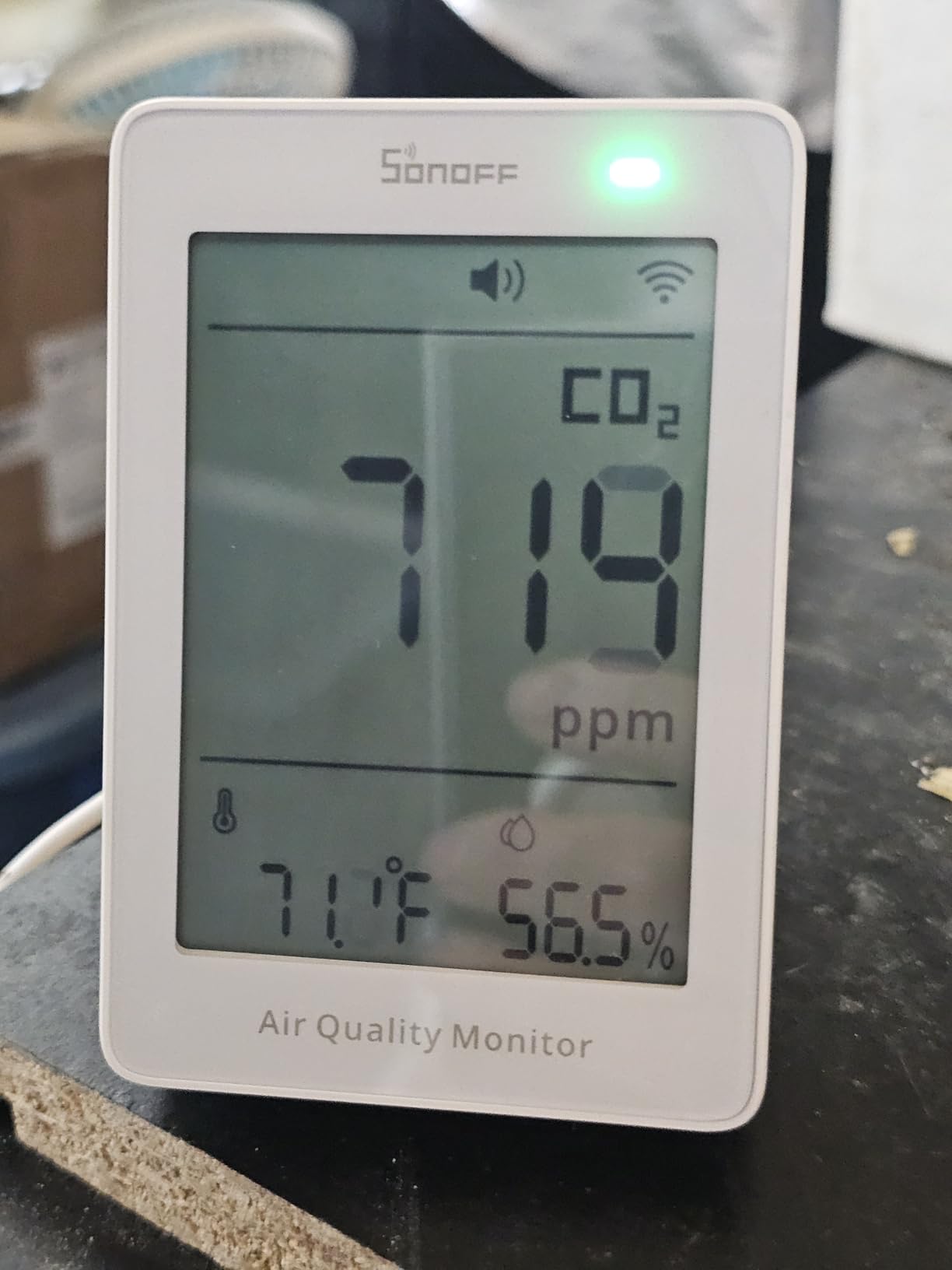
The sensor is NDIR with accuracy of plus or minus 50 ppm plus 5% across 400 to 5,000 ppm, refreshing every five seconds on continuous power. Buyers comparing against calibrated reference devices report numbers close enough to track relative change through a day.
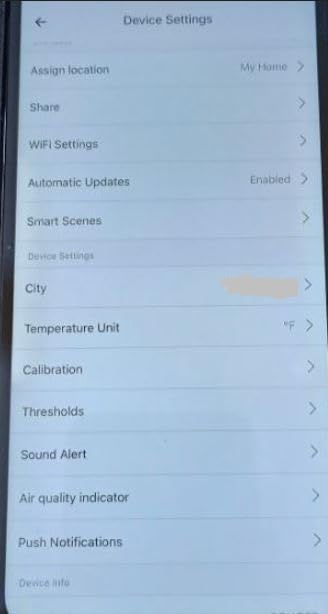
History is the sleeper feature. The eWeLink app keeps 12 months of data with export, which is longer than anything else in this roundup, and notifications for CO2, temperature and humidity are configurable. A multi-color LED on the front gives you an at-a-glance status indicator from across the room.
Because it is USB-C powered from a wall or a monitor, there are no batteries to change. That is exactly what you want in a remote room or a nursery, where a device that stops reporting because a battery died is worse than useless.
Who the SONOFF fits
This is the pick for anyone running Home Assistant or a Matter-based ecosystem, and it is the one device in the roundup that solves the number one question the community forums ask: which CO2 sensor integrates cleanly without extra hardware. Pair it over Matter and you can drive a fresh-air fan from a threshold with a hysteresis band so the automation does not chatter.
It also suits anyone placing a monitor in a distant room, since mains power removes the battery question entirely.
Where the SONOFF falls short
The biggest flaw is physical. The USB-C port is on the back, so despite the wall-mount tag in the listing this is a desktop unit with a kickstand, not a wall-mounted sensor. The screen is also hard to read at off-angles.
More importantly for accuracy, there is no calibration function at all. One reviewer saw outdoor readings near 700 ppm instead of around 420, which is exactly the kind of baseline error that makes a monitor useless. It also joins only 2.4 GHz WiFi, excluding dual-band-only networks, and may initially enumerate in Home Assistant as a smart switch rather than a sensor.
How to Choose a CO2 Monitor
Sensor type is the first filter
Start here, because everything else is secondary. A real NDIR sensor is the safest default: it measures CO2 directly, holds accuracy across temperature changes, and is the technology behind the Aranet4, the SwitchBot Meter Pro, the SONOFF AirGuard, the BREATHE Airmonitor Plus and the Autopilot controller.
Photoacoustic sensing is a genuine alternative, not a downgrade. The Swiss Sensirion modules in the Newentor and the UNNI produce real ppm readings and use noticeably less power, which is why they can run for months on small cells. The caveat is temperature sensitivity, so place them away from direct sun, heaters and cooling vents.
Avoid anything that reports eCO2 or equivalent CO2 unless you also see a stated NDIR or photoacoustic sensor in the specifications. Those products infer a number from VOC data, and the number is not a CO2 measurement. A VOC-heavy room will read high for no reason, and a well-ventilated room full of scented candles will look alarming.
Accuracy: read the specification carefully
Look for a stated accuracy in ppm, not a vague range. A spec of plus or minus 50 ppm plus 5% of reading is what the SwitchBot, UNNI and SONOFF publish, and it is a good number to anchor on. Figures like plus or minus 300 ppm exist because the device is not really measuring CO2.
Also check whether manual calibration is offered. Devices that ship with factory calibration effectively off, like the Aranet4, need ten minutes outdoors before they are trustworthy. Devices with no calibration function at all, like the SONOFF AirGuard, carry permanent baseline risk.
Calibration modes: ABC and manual
Automatic baseline calibration, usually abbreviated ABC, quietly assumes the lowest level the device sees in a cycle is outdoor air and uses that as 400 ppm. In a room that never sees a window open, ABC will anchor to a wrong value and quietly flatten your data. The community consensus is to disable it where you can and calibrate manually instead.
If your device is mains powered and stationary, manual outdoor calibration once or twice a year is the better habit. If it is battery powered and you move it around, set a reminder. If it has no calibration option at all, that is a real limitation, not a detail.
Single-beam versus dual-beam
Dual-beam NDIR uses one infrared channel as a reference so it can compensate for lamp ageing and temperature shifts, and it is a genuine advantage in a stable indoor environment. Single-beam designs are cheaper and smaller, and they hold up well as long as you recalibrate periodically.
Pay a modest premium for dual-channel if you are buying for a grow room or a space left unattended for weeks. For a bedroom or office, the difference matters far less than getting a real sensor and calibrating it.
Battery versus mains, and the reading-interval cost
Battery devices like the Aranet4 advertise multi-year battery life, but that figure assumes a 10-minute measurement interval. Set the interval to one minute and you will go through AA or AAA sets far more often. Before choosing a battery unit, decide your interval first and check what the batteries cost you.
Mains devices like the SONOFF AirGuard, BREATHE Airmonitor Plus and Airthings View Plus trade portability for something you can leave running continuously. The Airthings case is instructive, because its two-year battery claim in practice works out to 75 to 120 days on six AA cells.
Connectivity: Bluetooth, WiFi or Matter
Bluetooth is simple and hub-free, which is why the Aranet4 has survived for years in community recommendations, but it limits you to phone range of roughly 6 to 8 meters. WiFi gives you remote access and cloud dashboards at the cost of an app account. Matter, as on the SONOFF AirGuard, gives you local control and works with Home Assistant, Apple Home, SmartThings, Alexa and Google Home without a vendor hub.
If you want automations, decide your ecosystem before you buy. A common setup pulls a fresh-air fan or opens a window actuator above roughly 700 to 1,000 ppm with a 200 ppm hysteresis band, and that only works with a device your hub can actually see.
Display, extra sensors and the ppm you care about
An e-ink display costs nothing in power and reads well in daylight but has no backlight, so it disappears in a dark bedroom. A backlit LCD is readable at night but eats batteries. If you are buying for a nightstand, prioritise backlight; if you are buying for a shelf, e-ink wins.
Extra sensors are worth paying for only if you will act on them. PM2.5 matters during wildfire smoke, formaldehyde after a renovation, tVOC as a rough screening signal for cleaning products and new furnishings, and radon for basements and ground floors. None of them replace a CO2 measurement, and a device that tries to do everything well is often mediocre at the one thing you care about.
Bedrooms, children and respiratory health
Bedrooms are the hardest rooms to ventilate properly and the one most people never measure. Overnight CO2 climbs steadily in a sealed room, and this is the case where a backlit display in the field of view beats any amount of app data. The SwitchBot and the Newentor are the two picks that suit a nightstand or a bedside table best.
For anyone with asthma or another respiratory condition, a portable monitor you can take between rooms is more useful than a single fixed unit. Nobody should treat a CO2 monitor as a substitute for prescribed inhalers or medical advice, but knowing when to open a window is a practical step.
What to do with the reading
Cross-ventilation works better than a single window because it moves air across the room rather than into a corner. Run an exhaust fan, use a range hood on its outside setting when cooking, or start an ERV or HRV unit if you have one.
One correction that matters more than any other: air purifiers do not reduce CO2. Filters remove particulates and some gases trapped on media, but CO2 is a gas that has already been inhaled and exhaled, and it only leaves a room through fresh air. Use a purifier for particles and a window for carbon dioxide.
Where to Place a CO2 Monitor and How to Calibrate It
Placement
Put the device at breathing height, roughly where a seated adult’s head is, since that is the air you actually breathe.
Keep it about 3 feet away from windows, doors, supply vents and any direct sunlight, all of which produce misleading local readings.
Do not place it near your face or in a corner where exhaled air pools around the sensor.
Avoid heaters, radiators, kettles, ovens and windows that heat the sensor, as temperature shifts change NDIR and photoacoustic readings.
Use one monitor per closed room, or accept that you are only learning about the room you put it in.
One portable unit moved between rooms is a reasonable approach for a small home, and it is what many owners do rather than buying eight devices. Just recalibrate it when you move it, or accept a small offset.
Calibration
Take the monitor outdoors or to an open window, away from traffic, grills and anything exhaling into the air.
Let it settle for 20 minutes so the sensor fully equilibrates with outdoor air.
Confirm the reading sits near 420 ppm before you walk back inside, rather than trusting the process blindly.
Disable automatic baseline calibration in the app or settings if the option exists, so it cannot overwrite a correct baseline later.
Repeat every 6 to 12 months, and immediately after any move, any big temperature swing or a reading that looks wrong.
Sources and References
1. ASHRAE Standard 62.1, Ventilation and Acceptable Indoor Air Quality, used for the 1,000 ppm outdoor air rate threshold for occupied spaces.
2. CDC guidance on ventilation in buildings, used for the recommendation to increase outdoor air delivery in occupied indoor spaces.
3. Harvard T.H. Chan School of Public Health COGfx cognitive performance research, the study widely cited for the drop in decision-making performance above 1,000 ppm.
4. US Environmental Protection Agency guidance on radon, the basis for treating basement and ground-floor radon testing as a separate concern from CO2.
5. Manufacturer datasheets for the Sensirion photoacoustic and NDIR modules and the Senseair and Senseirion NDIR parts used in the devices reviewed here.
Frequently Asked Questions
Is a CO2 monitor worth it?
Yes, in any room where people spend long stretches. Every breath adds CO2, so a rising reading is a direct signal that the room is not getting enough fresh air. In a bedroom, home office or classroom it turns ventilation from guesswork into a number you can act on, and it is the only way to tell whether opening a window actually helped.
What is a dangerous CO2 level in a home?
Around 1,000 ppm is the widely used upper limit for an occupied indoor space. Sustained readings of 1,500 to 2,500 ppm bring headaches and poor concentration for most people, and levels above 2,500 ppm warrant leaving the space until it is aired out. CO2 at these levels is a ventilation problem, not a poisoning emergency, but a carbon monoxide alarm is still essential if you have combustion appliances.
Do I need an NDIR sensor for accurate CO2 readings?
You need a sensor that actually measures CO2. NDIR is the most common true technology and is what the Aranet4, SwitchBot Meter Pro, SONOFF AirGuard and Autopilot use. Photoacoustic sensors from Sensirion also measure real ppm and use less power, as in the Newentor and UNNI. What you must avoid is eCO2, an estimate derived from VOC readings that is not a CO2 measurement.
Where should I place a CO2 monitor in my home?
Place it at breathing height, roughly where a seated adult’s head is, and keep it about 3 feet away from windows, doors, supply vents and direct sunlight. Do not put it next to your face, in a corner where exhaled air pools, or near a heater, oven or radiator. Use one monitor per closed room, since a reading in the hallway tells you nothing about the bedroom.
How often should I calibrate a CO2 monitor?
Every 6 to 12 months, and immediately after moving it between rooms or if a reading looks wrong. Take the monitor outdoors, away from traffic and grills, and let it settle for 20 minutes before confirming it reads near 420 ppm. If the device offers automatic baseline calibration, disable it, because in a sealed room it anchors to a wrong value and quietly flattens your data.
Can a CO2 monitor help me save energy?
Yes. CO2 tells you when a room actually needs fresh air, so you can ventilate on demand instead of on a fixed schedule. Running an ERV, HRV or exhaust fan only when levels rise, or automating a fan at roughly 700 to 1,000 ppm with a hysteresis band, typically cuts unnecessary heating and cooling of outdoor air. The reading is the control signal you were missing.
What is a good portable CO2 monitor for patients?
A small mains or battery unit you can carry between rooms suits respiratory monitoring better than a fixed device. The SwitchBot Meter Pro, at 4.8 ounces with a rechargeable battery, and the Aranet4 are both easy to move, and the Newentor doubles as a bedside clock. Treat the reading as context for opening a window, and follow your doctor’s advice rather than the monitor.
Final Verdict
The Aranet4 is the best CO2 monitor in 2026 for most people. It uses a true NDIR sensor, runs for years on two AA cells, reads clearly from across a room, and exports CSV data so you can prove whether ventilation changes worked. Calibrate it outdoors once and it stays honest for the year.
If you want radon and particulates as well as CO2, the Airthings View Plus is the one to buy, accepting shorter real-world battery life. If your home runs on Home Assistant, the SONOFF AirGuard is the pick despite its missing calibration function, and it is the only device here that joins over Matter with no hub. For a genuine ppm reading at the bottom of the range, the UNNI gives you a real photoacoustic sensor and readings within 40 ppm of the Aranet4 once calibrated.
Whichever you choose, put it at breathing height, calibrate it against outdoor air, and remember that no filter brings CO2 down. Only fresh air does that. If you also need a camera to keep an eye on a sleeping baby while a monitor tracks the room, our [baby monitor roundup](https://www.wearesalt.org/best-baby-monitors/) covers that side of the setup.