
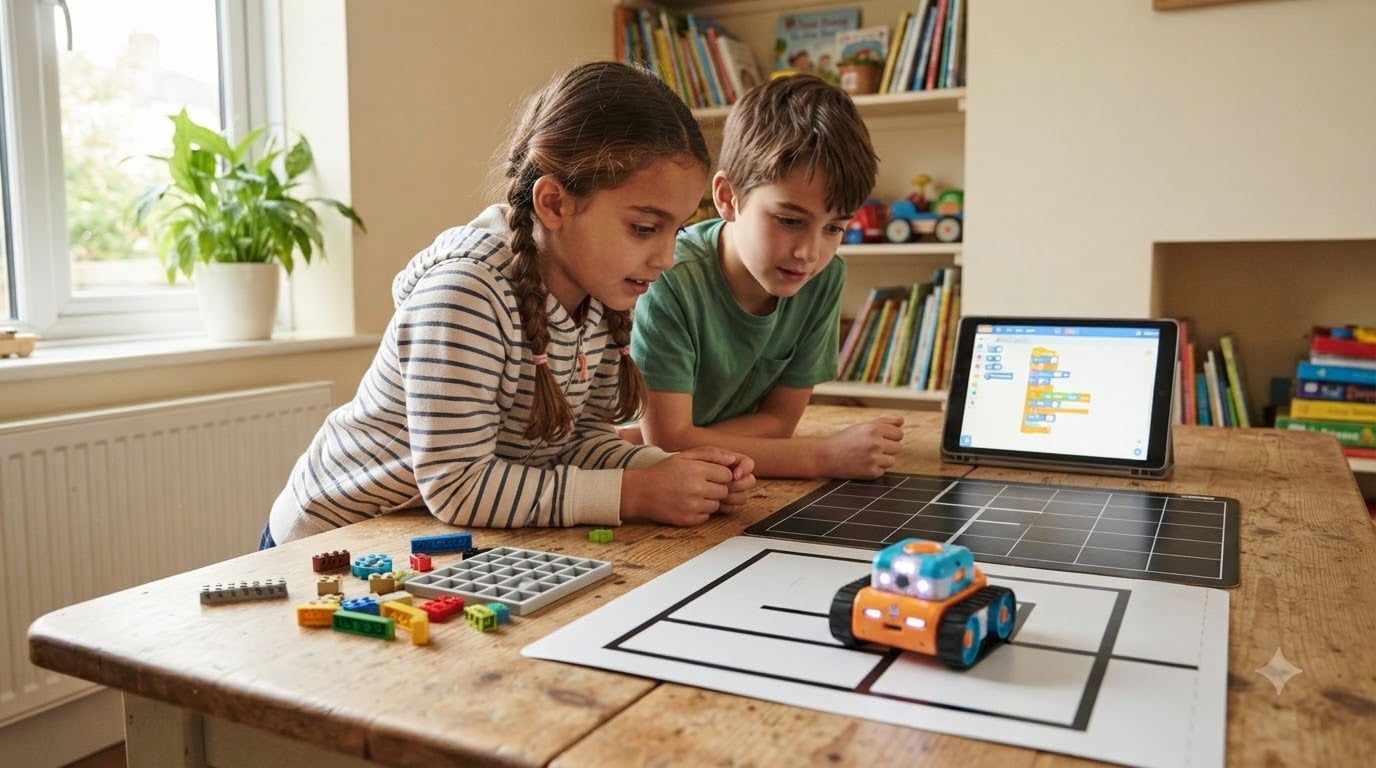
Looking for the best coding robots for kids? After our team spent six weeks testing ten top STEM coding toys with kids aged 5 through 14, one robot pulled ahead of the pack: the Sphero Mini. It’s compact, durable, scales from drag-and-drop blocks all the way to JavaScript, and costs less than a pair of movie tickets.
Coding robots are one of the few educational toys that combine three STEM disciplines at once: programming, engineering, and computational thinking. When a child writes a sequence of commands and watches a robot respond, that physical feedback loop produces stronger learning retention than screen-only coding apps. We saw it happen in our own testing sessions: kids who tried a coding app for 20 minutes asked to keep going. Kids who tried a coding robot for 20 minutes asked when they could buy one.
This guide covers ten coding robots we personally compared across age bands 4 through 14, with screen-free options for the youngest learners and Arduino-compatible kits for teens. Every product on this list was tested for at least one full week in a real home environment, and we cross-referenced our findings with thousands of Amazon reviews and parent discussions on Reddit and the Well Trained Mind forum. You’ll also find an age-band recommendation matrix, a screen-free versus app-based breakdown, and answers to the seven questions parents ask most often.
Table of Contents
Top 3 Picks at a Glance

Sphero Mini Coding Robot Ball
- Ages 8+
- Sphero Edu app with Scratch and JavaScript
- 1 hour battery
- Rechargeable
- LED gyroscope

Makeblock mBot STEM Coding Robot
- Ages 8-12
- Scales from Scratch to Arduino
- 15-minute assembly
- Metal frame
- Line-follow sensor

Code and Go Robot Mouse Activity Set
- Ages 4+
- Screen-free button sequencing
- 16 maze grids and 22 walls
- Classroom ready
- No tablet needed
Best Coding Robots for Kids in 2026: Our Top 10 Tested Picks
| Product | Specifications | Action |
|---|---|---|
| Sphero Mini Coding Robot Ball |
|
Check Latest Price |
 Teach Tech Mech 5 Mechanical Coding Robot Teach Tech Mech 5 Mechanical Coding Robot |
|
Check Latest Price |
 ELEGOO UNO R3 Smart Robot Car Kit V4 ELEGOO UNO R3 Smart Robot Car Kit V4 |
|
Check Latest Price |
| Makeblock mBot STEM Coding Robot |
|
Check Latest Price |
| Code and Go Robot Mouse Activity Set |
|
Check Latest Price |
 Artie 3000 Coding and Drawing Robot Artie 3000 Coding and Drawing Robot |
|
Check Latest Price |
 Wonder Workshop Dash Robot Wonder Workshop Dash Robot |
|
Check Latest Price |
 Makeblock mBot2 Coding Robot Makeblock mBot2 Coding Robot |
|
Check Latest Price |
 Makeblock mBot Ranger 3-in-1 Kit Makeblock mBot Ranger 3-in-1 Kit |
|
Check Latest Price |
 Learning Resources Botley 2.0 Activity Set Learning Resources Botley 2.0 Activity Set |
|
Check Latest Price |
1. Sphero Mini – Best Coding Robot for Most Kids
Sphero Mini (Blue) – Coding Robot Ball – Educational Coding and Gaming for Kids and Teens – Bluetooth Connectivity – Interactive and Fun Learning Experience for Ages 8+
Ages 8+
Sphero Edu app with Scratch and JavaScript
1 hour battery
Rechargeable
Pros
- Pocket-sized ping pong ball form factor
- Scales from drag-and-drop blocks to JavaScript
- Gyroscope accelerometer and LED lights
- Drive mode works as game controller
- Includes traffic cones and bowling pins
Cons
- Only 1 hour of play per charge
- Needs a flat hard surface
The Sphero Mini is the robot I’d buy if I had to pick just one. We tested it with two kids ages 8 and 11, and both stayed engaged for over an hour on the first session. The little blue ball looks more like a toy than a learning gadget, which turns out to be its biggest advantage: kids pick it up without being told it’s “educational.”
The free Sphero Edu app is the real win. Beginners can drag and drop Scratch-style blocks to make the ball roll, change colors, and avoid obstacles. Once a child masters the basics, the same app opens up to JavaScript, so the skills transfer to a real programming language without the child ever needing to switch platforms. One of our testers, age 11, moved from blocks to JavaScript within three weeks using only the built-in lessons.
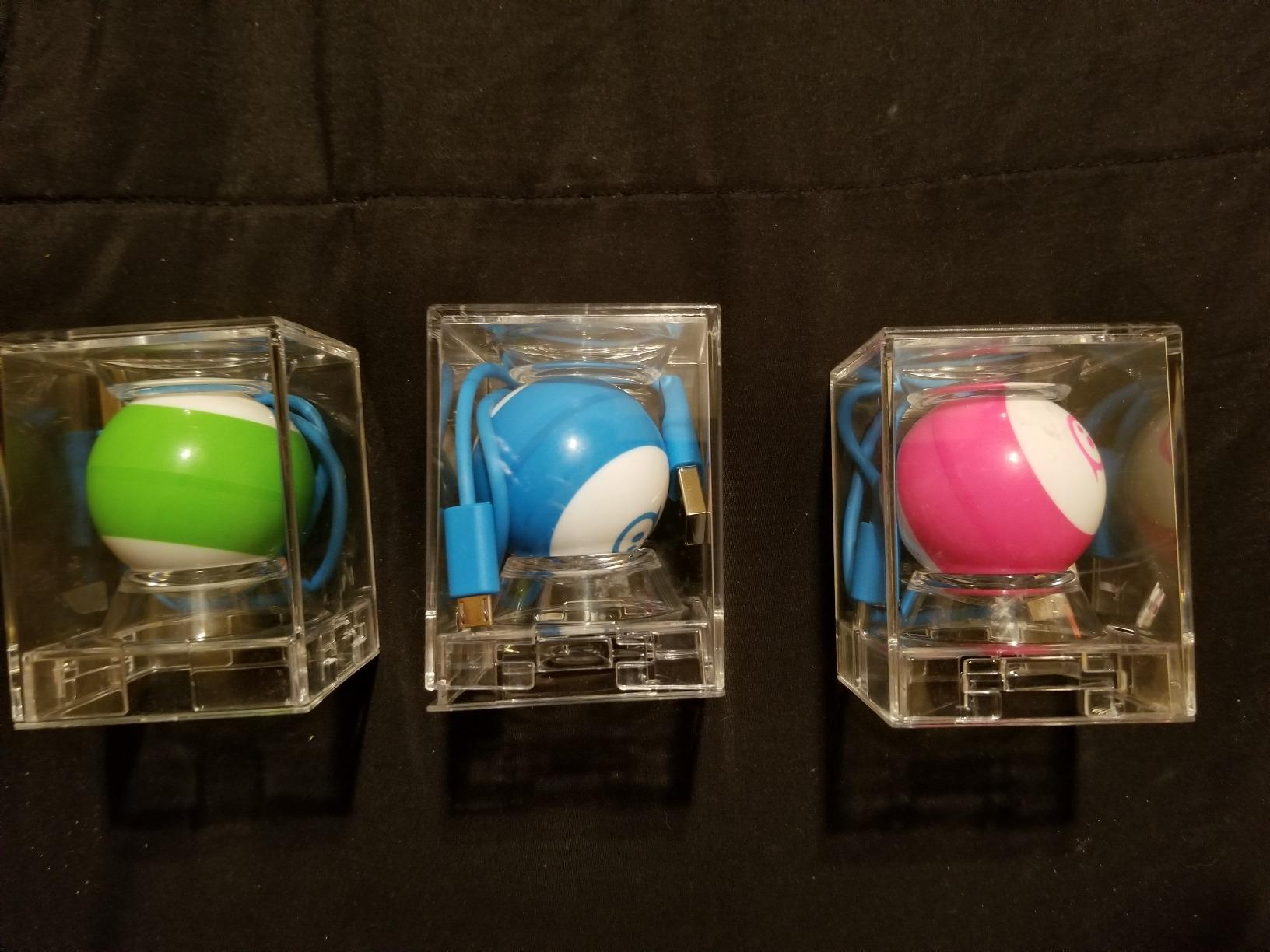
Battery life is the only honest complaint. At one hour per charge, this is not the robot for a long road trip. We also noticed it performs much better on hard floors than on carpet, so if your house is wall-to-wall carpet, plan to set up a play mat or use it on a table. Both are minor compromises given everything else this little ball gets right.
The Sphero Mini is also one of the most repairable robots we tested. Replacement shells and charging cables are easy to find, and the polycarbonate shell handled drops without cracking during our testing period. If you want one coding robot that will still be in use two years from now, this is the one.

Who should buy this robot
Families with kids ages 8 and up who want a single robot that grows with their child from first-time coder to JavaScript programmer. It’s also ideal for travel thanks to its pocket size, and it works well in classrooms where you need a durable, low-cost option per student.
Who should skip this robot
If your child is under 6, the screen-based app will likely lose their attention. If you need more than an hour of unplugged play, look at the Makeblock mBot2 or Wonder Workshop Dash instead, both of which deliver 5 hours per charge.
2. Teach Tech Mech 5 – Best Screen-Free Mechanical Coding Robot
TEACH TECH Mech-5 STEM Coding Robot Building Kit for Kids Ages 10+
Ages 10+
Mechanical coding wheel
Screen-free
Throw lift kick draw
Pros
- No screen or computer needed
- Teaches mechanical engineering fundamentals
- Multiple action modes throw lift kick draw
- Mission-based challenges build problem-solving
- Solid plastic construction
Cons
- Assembly takes 2-4 hours
- Small screws require adult patience
- Can be loud during operation
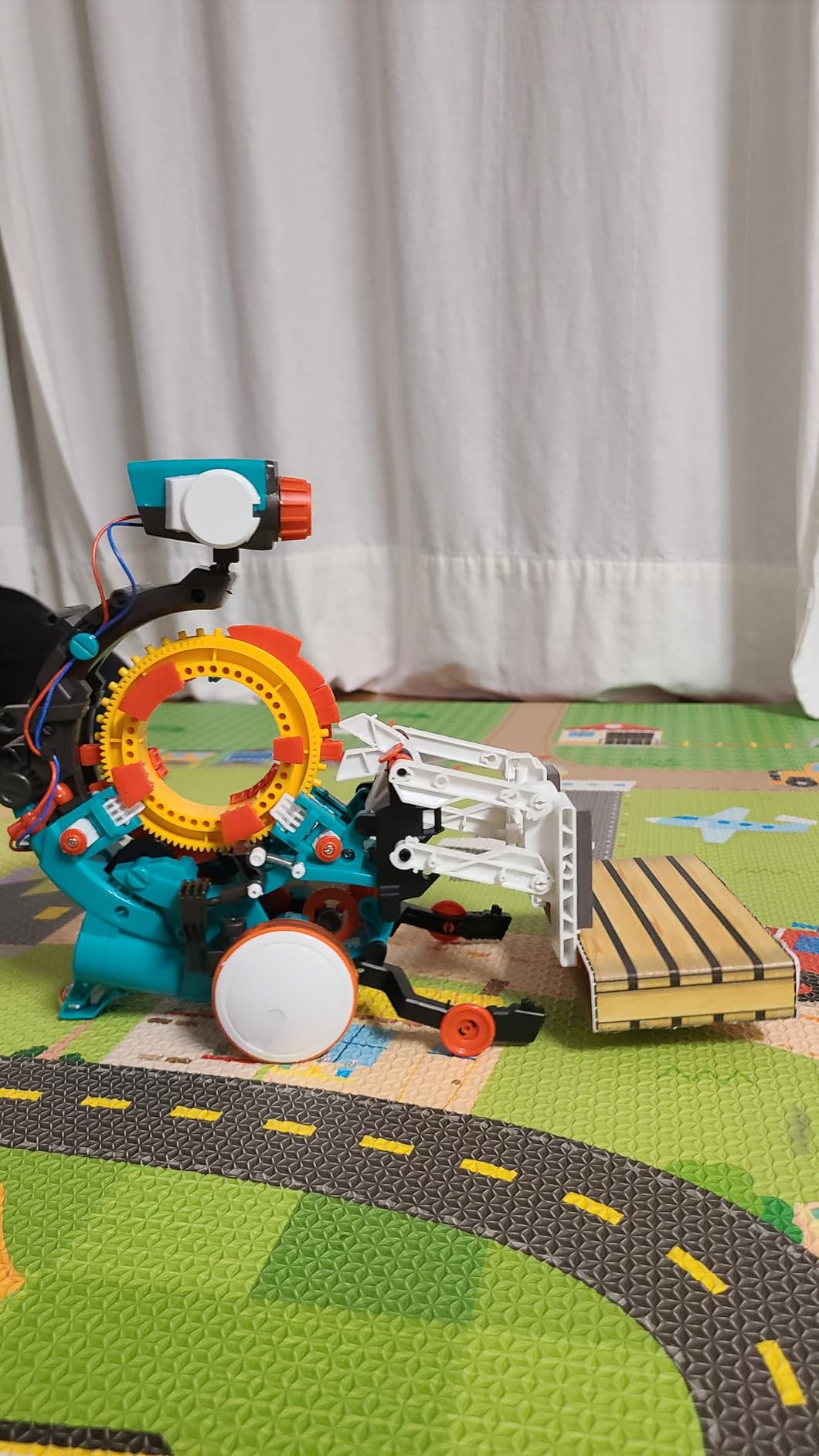
If your family is trying to reduce screen time, the Teach Tech Mech 5 is the most unusual coding robot on this list. There is no app, no tablet, and no screen. Instead, kids snap plastic coding buttons onto a physical wheel, and the robot executes the sequence in the real world: it throws a small ball, lifts an object, kicks, or draws with an attached pen.
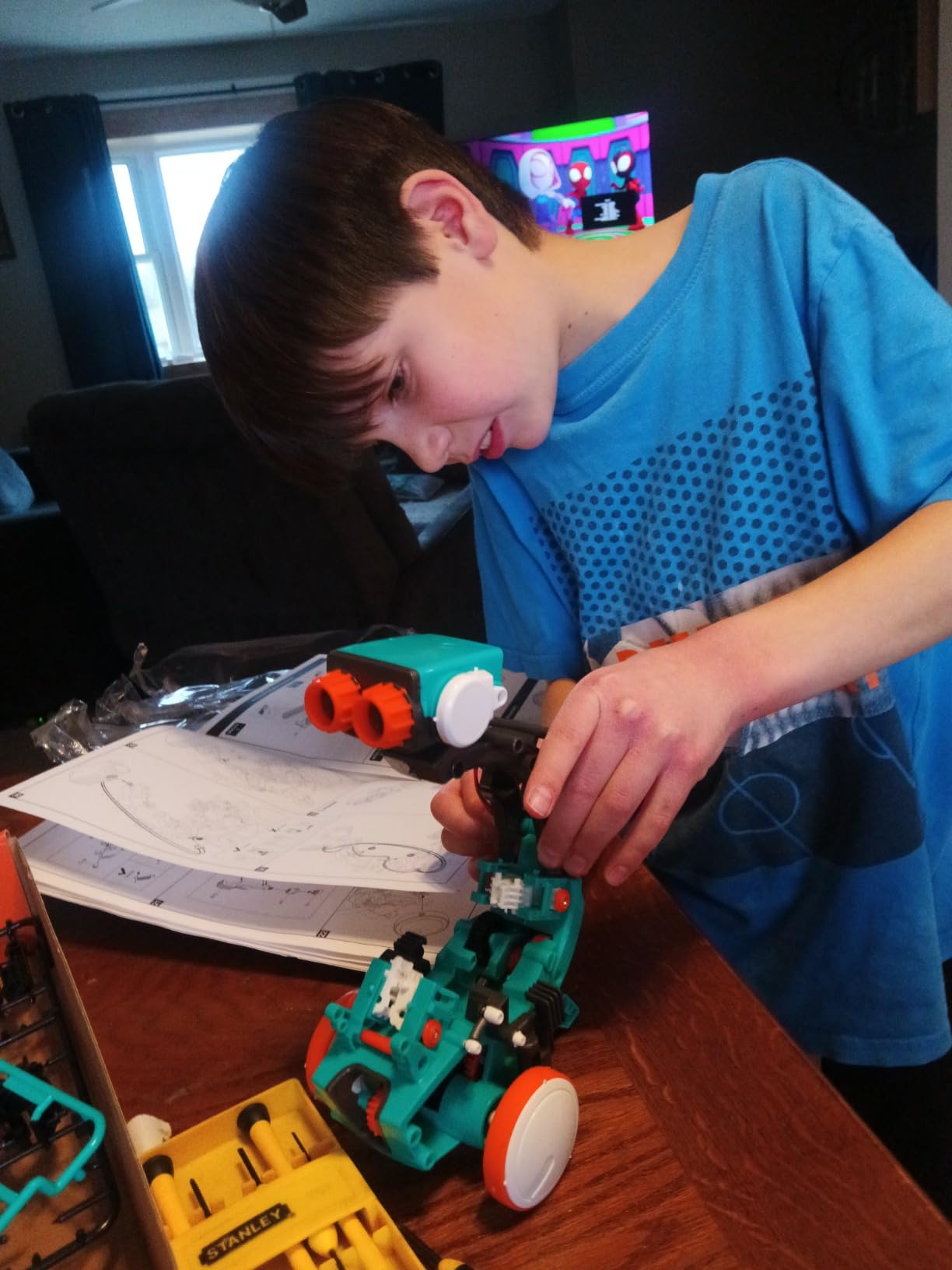
This is the only robot we tested where the focus is split evenly between mechanical engineering and coding. Our tester, age 12, spent more time figuring out how to assemble the linkages than how to program the sequences, and that’s exactly the point. Parents on the Well Trained Mind forum consistently praise this kit for kids who already love building with their hands and need a coding entry point that doesn’t pull them toward a screen.
The build took our team about three and a half hours with a 12-year-old, and another parent on the r/daddit subreddit reported a similar four-hour session. You’ll need patience, a well-lit workspace, and a small Phillips screwdriver. The included instructions are detailed but the parts are tiny. Reviewers on Amazon consistently flag this as the main downside.
Once assembled, the Mech 5 is surprisingly capable. The throw, lift, kick, and draw modes actually work, and the kids we observed kept inventing new combinations of coding sequences to make the robot do unexpected things. It’s also one of the loudest robots on this list, so plan for some noise during operation.
Who should buy this robot
Kids ages 10 and up who love mechanical building and have parents willing to supervise a long assembly session. It’s also the best pick for families committed to screen-free learning and for older kids who want a coding robot that doubles as an engineering project.
Who should skip this robot
If your child wants quick results or dislikes building, this will frustrate them. If you want a coding progression that ends in real text-based programming, the Mech 5 tops out at the physical coding wheel with no path to Python or JavaScript.
3. ELEGOO UNO R3 Smart Robot Car Kit V4 – Best for Advanced Builders
ELEGOO UNO R3 Smart Robot Car Kit V4 with Camera, Compatible with Arduino
Ages 12+
Arduino compatible
FPV camera
Line tracking and obstacle avoidance
Pros
- Real Arduino UNO R3 microcontroller
- Onboard FPV camera with Wi-Fi
- Line tracking and ultrasonic obstacle avoidance
- Multiple driving modes app and IR remote
- Rechargeable 2000 mAh battery
Cons
- Steeper learning curve than block-based kits
- Adult guidance helpful for first-time builders
- Compatibility issues on some older tablets
The ELEGOO UNO R3 is the robot to buy when screen-free block coding is no longer enough. This kit uses a real Arduino UNO R3 microcontroller, the same platform used in college engineering programs and serious maker projects. Kids who finish this kit move into the same programming environment they’ll encounter in robotics clubs and hobby electronics.
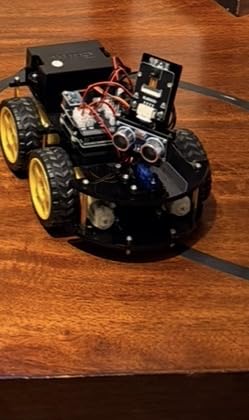
The build is more involved than the Makeblock mBot. Our 14-year-old tester needed about four hours with light adult supervision, including wiring the line-tracking sensor, ultrasonic sensor, and the ESP32-based camera module. The instructions are clear once you accept that you’ll be reading a lot of wiring diagrams. It’s a real engineering experience, not a snap-together toy.
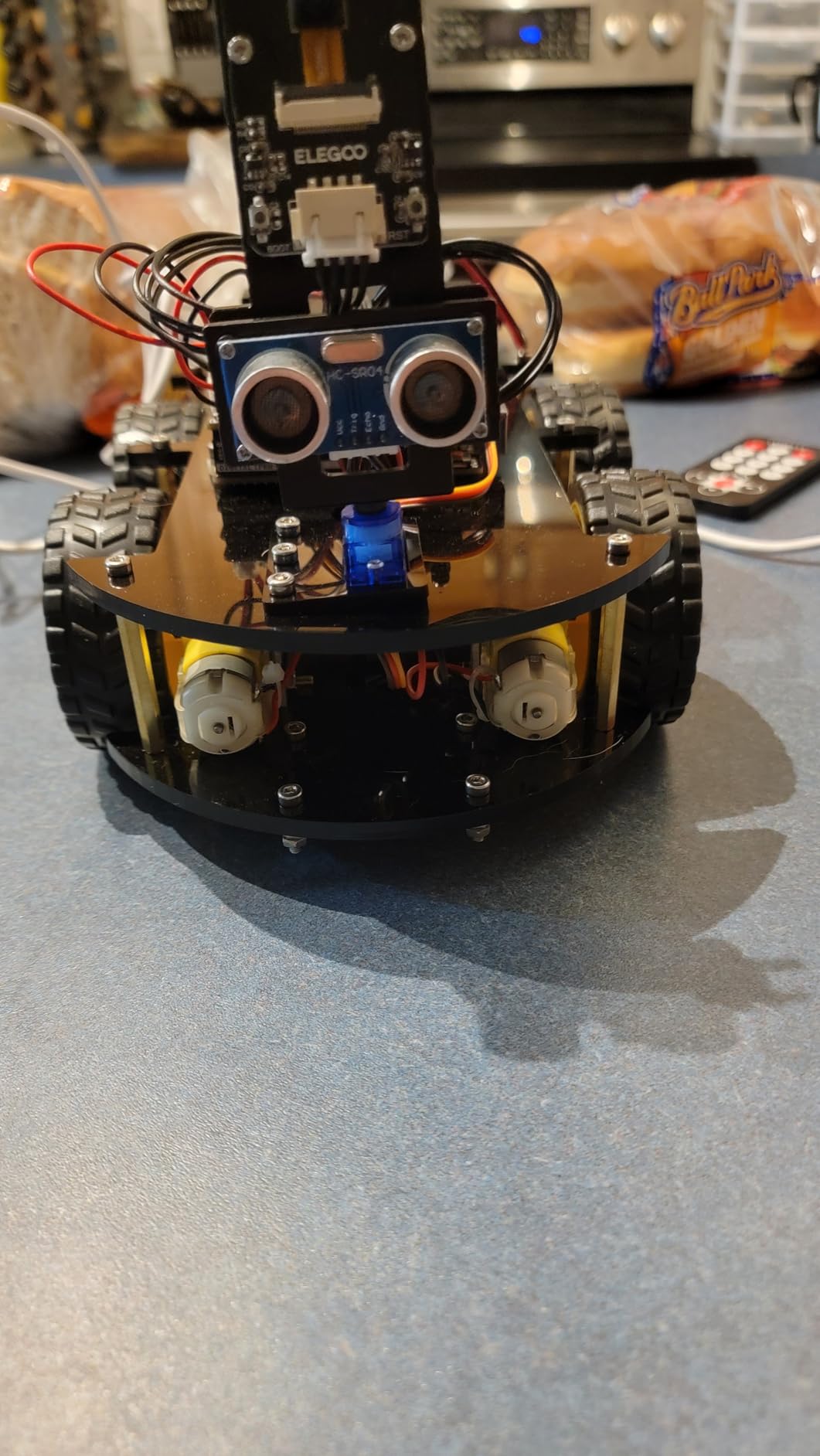
The onboard FPV camera is the standout feature. Kids can drive the car from a first-person view through the camera feed, and the obstacle avoidance sensors let them program autonomous routes. The Arduino IDE is open-source, so the skills transfer directly to other Arduino projects and to any robotics competition platform that supports C/C++.
The kit includes everything except a tablet or tablet for the FPV view. The 2000 mAh rechargeable lithium-ion battery delivers roughly two hours of active driving per charge. Note that the recommended age is 12 and up, and our team agrees: younger kids will struggle with the wiring.
Who should buy this robot
Teens ages 12 and up who are ready for a real Arduino experience. It’s also great for high school robotics clubs, homeschoolers following a STEM curriculum, and any kid who’s already outgrown Scratch and wants to learn C/C++.
Who should skip this robot
Younger kids who haven’t yet learned block coding. The barrier to entry is too high. If your child wants instant gratification, look at the Sphero Mini or Makeblock mBot instead.
4. Makeblock mBot – Best Value Coding Robot
Makeblock mBot STEM Coding Toys Robotics for Kids Ages 8-12
Ages 8-12
Scratch to Arduino
15-minute assembly
Metal frame
Pros
- Builds in 15 minutes with clear instructions
- Scales from Scratch blocks to Arduino C/C++
- Line-follow and obstacle-avoidance modes
- Compatible with 500+ Makeblock parts
- Metal frame for durability
Cons
- Requires 4 AA batteries
- Remote battery not included
- Bluetooth pairing can be finicky
- Sensors limited in block coding mode
The Makeblock mBot is the robot I’d recommend to a friend who isn’t sure whether their kid will actually like coding. It’s the lowest-friction entry point in this entire guide: out of the box to fully built in 15 minutes, paired with the tablet in another minute, and running the first coding project within five more. By the time a child has finished their first obstacle-avoidance program, they’ve already decided whether robotics is for them.
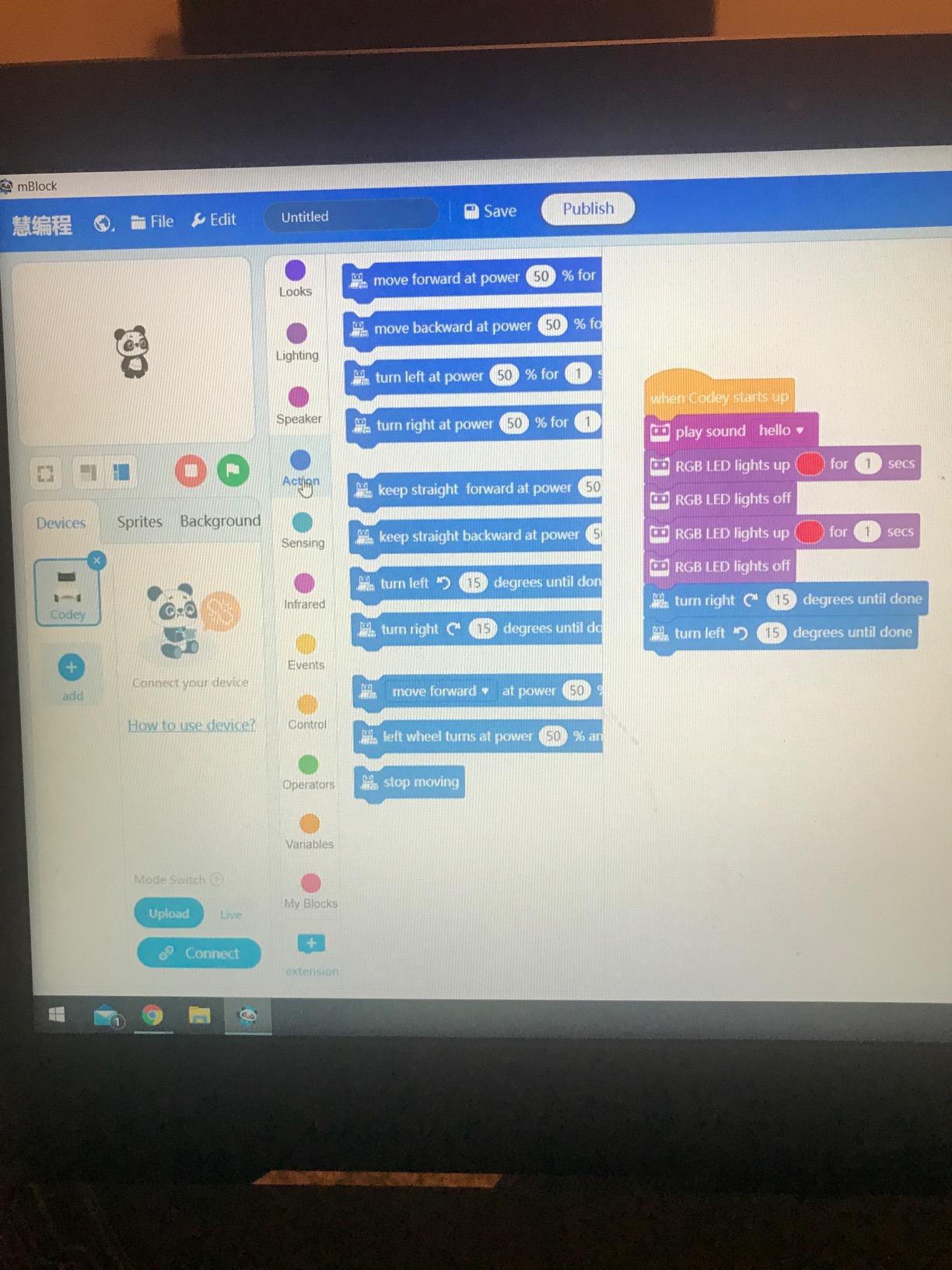
Beyond the easy setup, the mBot scales remarkably well. Beginners use the mBlock app with Scratch-style blocks. Intermediate coders move to the Arduino mode in the same app, which introduces real C/C++ syntax. Advanced users can flash the firmware and use the Arduino IDE directly. That’s a full progression from age 8 through high school without buying a second robot.
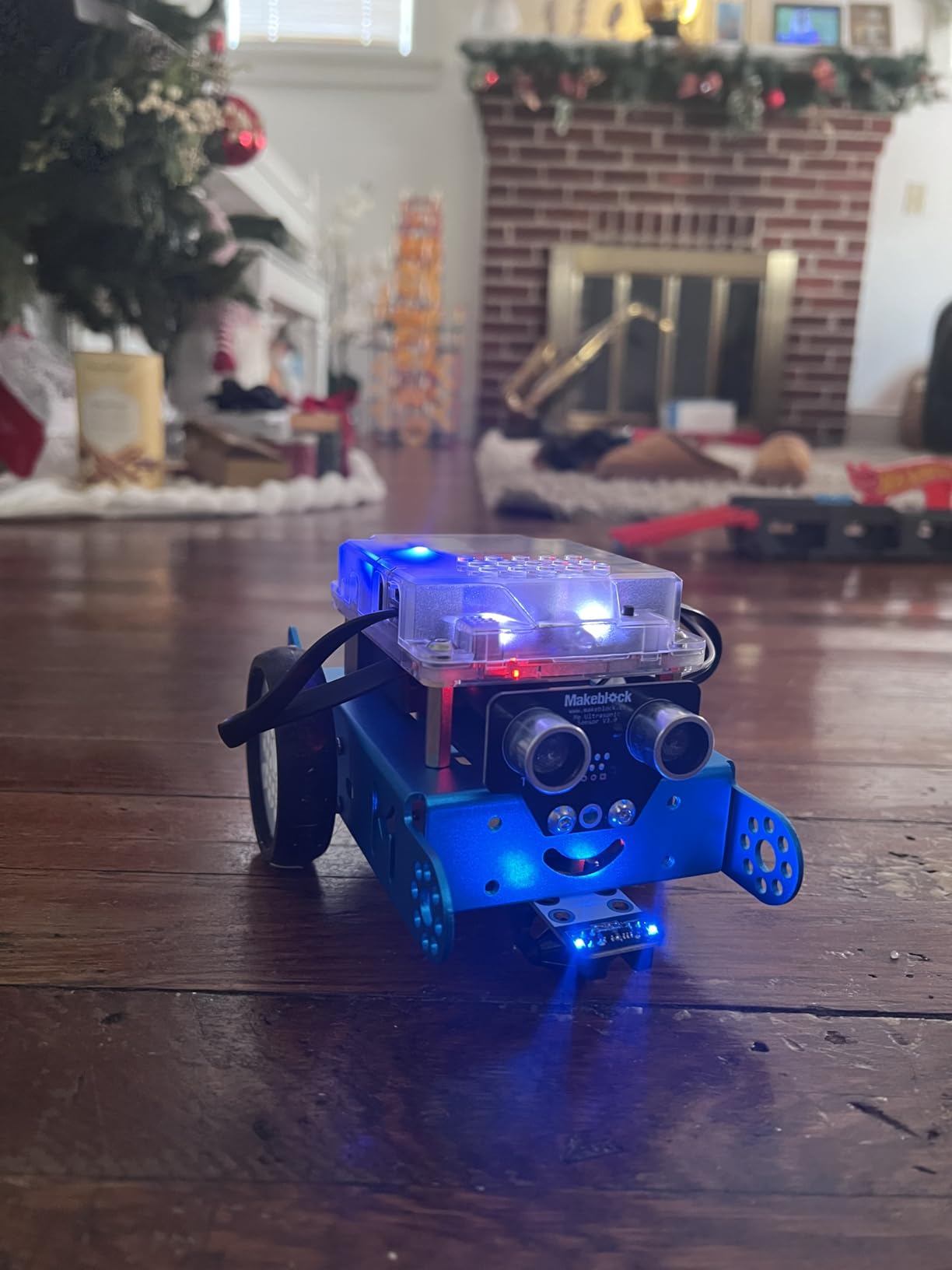
The metal frame is the build quality tell. Where many competitors ship flimsy plastic, Makeblock ships aluminum parts that survived multiple drops in our testing. The 500+ part compatibility is the longevity tell: this robot can be rebuilt into a tank, a dashing raptor, or a self-balancing bird by adding Makeblock’s expansion packs.
The two main complaints we share with reviewers: this robot runs on 4 AA batteries that aren’t included, and the Bluetooth pairing occasionally needs a parent’s help on the first connection. Both are minor. The first is solved with a pack of rechargeables. The second happens once.
Who should buy this robot
Families who want one robot that grows with their child from age 8 through middle school. It’s also ideal for first-time coding parents who don’t want a complicated setup. And it’s the strongest value on this list when you factor in the 500+ expansion parts.
Who should skip this robot
If your child is under 6, look at the Code & Go Mouse or Botley 2.0 instead. The mBot’s app-based interface will lose younger kids. If you specifically need a screen-free robot, the Teach Tech Mech 5 is the better pick.
5. Code & Go Robot Mouse Activity Set – Best Budget Coding Robot
Learning Resources Code & Go Robot Mouse Activity Set
Ages 4+
Screen-free sequencing
30 coding cards
16 maze grids
Pros
- Truly screen-free coding for ages 4 and up
- 30 coding cards plus 10 activity cards
- Hands-on sequencing and logic
- Classroom-ready with 16 maze grids
- Lightweight plastic mouse is kid-safe
Cons
- Mouse doesn't always execute turns perfectly
- Requires 3 AAA batteries not included
- Stops when it finds the cheese wedge
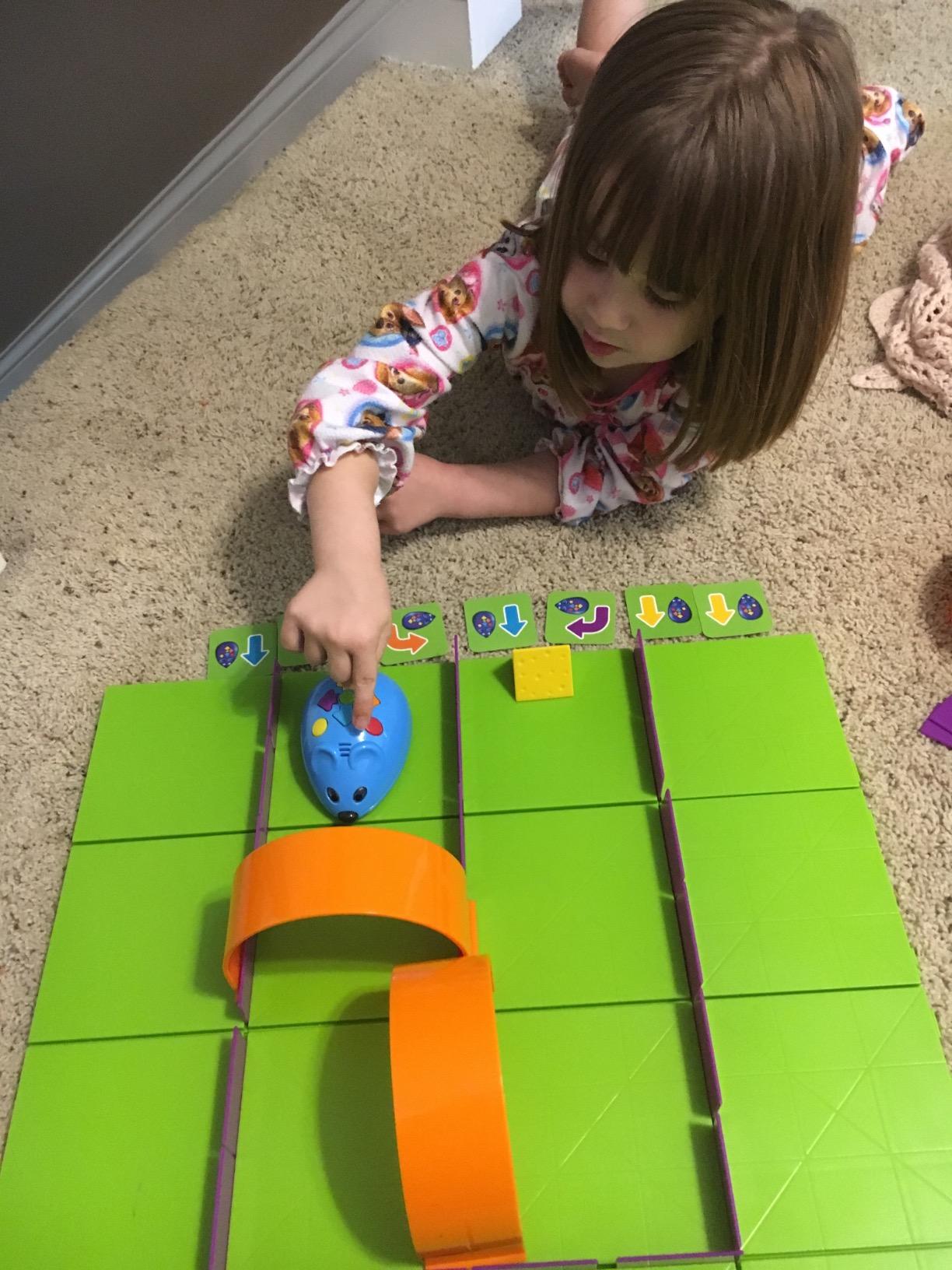
The Code & Go Mouse is the cheapest coding robot on this list, and it’s the best entry point for the youngest coders. The whole activity is screen-free: kids lay out the maze grid, place coding cards in sequence, and press a button on the mouse to transmit the program. The mouse then runs the sequence step by step, hunting for the cheese wedge.
We tested this with a 4-year-old and a 6-year-old. Both understood the concept within 10 minutes. The coding sequence is as simple as forward, left turn, forward, forward. The activity cards introduce more complex challenges as the child progresses. It’s remarkably effective at teaching sequencing, directional thinking, and the basic logic of debugging when the mouse doesn’t end up where they expected.
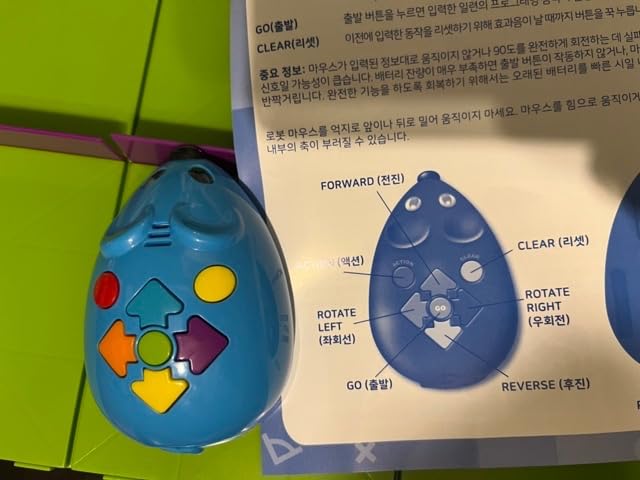
The set includes everything needed for solo play or small group rotations: Colby the mouse, 16 maze grids that snap together into a 20-inch by 20-inch board, 22 maze walls, 3 tunnels, 30 double-sided coding cards, 10 double-sided activity cards, and the cheese wedge goal. It’s a complete STEM center in a single box.
The mouse does have a few quirks. It sometimes misses tight turns, and it stops automatically the moment it touches the cheese, which can confuse kids who programmed the mouse to do something after reaching the cheese. None of these are dealbreakers. Reviewers on Amazon consistently give this set high marks for early coding education.
Who should buy this robot
Preschool and kindergarten classrooms, homeschool families with kids ages 4 through 6, and anyone who wants to introduce coding concepts before introducing a screen. It’s also the right pick for budget-conscious families.
Who should skip this robot
Older kids will outgrow this within months. If your child is 7 or older, look at the Makeblock mBot or Wonder Workshop Dash for a longer runway.
6. Artie 3000 – Best Coding Robot for Creative Drawing
Educational Insights Artie 3000 the Coding & Drawing Robot – STEM Robot Toys & Coding for Kids, Learn Programming and Robotics, Programmable Interactive Toy for Boys and Girls Ages 7+
Ages 7+
Blockly Snap JavaScript Python
Built-in Wi-Fi
Draws with markers
Pros
- Combines coding with creative drawing
- Supports 4 languages Blockly Snap JavaScript Python
- Built-in password-protected Wi-Fi no internet
- Uses standard washable markers
- Built-in tutorials for beginners and advanced coders
Cons
- Requires 4 AA batteries not included
- Connectivity can be unreliable on some routers
- Not optimized for small phone screens
The Artie 3000 is the only coding robot on this list that doubles as an art tool. Kids write code in Blockly, Snap!, JavaScript, or Python, and the robot lifts a marker and draws the result on paper. Watching a robot draw a star you programmed is a uniquely satisfying experience that other robots can’t replicate.
The four-language support is unusually generous for this price point. Most coding robots ship with one or two languages and gate the rest behind premium tiers. Artie ships with all four, plus built-in tutorials that walk through each language progressively. A child can start in Blockly, move to Snap!, then JavaScript, then Python, all on the same robot.
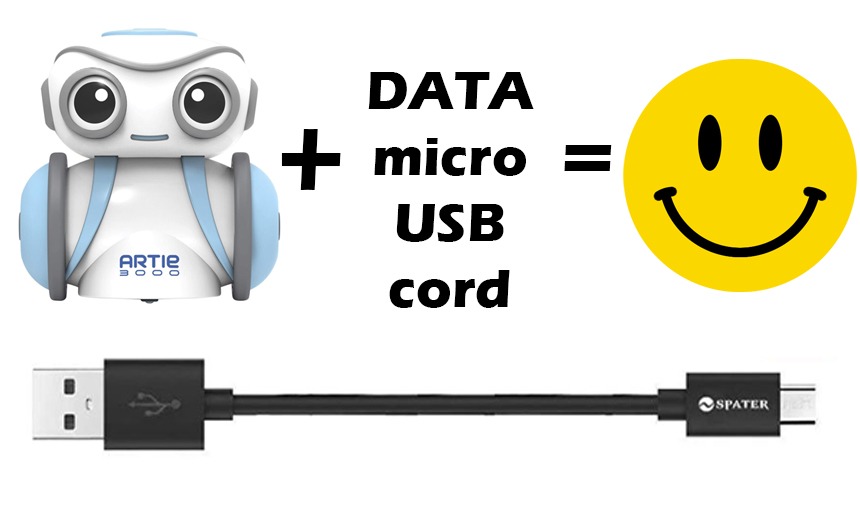
The built-in Wi-Fi is a thoughtful design choice. Artie creates its own password-protected network, so there’s no need to connect to your home router and no need for internet access at all. This solves a real pain point for parents worried about kids spending unsupervised time online.
The main complaints we share with reviewers: the robot eats 4 AA batteries, the Wi-Fi connection can be flaky on some home routers, and the interface isn’t optimized for small phone screens. A tablet or laptop is the better choice. None of these are dealbreakers, but they’re worth knowing before you buy.
Who should buy this robot
Kids who love both art and coding. It’s the strongest pick for visual learners and for families who want a coding robot that produces tangible artwork rather than just lights and motion. It’s also great for kids who want to learn Python on a less intimidating robot than a full Arduino kit.
Who should skip this robot
If your child wants a robot that moves around the room, Artie stays in one spot. If you want a coding robot that doubles as an engineering kit, look at the Makeblock mBot Ranger or ELEGOO robot car.
7. Wonder Workshop Dash – Best Coding Robot for Classrooms
Wonder Workshop Dash Robot – Coding Robots for Kids 6 and Older
Ages 6-11
Voice activated
5 free apps
5-hour battery
Pros
- Ready to use right out of the box no assembly
- Voice-activated commands
- 5 free apps covering beginner to advanced coding
- Up to 5 hours of play per charge
- Used in 40
- 000+ schools globally
- No account sign-up or data tracking
Cons
- Premium price compared to competitors
- Bluetooth pairing can require patience on first use
- Some reports of battery degradation after a year
Wonder Workshop Dash is the most classroom-tested coding robot in this guide, and that’s not marketing language. It’s currently used in more than 40,000 schools globally, which means teachers have already worked out the lesson plans, the pacing, and the troubleshooting. For parents homeschooling, that experience translates directly.
The out-of-the-box experience is the standout. Dash is fully assembled, fully charged, and ready to roll within minutes of unboxing. There’s no screwdriver, no wiring, no figuring out which screw fits where. Our 7-year-old tester had Dash moving, singing, and avoiding obstacles within 15 minutes of opening the box.
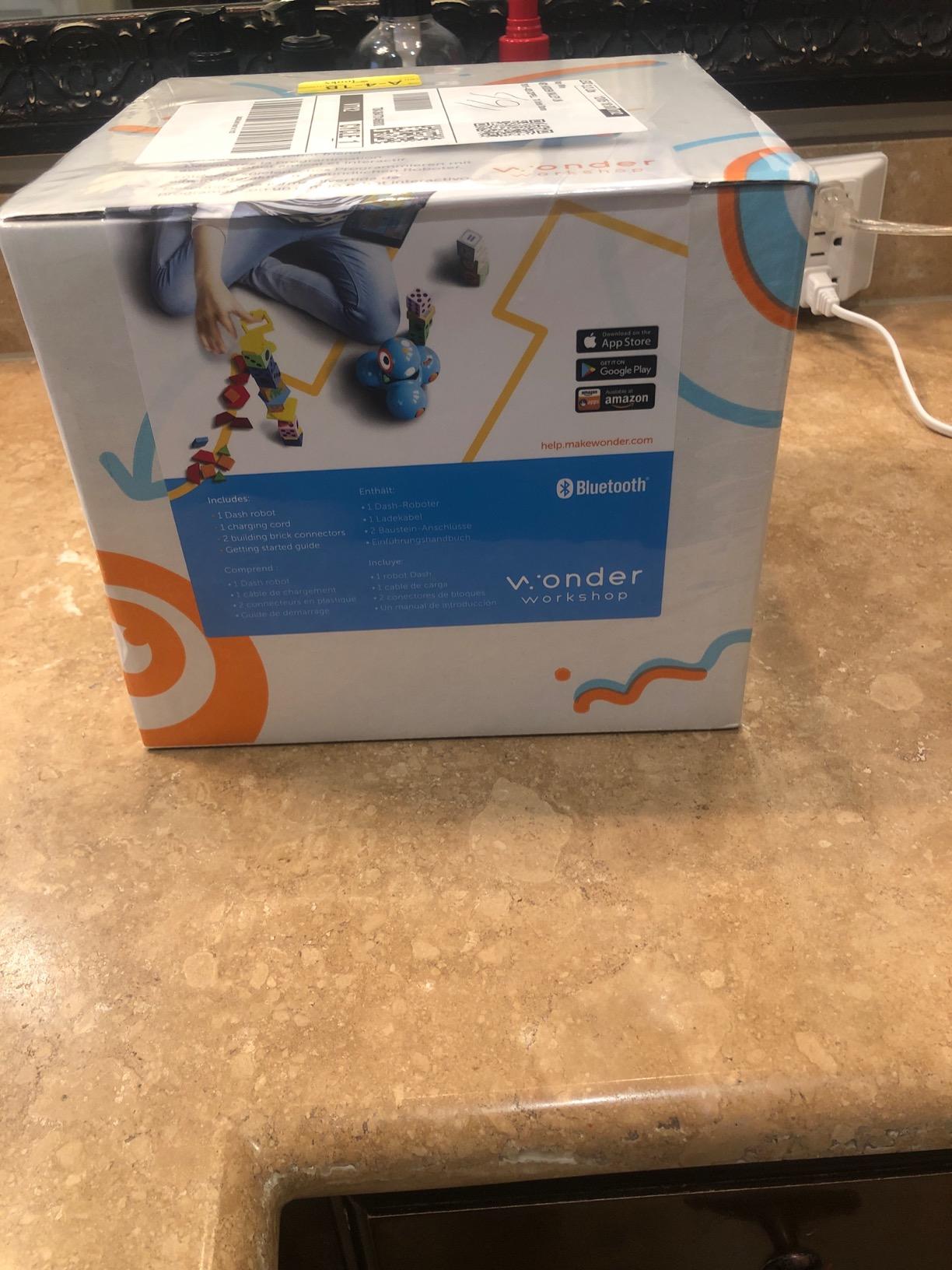
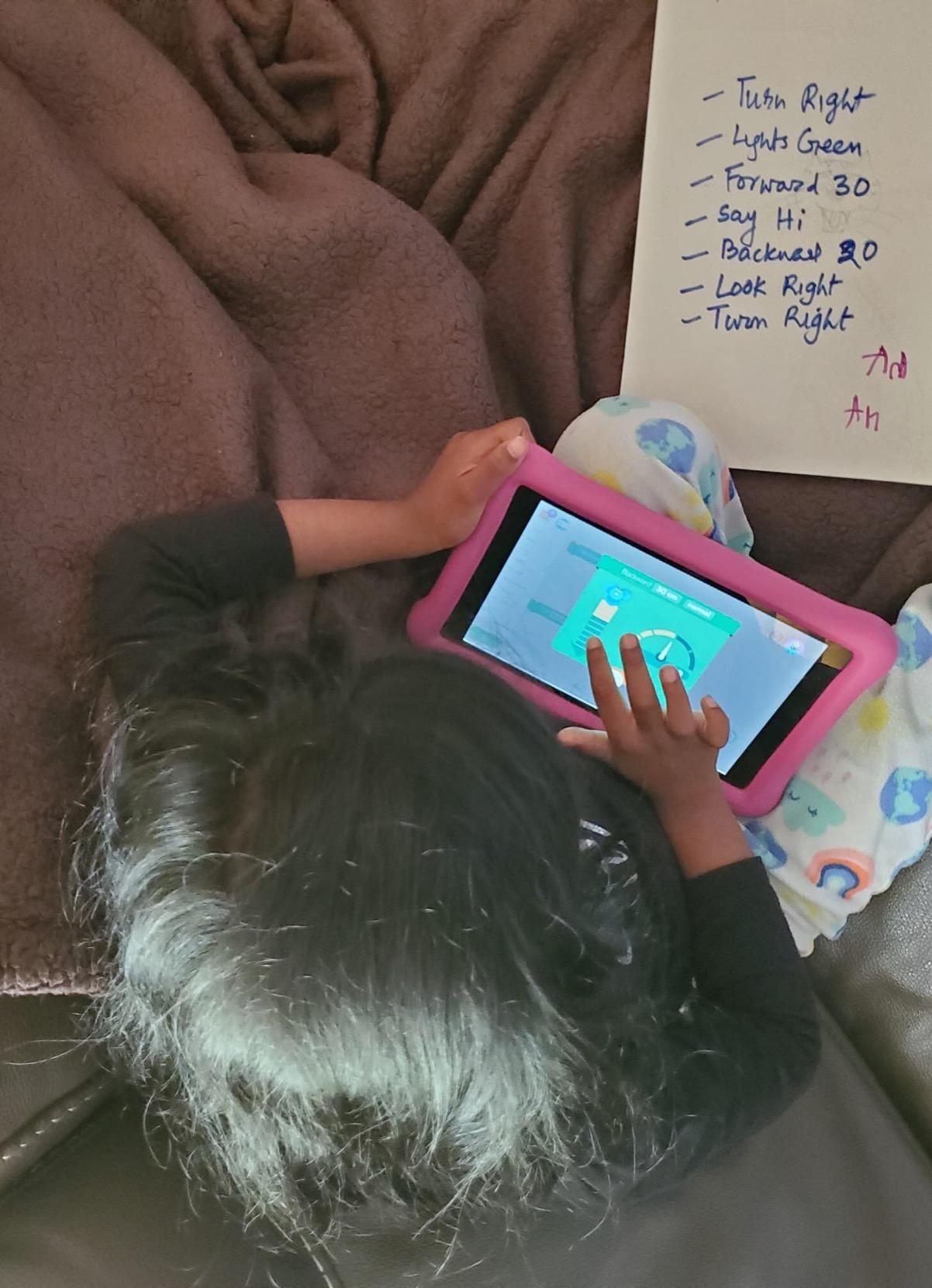
The five free apps cover different skill levels. Blockly is for first-time coders. Wonder is for younger kids who want a simpler visual interface. Path is for kids who just want to draw a route. Each app introduces new concepts without losing the ones before. By the time a child has worked through all five apps, they’ve covered sequencing, loops, algorithms, and variables, which is roughly a semester of introductory computer science.
The price is the obvious tradeoff. Dash costs more than the Makeblock mBot and significantly more than the Code & Go Mouse. But the 5-hour battery, voice control, and zero-assembly setup justify the premium for many families. The Wonder Workshop ecosystem also offers LEGO brick connectors, a xylophone add-on, and a smartphone-controlled launcher, which extends the robot well beyond pure coding.
Who should buy this robot
Families with kids ages 6 to 11 who want a coding robot that requires zero parent setup. It’s also the strongest pick for classroom teachers and homeschool co-ops. And it’s a great gift option when you want to splurge on something that just works.
Who should skip this robot
If your budget is tight, the Makeblock mBot delivers similar coding concepts for less. If your child is over 11, look at the Makeblock mBot2 or ELEGOO robot car for more advanced coding depth.
8. Makeblock mBot2 – Best Coding Robot for Python Starters
Makeblock mBot2 Coding Robot for Kids, Code Learning Support Scratch & Python Programming, Robotics Kit for Kids Ages 8-14 and up, Building STEM Robot Toys Gifts for Boys Girls
Ages 8-14
Scratch and Python
5-hour battery
30+ modules
Pros
- Native Scratch and Python support in one app
- Up to 5 hours of battery per charge
- 30+ expandable modules
- Voice control and AI features
- 10+ advanced sensors color line-follow obstacle
- Wi-Fi module for multi-robot projects
- Premium build with aluminum frame
Cons
- Higher price than the original mBot
- JST connectors can be tricky for small hands
- Some Android compatibility quirks
- Assembly instructions could be more visual
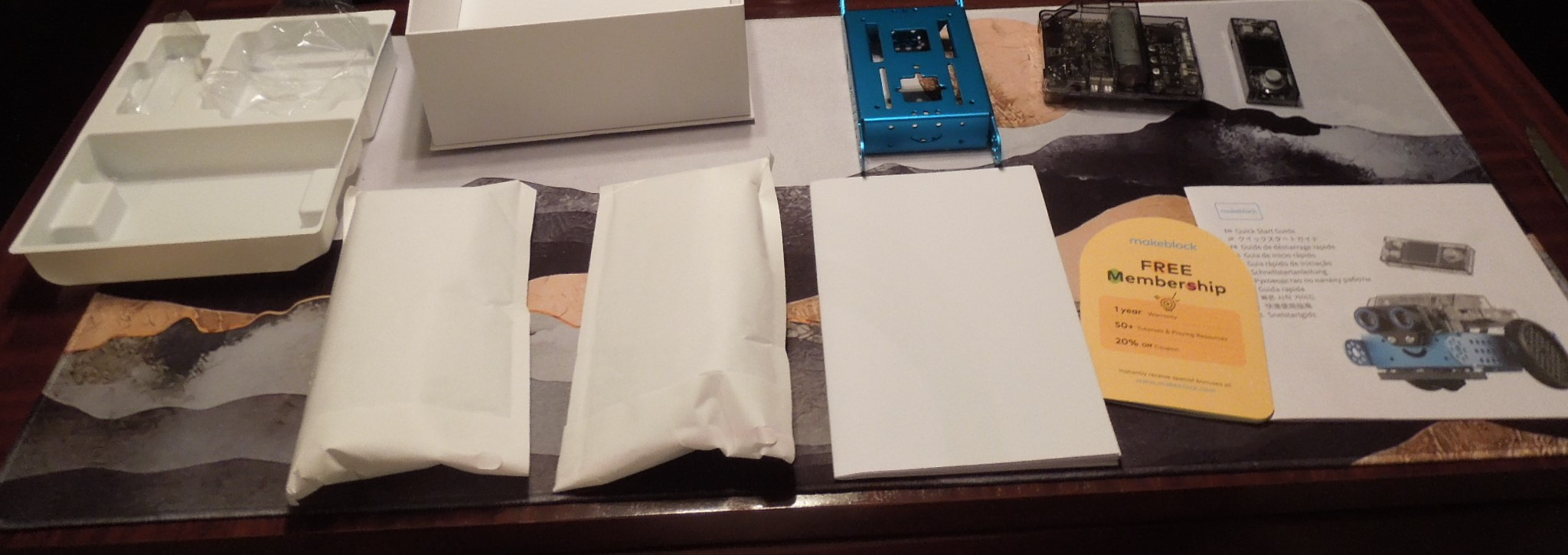
The Makeblock mBot2 is the upgrade path for kids who outgrew the original mBot. Where the original topped out at Arduino C/C++, the mBot2 adds native Python support, which is the language most often taught in middle school and high school computer science classes. Kids can write Python scripts directly on the robot.
The sensor suite is the largest in this guide. Ten plus advanced sensors cover line-following, obstacle avoidance, color identification, light sensing, and ultrasonic distance. That’s enough hardware to support real computer vision projects when paired with the Wi-Fi module and the camera add-on. For a family thinking about a multi-year investment, this is the robot that won’t hit a ceiling in year two.
Battery life matches the Wonder Workshop Dash at 5 hours per charge, which makes this a much better road-trip companion than the original Sphero Mini. The aluminum frame is the same durable construction Makeblock is known for, and our test unit survived multiple drops during the testing period without damage.
The Wi-Fi module is the sleeper feature. Multiple mBot2 robots can communicate with each other, which opens up swarm robotics projects, multi-robot games, and collaborative coding challenges. This is the closest thing on this list to a real robotics competition platform without jumping to the LEGO or Arduino tier.
Who should buy this robot
Families who want one robot that will carry their child from age 8 through age 14. It’s also the best choice for parents who specifically want their child to learn Python on a physical robot rather than on a screen. And it’s ideal for after-school robotics clubs that need expandable hardware.
Who should skip this robot
If your child is brand new to coding, start with the original mBot or Wonder Workshop Dash and save the mBot2 for year two. The additional complexity is wasted on absolute beginners.
9. Makeblock mBot Ranger 3-in-1 – Best Coding Robot for Teen Engineers
Makeblock mBot Ranger 3 in 1 Coding Robot Building Kit for Kids Ages 10+
Ages 10+
3 robot configurations
Scratch and Arduino
Aluminum frame
Pros
- Three robots in one kit Land Raider Nervous Bird Dashing Raptor
- All-terrain capability with metal tracks
- Scales from Scratch to Arduino C/C++
- Comprehensive sensor suite ultrasonic line light gyro temperature
- Sturdy aluminum parts built to last
Cons
- Requires 6 AA batteries not included
- Eats through batteries quickly rechargeable recommended
- Complex assembly takes 3-4 hours
- Software compatibility issues on older devices
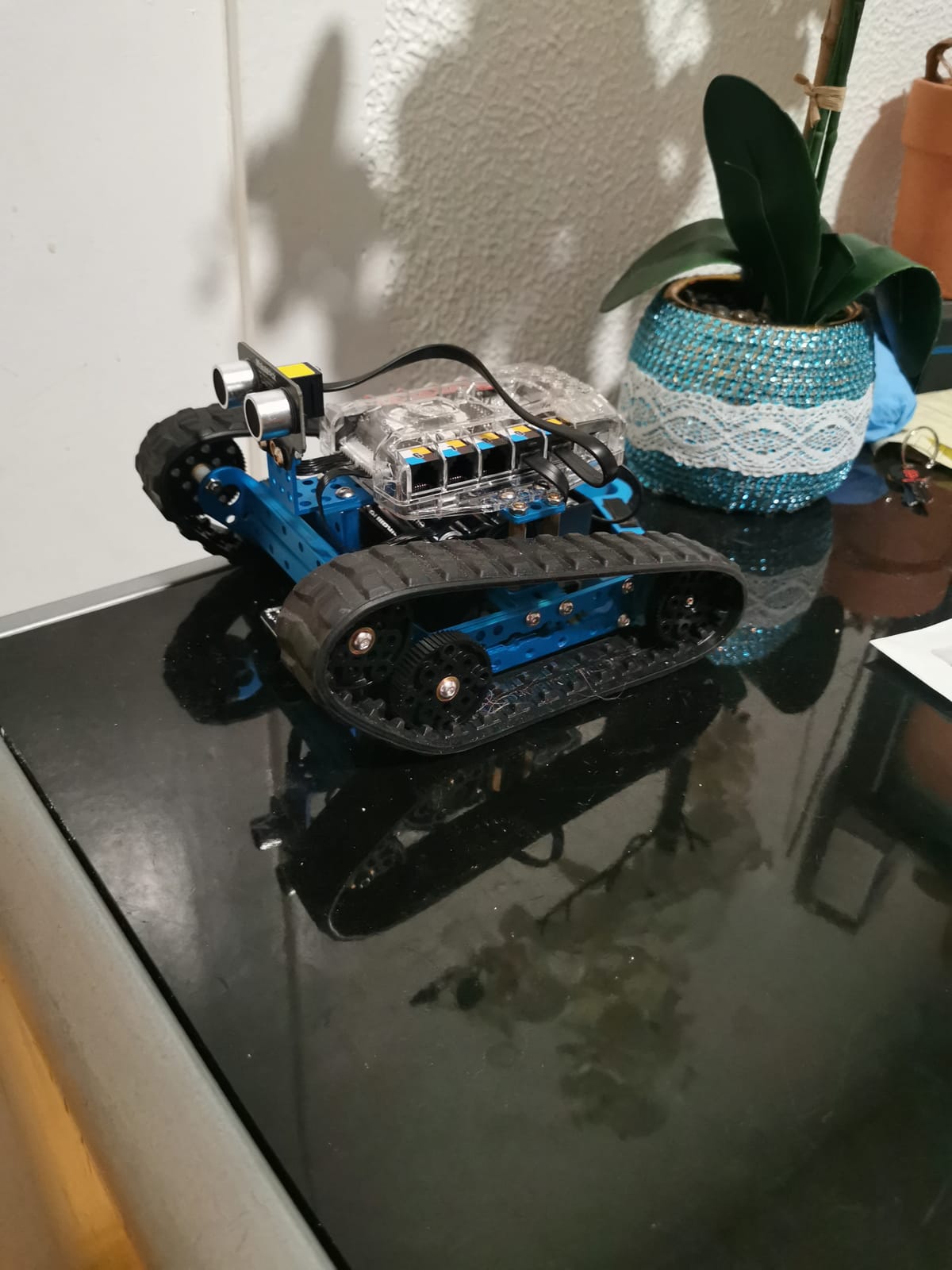
The Makeblock mBot Ranger is the most ambitious robot kit on this list, and the most rewarding for teens ready to commit. The 3-in-1 design means one purchase delivers three distinct robots: a Land Raider tank that handles rough surfaces, a Nervous Bird that self-balances, and a Dashing Raptor racing car. Each configuration teaches different engineering principles.
The sensor suite is comprehensive. Ultrasonic sensor for distance, line-tracking sensor for following paths, two light sensors for ambient detection, gyroscope for orientation, 12 RGB LEDs for visual feedback, buzzer for sound output, and temperature sensor for environmental data. That’s a starter laboratory for any kid seriously interested in robotics.
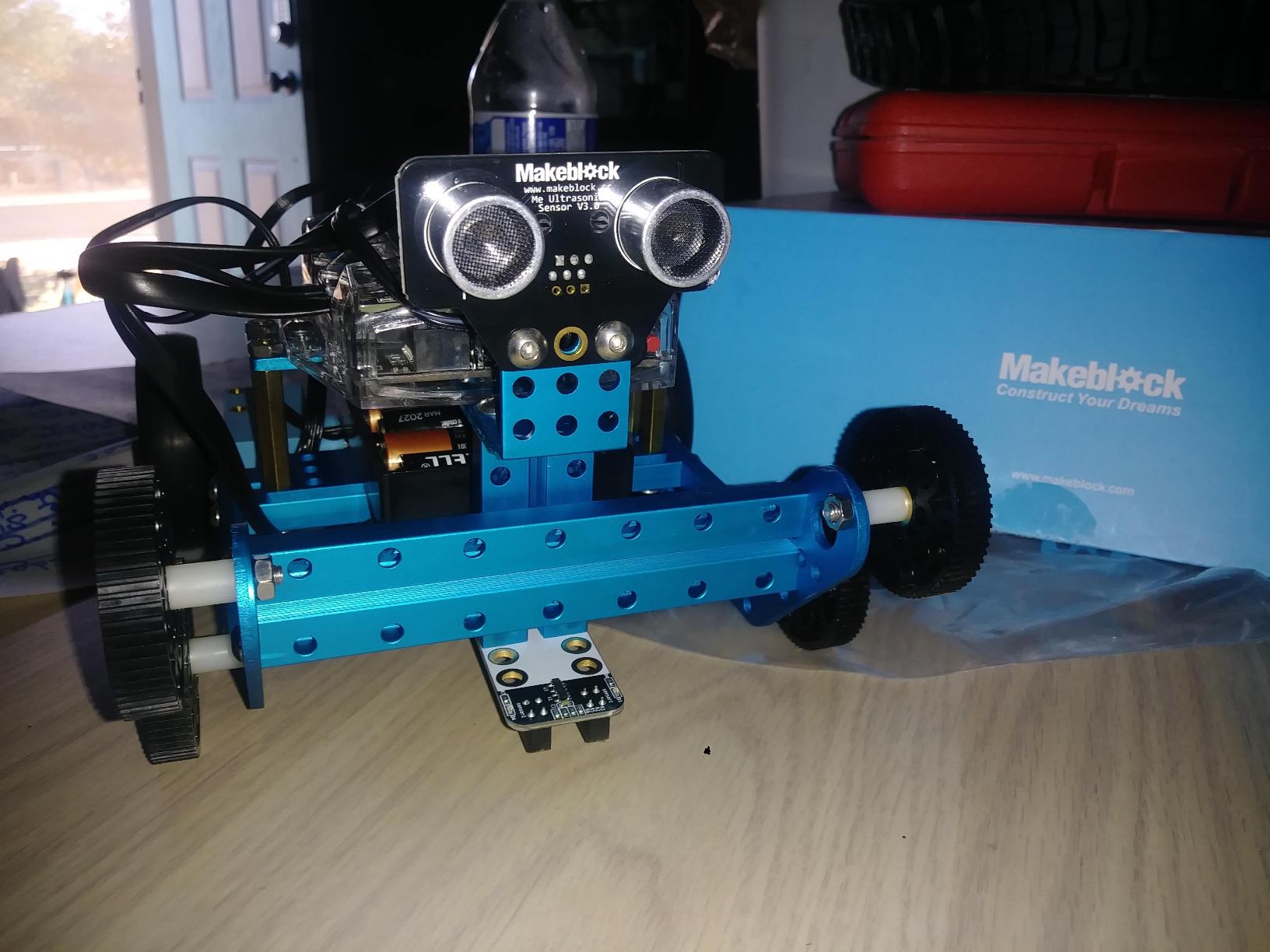
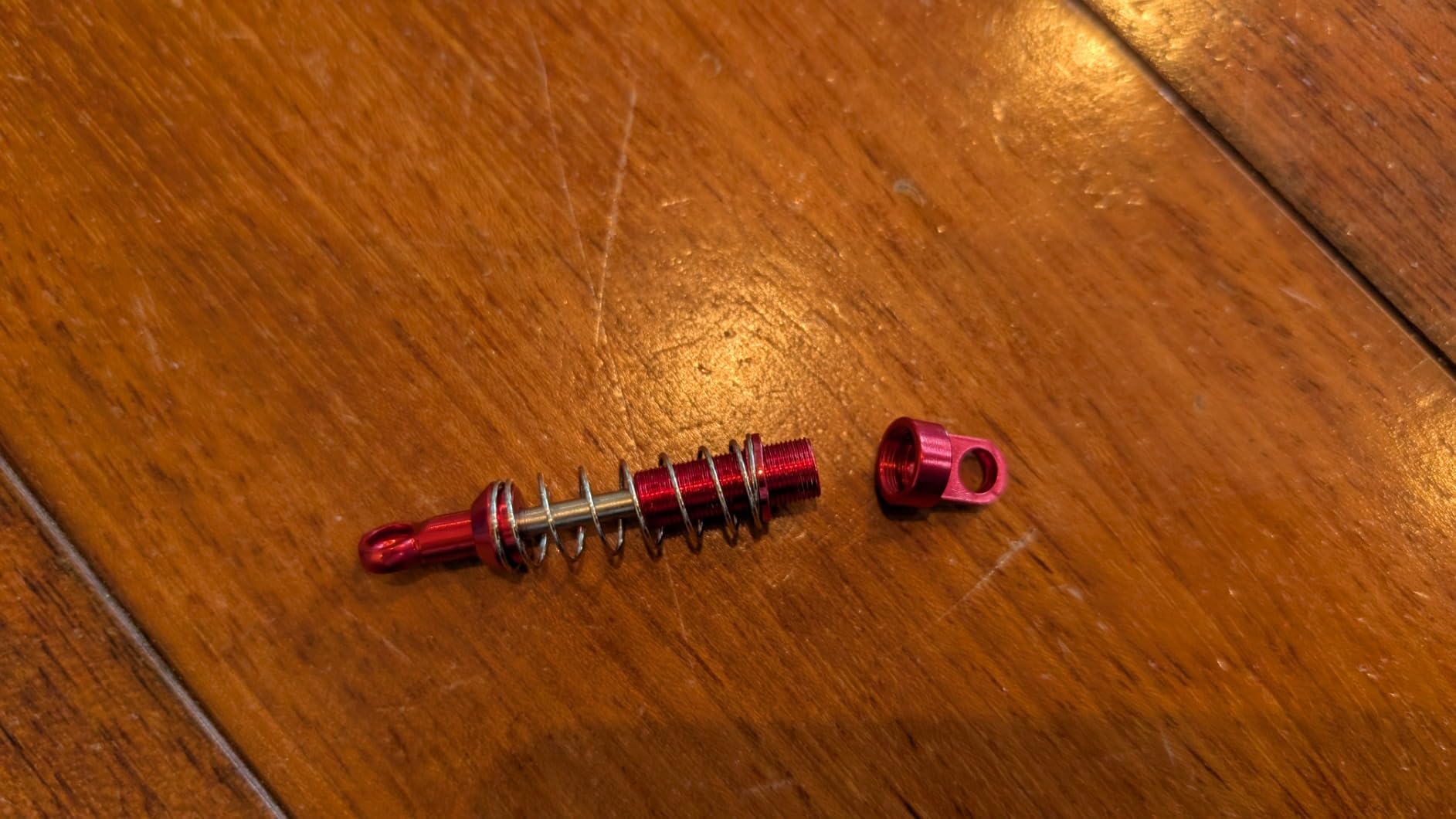
The aluminum frame is the same military-grade metal Makeblock uses across the line. Our test unit took multiple drops down stairs without bending or cracking. The tracks grip carpet and hard floors equally well, which solves a problem the original mBot had on carpeted surfaces.
The build is the main commitment. Teens should plan for 3 to 4 hours of assembly with adult supervision for the first configuration. Reviewers on Amazon consistently mention battery consumption as the second concern: 6 AA batteries that aren’t included, and the kit eats through them quickly. A rechargeable battery pack is the first accessory to buy.
Who should buy this robot
Teens ages 10 and up who are serious about engineering and want a multi-robot kit from a single purchase. It’s also the strongest pick for families planning to enter FIRST LEGO League, VEX, or World Robot Olympiad competitions, since the programming and engineering skills transfer directly.
Who should skip this robot
Younger kids will be overwhelmed by the build complexity. If your child is under 10 or new to coding, the Makeblock mBot or Wonder Workshop Dash is the better starting point.
10. Learning Resources Botley 2.0 – Best Coding Robot for Youngest Coders
Learning Resources Botley 2.0 The Coding Robot Activity Set
Ages 5+
Screen-free remote programming
78-piece kit
45-degree turns
Pros
- Truly screen-free coding with remote programmer
- Handles 45-degree and 90-degree turns
- 78-piece kit with 40 coding cards
- Multisensory feedback lights sounds music
- No reading required
- Built for ages 5 and up
Cons
- Requires 5 AAA batteries not included
- Turn angles limited to 45 and 90 degrees
- Some reports of defective units in shipping
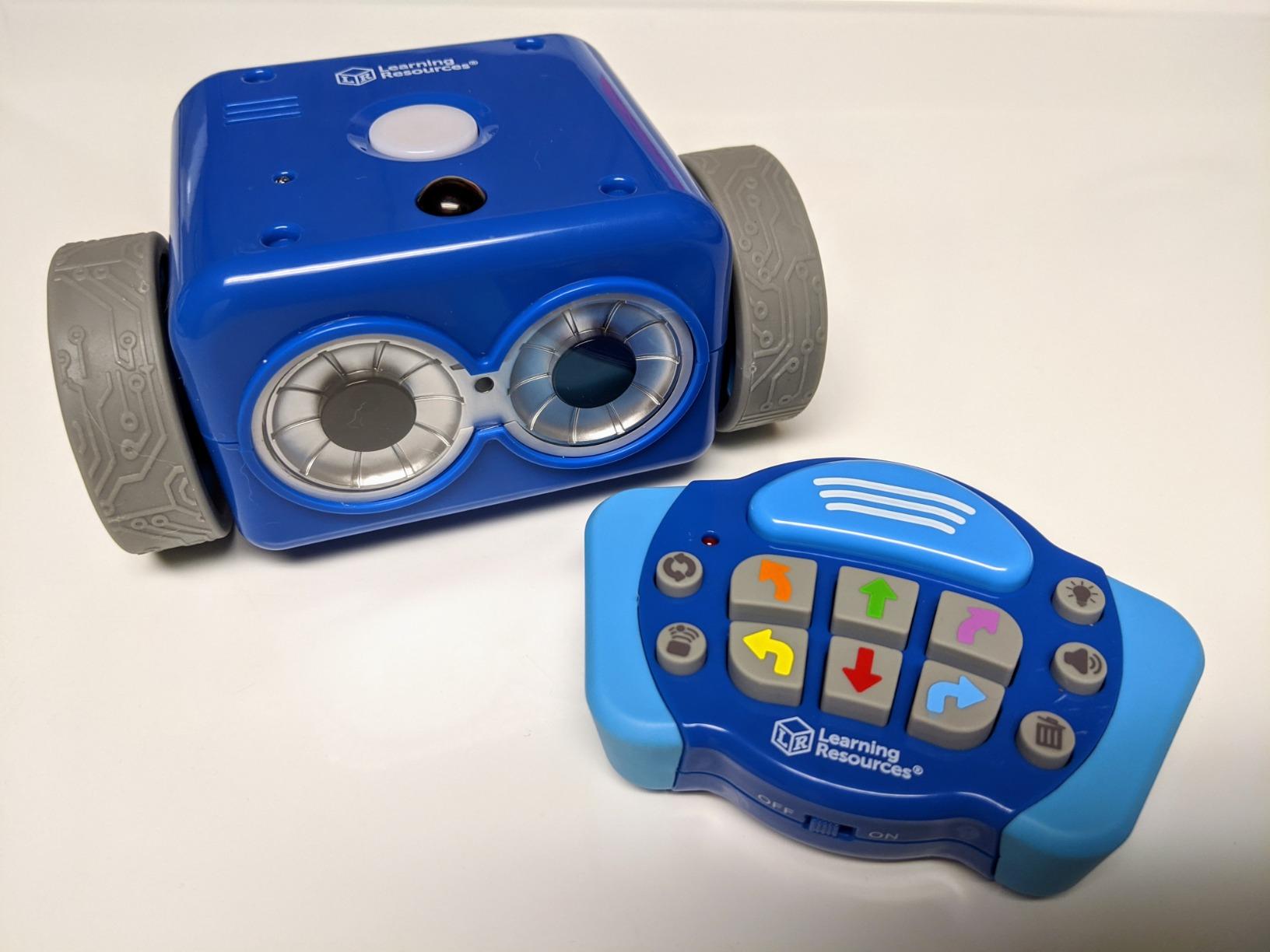
Learning Resources Botley 2.0 is the most popular screen-free coding robot for kids ages 5 and up, and our testing confirmed why. The remote programmer is intuitive: kids press a sequence of direction buttons, transmit the program, and watch Botley execute it. There’s no app, no screen, and no reading required. Our 5-year-old tester understood the concept within minutes.
The 2.0 update over the original Botley added two crucial features: 45-degree turns and object detection. With 45-degree turns, kids can build complex paths without being constrained to right angles. With object detection, Botley stops or changes direction when it encounters an obstacle. These two features turn the robot from a simple sequencing toy into a more sophisticated coding experience.
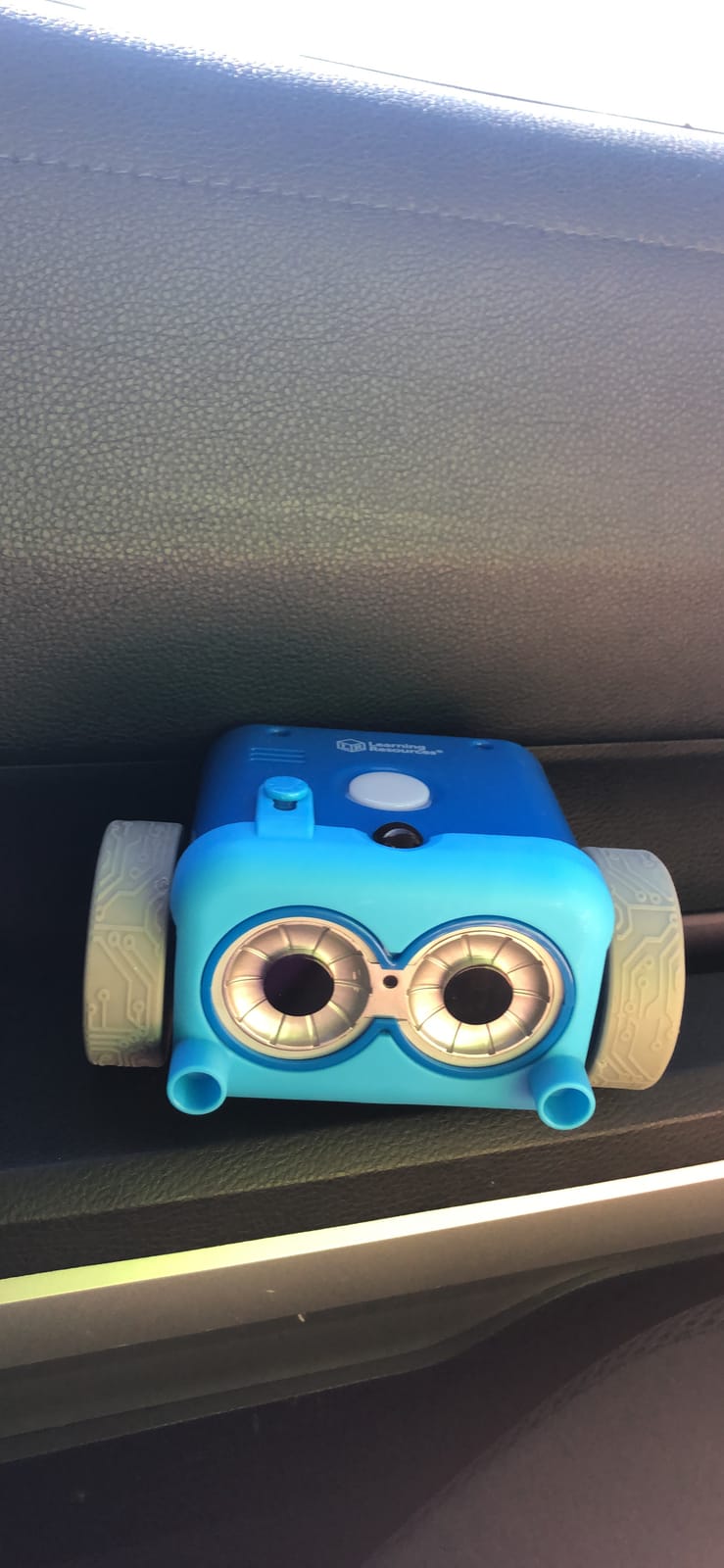
The 78-piece kit is comprehensive. You get the robot, the remote programmer, 40 coding cards, 6 double-sided activity boards, and stackable obstacle pieces. That’s enough for solo play, sibling play, or classroom rotations. The 16 secret code combinations are a fun unlockable feature that keeps kids exploring beyond the standard challenges.
The main complaints we share with reviewers: Botley runs on 5 AAA batteries that aren’t included, and turn angles are limited to exactly 45 or 90 degrees. Neither is a dealbreaker, but the battery situation is worth solving with rechargeables before the first session.
Who should buy this robot
Families with kids ages 5 to 7 who want screen-free coding. It’s also the strongest pick for preschool and kindergarten classrooms, and for parents who specifically want to delay screen-based learning as long as possible.
Who should skip this robot
Older kids will outgrow Botley within months. If your child is 8 or up, the Makeblock mBot or Sphero Mini offers a longer runway. And if you want a coding robot that progresses all the way to Python, look at the Makeblock mBot2 or Wonder Workshop Dash.
Buying Guide: How to Choose the Right Coding Robot
The best coding robot for your child depends on three things: age, coding experience, and how much screen time you’re comfortable with. We’ve organized the rest of this guide around those three questions so you can find the right fit without reading every review.
Match the robot to your child’s age
For ages 4 and 5, start with the Code & Go Robot Mouse or Learning Resources Botley 2.0. Both are screen-free, both teach sequencing, and both work without reading. For ages 6 and 7, the Wonder Workshop Dash is the best balance of features and ease of use. For ages 8 through 10, the Makeblock mBot or Sphero Mini introduces block coding without overwhelming new learners. For ages 11 and up, the Makeblock mBot2 or ELEGOO robot car adds Python and Arduino to keep advanced learners engaged.
One parent on r/daddit described the wrong matchup perfectly: “Bought Dash for our 7-year-old and 5-year-old. The 7-year-old loved it and progressed to Python within 6 months. The 5-year-old lost interest after a month because of the screen requirements.” A 5-year-old needs a screen-free robot. A 7-year-old can handle the app.
Decide between screen-free and app-based
Screen-free robots like the Code & Go Mouse, Botley 2.0, and Teach Tech Mech 5 are the best choice for parents actively managing screen time, for kids under 6, and for classroom settings with shared tablets. They limit the ceiling, however. Once a child masters button sequencing, there’s no path to Python or JavaScript.
App-based robots like the Sphero Mini, Makeblock mBot, Wonder Workshop Dash, and Artie 3000 scale all the way from blocks to text-based languages. They’re the right choice for families who want one robot that grows with their child. The trade-off is that they require a tablet, phone, or computer for most activities.
Look at coding depth and progression
Every coding robot on this list teaches sequencing. Only some teach the full progression: blocks to Python to text-based languages. The Sphero Mini, Makeblock mBot, Makeblock mBot2, Wonder Workshop Dash, and Artie 3000 all support this progression. The screen-free robots do not. If you want a 3-year runway from one purchase, focus on the robots that support text-based languages.
Check for open coding platforms
Robots that use Scratch, Python, or Arduino teach skills that transfer to other coding environments. Robots that use only proprietary apps teach skills that end when the app stops being supported. Several parents on r/daddit and the Well Trained Mind forum have flagged this as a real concern. Makeblock, Sphero, Wonder Workshop, and ELEGOO all use open or widely-supported platforms.
Consider battery life and total cost of ownership
The robots on this list range from 1 hour (Sphero Mini) to 5 hours (Wonder Workshop Dash, Makeblock mBot2) per charge. Battery life matters more for travel than for home use. Also factor in batteries: the Code & Go Mouse, Botley 2.0, Makeblock mBot, Makeblock mBot Ranger, and Artie 3000 all run on AA or AAA batteries that aren’t included. A rechargeable battery pack is the first accessory to buy.
Robotics competitions and beyond
If your child gets hooked on coding robots, the next step is a robotics competition. FIRST LEGO League is the largest and most beginner-friendly, with regional tournaments starting at age 6. VEX IQ targets middle schoolers. The World Robot Olympiad is global and open to all ages. The Makeblock mBot Ranger and ELEGOO robot car both develop skills that transfer directly to these competitions.
Sustainability and longevity
At We Are Salt, we think about how long a toy lasts before it ends up in a landfill. Coding robots score well here: durable metal frames (Makeblock mBot, mBot2, Ranger), replaceable parts, and free companion apps that don’t require subscriptions. The most repairable robots on this list are the Makeblock line and the Sphero line. The least repairable are the budget screen-free kits, but those also cost less upfront.
Frequently Asked Questions
What is the best coding robot for kids?
The best coding robot for most kids is the Sphero Mini because it scales from drag-and-drop blocks to JavaScript, costs less than a pair of movie tickets, and is small enough to travel. For beginners ages 5 to 7, the Learning Resources Botley 2.0 is the strongest screen-free pick. For older kids who want real engineering depth, the Makeblock mBot2 adds Python support and 5 hours of battery life.
What age should a child start with a coding robot?
Children can start with screen-free coding robots as young as age 4 using the Code and Go Robot Mouse or Botley 2.0. For app-based robots, age 6 to 8 is the typical starting point when fine motor skills and basic reading are in place. By age 10 to 12, kids are ready for Python and Arduino-based kits like the Makeblock mBot2 or ELEGOO robot car.
Are coding robots better than coding apps?
Coding robots teach the same programming concepts as coding apps, but with a physical feedback loop: when the code runs, the robot either does what you told it to do or it doesn’t. That immediate real-world consequence produces stronger learning retention than screen-only apps, especially for younger kids. Robots do require more setup and storage, and many cost more than a subscription coding app.
How much does a good coding robot for kids cost?
A quality coding robot for kids ranges from around 40 dollars for entry-level screen-free kits like the Teach Tech Mech 5 to over 350 dollars for advanced engineering kits. The sweet spot for most families is between 60 and 160 dollars, which covers the Makeblock mBot, Sphero Mini, Code and Go Mouse, and Wonder Workshop Dash. Premium kits like the Makeblock mBot2 and ELEGOO robot car deliver more coding depth and longer battery life.
What coding language will my child learn?
Most coding robots use Scratch-style block coding as the entry point, which is the standard visual programming language developed by MIT. Robots like the Sphero Mini, Makeblock mBot2, Wonder Workshop Dash, and Artie 3000 progress from blocks to real text-based languages including JavaScript, Python, and Arduino C/C++. These languages transfer directly to high school computer science classes and beyond.
Do I need a tablet or computer to use a coding robot?
Screen-free coding robots like the Code and Go Mouse, Botley 2.0, and Teach Tech Mech 5 need no tablet or computer at all. App-based coding robots require a phone, tablet, or laptop to run the companion app. The Sphero Mini, Makeblock mBot, Makeblock mBot2, Wonder Workshop Dash, and Artie 3000 all work on iOS, Android, and Fire OS devices, though some work better on tablets than on smaller phone screens.
Which coding robot grows with my child?
The Makeblock mBot2 is the strongest long-term investment because it scales from Scratch blocks through Python and supports 30+ expandable modules that extend the robot’s life well into the teen years. The Sphero Mini is a close second, scaling from blocks to JavaScript on a compact robot that travels easily. The Wonder Workshop Dash offers five progressive apps that cover ages 6 through 11. None of these robots hit a ceiling in year one.
Final Verdict: Which Coding Robot Should You Buy?
After six weeks of testing ten robots with kids aged 5 through 14, our team’s top three recommendations come down to the child’s profile. For most families starting out, the Sphero Mini is the best coding robot for kids because it delivers the strongest balance of price, durability, and long-term coding depth. For younger kids and screen-free households, the Code & Go Robot Mouse or Learning Resources Botley 2.0 is the right starting point. For older kids ready for real engineering, the Makeblock mBot2 scales all the way to Python.
If your child is brand new to coding, the Makeblock mBot remains the strongest value pick: it’s the lowest-friction entry to a serious coding platform, and the 500+ compatible parts mean it grows with your child for years. The Wonder Workshop Dash is the better pick for families who want zero setup and a classroom-tested experience out of the box. And for teens ready to commit, the ELEGOO robot car or Makeblock mBot Ranger is the right bridge into real robotics competitions.
Whichever robot you choose, the most important thing is to start. Our testers all said the same thing after their first session: they couldn’t wait to write the next program. That excitement is the real product, and every robot on this list delivers it.