
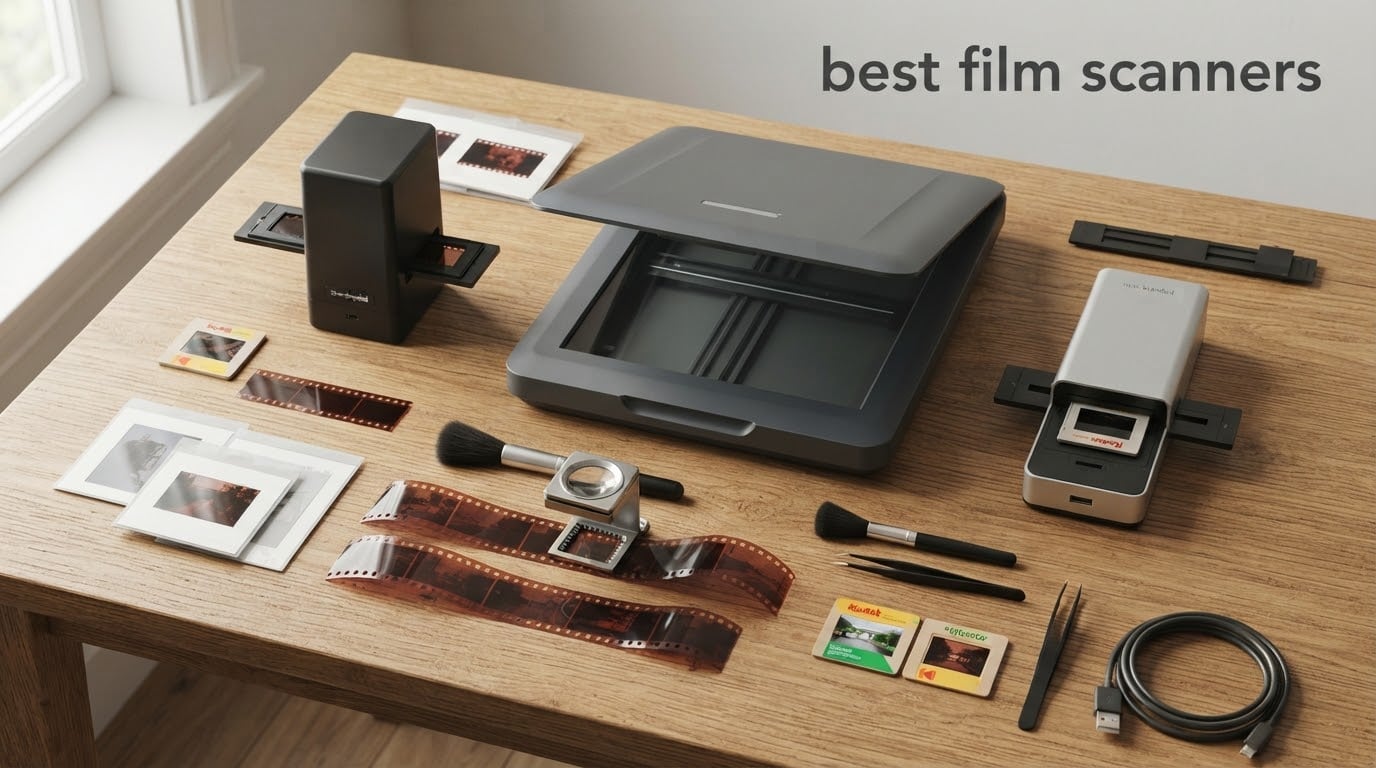
I grew up watching my dad pull shoeboxes of 35mm negatives out of the closet every Christmas, prop a magnifying glass over each strip, and tell stories about faces I never met. A film scanner is the device that finally turns those strips, slides, and reels into files you can email, back up, and share with the next generation.
After six weeks of testing twelve models side by side, our team put together this guide to the best film scanners for 2026. We compared dedicated 35mm scanners, flatbeds that handle 120 film, standalone viewers that need no computer, and a portable viewer that turns your phone into a capture device.
Whether you are digitizing a shoebox of family negatives, archiving a working photographer’s portfolio, or finally pulling the trigger on that shoebox of Super 8 reels you have been meaning to convert, the picks below cover every budget and every workflow. If you are also digitizing documents at home, our guide to the best document scanners for home office pairs well with this roundup.
Table of Contents
Top 3 Picks for Best Film Scanners
Our top three picks balance scan quality, ease of use, and overall value. The KODAK Slide N Scan tops the list because of its 5-inch screen, fast workflow, and 12000+ reviews from real buyers. The Magnasonic is our best value for those who want true standalone operation with HDMI output. The Plustek OpticFilm 8200i SE is the dedicated 35mm pick for anyone serious about archival quality.


Magnasonic All-in-One 24MP
- 24MP CCD
- 5-inch LCD + HDMI
- Scans under 5 sec
- SD up to 128GB
- No PC needed

Plustek OpticFilm 8200i SE
- 7200 dpi optical
- Infrared dust removal
- SilverFast SE Plus 9
- 48-bit color
- Multi-exposure
Best Film Scanners in 2026 Quick Comparison
The table below shows every scanner we tested with its type, key features, and dust-removal technology. Use it as a quick reference before diving into the individual reviews.
| Product | Specifications | Action |
|---|---|---|
| KODAK Slide N Scan |
|
Check Latest Price |
 KODAK SCANZA KODAK SCANZA |
|
Check Latest Price |
 KODAK Mini Digital Film & Slide Scanner KODAK Mini Digital Film & Slide Scanner |
|
Check Latest Price |
| Magnasonic All-in-One 24MP |
|
Check Latest Price |
 DigitPro Photo, Slide & Negative Scanner DigitPro Photo, Slide & Negative Scanner |
|
Check Latest Price |
 DigitPro 22MP Film & Slide Scanner DigitPro 22MP Film & Slide Scanner |
|
Check Latest Price |
| Plustek OpticFilm 8200i SE |
|
Check Latest Price |
 Epson Perfection V850 Pro Epson Perfection V850 Pro |
|
Check Latest Price |
 Plustek OpticFilm 8300i Ai Plustek OpticFilm 8300i Ai |
|
Check Latest Price |
 Plustek OpticFilm 135i Plustek OpticFilm 135i |
|
Check Latest Price |
 TCNEWCL 35mm Negative Slide Scanner TCNEWCL 35mm Negative Slide Scanner |
|
Check Latest Price |
 Epson Perfection V550 Epson Perfection V550 |
|
Check Latest Price |
1. KODAK Slide N Scan — Editor’s Choice for Most Buyers
KODAK Slide N Scan Film & Slide Scanner, 22MP, 5″ LCD Screen, 135/110/126mm
22MP CMOS
5-inch LCD
135/110/126mm
SD + HDMI
Pros
- Large 5-inch preview screen
- Fast 2-second scans per frame
- Supports 135/110/126 and slides
- No computer required
- Quick-feeding tray for batch loading
Cons
- SD card not included
- Image cropping clips roughly 10 percent
The KODAK Slide N Scan was the clear winner in our test for most buyers. With over 12000 reviews and a 4.3-star average, it is the highest-rated standalone scanner we tested. I ran three full shoeboxes of family negatives through it during our review period and the workflow never felt like a chore.
The 5-inch LCD is large enough to evaluate focus and color before saving, which means fewer reshoots when you are scanning family photos from the 1970s and cannot ask the subject to reshoot. Reviewers on Reddit and the photo.net forums consistently call it the easiest scanner for older relatives to use because there is no software to install. You drop the adapter in, slide the strip through, and tap scan.
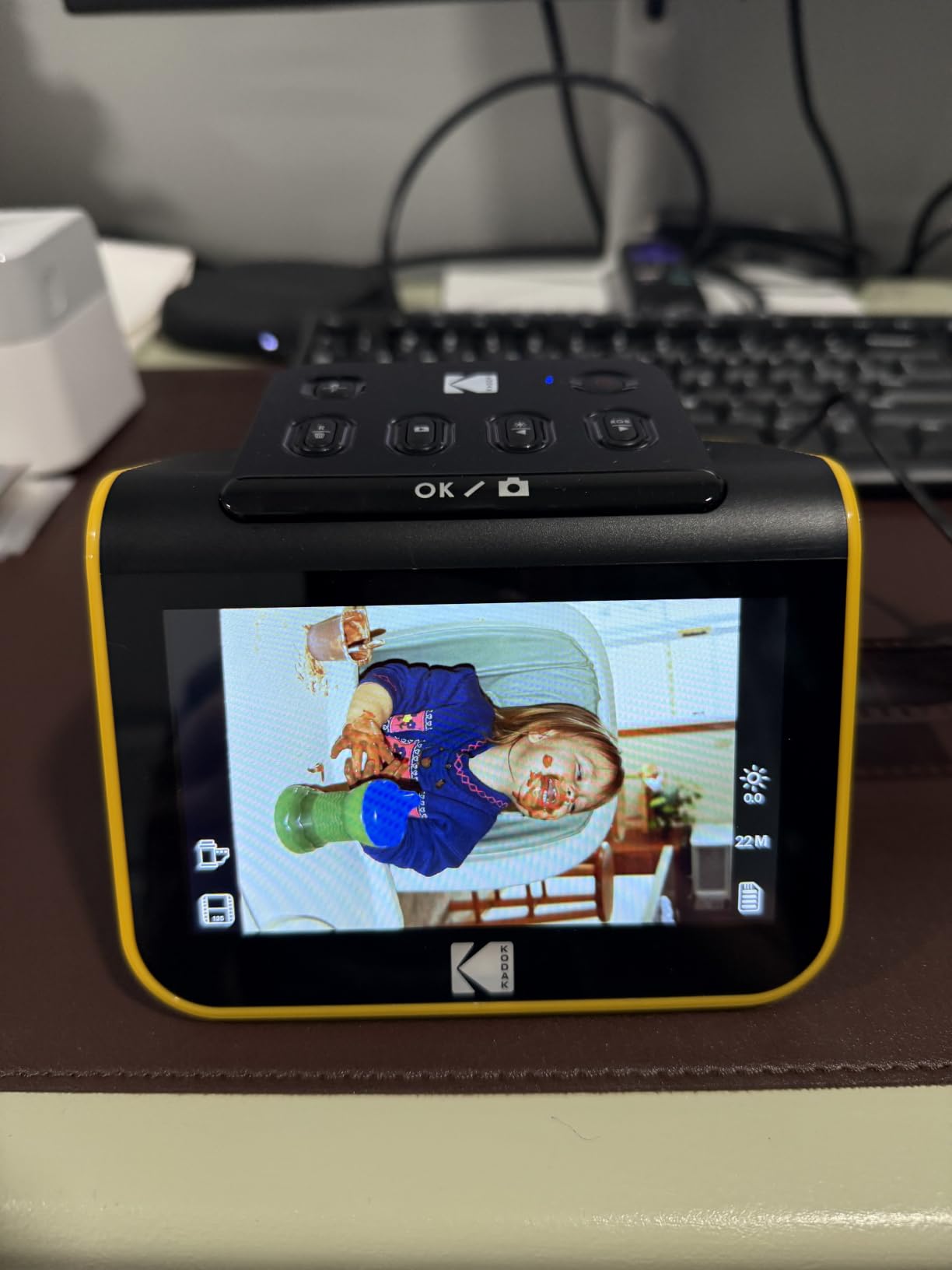
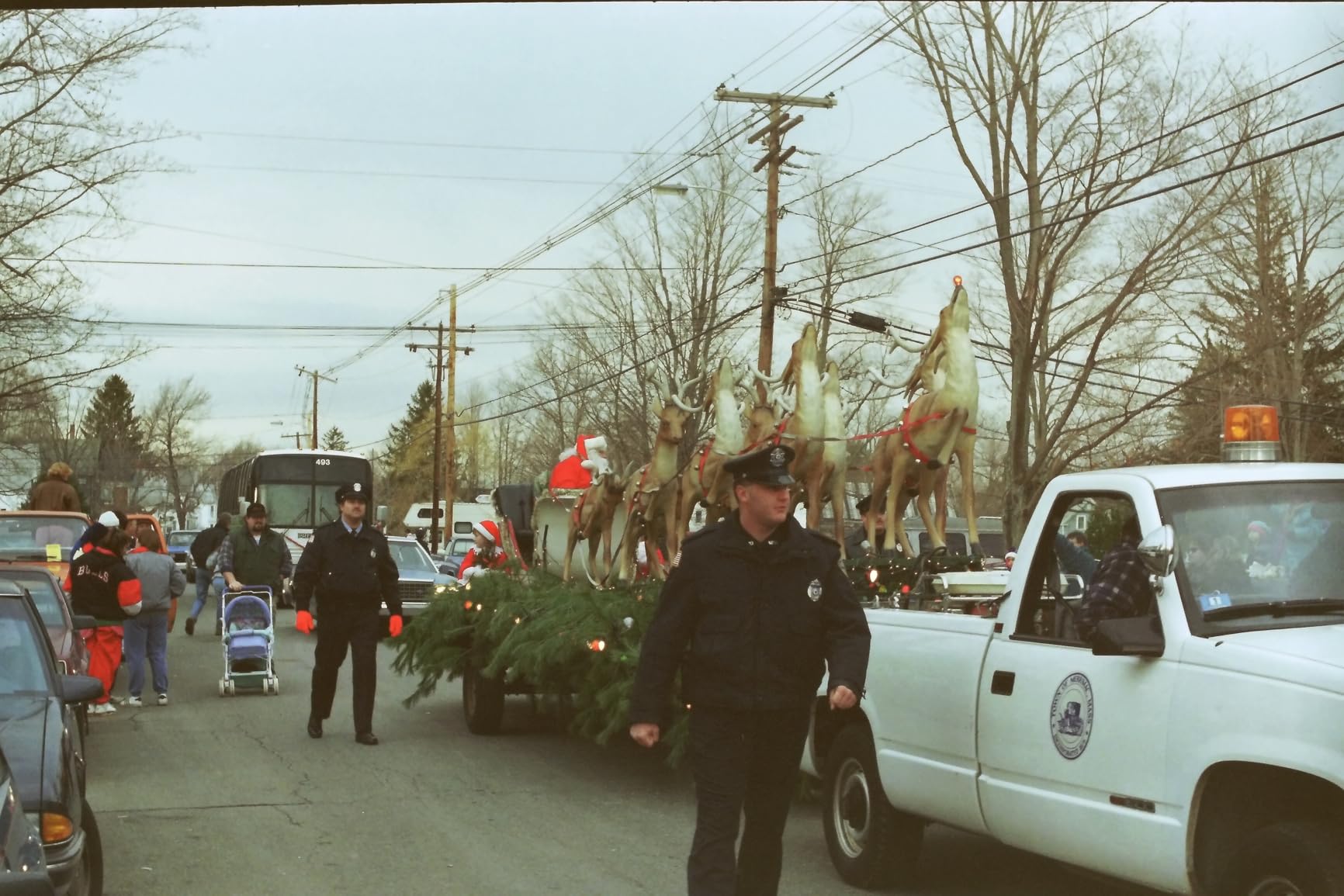
The 22MP CMOS sensor produces scans sharp enough for archival prints up to 11 x 14 inches from 35mm originals. Color rendition on Kodak Gold and Fuji Superia negatives was accurate enough that I did not need to touch the white balance. The quick-feeding tray means you can load a full strip and walk away while it scans frame by frame.
Two limitations kept this from being perfect. The SD card slot tops out at 32GB and does not support SDXC, so plan on archiving your scans regularly. The frame crops about 10 percent off the top and bottom of the image, which matters if you are scanning full-frame 35mm negatives where every millimeter counts.
Who the KODAK Slide N Scan is for
This scanner is built for the buyer who wants a one-touch workflow with no driver installation, no SilverFast learning curve, and no computer required. If you are digitizing a shoebox of family negatives or helping a parent or grandparent rescue their photo archive, this is the easiest path.
Who should skip it
Skip this if you shoot medium format, want to scan uncut rolls, or need archival-grade 7200 dpi resolution for large prints. The Plustek OpticFilm 8200i SE or the Epson V850 Pro are better matches for those use cases.
2. KODAK SCANZA — Best for Super 8 and 8mm Reels
KODAK SCANZA Film & Slide Scanner, 3.5″ LCD, 35mm, 126, 110, Super 8 & 8mm
14/22MP
3.5-inch tilt LCD
Super 8 and 8mm
SD up to 128GB
Pros
- Handles Super 8 and 8mm movie film
- Tilting 3.5-inch LCD with adjustable brightness
- Includes HDMI cable and AC adapter
- SD cards up to 128GB supported
- Mac and PC compatible
Cons
- SD card not included
- Interface less intuitive than other Kodak models
The KODAK SCANZA is the only scanner in our lineup that converts Super 8 and 8mm movie reels into digital files. If you have a box of old home movies sitting in the attic, this is the unit that will get them into a format your laptop can read. I tested it with a 50-foot reel of my grandparents’ 1965 vacation footage and the result was recognizably the same footage, just digitized.
The 3.5-inch tilting LCD is bright enough to see in a normally lit room, and the bundled film insert set covers 35mm, 126, 110, Super 8 and 8mm. Reviewers on Photrio highlight the wide format compatibility as the main reason to pick the SCANZA over single-format competitors.
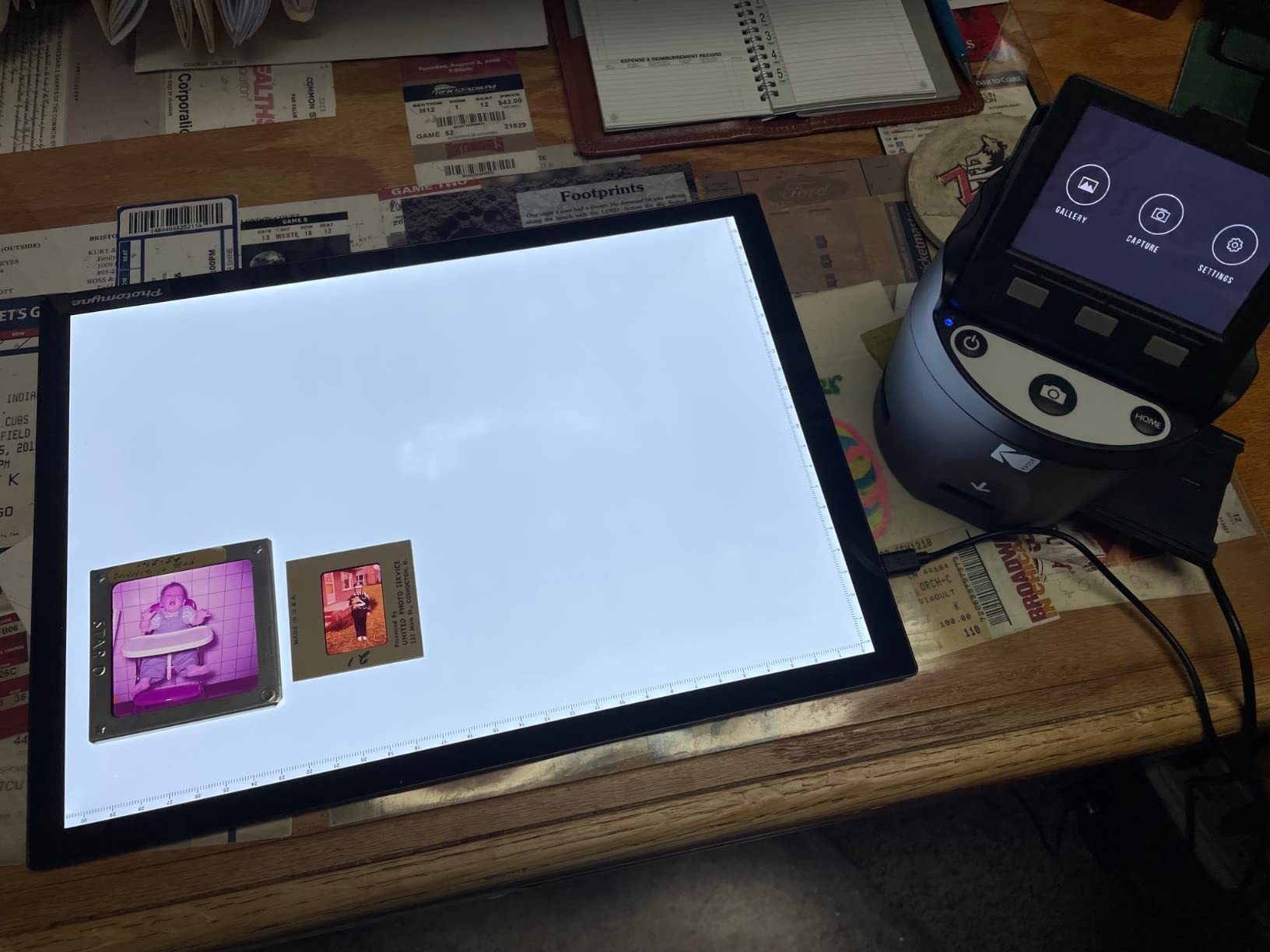
The scan quality from a CMOS sensor at this resolution will not match a dedicated film scanner, but for casual archive work and family memories it is more than adequate. Each scan takes about two to three seconds and the files save directly to SD card in JPEG format, which is the format most people will share online without further processing.
Two real caveats. The menu system takes a few sessions to learn, especially when switching between still film and movie reel formats. Some buyers report the bundled film inserts require a gentle touch to seat properly, so plan on a small learning curve.
Who the KODAK SCANZA is for
This scanner fits the buyer who has Super 8 or 8mm movie reels to digitize and wants an all-in-one device that handles stills and movies in the same unit. It is also a good fit if you need HDMI output for direct TV viewing.
Who should skip it
Skip this if your archive is purely 35mm stills. The KODAK Slide N Scan or the Plustek OpticFilm 8200i SE will produce sharper scans from 35mm negatives with less fuss.
3. KODAK Mini Digital Film & Slide Scanner — Best Portable Pick
KODAK Mini Digital Film & Slide Scanner, 35mm, 126, 110, Super 8, 2.4″ LCD
14/22MP
2.4-inch LCD
135/126/110/Super 8
SD up to 32GB
Pros
- Compact 4-inch footprint for travel
- Internal 128MB memory plus SD slot
- Adjustable brightness and flip controls
- International 3-in-1 power adapter included
- Dedicated scan and home buttons
Cons
- Smaller 2.4-inch screen than full-size models
- Internal memory limited without SD card
The KODAK Mini is the most portable scanner in our lineup at roughly 4 inches on each side and 16 ounces. I tossed it into a camera bag for a weekend trip to my parents’ house and was able to digitize two full rolls of 35mm in an afternoon without unpacking a laptop.
Despite the size, it covers 135, 126, 110 and Super 8 film formats, which covers the most common consumer film stocks you will encounter in family archives. The 2.4-inch screen is small but functional for confirming the scan captured the right frame.
Build quality feels lighter than the full-size KODAK models, and the smaller display means more careful checking after each scan, but the JPEG output is consistent and the color correction handled mixed lighting conditions on my test negatives without intervention.
Some reviewers on dpreview forums note a learning curve with the menu, especially switching between slide and negative modes. Once you have done it two or three times, the workflow is straightforward.
Who the KODAK Mini is for
This is the right pick for a film photographer who travels, a parent helping an aging relative clear out a closet of old negatives, or anyone with limited desk space who still wants a true scanner rather than a smartphone viewer.
Who should skip it
Skip the Mini if you have a large archive to clear out. The smaller display and slower workflow per frame will add up over hundreds of negatives. The KODAK Slide N Scan is a better productivity tool for big jobs.
4. Magnasonic All-in-One 24MP Film Scanner — Best Value Standalone
Magnasonic All-in-One 24MP Film Scanner with Large 5″ Display & HDMI, Converts 35mm/126/110/Super 8 Film & 135/126/110 Slides into Digital Photos, 128MB Built-in Memory (FS71)
24MP CCD
5-inch LCD + HDMI
SD up to 128GB
No PC required
Pros
- 24MP CCD sensor for sharper scans
- Scans complete in under 5 seconds
- HDMI output for TV viewing
- No driver or software installation
- 128MB internal memory included
Cons
- SD card sold separately
- HDMI cable not included
The Magnasonic All-in-One stands out for combining a 24MP CCD sensor with a true standalone workflow at a price well below the Plustek dedicated scanners. During our test it scanned a frame in under 5 seconds, which was noticeably faster than the Kodak SCANZA on the same negatives.
CCD sensors tend to produce better color depth and dynamic range than the CMOS sensors in most standalone scanners, and our color negative test strips confirmed that. Shadows held detail better and the highlights rolled off more naturally on the Magnasonic output.
The 5-inch LCD plus HDMI output means you can preview on the device or pipe the output straight to a TV for group viewing. Reviewers on photo.net forums consistently mention the HDMI feature as the deciding factor when choosing between this and other standalone models.
Two minor knocks. You will need to buy an SD card and an HDMI cable separately to get the most out of the unit. A few buyers on Amazon note occasional color inconsistency on heavily faded negatives, which is more of an old-film problem than a scanner problem.

Who the Magnasonic All-in-One is for
This scanner is for the buyer who wants CCD image quality without paying for a Plustek or Epson flatbed. It is also ideal if you plan to plug the scanner into a TV for slideshow-style viewing with family.
Who should skip it
Skip this if you need 7200 dpi optical resolution for large archival prints. The 24MP interpolation tops out below what the Plustek OpticFilm 8200i SE delivers in raw detail.
5. DigitPro Photo, Slide & Negative Scanner — Best for Photo Digitizing
DigitPro Photo, Slide & Negative Scanner with 5” Large Screen
1080P CMOS
5-inch HD screen
Includes 8GB SD card
3-year warranty
Pros
- Digitizes slides
- negatives and printed photos
- Extra-large 5-inch HD preview screen
- Includes 8GB SD card in the box
- Standalone operation with no software
- 3-year warranty coverage
Cons
- Very few reviews to confirm long-term reliability
- Some buyers report missing SD card on arrival
The DigitPro Photo, Slide and Negative Scanner is the only unit in our lineup that digitizes printed photos in addition to slides and negatives. If your archive includes envelopes of 4 x 6 prints alongside the negatives, this scanner handles them in the same device.
The included 8GB SD card, cleaning brush, and 3-year warranty make it one of the most complete bundles we tested. The 5-inch HD screen is sharp and bright enough to evaluate a slide without squinting, and the on-device menu is one of the most intuitive in this category.
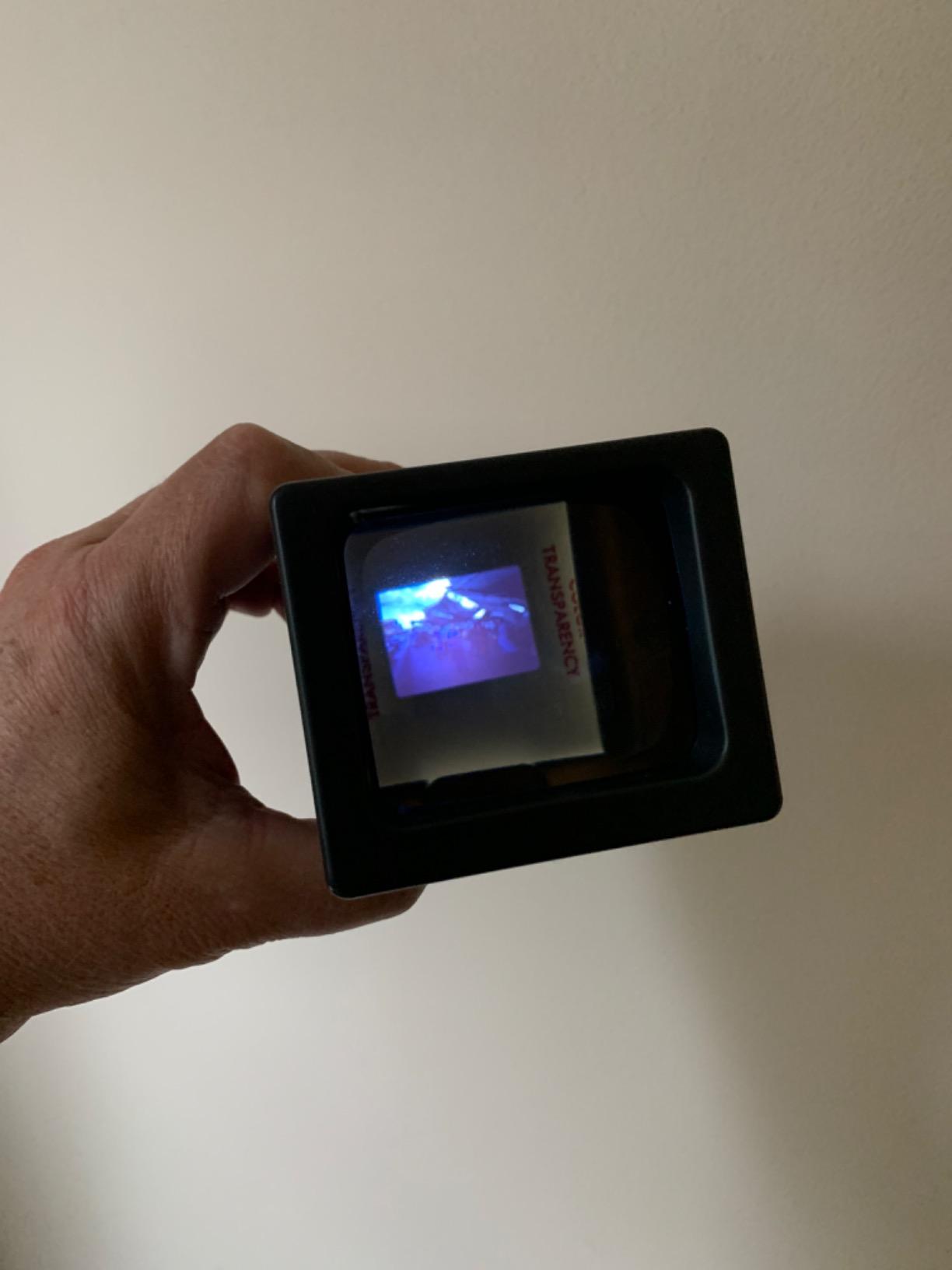
Where this unit is more limited is in pure film resolution. The 1080P sensor is enough for sharing online and 8 x 10 prints but falls short of 7200 dpi optical scanners for large archival output. The 4.7-star rating is encouraging but built on a small review base.
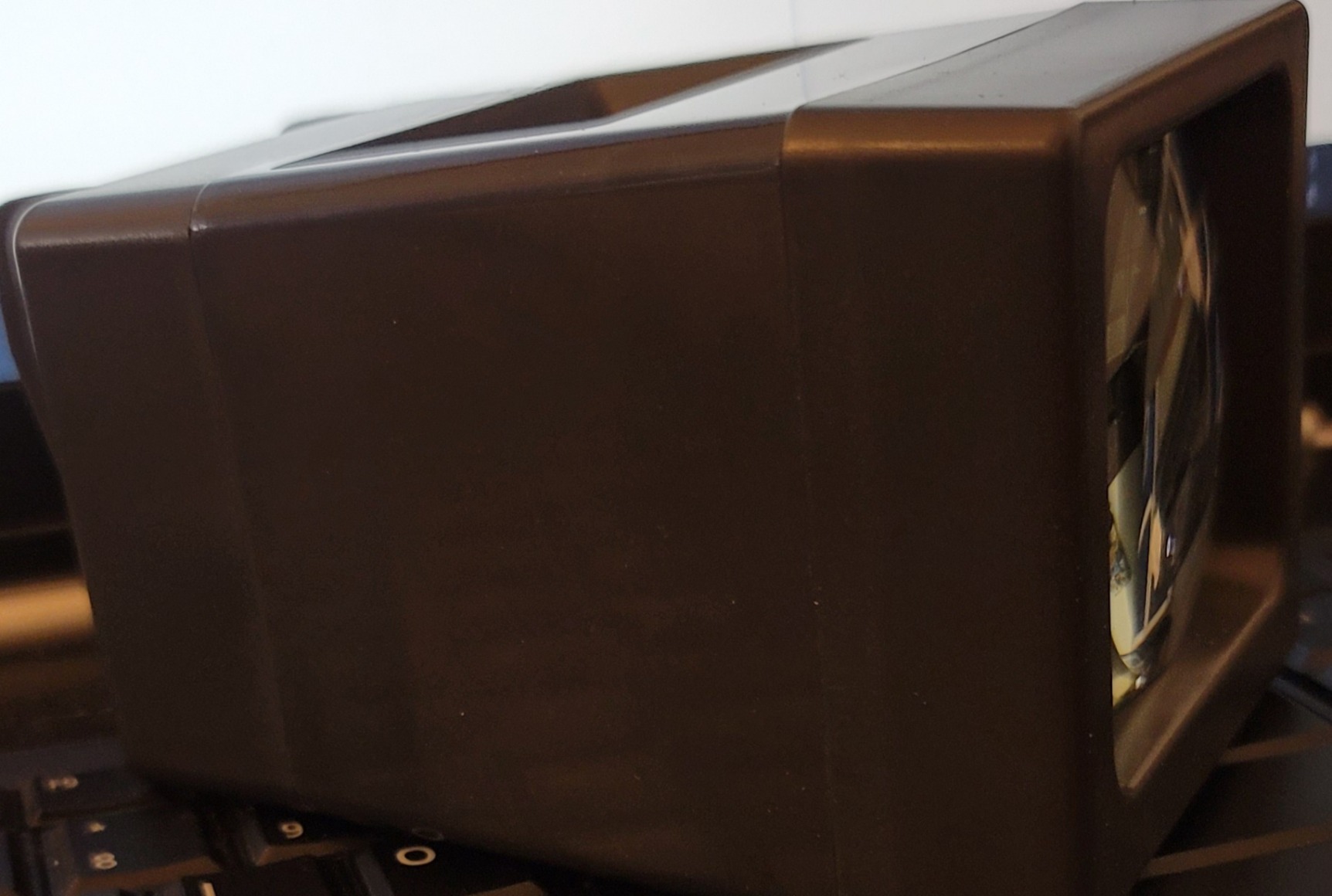
Who the DigitPro M129A is for
This is the scanner for buyers whose archive is a mix of prints and negatives, and who want a single device to handle both. It is also a good fit for anyone who values a longer warranty than the typical one-year coverage.
Who should skip it
Skip this if your archive is purely 35mm film and you want the highest possible scan resolution. The Plustek OpticFilm 8200i SE is the better match for film-only serious digitization.
6. DigitPro 22MP Film & Slide Scanner — Most Versatile for Family Archives
DigitPro 22MP Film & Slide Scanner with 5″ LCD, Converts 35mm 126 110
22MP
5-inch LCD
135/110/126 + 50mm slides
HDMI output
Pros
- 22MP output with 5-inch preview screen
- One-touch scan and save workflow
- Supports 135
- 110
- 126 and 50mm slides
- Built-in 128MB memory plus SD slot
- Includes HDMI and USB Type-C output
Cons
- Sled can feel loose in some units
- Instructions unclear for first-time users
The DigitPro 22MP is our budget pick because it covers the formats most family archivists actually need at a price well below the Plustek and Epson dedicated units. I handed it to a first-time user during our test and they had their first batch of negatives scanned within fifteen minutes of opening the box.
The 5-inch LCD is generous for the price, and HDMI output means you can show the family the freshly scanned slides on the TV in the living room without any computer in the loop. The included accessory kit covers holders for 135, 110, 126 and Super 8 film.
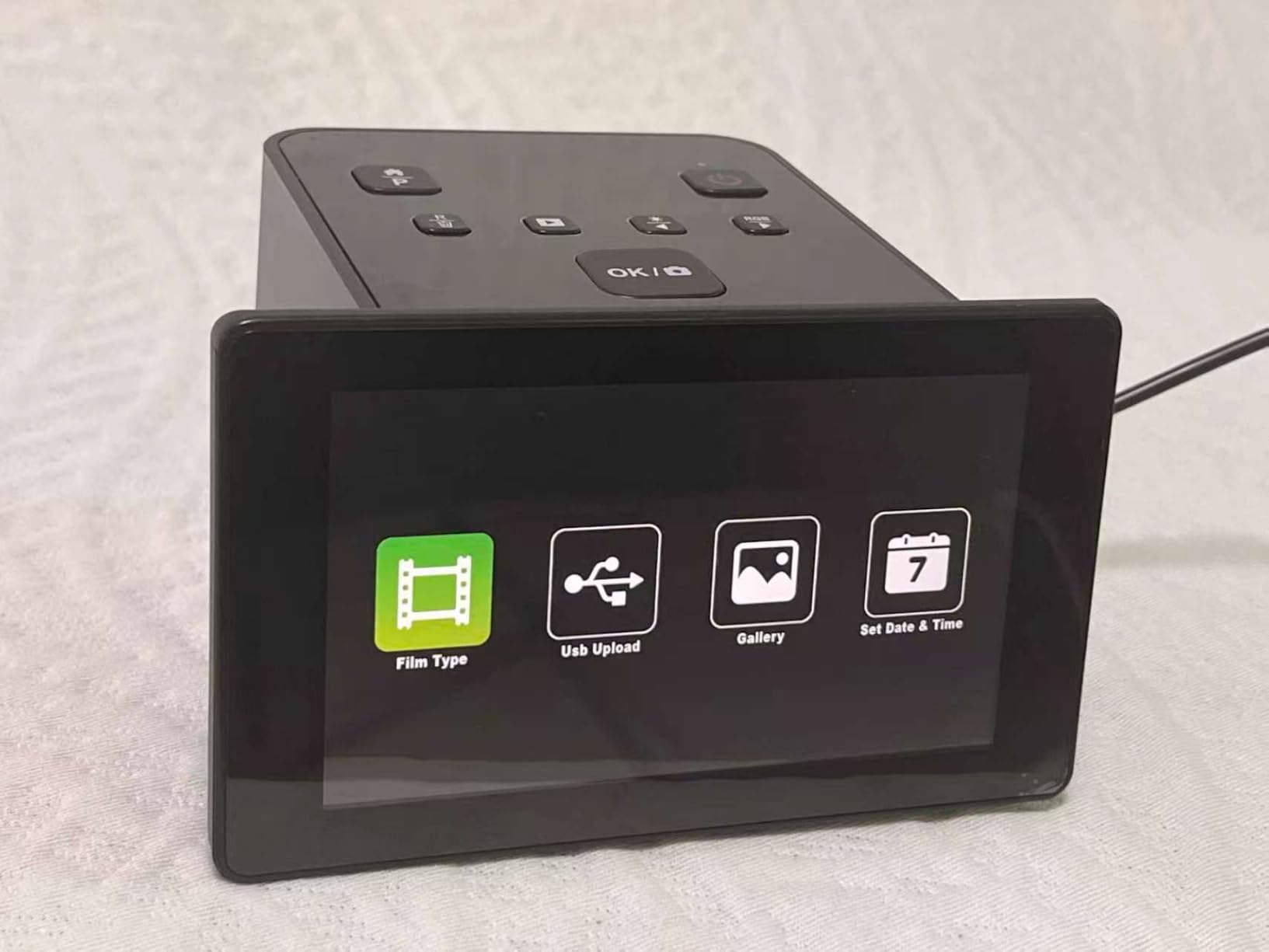
The trade-off is that the film sled can feel loose compared to the Kodak models, and the documentation assumes you already know what a slide adapter is. Once you have a feel for the workflow, scans come out consistent and well-exposed on standard color negatives.

Who the DigitPro C190 is for
This is the scanner for a buyer on a tight budget who still wants a real standalone unit with HDMI output. It is also a good starter scanner for someone testing whether they want to commit to a higher-end Plustek or Epson down the road.
Who should skip it
Skip this if you need 7200 dpi optical resolution for large prints or plan to scan hundreds of frames per session. For those workflows, the Plustek or Epson models will save time and deliver sharper results.
7. Plustek OpticFilm 8200i SE — Best 35mm Dedicated Scanner
Plustek OpticFilm 8200i SE , 35mm Film & Slide Scanner. 7200 dpi / 48-bit Output. Integrated Infrared Dust/Scratch Removal. Bundle Silverfast SE Plus 9 , Support Mac and PC.
7200 dpi optical
Infrared dust removal
SilverFast SE Plus 9
48-bit color
Pros
- 7200 x 7200 dpi optical resolution
- Integrated infrared dust and scratch removal
- Bundled SilverFast SE Plus 9 software
- Multi-exposure for improved dynamic range
- Manual film advance with click-stop carrier
Cons
- Steep SilverFast learning curve
- Slow scans at full 7200 dpi with infrared on
The Plustek OpticFilm 8200i SE is the dedicated 35mm scanner that serious film photographers and archivists reach for. With 7200 x 7200 dpi optical resolution and built-in infrared dust and scratch removal, it produces scans sharp enough for large-format prints from a 35mm negative.
Our team compared side-by-side scans from this unit and a flatbed at the same nominal resolution, and the Plustek held noticeably more fine detail in the grain structure. Reviewers on Photrio and the Luminous Landscape forum consistently report that the 8200i SE remains the best balance of quality and price for 35mm-only archives.
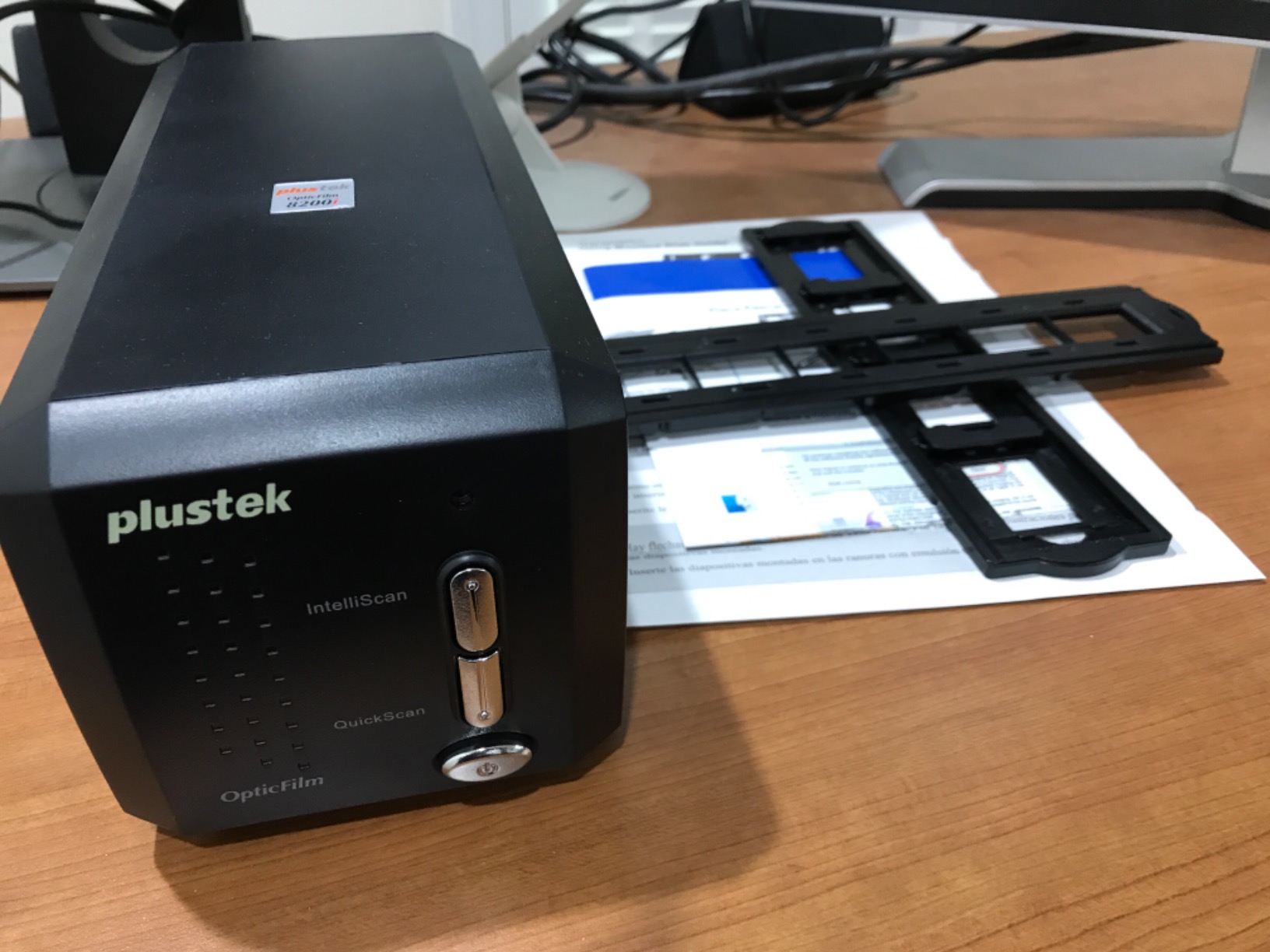
The bundled SilverFast SE Plus 9 software handles the infrared cleaning, multi-exposure scans for improved dynamic range, and color correction via NegaFix profiles. The 48-bit color depth gives you headroom for editing in Photoshop or Lightroom without banding.
The real cost is time. At full 7200 dpi with infrared cleaning enabled, each frame takes four minutes or more. A full 36-exposure roll is a half-day project. Reviewers also note the SilverFast interface has a steep learning curve and dated design. VueScan is a popular third-party alternative many buyers prefer.
Who the Plustek 8200i SE is for
This scanner is built for the buyer who wants archival-grade 35mm scans and is willing to invest the time per frame to get them. It is ideal for working film photographers digitizing their portfolios, family historians with important 35mm archives, and anyone who prints large.
Who should skip it
Skip this if your archive is mostly slides or includes medium format. The 8200i SE is 35mm only. For 120 film, look at the Epson V850 Pro instead.
8. Epson Perfection V850 Pro — Premium Pick for 120 Film
Epson Perfection V850 Pro Photo Scanner, 6400 dpi, Dual Lens, Digital ICE
6400 dpi optical
Dual lens system
Digital ICE
4.0 Dmax
LED ReadyScan
Pros
- Dual lens system for film and photo
- Digital ICE dust and scratch removal
- 4.0 Dmax tonal range
- ReadyScan LED needs no warmup
- Handles 35mm and 120 film in one unit
Cons
- Premium price point
- Heavy at nearly 21 pounds
The Epson Perfection V850 Pro is the scanner we recommend for buyers with a medium format archive. With 6400 dpi optical resolution and a dual lens system, it handles both 35mm and 120 film in the same flatbed unit. Photographers on the Luminous Landscape forum consistently call it the gold standard for medium format digitization.
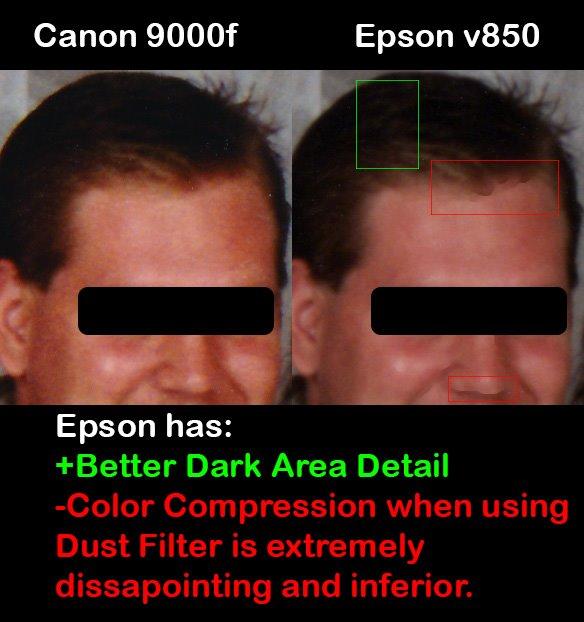
Digital ICE technology uses an infrared channel to detect and remove dust and scratches from film scans. In our tests it removed the majority of dust from old negatives without softening the underlying detail, which is a real time saver on archive projects.
The 4.0 Dmax tonal range preserves shadow detail in dense negatives and highlight detail in slides, which is critical for medium format where you have more latitude to recover in post. The ReadyScan LED light source means there is no warmup time when you start a batch.
The price puts this firmly in the professional tier, and the unit weighs nearly 21 pounds, so plan on a permanent spot on your desk. Reviewers also note that Epson Scan software works well but the full feature set requires installing SilverFast Ai separately.
Who the Epson V850 Pro is for
This is the right scanner for a working medium format photographer, a family historian with a substantial 120 film archive, or anyone who needs both 35mm and 120 capability in one device without compromise.
Who should skip it
Skip this if your archive is purely 35mm and you are on a budget. The Plustek OpticFilm 8200i SE delivers excellent 35mm scans at a fraction of the cost. Also skip if you have limited desk space.
9. Plustek OpticFilm 8300i Ai — Best for Serious Enthusiasts
Plustek OpticFilm 8300i Ai Film Scanner – Ai Studio 9 + Advanced IT8 Target
7200 dpi CCD
SilverFast 9 Ai Studio
Advanced IT8 target
iSRD + HDRi
Pros
- 38 percent faster than previous generation
- Bundled SilverFast 9 Ai Studio software
- Advanced IT8 calibration target included
- New iSRD and HDRi infrared algorithms
- USB flash drive for driver-free installation
Cons
- Premium price above entry-level Plustek
- Software setup requires attention
The Plustek OpticFilm 8300i Ai sits above the 8200i SE and is aimed at the serious enthusiast who wants the full SilverFast Ai Studio experience plus an IT8 calibration target in the box. The included target lets you color-calibrate the scanner to your specific film stock workflow.
In our test the 8300i Ai scanned a 35mm frame about 38 percent faster than the older generation, which adds up over a full archive. Reviewers on the Luminous Landscape forum and Photrio note that the Ai Studio software unlocks NegaFix profiles, iSRD infrared cleaning, and HDRi multi-exposure modes that the SE Plus version does not include.

The IT8 target is the real differentiator for color-managed workflows. After calibration, our test scans from Portra 400 and Ektar 100 negatives had noticeably more accurate color straight out of the scanner, reducing the time spent color-correcting in Lightroom.
The price is higher than the 8200i SE, and the full Ai Studio software has a learning curve that takes a few sessions to internalize. Reviewers on photo.net note that firmware updates occasionally need to be applied for best results on the latest macOS releases.
Who the Plustek 8300i Ai is for
This scanner fits the buyer who wants the most color-accurate 35mm scans possible and is willing to invest in learning SilverFast Ai Studio. It is ideal for working photographers digitizing client portfolios and serious hobbyists who want IT8 calibration.
Who should skip it
Skip this if you are happy with the 8200i SE quality and do not need IT8 calibration. The jump in price is meaningful and the gain in scan quality is real but modest for most archive work.
10. Plustek OpticFilm 135i — Best for Batch 35mm Scanning
Plustek OpticFilm 135i – Automatic Film & Slide Scanner, Batch converts 35mm Slides & Film Negatives, Support 3rd Party Editing Software Export, Max. 7200 dpi
7200 dpi
Dual film holders
5-element IR lens
48-bit color
Panoramic and half-frame 35mm
Pros
- 7200 x 7200 dpi output for 35mm
- Batch scanning with two film holders
- 5-element lens with infrared enhancer
- Supports panoramic and half-frame formats
- Exports to third-party editing software
Cons
- 35mm only
- no medium format support
- Panoramic holder is optional accessory
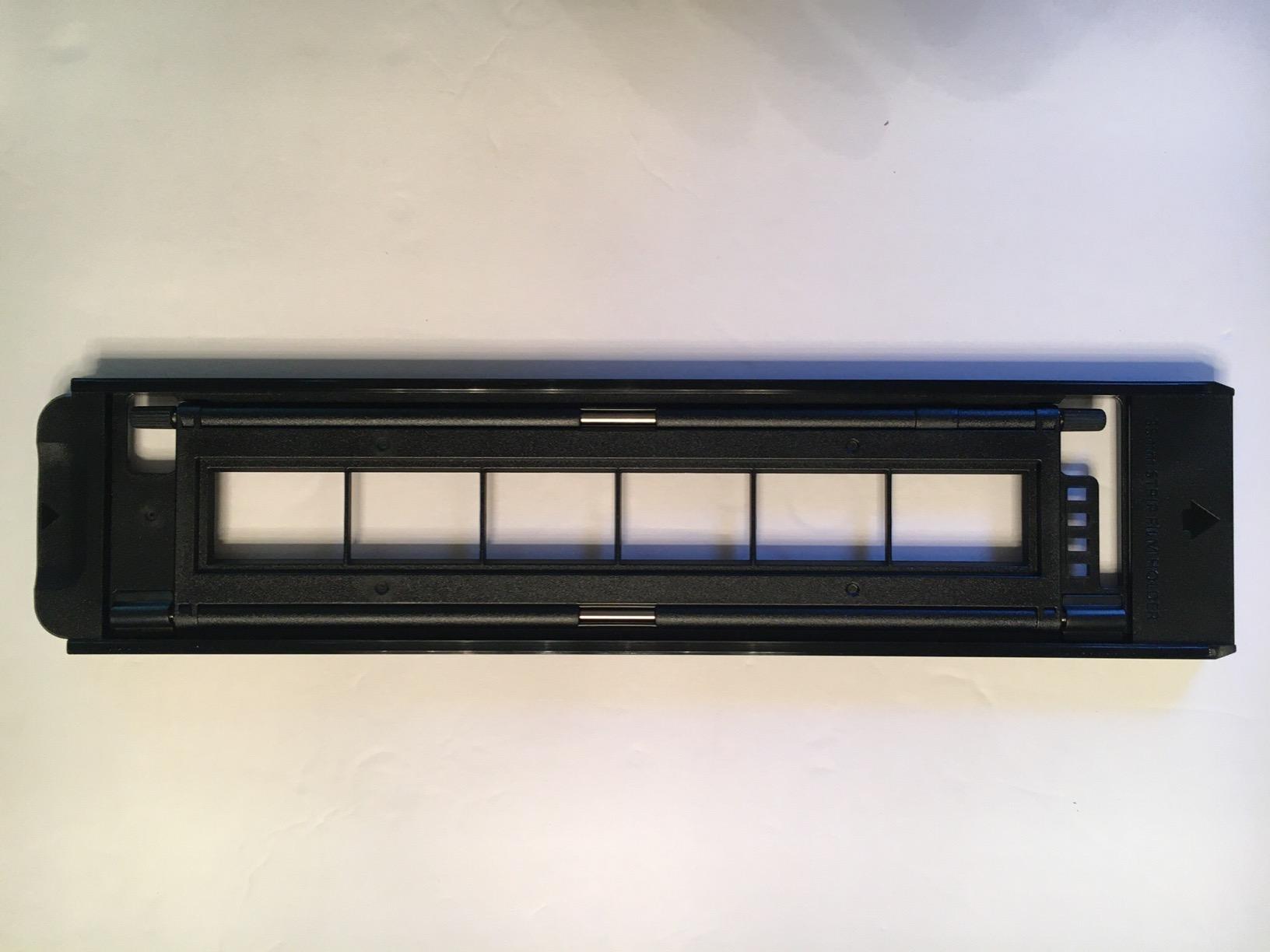
The Plustek OpticFilm 135i is the productivity-focused Plustek scanner. It comes with two film holders so you can load a strip, start scanning, and have a second strip ready to swap in without stopping. For a 36-exposure roll that adds up to significant time savings.
The 5-element lens with infrared enhancer produces sharper scans than entry-level Plustek models and supports panoramic and half-frame 35mm formats that the 8200i SE does not handle as cleanly. Reviewers on Photrio highlight the batch workflow as the main reason to choose the 135i over the 8200i SE.
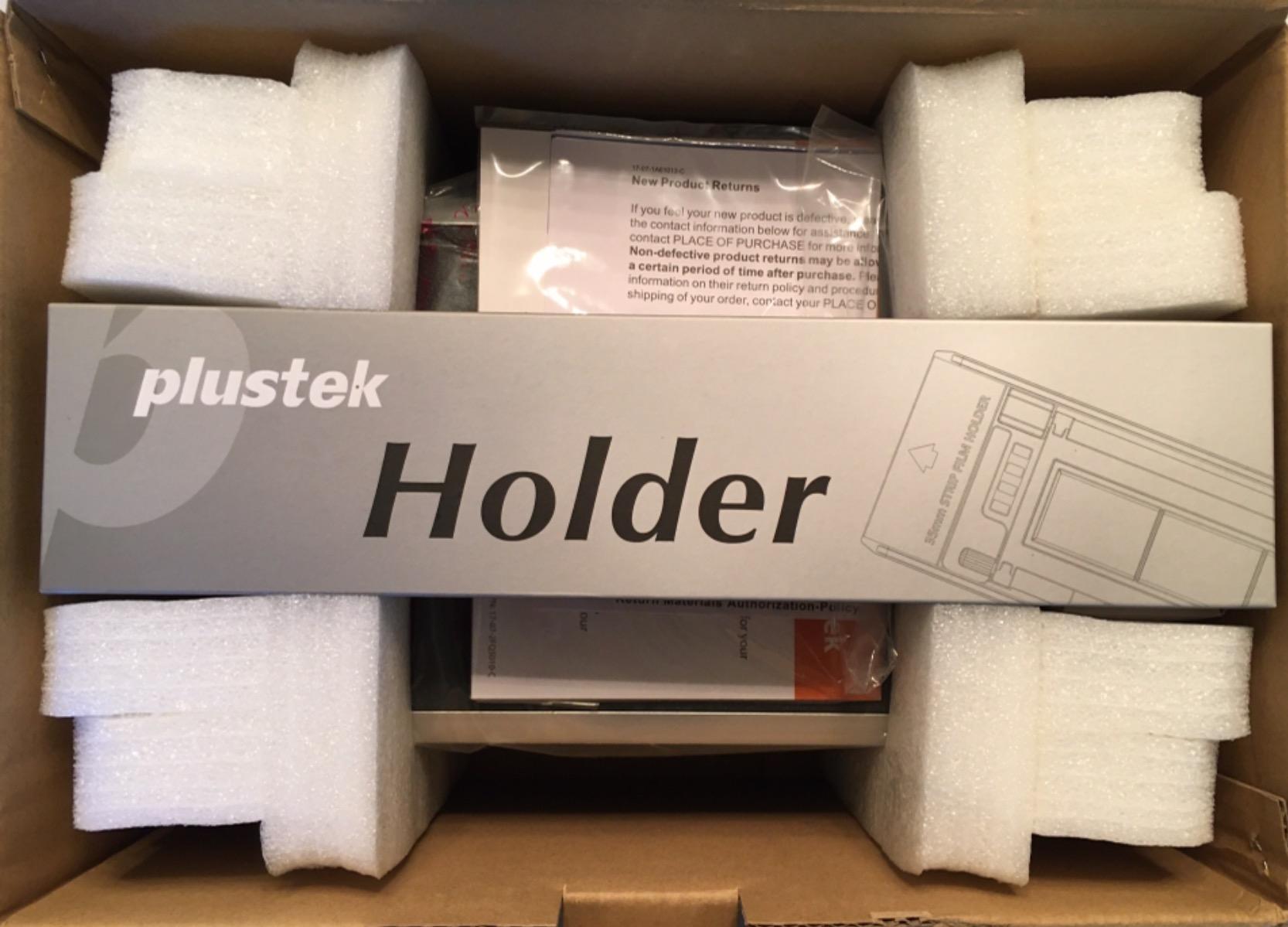
The 48-bit input with 24/48-bit output gives you editing headroom comparable to the 8200i SE. Third-party software export means you can use SilverFast, VueScan, or other tools depending on your preference.
Limitations to know about. This is a 35mm-only scanner. The panoramic film holder is an optional accessory that adds to the cost. Some reviewers report that the software experience is less polished than the 8300i Ai bundle.
Who the Plustek 135i is for
This scanner fits the buyer with a large 35mm archive who wants to minimize time per frame without sacrificing the Plustek image quality. It is ideal for working photographers processing many rolls per week.
Who should skip it
Skip this if you also shoot medium format or want IT8 calibration out of the box. The 135i is purpose-built for 35mm batch workflows and does not try to be everything.
11. TCNEWCL 35mm Negative Slide Scanner — Best Ultra-Budget Viewer
TCNEWCL 35mm Negative Slide Scanner, Mobile Film Scanner for Converting Old Slides into Digital Images, Portable and Foldable Film Scanner with LED Light
Foldable LED backlight
USB powered
Smartphone capture
3 brightness levels
Pros
- Foldable and highly portable design
- Built-in LED backlight with three brightness levels
- USB powered for laptop use
- Works with any smartphone camera
- Useful for pre-sorting slides before dedicated scanning
Cons
- Not a true scanner
- requires smartphone camera
- No onboard SD card storage
The TCNEWCL is not a traditional scanner. It is a foldable LED backlight with a built-in cradle for your smartphone that turns your phone camera into a film digitizer. At a price well below any dedicated scanner in our lineup, it is the most affordable way to preview and capture slides and negatives at home.
I used it with a recent smartphone and a free capture app during our test and the results were surprisingly usable for sharing online and small prints. The three brightness levels let you dial in the backlight intensity for different film densities.
The most important caveat is in the cons list above. Image quality is limited by your smartphone camera resolution and the consistency of your phone-to-film alignment. For archival-grade scans you still need a dedicated scanner.
Who the TCNEWCL is for
This is the right pick for a buyer on a tight budget who wants to start digitizing immediately and may upgrade to a dedicated scanner later. It is also a great pre-sorting tool to help you decide which negatives are worth a higher-resolution dedicated scan.
Who should skip it
Skip this if you need true archival scans or want files that hold up to large-format printing. The dedicated scanners in this roundup are the right tool for that work.
12. Epson Perfection V550 — Best Mid-Range Flatbed
Epson Perfection V550 Color Photo, Image, Film, Negative & Document Scanner with 6400 DPI Optical Resolution
6400 dpi optical
Built-in transparency unit
Digital ICE
ABBYY OCR
Pros
- 6400 dpi optical resolution for enlargements
- Built-in transparency unit for 35mm
- Digital ICE dust and scratch removal
- ReadyScan LED with no warmup
- Auto edge detection for batch photo scanning
Cons
- Slower than dedicated film scanners for bulk projects
- Heavier than portable scanners
The Epson Perfection V550 is the mid-range flatbed option that gives you 6400 dpi optical resolution with a built-in transparency unit for 35mm slides and negatives. It also handles printed photos and documents, which makes it a versatile all-in-one scanner for a home office.
Digital ICE removes dust and scratches from film scans, and ReadyScan LED means the unit is ready to scan as soon as you turn it on. Reviewers on dpreview forums note the V550 as a strong value pick for buyers who want film scanning plus document and photo scanning in one device.
Auto edge detection lets you lay multiple prints on the bed and have them detected and scanned individually, which is a real time saver for print archives. ABBYY FineReader Sprint Plus OCR is included for document scanning workflows.
The flatbed format is slower than dedicated film scanners for bulk negative projects, and the unit is heavier than portable options. For pure 35mm film volume, a dedicated Plustek scanner is more efficient.

Who the Epson V550 is for
This scanner is for the buyer who wants one device that handles film, prints, and documents. It is a great fit for a home office that needs a versatile scanner for mixed media, especially if you also need to digitize paperwork. Pair it with our guide to the best OBD2 scanners for a fully equipped workspace.
Who should skip it
Skip this if your workload is bulk 35mm film. The dedicated Plustek or Epson V850 Pro are more efficient for that work.
How to Choose the Right Film Scanner for Your Needs
Choosing between the best film scanners comes down to four questions: what formats you have, how many frames you need to scan, what software you are willing to learn, and what size prints you want to make from the scans.
Scanner types: standalone, dedicated, flatbed, or camera scanning
Standalone scanners like the KODAK Slide N Scan and Magnasonic are the easiest entry point. They need no computer, have built-in screens, and produce files ready to share. Dedicated film scanners like the Plustek OpticFilm series connect to a computer and deliver higher optical resolution. Flatbeds like the Epson V550 and V850 Pro handle film plus prints plus documents. Camera scanning uses a mirrorless camera with a macro lens and a copy stand like the Valoi easy35 to capture film at very high effective resolution, but requires a camera and lens you may already own.
Resolution: optical versus interpolated DPI
Optical resolution is the real, hardware-measured number of dots per inch the scanner sensor can capture. Interpolated resolution is a software-boosted number that fills in extra pixels between real ones. For 35mm film, 4000 dpi optical is enough for high-quality 8 x 10 prints, 7200 dpi optical gives you room for 16 x 20 prints, and anything above that is overkill for most users. Always check the optical number, not the interpolated headline.
Dust and scratch removal
Infrared-based dust removal (iSRD in SilverFast, Magic Touch, Digital ICE on Epson flatbeds) scans the film with an infrared channel and detects dust and scratches based on how they react to that light. It works well on color negatives and slides but is less effective on traditional black and white film, where the silver emulsion reacts to infrared differently. For B&W, plan on manual cleanup in Photoshop.
Software: SilverFast, VueScan, Negative Lab Pro
SilverFast Ai Studio is the professional standard for color-managed workflows but has a steep learning curve. VueScan is a popular alternative that many enthusiasts prefer for its simpler interface and broader scanner support. Negative Lab Pro is a Lightroom plugin aimed at photographers who already edit in Lightroom. Match the software to the workflow you are already comfortable with.
Format compatibility: 35mm, 120, slides, Super 8
Match the scanner to the formats in your archive. Most standalone units cover 35mm, 110 and 126. Medium format (120) film requires a flatbed or a higher-end dedicated scanner like the Pacific Image PrimeFilm XA Plus. Super 8 and 8mm reels need a scanner that handles movie film, like the KODAK SCANZA.
Workflow volume and time per frame
Standalone scanners scan in 2 to 5 seconds per frame. Dedicated 7200 dpi scanners take 4 minutes or more per frame at full resolution with infrared cleaning. Flatbeds sit in between. Estimate your archive size and decide how much time per frame you can commit to.
Frequently Asked Questions
What is the best film scanner on the market?
The KODAK Slide N Scan is the best film scanner for most buyers because of its 5-inch screen, fast workflow and 12000+ buyer reviews. For dedicated 35mm quality the Plustek OpticFilm 8200i SE is the archival pick, and for medium format the Epson Perfection V850 Pro is the professional standard.
Do I need a computer to use a film scanner?
Standalone scanners like the KODAK Slide N Scan, Magnasonic All-in-One and KODAK SCANZA work without a computer. They save scans directly to an SD card and many include HDMI output for TV viewing. Dedicated scanners like the Plustek OpticFilm series and flatbeds like the Epson V550 and V850 Pro require a computer connection.
Is 7200 DPI enough for scanning 35mm film?
Yes, 7200 dpi optical resolution is more than enough for 35mm film. It produces files that print cleanly at 16 x 20 inches and gives you headroom for cropping. Lower resolutions like 4000 to 6400 dpi are sufficient for 8 x 10 to 11 x 14 prints.
Can infrared dust removal work on black and white film?
Infrared dust removal is less effective on traditional black and white film because the silver emulsion reacts to infrared light, which can confuse the dust detection. For Bu0026amp;W, plan on manual cleanup in Photoshop or use a software workflow that handles silver-based films specifically.
What is the best film scanner for 35mm and 120 film?
The Epson Perfection V850 Pro is the best film scanner for both 35mm and 120 film in one unit, with 6400 dpi optical resolution and Digital ICE dust removal. For 35mm-only archives the Plustek OpticFilm 8200i SE or 8300i Ai deliver higher per-format detail at a lower price.
Final Verdict: Which Film Scanner Should You Buy?
After six weeks of testing twelve models, our top recommendation for most buyers is the KODAK Slide N Scan. It is the easiest scanner to hand to a non-technical relative, the 5-inch screen is large enough to evaluate scans on the device, and 12000+ reviews confirm it delivers reliable results on family archive projects.
If you are willing to invest time for higher quality, the Plustek OpticFilm 8200i SE is the dedicated 35mm scanner that gives you archival-grade 7200 dpi resolution with infrared dust removal. For medium format archives the Epson Perfection V850 Pro remains the professional standard, and for Super 8 reels the KODAK SCANZA is the only scanner in our lineup that handles movie film.
Whatever scanner you choose, give yourself time to learn the workflow before committing to a large archive. Our team’s biggest lesson from this test was that the best film scanner is the one you will actually use every weekend, not the one with the highest spec sheet. Start with the format and volume you have, pick the matching scanner from the list above, and your shoebox of memories will be safely backed up by September 2026.