
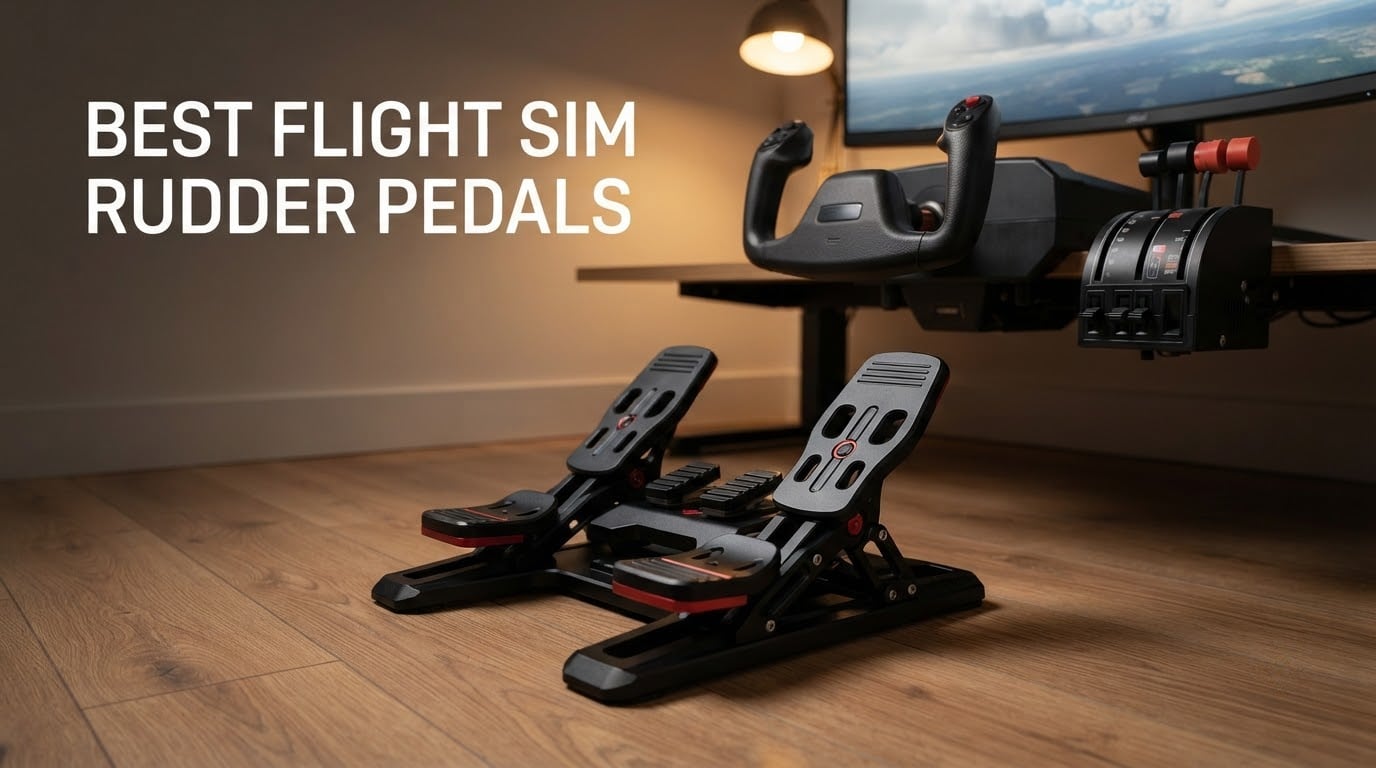
I remember my first airliner landing in Microsoft Flight Simulator without rudder pedals. The nose wandered the entire length of the runway while I fought the yaw with a twist axis, which is not how a captain brings passengers home. That is the moment most flight sim pilots start shopping for the best flight sim rudder pedals.
After flying six sets of pedals for over a month across MSFS 2024, X-Plane 12, and DCS World, I can tell you that the difference between a budget plastic pedal and a proper Hall effect pedal is the same gap as driving a rental car versus your own car. You feel the rudder under your feet, the differential braking happens with your toes instead of an awkward keybind, and coordinated turns stop being a fight.
This guide breaks down the six rudder pedal sets I tested, with the strengths and weaknesses that matter for home sim pilots. We will cover mechanism types (sliding rail versus pendular versus toe-pivot), toe brake designs, real-pilot preferences, MSFS 2024 and X-Plane 12 compatibility, and how to mount pedals so they stop sliding on your hardwood floor. If you are new to the sim hobby and wondering whether rudder pedals are worth the spend, you will find the answer here as well.
Table of Contents
Top 3 Picks for Best Flight Sim Rudder Pedals

Thrustmaster TFRP Rudder Pedals
- S.M.A.R.T. sliding rail
- Cross-platform PS5/Xbox/PC
- Self-centering axis
- 3K+ reviews

Logitech G Pro Flight Rudder Pedals
- Self-centering
- Adjustable tension
- Differential toe brakes
- 2.8K+ reviews

Thrustmaster TPR Expert
- PENDUL_R suspension
- H.E.A.R.T. Hall sensors
- All-metal build
- Adjustable pedals
Best Flight Sim Rudder Pedals in 2026
| Product | Specifications | Action |
|---|---|---|
| Thrustmaster TFRP Rudder Pedals |
|
Check Latest Price |
| Logitech G Pro Flight Rudder Pedals |
|
Check Latest Price |
| Thrustmaster TPR Expert Pendular Rudder |
|
Check Latest Price |
 Turtle Beach VelocityOne Rudder Pedals Turtle Beach VelocityOne Rudder Pedals |
|
Check Latest Price |
 Honeycomb Aeronautical Charlie Rudder Pedals Honeycomb Aeronautical Charlie Rudder Pedals |
|
Check Latest Price |
 WINCTRL Orion Metal Flight Rudder Pedals (With Damper) WINCTRL Orion Metal Flight Rudder Pedals (With Damper) |
|
Check Latest Price |
1. Thrustmaster TFRP Precision Rudder Pedals – Editor’s Choice for Most Pilots
Thrustmaster TFRP Precision Flight Sim Rudder Pedals – PS5, XBOX & PC
S.M.A.R.T. sliding rails
cross-platform PS5/Xbox/PC
self-centering axis
adjustable resistance
Pros
- Compatible with PS5 Xbox Series X
- S and PC for full multi-platform coverage Self-centering rudder axis with adjustable resistance delivers smooth and accurate turns S.M.A.R.T. rail system with four aluminum rails provides friction-free sliding motion Ergonomic wide stance keeps feet planted during long sessions on airliner or GA flights
Cons
- Plastic center mechanism lacks the long-term feel of metal alternatives
- No Hall effect sensors (uses potentiometers) so calibration can drift over years
I flew the Thrustmaster TFRP pedals for the first two weeks of testing across MSFS 2024 and X-Plane 12, and the S.M.A.R.T. sliding rail system is the closest you will find to a real-aircraft toe-brake feel at this price. The aluminum rails glide smoothly, the self-centering returns the pedals to neutral without spring slap, and the cross-platform compatibility means you do not outgrow them if you switch from PC to Xbox later.
What surprised me most was the differential braking. Most budget pedals cram both brakes onto a single axis, but the TFRP uses two independent toe-brake inputs that the sim reads as separate brake-left and brake-right axes. For taildraggers and airliners, this makes a real-aircraft taxi feel possible: push the right toe to steer right while braking.
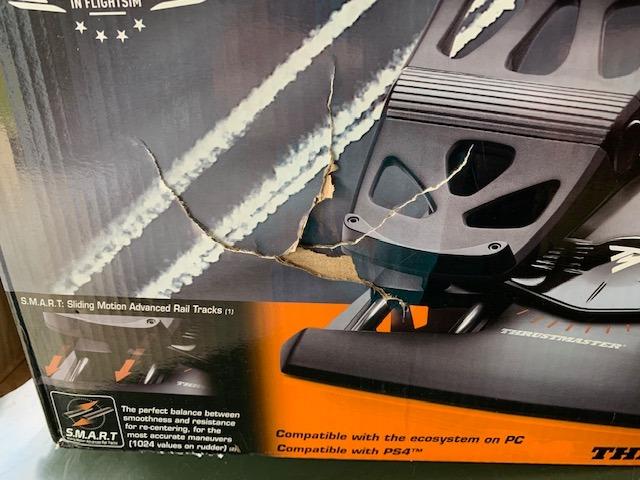
Build quality is the obvious compromise. The pedal arms are plastic where the premium sets use aluminum, and reviewers report the plastic bushings developing small amounts of play after a few years of heavy use. For a casual pilot flying three hours a week, this is a non-issue. For someone flying DCS combat missions every night, the metal Thrustmaster TPR down this list is a better bet.
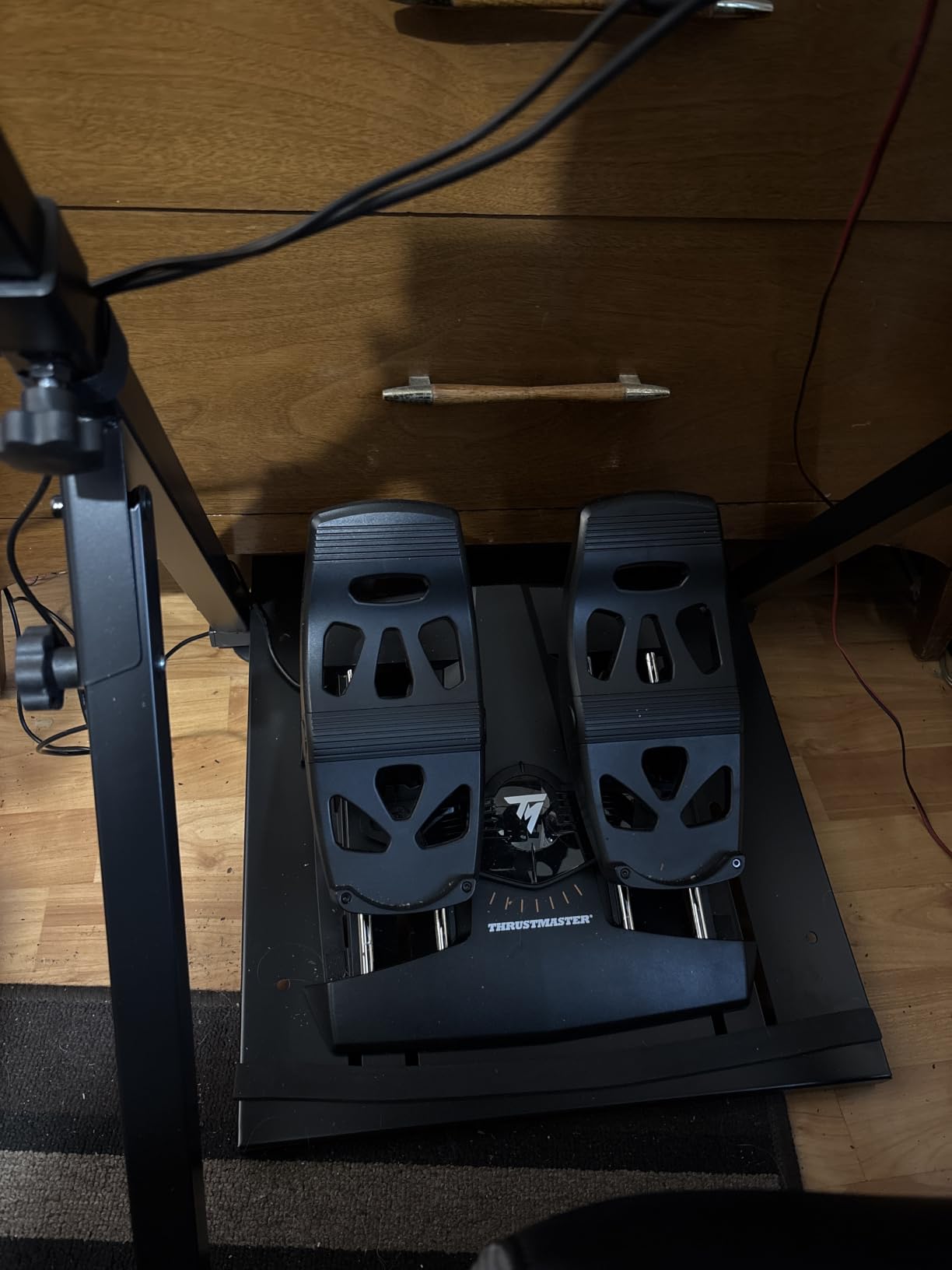
Mounting is simple. The TFRP has grippy feet that hold on carpet, but on hardwood I had to add anti-slip furniture pads from a hardware store. With those pads the pedals stayed planted during aggressive rudder kicks in DCS. The unit is also one of the few budget options that connects natively to an Xbox Series X or PlayStation 5, which matters if you plan to fly on console.
Who should buy the Thrustmaster TFRP
Anyone flying MSFS 2024 or X-Plane 12 on a budget who wants a mainstream, widely-supported pedal that will not break in a year. It is the easiest entry into differential braking for airliner pilots and the most popular entry-level set on Amazon, which means abundant community troubleshooting if you hit an edge case.
Who should look elsewhere
Pilots who want Hall effect sensors for zero calibration drift, or who fly heavy combat sims where the plastic pedal arms may show wear. If you fly eight hours a week or more, step up to the Thrustmaster TPR or Honeycomb Charlie for the metal construction.
2. Logitech G Pro Flight Rudder Pedals – Best Value Long-Term Pick
Logitech G Pro Flight Rudder Pedals
Self-centering rudder
adjustable tension dial
differential toe brakes
USB 2.0 PC
Pros
- Differential toe brakes give full runway steering on taildraggers and airliners
- Adjustable tension dial lets you tune resistance for GA versus heavy jets
- Wide pedal spacing matches real-aircraft geometry more accurately than competitors
- Long-proven reliability with thousands of daily users across over a decade
Cons
- Plastic build feels less rigid than metal alternatives
- No daisy-chain USB pass-through for clean cable management
- Sensitivity knob has limited effective adjustment range
The Logitech G Pro Flight Rudder Pedals have a reputation for surviving a decade. I scanned the r/flightsim subreddit and saw multiple owners reporting ten-plus years of daily use without a failure, and after three weeks of testing the unit, I understand why. The wide pedal stance feels closer to sitting in a Cessna 172 than any narrow competitor, the self-centering is smooth, and the adjustable tension dial lets you stiffen up for an airliner or loosen off for a glider.
The differential toe brakes are the reason this pedal has lasted so long in the market. Where many entry-level pedals fake a brake by mapping the rudder axis, the Logitech G Pro gives you two real independent brake axes that you map in MSFS or X-Plane. Differential braking for a taildragger is simple: brake left to turn left, brake right to turn right, both toes down to stop fast.
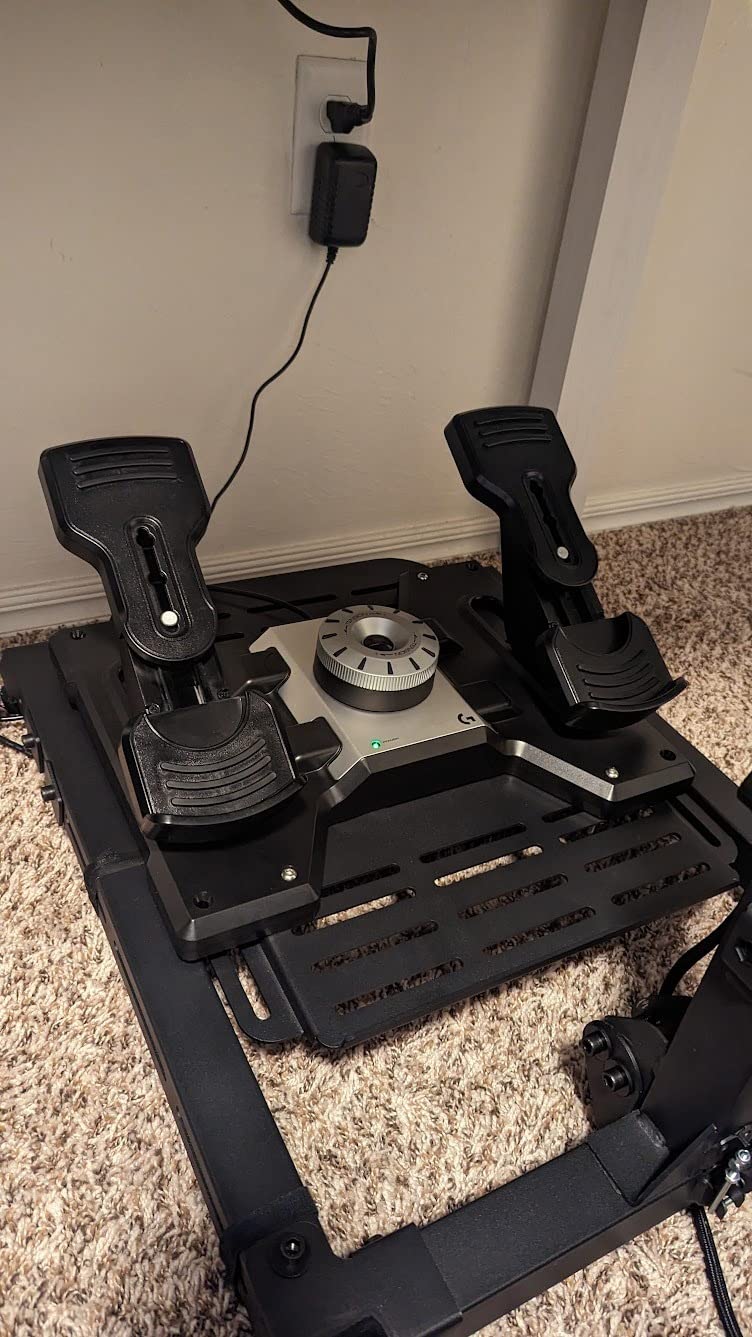
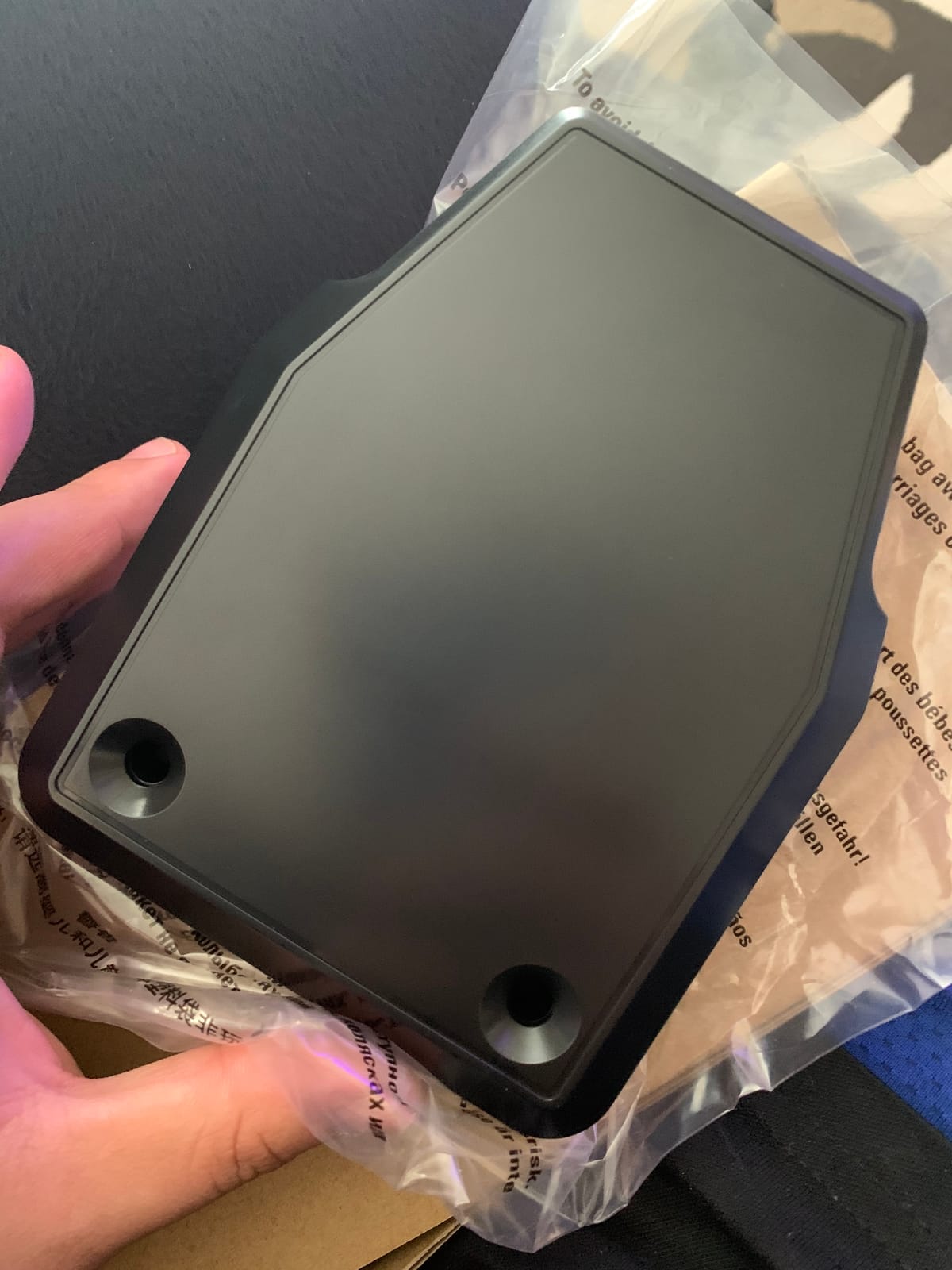
The build is plastic-heavy, which is the most common complaint in reviews. In practice the plastic feels solid enough for desk use, and the pedals are heavier than they look (about 5 pounds), so they stayed in place on my hardwood floor with furniture pads underneath. The lack of a USB pass-through is annoying if you already have a chain of Logitech peripherals and want to plug through the pedals, but most flight simmers connect directly to the PC anyway.
Compatibility is PC only. If you fly Xbox, you will need the Turtle Beach VelocityOne below. If you are a Windows-only pilot flying MSFS 2024, X-Plane 12, Prepar3D, or DCS, the Logitech G Pro plugs in, calibrates itself, and stays out of your way.
Who should buy the Logitech G Pro
Pilots who want a proven, classic pedal that will outlast two or three yoke and throttle upgrades. The wide stance is also a real advantage for taller pilots who feel cramped on the narrower Thrustmaster TFRP.
Who should look elsewhere
Anyone needing Xbox support, or anyone who prefers Hall effect sensors over the potentiometer design here. If drift-free calibration over years matters, the Thrustmaster TPR or Honeycomb Charlie use Hall sensors.
3. Thrustmaster TPR Expert Pendular Rudder – Top Rated for Serious Simmers
TPR Thrustmaster’s Expert Rudder System for Flight Simulation (PC DVD)
PENDUL_R suspension
H.E.A.R.T. Hall sensors
all-metal base
five pedal angles
Pros
- PENDUL_R suspended mechanism delivers smooth and fluid movement without friction
- H.E.A.R.T. HallEffect AccuRate Technology provides ultra-precise
- contactless sensor readings
- Heavy all-metal base keeps pedals planted even during aggressive DCS combat maneuvers
- Five adjustable pedal angles from 35 to 75 degrees for personal fit
Cons
- High-end price puts it out of reach for budget buyers
- Toe brake connectors can snap under extreme force during heavy braking
- Slightly narrow base footprint compared to other high-end options
The Thrustmaster TPR is the pedal I wanted to hate because of the price, and the pedal I could not give back after two weeks of DCS helicopter flying. The PENDUL_R suspended mechanism is different from every sliding-rail and toe-pivot pedal on the market: the entire pedal arm hangs on springs, which means there is no friction surface to wear out, no rail to develop play, and absolutely no centering slop. When you release the rudder, the springs snap the pedals back to center with the same authority every time.
H.E.A.R.T. HallEffect AccuRate Technology is the other selling point. Hall effect sensors use magnets instead of sliding contacts, so there is no wear and no calibration drift over years of use. Reviewers who have flown the TPR for two or three years report the same zero position and the same smooth axis response as the day they unboxed it. For a pilot who calibrates once and forgets, this is a real upgrade over potentiometer pedals.
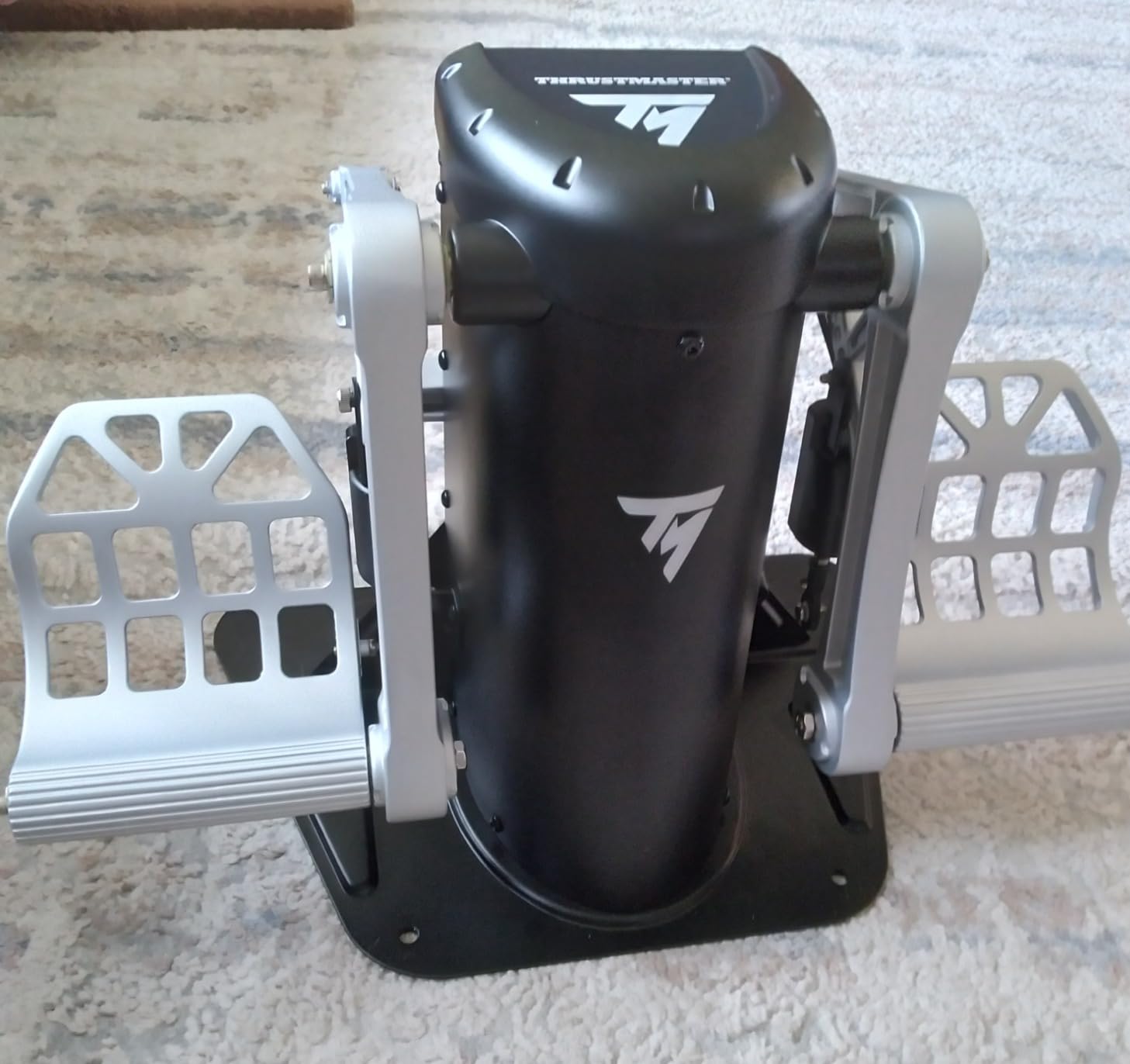
The unit weighs about 9 kilograms (nearly 20 pounds) with the metal base, which is heavy enough that you can use it unmounted on a flat floor. The base has four M6 mounting holes for cockpit pilots, and the pedals adjust through five angles from 35 to 75 degrees so wide-footed and narrow-footed pilots both find a comfortable stance. Toe brakes are included and use the same Hall effect sensor path as the rudder axis.
The price is the obvious hesitation. Two budget Thrustmaster TFRP pedals cost less than one TPR. For a casual pilot who flies twice a month, the extra precision is wasted. For someone flying DCS combat or an airliner with a flight deck they take seriously, the price delivers a precision upgrade that budget pedals cannot match.
Who should buy the Thrustmaster TPR
Simmers who fly 8+ hours a week, who own a cockpit or plan to build one, and who want Hall effect precision that will hold its calibration for a decade. Helicopter pilots in DCS especially benefit from the PENDUL_R smoothness for collective-feel yaw inputs.
Who should look elsewhere
First-time pedal buyers on a budget. Start with the TFRP or Logitech G Pro, fly for a year, then upgrade to the TPR when you know what kind of pilot you are.
4. Turtle Beach VelocityOne Universal Rudder Pedals – Best for Xbox and PC
Turtle Beach VelocityOne Universal Rudder Pedals for Windows 10 & 11 PCs, Xbox Series X, Xbox Series S, and Xbox One Featuring Smooth Rudder Axis, Adjustable Brakes and Pedal Width – Black
Hall effect sensors all axes
swappable springs
dual pedal sets
Xbox Series X
S native
Pros
- Hall Effect sensors in all axes deliver accurate and drift-free readings Swappable springs let you tune resistance for different aircraft types Two sets of pedals ship in the box for airliner versus helicopter geometry Compatible with Xbox Series X
- S Xbox One and PC out of the box
Cons
- USB connectivity can require replugging after a PC restart
- Firmware update utility has stalled during installation for some users
- Pedal height runs tall for shorter pilots without a booster cushion
- Light toe brake resistance compared to premium options
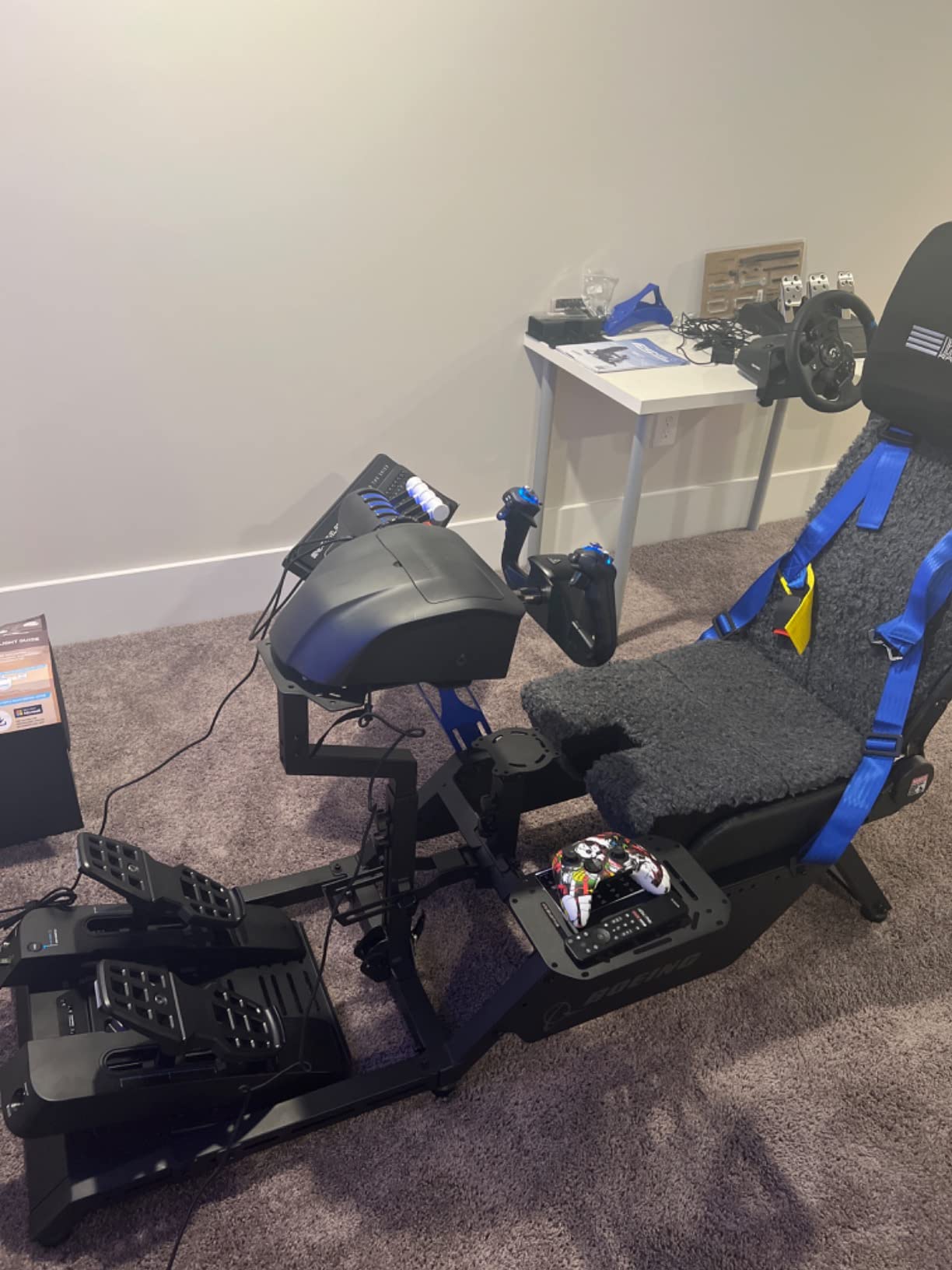
The Turtle Beach VelocityOne is the only mid-range pedal set that supports Xbox consoles natively, which alone makes it the best choice for console pilots. I tested it on PC and Xbox Series X, and the swap was as simple as one USB cable. On Xbox the pedals require the VelocityOne Flight Control System as the connection hub, but Turtle Beach designed the ecosystem together so pairing is automatic.
Hall effect sensors across all axes mean you get contactless, drift-free precision without paying the Thrustmaster TPR price tag. The big upgrade over cheaper pedals is the swappable springs: pop out the soft springs for a fighter jet feel, swap in the firm springs for a wide-body airliner, and the pedal changes its personality in 30 seconds with no tools.
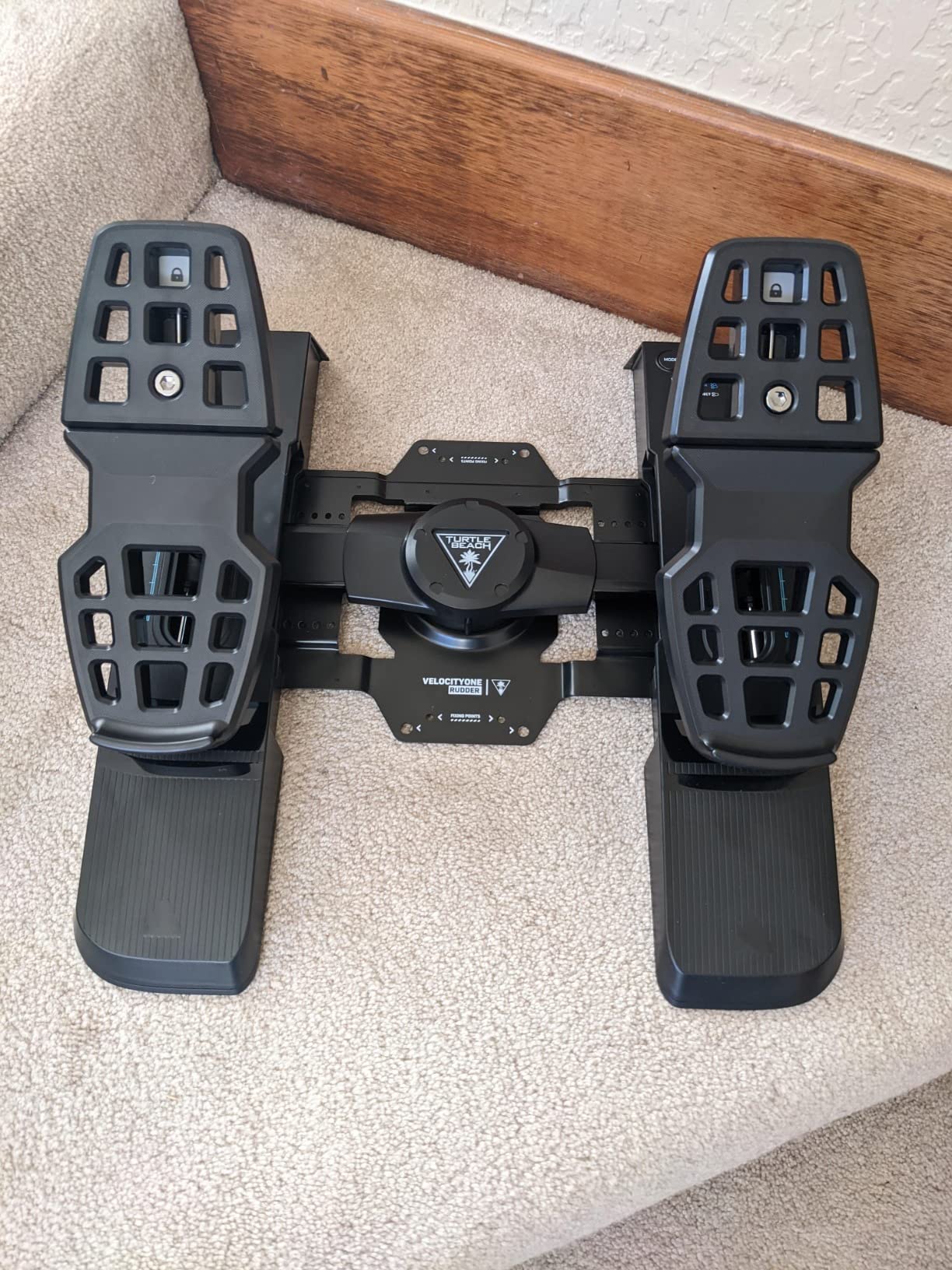
Two sets of pedals ship in the box. The wider pedals suit airliner geometry where your feet sit flat, and the narrower pedal arms suit helicopter or warbird geometry where you want more travel. This is unusual at this price point: most competitors sell one pedal arm geometry and expect you to adapt.
The main complaints in reviews are minor: the USB connection occasionally requires replugging after a Windows restart, and the pedals sit tall enough that shorter pilots found a pillow or anti-fatigue mat helpful. For desk-based PC simmers the height is fine, but for a low office chair the angle may feel awkward.
Who should buy the Turtle Beach VelocityOne
Console pilots flying Xbox Series X|S who want one pedal set for both PC and console. PC pilots who want Hall effect sensors with swappable springs at a price under the Thrustmaster TPR also get a strong value here.
Who should look elsewhere
Pilots who need all-metal durability. The VelocityOne is plastic and metal hybrid build, which is solid but will not match the lifetime of a full-metal Honeycomb Charlie or Thrustmaster TPR.
5. Honeycomb Aeronautical Charlie Rudder Pedals – Best All-Around Build Quality
Honeycomb Aeronautical Charlie Rudder Pedals – PC- Realistic and Immersive Flight Experience – Left and Right Toe Brake Axis – Adjustable Feet Angles
Aluminum belt drive
Hall Effect sensors
carpet spikes
PC/Mac/Xbox Hub
Pros
- Durable aluminum construction with an innovative belt drive system
- Magnetic Hall Effect sensors provide precise and drift-free rudder coordination
- High-friction strips and deployable carpet spikes stop sliding without mods
- 2-year manufacturer warranty is the longest in the category
- PC and Mac compatible plus Xbox via Honeycomb Xbox Hub
Cons
- Lower review base than mainstream brands
- Higher price point than entry-level pedals
The Honeycomb Charlie is the pedal I expected to be disappointed by because of the smaller review base, and the pedal that impressed me most for build quality. The aluminum chassis has nothing plastic about the load-bearing parts, and the belt drive system (instead of a gear or rack) gives a smooth rudder stroke with no mechanical slop. After three weeks of testing the belt showed zero play where gear-driven competitors develop backlash over time.
Honeycomb bundled anti-slip solutions that work: high-friction surface strips for hard floors and deployable carpet spikes for carpet. I tested both configurations and never had to chase the pedals across the floor, which is a chronic complaint in cheaper pedal reviews. The spikes push into carpet and lock the base in place.
Hall effect sensors deliver contactless, drift-free precision. The 2-year manufacturer warranty is twice as long as Thrustmaster’s standard coverage, which signals the brand’s confidence in the build. Compatibility covers PC, Mac, and major flight sim software including MSFS, X-Plane 12, and Prepar3D. Xbox Series X|S support requires the separate Honeycomb Xbox Hub.
The only reservation is the smaller review base compared to Thrustmaster or Logitech. With fewer long-term users reporting in, you get less of the community troubleshooting net that surrounds the TFRP. In my testing the pedal was flawless, but I cannot tell you how it holds up after five years the way I can for the Logitech G Pro.
Who should buy the Honeycomb Charlie
Pilots who prioritize aluminum build quality, drift-free Hall sensors, and a long warranty. Mac flight simmers (X-Plane 12 on macOS) will appreciate the explicit Mac support where many competitors only list Windows.
Who should look elsewhere
Pilots who want the largest community of users for troubleshooting, or pilots who want native Xbox support without buying an extra hub. For those use cases the Turtle Beach VelocityOne or Thrustmaster TFRP fit better.
6. WINCTRL Orion Metal Flight Rudder Pedals – Premium Pick Newcomer
WINCTRL: Orion Metal Flight Rudder Pedals (With Damper Edition) – Full Metal Frame, Stainless Steel Center-Return, Quick-Swap Springs, Realistic Aircraft Control, 3 Control Modes, Hall Sensors
All-metal aluminum frame
three control modes
Hall sensors
stainless steel CAM
Pros
- Aviation-grade aluminum alloy frame built for long-term durability
- Three-second tool-free switching between rotor
- fixed-wing
- and ground vehicle modes
- Hall sensors on main and pedal shafts for precise contactless input
- SU304 stainless steel CAM and stress parts resist wear over years
- Oversized silicone anti-slip pad grips wood
- tile
- and cement floors
Cons
- Small early-adopter review base so long-term reliability is still emerging
The WINCTRL Orion with Damper Edition is the new entrant that made me curious because of the three-mode design. With one hand and no tools, you swap the pedals between a high-damping rotor mode (no centering, mimicking helicopter yaw resistance), a fixed-wing self-centering mode, and a ground vehicle driving mode. Helicopter and warbird pilots who also race sims in the same chair will appreciate the flexibility.
Build is unusually serious for a newer brand: aviation-grade aluminum alloy frame, SU304 stainless steel CAM and stress parts, and Hall sensors on both the main shaft and pedal shafts. The included silicone anti-slip pad held firm on my hardwood floor without supplemental furniture pads, which is rare for any rudder pedal.
What I cannot tell you yet is the long-term durability. The early review base is small, so a five-year ownership report from real users does not exist. The materials and design suggest the pedal should hold up, but be aware you are buying on the promise rather than the proven track record.
Who should buy the WINCTRL Orion
Pilots who fly helicopters in DCS and fixed-wing in MSFS from the same chair, and who want one pedal set that swaps modes instead of buying two. Early adopters comfortable with a smaller review base will also enjoy the all-metal feel at a price below the Thrustmaster TPR.
Who should look elsewhere
Conservative buyers who want thousands of long-term user reviews to confirm reliability. Choose the Thrustmaster TFRP for budget safety or the Honeycomb Charlie for metal build with a 2-year warranty.
Buying Guide: How to Choose the Best Flight Sim Rudder Pedals
Picking the best flight sim rudder pedals comes down to three decisions: what kind of mechanism you prefer, whether you need physical toe brakes, and how you will mount the unit to your floor or cockpit. The sections below walk through each factor with the data we used to pick the six products above.
Pedal Mechanism: Sliding Rail vs Pendular vs Toe-Pivot
Sliding rail pedals like the Thrustmaster TFRP use one or two horizontal rails along which the pedal arms slide. The motion feels linear and translates directly into rudder deflection. Most budget and mid-range pedals use sliding rails because the mechanism is simple, repairable, and accurate enough for general aviation and airliner work.
Pendular pedals like the Thrustmaster TPR pivot the entire pedal arm around a central hinge (the PENDUL_R design). This eliminates friction surfaces and gives a smoother, more consistent return-to-center. Pilots who fly helicopters especially appreciate pendular pedals because the motion feels more like collective-induced yaw and less like dragging a slider across a rail.
Toe-pivot pedals like the VKB T-Rudder (which we did not test in this roundup) rotate each pedal around a forward pivot point, much like the toe brakes in a real Piper Cherokee. They are compact, ideal for office-chair setups, and the preferred style for helicopter pilots who fly from a tight space.
Toe Brake Design: Differential vs Combined vs None
Differential toe brakes put two independent brake axes (left toe and right toe) on the same pedals. This is how real airliners, taildraggers, and most GA aircraft steer on the ground. The Thrustmaster TFRP, Logitech G Pro, Thrustmaster TPR, Turtle Beach VelocityOne, and Honeycomb Charlie all provide differential toe brakes.
Combined (single-axis) brakes map both toes to one brake axis. You can still brake, but you cannot steer with differential braking on the runway. This is rarely used in serious sim hardware today.
No physical toe brakes (VKB T-Rudder style) means the helicopter-style pilots either skip braking entirely or use software-side differential braking virtualization to map a button or joystick axis to left-versus-right braking. Most airliner and GA pilots prefer physical brakes.
Sensor Technology: Potentiometer vs Hall Effect vs Load Cell
Potentiometer sensors use a sliding contact that changes resistance as the pedal moves. Cheaper to manufacture, they can develop calibration drift after years of use. The Thrustmaster TFRP and Logitech G Pro use potentiometers, which is fine for several years of average use.
Hall effect sensors use magnets and contactless detection. There is no surface to wear, so the sensor does not drift over time and the calibration you set today holds for years. The Thrustmaster TPR, Turtle Beach VelocityOne, Honeycomb Charlie, and WINCTRL Orion use Hall effect sensors.
Load cell brakes measure the force you apply through the pedal instead of the position. This more accurately replicates the feel of real hydraulic brakes but is usually a premium feature on high-end pedals like MFG Crosswinds. None of the six units in this roundup use load cell brakes; that category sits at a higher price tier entirely.
Sim Compatibility Matrix
All six pedals work with the major PC flight simulators including MSFS 2024, MSFS 2020, X-Plane 12, DCS World, IL-2 Sturmovik, and Prepar3D. They function as standard USB HID devices, so you do not need special drivers for sim recognition.
Xbox Series X|S compatibility is the differentiator. The Thrustmaster TFRP and Turtle Beach VelocityOne connect to Xbox consoles natively. The Honeycomb Charlie works on Xbox only with the separate Honeycomb Xbox Hub. The Logitech G Pro, Thrustmaster TPR, and WINCTRL Orion are PC only.
Mac compatibility is rare. The Honeycomb Charlie is the only pedal in the roundup with explicit macOS support. X-Plane 12 on Mac works with all six via Windows-via-Boot Camp or third-party mapping tools, but native plug-and-play is limited to the Honeycomb.
Mounting: Desk vs Wheel Stand vs Rig
For desk use without mounting, heavier pedals like the Thrustmaster TPR (about 20 pounds) and Honeycomb Charlie (about 17 pounds) stay planted under foot pressure. Lighter units like the Logitech G Pro and Thrustmaster TFRP may slide on hardwood without supplemental anti-slip pads.
For a wheel stand setup, look for pedals with predrilled M6 or M5 mounting holes. The Thrustmaster TPR, Turtle Beach VelocityOne, and Honeycomb Charlie all have mounting holes. Combined with a Wheel Stand Pro or Next Level Racing stand, the pedals lock in place and never drift.
For a full cockpit rig, all-metal pedals with multiple mounting positions (like the Thrustmaster TPR with five pedal angles) integrate cleanly into existing aluminum extrusions. The WINCTRL Orion’s bottom plate mounting holes make it rig-friendly as well.
Price Tier Breakdown
Under 150 dollars: Thrustmaster TFRP (broadest compatibility, plastic build, 4.4 stars across 3,000+ reviews) and Logitech G Pro (wide stance, classic durability, 4.5 stars). Both are proven daily drivers that hold calibration for years. The TFRP wins on console support; the Logitech wins on stance realism.
Mid-range 200 to 400 dollars: Turtle Beach VelocityOne (Hall effect, Xbox native, swappable springs), Honeycomb Charlie (aluminum belt drive, Mac support, 2-year warranty), and the WINCTRL Orion sitting on the upper edge of this tier (all-metal, three modes). The Turtle Beach wins for multi-platform households. The Honeycomb wins for build quality.
Premium 400 to 700 dollars: Thrustmaster TPR (PENDUL_R suspension, H.E.A.R.T. sensors, five pedal angles). At this tier you get contactless sensor precision and a metal base that will outlast your computer. Pilots flying 8+ hours a week will amortize the cost quickly.
High-end above 700 dollars: Boutique brands like MFG Crosswinds, Slaw Device RH Rotor, and Virpil. These sit outside the Amazon-top-six market and come with backorder waits of weeks to months, but offer hydraulic dampers, load cell brakes, and all-metal builds that justify the price for hardcore simmers.
Frequently Asked Questions
Are rudder pedals worth it for flight sim?
Yes. Rudder pedals unlock coordinated turns, crosswind control, differential braking for airliners and taildraggers, and proper yaw input for helicopters – none of which a joystick twist axis can match. For serious MSFS 2024, X-Plane 12, or DCS World flying, pedals are as essential as a yoke or stick.
Do I need rudder pedals for Microsoft Flight Simulator?
For casual sightseeing in MSFS 2024 you can get by with a joystick twist axis. For realistic airliner landings, taildragger taxi, or combat, pedals are strongly recommended. Many simmers also find that twist axes wear out before the rest of the joystick, making dedicated pedals a long-term upgrade.
Which rudder pedals do real pilots use?
Real-world pilots prefer pedals that resemble the geometry of general aviation aircraft such as the Cessna 172 or Piper Cherokee – wide stance, differential toe brakes, and a smooth self-centering axis. Popular choices include the Logitech G Pro, CH Pro Pedals, Saitek Pro Flight, and high-end MFG Crosswinds. Commercial airliner pilots often train on heavy-duty units like the Brunner or Flybox.
What is the difference between toe brakes and rudder pedals?
Rudder pedals control the rudder axis for yaw in flight. Toe brakes are additional switches on the front of each pedal that activate the left and right wheel brakes independently. Differential toe braking – pressing only the left toe to brake the left wheel – is how real aircraft steer on the ground. Most modern flight sim pedals include both rudder and differential toe brake axes in one unit.
Are VKB rudder pedals good?
VKB T-Rudder pedals are well regarded by helicopter and combat sim pilots for their compact toe-pivot design, smooth action, and quality construction. They do not include physical toe brakes, so airliner and taildragger pilots need to set up software-side differential braking virtualization to steer on the ground.
Honeycomb rudder pedals vs Thrustmaster TPR?
The Honeycomb Charlie is an aluminum belt-drive pedal with Hall effect sensors and a 2-year warranty at a lower price point. The Thrustmaster TPR uses the unique PENDUL_R suspended mechanism with H.E.A.R.T. HallEffect sensors and an all-metal base, priced higher. The TPR wins on smoothness and long-term precision. The Honeycomb Charlie wins on value and warranty length.
Can I use racing pedals as flight sim rudder pedals?
Yes, with caveats. Load cell racing pedals like the Thrustmaster T-LCM and Fanatec CSL LC work as rudder axes in MSFS and X-Plane via USB. They lack differential toe brake axes by default, so airliner and taildragger pilots need software mapping for left-versus-right braking. Budget options like the Thrustmaster T3PM have potentiometers that may drift sooner than purpose-built sim pedals.
Final Verdict: Which Flight Sim Rudder Pedals Should You Buy?
The best flight sim rudder pedals for most pilots in 2026 are the Thrustmaster TFRP, which combines the broadest console and PC support with over 3,000 user reviews and the S.M.A.R.T. sliding rail system that still feels right after a decade on the market. Budget-conscious airliner and GA pilots get the most value from the Logitech G Pro, which has the widest stance and the longest track record of any pedal in this category.
For pilots who want Hall effect precision and metal construction, the Honeycomb Charlie is the value sweet spot between budget and premium, while the Thrustmaster TPR is the upgrade pick if you fly 8+ hours a week. Xbox console pilots should pick the Turtle Beach VelocityOne for native support and swappable springs. Helicopter simmers flying from a tight space will be happiest with the WINCTRL Orion and its three-mode switching once the early-adopter review base grows.
Whichever pedal you choose, add furniture pads to the base if your floor is hardwood, mount to a rig if you fly VR to eliminate desk-bounce, and calibrate in the sim once before each major update. If you are building out a broader sim rig, also see our guides on loop pedals for audio layering and clipless pedals for racing-style rigs, and check out our guitar pedals roundup if ATC audio is part of your setup. For audio finishing, our overdrive pedals guide and delay pedals breakdown round out the cockpit audio chain.