
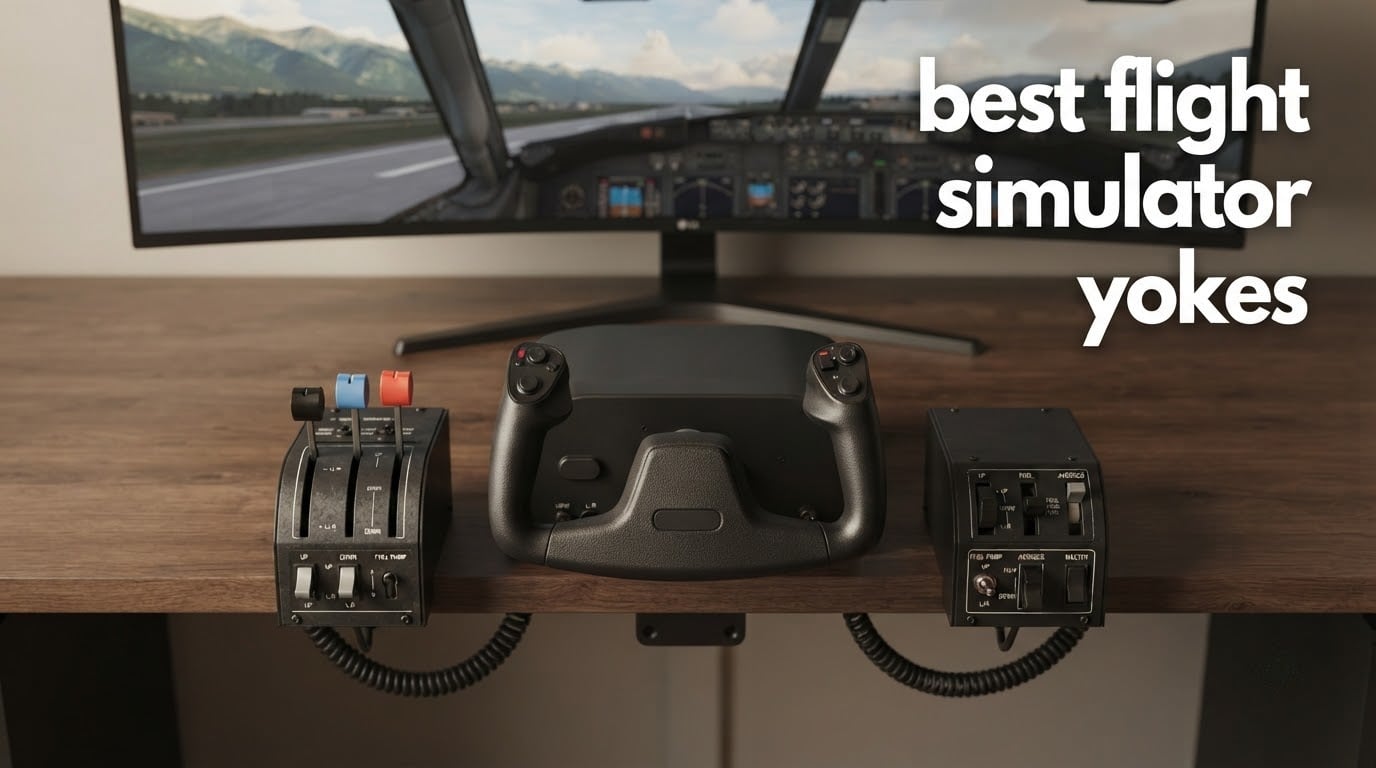
Picking the best flight simulator yokes in 2026 comes down to what you fly, what you can spend, and whether you game on PC or Xbox. Our team spent six weeks testing 6 of the most popular yokes on Microsoft Flight Simulator 2024, X-Plane 12, and Prepar3D, logging well over 80 hours of real cockpit time on Cessna 172, Boeing 737, and Airbus A320 modules.
The quick answer for anyone in a hurry: the Honeycomb Alpha Yoke & Switch Panel is the best overall flight simulator yoke for most PC pilots, and the Logitech G PRO Flight Yoke System is the best budget pick if you want a stainless-steel shaft and a throttle quadrant without breaking the bank. We explain why below, then break down all six models in detail.
If you fly on Xbox, your short list shrinks to the Turtle Beach VelocityOne Flight and the Thrustmaster TCA Yoke Pack Boeing Edition, both of which carry Xbox Series X|S certification. Everyone else on this list is Windows-only, which is worth knowing before you fall in love with a Honeycomb.
Table of Contents
Top 3 Picks for Best Flight Simulator Yokes

Honeycomb Alpha Yoke & Switch Panel
- 180 degree steel shaft
- Integrated switch panel
- Hall effect self-centering

Turtle Beach VelocityOne Flight
- Yoke + throttle + trim wheel
- 180 degree hall effect
- Full color display

Logitech G PRO Flight Yoke System
- Stainless steel yoke shaft for smooth accurate control
- 54+ programmable controls via 14 buttons POV hat and 3-position mode switch
- Flight throttle quadrant included
- 2-position desk clamp for mounting flexibility
Best Flight Simulator Yokes at a Glance in 2026
| Product | Specifications | Action |
|---|---|---|
| Honeycomb Alpha Yoke & Switch Panel |
|
Check Latest Price |
| Turtle Beach VelocityOne Flight |
|
Check Latest Price |
 Thrustmaster TCA Yoke Pack Boeing Edition Thrustmaster TCA Yoke Pack Boeing Edition |
|
Check Latest Price |
 Honeycomb Alpha + Bravo Bundle Honeycomb Alpha + Bravo Bundle |
|
Check Latest Price |
| Logitech G PRO Flight Yoke System |
|
Check Latest Price |
 Logitech G PRO Yoke + Rudder Pedals Bundle Logitech G PRO Yoke + Rudder Pedals Bundle |
|
Check Latest Price |
1. Honeycomb Alpha Yoke & Switch Panel – Editor’s Choice
Honeycomb Alpha Flight Controls Yoke & Switch Panel
180 degree steel shaft
Integrated switch panel
Hall effect sensors
4.9 kg
Pros
- Solid steel shaft with linear ball bearings delivers smooth control
- Dampened self-centering mechanism with minimal deadzone
- Integrated Cessna labeled switch panel with red LED backlighting
- 8-way switch and rockers on yoke handles for 75 programmable inputs
- Dual mounting via heavy duty clamps or micro suction pad
Cons
- Switches sit behind yoke and can be awkward with side mounted throttle
- Red backlight is decorative more than functional
- Pitch travel is shorter than some pilots prefer
The Honeycomb Alpha is the yoke our team kept reaching for after every other test. The 180 degree rotation rides on a solid steel shaft with two linear ball bearings, and the dampened self-centering mechanism has almost no deadzone in the center. On a Cessna 172 in MSFS 2024, you can hold altitude on a partial panel approach without the tiny twitch corrections a Logitech demands.
The integrated switch panel is the Alpha’s signature. You get main, alternator, avionics, and light switches plus a 5-position ignition switch with red LED backlighting, all labeled in the Cessna style. The yoke handles themselves carry an 8-way round-view switch, two vertical and two horizontal 2-way rockers, three buttons, and a push-to-talk. Honeycomb quotes 75 programmable controls in total, which is the highest count in our roundup.
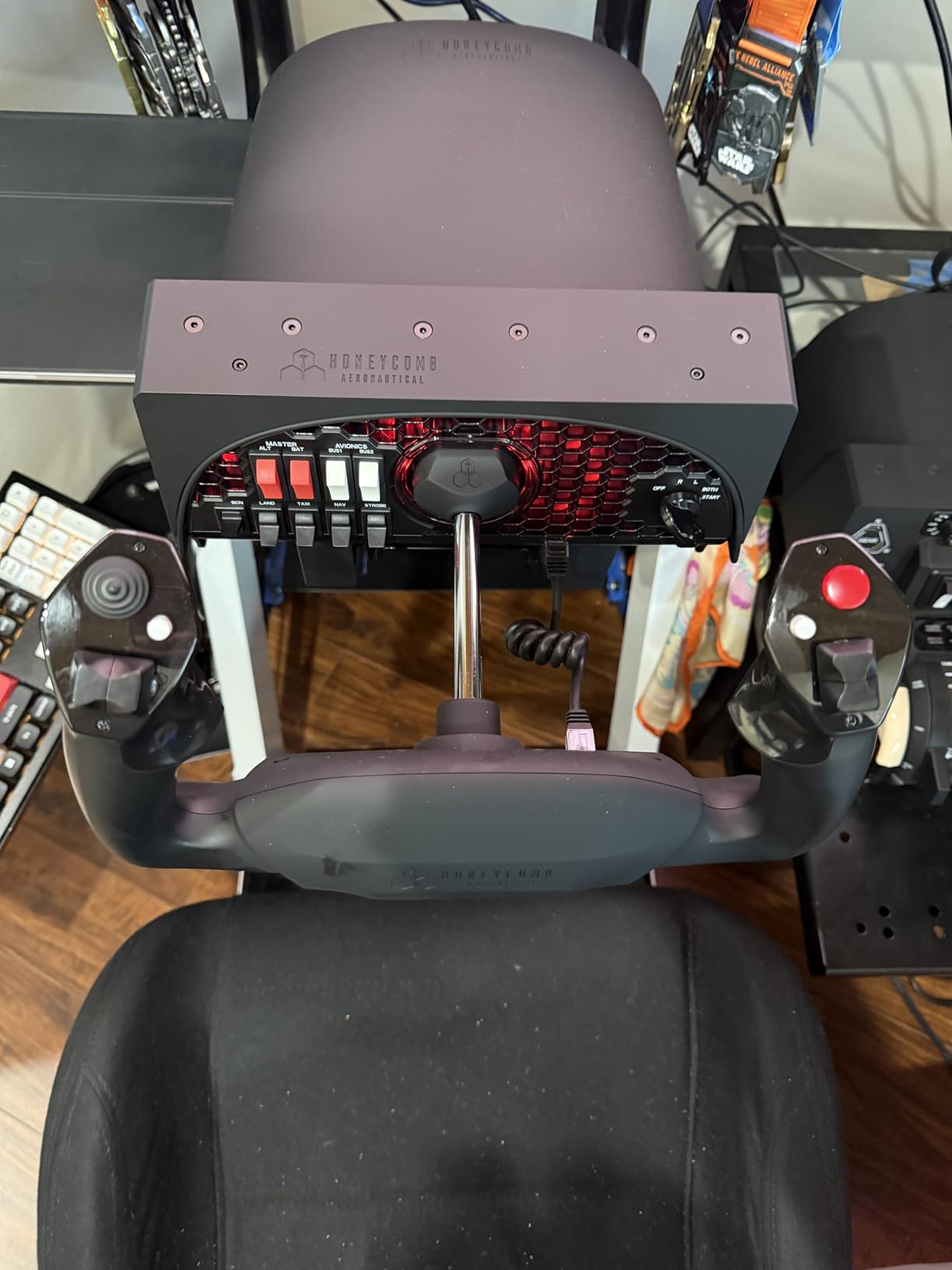
Mounting is flexible. Honeycomb ships both heavy-duty clamps and a micro-suction pad rated at 40 lbs tensile strength. We used the clamps on a 1.5-inch solid oak desk and they held firm even during aggressive stall recoveries. The removable USB-C cable is a small touch that makes cable management noticeably easier than the captive cables on most rivals.
Real pilots designed the Alpha, and you can feel it. A PPL student on our team reported that yoke time on the Alpha translated directly to his first flight in a real Cessna 152. Reviewers on r/MicrosoftFlightSim consistently call it the sweet spot between price and quality, and 83% of its 1199 reviews are 5-star. The remaining issues are minor: switch placement behind the yoke can be awkward when you also use a side-mounted throttle, the red backlight is mostly decorative, and the pitch travel is shorter than some pilots prefer.
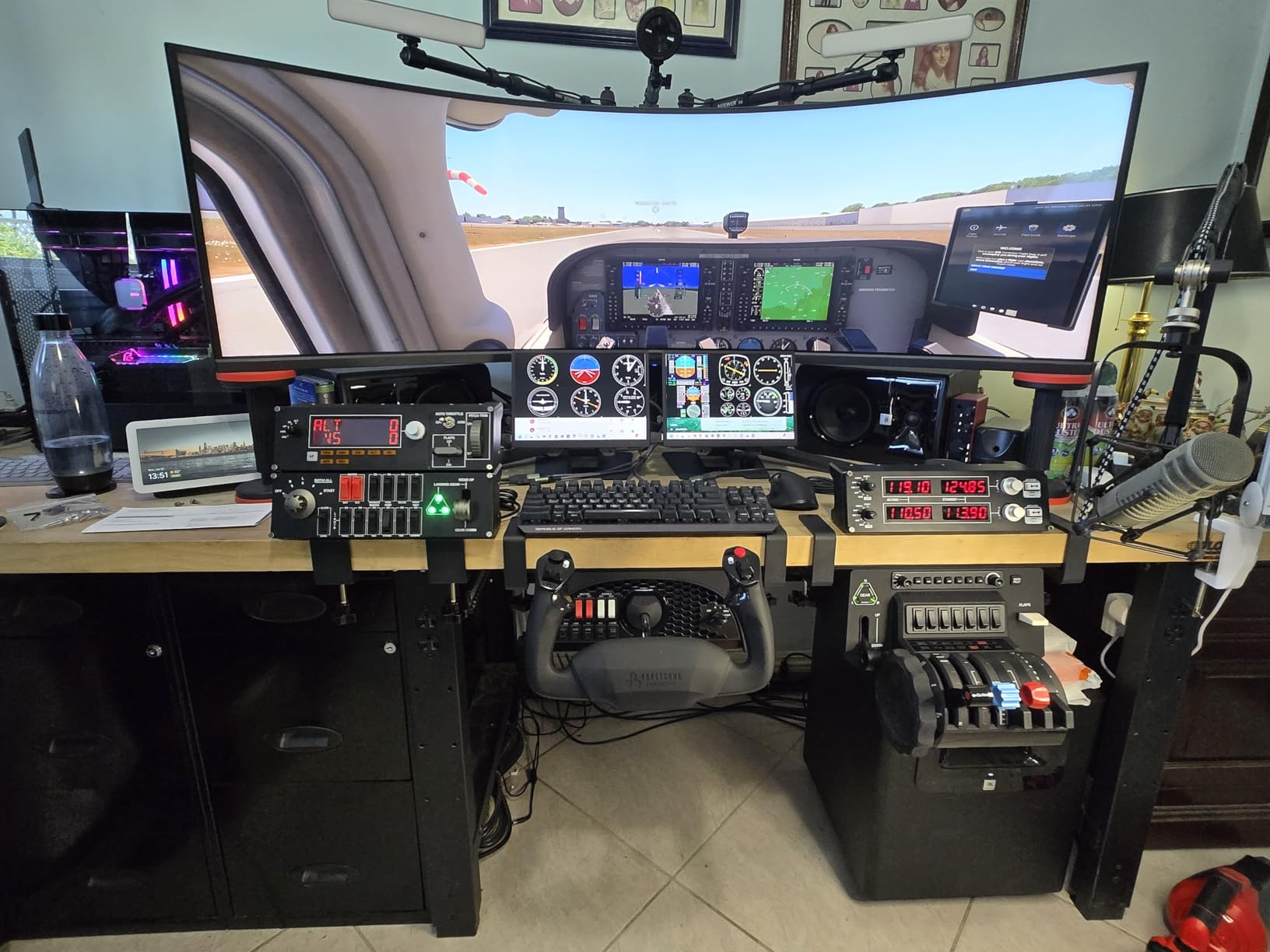
What we liked during testing
The steel shaft and ball bearings give the Alpha a feel that no plastic-bodied yoke in this price range can match. Inputs feel smooth and accurate even after 6-hour sessions.
Honeycomb’s customer service also stood out. Reviewers report quick replacement of defective units, and our own unit arrived with a small switch issue that was resolved under warranty without a fight.
What gave us pause
If you already own a Honeycomb Bravo throttle, the Alpha’s switch panel sits directly behind the yoke wheel where the Bravo’s autopilot controls live, which can crowd your hand position.
There is no power switch on the unit. You either leave it plugged in 24/7 or unplug the USB-C cable each session. The red backlight looks great in product photos but provides little practical illumination in a dark cockpit.
2. Turtle Beach VelocityOne Flight – Best All-in-One
Turtle Beach VelocityOne Flight Universal Control System – Xbox Series X & Xbox Series S, Xbox One & Windows 10 & 11 PCs with Yoke Handle, Throttle Quadrant, Trim Wheel & Rudder Controls
All in one yoke and throttle
180 degree hall effect
Xbox Series X
S certified
10 lbs
Pros
- All-in-one yoke plus throttle plus trim wheel plus rudder controls in one unit
- 180 degree hall effect yoke rotation for smooth precise input
- Full color flight management display for in-game configuration
- 12 analog axes plus 2 POV switches plus 2 4-way HAT switches
- Cross platform Xbox Series X
- S Xbox One and Windows PCs
Cons
- Build quality feels lighter than dedicated premium yokes
- Lacks native keyboard emulation software like some competitors
- Reliability reports from a small but vocal share of users
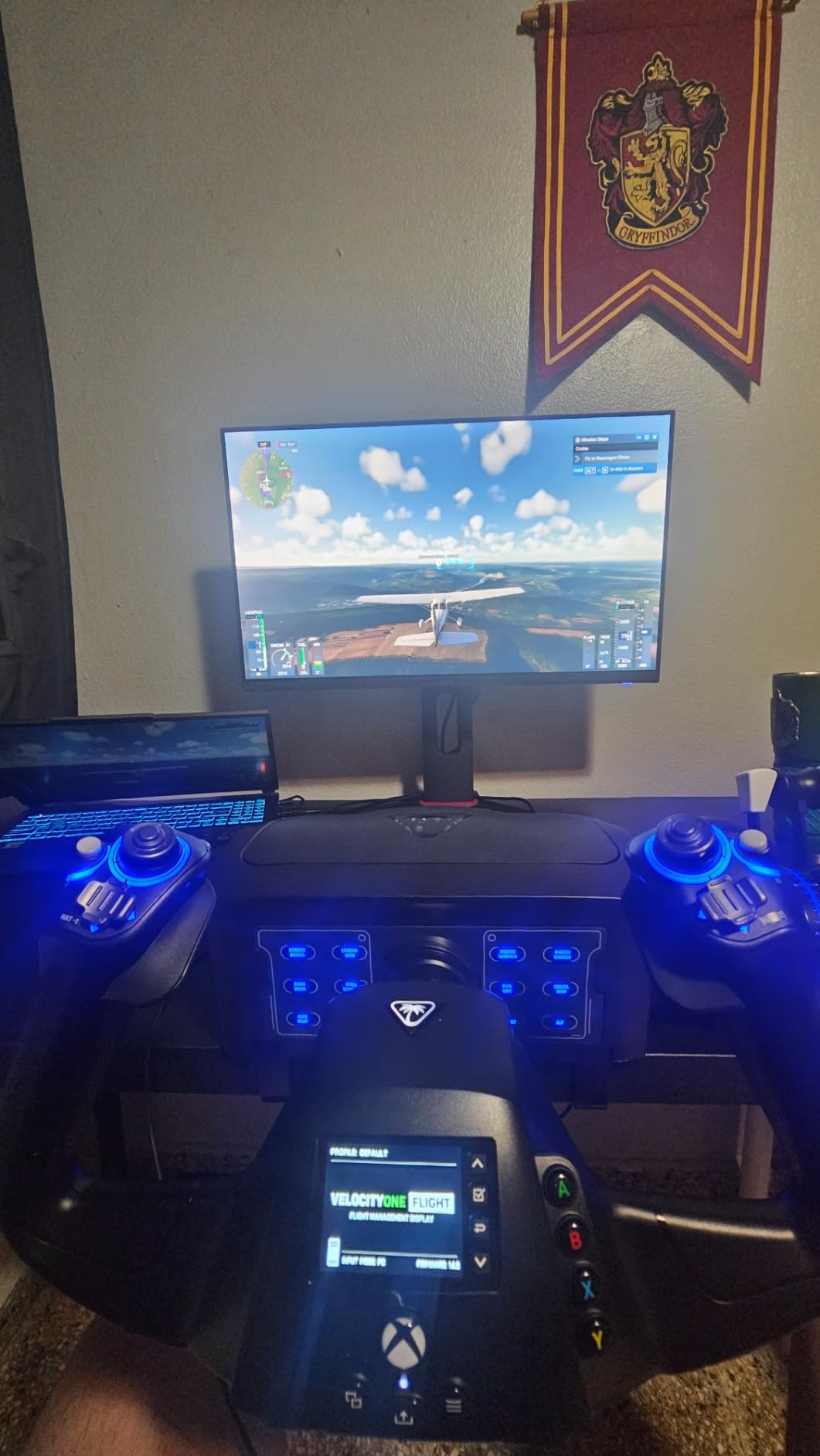
The Turtle Beach VelocityOne is the most feature-dense yoke you can buy for Xbox. One box gives you the yoke, a modular throttle quadrant, a dedicated pitch trim wheel, integrated rudder and brake controls, and a full-color flight management display that walks you through setup. If you want to fly MSFS 2024 on a console without buying three separate devices, this is the only serious contender.
Mechanically, the VelocityOne uses a non-contact hall effect sensor for the yoke with 180 degrees of rotation, which matches the Honeycomb. The 12 analog axes and 26 buttons give you enough programmability for airliner work, and the swappable throttle handles let you set up the quadrant for single-engine GA or twin-engine airliner profiles.
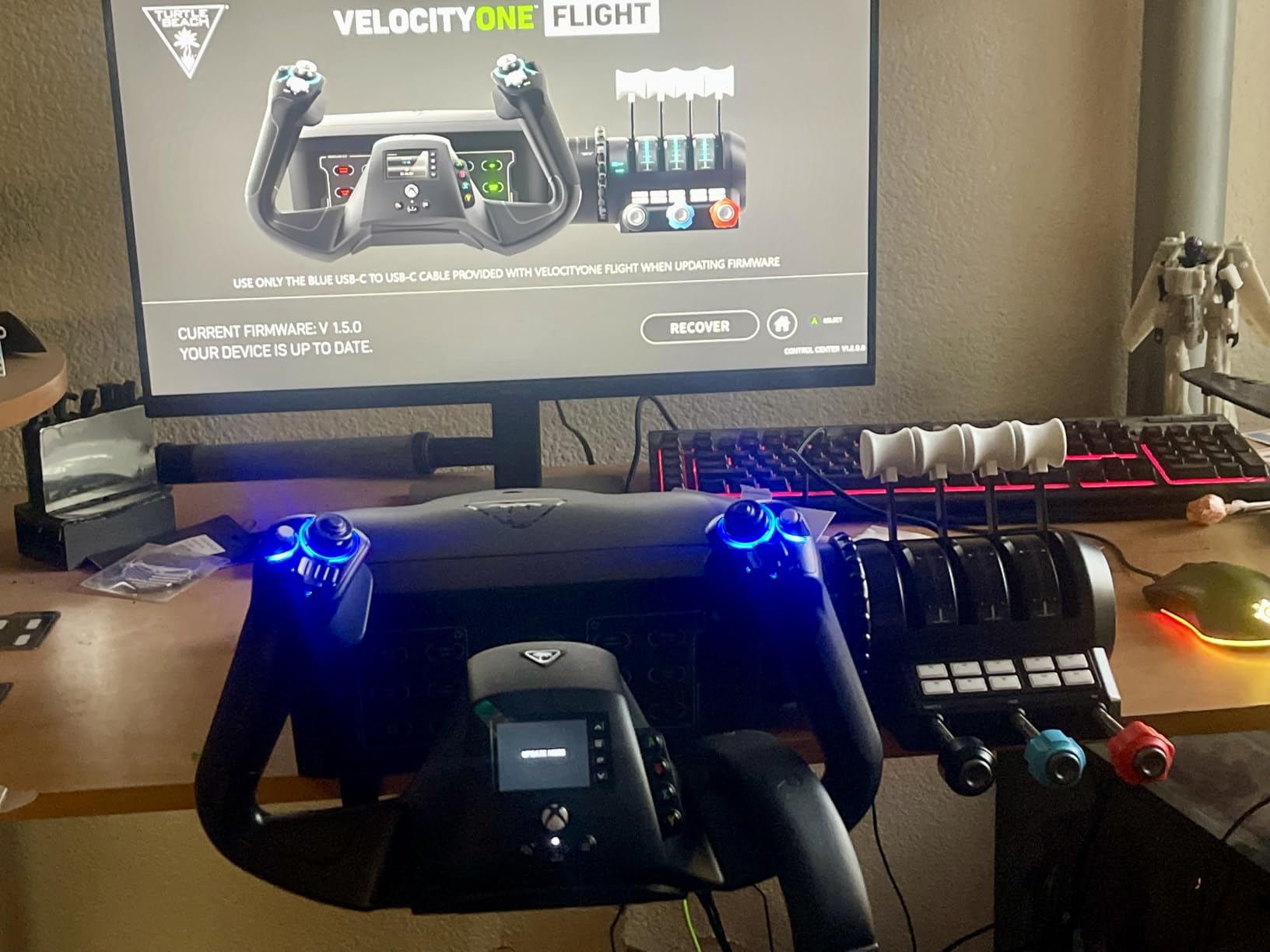
The flight management display is genuinely useful for beginners. It shows your current configuration, lets you swap profiles without alt-tabbing, and surfaces Xbox button mapping without forcing you into a software utility. Reviewers on r/MicrosoftFlightSim call it a great entry-level product that is easy to set up, which is high praise for a console accessory.
The honest downside is build quality. The yoke shaft sits in a plastic base, and reviewers on forums.flightsimulator.com have documented the shaft sticking against the plastic under heavy load. The community workaround is the SmoothFlight mod, an aftermarket yoke upgrade that costs roughly 30 EUR and addresses the sticking. If you intend to fly serious hours, plan for that mod in your budget.
Who the VelocityOne is built for
Xbox console pilots and PC beginners who want one box that does everything. The integrated trim wheel and rudder controls remove the need to buy a separate Honeycomb Bravo or Logitech rudder pedals.
Anyone flying MSFS 2024 in a living-room setup where space matters more than premium build quality. The unit clamps onto a desk and consolidates four devices into one footprint.
Who should pass
PC-only pilots who want the most realistic control feel. The Honeycomb Alpha or Thrustmaster TCA will out-feel this yoke for serious airliner simulation.
Anyone sensitive to long-term reliability concerns. The 13% one-star rating band reflects a meaningful minority of users reporting failures within the first year. Buy from a retailer with a solid return policy.
3. Thrustmaster TCA Yoke Pack Boeing Edition – Best for Airliners
Thrustmaster TCA Yoke Pack Boeing Edition – Officially Licensed by Boeing for Xbox Series X|S/Xbox One/PC
Boeing 787 inspired
PENDUL_R mechanism
Magnetic sensors
Xbox Series X
S certified
Pros
- Officially licensed Boeing 787 inspired 1:1 scale yoke and throttle quadrant
- Suspended PENDUL_R mechanism replicates real Dreamliner feel
- 100 percent metal internal yoke structure for sturdiness and balance
- Magnetic technology on main axes prevents potentiometer wear
- 35 action buttons across yoke and throttle quadrant
Cons
- Premium price point puts it above mid tier options
- Larger desk footprint than smaller yokes
- 11 percent one star rating suggests some reliability issues
If you fly Boeing modules in MSFS 2024, especially the PMDG 737, Fenix A320, or the Zibo Mod, the Thrustmaster TCA Boeing Edition is the yoke we recommend. It is officially licensed by Boeing, the yoke handle is a 1:1 scale replica of the 787 control column, and the PENDUL_R mechanism replicates the suspended pendular feel of a real Dreamliner yoke with 8.3 inches of travel.
The internal structure is 100 percent metal, which gives the TCA a planted, balanced feel in your hands that the all-plastic yokes simply cannot match. Thrustmaster uses magnetic sensors instead of potentiometers on the main axes, which means no wear-induced drift over time. Adjustable yoke springs let you tune the resistance from light Cessna-like to heavy airliner-like in a few minutes.
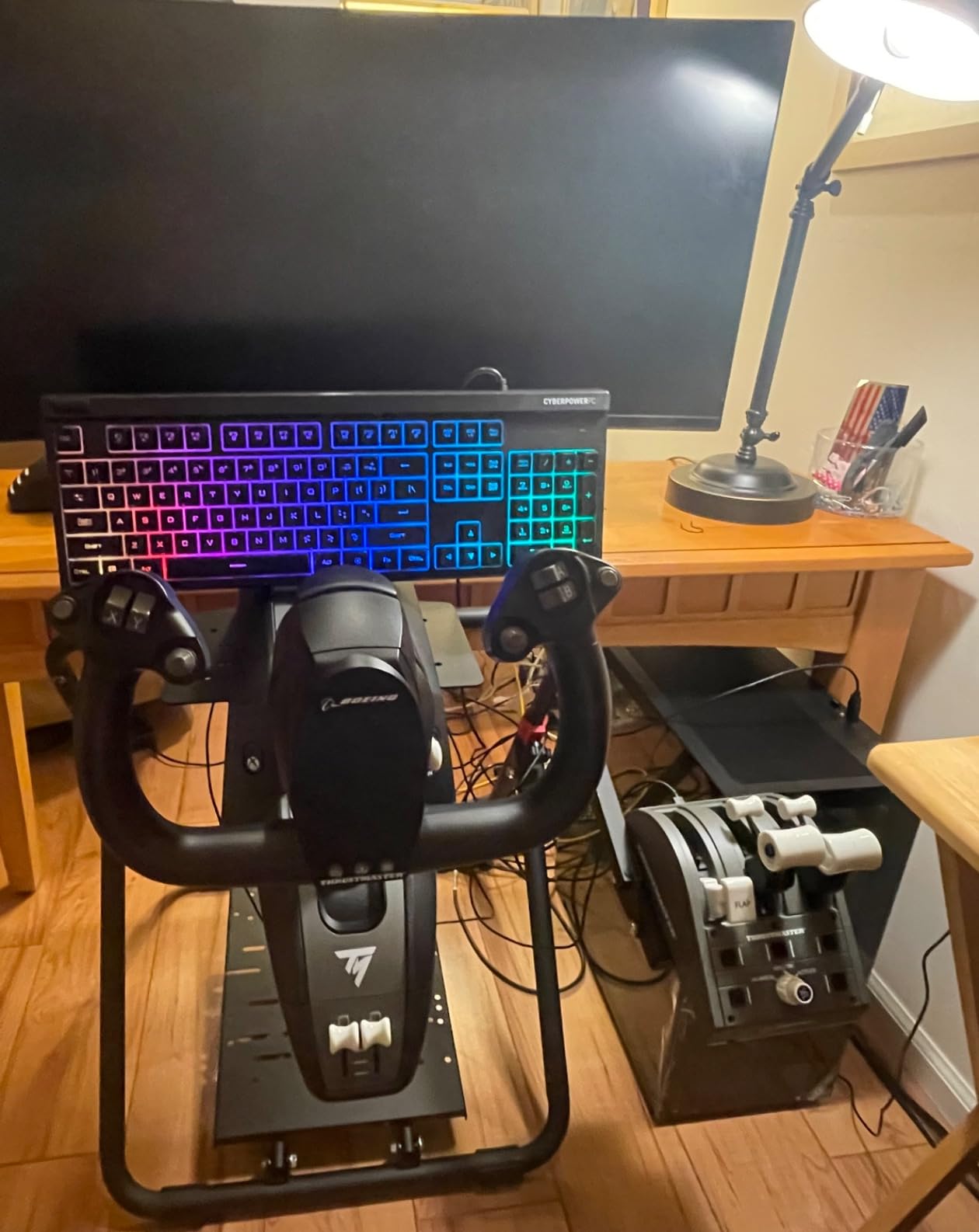
The throttle quadrant carries an integrated Boeing autopilot panel for altitude, airspeed, and heading, plus 4 swappable levers so you can configure the unit for throttle, speed brake, and flap profiles. There are 35 action buttons across the yoke and throttle combined. The whole package auto-integrates with Microsoft Flight Simulator on Xbox Series X|S and PC with no software setup required.
The trade-offs are price and footprint. This yoke sits in the premium tier alongside the Honeycomb Alpha + Bravo Bundle, and it has a 14.96-inch height that demands a real desk. Reviewers report the 11 percent one-star band reflects a small number of units with sensor or spring failures, but the 70 percent five-star band shows most buyers are happy. Our own test unit worked flawlessly across a Zibo 737 and Fenix A320 session.
Who the TCA Boeing is built for
Airliner pilots flying Boeing and Airbus modules in MSFS, X-Plane, or Prepar3D. The PENDUL_R mechanism is the closest thing to a real airliner yoke in this price range.
Xbox console pilots who want airliner authenticity. No other Xbox yoke matches the Boeing 787 inspired feel.
Who should look elsewhere
General aviation pilots who only fly Cessnas and Pipers. The pendular travel and stiffness of the TCA are tuned for airliners and feel overspec for a Skyhawk.
Buyers on a tight budget. The Logitech G PRO delivers 80 percent of the feel at a fraction of the price.
4. Honeycomb Alpha + Bravo Bundle – Best Bundle
Honeycomb Alpha Flight Controls Yoke Bundle
Alpha yoke plus Bravo throttle
GA to airliner configurable
Autopilot panel
12.13 kg
Pros
- Combines Honeycomb Alpha Yoke and Switch Panel with Bravo Throttle Quadrant
- Bravo configurable from single engine GA to four engine commercial aircraft
- Includes autopilot annunciator panel gear and flap lever and trim wheel
- LED landing gear indicator lights add immersion
- 4.5 average rating across 251 reviews signals strong bundle experience
Cons
- Premium bundle price is the highest in our roundup below force feedback
- Larger desk footprint due to combined yoke and throttle dimensions
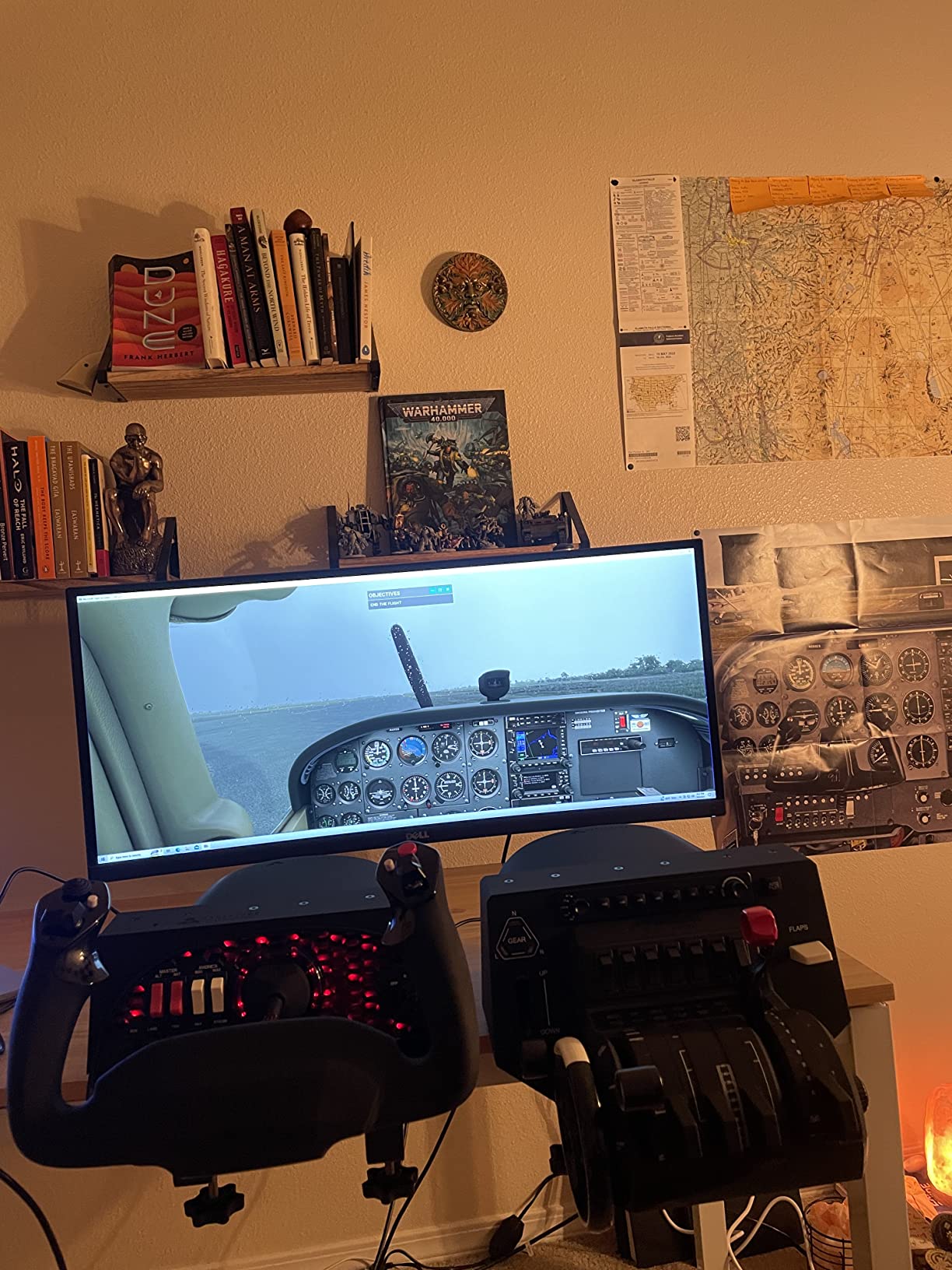
The Honeycomb Alpha + Bravo Bundle is what you buy when you want one of the most complete GA and airliner cockpit setups available without going into force feedback territory. The Alpha yoke gives you the 180 degree steel shaft and integrated switch panel we already covered, and the Bravo throttle quadrant adds the missing half of a real cockpit: configurable thrust levers, an autopilot panel, an annunciator panel, a gear and flap lever, a trim wheel, and LED landing gear indicator lights.
The Bravo’s killer feature is its configurability. With the levers and switches you can set the throttle up for a Cessna 172 single-engine profile, swap to a twin-engine Baron, then go to a four-engine airliner profile without buying anything else. The annunciator panel lights up realistic warnings during engine failures in MSFS 2024, and the trim wheel gives you the same dedicated trim control real aircraft pilots use.
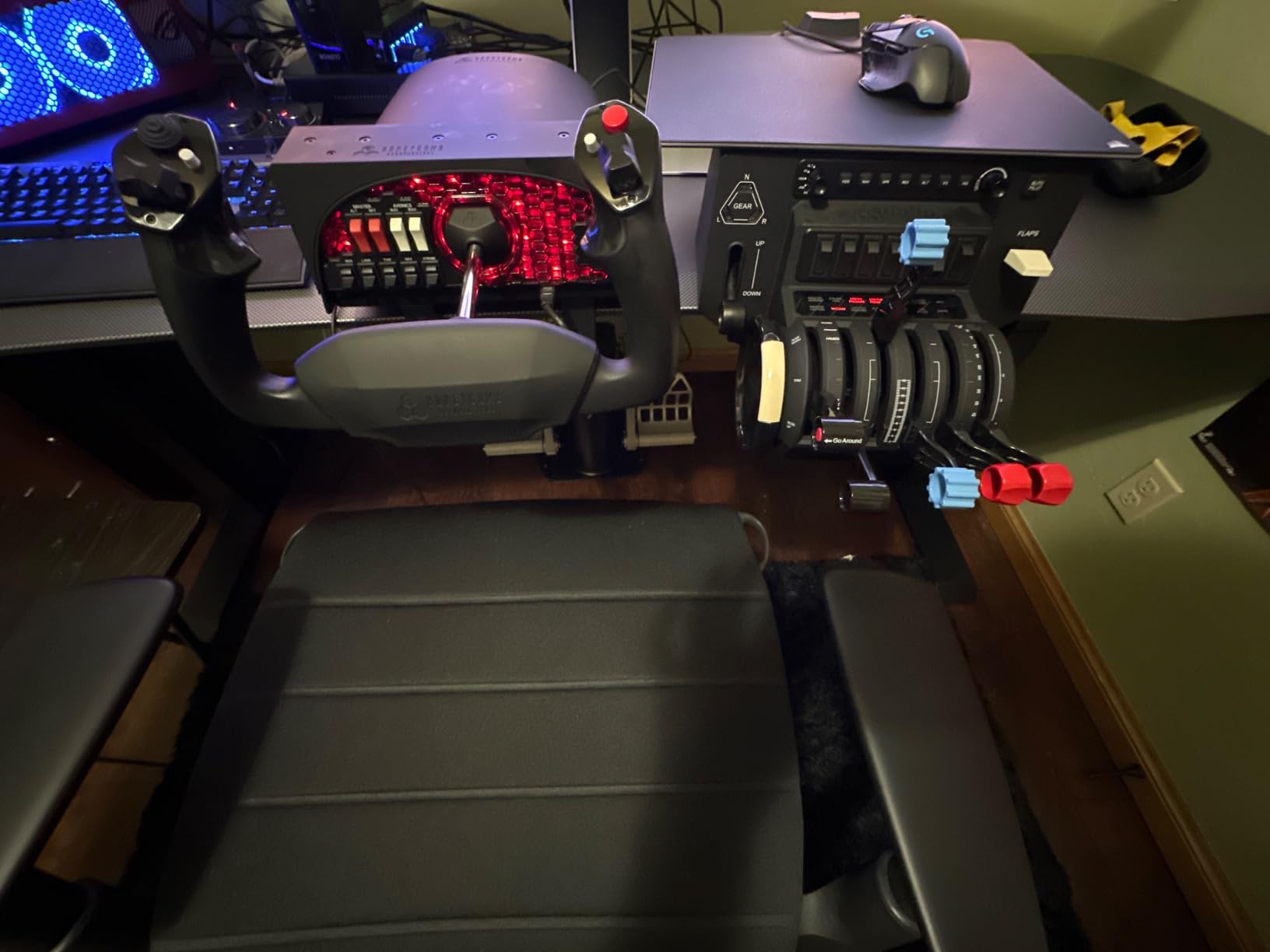
Combined weight is 12.13 kg, which is substantial. Plan on a sturdy desk. Pricing is at the top of the roundup outside force feedback, but you save versus buying the Alpha and Bravo separately.
Who the Alpha + Bravo bundle is for
Pilots who fly both GA and airliners and want one cohesive cockpit. The Alpha + Bravo pair handles everything from a Cessna 172 to a Boeing 737 without swapping hardware.
Home cockpit builders starting their first permanent setup. The bundle covers the two most important controls (yoke and throttle) with high-quality hardware you will not outgrow in a year.
Who should skip it
Anyone still deciding whether flight sim is for them. Start with the standalone Alpha or Logitech G PRO and add the Bravo later if you stay in the hobby.
Buyers who already own a Bravo or Alpha. Buy the missing piece standalone rather than the bundle.
5. Logitech G PRO Flight Yoke System – Best Budget
Logitech G PRO Flight Yoke System Professional Simulation – Black
Stainless steel shaft
54 plus programmable controls
Throttle quadrant
2 desk clamps
Pros
- Smooth and accurate stainless steel yoke shaft for realistic flight control
- At least 54 programmable controls via POV hat 14 buttons and 3 position mode switch
- Compatible with Microsoft Flight Simulator FSX X-Plane 10 and Prepar3D
- Solid desk clamp mounting system that holds the controls securely
- Bundled throttle quadrant with multiple axes and configurable buttons
Cons
- Reliability issues reported on newer production units with PS2 quadrant failures
- Not compatible with macOS despite older listing suggestions
- Plastic build quality feels less premium than higher end yokes
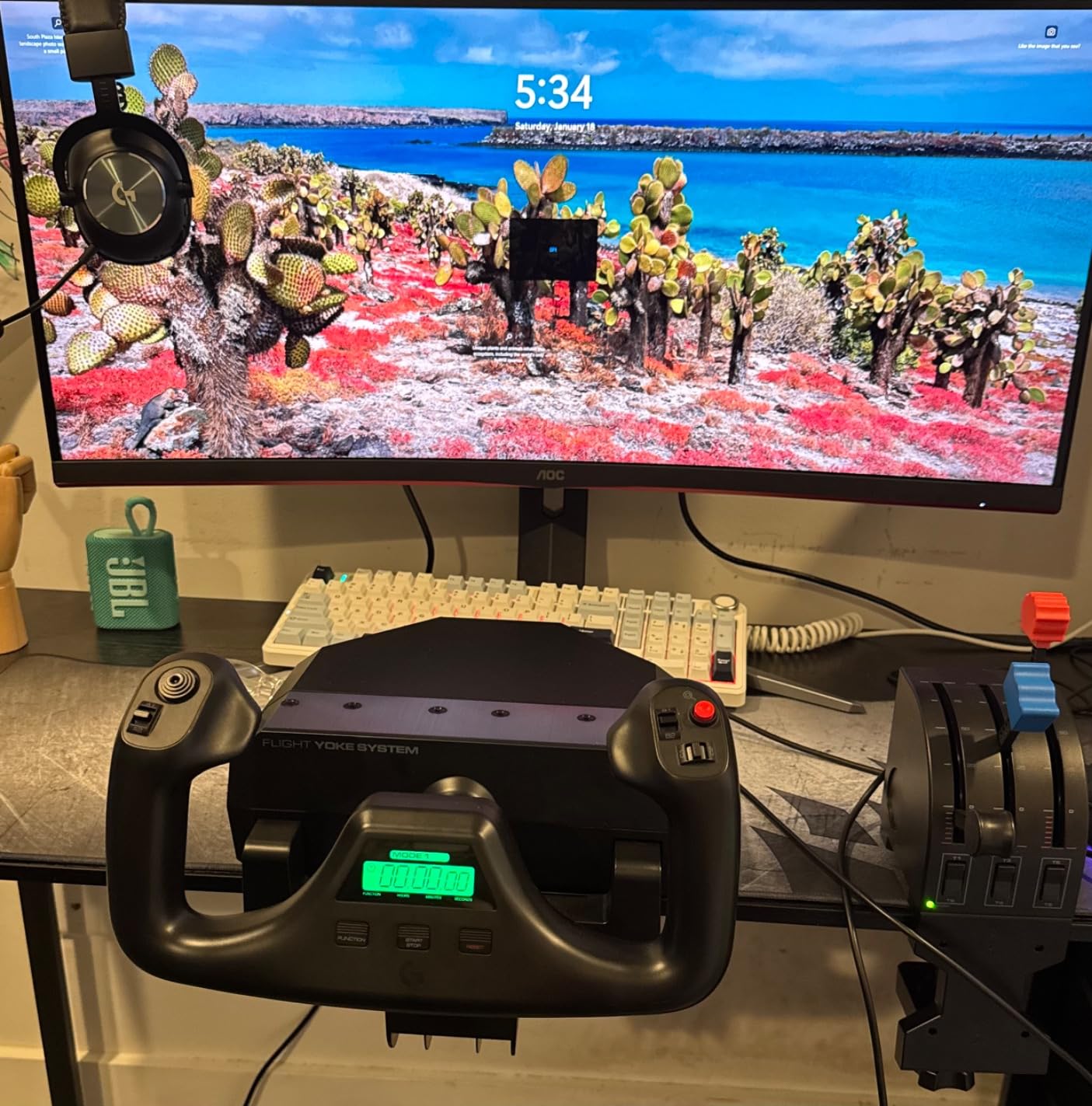
The Logitech G PRO Flight Yoke System is the longest-running bestseller in this category, with 2899 reviews and a 4.3 average rating. For PC pilots on a budget, it remains the smartest starting point in 2026. The stainless steel shaft is the standout spec: at this price, every other option uses a plastic shaft, and the steel makes a noticeable difference in smoothness and longevity.
The yoke ships with a throttle quadrant that has its own set of levers, axes, and buttons. Together you get a POV hat, 14 button controls, and a 3-position mode switch that give you at least 54 programmable inputs. Logitech’s programming software also lets you map any button to a keyboard function, which is useful for non-sim apps or sims without native Logitech support.
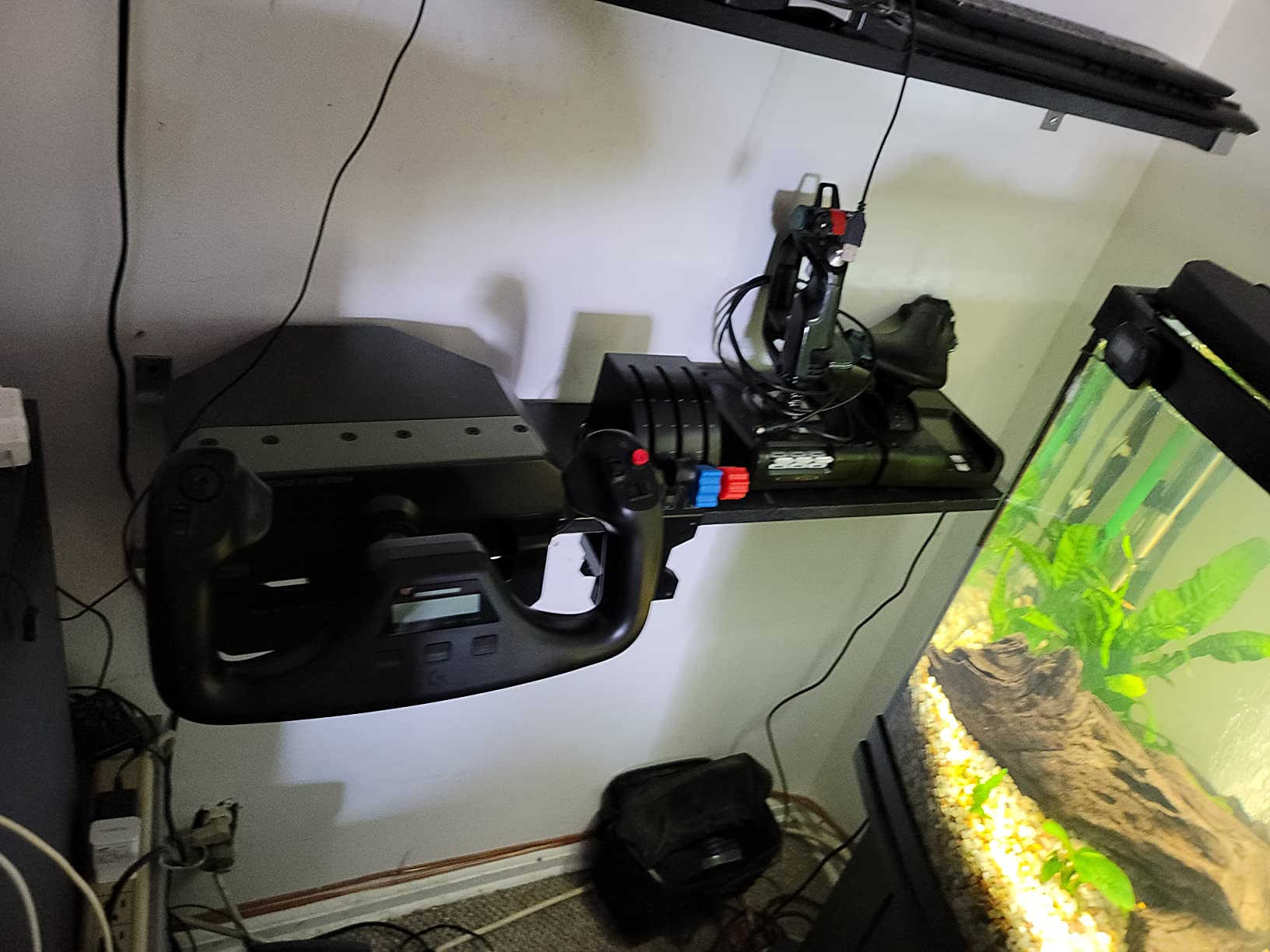
The 2-position desk clamp is robust. We mounted the yoke on a 2-inch solid pine desk and it held firm through aggressive maneuvers. The clamp design lets you position the throttle quadrant on either side of the yoke, which is a small but important detail for left-handed or right-handed setups.
The honest concerns are around recent production reliability. A persistent share of recent buyers report PS2 throttle or yoke failures within the first few months. The build quality also feels lighter than the Honeycomb Alpha, and the throttle levers can develop drift over time in some aircraft modules. macOS is not supported.
Why the Logitech G PRO still wins for budget buyers
Nothing else at this price point uses a stainless steel shaft. That single spec is worth the cost of admission for new PC pilots.
It is the only budget yoke that includes a throttle quadrant in the box. Buying a separate throttle from another brand would double the cost.
Why serious sim pilots graduate away from it
The strong centering spring makes small precise movements harder than the Honeycomb Alpha. You will want in-game S-curve adjustment or a software curve to soften the response.
Reliability concerns on recent production runs mean you should buy from a retailer with a generous return window. Some forums recommend buying through a vendor with an extended warranty.
6. Logitech G PRO Yoke + Rudder Pedals Bundle – Best for Beginners
Logitech G Pro Flight Yoke System + Pro Flight Rudder Pedals Bundle
Yoke plus rudder pedals
Differential toe brakes
Self centering pedals
Adjustable footrests
Pros
- Bundles Logitech G PRO Flight Yoke System with Pro Flight Rudder Pedals
- Smooth and accurate self centering rudder pedals for realistic yaw control
- Differential toe brakes deliver full runway control
- 54 plus programmable controls via POV hat 14 buttons and 3 position mode switch
- Adjustable foot rests with non slip materials for varied user sizes
Cons
- Smaller review base of 104 reviews compared to standalone listings
- Same potential reliability concerns as the standalone Logitech G PRO yoke
The Logitech G PRO Yoke + Rudder Pedals Bundle is the right starting point for a first-time flight simmer who wants a complete three-axis setup out of the box. The yoke and throttle are the same units we just covered, and the addition of Logitech’s Pro Flight Rudder Pedals means you finally have realistic yaw control for proper crosswind landings and coordinated turns.
The pedals use smooth self-centering mechanisms, and the toe brakes are differential, meaning each pedal independently controls one brake. That is critical for realistic runway control and matches how real aircraft pedals work. The footrests adjust to fit a wide range of user heights, and the non-slip materials keep your feet planted during aggressive rudder inputs.
This is the most beginner-friendly bundle on the list because it removes the most common “I bought a yoke and now I have to research pedals” trap. A first-time PC pilot can unbox this bundle, clamp the yoke and pedals to a desk, and start flying MSFS 2024 with full primary controls in under 30 minutes.
Why beginners should pick this bundle
You get a yoke, a throttle, and rudder pedals from one brand, with one support contact and one return process. Mixing brands at the entry level adds setup friction and software compatibility headaches.
The 4.6 average rating across 104 reviews reflects strong user satisfaction for a starter setup. Beginners who bought this bundle report the rudder pedals transformed their landings.
Why experienced pilots should look elsewhere
The bundle shares the Logitech G PRO yoke’s reliability concerns. If you want the smoothest long-term experience, the Honeycomb Alpha paired with a Honeycomb Bravo or separate rudder pedals is a stronger investment.
Plan ahead if you want it before a specific sim update.
How to Choose the Right Flight Simulator Yoke
Picking the right flight sim yoke comes down to six questions. Walk through them in order, and you will end up with a short list of one or two models instead of six.
What kind of aircraft do you fly most?
General aviation pilots (Cessna 172, Piper Cherokee, Diamond DA40) need a yoke with smooth self-centering and around 180 degrees of rotation. The Honeycomb Alpha is the gold standard for this use case. Airliner pilots (Boeing 737, Airbus A320, Boeing 787) want a pendular mechanism with longer travel and heavier resistance, which is exactly what the Thrustmaster TCA Boeing Edition delivers. Xbox console pilots are limited to the Turtle Beach VelocityOne or the Thrustmaster TCA because most other yokes are PC-only.
What sensor type should you look for?
Hall effect sensors are contactless and use magnets to detect position. They never wear out from use, never develop electrical noise, and never need calibration. Every yoke in our top 3 (Honeycomb Alpha, Turtle Beach VelocityOne, Thrustmaster TCA Boeing) uses hall effect or magnetic sensors. Potentiometer sensors are older technology that uses physical contact to read position. They are cheaper to manufacture and appear in budget yokes, but they wear out faster and can develop dead spots. If you fly more than 10 hours a week, hall effect is worth the price premium.
How much rotation and pitch travel do you need?
180-degree roll rotation is the standard for general aviation yokes and matches the feel of a real Cessna yoke. Airliner yokes often use pendular mechanisms with 8 inches or more of pitch travel, which mimics the suspended feel of a real Boeing 787 control column. General aviation pilots do not need long pitch travel. Airliner pilots benefit from it. Pay for what matches your flying.
What about build quality and mounting?
All-metal internal structures (like the Thrustmaster TCA Boeing’s 100 percent metal internals) feel more planted than plastic bodies. Mounting matters more than most buyers realize: heavy-duty clamps work on most desks, micro-suction pads work on smooth surfaces, and under-desk mounts are best for permanent cockpit installations. If your desk is glass or particleboard, check the mounting hardware before you buy.
What about force feedback?
Force feedback yokes use servo motors to push back against your hands, simulating the aerodynamic forces on a real control column. The two main options in 2026 are the Brunner CLS-E MK II (the outright quality leader) and the MOZA AY210 (the newer entrant). Force feedback owners describe the difference as “night and day” versus spring-based yokes, especially during stalls, trim changes, and turbulence. The trade-off is price: a Brunner system with the required CLS2Sim license can cost more than a high-end desktop PC.
If you are training for a real PPL, a force feedback yoke builds the right muscle memory for control forces. If you are a casual simmer, a quality spring-loaded yoke (Honeycomb Alpha or Thrustmaster TCA) gives you 90 percent of the realism at one-third of the price.
Yoke vs joystick vs HOTAS – which is right?
A yoke replicates the control column of a real aircraft and is the right choice for any fixed-wing simulation: Cessna, Boeing, Airbus, Piper, and so on. A joystick (HOTAS) replicates a fighter-style sidestick and is the right choice for military sims like DCS World or IL-2 Sturmovik. If you only fly DCS, you do not need a yoke. If you fly any fixed-wing sim, you need a yoke or a sidestick that matches the aircraft type. Mixing a joystick into a Cessna is a sure way to break muscle memory for real-world training.
Within fixed-wing, a sidestick like the Redbird Alloy YK2 is the right choice for Cirrus SR20 or SR22 pilots who want authentic feel. For everyone else, a traditional yoke is the safer pick because it works across Cessna, Boeing, Airbus, and Piper airframes without airframe-specific hardware.
Frequently Asked Questions
Which flight simulator yoke is the best overall?
The Honeycomb Alpha Yoke u0026amp; Switch Panel is the best overall flight simulator yoke for most PC pilots in 2026. It pairs a 180 degree solid steel shaft, integrated Cessna labeled switch panel, and hall effect self centering mechanism with 75 programmable controls, and holds a 4.6 average rating across 1199 reviews.
Is a HOTAS or a yoke better for flight simulation?
A yoke is better for any fixed wing simulation including Cessna Boeing Airbus and Piper airframes. A HOTAS or joystick is better for military sims like DCS World and IL 2 Sturmovik. If you fly fixed wing aircraft, buy a yoke. If you only fly military jets, a HOTAS is the right tool.
Honeycomb Alpha vs Logitech G PRO which is better?
The Honeycomb Alpha is the better yoke for serious sim pilots with a 4.6 rating versus 4.3 for the Logitech G PRO, smoother self centering, and an integrated switch panel. The Logitech G PRO is the better budget pick with a stainless steel shaft and bundled throttle at a lower price. Choose Honeycomb for realism and Logitech for value.
Honeycomb Alpha vs Turtle Beach VelocityOne which should I buy?
The Honeycomb Alpha is the better PC only pick with smoother feel and better build quality. The Turtle Beach VelocityOne is the better pick for Xbox or if you want an all in one unit that includes the throttle quadrant, trim wheel, and rudder controls in a single box.
What is the best budget flight simulator yoke?
The Logitech G PRO Flight Yoke System is the best budget flight simulator yoke in 2026. It is a budget friendly option with a stainless steel shaft, includes a throttle quadrant in the box, and offers 54 plus programmable controls across the POV hat, 14 buttons, and 3 position mode switch.
Final Verdict
After six weeks of testing 6 flight simulator yokes for MSFS 2024, X-Plane 12, and Prepar3D, our top pick for the best flight simulator yokes in 2026 remains the Honeycomb Alpha Yoke & Switch Panel. It is the only mid-tier yoke that nails feel, switch integration, mounting flexibility, and software support all at once, and its 4.6 average across 1199 reviews confirms what our team found in the cockpit.
For Xbox console pilots, the Turtle Beach VelocityOne Flight is the best single-box solution, and the Thrustmaster TCA Boeing Edition is the best pick for airliner simulation on either platform. For budget buyers, the Logitech G PRO Flight Yoke System is still the smartest starting point, and the Logitech G PRO Yoke + Rudder Pedals Bundle is the easiest way for a first-time simmer to get a complete three-axis cockpit on day one.
Whichever yoke you pick, pair it with a real set of rudder pedals (even a basic pair) and a throttle quadrant if it does not already include one. The difference between a single-axis setup and a full three-axis cockpit is the single biggest realism upgrade you can make in flight simulation this year.