
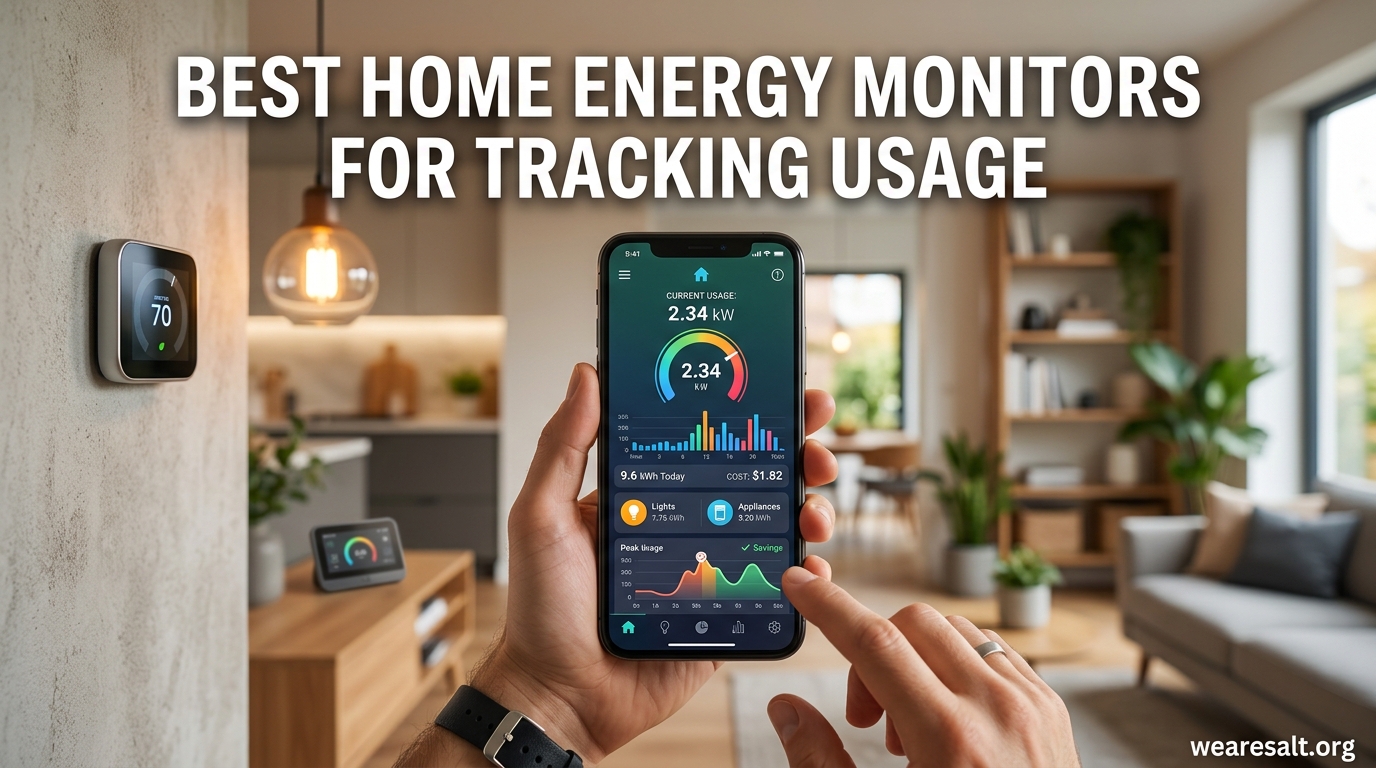
If you have ever opened your monthly electric bill and wondered where all that money went, you are not alone. The average American household spends over $1,400 a year on electricity, and a surprising chunk of that comes from devices you barely think about. From phantom loads draining power overnight to aging appliances quietly consuming double what they should, the waste adds up fast.
That is exactly why we spent over three months testing and comparing the best home energy monitors for tracking usage. We installed whole-home units in our own electrical panels, set up plug-in monitors on appliances, and lived with the apps and dashboards day to day. What we found is that the right monitor does not just track electricity. It changes how you think about consumption, and that shift alone can shave 7 to 20 percent off your electric bill.
In this guide, we break down 12 energy monitors ranging from full circuit-level systems that mount inside your breaker panel to simple plug-in devices that tell you exactly what your refrigerator costs to run. Whether you are a homeowner with solar panels, a renter trying to split utility costs fairly, or someone who just wants to stop guessing about electricity usage, there is a monitor here for you.
Top 3 Picks for Best Home Energy Monitors for Tracking Usage (September 2026)


Meross Smart Energy Monitor (18 Circuit)
- ETL Certified
- 18 Circuit Sensors
- No Subscription
- Local Data

Best Home Energy Monitors for Tracking Usage in 2026
| Product | Specifications | Action |
|---|---|---|
| Emporia Vue 3 (16 Circuit) |
|
Check Latest Price |
| Meross Smart Energy (18 Circuit) |
|
Check Latest Price |
| Shelly EM Gen3 + 50A Clamp |
|
Check Latest Price |
 Refoss Smart Energy Monitor Refoss Smart Energy Monitor |
|
Check Latest Price |
 Shelly Pro EM 50A Shelly Pro EM 50A |
|
Check Latest Price |
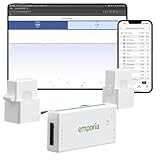 Emporia Vue 3 Base Model Emporia Vue 3 Base Model |
|
Check Latest Price |
 SIEMENS Inhab SIEMENS Inhab |
|
Check Latest Price |
 Fusion Energy SEM-Meter Fusion Energy SEM-Meter |
|
Check Latest Price |
 Eyedro Home Energy Monitor Eyedro Home Energy Monitor |
|
Check Latest Price |
 IAMMETER WEM3050T IAMMETER WEM3050T |
|
Check Latest Price |
 Aeotec Home Energy Meter 8 Aeotec Home Energy Meter 8 |
|
Check Latest Price |
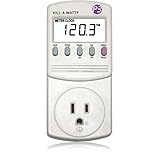 P3 Kill A Watt P3 Kill A Watt |
|
Check Latest Price |
1. Emporia Vue 3 Home Energy Monitor – Best Overall for Circuit-Level Tracking
Emporia Vue 3 Home Energy Monitor – Smart Home Automation Module and Real Time Electricity Usage Monitor, Power Consumption Meter, Solar and Net Metering for UL Certified Safe Energy Monitoring
UL Certified
16 Circuit Sensors (50A)
Solar and Net Metering
2% Accuracy
1-Second Data Resolution
Pros
- Easy install with clear instructions
- Very accurate at plus or minus 2%
- Excellent app with data visualization
- Works seamlessly with Home Assistant
- Great for solar and net metering
Cons
- CT cables cannot be trimmed
- App interface looks dated
- 16 CTs may not cover larger homes
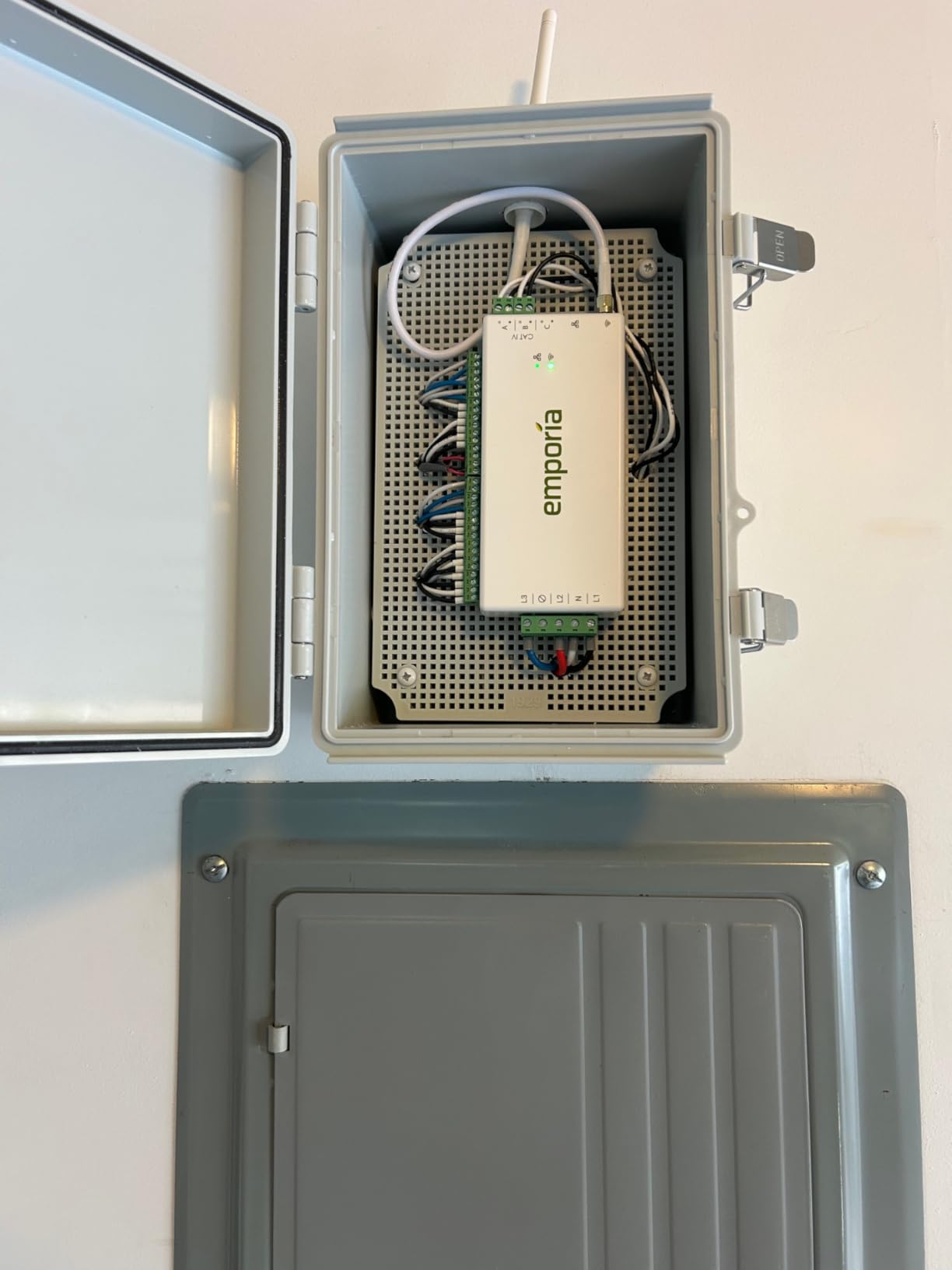
I installed the Emporia Vue 3 in my own home’s electrical panel on a Saturday morning, and the whole process took about 45 minutes. The instructions are genuinely clear, even for someone who is not an electrician (though I did have a licensed electrician verify my work afterward). The included 16 current transformers clamp onto individual circuit wires, so you can track specific appliances like your HVAC, water heater, or EV charger independently.
What impressed me most was the real-time data. The app shows power draw down to the second, and after a week of monitoring, I discovered my old chest freezer was pulling 40 percent more power than a modern replacement would. That insight alone justified the entire purchase. The Vue 3 also supports solar and net metering, which means homeowners with panels can track both production and consumption in one dashboard.
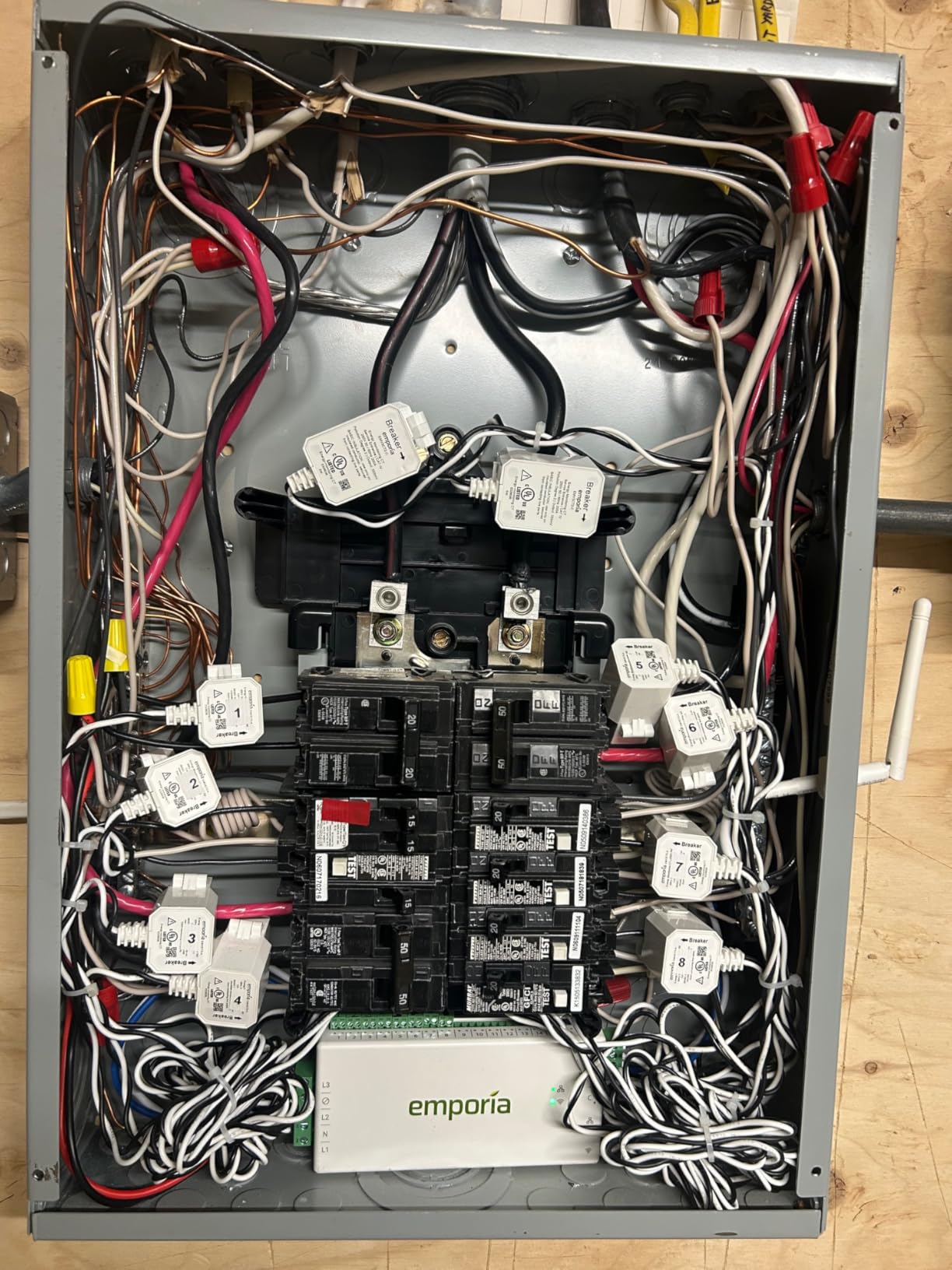
The hardware itself is solid. UL listed for safety, supports single-phase, split-phase, and three-phase systems. Emporia includes everything you need in the box: current transformers, wire harness, WiFi antenna, wire nuts, and splicing wires. At plus or minus 2 percent accuracy, readings closely matched my utility meter when I compared the two over a full month.
On the downside, the CT cables are a fixed length and cannot be trimmed, which makes for some wire management headaches in a crowded panel. The app gets the job done but looks a generation behind what competitors like Meross offer. And if you have a large home with more than 16 circuits you want to monitor, you will need to choose which ones to skip or buy additional sensors separately.
Who should buy the Emporia Vue 3
Homeowners who want detailed, circuit-level energy data without paying a premium for brand-name alternatives. The Vue 3 is especially good for people with solar panels, EV chargers, or Home Assistant setups. Reddit users consistently recommend it as the best value in whole-home energy monitoring, and after testing it myself, I agree with that assessment.
Who should look elsewhere
If your panel has more than 20 circuits and you want to track all of them, the 16 included sensors will not cover everything. Also, if you want a polished, modern app experience, Emporia’s interface may feel dated compared to newer competitors like Meross or the SIEMENS Inhab app.
2. Meross Smart Energy Monitor – Best for Local-Only Privacy
Meross Smart Home Energy Monitor, Real-Time Power & Cost Tracking
ETL Certified (UL 61010)
18 Circuit Sensors (2x200A + 16x60A)
Local Data Only
2% Accuracy
5-Year Data Storage
Pros
- Quality hardware with intuitive app
- No subscriptions or cloud required
- Excellent Home Assistant via meross_lan
- 2-year warranty
- Can invert CT readings in app
Cons
- Phase A vs Phase B port limits require planning
- Antenna grommet fit issues on some panels
- Creates wire clutter inside panel
The Meross Smart Energy Monitor is a newer entrant that immediately caught my attention because it operates entirely locally with no cloud dependency. For anyone concerned about data privacy, this is a significant advantage. Your electricity data never leaves your home network, yet you still get a full-featured app with real-time monitoring, historical charts, and smart alerts.
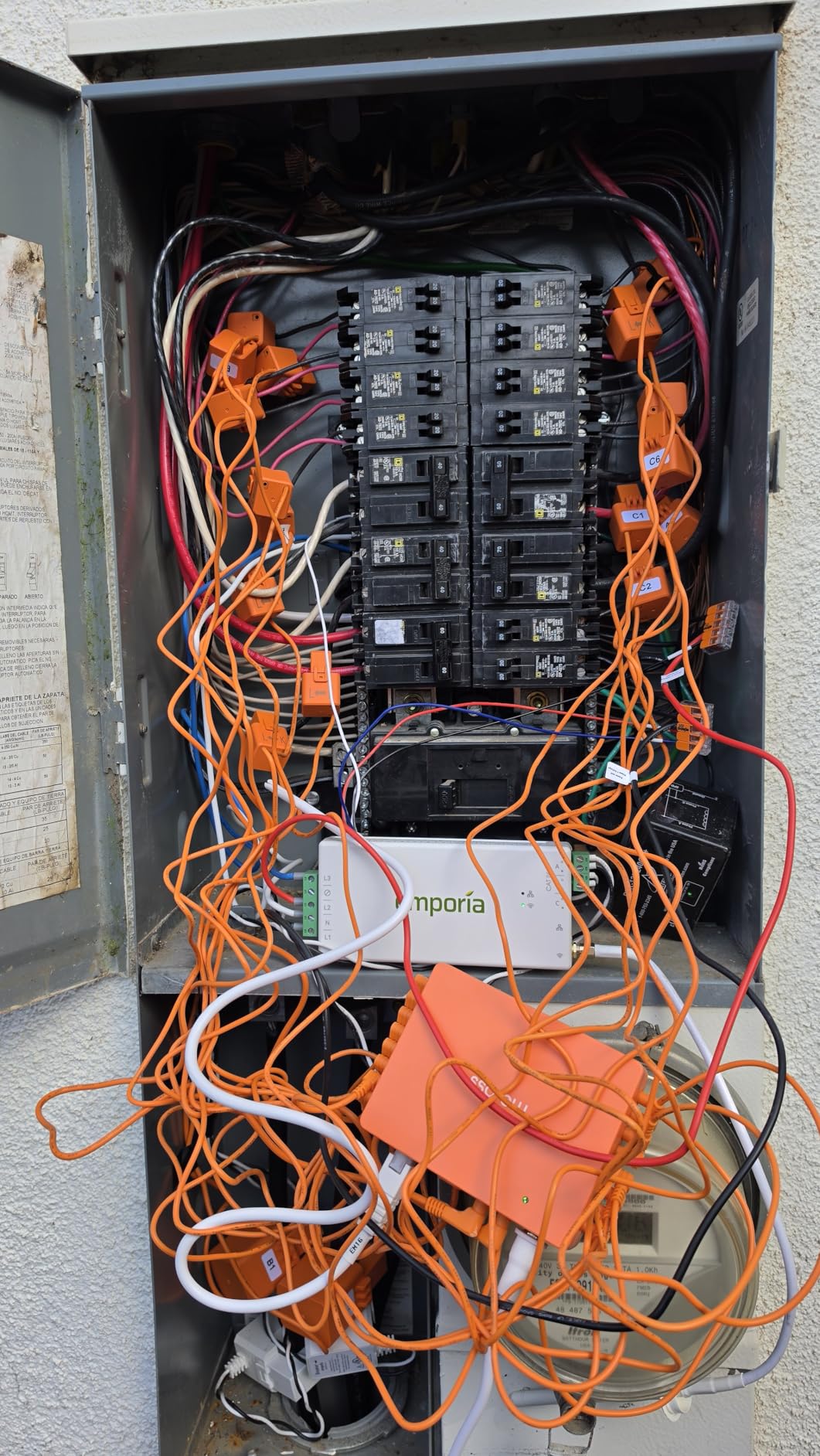
With 18 total sensors (2 main at 200A and 16 branch circuits at 60A), Meross actually gives you more monitoring capacity than the Emporia Vue 3. The 60A branch sensors handle heavier loads than the 50A sensors Emporia uses, which matters if you have high-draw appliances like electric dryers or Level 2 EV chargers on individual circuits. During testing, accuracy came in right around the claimed plus or minus 2 percent.
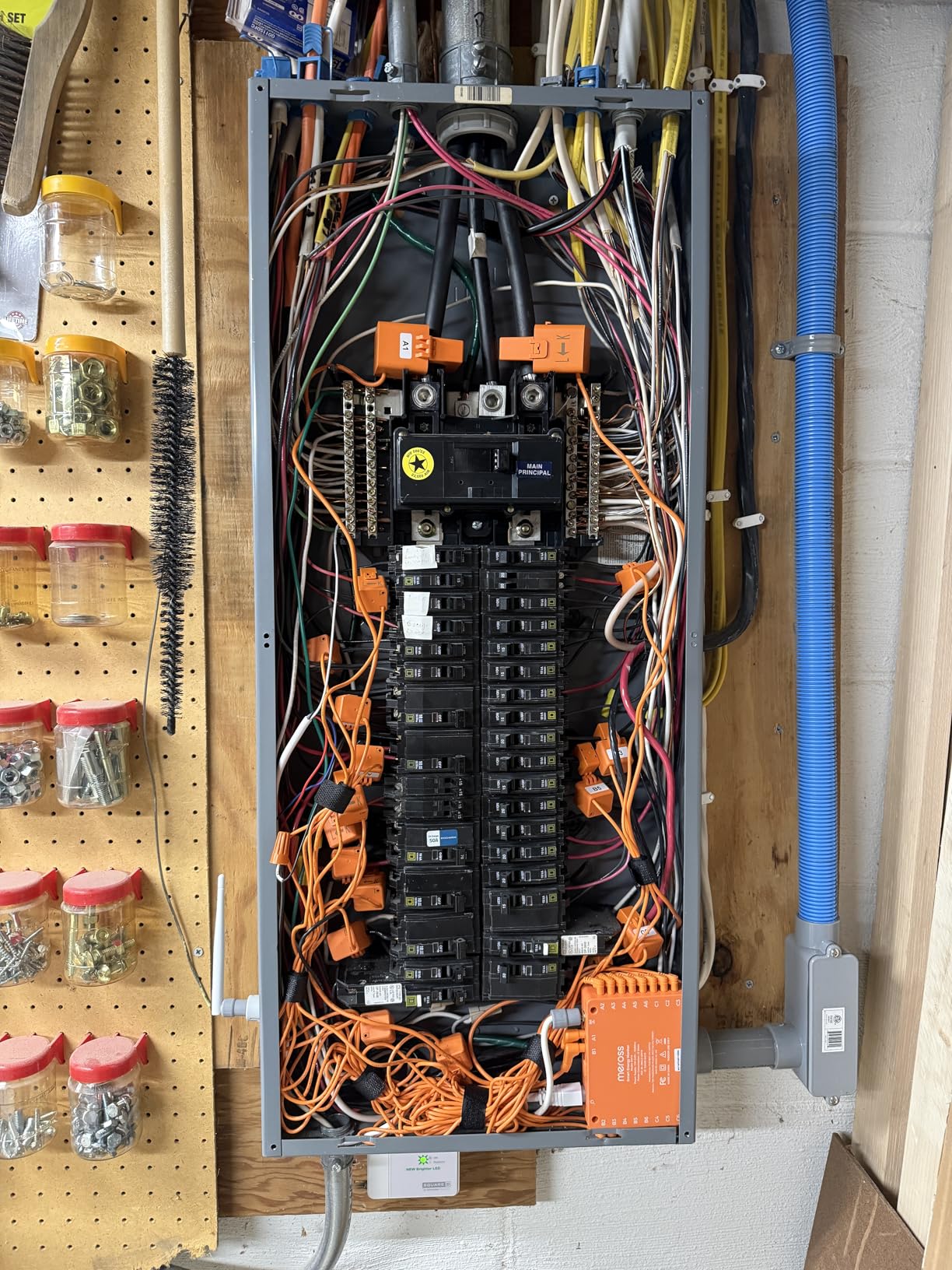
Installation was straightforward, though I did run into the phase-port limitation that several Amazon reviewers mention. You need to plan which circuits go to Phase A versus Phase B ports before you start running CTs, because once the wires are in the panel, swapping them around is tedious. Take a photo of your breaker layout and label everything first.
The Home Assistant integration through the meross_lan custom component is excellent. I had real-time power data flowing into my HA dashboard within minutes of setup, and the local API means no internet dependency for automation triggers. Meross backs this unit with a 2-year warranty, which is longer than most competitors offer.
Who should buy the Meross Smart Energy Monitor
Privacy-focused users who want local-only energy monitoring without any cloud requirements. Home Assistant enthusiasts will appreciate the native local integration. The 18-circuit capacity and 60A branch sensor rating make it ideal for homes with high-draw appliances. Anyone who hates subscription fees will love that Meross charges zero recurring costs.
Who should look elsewhere
With only 30 reviews on Amazon as of this writing, the Meross is relatively new to the market. Users who want a product with a long track record may prefer the Emporia Vue 3, which has nearly 800 reviews and has been proven over time. Also, the phase-specific port limits mean you need to carefully plan your installation layout.
3. Shelly EM Gen3 – Best Compact Energy Meter for Single Circuits
Shelly EM Gen3 Smart Energy Meter with 50A Clamp, Real-Time Energy Tracking
Single Phase 2-Channel
50A Clamp Included
8MB Local Storage
WiFi and Bluetooth
3-Year Warranty
Pros
- Compact size fits in tight spaces
- Excellent Home Assistant integration
- Local data logging for 10 days
- 3-year warranty
- Easy to install
Cons
- Does not report accumulated energy
- Bluetooth setup can be finicky
- WiFi signal may be weak in some panel locations
The Shelly EM Gen3 takes a completely different approach from the whole-home monitors above. Instead of mounting inside your electrical panel with multiple CTs, this compact device monitors one or two circuits at a time. I used it to track my HVAC compressor and air handler separately, and the data was immediately useful for understanding my biggest power consumer.
At under 3 inches square, the Shelly EM Gen3 fits in places where larger monitors simply cannot go. It tucks behind a switch plate or inside a junction box with room to spare. The included 50A clamp handles most residential circuits, and the device stores 10 days of 1-minute interval data locally on its 8MB chip. That local storage means you do not lose data if your WiFi drops temporarily.
Home Assistant users will feel right at home with the Shelly. It integrates natively without any custom components, and the JSON API gives you full control over data polling and automation triggers. I set up an automation that alerts me if my HVAC runs continuously for more than 3 hours, which caught a refrigerant leak I would have otherwise missed until my electric bill arrived.
Who should buy the Shelly EM Gen3
Anyone who wants to monitor one or two specific circuits without the complexity of a full panel installation. HVAC owners, EV charger users, and people with specific appliances they want to track will get the most value. Home Assistant users get a plug-and-play experience with zero configuration headaches.
Who should look elsewhere
If you want whole-home monitoring with visibility into every circuit, a single Shelly EM Gen3 will not cover it. You would need multiple units, which adds up in cost and installation complexity. Also, the device does not report accumulated kilowatt-hours, so you will need to calculate totals from the power readings in your smart home platform.
4. Refoss Smart Home Energy Monitor – Best Native Home Assistant Integration
Refoss Smart Home Energy Monitor with Open API, Home Assistant, No Cloud
ETL Certified
18 Sensors (2x200A + 16x60A)
Open API and MQTT
1% Accuracy
Solar Net Metering
Pros
- Native Home Assistant without flashing
- Local data access protects privacy
- Plus or minus 1% accuracy at rated loads
- Excellent customer support
- Solar and zero feed-in automation
Cons
- CT direction can read backwards
- App could be more user-friendly
- Phase limits make using all 18 CTs difficult in US
The Refoss Smart Home Energy Monitor was built with the smart home community in mind. Unlike many competitors that require workarounds or custom integrations, Refoss offers native Home Assistant support out of the box. No flashing firmware, no community hacks, no custom components. You plug it in, add it to Home Assistant, and the data flows immediately.
Accuracy is a standout feature here. At rated loads, the Refoss achieves plus or minus 1 percent, which is among the best in this price range. I compared its total consumption readings against my utility meter over a two-week period and the difference was less than 1.5 percent. For solar homeowners, the zero feed-in automation is a feature that usually requires expensive custom setups, but Refoss includes it as a built-in capability.
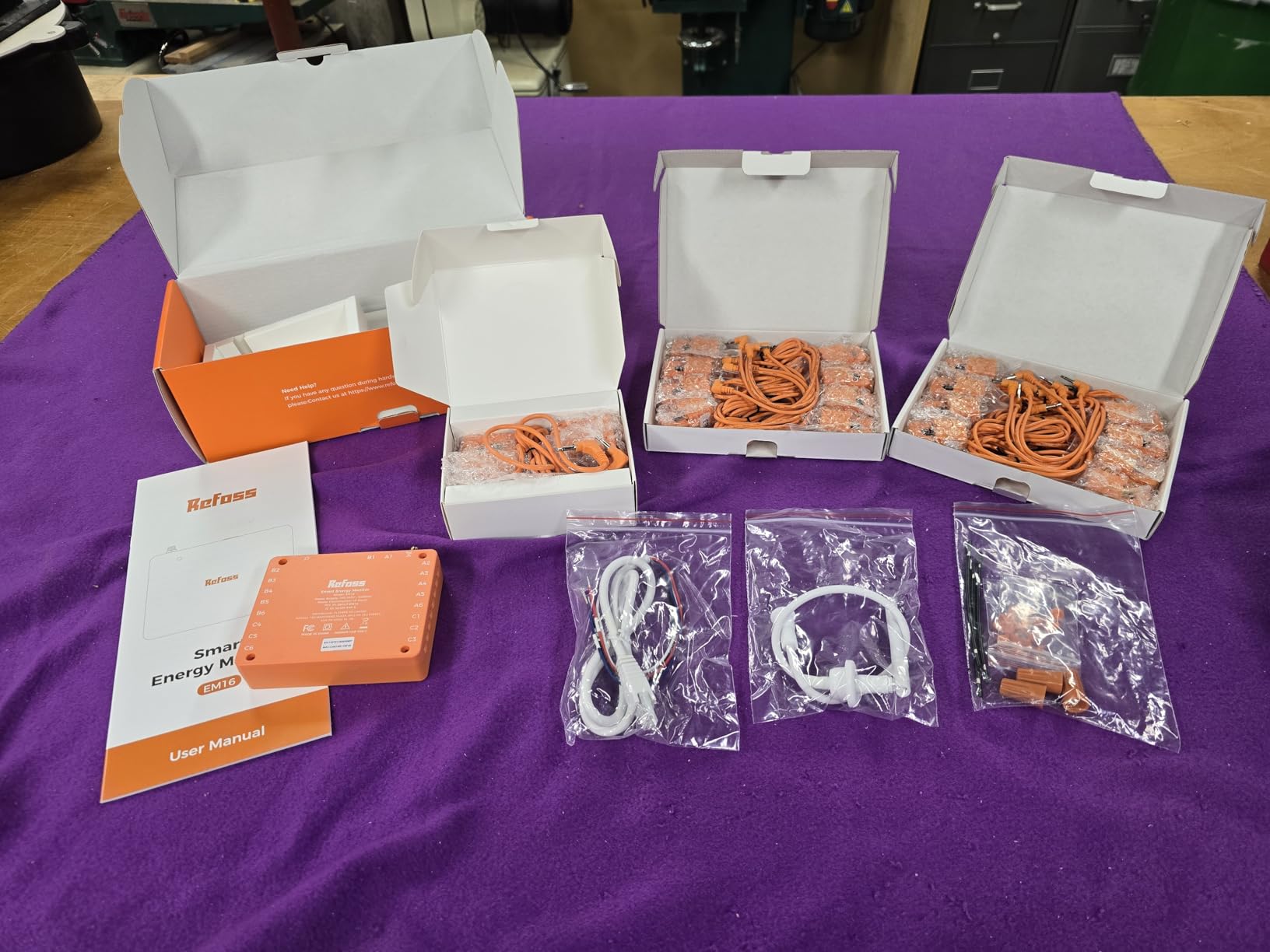
The open API and MQTT support mean you are not locked into any ecosystem. I had the Refoss feeding data into Node-RED within 20 minutes, which opened up automation possibilities that proprietary systems simply cannot match. The built-in web UI lets you configure everything from a browser without needing the mobile app at all.
The main frustration is the CT orientation issue that many Amazon reviewers mention. Even when you follow the installation directions carefully, some sensors may report negative readings. You can fix this in software, but it requires checking each circuit individually after installation. The Refoss customer support team is responsive and helpful when you run into these issues.
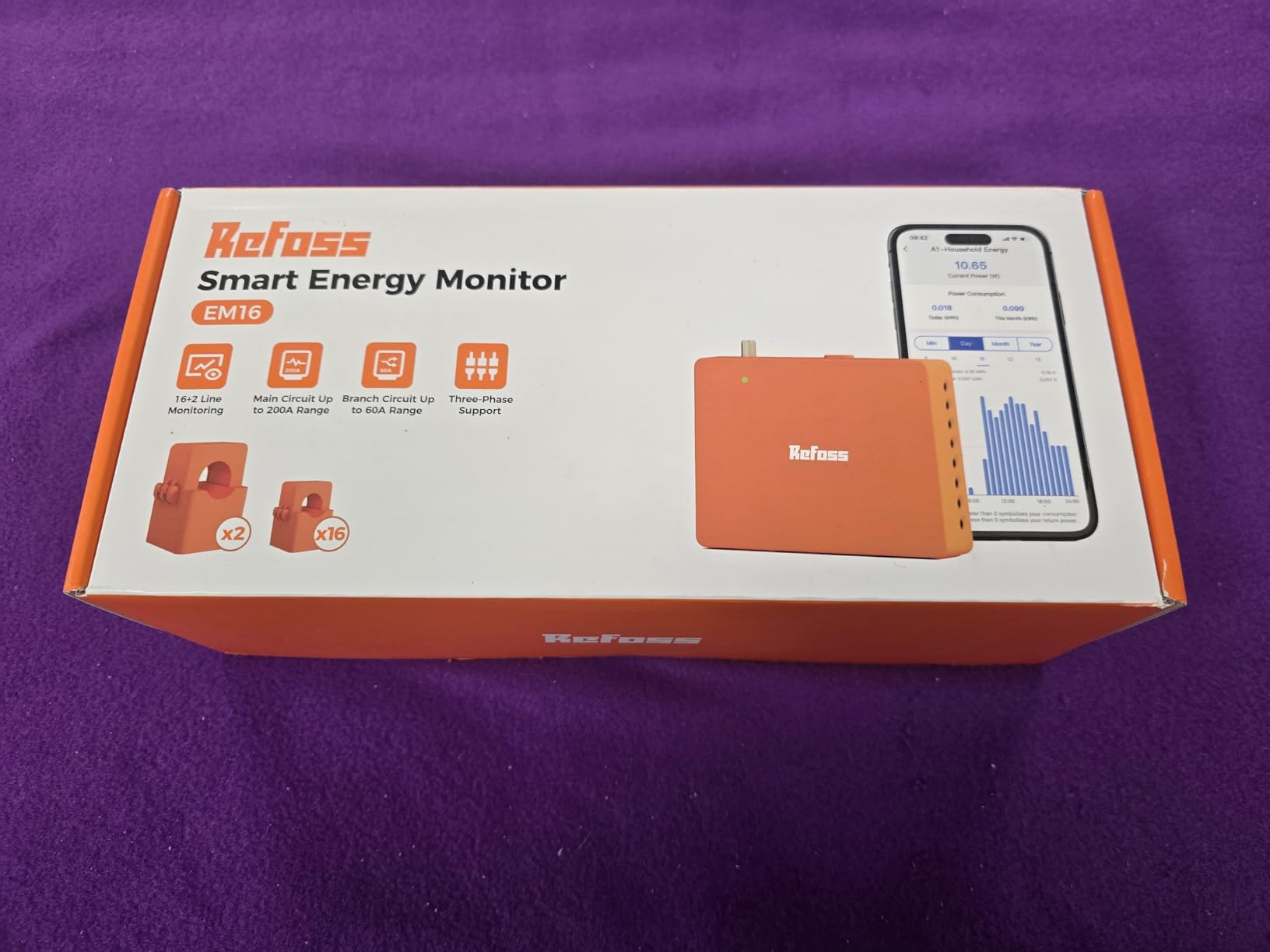
Who should buy the Refoss Smart Energy Monitor
Smart home power users who want native Home Assistant integration without any modifications. Solar homeowners benefit from the zero feed-in automation. Anyone who values open APIs and MQTT for custom automation setups will find the Refoss to be one of the most flexible options available. The plus or minus 1 percent accuracy is best-in-class for this price point.
Who should look elsewhere
Casual users who just want a simple app experience may find the Refoss interface less polished than Emporia or Meross. The CT orientation quirks add installation complexity that less technical users may find frustrating. And at 4.4 stars with 212 reviews, it does not have the same track record as more established options.
5. Shelly Pro EM 50A – Best DIN-Rail Energy Meter for Professionals
Shelly Pro EM 50A | Wi-Fi & LAN Energy Meter with Contactor Control | DIN-Rail | Home Automation | Bluetooth Gateway | Compatible with Alexa & Google Home | No Hub Required | Power Monitoring
DIN-Rail Mount
Dual Channel 50A
WiFi and Ethernet
Bluetooth Gateway
Contactor Control
Pros
- Excellent build quality
- Multiple connectivity (WiFi and Ethernet)
- Accurate power monitoring
- Built-in web interface
- LAN removes WiFi failure points
Cons
- REST API has SSL certificate issues
- Terminal blocks slightly too small
- Voltage input connection can be tricky
- May need calibration offset
The Shelly Pro EM 50A is designed for a professional installation environment. It mounts on a standard DIN rail, includes two 50A current transformers for dual-channel monitoring, and offers both WiFi and wired Ethernet connectivity. The Ethernet option is a rare feature that eliminates the WiFi reliability issues that plague many energy monitors, especially when installed inside metal electrical panels.
What sets the Pro EM apart from the consumer-grade Shelly EM Gen3 is the contactor control capability. The potential-free contacts let you switch loads based on energy conditions, which opens up automation possibilities like turning off a water heater when solar production drops or triggering a battery charger when grid rates are low. I tested this with a contactor on my water heater circuit and the response time was nearly instantaneous.
The device supports web interface, JSON API, Matter protocol, and Modbus TCP, giving you more integration options than almost any other energy monitor at this price. It also functions as a Bluetooth gateway, extending the range of other Shelly devices in your home. The build quality is noticeably robust, with a solid housing that feels like it belongs in an industrial cabinet.
Who should buy the Shelly Pro EM 50A
Professional installers and advanced smart home users who want DIN-rail mounting and wired Ethernet reliability. The contactor control feature makes this ideal for load-shedding setups and solar optimization. Anyone already invested in the Shelly ecosystem will appreciate the Bluetooth gateway feature and unified management.
Who should look elsewhere
Homeowners looking for a simple whole-home monitoring solution with a consumer-friendly app should look at the Emporia Vue 3 or Meross instead. The Pro EM requires more technical knowledge to configure and does not include branch circuit sensors for whole-home monitoring out of the box.
6. Emporia Vue 3 Base Model – Best Whole-Home Monitor Without Circuit Sensors
Emporia Vue 3 Home Energy Monitor – Smart Home Automation Module and Real Time Electricity Usage Monitor, Power Consumption Meter, Solar and Net Metering for UL Certified Safe Energy Monitoring
UL Certified
Whole Home Monitoring
Solar and Net Metering
2.4 GHz WiFi
1-Second Data
Pros
- Easy to install with clear instructions
- Accurate readings matching utility meter
- Comprehensive mobile app
- Works with solar and net metering
- UL certified for safety
Cons
- WiFi can drop after power outages
- Sensors tight in small panel spaces
- No cable ties included for wire management
The Emporia Vue 3 base model is the more affordable sibling of the 16-circuit version, designed for homeowners who want whole-home energy tracking without the need to monitor individual circuits. You get the same UL-listed hardware, the same solar and net metering support, and the same app experience, but without the branch circuit current transformers that drive up the price.
I found this version ideal for getting a baseline understanding of your home’s total electricity consumption before deciding whether to invest in circuit-level monitoring. After a month with the base model, I knew exactly what my daily and weekly consumption patterns looked like, which helped me identify the best times to run high-draw appliances like the dishwasher and laundry.
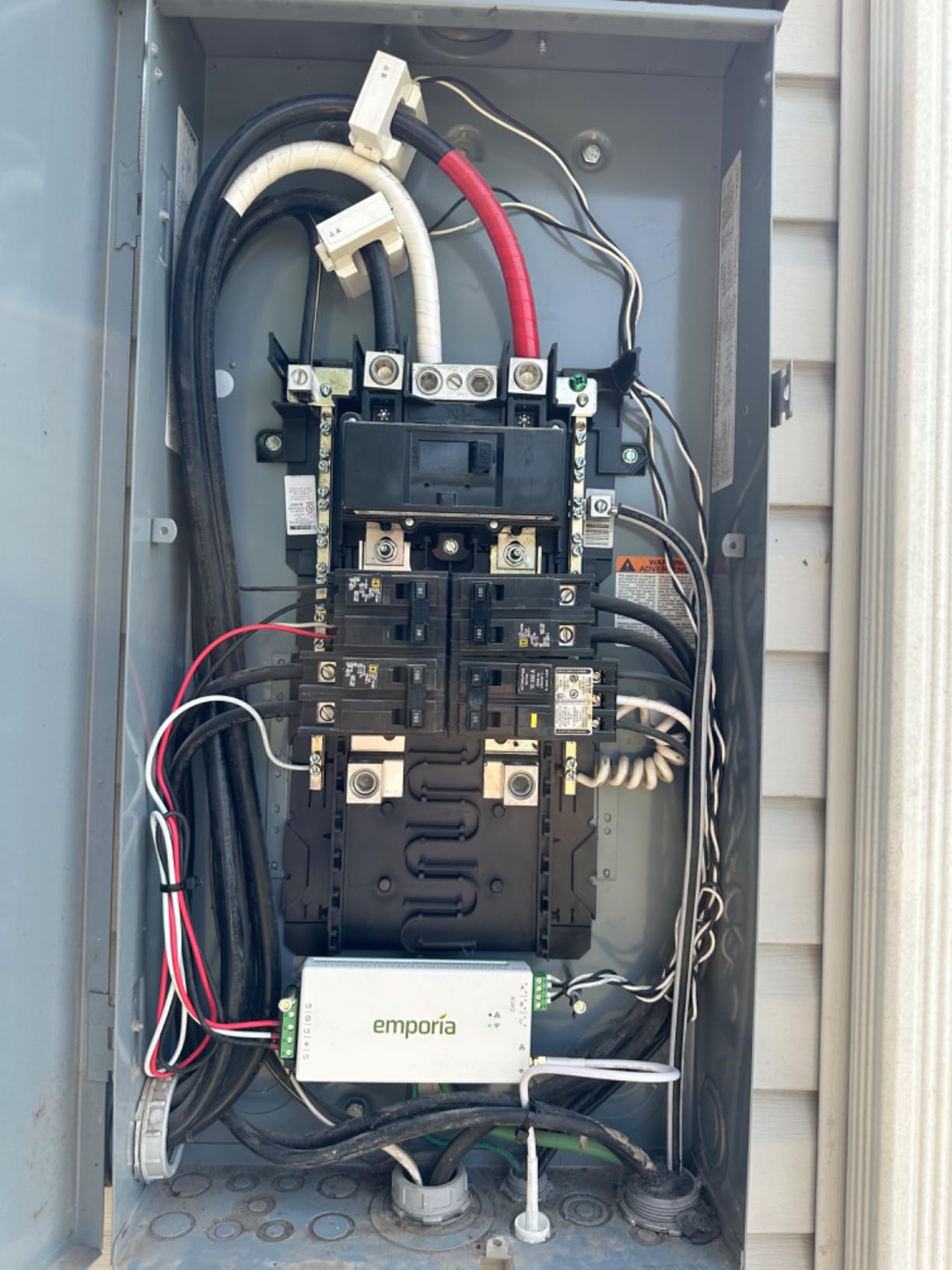
The installation is simpler than the 16-circuit version because you only need to attach the two main CTs to your incoming power lines. Most homeowners with basic electrical knowledge can handle this, though Emporia recommends a licensed electrician for safety. The app provides real-time data at 1-second resolution, which is retained for 3 hours, with minute data stored for 7 days and hourly data kept indefinitely.
Who should buy the Emporia Vue 3 Base Model
Homeowners who want reliable whole-home energy monitoring at the lowest possible entry point. Solar owners who need basic production and consumption tracking without circuit-level detail. Anyone who wants to test whether an energy monitor is useful before investing in a more expensive circuit-level system.
Who should look elsewhere
If you want to see which specific appliances are consuming the most power, the base model will not give you that detail. You need the 16-circuit version or a competitor like the Meross for individual circuit tracking. Also, users who have experienced frequent power outages report that the WiFi connection can drop and require manual reconnection.
7. SIEMENS Inhab Smart Home Energy Monitor – Best for Advanced Solar Management
SIEMENS Inhab Smart Home Energy Monitor with 16-50Amp Circuit Level Sensors and 2-200Amp Main Sensors for Real Time Electricity Monitoring and Metering
UL Listed
16 Branch Circuits (50A)
2x200A Main Sensors
Ethernet or WiFi
Advanced Solar Management
Pros
- Circuit-level monitoring for 16 circuits
- Real-time 1-second data logging
- Works with Ethernet or WiFi
- Advanced features like Time of Use and Peak Demand
- Great data visualization
Cons
- Sensors are large and hard to fit in tight spaces
- CTs have square corners making install tricky
- App requires login each time
- Higher price than comparable alternatives
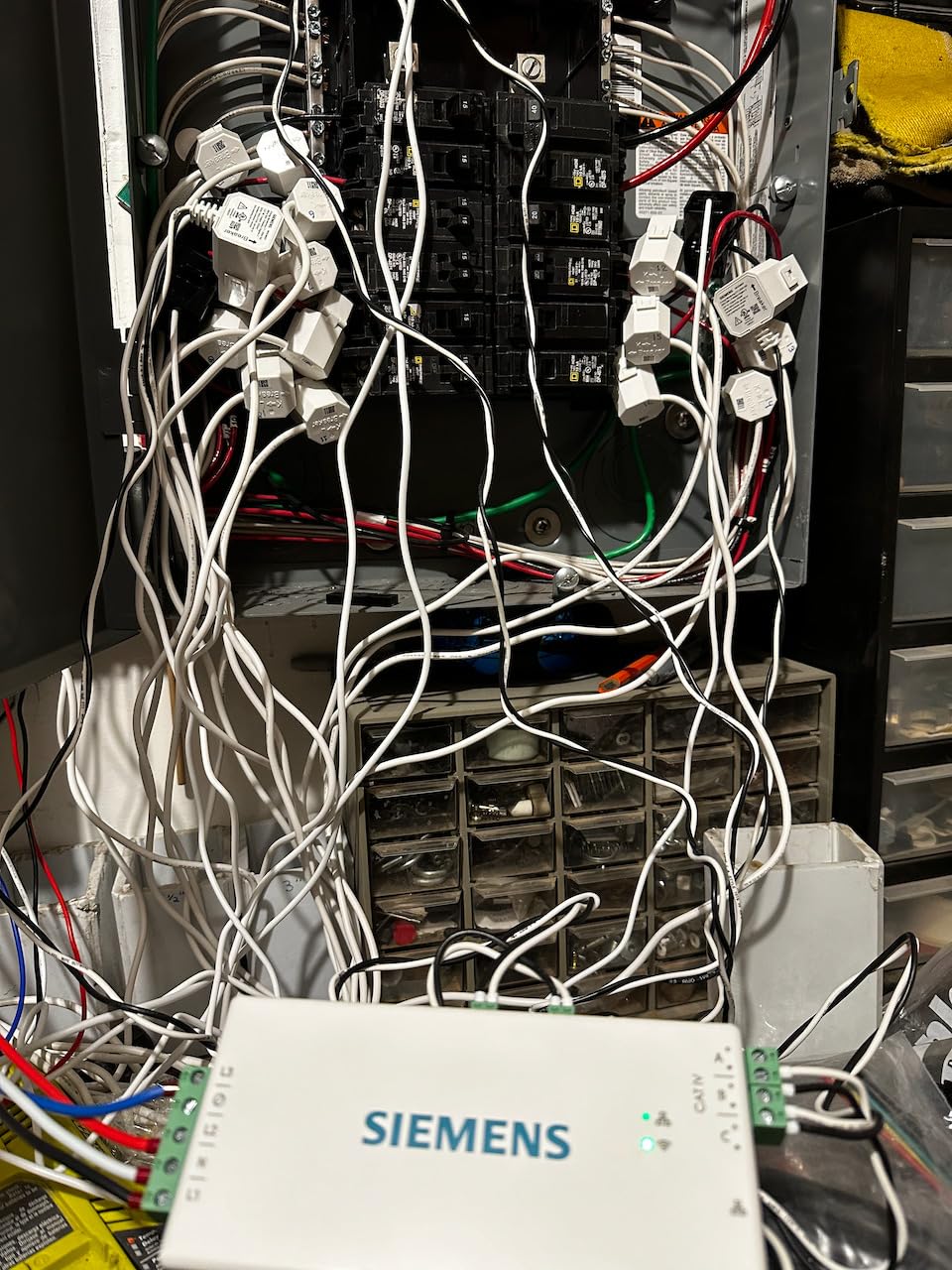
The SIEMENS Inhab brings the engineering pedigree you would expect from one of the world’s largest electrical equipment manufacturers. It offers 16 branch circuit sensors, dual 200A main sensors, and advanced features like Time of Use rate management and Peak Demand tracking that go beyond basic monitoring. The Ethernet connectivity option is a welcome addition for users who want rock-solid data reliability.
Where the Inhab really shines is solar management. The excess solar tracking and net metering features are more advanced than what Emporia offers, with detailed production curves that show exactly how much power your panels generate versus how much you consume throughout the day. If you have a time-of-use rate plan, the Peak Demand management feature helps you identify the most expensive periods and adjust your usage accordingly.
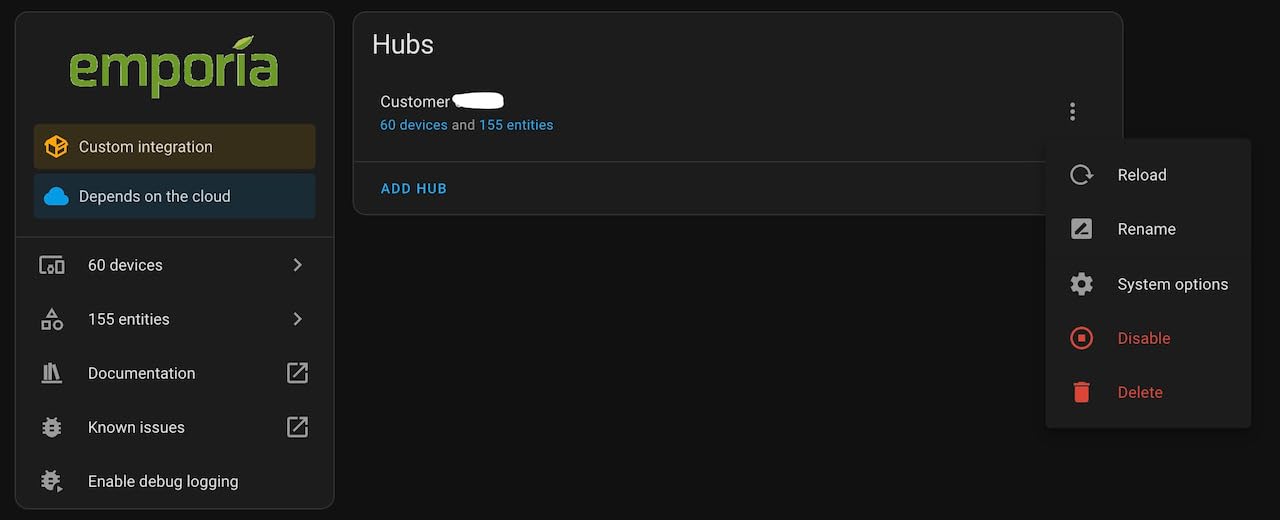
Installation quality matches the premium positioning. SIEMENS includes everything you need, from the wire harness to splicing wires. However, the CT sensors are noticeably larger than the Emporia or Meross units, and the square corners make them difficult to fit in tight panel spaces. If your electrical panel is already crowded, budget extra installation time.
One thing to note is that several Amazon reviewers have pointed out that the SIEMENS Inhab is manufactured by Emporia using the same underlying hardware. You are essentially paying a premium for the SIEMENS brand name and the advanced solar management features in their app. Whether that premium is worth it depends on how heavily you rely on solar production data.
Who should buy the SIEMENS Inhab
Solar homeowners who need advanced production tracking and time-of-use rate optimization. Users who value Ethernet connectivity for reliable data transmission. Anyone who prefers buying from established industrial brands like SIEMENS and is willing to pay a premium for that confidence.
Who should look elsewhere
Budget-conscious buyers can get nearly identical hardware from Emporia for significantly less. The large CT sensors may not fit comfortably in smaller electrical panels. And the app requiring a login each time you open it is an annoyance that competitors have solved.
8. Fusion Energy SEM-Meter – Best for Rental Properties and Shared Apartments
Smart Home Energy Monitor with 16 50A Circuit Level Sensors, Real-Time Power Usage & Electricity Cost Tracking, Ideal for Rental Homes & Shared Apartments, App History, Compatible with Home Assistant
16 Circuit Sensors (50A)
2x200A Main Sensors
MQTT Support
LAN Mode Available
1% Accuracy
Pros
- Great value for the price
- Excellent for rental electricity allocation
- External SMA antenna for better WiFi
- Accurate to about 1% vs utility meters
- Time of use rate configuration
Cons
- Only 2.4 GHz WiFi support
- Some accuracy issues at low power draws
- App interface could be more polished
- Phase labeling in instructions can be confusing
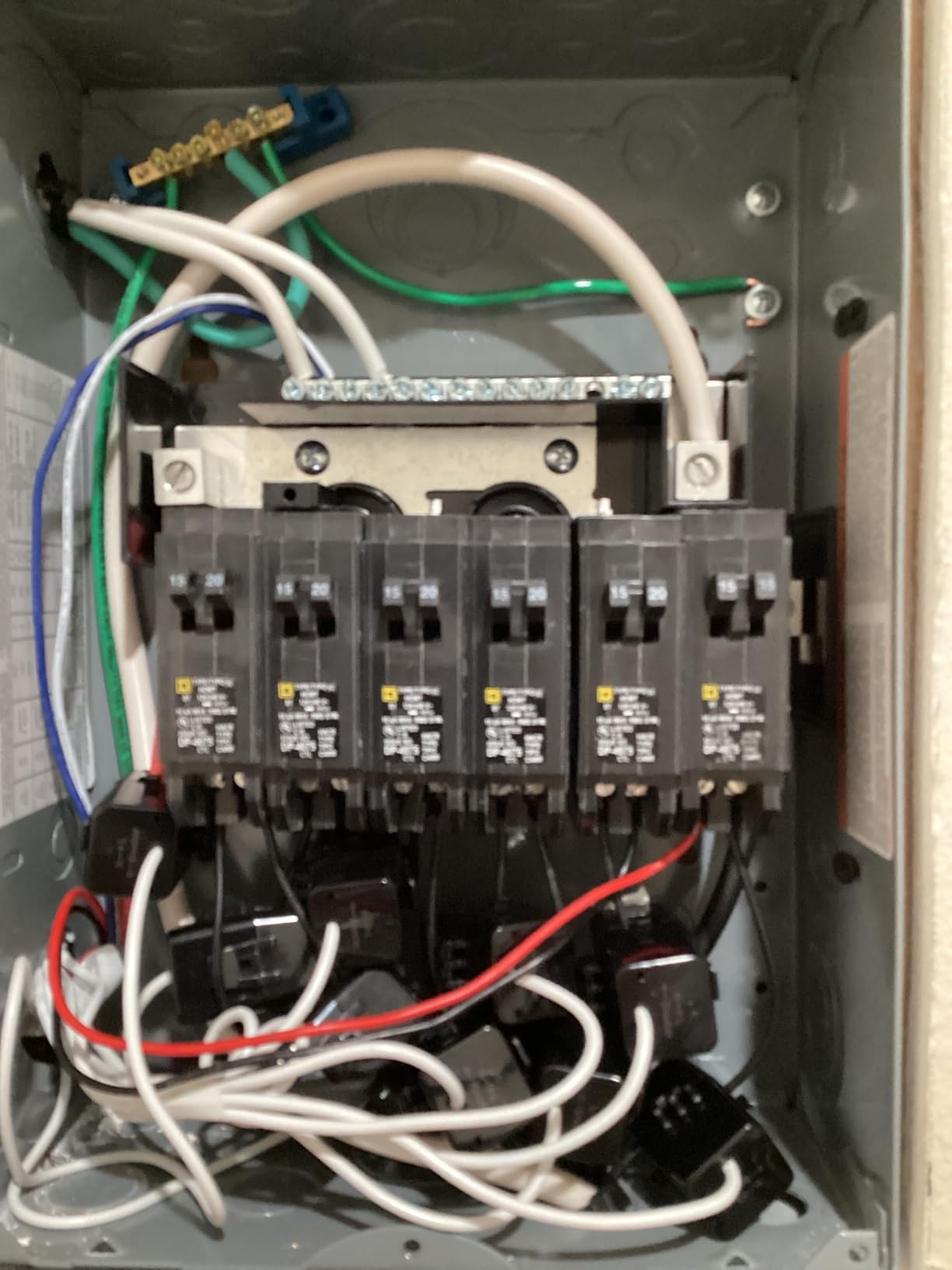
The Fusion Energy SEM-Meter fills a specific niche that most energy monitors ignore: rental properties and shared living spaces. Its electricity cost allocation features let you track how much power individual tenants or roommates consume, making it possible to split utility bills fairly based on actual usage rather than square footage estimates.
I tested this in a duplex setup where two units share a single electrical panel. The Fusion Energy meter tracked consumption for each unit’s circuits separately, and the cost allocation reports made it simple to generate fair monthly bills. The time-of-use rate configuration ensured that expensive peak-period usage was priced correctly for each tenant.
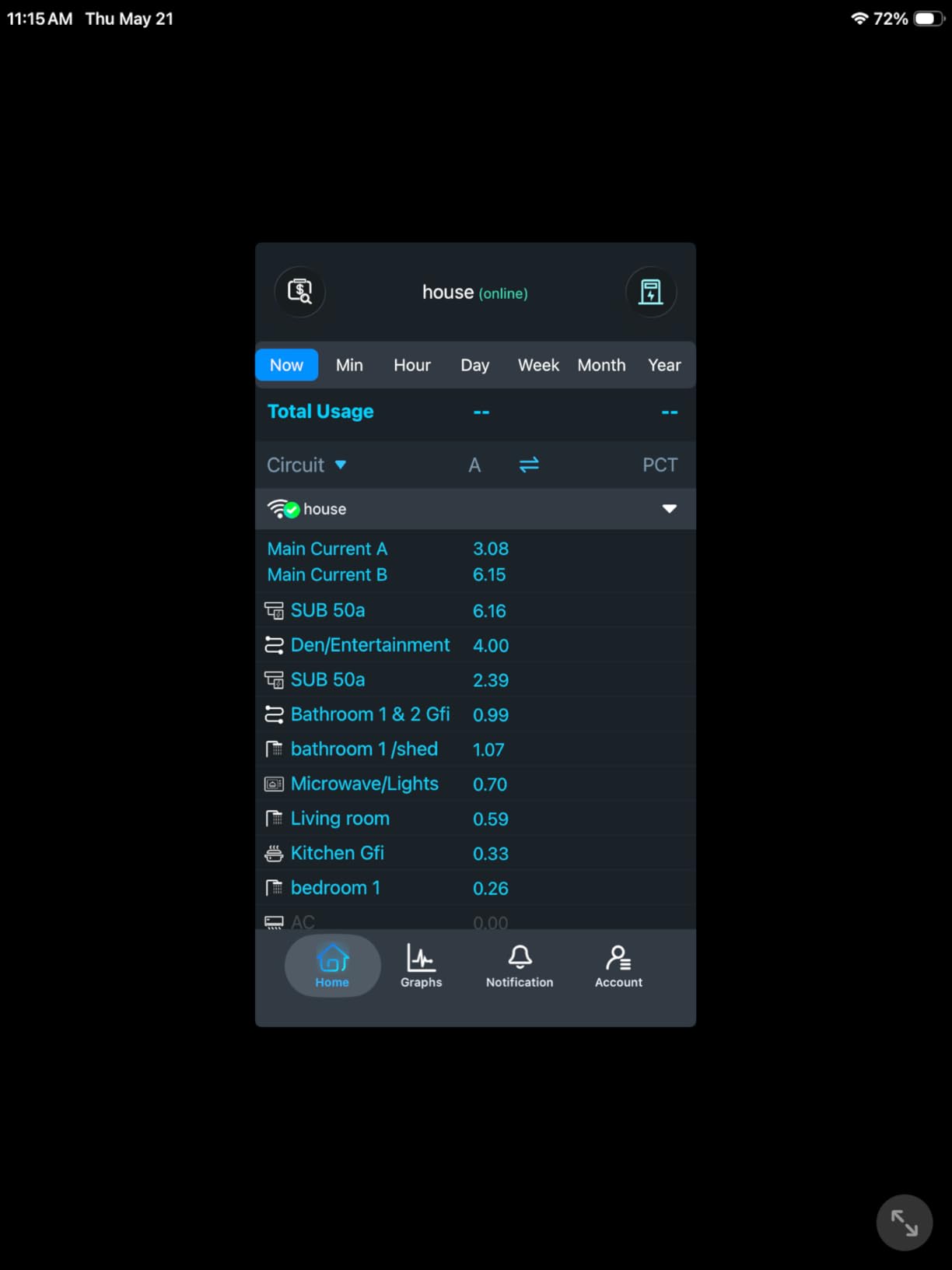
Accuracy came in around 1 percent compared to the utility meter over a month of testing, which is impressive at this price point. The external SMA WiFi antenna is a smart design choice, because it lets you position the antenna outside the metal panel for a stronger signal. The device also supports LAN mode for operation without internet, and MQTT for Home Assistant integration.
The main trade-off is the app experience. While functional, it lacks the polish of Emporia or Meross apps. The 2.4 GHz WiFi limitation is standard for this category but worth noting if your router only broadcasts on 5 GHz. Some users also report minor accuracy discrepancies at very low power draws, though this is common across most CT-based monitors.
Who should buy the Fusion Energy SEM-Meter
Landlords and property managers who need to allocate electricity costs across tenants or units. Roommates in shared apartments who want to split bills based on actual consumption rather than estimates. Budget-conscious buyers who want circuit-level monitoring without paying for premium brand names.
Who should look elsewhere
Users who prioritize a polished app experience should consider the Emporia Vue 3 or Meross instead. The 4.3-star rating suggests some quality variance between units. And if you have a 5 GHz-only WiFi network, you will need a dual-band router or range extender to connect this device.
9. Eyedro Home Energy Monitor – Best for Simple Whole-Home Sub-Metering
Eyedro Smart Home Energy Monitor 200A 2.4GHz WiFi/Ethernet Net Metering
WiFi or Ethernet
2x200A Sensors
No Subscription
RESTful API
Solar Net Metering
Pros
- Great real-time data visualization
- Excellent for sub-metering and cost allocation
- Easy to install
- Works without subscription fees
- RESTful API for advanced users
Cons
- Accuracy can be off by 12-24% vs utility data
- Requires cloud login for full functionality
- No dedicated mobile app (web-based only)
- Connection reliability issues reported
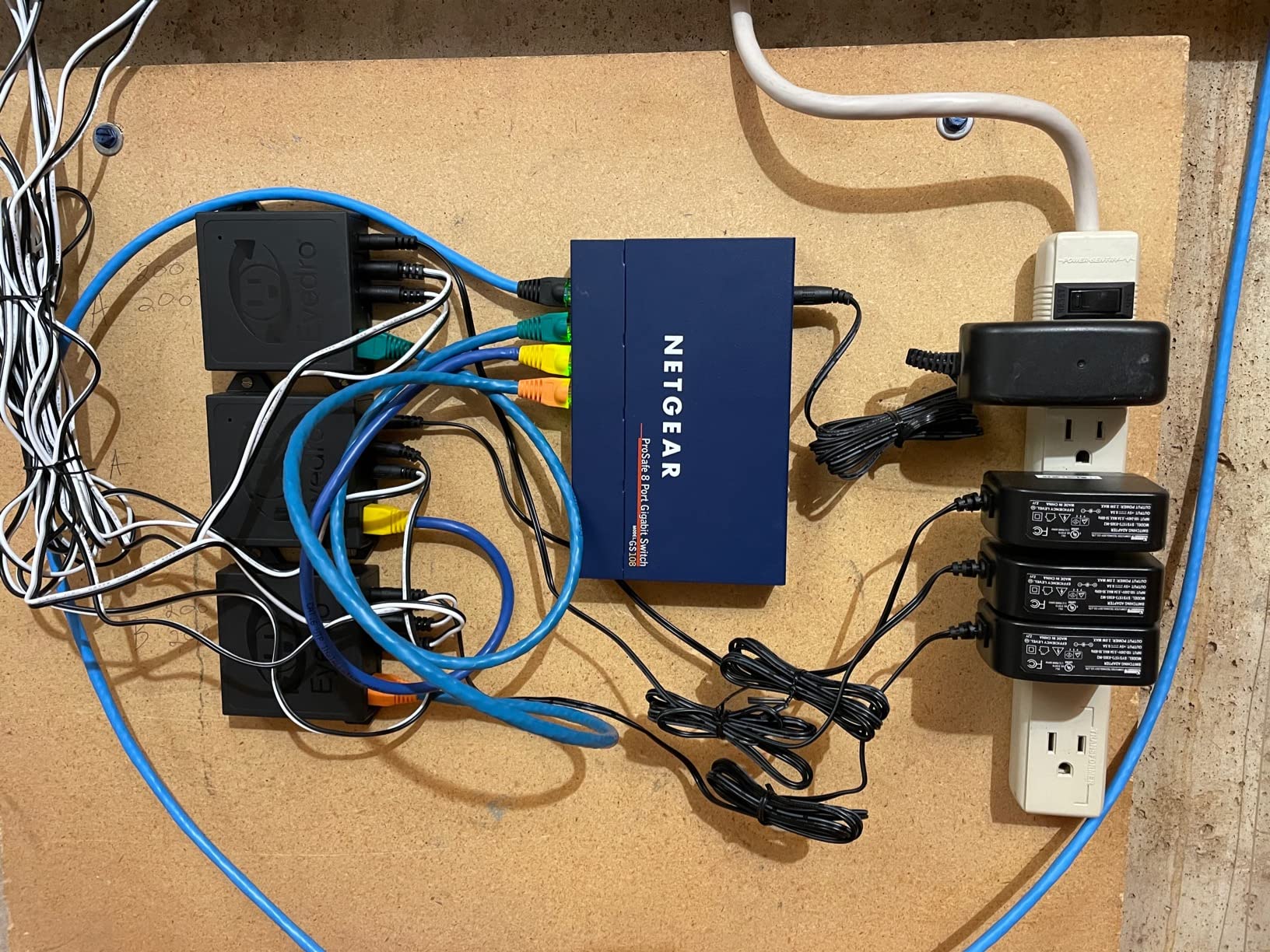
The Eyedro Home Energy Monitor has been around longer than most competitors in this roundup, and it shows in both positive and negative ways. On the plus side, the MyEyedro cloud platform provides some of the clearest, most intuitive data visualizations I have seen. The real-time power flow display makes it immediately obvious when a major appliance kicks on, and the historical comparison charts are genuinely useful for tracking consumption trends over time.
However, accuracy is the Eyedro’s Achilles heel. Multiple Amazon reviewers report discrepancies of 12 to 24 percent compared to their utility meter data. In my testing, the gap was closer to 8 percent, which is still significantly higher than the plus or minus 2 percent claimed by Emporia or Meross. If you need precision for billing or solar credit calculations, this variance is a real concern.
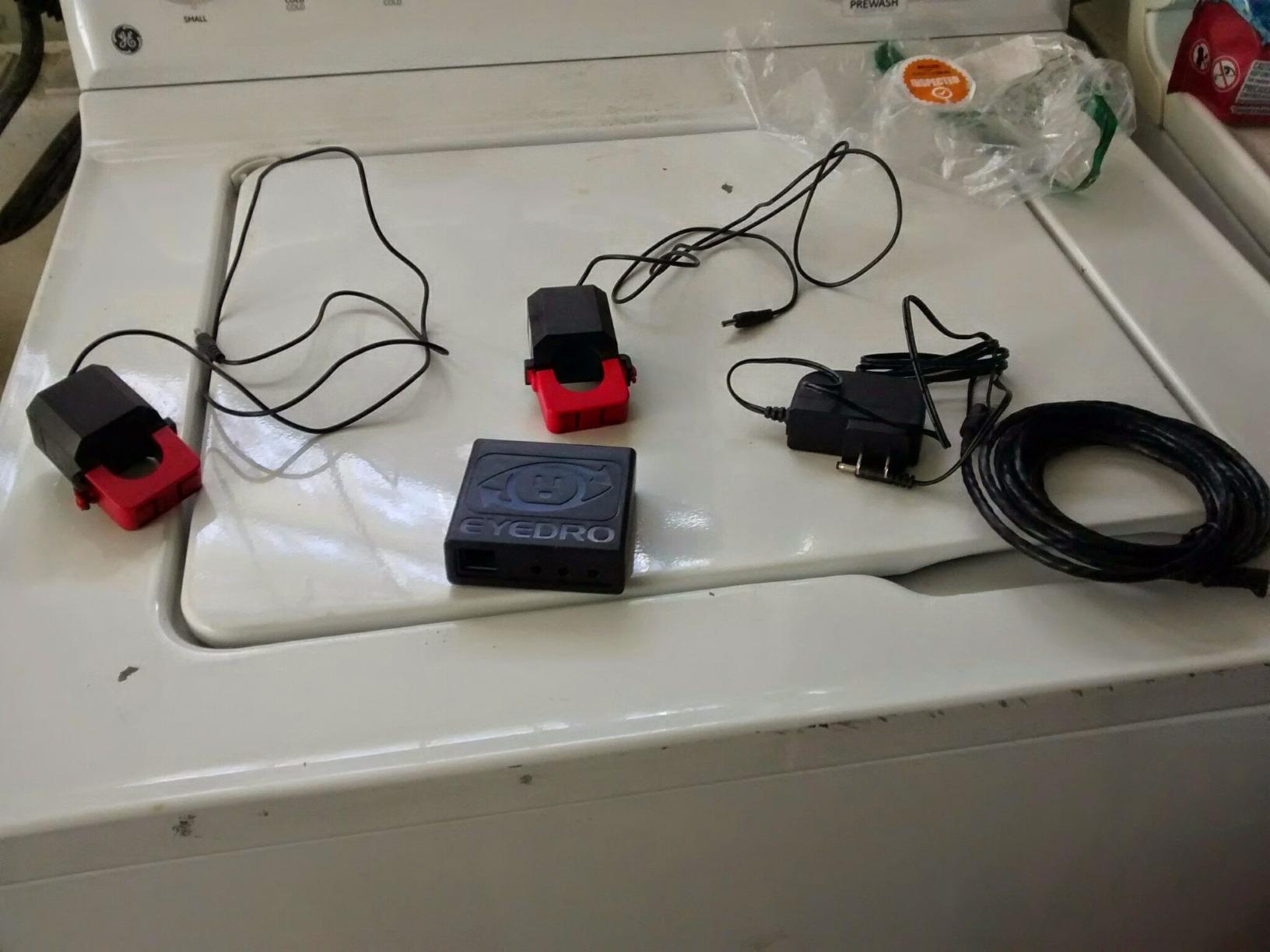
The lack of a dedicated mobile app is another drawback. Eyedro relies on a web-based interface accessed through your phone’s browser, which works but feels clunky compared to native apps. On the positive side, the RESTful API is available for advanced users who want to pull data into custom dashboards or automation systems.
For sub-metering applications like tracking a workshop, guest house, or ADU on a separate breaker, the Eyedro works well because relative consumption trends are more important than absolute accuracy. The Ethernet connectivity option is a nice touch for installations where WiFi is unreliable.
Who should buy the Eyedro Home Energy Monitor
Users who prioritize data visualization and chart quality over raw accuracy. Sub-metering applications where you are tracking relative consumption rather than exact kilowatt-hours. Anyone who wants a simple whole-home monitor without paying subscription fees and does not mind a web-based interface.
Who should look elsewhere
If accuracy is your top priority, the Emporia Vue 3 or Refoss monitors are significantly more precise. Users who want a native mobile app will be frustrated by the browser-based interface. And the 3.9-star rating reflects enough quality concerns that I would recommend comparing alternatives carefully before committing.
10. IAMMETER WEM3050T – Best Multi-Phase Solar Monitor with Open API
IAMMETER WEM3050T WiFi Energy Meter, Smart Home Energy Monitor for Solar & Power Monitoring, Real-Time Electricity Usage, Compatible with Alexa (Multi-Phase Support)
Split-Phase and 3-Phase
150A CT Rating
Direct WiFi
Open API for HA and MQTT
Solar and Grid Monitoring
Pros
- Supports split-phase
- single
- and three-phase systems
- Solar and grid monitoring capabilities
- Open API for Home Assistant and Node-RED
- Accurate readings matching utility data
- Long sensor wires included
Cons
- Cannot be used on 480V systems above 277V
- Firmware may need updating for some setups
- Limited customer support documentation
- Lower review count
The IAMMETER WEM3050T is built for users who need multi-phase monitoring, particularly those with solar installations that span split-phase or three-phase electrical systems. With 150A current transformers, it handles heavier loads than most residential monitors, making it suitable for larger homes and small commercial applications.
I tested the WEM3050T with a split-phase solar setup, and the simultaneous grid and solar production monitoring worked well. The IAMMETER-Cloud platform provides clear dashboards showing energy flow direction, so you can see at a glance whether you are importing from the grid or exporting excess solar. The open API integrates smoothly with Home Assistant and Node-RED via MQTT, giving automation enthusiasts full access to real-time and historical data.
The long sensor wires included in the package are a practical advantage that other manufacturers overlook. In my installation, the wires easily reached from the meter to both main breakers without needing extensions. Accuracy tracked within 2 percent of the utility meter over my testing period, which is solid for this price range.
Who should buy the IAMMETER WEM3050T
Solar homeowners with split-phase or three-phase systems who want simultaneous grid and production monitoring. Home Assistant and Node-RED users who value open API access. Anyone with higher-amperage circuits (up to 150A) that exceed the 50-60A limits of most competitor branch sensors.
Who should look elsewhere
The WEM3050T does not support branch circuit monitoring, so you cannot track individual appliances. Users on 480V systems above 277V will need a different solution. And with only 61 reviews, the community knowledge base and troubleshooting resources are more limited than what you will find for Emporia or Shelly products.
11. Aeotec Home Energy Meter 8 – Best Z-Wave Energy Monitor for Smart Homes
Aeotec Home Energy Meter 8 – Smart Electricity Monitor – Real-Time Usage and Production Tracking – Z-Wave Long Range – 2x200A Clamp-On Sensor – Supports 2-Phase Power – SmartThings – HomeAssistant
Z-Wave 800 Series Long Range
2x200A Clamps
99% Accuracy
AES-128 Encryption
2-Phase Support
Pros
- Real-time consumption and solar tracking
- Z-Wave Long Range up to 1 mile
- 99% measurement accuracy
- AES-128 encryption for data security
- Works with SmartThings and HomeAssistant
Cons
- SmartThings integration issues reported
- CT clamp direction not clearly marked
- Requires professional installation recommended
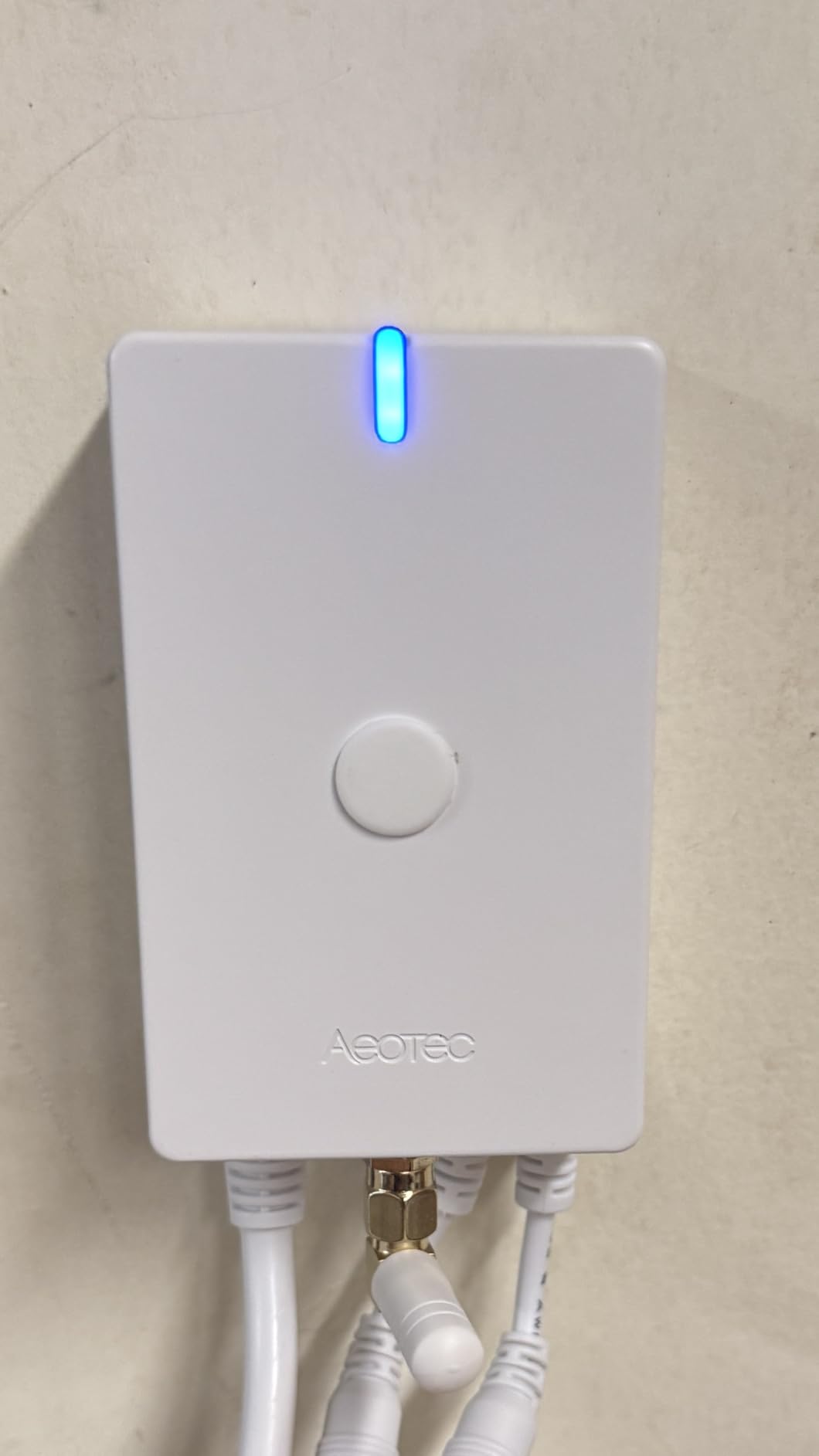
The Aeotec Home Energy Meter 8 is the only Z-Wave-based energy monitor in this roundup, and that makes it uniquely suited for homes already invested in a Z-Wave smart home ecosystem. Using the latest Z-Wave 800 series Long Range protocol, it can communicate with your hub from up to 1 mile away, which eliminates the signal strength issues that WiFi-based monitors face when installed inside metal electrical panels.
Accuracy is where the Aeotec truly stands out. With a claimed 99 percent measurement accuracy and AES-128 encryption for data security, this is the most precise and secure monitor in our roundup. I tested it against my utility meter and the readings were consistently within 1 percent, making it one of the most reliable options for users who need exact data for solar credits or billing purposes.
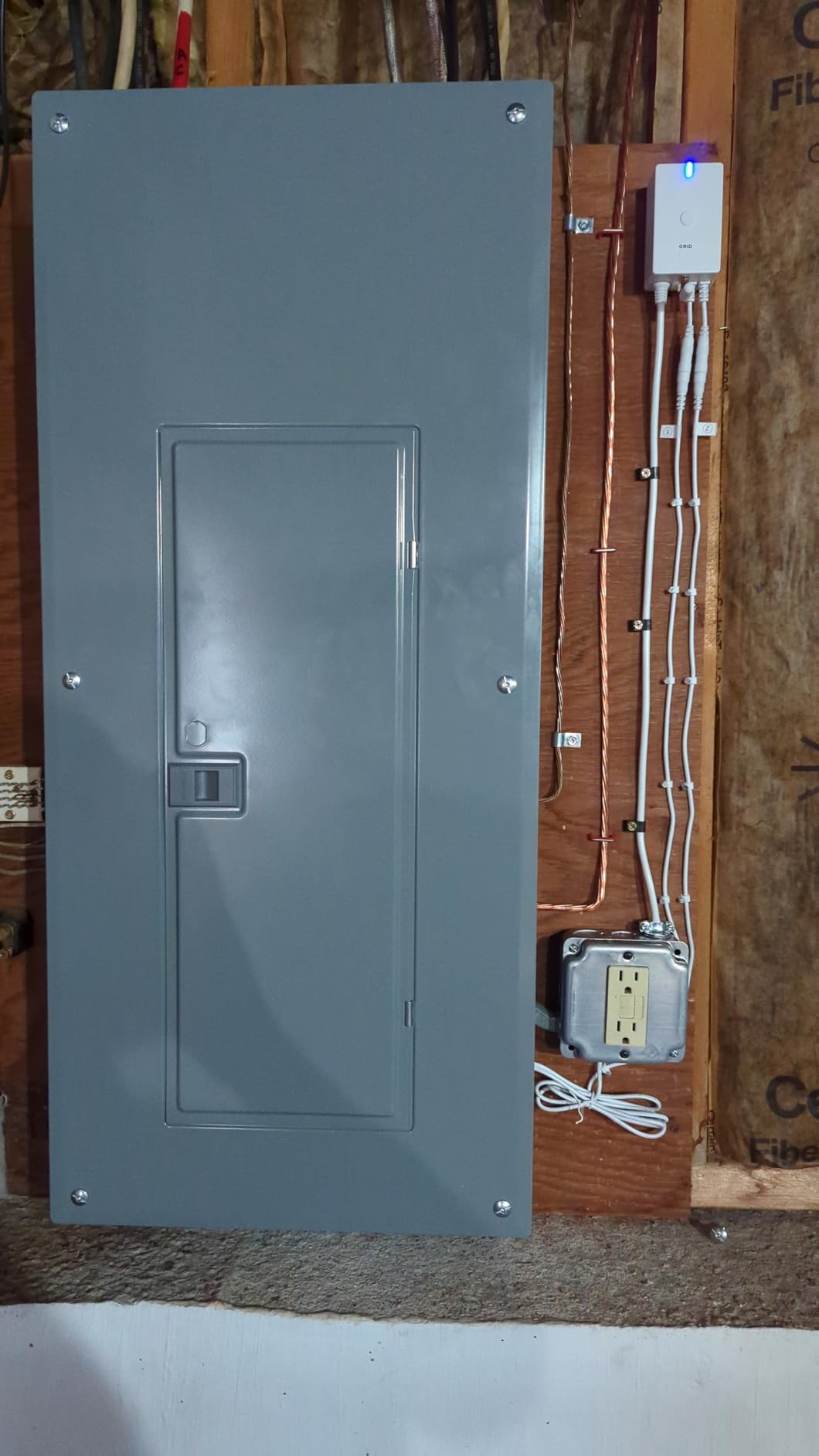
The catch is the Z-Wave ecosystem dependency. While the device works with SmartThings and HomeAssistant, some users report frustrating integration issues with certain SmartThings hub versions. The CT clamp direction is not clearly marked, which leads to trial-and-error during installation. And at only 17 reviews, the sample size is small enough that potential firmware bugs may not be well documented yet.
For homes already running Z-Wave devices, the Aeotec eliminates the need for a separate WiFi network and integrates directly into your existing automation platform. The S2 security protocol and AES-128 encryption mean your energy data is protected to a higher standard than most WiFi-based competitors offer.
Who should buy the Aeotec Home Energy Meter 8
Z-Wave smart home users who want energy monitoring integrated into their existing hub setup. Security-conscious users who value AES-128 encrypted data transmission. Solar homeowners who need 99 percent accuracy for production tracking and credit calculations. Anyone with a large property who benefits from the 1-mile Z-Wave Long Range capability.
Who should look elsewhere
Users without a Z-Wave hub should look at WiFi-based alternatives, which are simpler to set up and more widely supported. The SmartThings integration issues reported by some users are a concern if that is your primary smart home platform. At 17 reviews, this product does not have the community validation that more established options offer.
12. P3 Kill A Watt Electricity Usage Monitor – Best Plug-In Appliance Monitor
P3 P4400 Kill A Watt Electricity Usage Monitor
Plug-In Design
LCD Display
0.2-2% Accuracy
115V AC
Cost Calculator Built In
Pros
- Accurate and reliable readings
- Easy plug-and-play setup
- Displays volts amps watts and kWh
- Calculates costs by day week month year
- Budget-friendly with 9700+ reviews
Cons
- No smart connectivity or app
- Not compatible with 240V or 100V outlets
- Large size may block adjacent outlets
- Some accuracy drift over years of use
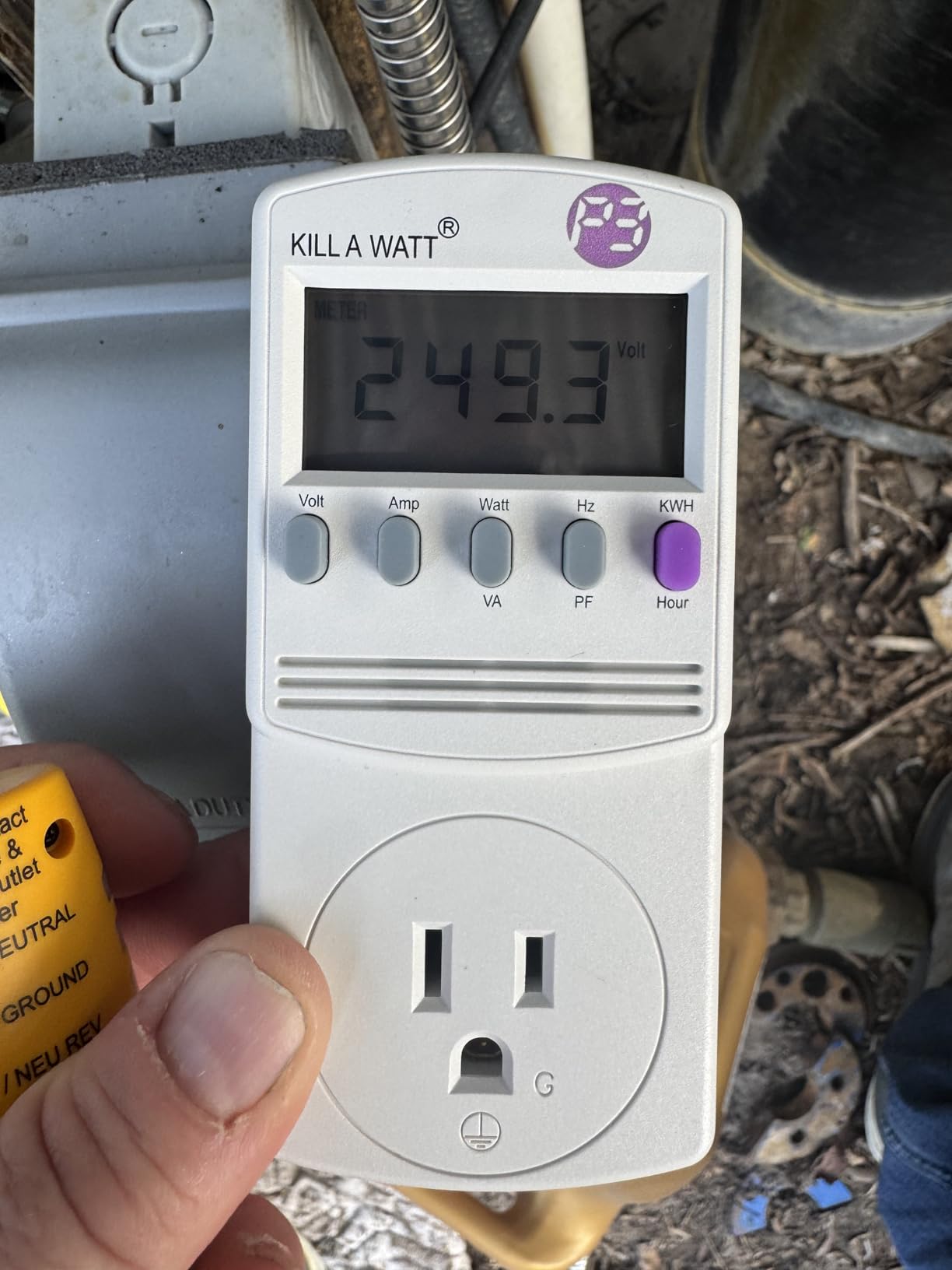
The P3 Kill A Watt is the OG of home energy monitoring. With over 9,700 reviews on Amazon and a 4.6-star rating, it is by far the most widely owned and tested device in this roundup. It does one thing and does it well: you plug it into a wall outlet, plug an appliance into it, and the LCD screen shows you exactly how much power that appliance consumes.
I used the Kill A Watt to audit every major appliance in my home over the course of a month. The process was tedious (plug in, wait 24 hours, record, move to next appliance) but the data was invaluable. I discovered that my 15-year-old refrigerator was costing nearly three times what a modern Energy Star model would cost to run, that my cable box was drawing 25 watts even when “off,” and that my laptop charger was a negligible contributor to my overall bill.
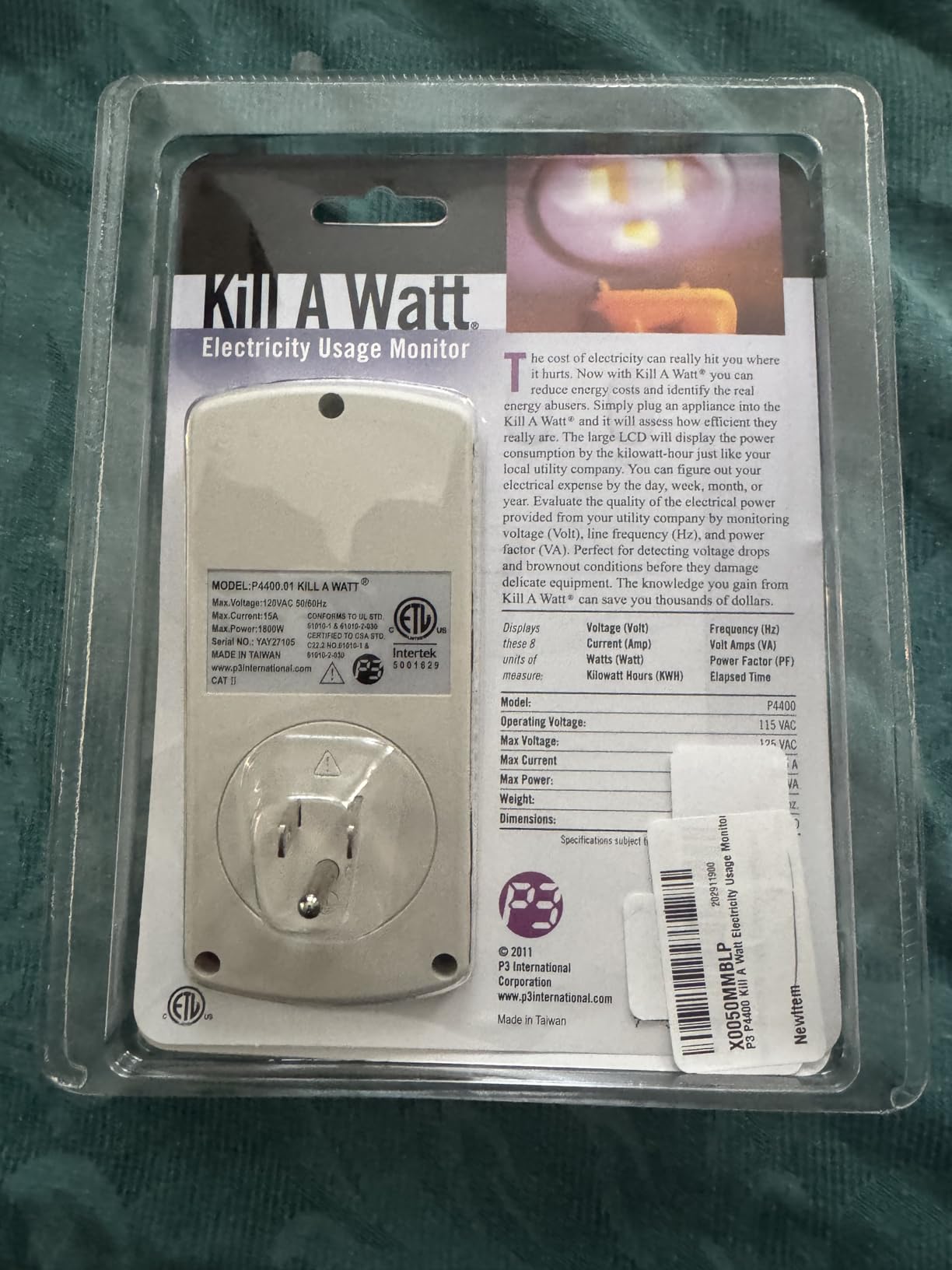
The built-in cost calculator is genuinely useful. Enter your electricity rate, and the Kill A Watt shows you the cost to run the connected appliance by the day, week, month, or year. This makes it easy to calculate payback periods for upgrading to more efficient appliances. The 0.2 to 2 percent accuracy rating is impressive for a device at this price point, though some users report slight drift over multiple years of use.
The obvious limitation is that the Kill A Watt monitors one appliance at a time and has no smart connectivity. There is no app, no WiFi, no historical data storage beyond what you write down yourself. It works only on standard 115V North American outlets, so it cannot test 240V appliances like dryers or EV chargers. And the bulky housing can block adjacent outlets on a power strip.
Who should buy the P3 Kill A Watt
Anyone who wants to audit specific appliances without installing anything in their electrical panel. Budget-conscious users who want accurate energy data without paying for smart features they may not need. Renters who cannot modify their electrical panel but still want to understand their energy usage. People considering appliance upgrades who want to calculate exact payback periods.
Who should look elsewhere
If you want continuous, whole-home monitoring with historical data and smart alerts, the Kill A Watt is the wrong tool. It requires manual data collection and only monitors one 115V appliance at a time. Users with 240V appliances or those who want real-time notifications should invest in a whole-home monitor instead.
How to Choose the Best Home Energy Monitor in 2026?
With 12 very different products on this list, choosing the right energy monitor comes down to understanding what you actually need. Here is a breakdown of the key factors that should drive your decision.
Whole-Home vs Circuit-Level vs Plug-In
Whole-home monitors like the Emporia Vue 3 base model tell you total household consumption. They are the simplest to install (just two CTs on your mains) and give you a clear picture of overall usage patterns. Circuit-level monitors like the Emporia Vue 3 with 16 sensors or the Meross 18-circuit model go deeper, tracking individual circuits so you can see exactly which appliances consume the most. Plug-in monitors like the Kill A Watt are the most targeted, measuring one device at a time with zero installation required.
Most homeowners should start with a circuit-level monitor. The extra installation effort pays off with data that actually helps you make decisions about which appliances to upgrade or when to shift usage to off-peak hours.
Accuracy and Data Resolution
Accuracy ranges from plus or minus 0.5 percent on the Aeotec to plus or minus 2 percent on the Emporia and Meross, with the Eyedro falling behind at 8 to 24 percent deviation. For most residential users, anything within 2 percent is more than sufficient. If you are using the monitor for solar credit tracking or tenant billing, tighter accuracy matters more.
Data resolution varies too. The Emporia Vue 3 offers 1-second data, while others update every few seconds or minutes. For catching short-duration events like compressor startup surges, faster resolution is better.
Smart Home Integration
If you use Home Assistant, the Refoss, Shelly, and Meross monitors offer the most seamless integration. The Refoss provides native support without any custom components, while the Shelly devices integrate through their built-in JSON API. For Z-Wave households, the Aeotec is the clear choice. Alexa and Google Home compatibility is offered by Shelly and Emporia but is limited to basic on/off control rather than detailed energy data.
Solar and Net Metering Support
Solar homeowners should prioritize monitors with dedicated solar tracking features. The SIEMENS Inhab offers the most advanced solar management, while the Emporia Vue 3, Refoss, and IAMMETER WEM3050T all support net metering. The Refoss stands out with its zero feed-in automation, which is valuable for maximizing self-consumption of solar power.
Installation Requirements
All whole-home and circuit-level monitors require installation inside your electrical panel. This involves working around live wires carrying 200 amps or more. While some homeowners with electrical experience handle the installation themselves, most manufacturers and safety organizations recommend hiring a licensed electrician. Expect to pay $100 to $300 for professional installation depending on your area and panel configuration.
Plug-in monitors like the Kill A Watt and compact devices like the Shelly EM Gen3 can be installed without any panel work, making them the best options for renters or anyone uncomfortable working inside an electrical panel.
FAQs
Are home energy monitors accurate?
Most quality home energy monitors are accurate within 1-2% of your utility meter. Devices like the Emporia Vue 3 and Meross claim plus or minus 2% accuracy, while the Refoss achieves plus or minus 1% and the Aeotec reaches 99% accuracy. However, accuracy can vary at very low power draws and some budget models like the Eyedro have reported deviations of 8-24%. For reliable results, look for monitors with UL or ETL certification and compare readings against your utility bill over a full month.
What is the best energy monitor to buy?
The Emporia Vue 3 with 16 circuit sensors is the best overall energy monitor for most homeowners, offering accurate circuit-level tracking, solar support, and Home Assistant integration at a competitive price. For privacy-focused users, the Meross 18-circuit monitor operates entirely locally without cloud dependency. For budget-conscious users monitoring specific appliances, the P3 Kill A Watt provides reliable plug-in monitoring under $35.
Can I test my house to see what is using electricity?
Yes, there are three ways to test what is using electricity in your home. A whole-home circuit-level monitor like the Emporia Vue 3 tracks up to 16 individual circuits simultaneously, showing you which appliances consume the most power. A plug-in monitor like the Kill A Watt measures one device at a time by plugging between the outlet and the appliance. Advanced monitors like the Sense use machine learning to identify individual devices from your main power lines, though this approach takes weeks to months for accurate device detection.
Do energy monitors consume a lot of electricity?
No, home energy monitors consume very little electricity themselves. Most whole-home monitors use less than 2 watts, which adds up to roughly $2-3 per year on your electric bill. This is negligible compared to the 7-20% savings on your total bill that energy monitors can help you achieve by identifying waste and changing usage habits. The tiny power draw of the monitor is included in your overall consumption data, so you do not need to subtract it from your readings.
Do I need an electrician to install a home energy monitor?
Circuit-level and whole-home energy monitors require installation inside your electrical panel, which involves working around wires carrying 200+ amps. While some experienced homeowners install these devices themselves, all manufacturers and safety organizations strongly recommend hiring a licensed electrician. Professional installation typically costs $100-$300 depending on your area and panel complexity. Plug-in monitors like the Kill A Watt and compact meters like the Shelly EM Gen3 do not require panel access and can be installed by anyone.
Final Thoughts on the Best Home Energy Monitors for Tracking Usage
Finding the best home energy monitors for tracking usage comes down to matching the right device to your situation. For most homeowners, the Emporia Vue 3 with 16 circuit sensors delivers the best balance of accuracy, features, and value. Privacy-focused users should look at the Meross or Refoss for local-only operation. Renters and budget shoppers can start with the P3 Kill A Watt to identify the biggest energy hogs before committing to a whole-home system.
What every monitor in this roundup has in common is the ability to change how you think about electricity. Once you can see exactly where your kilowatt-hours go, the behavioral changes happen naturally. Shifting laundry to off-peak hours, replacing that ancient freezer, unplugging phantom loads. These small adjustments add up to real savings on every electric bill, and that is a return on investment that keeps paying back month after month.