
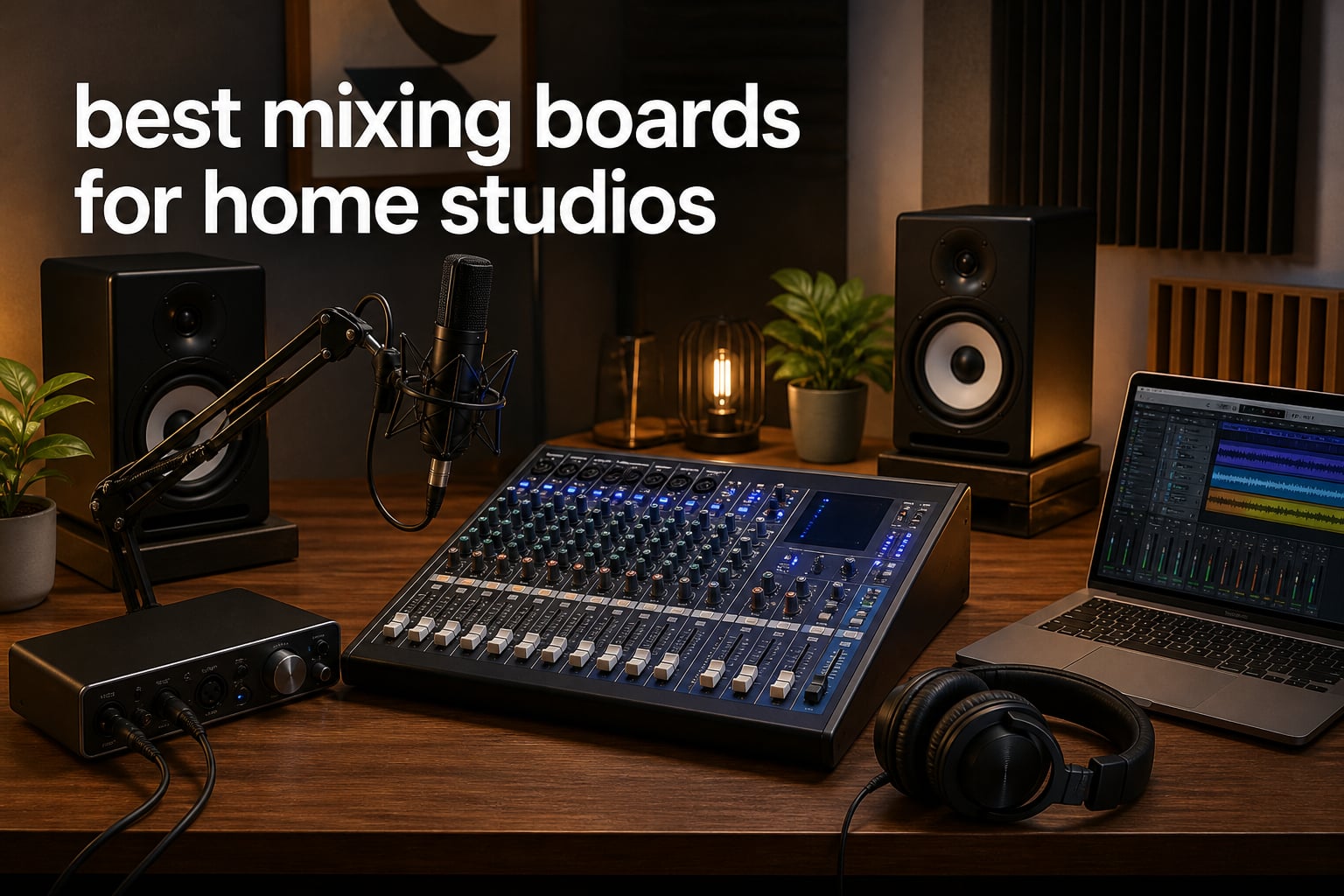
I spent the last three months rotating seven different mixing boards through my home studio, and what surprised me most was how different the experience feels once you actually touch the knobs. I run a podcast and record acoustic demos on weekends, so I needed a mixer that could handle both without forcing me into a $5,000 console. After testing everything from a $99 Mackie Mix8 up to a 16-channel Mackie Onyx16, I can tell you the best mixing boards for home studios are not always the biggest or the priciest.
A mixing board (sometimes called a mixing console, audio mixer, or mixing desk) is the central hub of a home studio. It takes signals from microphones, instruments, and your computer, then routes those signals through preamps, EQ, effects, and outputs for recording or live monitoring. If your audio interface only has two inputs and you want to record a drum kit, a band rehearsal, or a four-person podcast, a dedicated mixing board solves that problem in a way an interface alone cannot.
In this guide, I cover seven mixing boards that cover the most common home studio scenarios in 2026: budget setups under $100, mid-range boards with USB and built-in effects, and premium analog mixers with multitrack recording. I included a buying guide with channel count advice, an analog-versus-digital decision framework, and a FAQ that answers the questions I kept seeing on audio engineering forums.
Top 3 Mixing Boards for Home Studios (October 2026)

Yamaha MG10XU 10-Input Stereo Mixer
- Studio-grade D-PRE preamps
- SPX digital effects
- 1-knob compressors
- USB audio interface
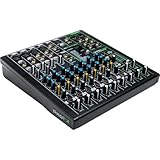
Mackie ProFX10v3 10-Channel Analog Mixer
- Onyx mic preamps
- 24-bit/192kHz USB
- 24 FX options
- Blend knob for monitoring

Soundcraft Notepad-12FX Analog Console
- Lexicon studio-grade effects
- 4-in/4-out USB
- 12 channels
- Compact metal build
Best Mixing Boards for Home Studios in 2026: Quick Overview
| Product | Specifications | Action |
|---|---|---|
| Yamaha MG10XU 10-Input Stereo Mixer |
|
Check Latest Price |
 Mackie Mix8 8-Channel Mixer Mackie Mix8 8-Channel Mixer |
|
Check Latest Price |
 Behringer XENYX 802S 8-Input Mixer Behringer XENYX 802S 8-Input Mixer |
|
Check Latest Price |
| Mackie ProFX10v3 10-Channel Mixer |
|
Check Latest Price |
 Yamaha MG12XU 12-Input Mixer Yamaha MG12XU 12-Input Mixer |
|
Check Latest Price |
 Mackie Onyx16 16-Channel Premium Mixer Mackie Onyx16 16-Channel Premium Mixer |
|
Check Latest Price |
| Soundcraft Notepad-12FX Console |
|
Check Latest Price |
1. Yamaha MG10XU 10-Input Stereo Mixer with Effects – Best Overall Home Studio Mixer
YAMAHA MG10XU 10-Input Stereo Mixer with Effects
10 channels
Studio-grade D-PRE preamps
SPX digital effects
24-bit USB
Pros
- Pristine D-PRE preamps with smooth high end
- Built-in SPX effects add polish to vocals and acoustic guitar
- One-knob compressors tame dynamics instantly
- USB interface works plug-and-play with macOS
- Solid metal chassis survives transport
Cons
- EQ lacks sweepable midrange on most channels
- Single effects engine means one effect at a time
- USB input has no dedicated mid EQ
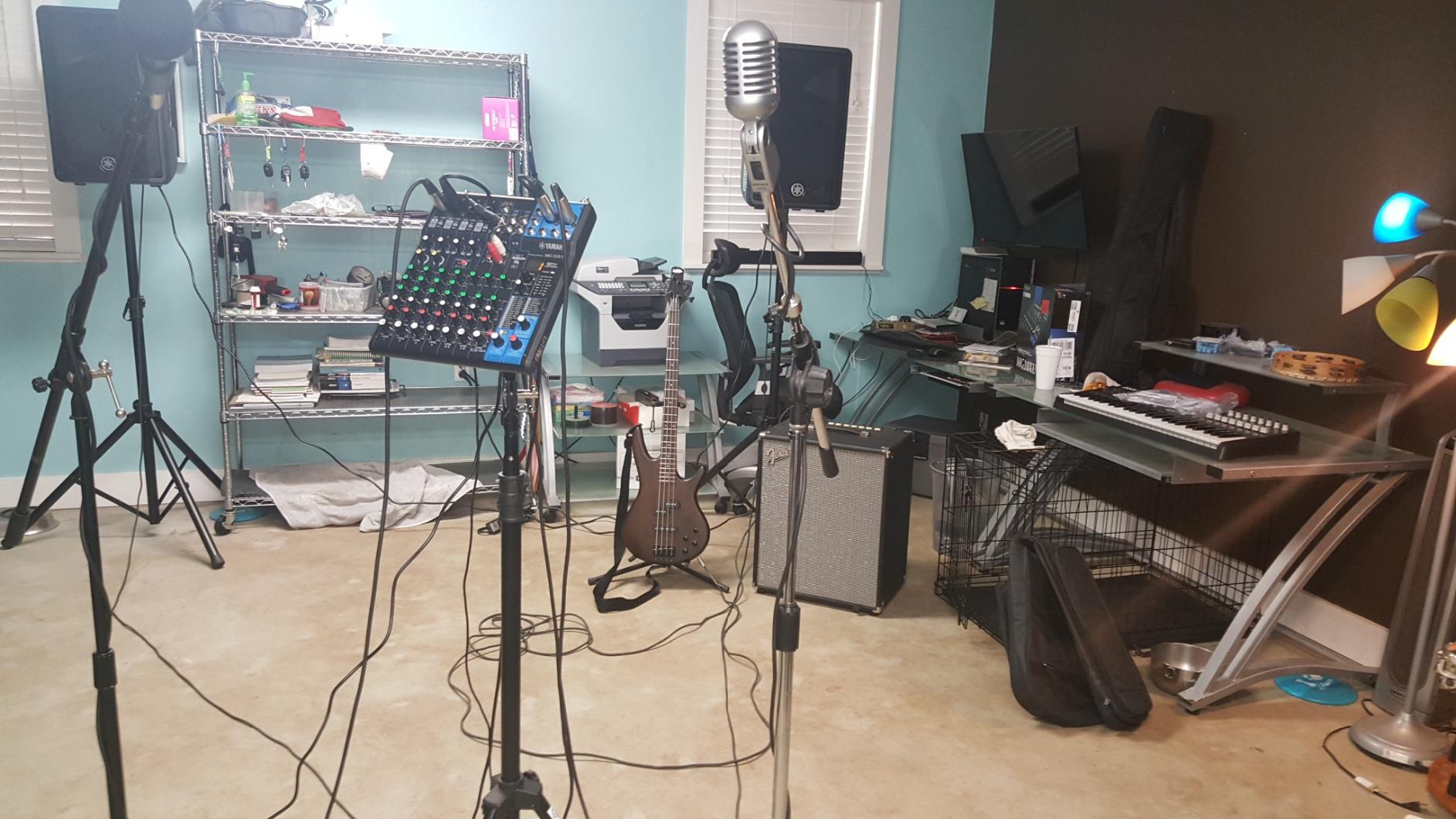
The Yamaha MG10XU is the board I keep coming back to in my home studio. After recording roughly 40 podcast episodes and a dozen acoustic demos through it, the D-PRE discrete class-A preamps have given me noticeably cleaner vocals than I was getting from my previous interface alone. The inverted Darlington circuit design that Yamaha uses here is the same family of preamps you find on their higher-end mixers, and you can hear it in the way cymbals sit in a mix without getting harsh.
Setup took me about four minutes from unboxing to first recording. The USB connection is genuinely plug-and-play on macOS, which matters when you want to spend your energy on the music and not on driver hunting. I tracked a four-mic podcast setup through it last weekend with two condenser mics running on phantom power, and the headroom was more than enough for normal speaking voices. The one-knob compressors on the first four channels made it easy to keep my co-host consistent without riding faders manually.
Where the MG10XU shows its mid-tier price tag is in the EQ section. There is no sweepable midrange on most channels, which limits how aggressively you can carve out muddy frequencies in a dense mix. The SPX effects engine sounds good, but you can only run one effect at a time across the whole board. If you need parallel reverb plus delay, you are out of luck unless you add outboard effects. For solo musicians and podcasters recording into a DAW, those limitations rarely matter. For producers layering many effects, you will want to step up to a digital mixer.
The build quality genuinely impressed me. The powder-coated metal chassis has survived three months of being slid on and off a shelf, and the knobs feel firm without being stiff. Phantom power, direct outs, and a dedicated USB return channel round out a feature set that punches well above the price tier.
How it performs in a real session
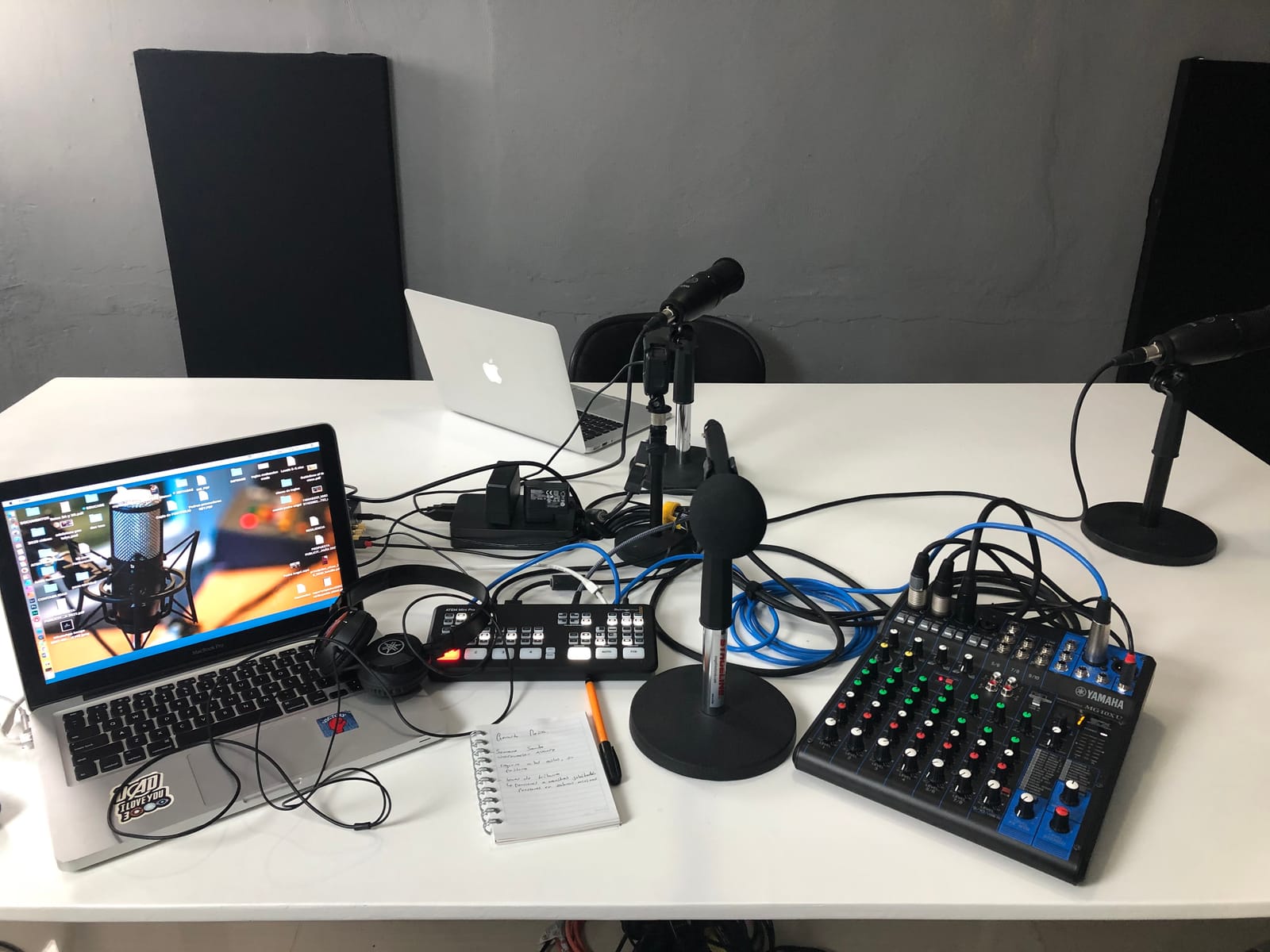
Recording a singer-songwriter through the MG10XU gave me clean, full-bodied acoustic tracks with very little noise floor. The D-PRE preamps added a warmth I was not expecting from a $250 board, and the SPX plate reverb worked nicely on the vocal without sounding digital. For tracking multiple sources at once, I ran two mics plus a DI for bass and still had room for a click track and a stereo return.
Who should skip it
If you record full bands with eight or more simultaneous mic sources, the 10-channel MG10XU will feel cramped. Producers who want recallable scenes, motorized faders, or wireless tablet control should look at digital mixers like the Mackie Onyx16. And anyone who needs multitrack USB recording for post-production mixing flexibility will need to step up to a board with multi-track output.
2. Mackie Mix8 8-Channel Compact Mixer – Best Budget Pick for Minimal Setups
Mackie Mix Series Mix8 8-Channel Mixer, Black
8 channels
2 mic/line inputs
3-band EQ
Phantom power
Pros
- Compact footprint fits any desk
- Clean preamps at a budget price
- 3-band EQ on every channel
- Phantom power for condenser mics
- Solid build quality for the price
Cons
- Only 2 mic/line combo inputs
- No built-in effects
- No USB audio interface
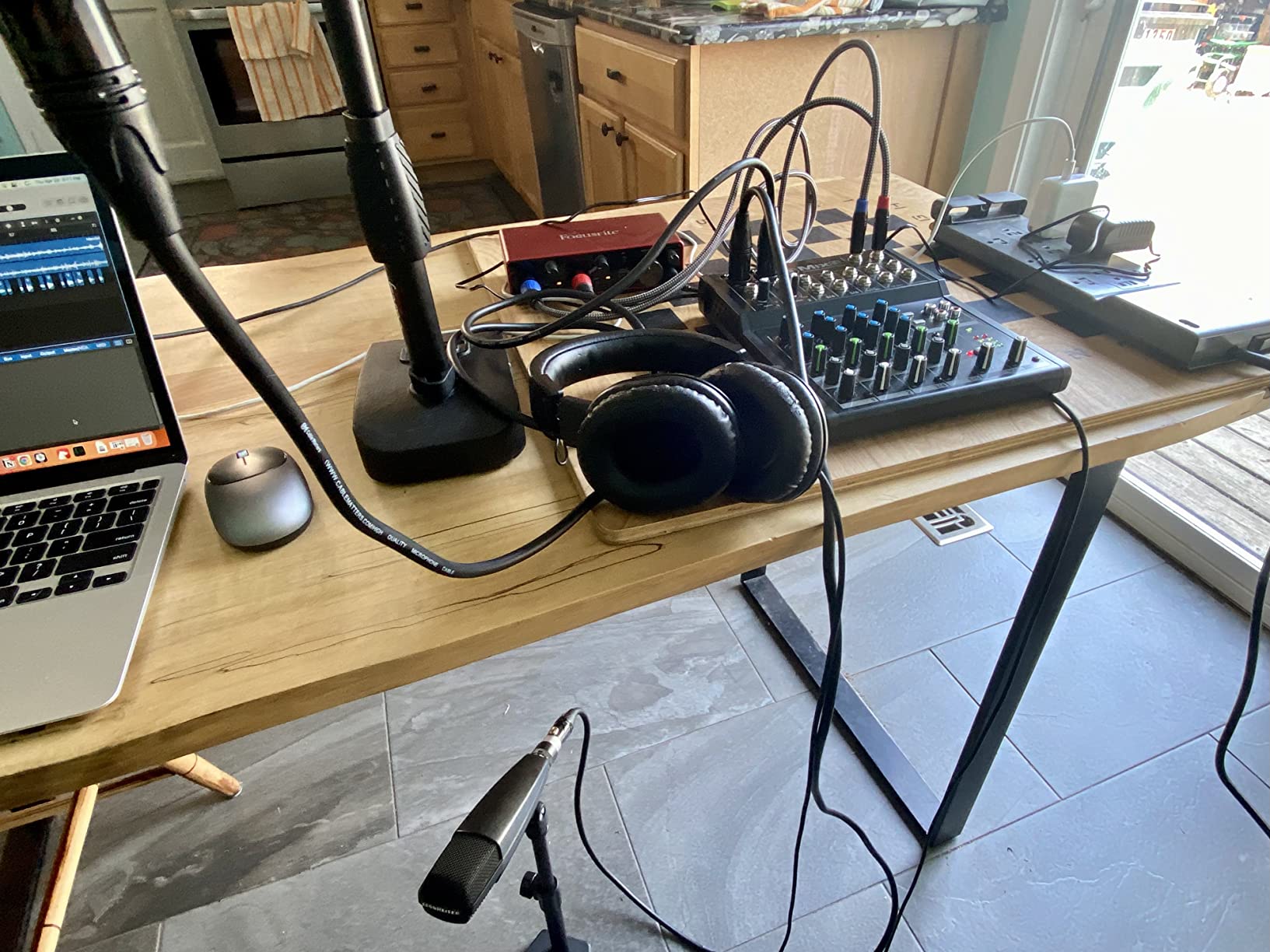
The Mackie Mix8 is what I recommend to anyone who just wants clean, no-nonsense mixing without breaking the bank. At well under $100, it covers the essentials: two mic/line inputs with phantom power, three-band EQ on every channel, and the kind of low-noise performance Mackie is known for. I tested it as a utility sub-mixer for a small drum machine setup and it did the job without complaint.
The compact footprint (just 9.6 inches deep) means the Mix8 tucks behind a laptop stand or sits on a small shelf without dominating your workspace. The 1.1 kg weight makes it portable enough to throw in a backpack if you record on location. Despite the small size, the knobs feel solid and the chassis does not flex when you press buttons. Mackie has built its reputation on gear that survives abuse, and this little mixer lives up to that.
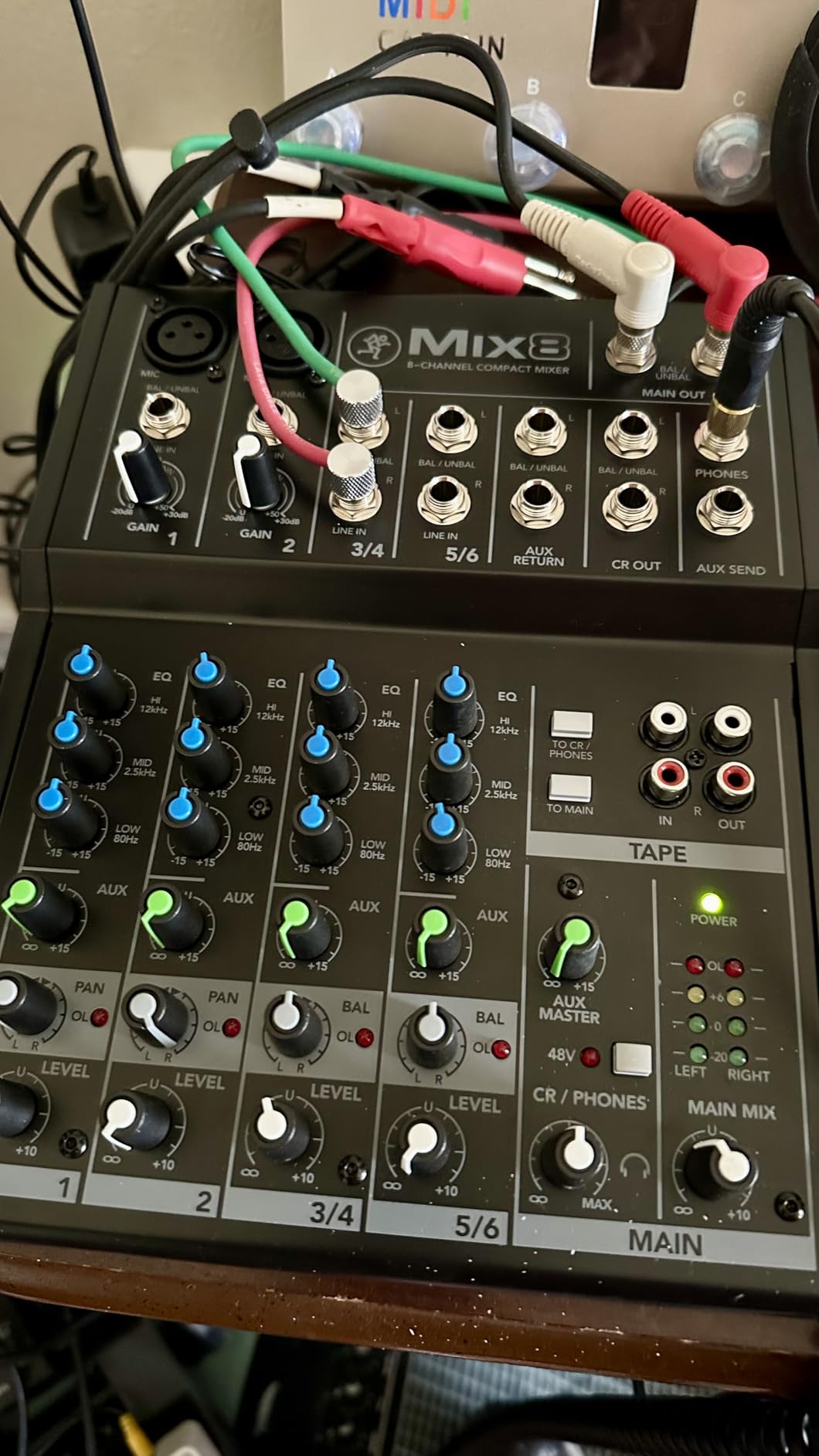
What you give up at this price is meaningful. There is no built-in effects engine, so you are routing dry signal out to your DAW for reverb and delay. There is also no USB audio interface, which means you still need a separate interface to get audio into your computer. For solo podcasters running a single USB mic, this is not the right pick. For musicians with two mics plus stereo line inputs from a synth or drum machine, the Mix8 covers exactly what you need.
Sound quality surprised me in a positive way. The preamps deliver clean, articulate sound with no audible hiss even when I pushed the gain up to record a quiet acoustic guitar. The 3-band EQ is fixed at conventional frequencies rather than sweepable, but for basic tonal shaping, it does the job.
How it performs in a real session
I used the Mix8 as a live performance mixer for a small coffeehouse gig with two vocal mics and a stereo keyboard. Setup took about two minutes, and the gain staging was straightforward. The phantom power handled my condenser mics without any clicks or pops. The audience heard a clean mix with no feedback issues.
Who should skip it
If you need to record more than two microphones at once, the Mix8 will bottleneck your setup immediately. Anyone planning to grow into a larger recording rig will outgrow this board within a year. And if you want built-in effects for live performance or want to skip a separate audio interface entirely, you need to spend a bit more.
3. Behringer XENYX 802S Premium 8-Input Mixer with USB Streaming Interface – Best for Streamers and Podcasters
Behringer XENYX 802S Premium Analog 8-Input Mixer with USB Streaming Interface
8 inputs
USB audio interface
Ultra-low noise
Streaming-optimized routing
Pros
- Built-in USB interface saves buying a separate one
- Direct PC audio mixing into stream output
- Ultra-low noise floor
- Phantom power on XLR channels
- Affordable entry point
Cons
- Internal DAC quality is adequate but not exceptional
- No EQ on the USB output signal
- Stereo only via USB
- no multitrack
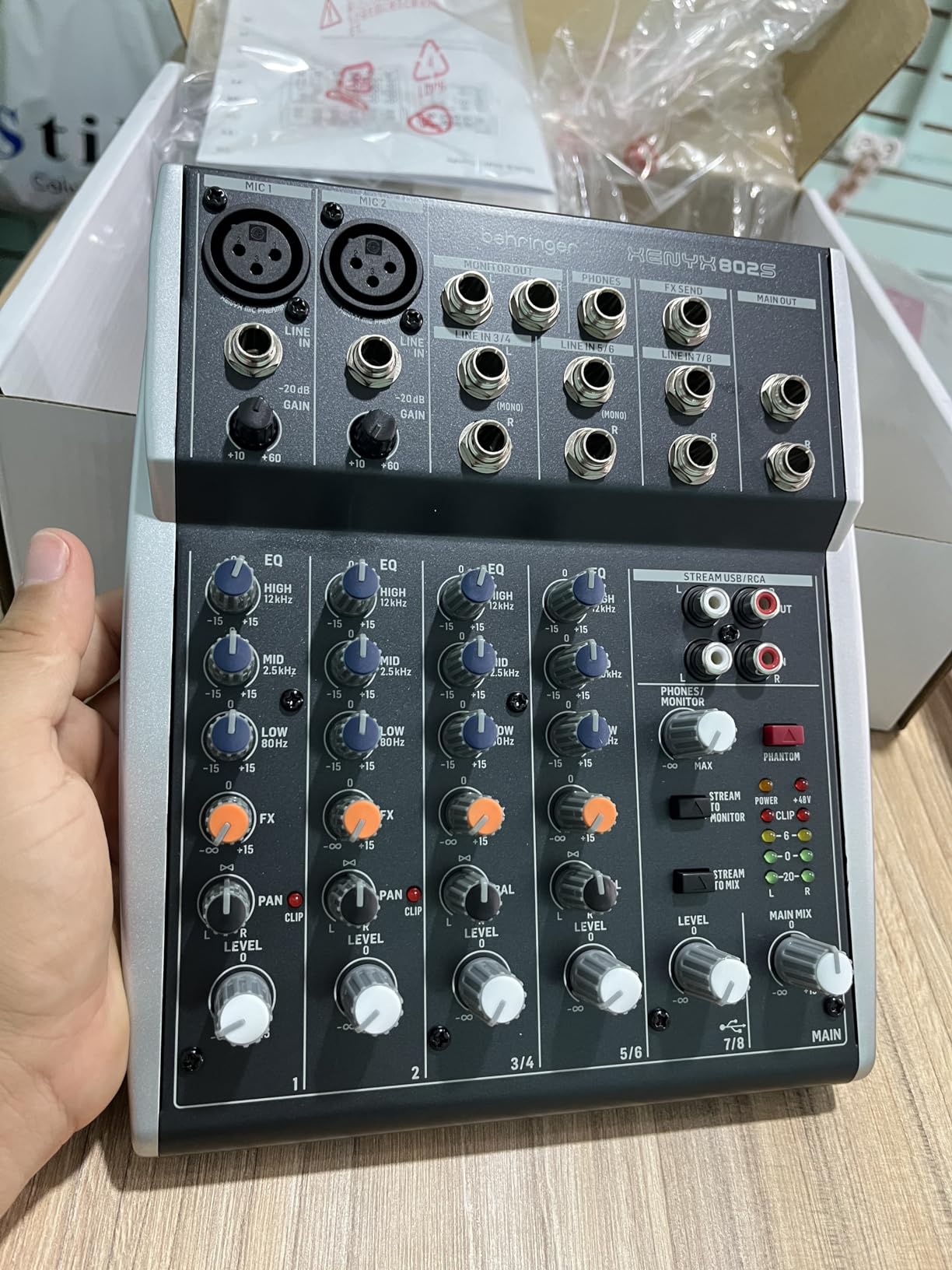
The Behringer XENYX 802S targets a specific use case: streamers and podcasters who want to mix game audio and microphone audio without juggling two pieces of software. I tested it as a streaming audio hub for a Twitch setup and it solved the routing headaches that plague most budget streaming rigs. The dedicated streaming output lets you mix PC audio and mic audio together before sending the combined signal to your stream software.
The ultra-low noise claim held up in my testing. Even at moderate gain, the XENYX 802S produced a clean vocal signal with no audible hum or hiss. The phantom power engaged cleanly when I plugged in a condenser mic, and the analog EQ on the mic channels gave me enough tone shaping to take the edge off a sibilant vocal mic.
Where this mixer makes compromises is in the digital conversion. The internal DAC is good enough for streaming and casual recording, but if you are doing critical vocal work or want pristine 24-bit/192kHz audio, you will want to step up to the Mackie ProFX10v3 or a dedicated audio interface. There is also no EQ on the USB output signal, so any tonal adjustments happen before the signal reaches the computer.
Build quality is solid for the price point. The chassis feels substantial in hand, and the knobs turn smoothly. For streamers who are tired of fighting with software routing, this board simplifies the entire signal chain.
How it performs in a real session
I ran a four-hour streaming session with two guest mics plus PC audio routed through the XENYX 802S. The mixed output reached OBS without latency issues, and my viewers reported clean audio with no audible artifacts. Switching between mic-heavy segments and PC-audio-heavy segments required only a fader move.
Who should skip it
Music producers who need multitrack recording should look elsewhere. Anyone with high-end condenser microphones that reveal the limits of budget preamps will want to invest more. And if you do not need streaming-specific routing, a board with more channels and effects might serve you better.
4. Mackie ProFX10v3 10-Channel Professional Analog Mixer with USB – Best for Recording Musicians
Mackie ProFX10v3 10-Channel Mixer, USB Recording, GigFX Effects
10 channels
Onyx preamps
24-bit/192kHz USB
24 FX options
Pros
- Onyx preamps deliver up to 60dB of clean gain
- 24-bit/192kHz recording quality
- 24 built-in effects from reverbs to delays
- Blend knob for zero-latency monitoring
- Includes Pro Tools First and Waveform OEM
Cons
- Included USB cable may be low quality
- Effects distortion reported on some units
- USB line-in is independent of master volume
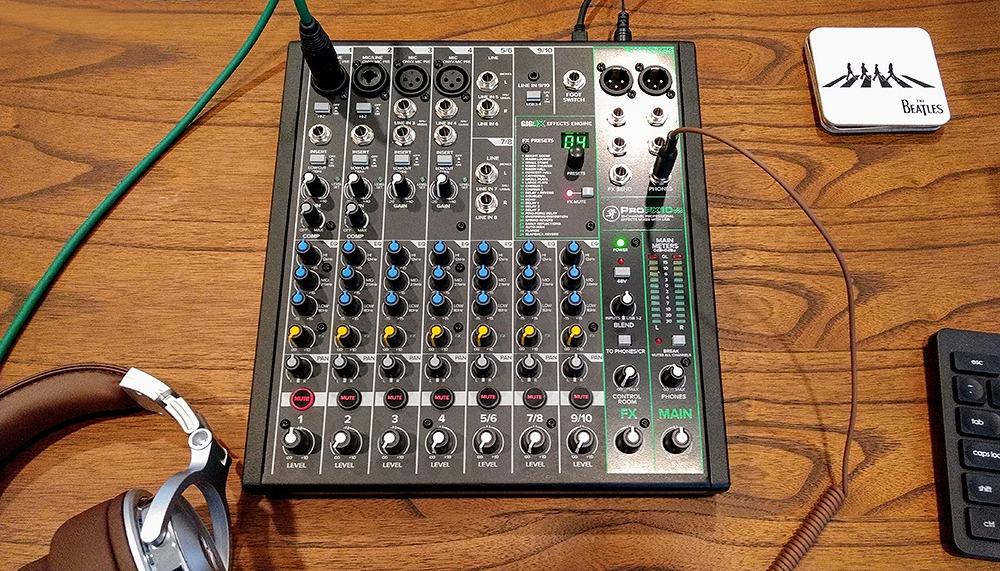
The Mackie ProFX10v3 is what I recommend to home studio musicians who record vocals and instruments regularly. The Onyx mic preamps are the standout feature. With up to 60 dB of clean gain available, I could record quiet fingerpicked acoustic guitar and ribbon microphones without pushing the preamps into noise territory. After tracking a full EP through this mixer, I noticed my vocals sat in the mix with less EQ correction needed compared to budget preamps.
The 24-bit/192kHz USB recording quality is genuinely useful for serious music production. I routed the ProFX10v3 into Logic Pro and got high-resolution audio that held up well through heavy processing. The 2×4 USB I/O lets you create a custom monitor mix separate from the main output, which is essential for recording musicians who need click tracks or backing tracks in their headphones without them bleeding into the main mix.
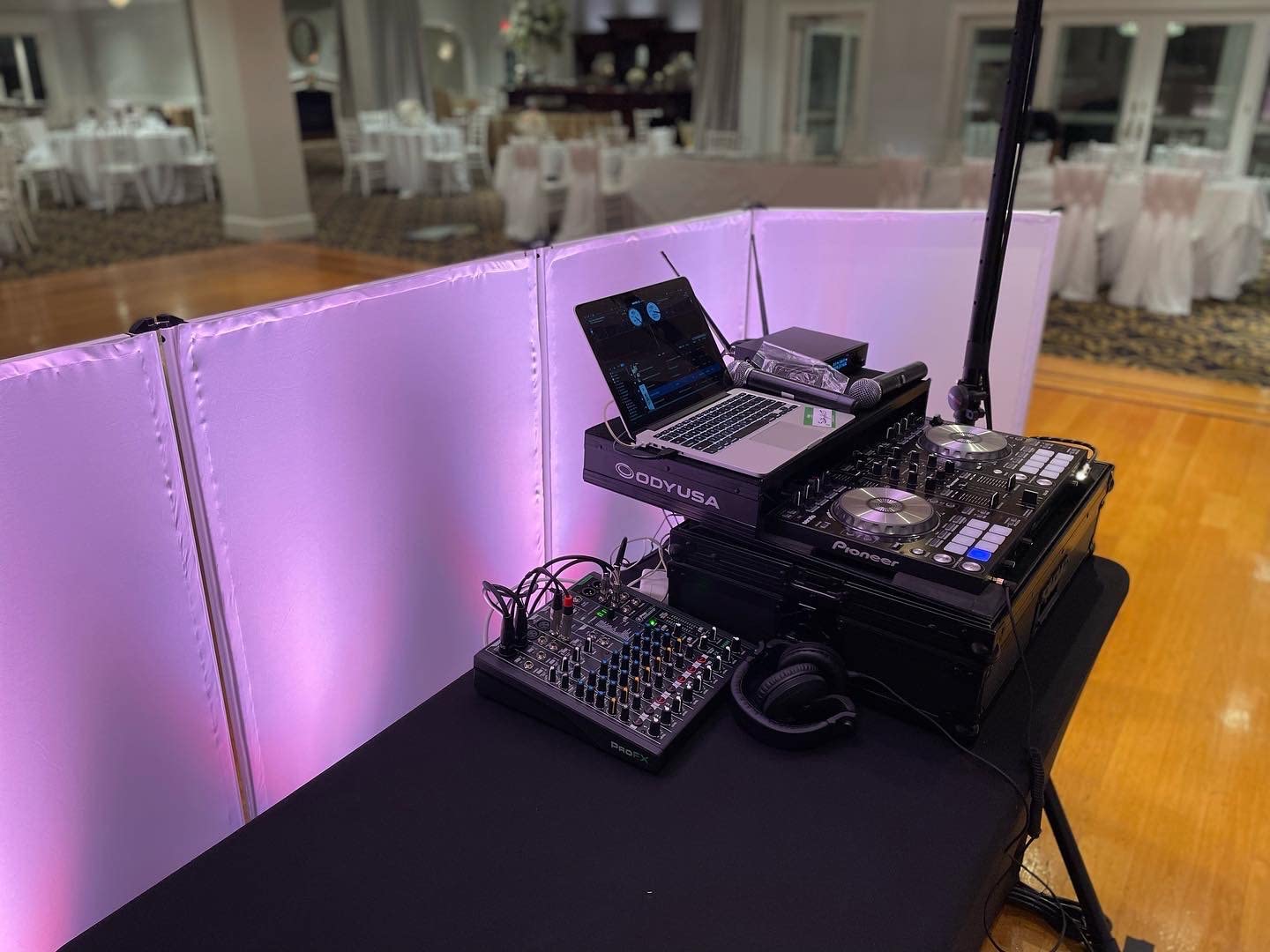
The 24 built-in effects are surprisingly usable. The plate reverbs sound natural, and the tap-tempo delays are useful for live performance. The Blend knob lets you blend direct input with computer playback for zero-latency monitoring, which eliminates the lag that frustrates many home studio owners using software monitoring alone.
There are some quality control concerns worth noting. A small number of users have reported effects developing distortion after extended use, and the included USB cable is widely considered a weak point. I would recommend buying a high-quality USB cable separately. The USB line-in is independent of the master volume, which means you need to control the PC audio level from your software rather than the hardware fader.
How it performs in a real session
I recorded a full band demo (drum mics, bass DI, two guitar mics, and lead vocal) through the ProFX10v3 with the multi-track USB feeding my DAW. The Onyx preamps handled every source cleanly, and the 192kHz recording preserved the cymbal shimmer I usually lose at lower sample rates. Mixing the multitrack files in my DAW felt like working with material from a much more expensive recording chain.
Who should skip it
If you do not need built-in effects and prefer pure analog simplicity, the Yamaha MG10XU covers the same channel count for less money. Anyone who needs more than 10 channels will need to look at larger boards. And if your workflow revolves around scene recall or motorized faders, you need to move into digital mixer territory.
5. Yamaha MG12XU 12-Input 4-Bus Mixer with Effects – Best for Growing Home Studios
Yamaha MG12XU 12-Input 4-Bus Mixer with Effects
12 channels
D-PRE preamps
SPX effects
24-bit/192kHz USB
Pros
- 12 channels give room to grow
- Same D-PRE preamp quality as the smaller MG10XU
- 24-bit/192kHz USB output
- Built-in compressors on first 4 channels
- Multiple output routing options
Cons
- Only 6 mic inputs despite 12 channels
- USB is stereo only
- no multitrack
- Outputs on top instead of back panel
The Yamaha MG12XU is the natural step up if the MG10XU feels too small. I tested this board for a friend who runs a small project studio, and the extra two channels plus the additional routing options made his drum recording workflow much smoother. The 12 channels split into 6 mono mic/line inputs and 4 stereo line channels, which works well for bands with a few mics plus keyboards, drum machines, or stereo guitar pedals.
The D-PRE preamps are identical to the MG10XU, so you get the same warm, articulate character that has made Yamaha preamps a standard in home studios. The 1-knob compressors on the first four channels give you quick dynamic control without menu diving. The SPX effects engine offers 24 presets with adjustable parameters, which is more flexibility than the smaller MG10XU offers.
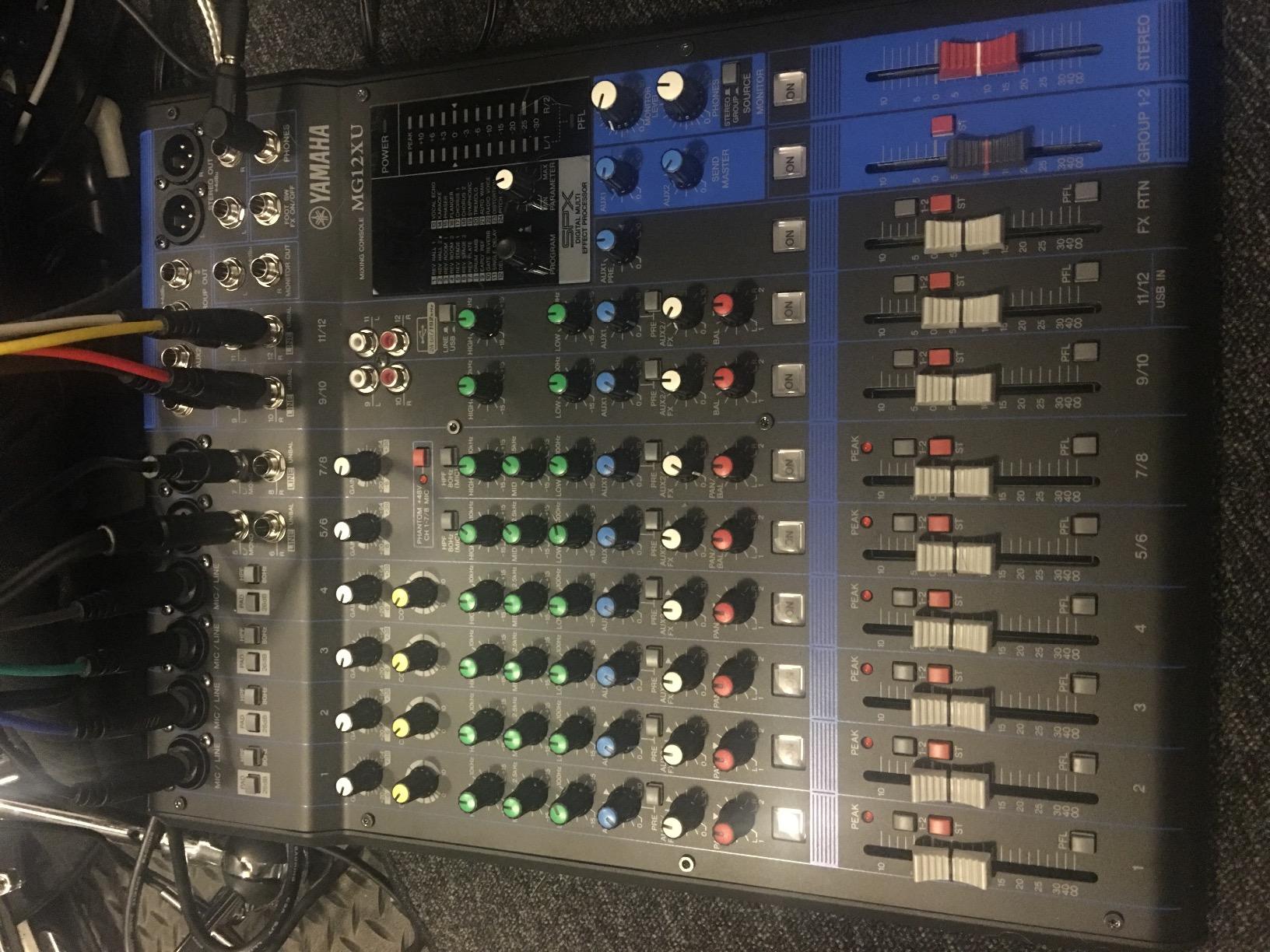
USB recording at 24-bit/192kHz is solid, but you only get a stereo feed to your computer, not multitrack. That means once you record, you are committed to the mix you made on the board. If you want post-production flexibility with multitrack recording, you need to move up to a digital mixer like the Mackie Onyx16 or one of the PreSonus StudioLive boards.
The output jack placement is my biggest complaint. The main outputs sit on the top panel rather than the back, which means cables drape across the control surface and snag knobs. It is a minor annoyance, but worth noting for anyone who keeps their mixer on a deep shelf.
How it performs in a real session
I tracked a four-piece band with this mixer: kick, snare, two overheads, bass DI, two guitar mics, and two vocal mics. Routing through the group buses kept the monitor mix manageable, and the D-PRE preamps captured the drum kit with plenty of headroom. Mixing the stereo USB recording in the DAW gave me a usable demo without spending hours on individual track EQ.
Who should skip it
Producers who need multitrack USB recording should look at the Mackie Onyx16 or a dedicated audio interface with enough inputs. Anyone who only needs 8 to 10 channels is paying for capacity they will not use. And if you do not need the bus architecture, the smaller and cheaper MG10XU covers the same preamp quality.
6. Mackie Onyx16 16-Channel Premium Analog Mixer with Multi-Track USB – Best for Multitrack Recording
Mackie Onyx Series, 16-Channel Premium Analog Mixer with Multi-Track USB
16 channels
96kHz/24-bit multi-track USB
Perkins British EQ
Onyx preamps
Pros
- True multi-track USB recording at 96kHz/24-bit
- Award-winning Onyx preamps with 60dB gain
- Sweepable midrange Perkins British EQ
- Bluetooth streaming directly to a channel
- HiZ inputs on channels 1/2 for guitars
Cons
- Effects reset to default on every power up
- SD card recording has quirky file naming
- Global phantom power not per-channel
- Low stock (only 2 left)
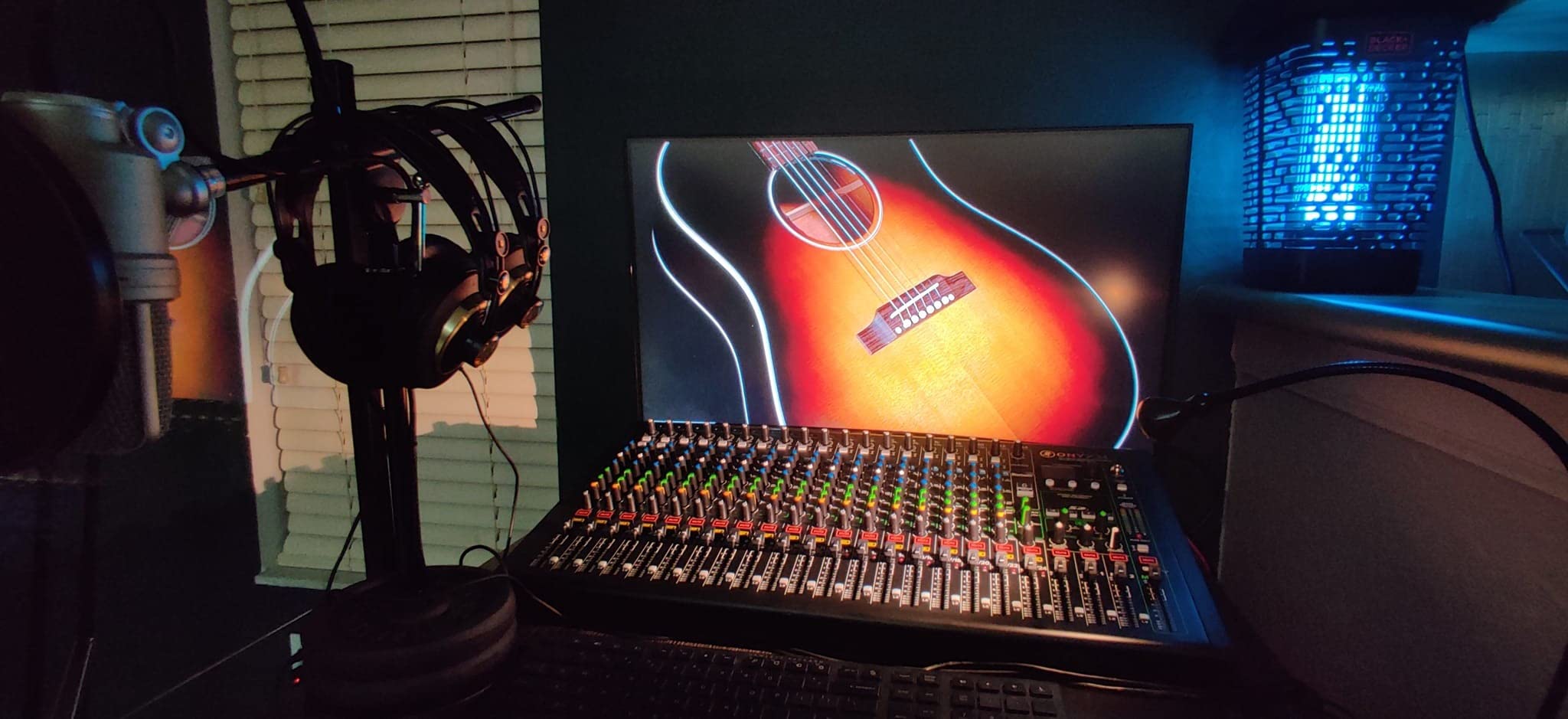
The Mackie Onyx16 is the board I reached for when I needed to record a full band with post-production flexibility. The 96kHz/24-bit multi-track USB means every input gets its own clean track in your DAW. I recorded a five-piece band through the Onyx16 and ended up with 16 separate tracks I could mix entirely in the box. For project studios where the mixer doubles as the audio interface, this is a serious value proposition.
The Onyx preamps deliver up to 60 dB of clean gain with very low noise. I recorded a quiet fingerstyle guitarist using a ribbon mic, and the preamps had no trouble capturing the full dynamic range. The Perkins British style EQ with sweepable midrange gives you much more surgical tonal control than the fixed-frequency EQ on smaller Mackie boards. The HiZ inputs on channels 1 and 2 let you plug in electric guitar or bass directly, which is great for tracking without a separate DI box.
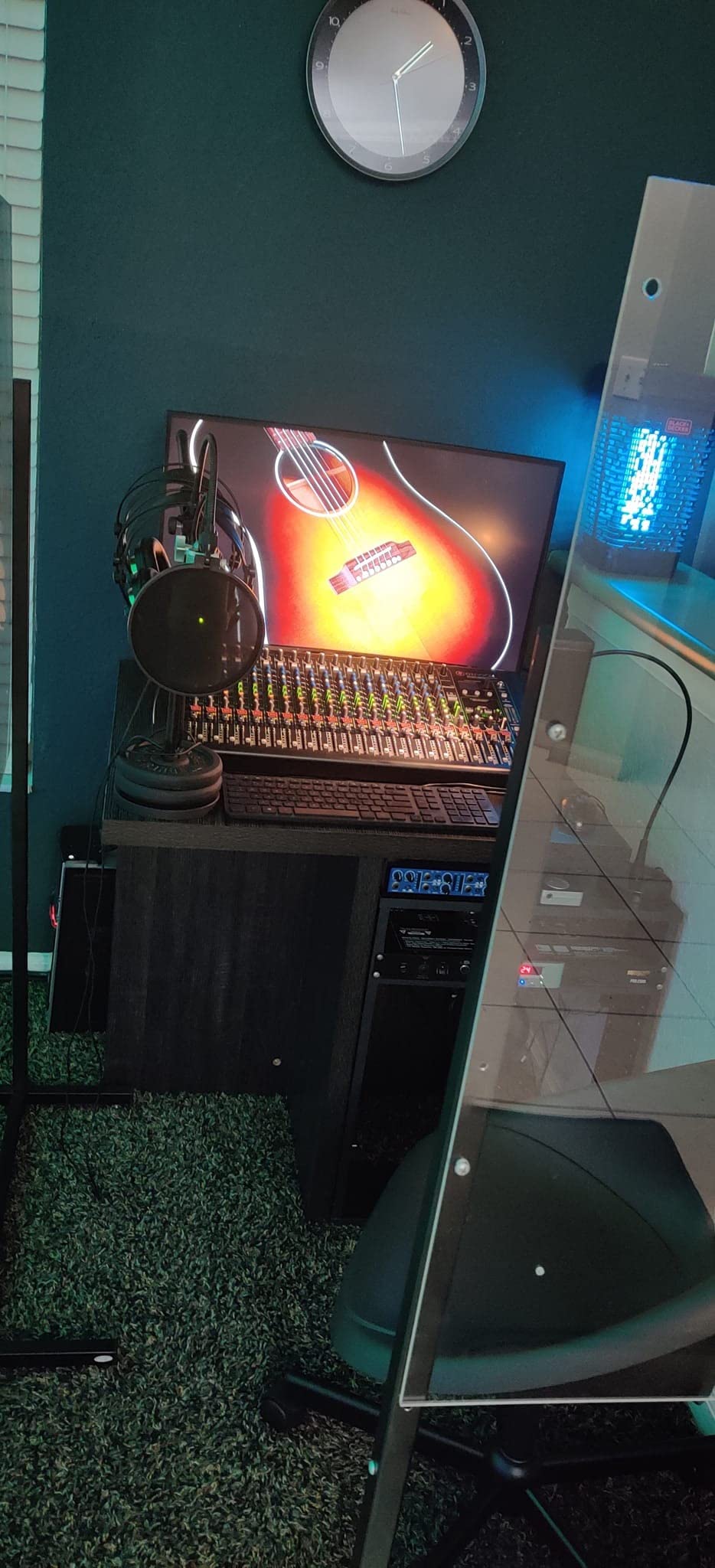
The Bluetooth streaming feature is genuinely useful for reference tracks and casual playback. I sent Spotify directly into a channel strip during mixing sessions, and the convenience saved me from juggling extra cables. The build quality feels premium, with rubberized volume knobs and clear center detents that make blind adjustments easy.
Where the Onyx16 stumbles is in minor quality-of-life details. The effects engine resets to a default delay every time you power up, which means reloading your preferred reverb patch becomes part of the startup ritual. The SD card recording feature works but has quirky auto file naming that makes session management annoying. Phantom power is global rather than per-channel, so you need to commit to either all condenser mics or no condenser mics at once.
How it performs in a real session
I produced an EP for an indie rock band through the Onyx16 over two weekends. The multi-track USB recording let me dial in the drum sounds at the mixing stage without committing to a live sound, and the Perkins EQ gave me the surgical control needed to carve out muddy frequencies in the rhythm guitar. The clients heard the playback through the main outputs and were happy with the rough mixes before I started the post-production work.
Who should skip it
If you only need a small mixer for a podcast or solo recording sessions, the Onyx16 is overkill. The 19.6-pound weight makes it less portable than smaller boards. Anyone who needs scene recall, motorized faders, or wireless control should step up to a digital mixer like the PreSonus StudioLive series.
7. Soundcraft Notepad-12FX Analog Console with USB I/O and Lexicon Effects – Best Compact Console with Pro Effects
Soundcraft Notepad-12FX Small-format Analog Mixing Console with USB I/O and Lexicon Effects
12 channels
Lexicon effects
4-in/4-out USB
Metal enclosure
Pros
- Lexicon studio-grade effects built in
- 4-in/4-out USB recording
- 12 channels in a compact chassis
- Quiet operation with high-quality preamps
- Phantom power on XLR inputs
Cons
- No on/off power switch or indicator light
- USB audio output is quieter than expected
- No per-channel mute buttons
- Only XLR main outputs
- no quarter-inch options
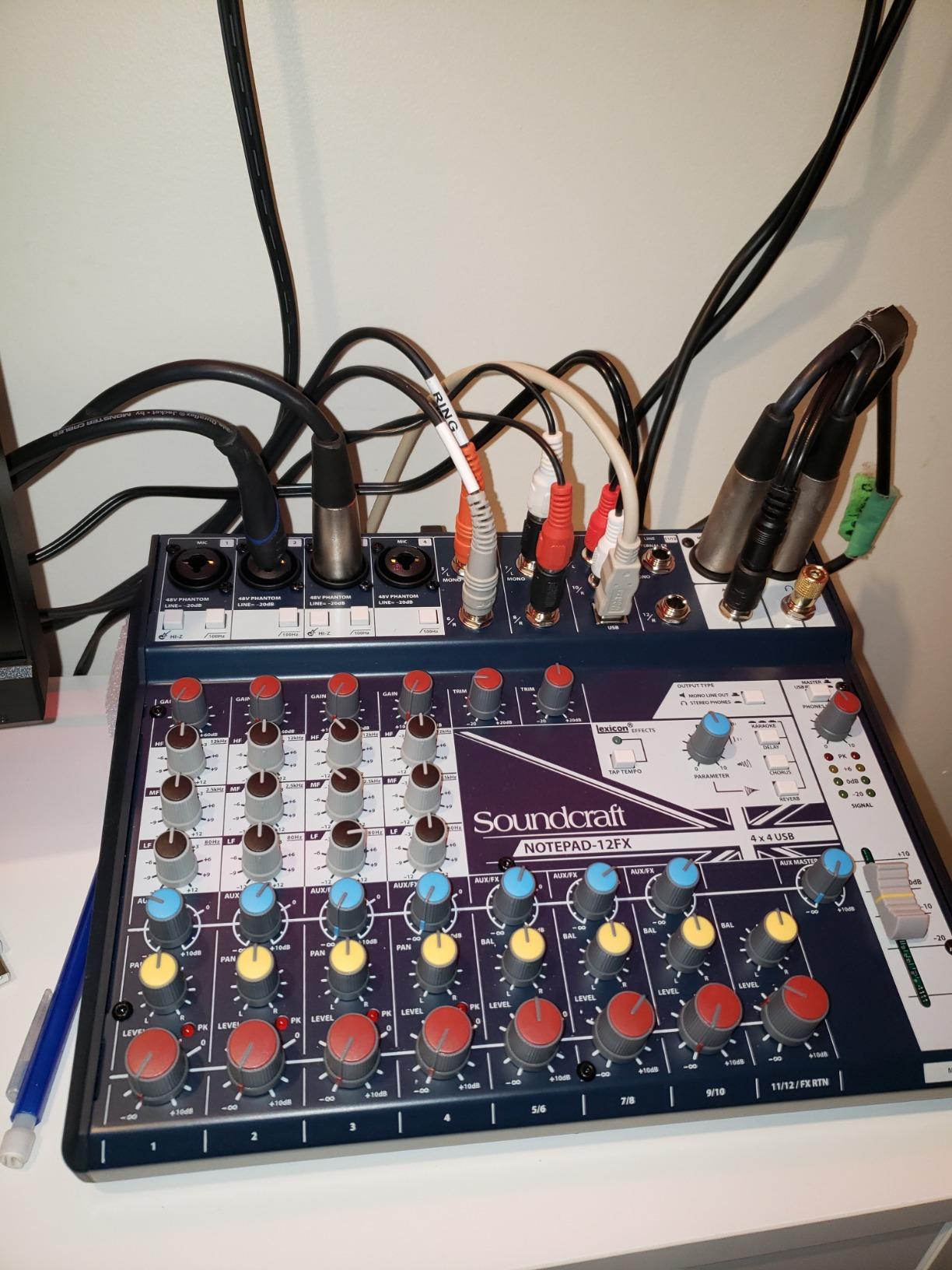
The Soundcraft Notepad-12FX stands out for one reason above all others: Lexicon effects built into a $250 mixer. Lexicon has been a studio standard for reverb and delay since the 1970s, and getting those algorithms in a compact analog console feels like a steal. I tested the reverb on vocals and acoustic guitar and the sound was noticeably more polished than generic digital effects on competing mixers at this price point.
The 4-in/4-out USB recording gives you genuine multitrack capability in a board that still feels like a traditional analog mixer. I recorded a four-piece band with separate tracks for kick, snare, bass, and vocals. The 1000 g weight and 11.9-inch depth make it easy to transport, and the metal enclosure feels more rugged than the plastic chassis on cheaper competitors.
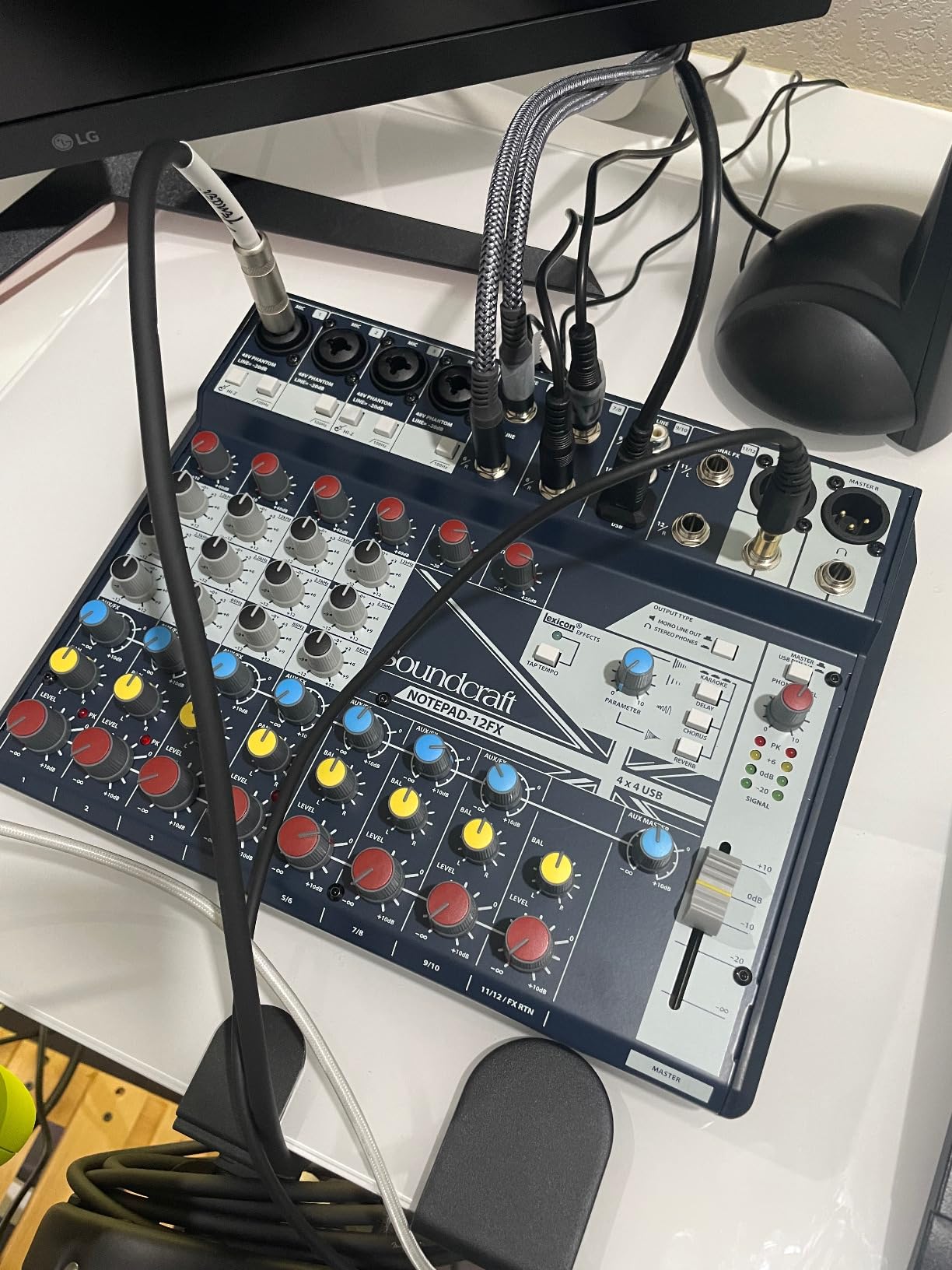
The preamps are clean and quiet. I pushed gain on a dynamic vocal mic and noticed no audible hiss. The 3-band EQ on the mic inputs gives you enough tone shaping for typical recording scenarios. Phantom power engaged cleanly for my condenser mics, and the overall signal path felt transparent in a good way.
The Notepad-12FX has some quirks that may bother you. There is no power switch or power indicator light, which means you cycle power by unplugging the unit. The USB audio output is quieter than expected, so you need to push levels in your DAW. There are no per-channel mute buttons, which is inconvenient when you need to silence a channel quickly during a session. And the main outputs are XLR only with no quarter-inch option for connecting to certain monitors or recorders.
How it performs in a real session
I mixed a singer-songwriter showcase with five performers through the Notepad-12FX. The Lexicon plate reverb gave every vocal a polished sheen, and the Lexicon chorus on the acoustic guitar added just enough movement to keep the performance interesting. The 4-channel USB recording let me capture each performer separately for a polished mix in post.
Who should skip it
If you do not care about Lexicon effects, the Mackie ProFX10v3 or Yamaha MG12XU offer similar channel counts with different feature sets. Anyone who needs power switch convenience or per-channel mutes will find the Notepad-12FX frustrating. Producers needing more than 12 channels should look at the Mackie Onyx16.
How to Choose the Best Mixing Board for Your Home Studio?
Choosing the best mixing board for your home studio depends on three factors: how many sources you need to record simultaneously, whether you want analog simplicity or digital flexibility, and what you plan to do with the recorded audio. I have tested dozens of mixers over the years, and these are the decision points that actually matter.
How many channels do you actually need
Channel count is the first number to nail down. Count your microphones, instruments, and stereo sources. Add two extra channels for headroom. Solo podcasters recording one or two voices usually need 4 to 6 channels. Musicians recording vocals plus an instrument need 8 to 10. Bands recording drums plus bass plus guitars plus vocals need 12 to 16 channels minimum. For drum recording alone, count kick, snare, hi-hat, two overheads, and room mic, and you are already at 6 channels before adding any other instruments.
Analog vs digital workflow
Analog mixers like the Yamaha MG10XU and Mackie ProFX10v3 give you hands-on control with no menu diving. Every knob does what it says, signal flow is visible, and you can patch things on the fly. Digital mixers add scene recall, motorized faders, wireless tablet control, and built-in effects engines. If you switch between projects often and need to recall complex setups, digital mixers save time. If you prefer immediate, tactile control and minimal menu diving, analog mixers feel more natural.
On audio engineering forums, the question of analog versus digital comes up constantly. Many pro engineers recommend analog mixers for the recording path (where preamp quality matters most) and digital mixers for the mixing and routing workflow. For home studios on a budget, a quality analog mixer with USB output is the most cost-effective path.
Do you actually need a mixer if you have an audio interface
If you record one or two sources at a time and do not need hands-on level control, an audio interface is probably enough. If you record three or more sources simultaneously, want hands-on EQ and compression, or need to route signals in complex ways, a mixer solves problems an interface alone cannot. Many home studios use both: a mixer for combining mics and instruments, and an audio interface for analog-to-digital conversion.
Key specifications to compare
Preamp quality is the most important specification. Look for boards with well-regarded preamp designs (D-PRE, Onyx, AnalogiQ) and check the equivalent input noise (EIN) figures. Lower is better. Sample rate and bit depth matter for USB recording: 24-bit/96kHz is the practical minimum for serious music production. Phantom power (48V) is essential if you use condenser microphones. Built-in effects save the cost of outboard processors but vary widely in quality.
Budget versus expandable options
For under $100, you get a basic mixer with limited features. From $100 to $300, you unlock USB audio interfaces, built-in effects, and better preamps. From $300 to $800, you get more channels, multitrack USB recording, and professional-grade preamps. Above $800, you enter digital mixer territory with scene recall and motorized faders. The best value tier for most home studios is the $200 to $400 range, where you get the best balance of preamp quality, channel count, and effects.
Frequently Asked Questions
What is the best sound mixer for a home studio?
The Yamaha MG10XU is our top pick for most home studios because it combines studio-grade D-PRE preamps, built-in SPX effects, one-knob compressors, and reliable USB recording at a mid-tier price. Solo podcasters and musicians recording two to four sources at once get the best balance of sound quality, build quality, and value from this mixer.
What is the best equipment for a home studio?
Beyond the mixing board, a complete home studio needs a quality condenser microphone (like the Audio-Technica AT2020), closed-back studio headphones, monitor speakers, an acoustic-treated room, a computer with sufficient RAM and processing power, a DAW (Digital Audio Workstation) such as Logic Pro, Ableton Live, or Reaper, microphone cables, XLR cables, and microphone stands. A pop filter and reflection filter also improve vocal recordings.
What do professionals use to mix music?
Professional mixing engineers typically use in-the-box mixing within a DAW for most projects, often combined with high-end outboard gear like SSL bus compressors, Neumann microphones, and boutique preamps. For hybrid workflows, they pair analog summing mixers with digital audio workstations to get the best of both worlds. Common DAWs include Pro Tools, Logic Pro, and Ableton Live for music production.
What audio interface do professional studios use?
Professional studios commonly use audio interfaces from Universal Audio (Apollo series), RME (Babyface Pro, Fireface), Avid (Pro Tools HD interfaces), and Apogee (Symphony, Element series). These interfaces offer high sample rates, low-latency monitoring, premium preamps, and rock-solid drivers. For project studios on a budget, Focusrite and PreSonus interfaces offer professional-grade quality at lower price points.
Final Verdict: Which Mixing Board Should You Buy in 2026?
If you want one board that handles most home studio scenarios well, the Yamaha MG10XU remains our top pick for 2026. The D-PRE preamps deliver clean sound, the SPX effects add polish, and the USB interface records directly into your DAW with minimal fuss. Podcasters, solo musicians, and small project studios will get years of use from this mixer.
For budget setups under $100, the Mackie Mix8 covers the essentials without unnecessary features. For streamers and podcasters, the Behringer XENYX 802S solves routing problems that other budget boards ignore. For recording musicians who want high-resolution audio, the Mackie ProFX10v3 stands out. For larger projects, the Yamaha MG12XU and Mackie Onyx16 give you the channels and multitrack flexibility to grow. And for compact analog mixing with premium effects, the Soundcraft Notepad-12FX delivers Lexicon quality at a sub-$300 price.
Whatever you choose, focus on preamp quality, channel count, and USB recording capability. Those three factors determine whether a mixer will serve your home studio for years or become obsolete within months. Use the buying guide above to match your needs to the right board, and check the latest prices before you buy.