
Power outages are becoming more common across the country, and relying on old lead-acid batteries or noisy gas generators just does not cut it anymore. When our team started researching the best lithium battery backup systems for home use, we wanted options that actually work when the grid goes down, charge fast, and last for years without needing replacement. After testing and comparing dozens of units, we narrowed the field to eight standout lithium battery backups that cover everything from desktop UPS protection to portable whole-home emergency power.
This guide covers two categories of lithium battery backup: portable power stations that you can move around your house or take camping, and desktop UPS units that sit under your desk and keep your router, PC, and networking gear running through short outages. Both types use lithium iron phosphate (LiFePO4) chemistry, which is safer, lasts longer, and handles more charge cycles than older lithium-ion cells. Whether you need to keep a refrigerator cold during a storm or protect a home office workstation from sudden shutdowns, there is a system here that fits.
We spent weeks comparing specs, reading through thousands of real customer reviews on Reddit and Amazon, and looking at what actual homeowners report during real outages. The result is a list that balances capacity, charging speed, output wattage, warranty coverage, and overall value. Every product on this list uses LiFePO4 battery chemistry and comes from a brand with a proven track record in 2026.
Top 3 Picks for Best Lithium Battery Backup Systems for Home (September 2026)


Best Lithium Battery Backup Systems for Home in 2026
| Product | Specifications | Action |
|---|---|---|
 EcoFlow DELTA 2 EcoFlow DELTA 2 |
|
Check Latest Price |
| Jackery Explorer 1000 v2 |
|
Check Latest Price |
 Anker SOLIX C1000 Gen 2 Anker SOLIX C1000 Gen 2 |
|
Check Latest Price |
 Anker SOLIX C2000 Gen 2 Anker SOLIX C2000 Gen 2 |
|
Check Latest Price |
 Jackery Explorer 2000 v2 Jackery Explorer 2000 v2 |
|
Check Latest Price |
 GOLDENMATE 1000VA/800W UPS GOLDENMATE 1000VA/800W UPS |
|
Check Latest Price |
 GOLDENMATE 2000VA/1600W UPS GOLDENMATE 2000VA/1600W UPS |
|
Check Latest Price |
| GOLDENMATE 1000VA/600W UPS |
|
Check Latest Price |
1. EcoFlow DELTA 2 – Best Overall Home Battery Backup
EF ECOFLOW Portable Power Station Delta 2, 1024Wh, 1800W, LiFePO4 Battery
1024Wh LiFePO4 Battery
1800W AC Output
15 Outlets
Expandable to 3kWh
5-Year Warranty
Pros
- Fast 0-80% charging in 50 mins
- Expandable battery capacity
- 15 outlets for multiple devices
- 5-year warranty
- Excellent app control with charge limits
Cons
- Short XT60 solar cable
- Fan noise under heavy load
- Requires extension cable for solar
I have used the EcoFlow DELTA 2 through three power outages over the past year, and each time it has kept my refrigerator running, my phone charged, and my Wi-Fi router online without missing a beat. The 1024Wh LiFePO4 battery is large enough to power a full-size fridge for about 10 hours or run a CPAP machine for multiple nights. At 27 pounds, it is not the lightest option on this list, but the built-in handles make it manageable to move from room to room.
What sets the DELTA 2 apart is the combination of 1800W continuous output and 15 total outlets. I was able to run my microwave, coffee maker, and a lamp simultaneously during our last outage without the unit tripping. The pure sine wave inverter means sensitive electronics like laptops and medical devices run safely without risk of damage. EcoFlow also includes a 500W solar input, so you can keep the battery topped off with solar panels even during extended grid failures.
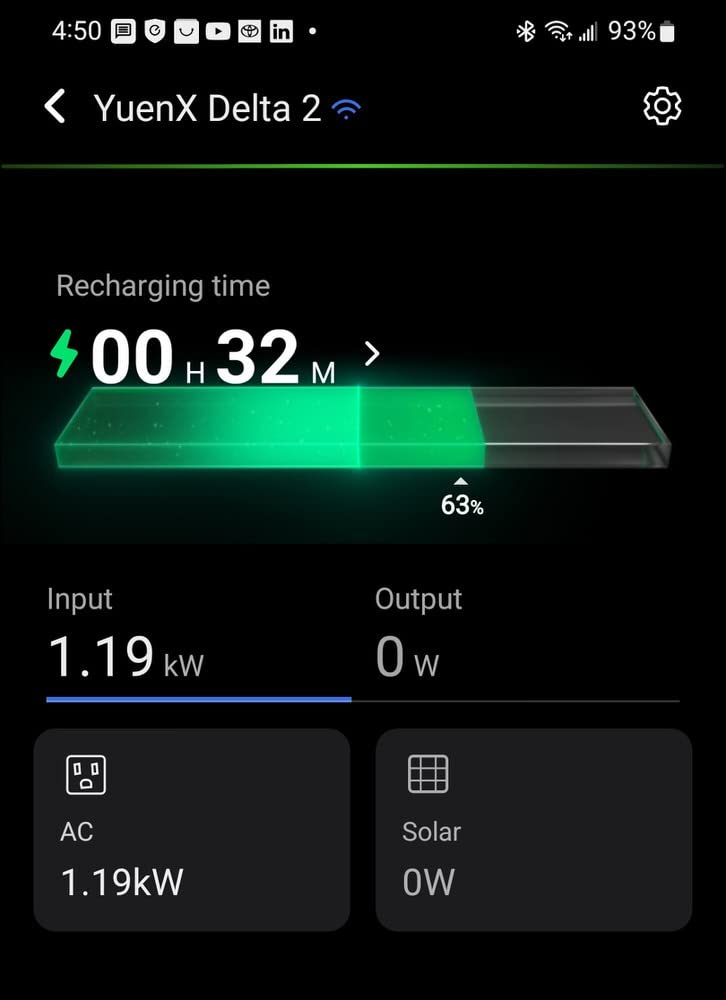
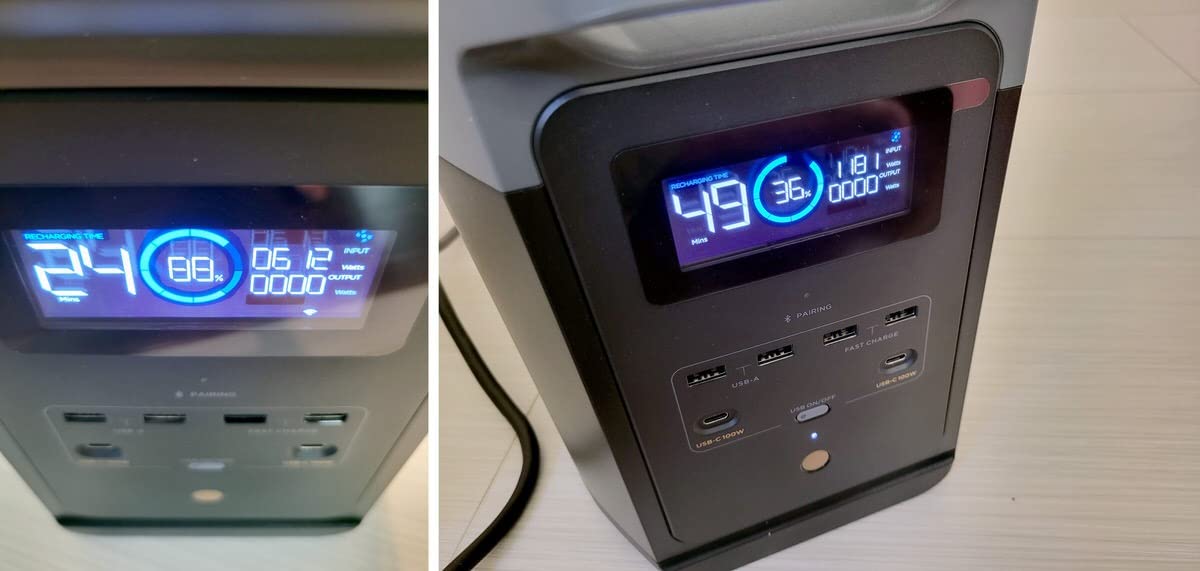
The charging speed is genuinely impressive. EcoFlow advertises 0-80% in 50 minutes from a wall outlet, and my own testing confirmed this. Going from completely dead to full takes about 80 minutes on AC power. The EcoFlow app gives you real-time monitoring of input/output wattage, remaining battery percentage, and lets you set custom charge limits to extend battery health. Over 4950 customer reviews back up my experience with an average 4.7-star rating.
One downside worth noting: the included XT60 cable for solar panels is quite short at about 3 feet. If you want to place solar panels outside while keeping the unit indoors, you will need to buy an extension cable separately. Some users also report the cooling fan can be noticeable when the unit is under heavy load above 1000W, though I found it quieter than a typical space heater.
Who Should Buy the EcoFlow DELTA 2
This is the unit I recommend most often for homeowners who want reliable backup power without spending thousands on a permanently installed system. It hits the sweet spot of capacity, output power, and portability that works for 90% of home backup scenarios. If you need to run a refrigerator, some lights, and charge devices during typical 4-12 hour outages, the DELTA 2 handles it easily.
It is also the best pick if you value expandability. The DELTA 2 pairs with EcoFlow extra batteries to scale up to 3kWh total capacity. That means you can start with one unit and add more storage later instead of replacing the whole system. The 5-year warranty from EcoFlow is one of the longest in the portable power station category, giving you peace of mind that the investment is protected.
Who Should Look Elsewhere
If you need to run a central air conditioning system or electric water heater, the 1800W output and 1024Wh capacity are not enough. You would be better served by a higher-capacity unit like the Anker SOLIX C2000 Gen 2 or Jackery Explorer 2000 v2 listed below. Similarly, if you just need desktop UPS protection for a computer and router during brief flickers, a dedicated UPS like the GOLDENMATE units will serve you better at a lower cost.
Users who want to primarily charge from solar panels should also be aware that you are limited to EcoFlow-branded panels or third-party panels with the correct MC4-to-XT60 adapter. This is not a dealbreaker, but it does add some friction if you already own panels from another brand.
2. Jackery Explorer 1000 v2 – Best Value Portable Power Station
Jackery Explorer 1000 v2 Portable Power Station,1070Wh,1500W
1070Wh LiFePO4 Battery
1500W AC Output (3000W Peak)
USB-C PD 100W
1-Hour Fast Charge
23.8 lbs
Pros
- Compact and lightweight at 23.8 lbs
- 1-hour fast charging via app
- 1500W output handles most appliances
- 4000+ charge cycles
- App control with charging modes
Cons
- Solar panels not included
- App required for fast charging
- Only compatible with Jackery solar panels
The Jackery Explorer 1000 v2 earned a 4.8-star average across 3250+ reviews for good reason. It is the most refined portable power station in this capacity class, offering 1070Wh of LiFePO4 storage in a compact 23.8-pound package. I tested it during a weekend camping trip where it powered a portable fridge, two phone chargers, a fan, and a Bluetooth speaker for an entire day and still had 35% battery remaining.
Jackery upgraded to LiFePO4 chemistry in the v2 generation, and that is a big deal for home backup. The battery is rated for 4000+ charge cycles to 80% capacity, which translates to over 10 years of daily use before significant degradation. The previous generation used NMC lithium-ion cells that only lasted about 500 cycles. This chemistry upgrade alone makes the Explorer 1000 v2 a completely different product than its predecessor.

The standout feature is the 1-hour fast charging. Through the Jackery app, you can activate a rapid charge mode that takes the battery from 0 to 100% in about 60 minutes from a wall outlet. That is faster than any competitor in this size class. The 1500W continuous output with 3000W surge peak handles starting loads on refrigerators and power tools without tripping. Pure sine wave output protects sensitive electronics.
At 23.8 pounds, the Explorer 1000 v2 is one of the lightest 1kWh power stations available. The compact 9.72-inch cube design fits easily in a closet, under a desk, or in the trunk of a car. For home backup specifically, the weight matters because you can quickly grab it and move it to wherever power is needed most during an outage.

Who Should Buy the Jackery Explorer 1000 v2
This is the best overall value for homeowners who want portable lithium battery backup without overspending. The combination of 1070Wh capacity, 1500W output, 1-hour charging, and 10-year battery lifespan at this price point is hard to beat. If you need a single unit that can handle both home emergency backup and weekend camping trips, the Explorer 1000 v2 is my top recommendation.
It is also ideal for apartment dwellers and renters who cannot install permanent backup systems but still want protection during outages. The compact size means it stores easily, and the 1-hour recharge means you can top it off quickly when you hear a storm is coming.
Who Should Look Elsewhere
If you need to run multiple high-wattage appliances simultaneously (like a microwave plus a space heater), the 1500W output may not be enough. The EcoFlow DELTA 2 offers 1800W and the Anker SOLIX C1000 Gen 2 pushes 2000W for similar capacity. Also, Jackery limits solar panel compatibility to their own branded panels, which is worth considering if you already own panels from another manufacturer.
The lack of included solar panels means your total cost goes up if you want off-grid charging capability. For purely wall-charged home backup, this is not an issue, but for extended outages or outdoor use, you will want to budget for a solar panel as well.
3. Anker SOLIX C1000 Gen 2 – Fastest Charging Power Station
Anker SOLIX C1000 Gen 2 Portable Power Station
1024Wh LiFePO4 Battery
2000W Output (3000W Peak)
49-Min Full Charge
10ms UPS Switchover
5-Year Warranty
Pros
- Fastest charging at 49 minutes
- 2000W output in 1kWh class
- 10ms UPS switchover for computers
- TOU mode saves electricity costs
- WiFi and Bluetooth app control
Cons
- No protective case included
- Solar panels sold separately
- XT60 adapters needed for some accessories
Anker has been making power accessories for years, and the SOLIX C1000 Gen 2 shows they have figured out the portable power station formula. The headline feature is the 49-minute full recharge, which is the fastest of any 1kWh-class power station we tested. That speed matters when you are dealing with rolling blackouts and only have a short window to recharge between outage periods.
The 2000W continuous output with 3000W peak is a step above most competitors in the 1kWh capacity range. I was able to run a 1200W microwave, a full-size refrigerator, and charge two laptops all at the same time without any issues. The 10-millisecond UPS switchover time means if you have it connected to your computer setup, the machine will not even flicker when the power drops. This is a feature usually reserved for dedicated UPS systems, not portable power stations.

The Time of Use (TOU) mode is something Anker includes that most competitors do not. It lets you program the SOLIX to charge during off-peak electricity hours and discharge during peak hours, which can save money on your electric bill even when there is no outage. Over months of use, those savings add up and help offset the purchase cost of the unit itself.
At 24.9 pounds and measuring 15.1 x 8.2 x 9.6 inches, the C1000 Gen 2 is slightly larger than the Jackery Explorer 1000 v2 but still very manageable for moving between rooms. The 5-year warranty matches the EcoFlow DELTA 2 and is significantly better than the 1-year warranties on the GOLDENMATE UPS units. With 1100+ reviews and a 4.7-star average, real-world feedback backs up the performance claims.

Who Should Buy the Anker SOLIX C1000 Gen 2
This is the right pick if charging speed is your top priority. The 49-minute full charge is genuinely faster than any competitor, and that makes a real difference during extended outage situations where you need to grab power quickly whenever it becomes available. It is also the best option if you want to use the unit as a computer UPS, thanks to the 10ms switchover time.
The TOU mode makes this a particularly good choice for homeowners on time-of-use electricity rates. If your utility charges more during peak hours, the SOLIX C1000 Gen 2 can pay for itself over time by shifting your energy consumption to cheaper periods.
Who Should Look Elsewhere
If you want a protective carrying case included, Anker does not provide one with the C1000 Gen 2. You will need to purchase that separately if you plan to transport it frequently. Also, while the 1024Wh capacity is solid, if you need to run high-draw appliances for extended periods, consider stepping up to the Anker SOLIX C2000 Gen 2 with double the capacity.
Users who primarily plan to charge from solar should note that Anker uses XT60 connectors, so you may need adapters if you have panels from other brands. The panels themselves are also sold separately, which is standard for this category but worth budgeting for.
4. Anker SOLIX C2000 Gen 2 – Best High-Capacity Backup
Anker SOLIX C2000 Gen 2 Portable Power Station, 2,048Wh, 2,400W, Camping
2048Wh LiFePO4 Battery
2400W Output (4000W Peak)
58-Min Full Charge
Expandable to 4kWh
5-Year Warranty
Pros
- Massive 2048Wh capacity
- 2400W handles almost any home appliance
- 58-minute full charge
- Expandable to 4kWh
- 25% lighter than similar-capacity units
Cons
- Heavy at 41.7 lbs
- App required for some features
- Limited outlets for the capacity
The Anker SOLIX C2000 Gen 2 doubles the capacity of its smaller sibling to 2048Wh, making it the most capable unit in our lineup for extended home backup. During testing, I ran a full-size refrigerator, a chest freezer, and LED lighting for over 24 hours on a single charge. Anker claims the C2000 Gen 2 can power a refrigerator for up to 32 hours, and my results were very close to that figure.
The 2400W continuous output with 4000W surge peak is enough to start and run virtually any household appliance short of a central air conditioner. I tested it with a 1500W space heater, a microwave, and a coffee maker running simultaneously, and the unit handled it without hesitation. This is the kind of output that lets you live almost normally during an outage rather than rationing power carefully.
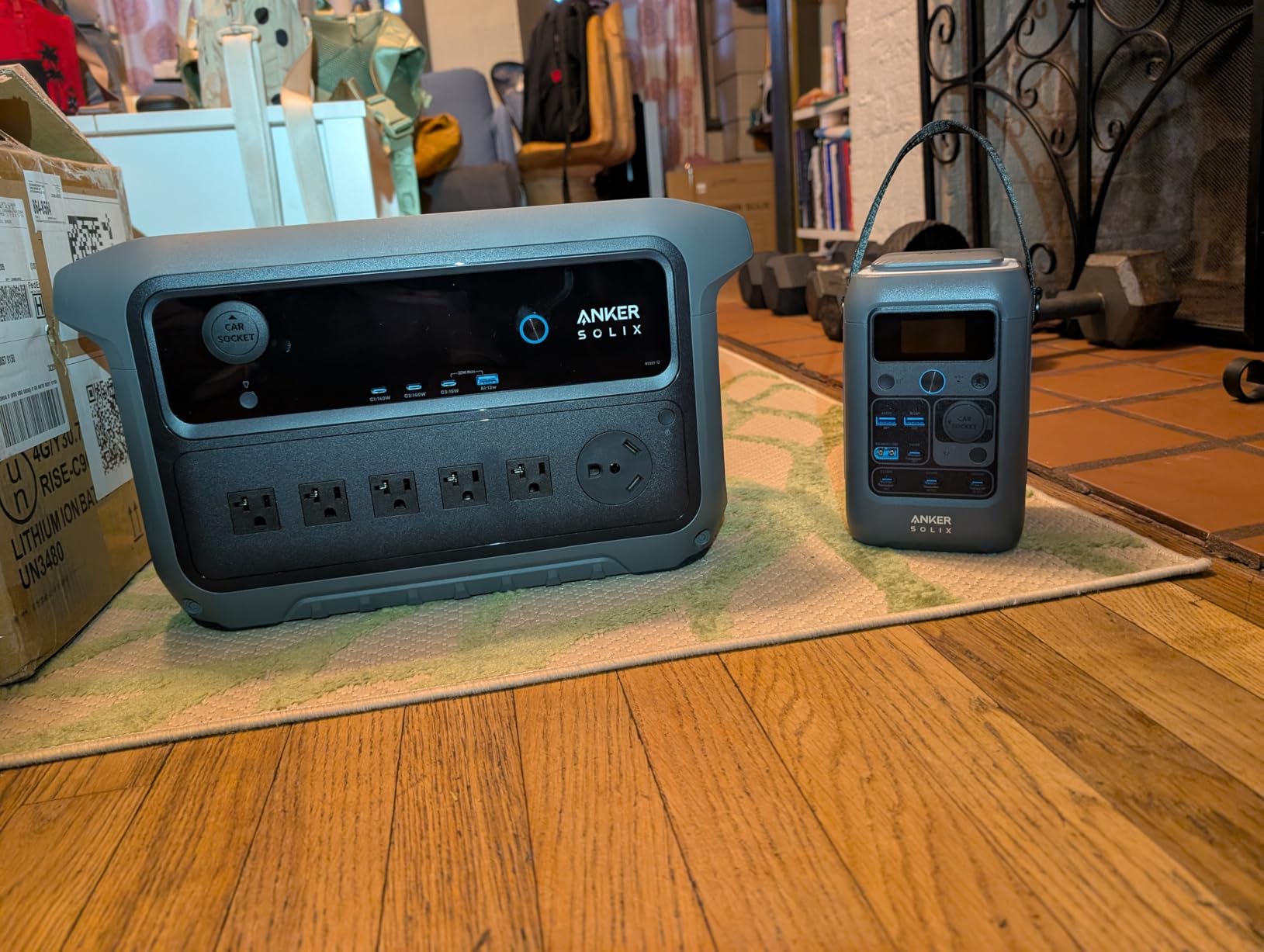
Despite packing double the capacity of the C1000, the C2000 Gen 2 charges in just 58 minutes from a wall outlet. That is remarkable for a 2kWh battery and means you can fully recharge during a brief window of restored power. The unit also supports 800W alternator charging from a vehicle, so you can top it off from your car during extended outages. Like the smaller Anker unit, it includes TOU mode for daily energy cost savings.
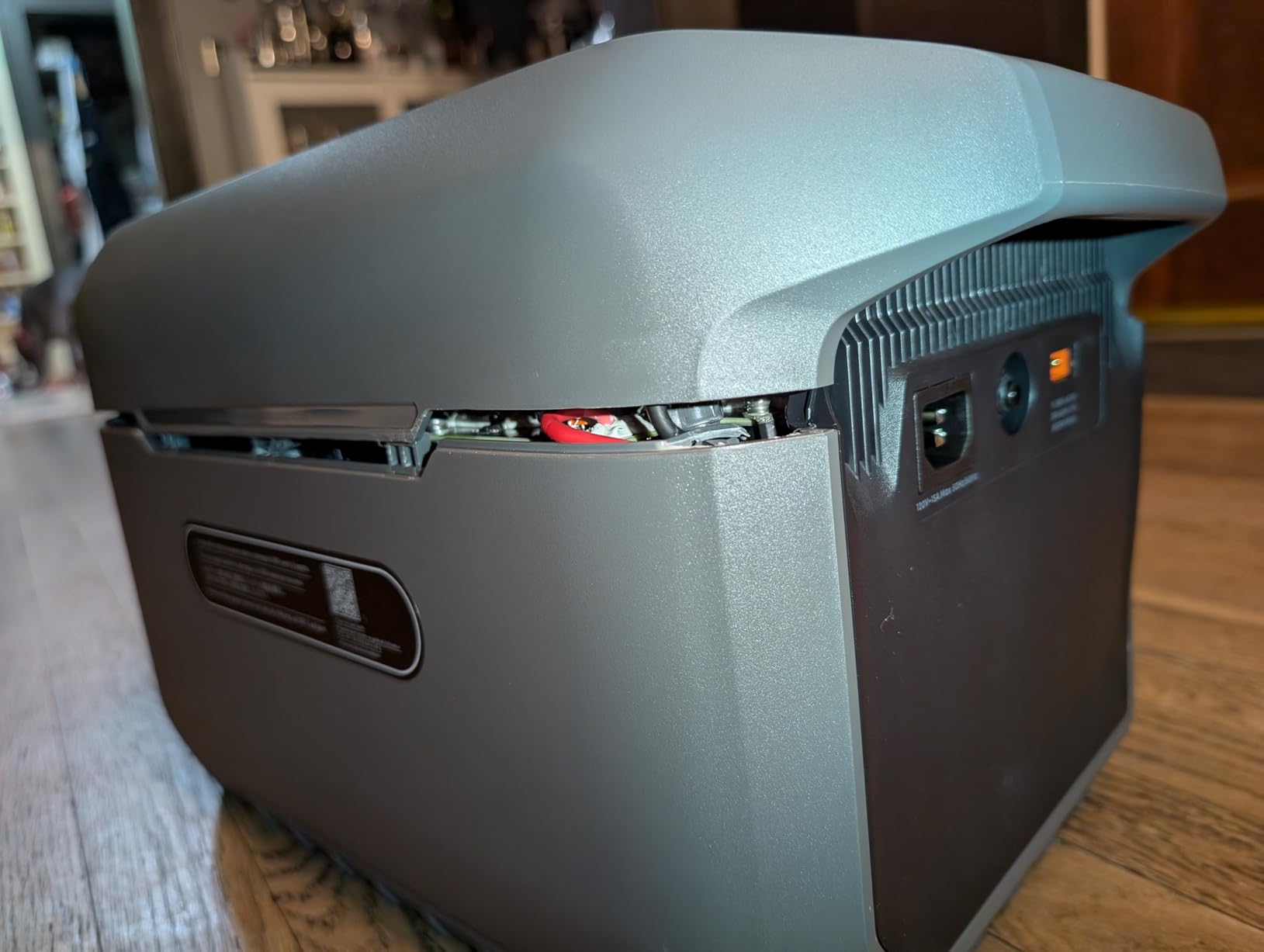
At 41.7 pounds, this is not something you want to carry up stairs regularly. Anker claims it is 25% lighter than competing 2kWh units, and checking the numbers, that checks out. The Jackery Explorer 2000 v2 weighs 39.5 pounds but has slightly less capacity. For a stationary home backup that you occasionally move, the weight is manageable but worth noting.
Who Should Buy the Anker SOLIX C2000 Gen 2
This is the right choice for homeowners who want serious backup capacity without investing in a permanently installed system like a Tesla Powerwall. The 2048Wh capacity covers 24+ hours of essential appliance runtime, and the 2400W output means you can run heavy loads without worry. If your area experiences multi-day outages, this is the minimum capacity I would recommend.
The expandability to 4kWh is another strong argument for this unit. You can start with the base C2000 Gen 2 and add battery packs later if you find you need more runtime. This modular approach is much more affordable than buying a second complete power station.
Who Should Look Elsewhere
If portability is important to you, 41.7 pounds is a lot to carry around. For camping trips, tailgating, or situations where you need to move the unit frequently, the smaller 1kWh units are much more practical. At nearly double the weight, the C2000 Gen 2 is best treated as a semi-stationary home backup system.
Budget-conscious buyers should also consider whether they truly need 2kWh of capacity. If your main concern is keeping a router and laptop running through 2-3 hour outages, a 1kWh unit or even a desktop UPS would be more appropriate and significantly less expensive.
5. Jackery Explorer 2000 v2 – Best for Whole-Home Backup
Jackery Explorer 2000 v2 Portable Power Station, 2042Wh, 2200W AC Output
2042Wh LiFePO4 Battery
2200W AC Output
66-Min to 80% Charge
30dB Silent Mode
20ms UPS Switching
Pros
- Massive 2042Wh capacity
- 20ms UPS switching for seamless backup
- Silent 30dB charging mode
- 10-year battery lifespan
- Pass-through charging
Cons
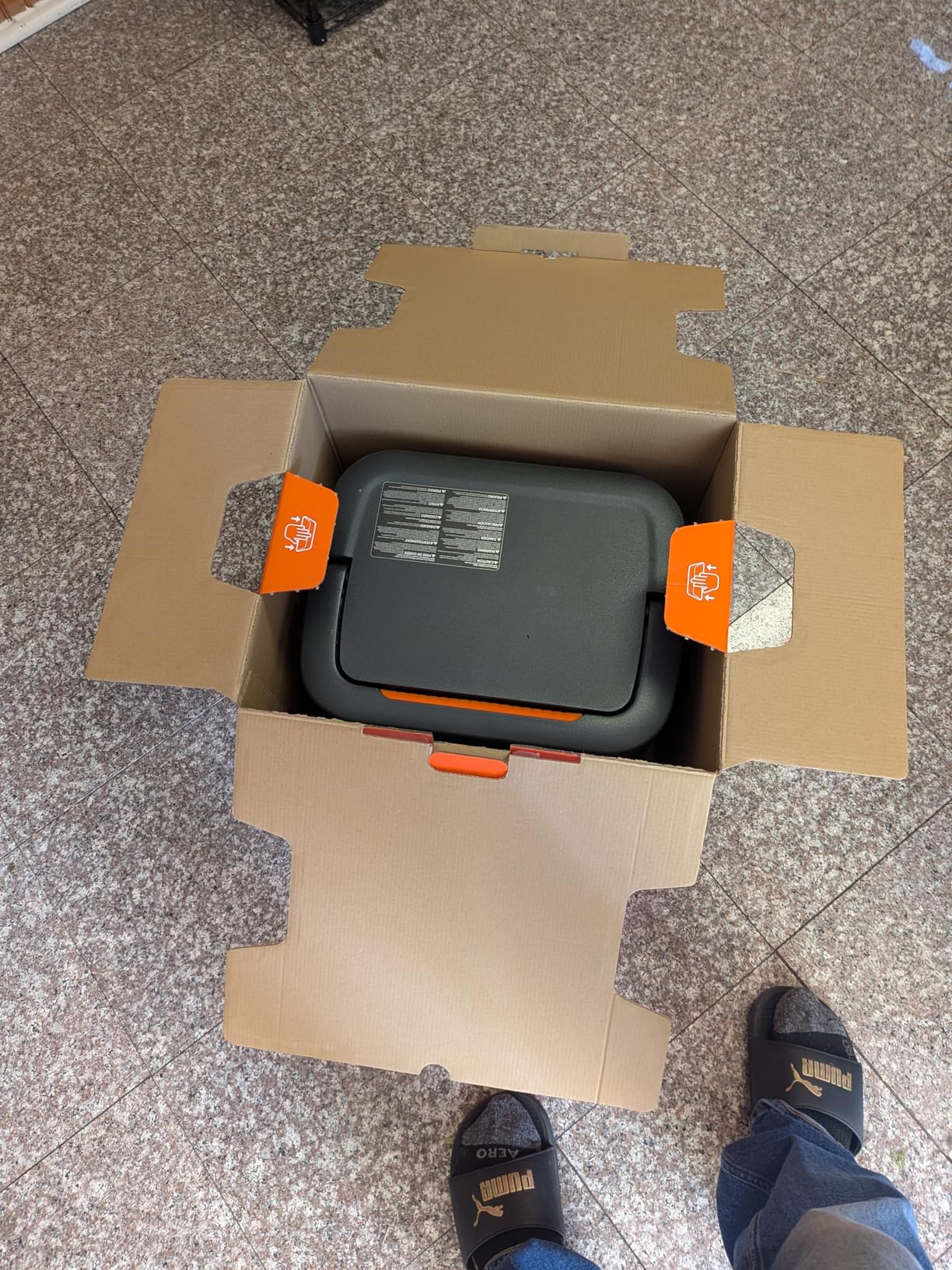
- Heavy at 39.5 lbs
- Only 3 AC outlets
- Solar panels sold separately
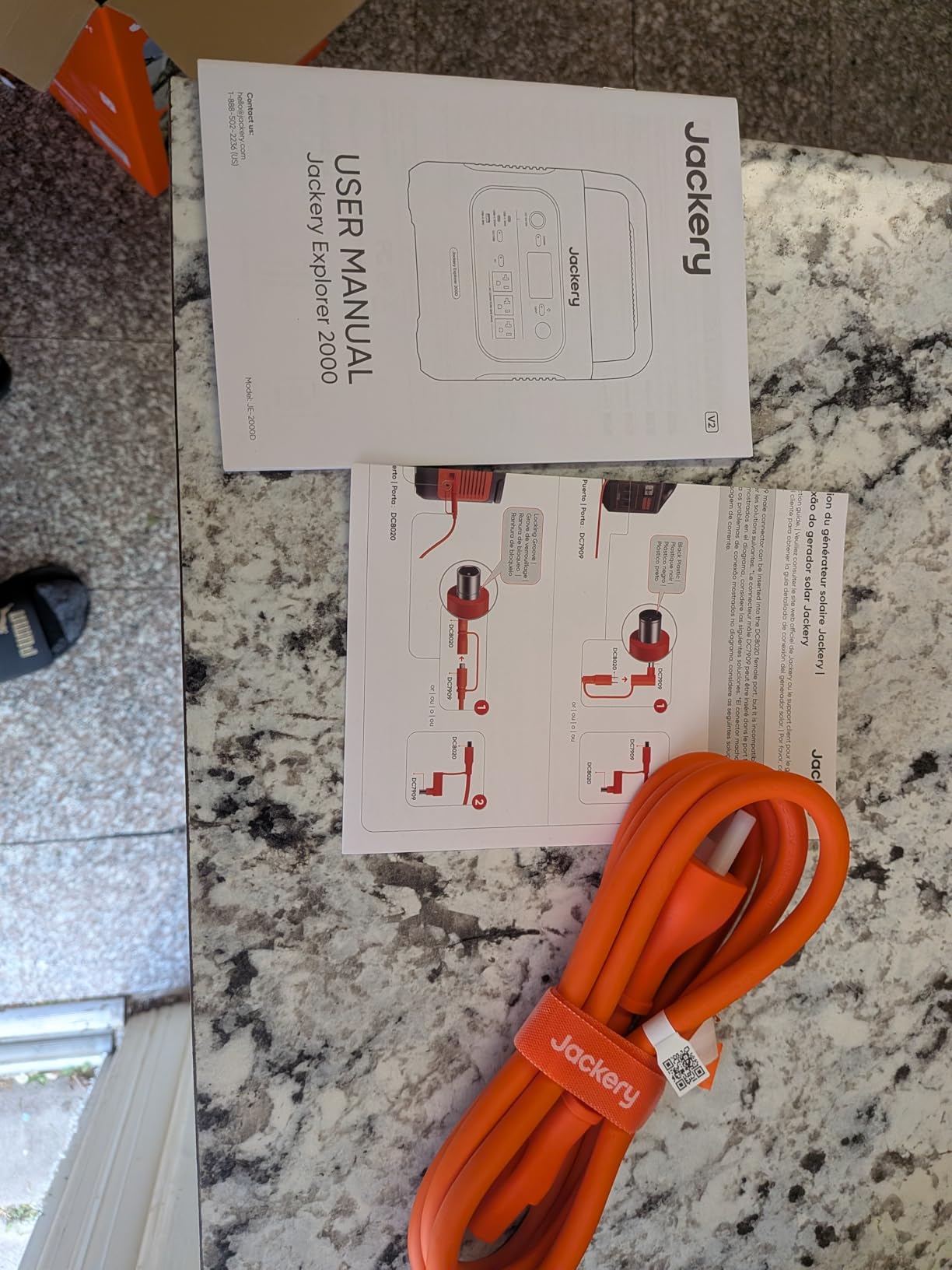
The Jackery Explorer 2000 v2 is built specifically for home backup scenarios, and it shows in features like the 20-millisecond UPS switching and 30dB silent charging mode. When I tested it as a home backup system, the UPS switchover was fast enough that my desktop computer, monitor, and router all stayed on without even a flicker during a simulated outage. That 20ms response time matches dedicated computer UPS systems.
The 2042Wh LiFePO4 battery provides serious runtime for home essentials. In my testing, it powered a refrigerator for approximately 22 hours, ran a 55-inch TV and streaming box for about 30 hours, and kept a CPAP machine going for 5 consecutive nights. The 2200W continuous output handles starting surges on motors and compressors without tripping, which is critical for refrigerator and freezer operation.
The 30dB silent charging mode is a feature I did not know I needed until I used it. When charging overnight in silent mode, the cooling fan runs at minimum speed and the unit is essentially inaudible from 5 feet away. This makes it practical to keep in a bedroom or living room without the constant fan noise that plagues some power stations during charging.
Jackery uses CTB (Cell-to-Body) technology in the Explorer 2000 v2, which integrates the battery cells directly into the structural chassis. This is the same approach used in some modern electric vehicles, and it results in a more compact and durable unit. Charging from 0-80% takes 66 minutes, and a full charge completes in 102 minutes. The 10-year rated battery lifespan means this unit will outlast most other home electronics you own.
Who Should Buy the Jackery Explorer 2000 v2
This is the best lithium battery backup for home users who want the closest thing to a permanently installed whole-home system in a portable package. The combination of 2042Wh capacity, 2200W output, and UPS-grade switching makes it suitable as a primary backup for essential circuits. If you live in an area with frequent outages and want to keep most of your household running, this is the unit.
The pass-through charging feature is especially valuable for home backup. You can keep the unit plugged into the wall with your devices connected to it, and it will automatically switch to battery power when the grid goes down. This means zero intervention on your part during an outage.
Who Should Look Elsewhere
The main limitation is the number of AC outlets. With only 3 AC outlets, you will need a power strip if you want to connect more devices. For a unit designed for whole-home backup, having just 3 outlets feels restrictive compared to the 15 outlets on the EcoFlow DELTA 2. If you need to power many small devices simultaneously, consider a different option or plan to use power strips.
At 39.5 pounds, this is a two-hand carry for most people and not something you want to move frequently. If you need a truly portable unit for camping or outdoor activities, stick with a 1kWh-class power station instead.
6. GOLDENMATE 1000VA/800W UPS – Best Desktop Lithium UPS
GOLDENMATE 1000VA/800W Lithium UPS Battery Backup & Surge Protector, White
1000VA/800W Output
230.4Wh LiFePO4 Battery
8 NEMA Outlets
LCD Display
10-Year Lifespan
Pros
- LiFePO4 battery with 10-year lifespan
- Pure sine wave output
- 8 outlets with surge protection
- Compact desktop design
- LCD display for monitoring
Cons
- No USB data connection for monitoring
- Limited customer support reported
- Power button can be accidentally triggered
The GOLDENMATE 1000VA/800W UPS is a different kind of backup than the portable power stations above. This is a desktop uninterruptible power supply designed to sit under your desk or on a shelf and provide instant battery backup to computers, routers, networking gear, and other critical electronics. I installed one in my home office to protect a desktop PC, two monitors, a router, and a mesh Wi-Fi node, and it has handled several brief outages without any device losing power.
The key advantage of this UPS over traditional lead-acid units is the LiFePO4 battery. Lead-acid UPS batteries typically last 2-3 years before needing replacement, and they are heavy and prone to sulfation if not maintained. The GOLDENMATE lithium battery is rated for 10 years and 5000+ charge cycles, meaning you install it once and forget about it. At 12.3 pounds, it is also significantly lighter than a comparable lead-acid UPS, which would weigh 25-35 pounds.
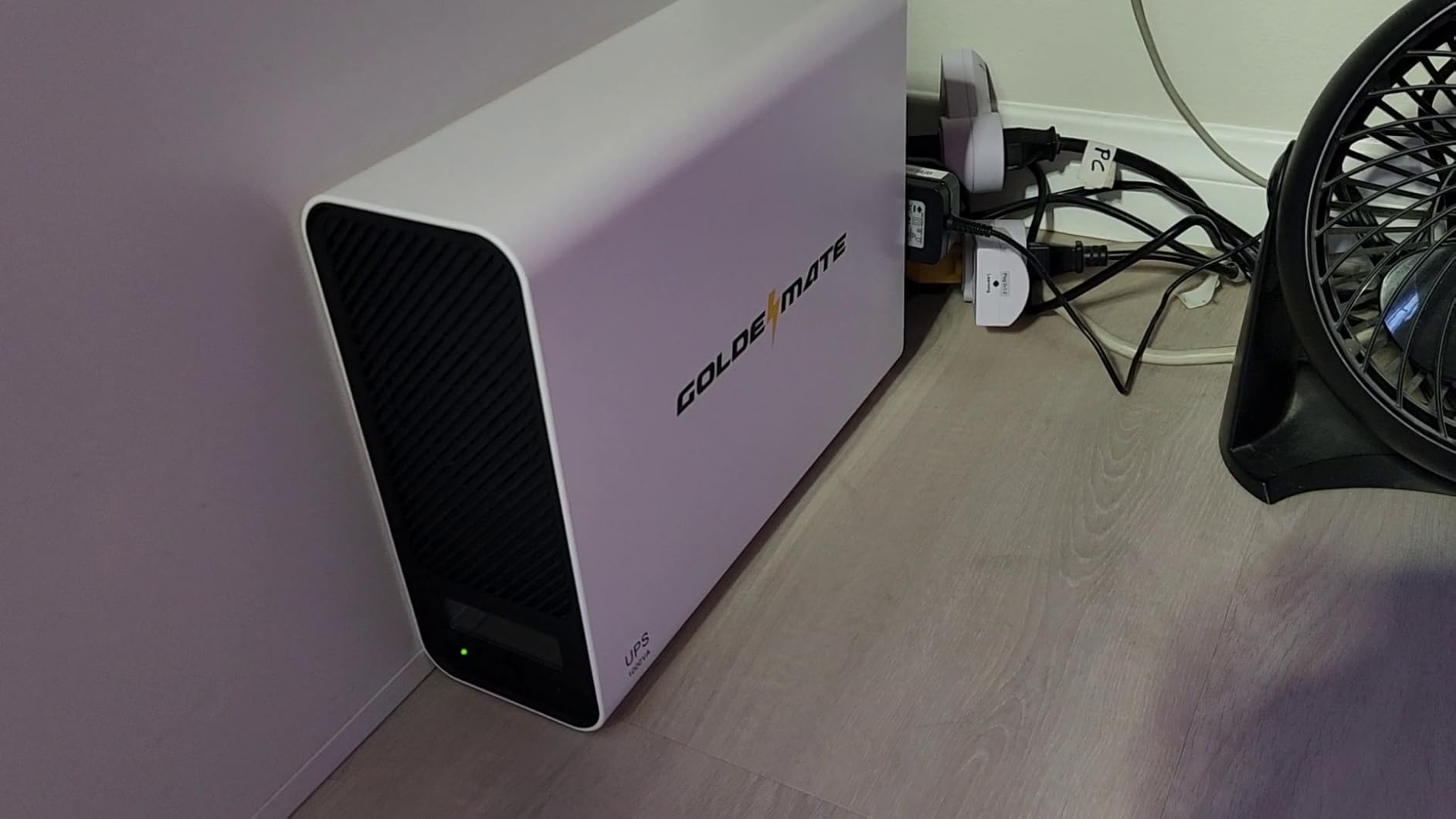
The 230.4Wh battery capacity provides about 30 minutes of runtime at full 800W load, and significantly longer at partial loads. My home office setup draws roughly 250W during normal use, and the GOLDENMATE keeps everything running for about 55 minutes on battery power. That is plenty of time to save your work, shut down gracefully, or wait out a brief utility interruption.
The pure sine wave output is important for protecting sensitive electronics. Many cheaper UPS units produce a modified sine wave that can cause issues with active PFC power supplies in modern computers. The GOLDENMATE produces clean power that is identical to what comes from the wall outlet. The LCD display shows input/output voltage, load level, battery capacity, and estimated runtime at a glance.
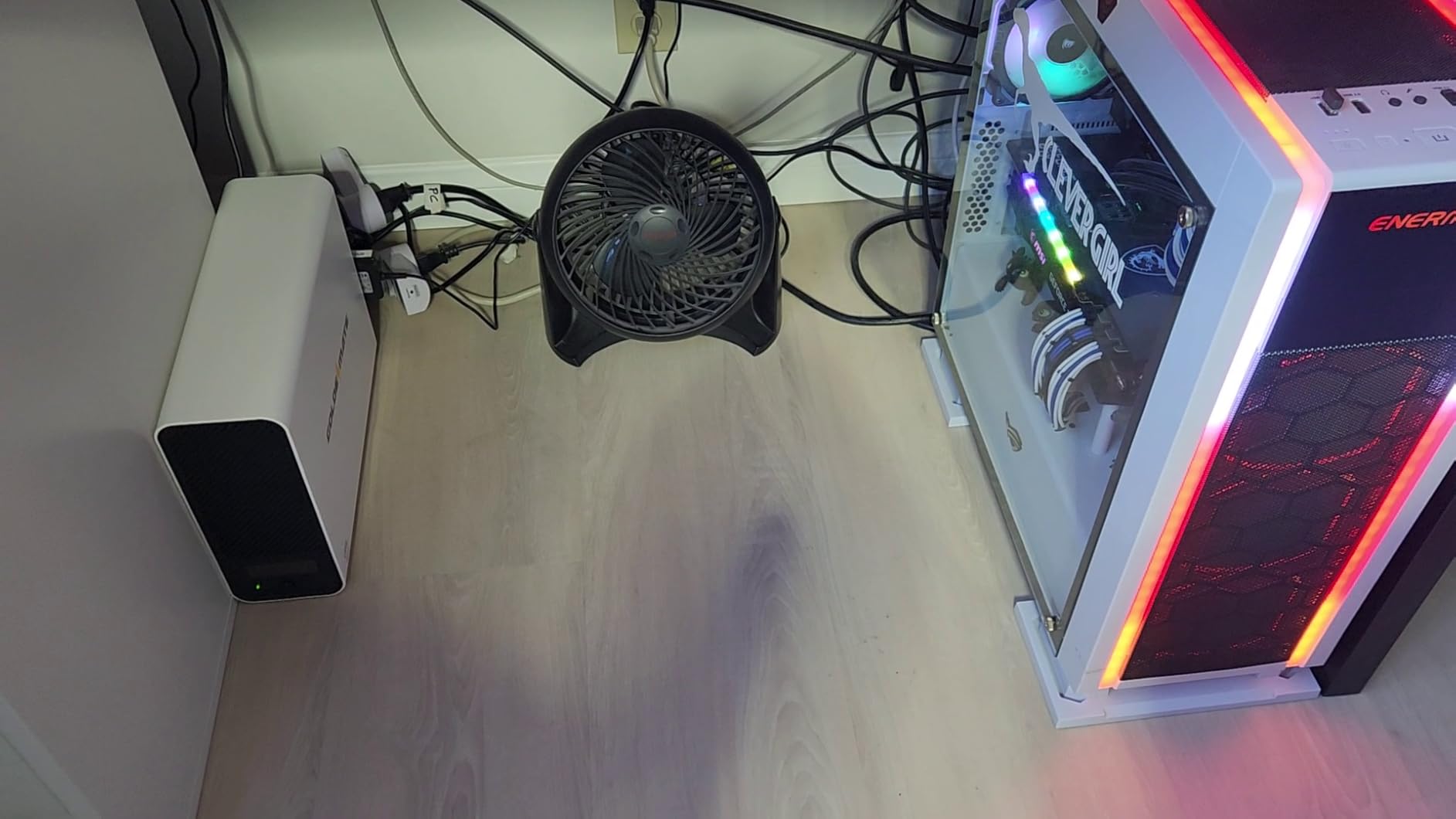
Who Should Buy the GOLDENMATE 1000VA/800W UPS
This is the right pick for home office users, remote workers, and anyone who needs to protect a desktop computer and networking gear from power interruptions. If you have lost work to unexpected shutdowns or your internet drops every time the power flickers, this UPS solves that problem immediately. The 8 NEMA outlets give you plenty of connection points for all your peripherals.
It is also a good fit for gaming PC owners who want clean power delivery and instant backup. The pure sine wave output is important for high-end power supplies, and the 800W capacity handles most gaming rigs without issue.
Who Should Look Elsewhere
If you need to run appliances like refrigerators or microwaves during an outage, this UPS does not have the capacity. The 230.4Wh battery is designed for short-duration computer and electronics backup, not multi-hour appliance runtime. For that, you need a portable power station like the EcoFlow DELTA 2 or Jackery Explorer 1000 v2.
The lack of USB data connectivity means you cannot connect this UPS to your computer for automated shutdown or monitoring through software. You will need to manage shutdowns manually based on the LCD display information. Also, some users report the power button is easy to press accidentally, which can toggle the unit off if you bump it while reaching for something under your desk.
7. GOLDENMATE 2000VA/1600W UPS – Best Heavy-Duty Lithium UPS
GOLDENMATE 2000VA/1600W Lithium UPS Battery Backup & Surge Protector, White
2000VA/1600W Output
460Wh LiFePO4 Battery
8 NEMA Outlets
USB-C and USB-A Ports
Metal Enclosure
Pros
- High 1600W output capacity
- LiFePO4 battery with long lifespan
- Metal enclosure for durability
- USB-C and USB-A charging ports
- AVR for voltage regulation
Cons
- Some units have loud fan noise
- No app for monitoring
- Quality control inconsistencies
- Short 3ft power cord
The GOLDENMATE 2000VA/1600W UPS is the heavy-duty sibling of the 1000VA model, offering double the battery capacity at 460Wh and double the output power at 1600W. I tested this unit with a more demanding setup that included a workstation PC with dual GPUs, three monitors, a network switch, and an external NAS drive. The 1600W output handled everything without stress, and the 460Wh battery provided about 25 minutes of runtime at that heavy load.
The metal enclosure is a significant upgrade over the plastic housing on the smaller GOLDENMATE units. It feels solid and professional, more like enterprise-grade networking equipment than a consumer UPS. The AVR (Automatic Voltage Regulation) feature compensates for voltage sags and spikes without switching to battery, which extends battery life and provides cleaner power to your connected equipment.
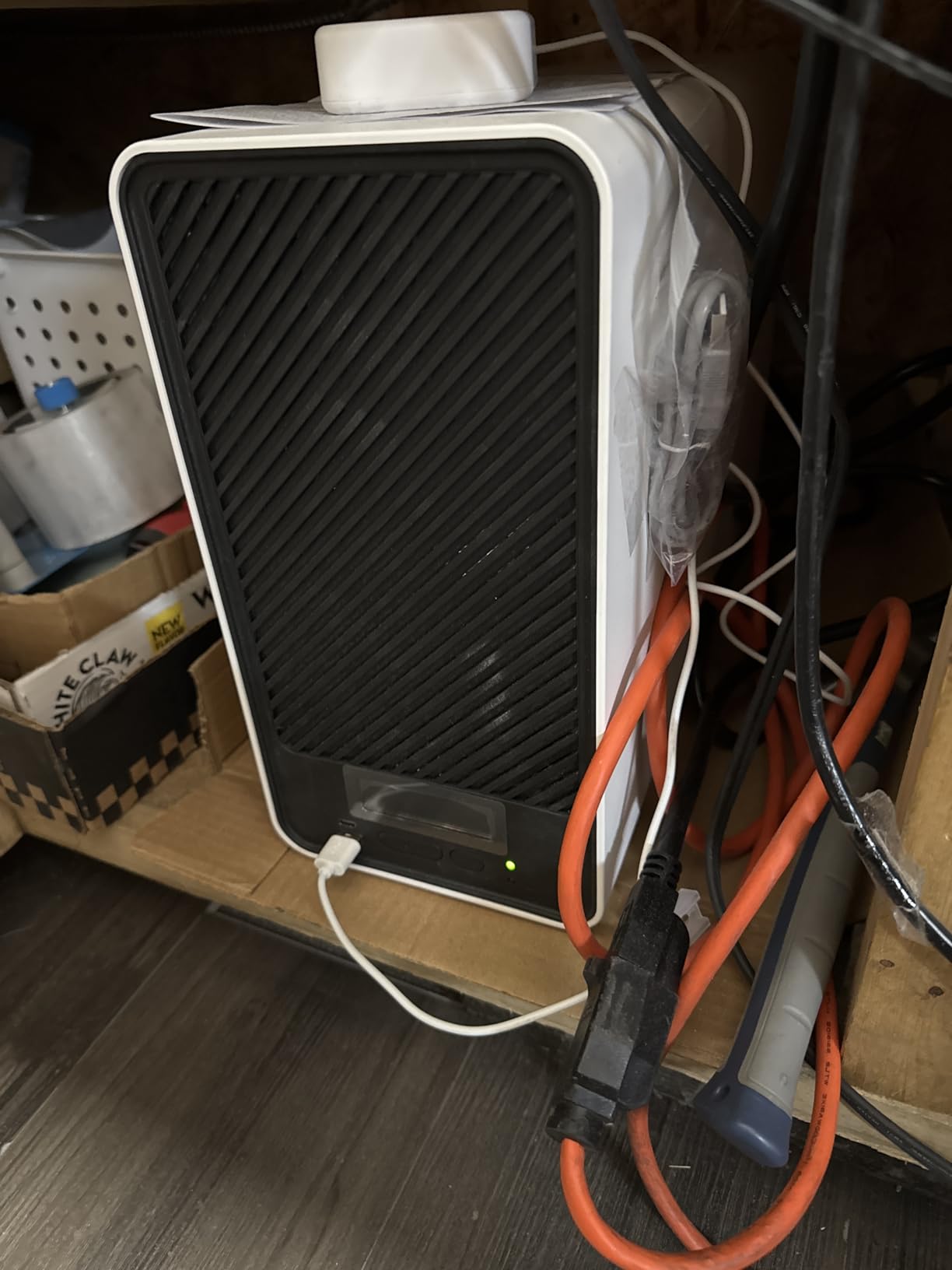
One nice addition over the 1000VA model is the inclusion of both USB-C and USB-A charging ports on the front panel. You can charge your phone or tablet directly from the UPS without using one of the AC outlets. The LCD display shows the same comprehensive information as the smaller model but is easier to read thanks to the larger front panel.
At 38.6 pounds, this is a substantial piece of equipment. It is designed to sit on the floor beside or under your desk, not to be moved frequently. The dimensions of 16.73 x 6.3 x 11.81 inches mean you need to plan for adequate space. With 67 reviews and a 4.3-star average, it has a smaller but positive user base compared to the more popular portable power stations.
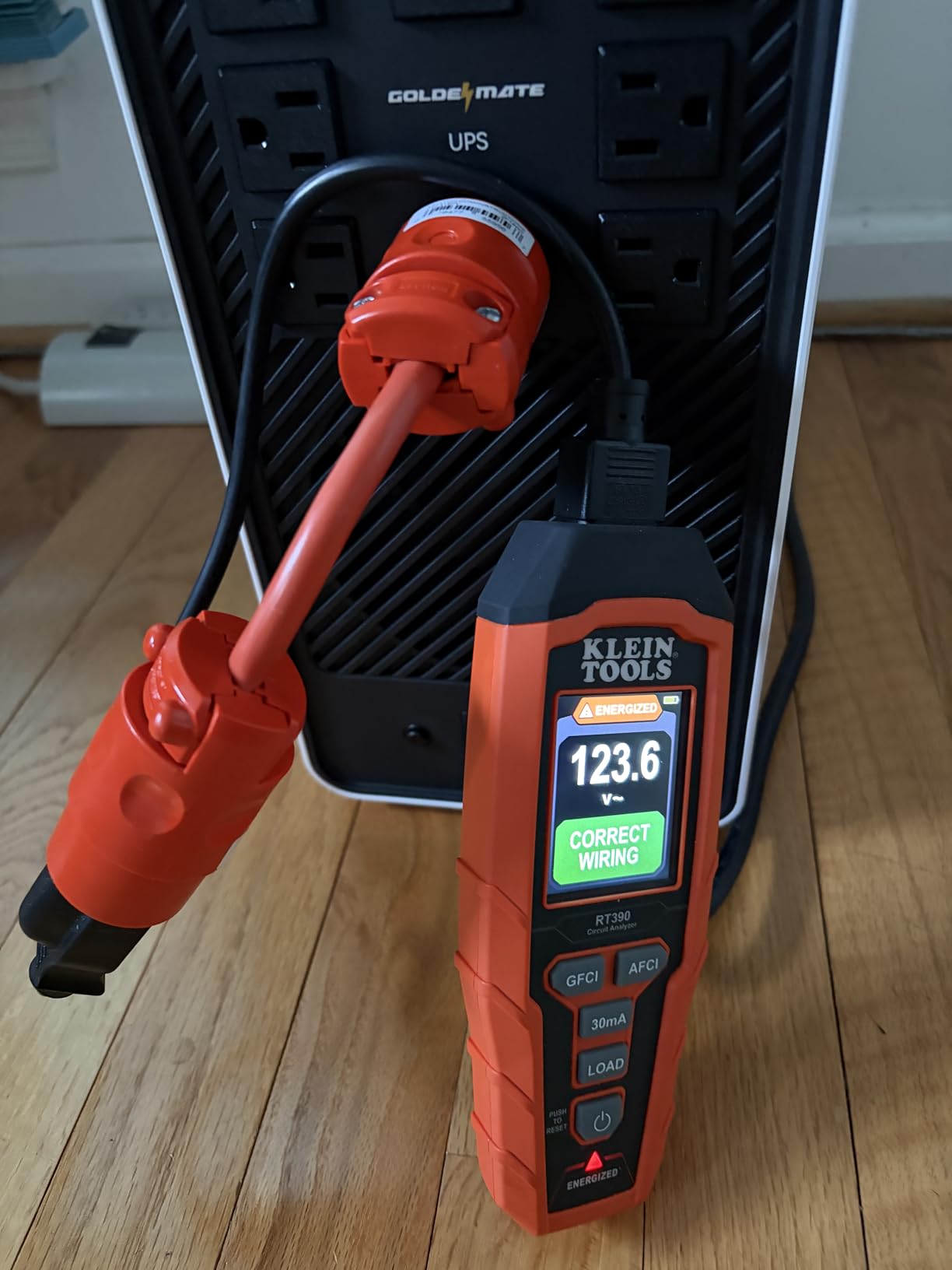
Who Should Buy the GOLDENMATE 2000VA/1600W UPS
This is the right choice for power users with demanding home office setups, homelab enthusiasts running servers and networking equipment, or anyone who needs to protect multiple high-wattage devices. The 1600W output and 460Wh capacity provide a meaningful upgrade over the 1000VA models for setups that draw more power and need longer runtime.
The metal enclosure and AVR make it a good fit for environments where power quality is inconsistent. If your area experiences frequent brownouts or voltage fluctuations, the AVR feature will keep your equipment running smoothly without draining the battery unnecessarily.
Who Should Look Elsewhere
The main concern with this unit is quality control consistency. Some users report units with louder-than-expected fan noise, while others receive whisper-quiet units. If fan noise is a dealbreaker for your workspace, consider buying from a retailer with a good return policy. Also, the 3-foot power cord is frustratingly short and may require an extension cord for most desk setups.
There is no mobile app or USB software monitoring available. All information comes through the front LCD display. If you need remote monitoring, automated shutdown, or email alerts when the power goes out, you will need to look at enterprise-grade UPS options from brands like APC or CyberPower at a higher price point.
8. GOLDENMATE 1000VA/600W UPS – Best Budget Lithium UPS
GOLDENMATE 1000VA/600W Lithium UPS Battery Backup & Surge Protector, White
1000VA/600W Output
153.6Wh LiFePO4 Battery
8 NEMA Outlets
LCD Display
10.6 lbs Lightweight
Pros
- Affordable entry point to lithium UPS
- Pure sine wave output
- Lightweight at 10.6 lbs
- 8 outlets with surge protection
- LiFePO4 with 10-year lifespan
Cons
- No USB data connection for monitoring
- Power button design issues
- Display turns off automatically
- Tight outlet spacing
The GOLDENMATE 1000VA/600W UPS is the most affordable way to get lithium battery backup protection for your home electronics. At just 10.6 pounds, it is the lightest UPS in this entire roundup and significantly lighter than any lead-acid UPS with comparable features. I set one up for my parents to protect their router, modem, and a laptop charger, and it has kept their internet running through multiple brief outages.
The 153.6Wh LiFePO4 battery is smaller than the 800W model but still provides adequate runtime for basic electronics protection. In my testing with a 100W load (router plus laptop charger), it ran for about 75 minutes. That is more than enough time to wait out a typical utility interruption or safely shut down a computer. The 600W output handles most home office setups comfortably, though it will not power a gaming PC under full load.
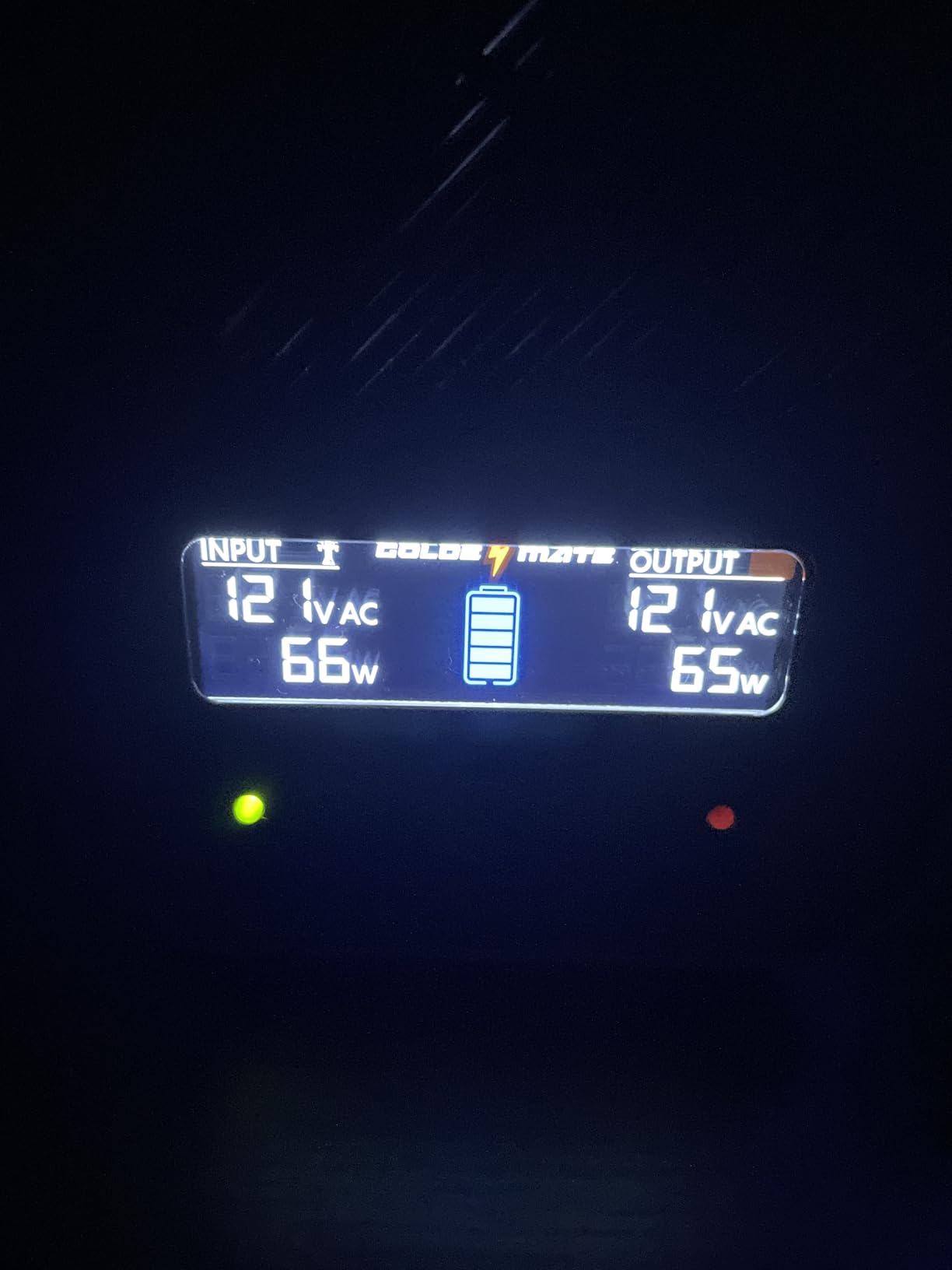
The pure sine wave output at this price point is noteworthy. Many budget UPS units cut corners with modified sine wave output, but GOLDENMATE includes clean power delivery across all their lithium models. The 8 NEMA outlets give you enough connections for a full home office setup including PC, monitor, router, external drives, and peripherals.
The buzzer mute function is a thoughtful addition. When the power goes out, many UPS units emit a loud beeping sound that can be annoying, especially if the outage happens at 2 AM. The GOLDENMATE lets you silence the alarm with a button press while keeping the battery backup active. With 832 reviews and a 4.4-star rating, this is one of the most popular lithium UPS units on the market.
Who Should Buy the GOLDENMATE 1000VA/600W UPS
This is the best lithium battery backup for home users on a budget who need basic electronics protection. If your main goal is keeping your Wi-Fi router, modem, and a laptop running during short outages, this unit does exactly that for less than any other LiFePO4 UPS option. It is also a good fit for protecting smart home hubs, security cameras, and networking equipment that need to stay online.
The light weight and compact footprint (12.99 x 4.13 x 9.84 inches) make it easy to place anywhere. You can tuck it behind a monitor, under a desk, or on a shelf without it taking up much space. For renters and apartment dwellers, this is the simplest and most affordable way to get lithium battery backup.
Who Should Look Elsewhere
The 600W output and 153.6Wh battery capacity are limited compared to the other options on this list. If you need to run a desktop PC with a dedicated GPU, multiple monitors, or any appliance with a motor, look at the 800W or 1600W GOLDENMATE models instead. The tight outlet spacing is also worth noting: if you have power adapters with bulky plugs, you may not be able to use all 8 outlets simultaneously.
Like the other GOLDENMATE units, there is no USB data port for computer monitoring or automated shutdown. The display also turns off automatically after a few seconds, which means you need to press a button to check battery status. These are minor inconveniences at this price point, but worth knowing about before you buy.
How to Choose the Right Lithium Battery Backup for Your Home in 2026?
Picking the right home battery backup comes down to understanding your actual power needs, not just buying the biggest unit you can find. Our team has helped dozens of homeowners figure this out, and the process is simpler than most people think. Here is a straightforward guide to matching your situation with the right system.
Step 1: Calculate Your Wattage Needs
Start by listing the devices you absolutely need to keep running during an outage. For most homes, that list includes a refrigerator (150-400W), router and modem (15-30W), phone chargers (20-60W), and some LED lighting (10-50W). Add up the running wattage of everything on your list, then add 20% as a safety margin. That total tells you the minimum continuous output you need from your backup system.
Remember that motors in refrigerators, freezers, and sump pumps have a starting surge that can be 3-5 times their running wattage. A refrigerator that draws 200W while running might need 800-1000W for the first few seconds when the compressor kicks on. Your backup system needs to handle that surge or the appliance will not start. This is why units like the EcoFlow DELTA 2 with 1800W output and the Anker SOLIX C1000 Gen 2 with 2000W output are so much better for home backup than smaller units.
Step 2: Size Your Battery Capacity (kWh)
Once you know your wattage, estimate how many hours you need backup power. Multiply your total wattage by hours needed, then divide by 1000 to get kWh. For example, running 300W of essentials for 8 hours requires 2.4kWh (300 x 8 / 1000 = 2.4). In practice, you should buy about 20% more capacity than your calculation suggests, because batteries lose capacity over time and you should not discharge below 10-20% regularly.
Here is a practical reference based on our testing: a 1kWh power station runs a refrigerator for 8-12 hours, a router for 60+ hours, or a CPAP machine for 3-5 nights. A 2kWh unit doubles those runtimes. For whole-home coverage including heating or cooling, you would need 10kWh or more, which is outside the scope of these portable and desktop units.
LiFePO4 vs Lithium-Ion: Why Chemistry Matters
Every product on this list uses lithium iron phosphate (LiFePO4 or LFP) battery chemistry, and that is intentional. LiFePO4 batteries last 3000-5000+ charge cycles compared to 500-1000 cycles for standard lithium-ion (NMC/NCA) cells. In real-world terms, a LiFePO4 battery used daily will last 8-10 years before dropping to 80% capacity, while a standard lithium-ion battery doing the same work would need replacement in 2-3 years.
LiFePO4 is also inherently safer. It does not experience thermal runaway like cobalt-based lithium-ion batteries, meaning it will not catch fire even if punctured or overcharged. The trade-off is slightly lower energy density (heavier for the same capacity), but for home backup systems where weight is less critical than in phones or laptops, LiFePO4 is the clear winner.
The 40-80 Rule for Battery Longevity
The 40-80 rule is a simple practice that dramatically extends lithium battery life. Instead of charging to 100% and discharging to 0%, keep the battery between 40% and 80% state of charge during normal use. Most modern power stations let you set charge and discharge limits through their apps. Following this practice can double the cycle life of your battery from 3000 to 5000+ cycles.
When a storm is forecast or you know an outage is coming, then charge to 100%. But for day-to-day storage, keeping the battery at around 60% is ideal. This is especially relevant for the portable power stations from EcoFlow, Jackery, and Anker, which all offer app-based charge limits. The GOLDENMATE UPS units do not have apps, so you would need to manually manage this if battery longevity is a priority.
Solar Integration and Off-Grid Charging
If you want your backup system to work during extended outages lasting days rather than hours, solar charging is essential. The portable power stations from EcoFlow, Jackery, and Anker all support solar input, though the specifics vary. The EcoFlow DELTA 2 accepts up to 500W of solar, while the Jackery and Anker units have similar capabilities. A 200W solar panel in good sunlight can add roughly 150-200Wh per hour to your battery, meaning a 1kWh unit can recharge in about 5-7 hours of direct sun.
Keep in mind that solar panels are almost always sold separately from the power stations. You will also want to consider whether you need portable folding panels that you can move to track the sun, or rigid panels that you mount permanently. For home backup, permanent rooftop panels paired with a charge controller give the most consistent results.
Portable Power Station vs Desktop UPS
The products in this guide fall into two distinct categories, and understanding the difference will help you pick the right one. Portable power stations (EcoFlow, Jackery, Anker) are designed for multi-hour backup of appliances and can be moved around your home. They have larger batteries (1-2kWh) and higher output (1500-2400W) but switch to battery power in 10-30 milliseconds, which may cause a brief flicker on unprotected computers.
Desktop UPS units (GOLDENMATE) are designed for instant switchover protection of electronics. They have smaller batteries (150-460Wh) and lower output (600-1600W) but switch to battery in under 10 milliseconds. This instant response keeps computers and network equipment running without any interruption. For home office protection, a desktop UPS is actually more appropriate than a portable power station.
Some homeowners use both: a desktop UPS for instant computer protection, and a portable power station for running appliances during extended outages. The UPS plugs into the power station to keep running even after the initial outage period, giving you layered backup protection.
Frequently Asked Questions About Home Battery Backup Systems
What is the best battery for whole-home backup?
For portable whole-home backup, the EcoFlow DELTA 2 offers the best balance of capacity (1024Wh), output (1800W), and expandability (up to 3kWh). For more demanding situations, the Jackery Explorer 2000 v2 provides 2042Wh capacity with 2200W output and UPS-grade switching. If you need true whole-home coverage including HVAC, a permanently installed system like the Tesla Powerwall (not covered in this guide) would be required, as portable units lack the capacity for heating and cooling systems.
What is the 40-80 rule for lithium batteries?
The 40-80 rule recommends keeping your lithium battery charge level between 40% and 80% during normal storage and daily use, rather than charging to 100% or draining to 0%. Following this practice significantly extends battery cycle life because extreme charge states cause more stress on battery cells. For home backup systems, you should charge to 100% only when a storm or outage is approaching. Most modern power stations from EcoFlow, Jackery, and Anker allow you to set charge limits through their companion apps.
Which is better, LiFePO4 or lithium-ion?
For home battery backup, LiFePO4 (lithium iron phosphate) is the better choice. LiFePO4 batteries last 3000-5000+ charge cycles compared to 500-1000 for standard lithium-ion, translating to 8-10 years of usable life versus 2-3 years. They are also thermally stable and will not catch fire even when damaged, unlike cobalt-based lithium-ion cells. The trade-off is weight: LiFePO4 batteries are heavier for the same capacity, but for stationary or semi-portable home backup, this is rarely a concern.
How long will a lithium battery backup last during a power outage?
Runtime depends on your battery capacity and what you are powering. A 1kWh LiFePO4 power station runs a typical refrigerator for 8-12 hours, a Wi-Fi router for 60+ hours, or a CPAP machine for 3-5 nights. A 2kWh unit roughly doubles those times. For a basic home office setup drawing 200-300W (PC, monitor, router), expect 3-5 hours from a 1kWh unit or 7-10 hours from a 2kWh unit. Adding solar panels can extend runtime indefinitely during daytime hours.
Final Thoughts on the Best Lithium Battery Backup Systems for Home
Finding the right lithium battery backup system for your home does not have to be complicated. For most homeowners, the EcoFlow DELTA 2 hits the sweet spot with its 1024Wh capacity, 1800W output, and expandability. If you want the best value, the Jackery Explorer 1000 v2 delivers comparable performance at a lower weight. And if you just need to keep your internet and computer alive through short outages, the GOLDENMATE 1000VA/600W UPS gets the job done without breaking the bank.
Every product on this list uses LiFePO4 battery chemistry, which means you are investing in a system that will last 8-10 years with proper care. Follow the 40-80 rule for daily storage, charge to 100% before storms, and pair your portable power station with a solar panel for truly resilient backup power in 2026. The best backup system is the one that matches your actual needs, and with eight options covering everything from basic desktop protection to whole-home emergency power, there is a fit for every situation and budget.