
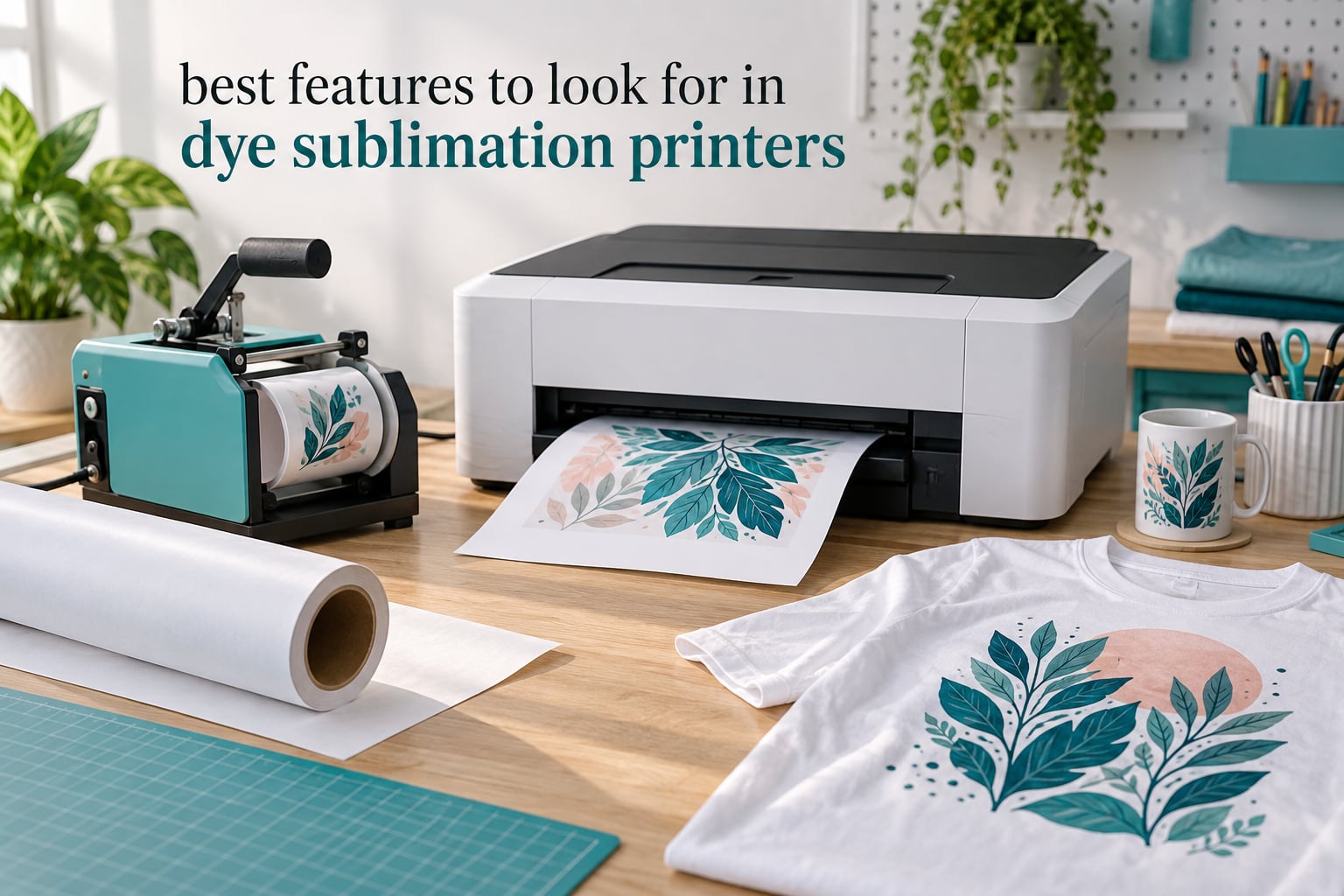
Most people buy a dye sublimation printer the way they would buy a toaster. They read a short list, pick the one with the biggest number attached to it, and then discover six weeks later that the ink system costs more per shirt than the blank did. The best features to look for in dye sublimation printers are not glamorous, and they rarely appear in a product photo.
What actually matters is narrower media width or wider, how the ink gets into the machine, how much paper the tray holds, and what happens to the warranty when something goes wrong at 9pm on a Friday before a market stall. Those four questions, plus print speed and software, decide whether you enjoy the craft or quietly abandon it.
Over the past several months our team has worked through the current crop of dye sublimation machines, read the owner feedback on each one, and lined up the specifications side by side. This guide covers eight printers, from compact 4×6 phone printers to a 24-inch wide-format engine, and it explains which features deserve your money. If you want the short version of the recommendations first, our broader dye sublimation printer roundup is the faster read.
One thing to clear up early: two of the eight printers below are 4×6 photo printers built around a phone app rather than machines that print onto transfer paper. They are genuinely excellent at what they do, and they are popular with event and gift photographers, but they will not press a t-shirt. We flag that clearly in each section so nobody buys the wrong tool.
Top 3 Best Dye Sublimation Printers in 2026

Epson SureColor F170
- PrecisionCore printhead
- 5760 x 1440 optimized dpi
- 150-sheet dust-resistant tray
- Wireless USB and Ethernet
Brother SP-1
- Prints up to 45 seconds per sheet
- Automatic duplex
- Wi-Fi Ethernet and USB
- Artspira design app included

Liene M100
- 300 x 300 dpi laminated output
- Built-in Wi-Fi hotspot
- 200 g body
- Bundle with 100 sheets and 3 cartridges
The Epson SureColor F170 takes our top slot because it is the rare compact machine where the important numbers, the ink supply, and the manufacturer support all line up. A 150-sheet tray, genuine Epson sublimation ink in the box, and a PrecisionCore head at 5760 x 1440 optimized dpi add up to a printer that new owners rarely have to troubleshoot.
The Brother SP-1 wins on pace and paper handling. It runs automatic duplex, reaches up to 12 black and white pages per minute and 6 in color, and it comes with a design app that removes most of the setup friction. Buyers who already have a heat press will feel the difference most.
The Liene M100 is the most-reviewed printer in this group by a wide margin, at more than 4k reviews, and its laminated 4×6 output holds up better than its modest 300 x 300 dpi suggests. If your work is event photos, ID prints, or gifts made on a table at a party, it is the least complicated way to print dye sublimation at all.
Quick Overview: Every Printer in This Roundup
| Product | Specifications | Action |
|---|---|---|
| Epson SureColor F170 |
|
Check Latest Price |
| Brother SP-1 Sublimation Printer |
|
Check Latest Price |
 Pinckney Super-Tank Sublimation Bundle Pinckney Super-Tank Sublimation Bundle |
|
Check Latest Price |
 DNP QW410 4.5-inch Photo Printer DNP QW410 4.5-inch Photo Printer |
|
Check Latest Price |
 Sawgrass SG500 Sublimation Bundle Sawgrass SG500 Sublimation Bundle |
|
Check Latest Price |
 Epson SureColor F570 24-inch Bundle Epson SureColor F570 24-inch Bundle |
|
Check Latest Price |
| Liene M100 4×6 Photo Printer |
|
Check Latest Price |
 HP Sprocket Studio Plus 4×6 HP Sprocket Studio Plus 4×6 |
|
Check Latest Price |
1. Epson SureColor F170 – The Best All-Round Compact Dye Sublimation Printer
Epson SureColor F170 Dye-Sublimation Printer – Compact 8.5″ x 11″ Format – Includes Genuine Epson Ink, User Guide & Power Cable – Original OEM Product with Full Manufacturer Support
8.5 inch media
5760 x 1440 optimized dpi
150-sheet closed tray
Wireless USB and Ethernet
Pros
- Genuine OEM Epson sublimation ink included
- 150-sheet tray with dust-resistant closed paper design
- PrecisionCore printhead with Precision Droplet Control
- Ink bottles with auto-stop refills
- 16 pound compact body
Cons
- No mobile device connection
- 8.5 x 11 inch maximum media width
- Simplex output only
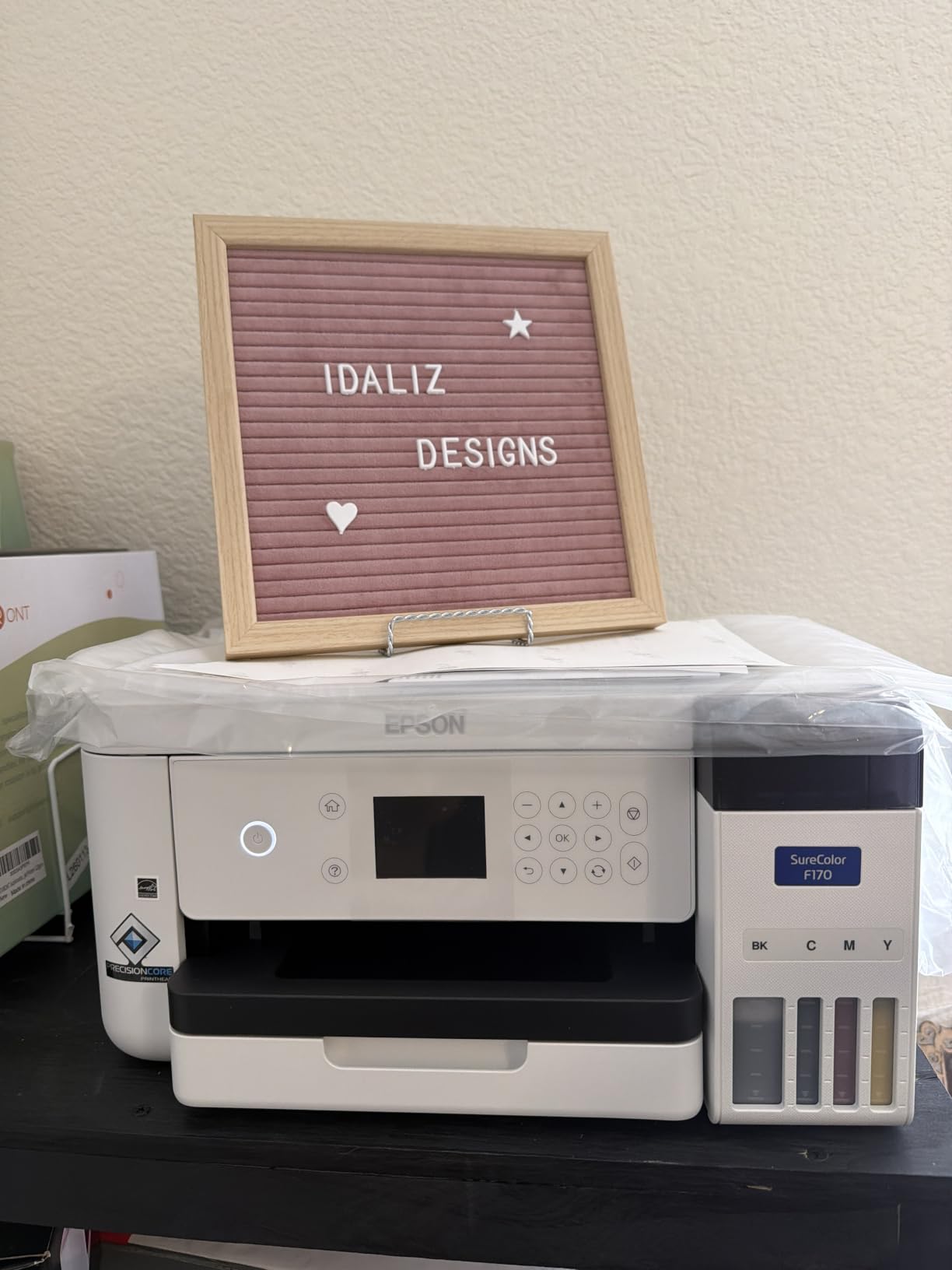
I have had more compact dye sublimation machines come across my bench than I care to admit, and the F170 is the one I stop recommending alternatives to. The 150-sheet auto-feed tray with a closed, dust-resistant paper tray is the detail that keeps earning its place. Sublimation paper is hygroscopic, and a covered tray in a humid room is the difference between clean transfers and a run of paper that curls and feeds badly.
Ink is where this machine is genuinely generous. The box ships with a full set of OEM Epson sublimation inks certified ECO PASSPORT by OEKO-TEX, delivered in bottles with auto-stop technology so refills do not need a syringe and do not end up on your desk. Genuine ink also keeps the manufacturer relationship intact, which matters more than people expect at year two.
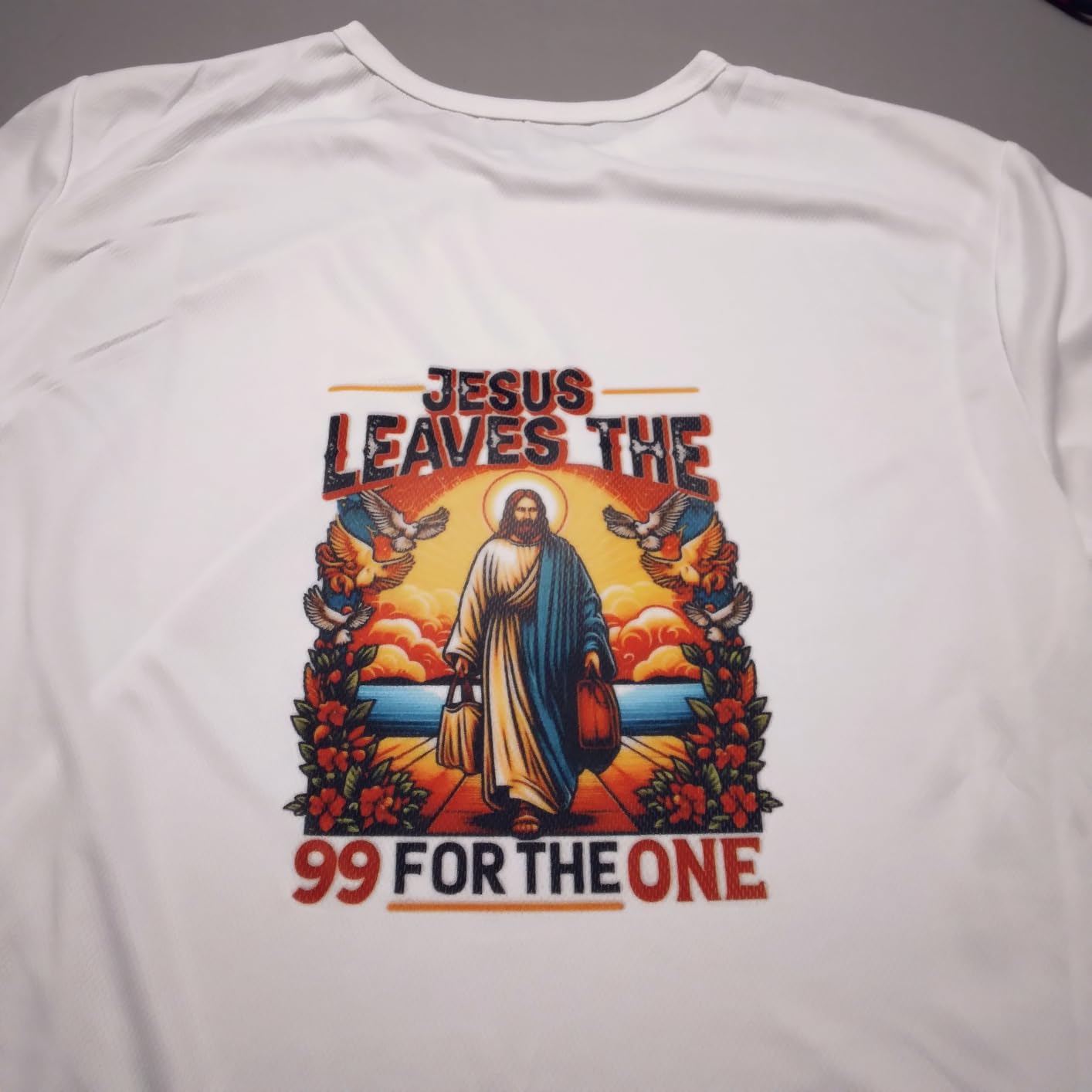
Output is sharp. The PrecisionCore printhead with Precision Droplet Control drives 5760 x 1440 optimized dpi, which is more detail than a heat transfer onto a mug or a polyester panel actually needs, but the extra headroom shows up in skin tones and gradients on photographic prints. Wireless, USB, and Ethernet are all present, and setup on MacOS and Windows took me under fifteen minutes.
At 16 pounds and 13.7 by 14.8 by 7.4 inches, it fits on a normal desk or shelf. That matters more than it sounds: a lot of desktop printers force you to clear a whole table, and then you stop using them.
What the F170 does better than the alternatives
Two things. The first is the paper system: a 150-sheet tray with a closed dust-resistant design is unusual at this size, and it is the single feature that most reduces how often you fight the machine. The second is the ink supply, because OEM ink plus auto-stop bottles removes the mess, the guesswork, and the warranty question in one move.
Wireless, USB, and Ethernet on the same chassis is also more practical than it sounds. I run the printer over the network for design work and drop to USB for long unattended jobs, and I do not have to reconfigure it between the two.
Where the F170 will frustrate you
The 8.5 by 11 inch maximum media width is the hard limit. Full front-and-back t-shirt panels, neoprene, and yardage all need a wider machine, and there is no firmware update that changes the paper path. Plan your garment work around 13-inch transfer paper or choose a different printer.
There is no mobile device connection, so phone-only workflows mean transferring files to a computer first. Output is simplex, and one reviewer-rated weakness in the owner feedback is that the machine is built for single-sided transfer paper rather than duplex work.
2. Brother SP-1 – Best for Fast Output and Automatic Duplex Work
Brother Sublimation Printer and Black Ink Cartridge
Up to 45 seconds per sheet
Automatic duplex
Wi-Fi Ethernet and USB
Artspira design app
Pros
- Fast 45 second per sheet print cycle
- Automatic duplex printing
- Display screen with Wi-Fi and Ethernet
- Artspira app with 100+ designs and image-to-poster conversion
- Extra black cartridge included
Cons
- Heat press sold separately
- Media limited to 8.5 x 11 inches
- Workflow depends on the Artspira app
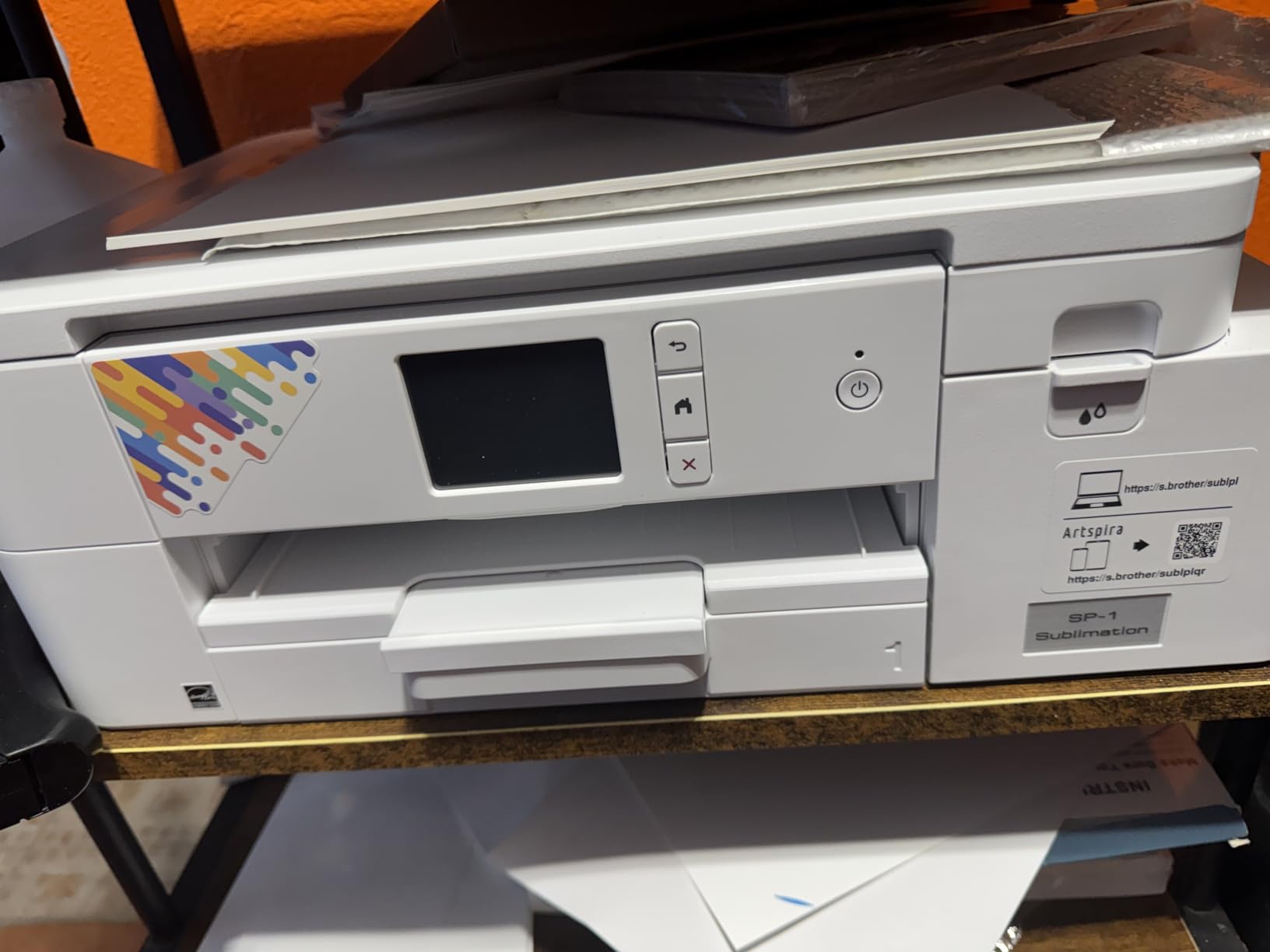
The Brother SP-1 is the fastest desktop machine here on paper-based work, with a listed cycle of up to 45 seconds per sheet and throughput of 12 pages per minute in black and white and 6 in color. Automatic duplex is the feature that stands out, because almost nothing at this size has it, and it matters the moment you run more than a few sheets in a row.
Software is handled by Artspira. The app handles image import and includes more than 100 sublimation designs plus an image-to-poster conversion tool, so someone who has never opened a design program can produce a usable transfer the same afternoon the printer arrives. There is a display screen on the front, which is more than most competing compact machines offer.
Resolution is 1200 x 2400 dpi in color and 4800 x 1200 dpi in black and white, with 48-bit color depth. That is more than sufficient for polyester fabric and coated blanks, and the bundle includes an extra SP01BKS standard-yield black cartridge so you can print a dark shirt before the first set runs low.
Connectivity covers Wi-Fi, Ethernet, and USB, and the listed media formats include fabric and thermal paper. The body is 13.5 by 17.1 by 6.3 inches and weighs 9 kilograms, so it is wider than the F170 but flatter and shallower on the desk.
Why speed and duplex win on a production run
Duplex removes an entire class of work. If you print on both sides of transfer paper, you can set it and walk away instead of flipping every sheet by hand while it cools. For a stack of 50 transfers, that alone changes how long the job takes.
Colour output at 6 pages per minute is quick for a machine that also handles duplex, and it is the reason this printer suits someone who is actually making things to sell rather than testing a craft once a month.
What to budget around
A heat press is not included. Many buyers discover this after the printer arrives, so treat the press as part of the purchase, not an accessory, and size it to your paper width.
Media is capped at 8.5 by 11 inches, the same ceiling as the F170, and the design workflow runs through the vendor app. If you want to work in your own design tool and send files straight to the driver, check that the app allows it before you commit.
3. Pinckney Super-Tank Sublimation Bundle – Best for Low-Mess Ink Refilling
Pinckney Cartridge-Free Super-Tank Printer with Sublimation Ink Bundle for Heat Transfers, Easy Fill, Built-in Scanner & Copier (White)
Cartridge-free super-tank
Auto-fill nozzle
Scanner and copier
Media up to 8.5 x 47.2 inches
Pros
- No cartridges to buy or store
- Auto-fill nozzle for syringe-free refilling
- Built-in scanner and copier
- Supports banner widths to 8.5 x 47.2 inches
- 5760 x 1440 dpi
Cons
- Simplex output only
- Periodic nozzle checks and head alignment needed
- Single 100-sheet paper tray
The defining feature here is the ink system. There are no cartridges to buy, store, or throw away. Ink goes into refillable super-tanks through an auto-fill nozzle, so refilling is a matter of squeezing a bottle rather than wrestling with a cartridge, and the running cost per print is the lowest of any machine here once you account for ink over a year.
The included ink set is sized asymmetrically on purpose: 127 mL of black and 85 mL each of magenta, cyan, and yellow. Black gets the larger bottle because dark garments and dense artwork eat more of it, which is a small detail that tells you the bundle was thought through rather than assembled at random.
The all-in-one chassis adds a flatbed scanner and copier, which is unusual for a sublimation bundle and genuinely useful. You can scan a logo, clean it up, and size it for a transfer in the same box, which removes a step most hobby setups handle with a phone and an editing app.
Media handling is the surprise. The unit supports Letter, Legal, Executive, A4, A6, and custom sizes, and accepts media up to 8.5 by 47.2 inches for banners and long panels, all through a single paper tray rated at 100 sheets. Resolution is 5760 by 1440 dpi, and the rated throughput is 10 pages per minute in black and white and 5 in color.
Connectivity is Wi-Fi and USB 2.0, with an LCD screen and app-based control. Compatible devices are listed as laptops, PCs, tablets, and smartphones, and the warranty is a 1-year limited warranty with dedicated support.
When the tank system pays for itself
It pays for itself on volume. If you are pressing garments several times a week, the difference between sealed cartridges and bottles you top up is visible on every monthly supply order. There is also nothing to store between jobs, and no risk of a cartridge drying out in a drawer over the winter.
For a beginner, the refill model removes the scariest part of dye sublimation. Nobody has ever opened an ink system with a syringe on their first attempt and enjoyed it, and the auto-fill nozzle exists to solve exactly that.
What tank buyers should know
This is a converted-style machine, which means you supply the ink and the maintenance is yours. Owner feedback notes that periodic nozzle checks and print head alignment are needed to keep output consistent, and that is a routine, not a defect, provided you accept it.
Output is simplex, so there is no automatic duplex to match the Brother. The 100-sheet tray is decent but not the 150-sheet convenience of the F170. With a 4.1 rating across 288 reviews, the machine is well liked and its most common complaints are about servicing and the single tray rather than output quality.
4. DNP QW410 – Best for Event and Photography Work
DNP QW410 4.5″ Dye Sublimation Printer, 300 x 300dpi, W QW410 4×6
300 x 300 dpi
19-second 4x6 prints
150-sheet 4x6 media capacity
Compact 8 inch deep body
Pros
- 19-second 4x6 print times for busy events
- Compact 14 pound body for on-site use
- 150-sheet 4x6 media capacity
- Low 16.5 watt power draw
- Reduced curl design
Cons
- 4x6 and 4.5 x 8 media only
- USB-only wired connectivity
- Bundle contents sometimes incomplete
The DNP QW410 is built for a photographer standing behind a table with a queue in front of them. A 19-second print time for 4×6 is the fastest figure in this roundup, and it is achieved because the machine does one small job extremely well rather than trying to be a general office printer.
Portability is the other argument. The unit is 8 inches deep, 9.5 inches wide, 7.75 inches tall, and weighs 14 pounds, so it fits in a car boot and can be carried between venues. The 16.5 watt power draw also means a single domestic outlet handles it easily, which matters when you are working from a rented room or a market gazebo.
Media support is 4×6 and 4.5 by 8 inches, with a 150-sheet capacity on 4×6 paper, so a long event does not mean constant reloading. The reduced curl design keeps prints flat enough to hand to a customer or drop straight into a sleeve.
Output is 300 by 300 dpi with 24-bit color depth, which is the same class of resolution as other small photo dye sublimation engines. At that size, the perceived quality comes from the laminated dye layer and the color rather than from the pixel count.
Connectivity is USB 2.0 across Windows and Mac OS X, and the controller is Android, so photo booth workflows tend to be driven from a phone or tablet. The bundle includes a paper tray, holder, spacer, and QW410 media, and the warranty is a 1-year limited warranty.
Where event work and this printer line up
Speed and tray depth are the entire pitch. Nineteen seconds per print means one person can serve a steady line, and 150 sheets means they do it without a refill break. Low power draw and a small footprint mean a temporary setup is realistic rather than aspirational.
Event photographers and photo booth operators report strong results on color accuracy and detail. If your work is prints people take home rather than transfers you press, the media limit is a feature rather than a compromise.
Why it is the wrong tool for garments
Maximum media is 4 by 6 inches. There is no path to a transfer sheet, a mug, or a garment panel, and the USB-only wired connection removes the flexibility you get from wireless on the larger machines.
One recurring theme in owner feedback is that bundle contents are not always complete, with media rolls or supplies missing from what was advertised, so check the box before an event. Media changes are also described as tricky, though they are needed infrequently. A separate color-management workflow is required for accurate results, which we cover later in this guide.
5. Sawgrass SG500 – Best for Sublimation Production Work
Sawgrass SG500 Sublimation Printer, 31 mL Inks and Paper Bundle
Purpose-built SubliJet UHD engine
1200 x 1200 dpi
Bypass tray to 8.5 x 51 inches
Pros
- Purpose-built engine with SubliJet UHD inks
- Bypass tray for media up to 8.5 x 51 inches
- Print head auto-maintenance
- MySawgrass platform and Print Utility presets
- Two paper trays
Cons
- Only SubliJet UHD inks supported
- Recurring ink cost
- Software setup described as slow
Everything on this machine is built for dye sublimation and nothing else. The engine ships with a full set of 31 mL SubliJet UHD cyan, magenta, yellow, and black inks plus paper, and the design is intended for t-shirts, drinkware, signage, and promotional products from the first print. Owners who moved over from converted eco-tank units report noticeably better final transfer quality, which is the whole argument for a purpose-built engine.
The bypass tray is the feature that separates it from every other compact printer here. It accepts media up to 8.5 by 51 inches, so banners, yardage, and long panels go through without a separate machine. Standard printing handles media up to 8.5 by 14 inches, and there are two paper trays with a 100-sheet capacity.
Throughput is listed at 25 pages per minute in black and white and 10 in color, which is fast for a desktop sublimation unit. Resolution is 1200 by 1200 dpi. Connectivity covers Wi-Fi and USB, the machine is network-ready, and the chassis is 17.25 by 15.75 by 8.5 inches and designed for standard 110 and 120V US outlets.
Two software pieces do the work. MySawgrass handles design in the browser, and Sawgrass Print Utility adds Smart color presets for repeatable results. Print head auto-maintenance is built in, which is a genuine reliability feature on a machine that may sit between jobs for days.
Why purpose-built matters for repeat work
A purpose-built engine is tuned for one job. Ink chemistry, head behavior, and driver profiles are designed together, so the first print looks like the tenth print, and the tenth looks like the fiftieth. That consistency is what makes production pricing possible, and it is why people who came from converted machines notice the difference on finished transfers rather than on the print sheet.
The bypass tray and the auto-maintenance cycle also protect your throughput. A clog before a market stall is a lost morning, and a machine that cleans itself removes one of the most common causes.
What the closed system costs you
Only SubliJet UHD inks are supported, and third-party inks are not an option. Buyers describe ink as a recurring expense, and that is the real trade-off: you are buying predictable output and paying for it in the one place you have the least choice.
Software and driver installation is described as slow and thinly documented, so allow time for setup. Maximum media of 8.5 by 14 inches also means some large shirt designs still need a wider machine. With 58 reviews behind a 4.2 rating, the owner base is smaller than the compact Epson models, and the reason is cost rather than dissatisfaction.
6. Epson SureColor F570 24-Inch Bundle – Best for Wide Format Sublimation
Epson Surecolor F570 Bundle 24″ Desktop Sublimation Printer, Includes One Full Ink Set, User Guide, & Free Remote Install SCF570 (Printer & Inks)
24 inch media width
Built-in cutter
50-sheet auto-feed tray
Adobe PostScript 3 layout software
Pros
- 24-inch media width for panels signage and awards
- Built-in cutter and 50-sheet auto-feed tray
- Nozzle Verification Technology for reliability
- Adobe PostScript 3 and PDF Print Engine
- Free remote installation and support
Cons
- 151 pound chassis needs dedicated counter space
- Cartridge-based T49M ink costs more per print
- Prints rolls and sheets only
This is the machine for a different scale of work. The F570 prints media up to 24 inches wide on rolls up to 24 inches by 100 feet, which covers full-width apparel panels, signage, awards, mousepads, and coated ceramics. If your customers ask for yardage or wide banners, this is the tier where those requests stop being impossible.
Production features are what separate it from a desktop unit. There is a built-in cutter, so you can trim finished prints without a separate guillotine, and a 50-sheet auto-feed tray that handles sheet media without constant refilling. The listed throughput is 1 page per minute, which reflects a very large print area rather than slow hardware.
The PrecisionCore MicroTFP printhead with Precision Droplet Control and Nozzle Verification Technology is the reliability story. Nozzle verification checks the head before a long run, which is exactly what you want when the job is a 20-foot banner that took an hour to lay down. Owners rate the build for commercial use at 4.4 across 49 reviews.
Software is the strongest in this roundup. Epson Edge Print Pro with Adobe PostScript 3 and the Adobe PDF Print Engine gives you nesting, pattern repeats, and advanced color controls, which is how you fit several garment panels onto one sheet of transfer paper and waste less media. The bundle includes one full set of genuine OEM ink, a user guide, and free remote installation with technical support.
Connectivity is wireless, USB, and Ethernet. The body is 32 by 38 by 10 inches and weighs 151 pounds, so this is not a desk printer. It needs a dedicated counter with room behind it for the roll feed, and that is a real part of the decision.
When a 24-inch engine earns its footprint
It earns its footprint when you routinely print panels, banners, or awards rather than individual items. Nesting and pattern repeats alone can cut transfer paper use substantially on multi-panel garment jobs, and the built-in cutter removes a step that otherwise eats time at the end of every run.
Free remote installation and technical support also carry more weight at this size. A machine this heavy and this wide is harder to move and harder to set up correctly, and having the vendor walk you through it removes the most common first-week problem.
What the wide format costs you
Cartridge-based T49M sublimation ink is the running-cost consideration. Cartridges are tidy and reliable, but a 24-inch print uses a lot of ink, so per-print cost is meaningfully higher than on a tank-based machine, and that compounds at production volumes.
The machine prints rolls and sheets only, with no direct-to-fabric capability, so a full roll has to run through the print path. The 151-pound chassis is the other reality: moving it requires two people and it will not share a desk with anything else you own.
7. Liene M100 – Best for On-the-Go 4×6 Sublimation Photos
Liene M100 4×6” Photo Printer, Phone Printer 100 Sheets & 3 Cartridges, Full-Color Photo, Portable Instant Photo Printer for iPhone Android, Thermal Dye Sublimation, Wi-Fi Picture Printer 100 Papers
4x6 laminated output
Built-in Wi-Fi hotspot
200 g sealed cassette
Pros
- Water and scratch resistant laminated prints
- Built-in Wi-Fi hotspot for up to 5 devices
- 200 g magnetic body with sealed cassette
- App editing plus ID and visa photo printing
- Bundle with 100 sheets and 3 cartridges
Cons
- 300 x 300 dpi is modest
- 20-sheet tray needs frequent refilling
- Proprietary cartridges only
More than 4k reviews sit behind this printer, and that volume is itself informative. It is a small machine with a very specific job: printing laminated 4×6 photos from a phone, fast, in places where there is no printer. Guests at a wedding, parents at a school event, and gift-givers at a birthday table all use it the same way, and the owner feedback reflects that narrow but satisfied group.
The output is better than the resolution suggests. A 300 by 300 dpi thermal dye sublimation layer produces prints that resist water, scratches, fingerprints, and fading because the dye is laminated into the surface rather than sitting on top. Handling a print a month later, it does not feel like a cheap print in the way the number might make you expect.
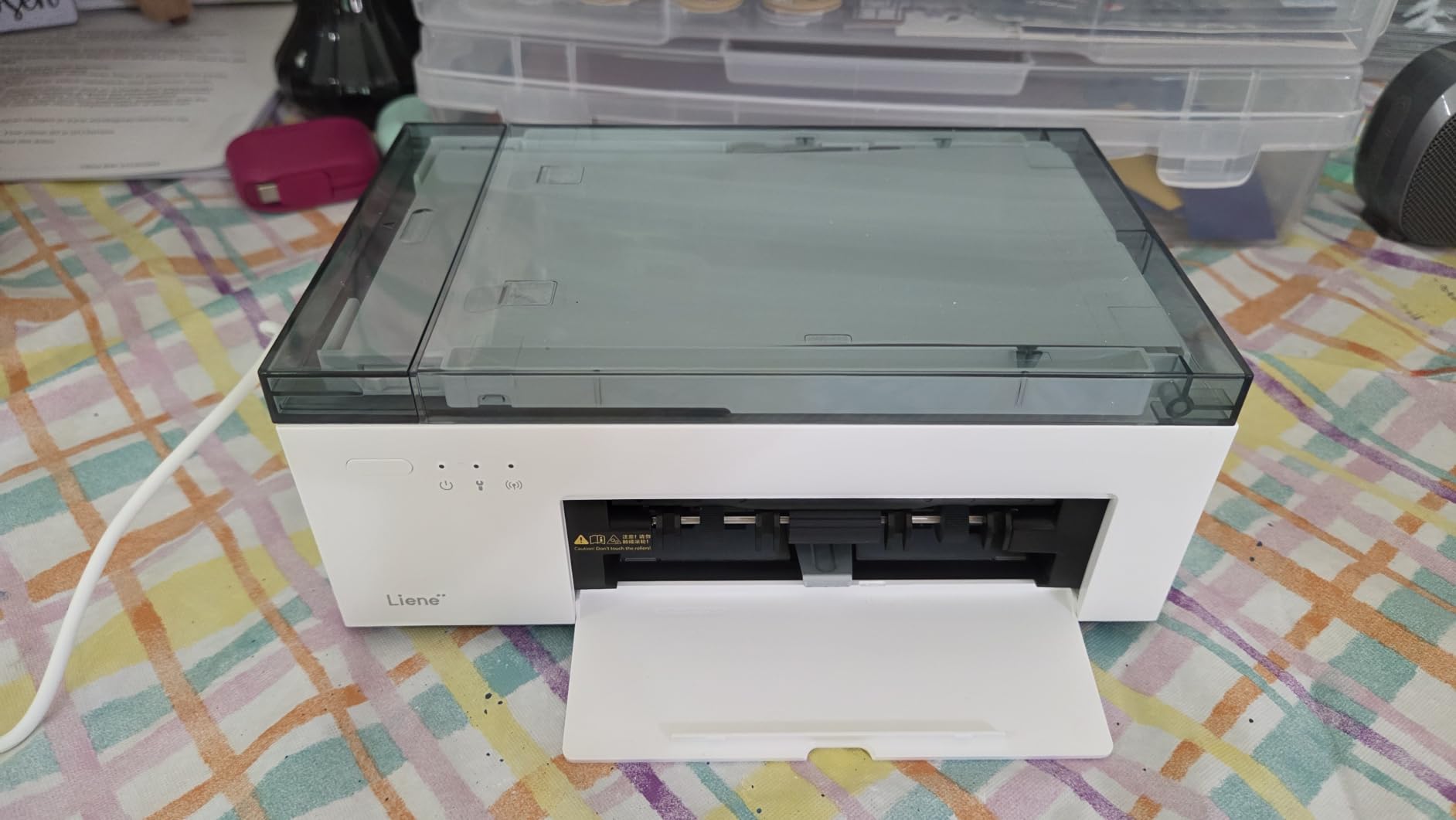
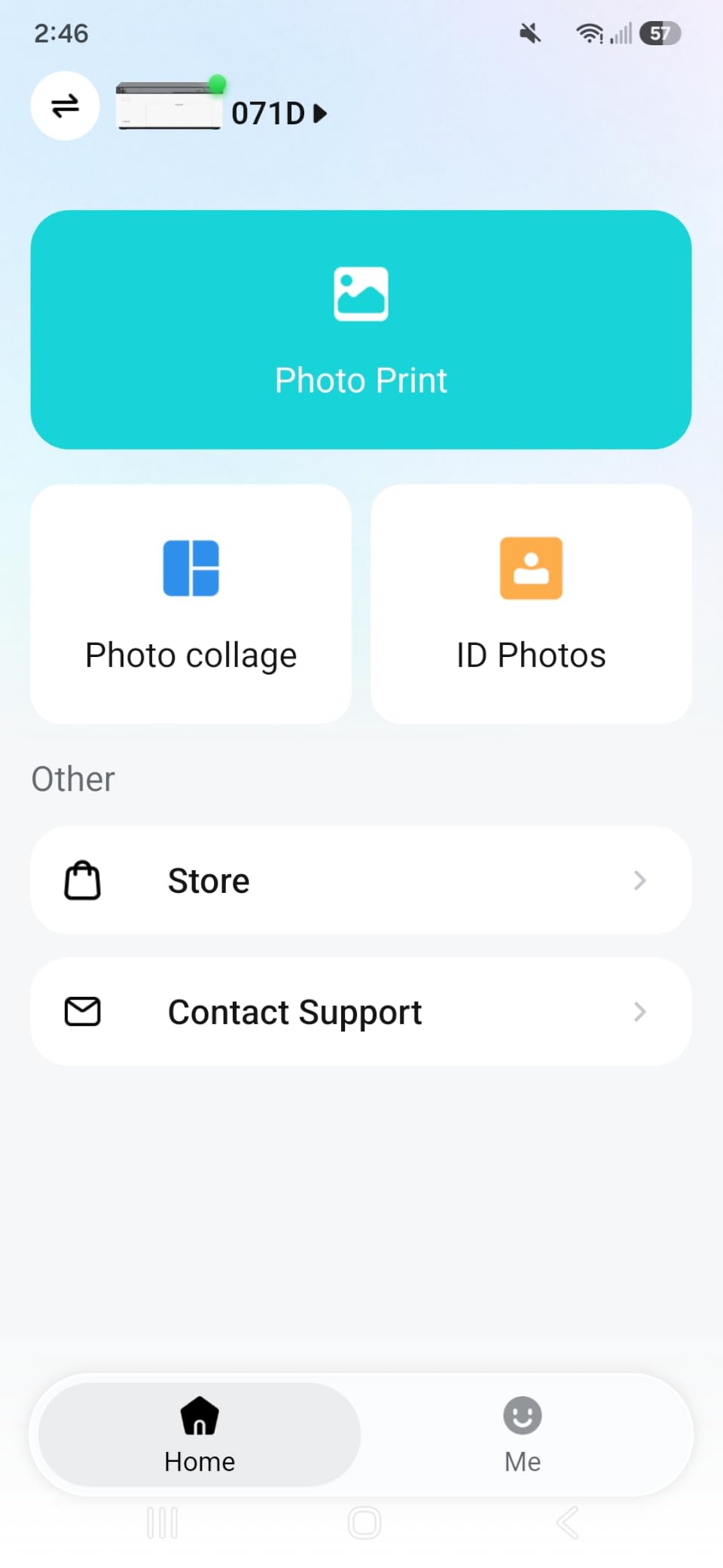
Connectivity is the standout. The built-in Wi-Fi hotspot prints without joining an external network and supports up to 5 devices at once, with USB Type-C as backup. That means no router, no driver, and no laptop on the table, which is the entire reason this category of printer exists.
Editing runs through the Liene app with borders, filters, contrast, and brightness controls, plus ID and visa photo printing for practical paperwork needs. The body is 200 grams, measures 7.48 by 9.84 by 7.48 inches, and has a sealed cassette that keeps paper dust-free. The bundle supplies 100 sheets of 4×6 paper, 3 color cartridges, a power adapter, and the cassette.
Print time for a first page is listed at 59 seconds, tray capacity is 20 sheets, and the rating is 4.4 out of 5 with a 12-month warranty.
Who this printer genuinely suits
It suits anyone who wants dye sublimation output without a computer, a network, or a design tool. That is a bigger group than it sounds, and it includes people printing event photos, ID-style images, or gifts in a room with no infrastructure. The laminated layer means a print handed to a child survives being put in a pocket.
The 200-gram magnetic body and sealed cassette are not marketing details. They are the difference between a printer that survives being carried to a different room and one that stops surviving after a month.
Why it will not press a shirt
Media is 4 by 6 inches and the paper path is designed for photo stock, so there is no route to transfer media, a mug, or a fabric panel. If you want garment or drinkware work, you need one of the transfer-paper machines earlier in this guide.
The 20-sheet tray means refilling constantly at a busy event, and proprietary cartridges rule out third-party media. Resolution of 300 by 300 dpi is modest for large prints, and the app is the only control surface, which is a limitation for anyone with their own workflow.
8. HP Sprocket Studio Plus – Best for Pocket Portable 4×6 Printing
HP Sprocket Studio Plus 4×6 Wireless Instant Photo Printer, 118 Sheets + 2 Cartridges, Travel Case, Wi-Fi, Premium Dye Sublimation, Compact Home Use, Vibrant Color Pictures, Editing App
600 x 600 dpi
Up to 80 prints per charge
Bluetooth 5.0 and Wi-Fi
6.65 inch deep body
Pros
- 600 x 600 dpi full size 4x6 prints
- Pocket sized 16 ounce body with travel case
- Bluetooth 5.0 and Wi-Fi for multiple users
- Up to 80 prints per charge or plug in for continuous use
- Editing app with augmented reality and ID templates
Cons
- Paper can jam in the mechanism
- Connection drops mid-print
- 18-sheet single tray
The Sprocket Studio Plus is the most portable printer in the roundup, and it is not close. It weighs 16 ounces and measures 6.65 by 10.75 by 2.68 inches, so it sits in a bag or a jacket pocket. The included travel case is not decoration; it is what makes the machine practical to move between venues.
Resolution is 600 by 600 dpi for full-size 4×6 prints, which is double the pixel count of the compact dye sublimation competition and shows most clearly in fine text and facial detail. First print time is around 61 seconds, and the output tray holds 80 prints, with up to 80 prints available on a single charge or unlimited when plugged in.
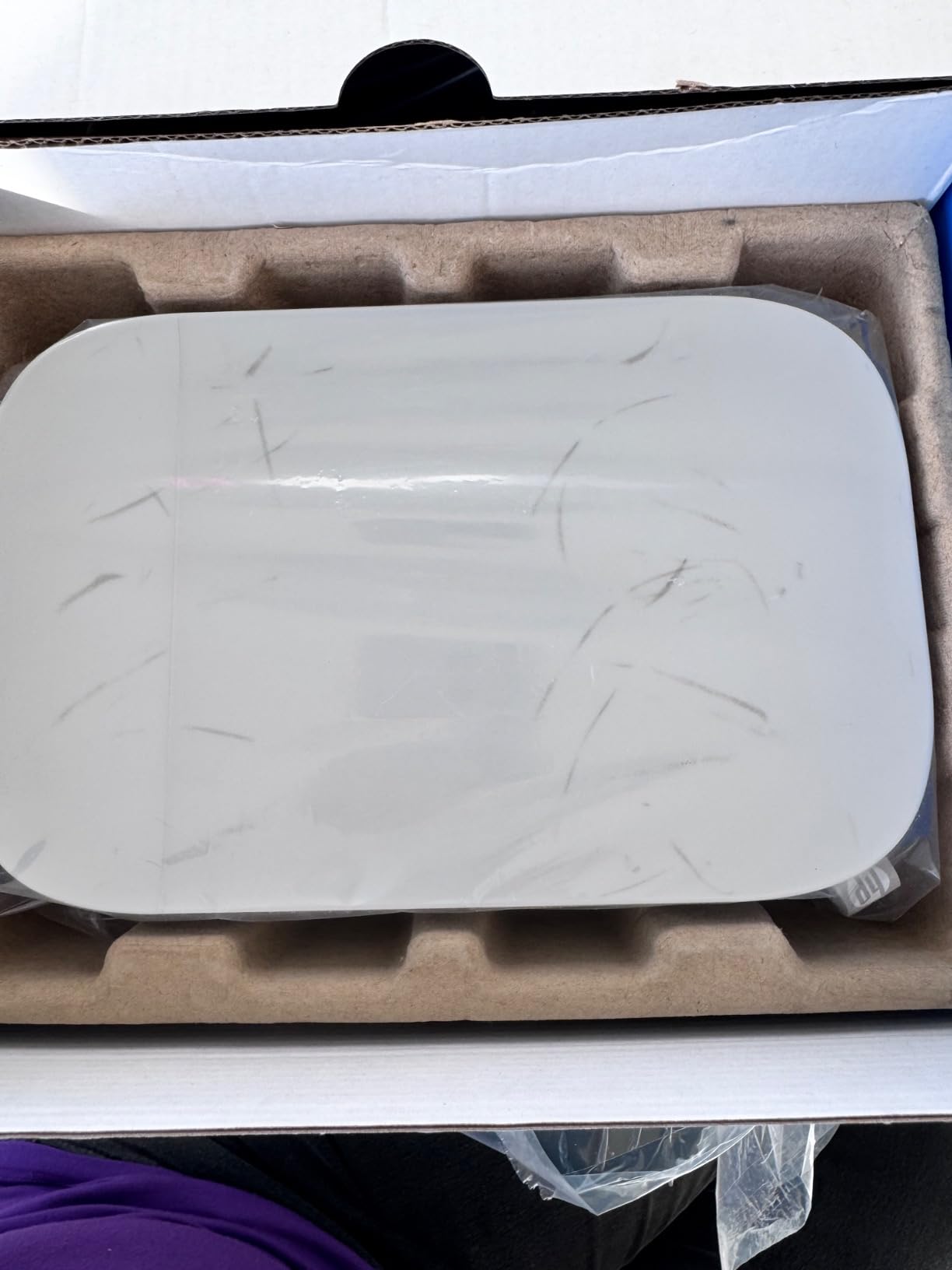
Connectivity is Bluetooth 5.0 alongside Wi-Fi, and the HP Sprocket app supports multiple users at once, so a whole table can print without a single cable. Social media accounts can be linked for direct printing, and the editing app includes filters, frames, stickers, collage layouts, augmented reality features, and ID templates. It runs on iOS and Android, and prints from a smartphone.
The bundle includes 118 sheets, 2 cartridges, and the travel case, which is a generous starting supply for a machine people tend to give as a gift. Owner feedback puts it at 4.3 stars across 313 reviews, with strong marks for color accuracy and form factor.
What portability buys you in practice
Battery printing is the feature that changes behavior. Eighty prints per charge means a party, a school event, or a market stall can be covered without a mains cable, and the small footprint means it fits on a card table rather than a desk. The form factor is genuinely the reason to buy this rather than a cheaper 4×6 unit.
The 600 x 600 dpi output is the technical reason to keep it. At 4×6 it is the sharpest small-format dye sublimation result in this group, and the laminated finish means prints resist water and handling.
Where the portability compromises show up
Paper handling is the recurring weak point. Owner feedback reports that paper can roll into the mechanism and cause jams, and that some printers lose a Bluetooth connection or power off before a print finishes. Neither is catastrophic, but both happen in public and both are visible.
The single tray holds 18 sheets, which is the smallest capacity in the roundup, so high-volume printing means constant refilling. Cartridges are proprietary HP units, which limits media choice and adds a supply cost you do not control. As with the Liene, this machine prints photos rather than transfers.
Purpose-Built vs Converted: What the Difference Costs You
A purpose-built printer is designed for dye sublimation from the start, and a converted machine is an office or photo printer that has been adapted. The temptation is to treat them as equals, because a converted machine can produce a good transfer on day one. Where the two part company is years two and three.
Warranty is the first difference. Converted machines often run on third-party ink and modified drivers, and manufacturer support becomes a grey area. Purpose-built printers keep a clear warranty relationship and a phone number. Owners of converted machines frequently describe community forums rather than vendor support as their primary help, and that is a support model you should choose deliberately rather than discover.
Firmware is the second. A printer update pushed to a converted machine can change behaviour or disable a modification, which is a well-documented complaint among hobbyists. On a purpose-built machine the same update is part of normal maintenance.
Ink is the third. Proprietary sealed systems like SubliJet UHD guarantee results and remove your choice. Refillable tanks cut running cost and give you flexibility at the price of routine maintenance such as nozzle checks and head alignment, which one owner describes as a regular chore rather than a fault.
None of this makes converted machines bad. For a beginner on a tight budget they are a reasonable first step, and the SG500 owners who moved on from eco-tank conversions report the difference shows up in finished transfer quality. The mistake is buying one expecting vendor-grade support and discovering the gap in month three.
Maintenance and Printhead Care
Printhead clogging after a period of inactivity is the most common complaint across every sublimation forum, and it is also the most preventable. The rule is simple: do not leave a dye sublimation printer sitting empty for weeks. Sublimation dye is prone to settling at the nozzles, and once it dries there, the fix is a manual cleaning cycle and patience.
Run a power cleaning cycle on a schedule rather than on a symptom. If the machine is used weekly, a monthly cleaning run costs a couple of ink cartridges worth of ink and twenty minutes. If it is used daily, a weekly check is cheap insurance. Print a solid test image after any period of inactivity, including over a long holiday, before a market stall, or between seasonal runs.
Keep paper out of the machine when it is idle. Sublimation transfer paper absorbs moisture from the air and curls as it does, which then causes backfeeder problems. The dust-resistant closed tray on the Epson F170 is not a styling feature, and the sealed cassette on the Liene M100 is the same idea at a different scale. Store paper flat, away from walls and heat, and the feeding problems largely disappear.
Watch the workspace as well. Dust becomes a permanent part of dye transfers, and humidity shifts paper behavior season to season. A room that is dry and reasonably clean needs no special equipment. A workshop with sawdust in the air will print it onto every shirt you make, and a dehumidifier is cheaper than reprinting a run.
Converted machines need more of this than purpose-built ones. Nozzle checks and print head alignment are part of the routine for a tank-based unit, and skipping them shows up as banding or dull color long before it shows up as a visible clog.
Color Management: RGB vs CMYK and ICC Profiles
Short answer: work in RGB, let the printer driver convert. Your design software thinks in RGB, screens display in RGB, and every printer driver in this roundup expects RGB input and handles the CMYK conversion internally. Sending CMYK files to a dye sublimation driver usually produces duller, flatter color because the conversion is happening twice.
CMYK still matters in one direction. Color gamut is the range a device can reproduce, and dye sublimation inks cover a wider gamut than office inkjets, which is why colors look saturated on a finished transfer. When a color looks wrong, the usual cause is profile mismatch rather than ink quality.
An ICC profile is the file that tells software how to translate color between a device and a display. Purpose-built ecosystems such as the DNP QW410 and the Sawgrass Print Utility supply color-management workflows and presets so you do not have to build one. If your results vary between machines, the missing piece is almost always an unmanaged profile, not a faulty head.
For converted machines, build the habit early. Load the profile your driver expects, calibrate your monitor once, and save a preset per substrate. On a coated mug and a polyester panel the same file should not produce the same output, and treating them as one workflow is where consistency problems come from.
What to Consider Before You Buy
Start with the largest thing you want to print, not the smallest. Mugs, coasters, and small panels fit 4×6 paper and nothing more. Single-sided garment transfers work on 8.5 by 11 inch paper. Full front-and-back shirts, neoprene, and wide panels need 13 inches. Banners, yardage, and signage need 24 inches. Buying narrow and stretching later means replacing the machine, so size for the next project up rather than the current one.
Then look hard at the ink system, because it sets your running cost for the life of the machine. Bottles and tanks give the lowest cost per print and the least waste, with routine maintenance attached. Cartridges are the tidiest and the most consistent, at a higher per-print cost. Proprietary systems guarantee output and remove choice, which is a fair trade for production work and a poor one for a tight hobby budget. Calculate on ink per year, not on the machine alone.
Weigh tray capacity against your realistic batch size before you buy. Twenty sheets suits one-off gift printing, 100 sheets handles a busy evening, and 150 sheets with a covered feed path is what keeps a small business from stopping mid-order to refill paper.
Check connectivity against where the machine will actually live. Wireless and Ethernet suit a fixed shop. A built-in hotspot suits a table with no router. Mobile device support is a separate question from Bluetooth and is worth confirming, because some compact printers list wireless connectivity and still require a computer.
Ask about the ecosystem before the hardware. The SG500 pairs a design platform with a print utility and Smart color presets. The Brother SP-1 builds designs in its Artspira app. The F570 runs Adobe PostScript 3 layout software. Whichever you pick, spend an hour in that software before you buy the printer, because the software is what you touch on every single job.
Finally, look at the workspace. A desktop unit needs a shelf and a network drop. A 24-inch engine needs a dedicated counter, floor space behind it, and a second person to move it. Portable 4×6 units need nothing but a table and a phone. If you are still working out which of those you need, our guide to printers for beginners covers the same decision process in a different medium, and the small-workspace question comes up there too.
Think about the next machine as well. A hobbyist who will eventually print panels and signage should plan for a 13-inch or 24-inch tier and buy accordingly from the start, because going from a 4×6 phone printer to a desktop transfer machine and then to a wide-format engine is two purchases where one would do. If you also make physical objects and want a different kind of output, our resin printer guide covers the other end of the small-batch spectrum.
Frequently Asked Questions
What is the best printer for dye sublimation?
For most people starting out, the Epson SureColor F170 is the best first dye sublimation printer: it prints 8.5 by 11 inch transfer paper, holds 150 sheets in a closed dust-resistant tray, ships with genuine Epson sublimation ink, and supports wireless, USB, and Ethernet. The Brother SP-1 is faster and adds automatic duplex, the Sawgrass SG500 is the stronger production choice, and the Epson SureColor F570 24-inch bundle covers wide format.
Is RGB or CMYK better for sublimation?
RGB is better for most workflows. Design software and screens work in RGB, and the printer driver handles the CMYK conversion internally. Sending CMYK files to a dye sublimation driver usually gives duller, flatter color because the conversion happens twice. CMYK still matters for understanding color gamut, which is why dye sublimation colors look more saturated than office inkjet output.
What should a sublimation print look like?
A good dye sublimation print on transfer paper has saturated color, sharp edges, and smooth gradients with no visible banding, and the image should be a mirror image if you are about to press it. After pressing, the design should be inside the surface of the substrate rather than sitting on top, with no cracked edges and no film to peel. Colors should look slightly deeper than the same image on screen.
Do dye sublimation printers fade?
Dye sublimation prints resist fading because the dye bonds into the coating of the substrate at a molecular level rather than sitting on top of it. There is no layer to crack or peel, and the colors survive washing and sunlight far better than heat transfer vinyl or screen printing plastisol. Quality still depends on the substrate: a good print on a well-coated polyester or polymer mug holds its color for years.
How often should I clean a dye sublimation printhead?
Run a power cleaning cycle roughly monthly if you use the printer weekly, and check it weekly if you use the machine daily. Clogging is the most common fault and it is largely caused by leaving dye sublimation ink sitting unused, so the fix is to keep the printer cycling rather than to wait for a problem. Print a solid test image after any break in use, and after a long holiday.
Are converted EcoTank printers good for sublimation?
Converted EcoTank-style machines can produce good transfers and are a reasonable first step for a beginner, mainly because refillable tanks cut the ink cost per print. The trade-offs are that you handle the maintenance yourself with nozzle checks and head alignment, and vendor support and warranty coverage are less clear than on a purpose-built machine. Expect to rely on community forums rather than the manufacturer for help.
Conclusion: Which Dye Sublimation Printer Should You Buy
Start with the Epson SureColor F170 if you want one printer to cover mugs, small panels, and single-sided garment transfers with minimal fuss. Its 150-sheet covered tray and genuine ink supply solve the two problems that trip up most beginners. Move up to the Brother SP-1 when volume and duplex speed matter more than ink cost, and to the Sawgrass SG500 when you are producing to sell and consistency and a bypass tray matter more than ink price.
Look at the Epson SureColor F570 24-inch bundle only when wide format is a real requirement, and only if you have the counter space for a 151-pound machine. Look at the Pinckney super-tank when ink cost per print is your dominant concern and you are willing to do the maintenance. Look at the DNP QW410 for event photos, and at the Liene M100 or HP Sprocket Studio Plus when the printing happens away from a desk.
Whichever one you choose, the best features to look for in dye sublimation printers are media width you will not outgrow, an ink system you can live with financially, a tray that suits your batch size, and support you can actually reach. Get those four right and 2026 is a good year to start printing. For a wider look at the category, our full dye sublimation printer guide covers the models we could not fit here.