
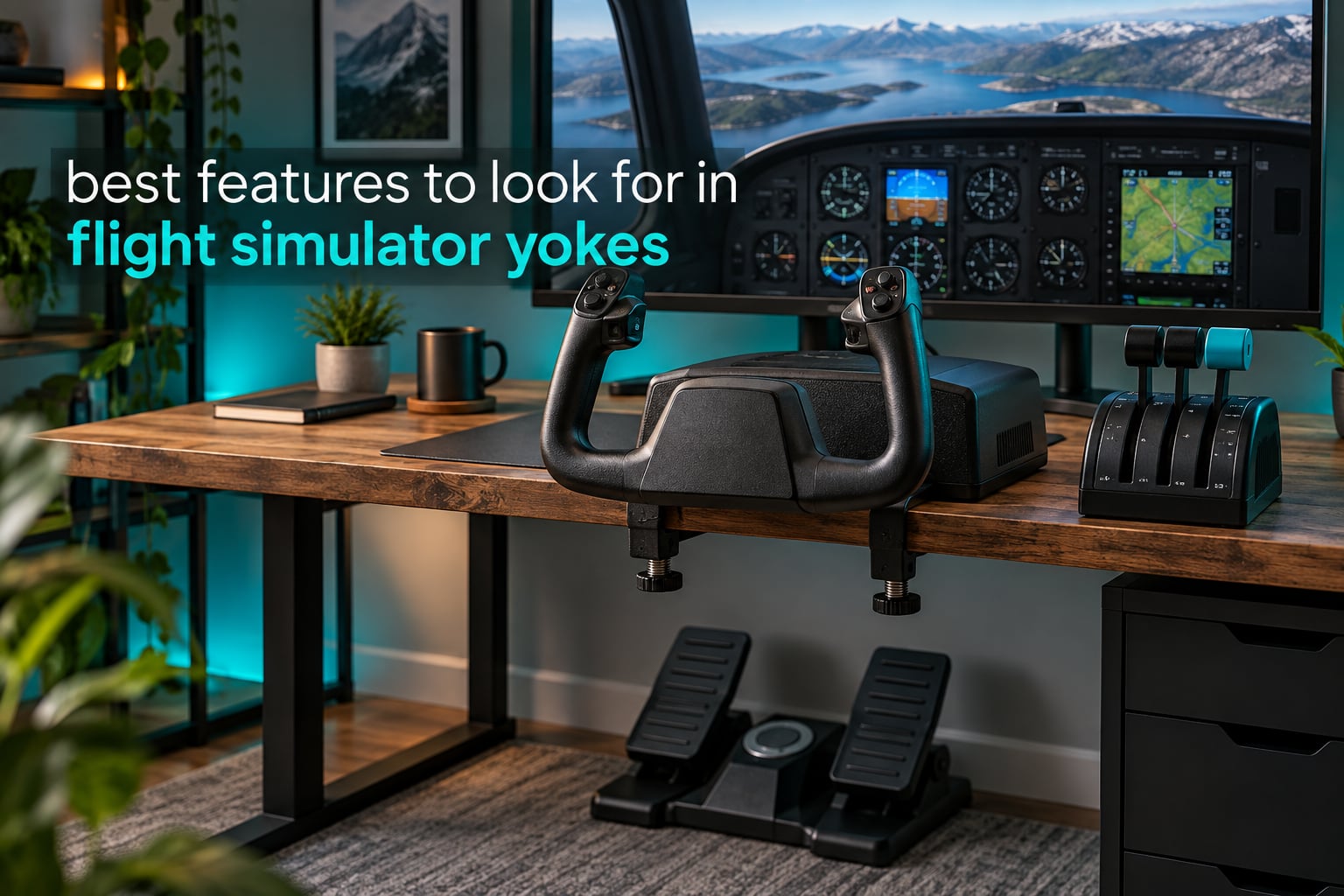
Most flight simulator yokes look alike from a distance: a wheel on a stick, clamped to your desk, reporting roll and pitch to the simulator. The differences that actually change how a session feels are buried in spec sheets — whether the sensors are contactless, how the shaft is supported, how tightly the yoke returns to centre, and how much travel it offers. Those four details decide whether you fly the aeroplane or spend the whole flight fighting a control that will not sit still.
That is what this guide is for. Rather than opening with a list of six products and asking you to trust us, we start with the criteria that the sim community actually argues about, in priority order, and then use each yoke as evidence. We spent weeks reading owner reports on r/flightsim and the flightsimulator.com and x-plane.org boards, comparing the spec sheets against what owners say months later, and checking each one against the same short list of tests.
Everything below reflects the six yokes that genuinely exist as distinct hardware in this category, not a padded list of duplicate bundles. Yokes are close to a once-a-decade purchase, so the difference between a good one and a disappointing one is worth an hour of reading. If you would rather see our overall verdicts first, jump to the top picks; if you want the reasoning, keep going.
Top 3 Best Flight Simulator Yokes for 2026

Honeycomb Alpha Yoke and Switch Panel
- 180-degree rotation
- Solid steel shaft on two linear ball bearings
- Dampened self-centering with minimal deadzone
- Integrated red-backlit switch panel

Logitech G PRO Flight Yoke System
- Yoke and throttle quadrant in one box
- Stainless steel yoke shaft
- 54+ programmable controls
- Two-position desk clamp

Thrustmaster TCA Yoke and Quadrant Boeing…
- 1:1 Boeing 787 replica
- PENDUL_R pendular movement with 8.3-inch range
- Adjustable spring tension
- Hall effect sensors
The Honeycomb Alpha is the one we recommend to most people. It pairs a 180-degree throw with a solid steel shaft riding on two linear ball bearings, and the dampened self-centring mechanism returns it with no centre detent and very little deadzone, which is exactly the combination instrument approaches need. The Logitech G PRO takes the value slot because it is the only entry here that arrives with a working throttle quadrant in the same box, and the Logitech G PRO Flight Yoke System has the deepest owner base in the group with 2903 reviews. The Thrustmaster Boeing Edition takes the premium slot: a 1:1 787 Dreamliner replica with a pendular mechanism, adjustable spring tension and hall effect sensors throughout.
Every Pick at a Glance in 2026
| Product | Specifications | Action |
|---|---|---|
| Honeycomb Alpha Yoke and Switch Panel |
|
Check Latest Price |
| Logitech G PRO Flight Yoke System |
|
Check Latest Price |
| Thrustmaster TCA Yoke and Quadrant Boeing Edition |
|
Check Latest Price |
 Turtle Beach VelocityOne Flight Turtle Beach VelocityOne Flight |
|
Check Latest Price |
 MOZA AY210 Force Feedback Yoke Base MOZA AY210 Force Feedback Yoke Base |
|
Check Latest Price |
 Honeycomb Alpha LITE Honeycomb Alpha LITE |
|
Check Latest Price |
Two patterns jump out of that list. Three of the six use contactless hall effect sensors rather than potentiometers, and that single choice is the strongest predictor of how a yoke will feel in year three. The other pattern is scope: one bundle covers your yoke and throttle, one adds rudder controls, one is a bare base that needs a handle bought separately. Budget your setup around that second axis, because the gap between a complete package and a component is where most first-time buyers get caught.
1. Honeycomb Alpha Yoke and Switch Panel — The Standard for Feel
Honeycomb Alpha Flight Controls Yoke & Switch Panel
180-degree rotation
Solid steel shaft on two linear ball bearings
Dampened self-centering
Pros
- Steel shaft on dual linear ball bearings for a smooth
- precise feel
- 180-degree rotation with dampened self-centering and minimal deadzone
- Integrated Cessna-style switch panel with red LED backlighting
- Two mounting options including a clamp-free 40 lb suction pad
- Highest satisfaction score in this group at 4.6 with 83% five-star reviews
Cons
- Switch panel sits behind the grips and can be awkward to reach with a throttle mounted alongside
- No integrated throttle quadrant so a separate Bravo unit is needed for a full GA setup
- Some switches exceed the Windows USB controller button limit
The feature that separates this yoke from everything else in the group is the shaft. It is a solid steel shaft carried on two linear ball bearings, and you feel the difference in the first minute of use, because there is no flex and no grit in the movement as you push the yoke through a flare.
Combined with true 180-degree rotation, that means a full aileron deflection in a light aircraft maps to a full sweep of your hands, with no axis scaling required in software. The steering column feel of a real Cessna is closer to this than to anything else here.
Self-centring is where most yokes fail and where this one quietly wins. The mechanism is dampened, returns to centre on its own, and has no centre detent, so a trim-free panel approach in IMC settles cleanly instead of drifting to one side. Minimal deadzone means you can make tiny corrections on final without fighting spring tension. Owners in the flight sim communities consistently call this the feature they would not give up.
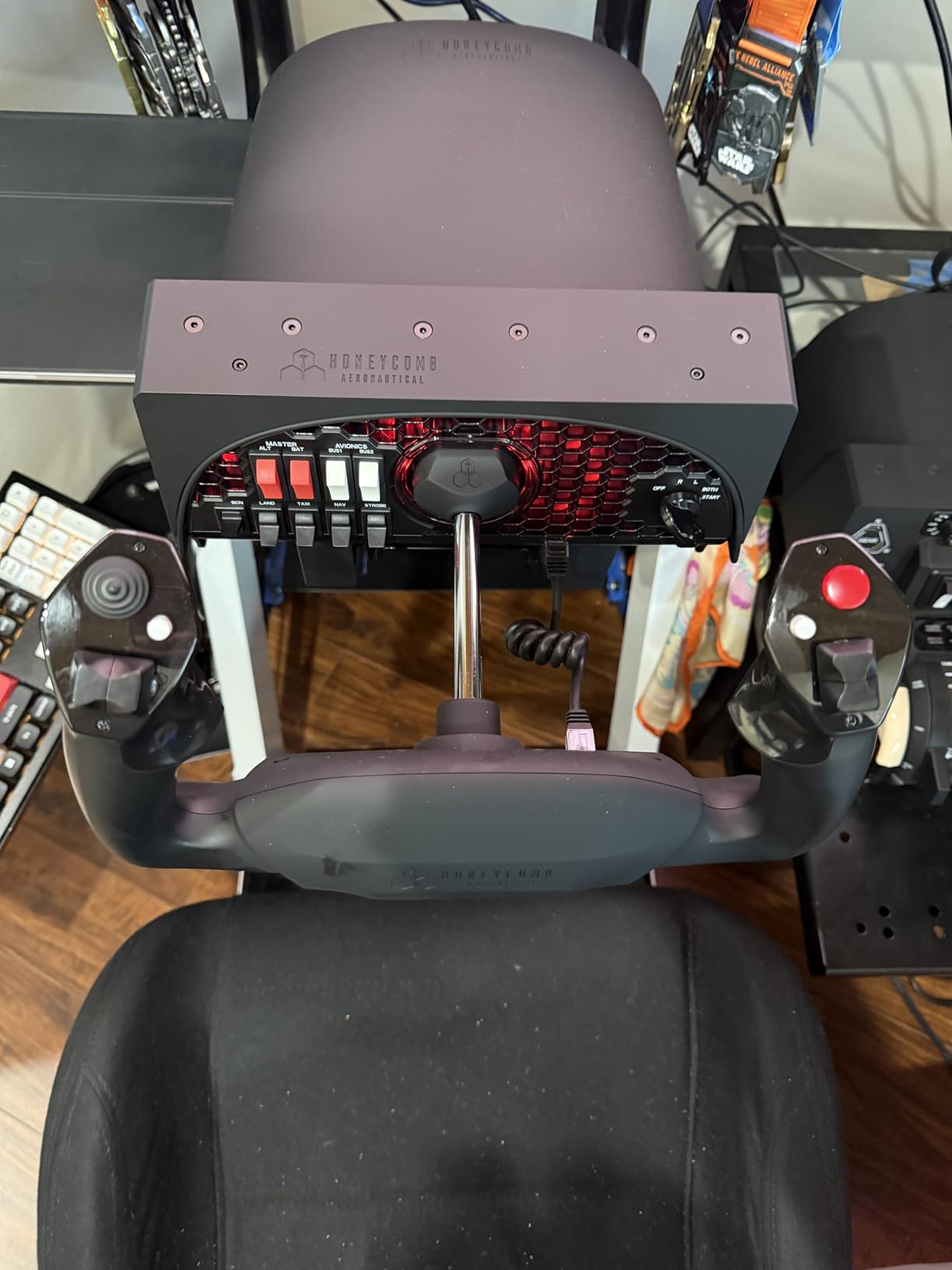
The handles are properly specified as well. You get an 8-way round-view switch, two vertical and two horizontal 2-way rocker switches, three buttons and a push-to-talk button, which is enough to run lights, gear and radios hands-on without a separate panel. The integrated switch panel adds main, alternator, avionics and light switches plus a 5-position ignition switch, and the red LED backlighting is genuinely useful at night even though it will never light your desk. Because USB-C is removable, swapping the whole rig between desks takes seconds.
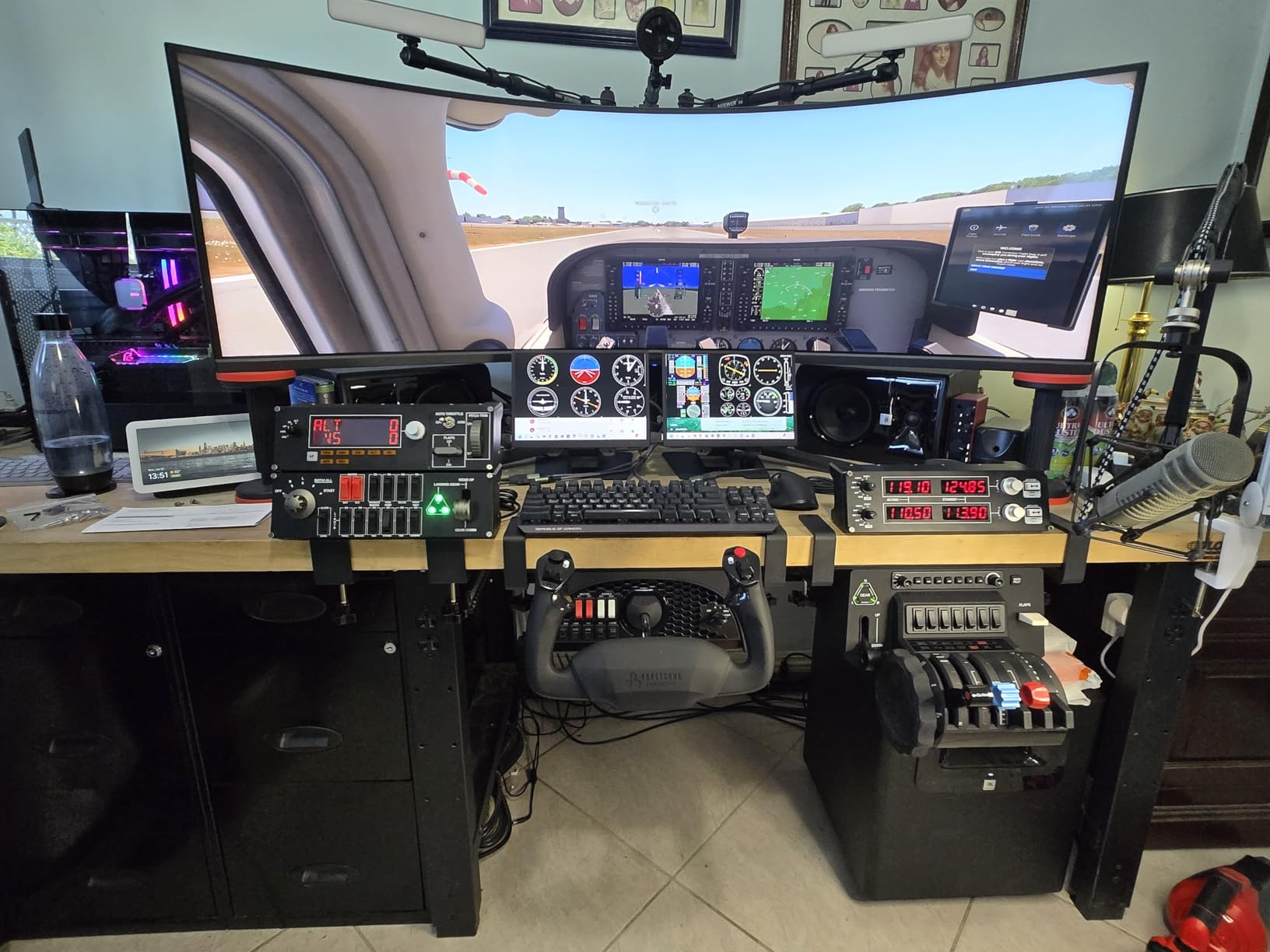
Mounting gives you real choice. You get two heavy-duty clamps for desks of a reasonable thickness, and a micro-suction pad rated at 40 lbs tensile strength for a clamp-free setup on a glass or laminate surface.
Owners in the flight sim communities describe the Alpha as solidly built and worth every cent, and that is the consensus the numbers back up. Across 1199 reviews it holds a 4.6 average with 83% five-star ratings, which is the largest body of top ratings among the widely reviewed models here. For commercial airliner work you can read our wider flight simulator yoke roundup for how the switching compares.
What you gain by choosing it
You gain a feel that rewards long sessions, because the self-centring is firm enough to trust and soft enough that your wrists do not ache after a three-hour sector. The ball-bearing movement also means less maintenance attention over a decade of ownership, which matters more for a yoke than for almost any other peripheral.
You also gain physical switch access to the systems you actually touch. The switch panel is a closer match to light general aviation hardware than anything else in this group, and owners flying Cessna and Pippa models in X-Plane 12 tend to bond with it quickly once the mappings are set.
Where it frustrates people
The single most common complaint is reach. The switch panel sits behind the yoke grips, so if you also mount a throttle quadrant alongside it, your hand has to travel further than the design intends, and a right-handed throttle blocks some of the panel entirely. Plan the mounting order before you drill anything.
The other limits are the missing throttle and the button count ceiling. Windows caps how many individual switch states a controller can expose, so on a heavily loaded switch panel some toggles never appear in your simulator control list. Neither problem is serious, but both are real.
2. Logitech G PRO Flight Yoke System — The Complete Starting Rig
Logitech G PRO Flight Yoke System Professional Simulation – Black
Yoke and throttle quadrant in one box
Stainless steel yoke shaft
54+ programmable controls
Pros
- Yoke and throttle quadrant arrive in the same package
- Stainless steel shaft delivers smooth accurate input
- 54+ programmable controls including a POV hat and mode switch
- Two-position desk clamp handles a wide range of desks
- Broad compatibility with major Windows flight simulators
Cons
- Yoke rotation is only 90 degrees so inputs must be scaled in software
- All-plastic feel compared with metal-shaft premium yokes
- Calibration and button mapping take setup time
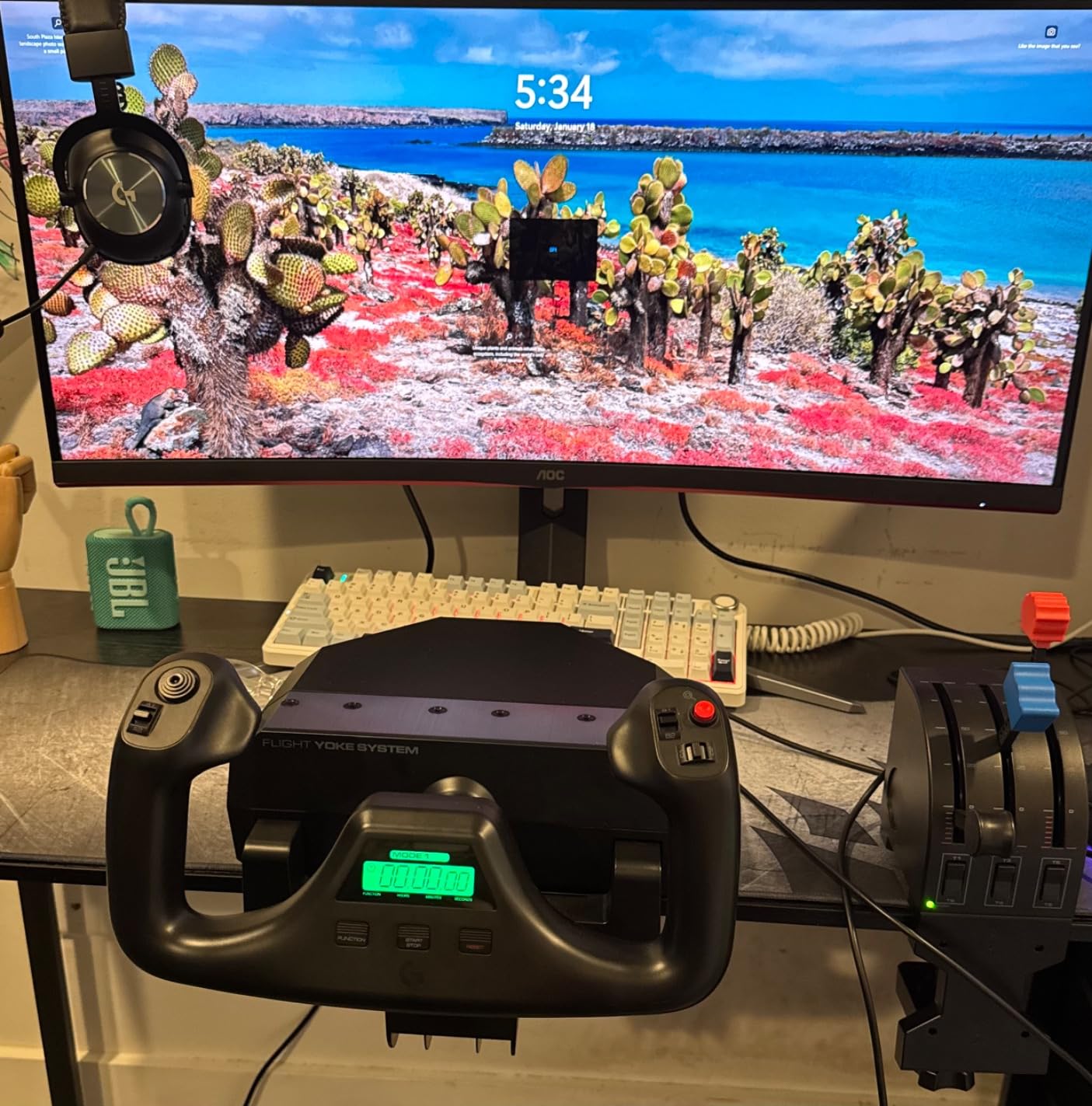
Almost every buying guide in this category skips the question of what a complete rig requires, and this is the yoke that answers it. You get the yoke, a four-lever throttle quadrant, and two desk clamps in one box, so the two pieces of hardware you physically interact with most are covered on day one. Community advice in the flight sim forums is consistent: start with yoke, throttle and pedals, add avionics later, because those three are the ones your hands and feet return to constantly.
The shaft is stainless steel, which puts it ahead of the moulded-plastic yokes that reviewers describe as cheap feeling with low precision, one of the sharpest criticisms in the flight sim forums.
The controls are the selling point for anyone who wants a rich set of inputs: a POV hat, 14 buttons and a 3-position mode switch give at least 54 programmable controls, and the software that maps them into Microsoft Flight Simulator, X-Plane 10 or Prepar3D is free. At 2903 reviews and a 4.3 average, it is the most thoroughly owner-tested yoke we could find.
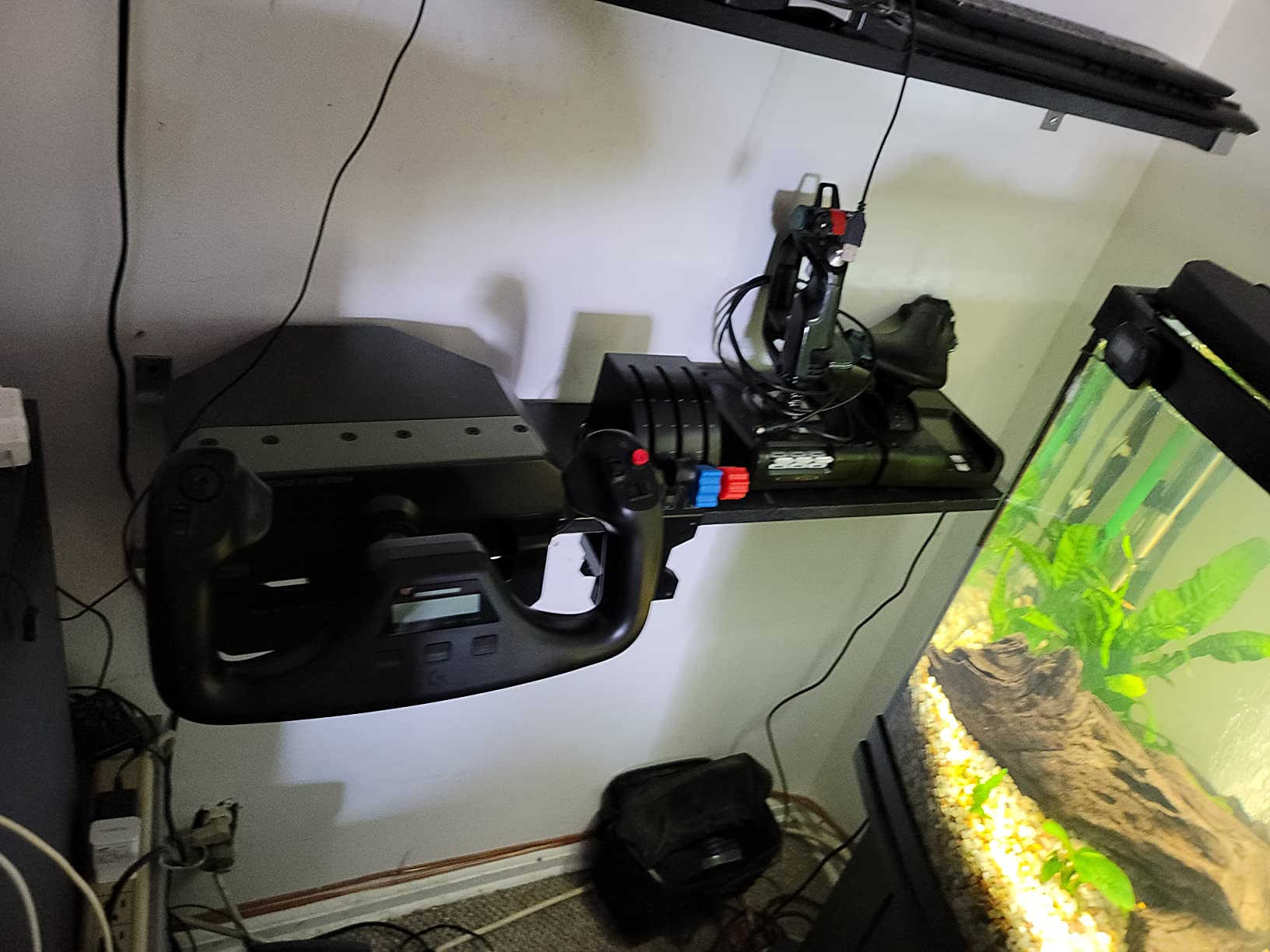
What you give up is rotation. The travel is 90 degrees rather than 180, so your software has to scale the axis for a full roll input, and that scaling is where a lot of first-timers lose their smooth, direct feel until they sit with the axis curve settings. The construction is plastic around the shaft, which sounds like a downgrade on paper and feels like one in the hand next to a machined yoke, though most owners say it stops mattering a few hours in.
Windows is the only platform. There is no console support here, and the software is listed for Windows 11, 10, 8.1 and 7.
If you fly on an Xbox, the VelocityOne further down the page is the one that works on both. The 2-position desk clamp is one of the better mounting designs in the group, and the whole thing at 6.2 pounds is light enough to move between setups without thinking about it.
What you gain by choosing it
You gain completeness and reach. Because a usable throttle quadrant is included, you can start flying a twin or a light airliner immediately instead of spending your first month pawing at a keyboard for throttle input. A separate set of rudder pedals still closes the loop, and our rudder pedal guide covers that choice.
You also gain control density where other yokes are sparse. Fifty-four-plus programmable inputs is far more than most people use, and having a mode switch on the wheel means you can hold profiles for different aircraft without unplugging anything.
Where it frustrates people
The 90-degree throw is the deal-breaker for anyone practising instrument approaches on a large airliner, where you want the yoke to sit still while you fly the panel and only move for deliberate corrections. Owners consistently report needing time in the axis settings to make short throw feel natural.
The plastic shell is the second complaint, and the third is the software setup itself. Calibration and mapping are not difficult, but they are not instant either, and a new simmer flying a real-world procedure on their first evening will spend the first half hour in a settings menu rather than in the air.
3. Thrustmaster TCA Yoke and Quadrant Boeing Edition — Realistic Airliner Feel
Thrustmaster TCA Yoke & Quadrant Boeing Edition Flight Pack – XBOX & PC
1:1 Boeing 787 replica
8.3-inch PENDUL_R travel
Hall effect sensors
Pros
- 1:1 Boeing 787 replica with the best-placed hat switches in the category
- Hall effect sensors give a jitter-free signal
- Very long 8.3-inch travel with a smooth pitch axis
- Adjustable spring tension dials in a heavier realistic feel
- Works on both Xbox and PC
Cons
- Included throttle quadrant is lower build quality than the yoke
- Throttle quadrant has only three axes so flaps and spoilers cannot be used together
- Pendular design can push the lower jaw into your abdomen
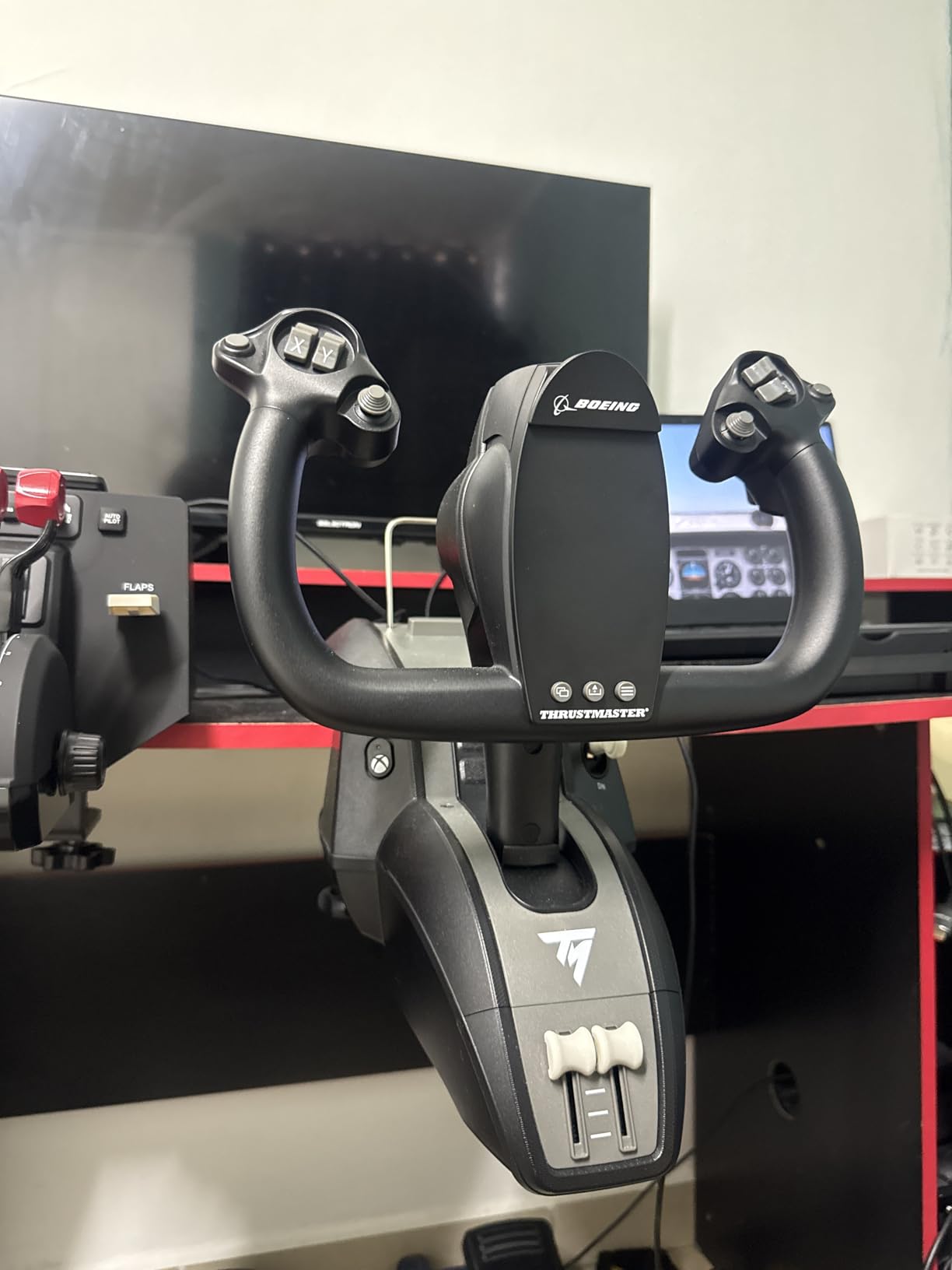
This is the yoke to buy if you fly jets. It is an officially licensed 1:1 replica of the Boeing 787 control column, and the PENDUL_R mechanism reproduces the pendular movement of that aeroplane across an 8.3-inch range, which is a longer travel than anything else in this list. Reviewers who describe themselves as experienced flight sim yoke owners routinely single out the pitch axis as the smoothest they have used, and the hat switch placement is called out as the best in the category.
Two features do the heavy lifting. The first is adjustable spring tension on a suspended mechanism, so you can run the yoke light for general handling or heavy for a heavy twin on short final, which is far more useful than a fixed feel.
The second is hall effect sensors on all axes: the signal is jitter-free, there is no potentiometer contact to wear, and the 100% metal internal structure means the balance does not change as the unit ages. At 4.4 across 457 reviews with 74% five-star ratings, satisfaction is high, if not quite at the Honeycomb level.
The bundle includes a throttle quadrant with a Boeing autopilot function covering altitude, airspeed and heading, 35 action buttons and two additional axes, so an airliner setup is genuinely usable from the box.
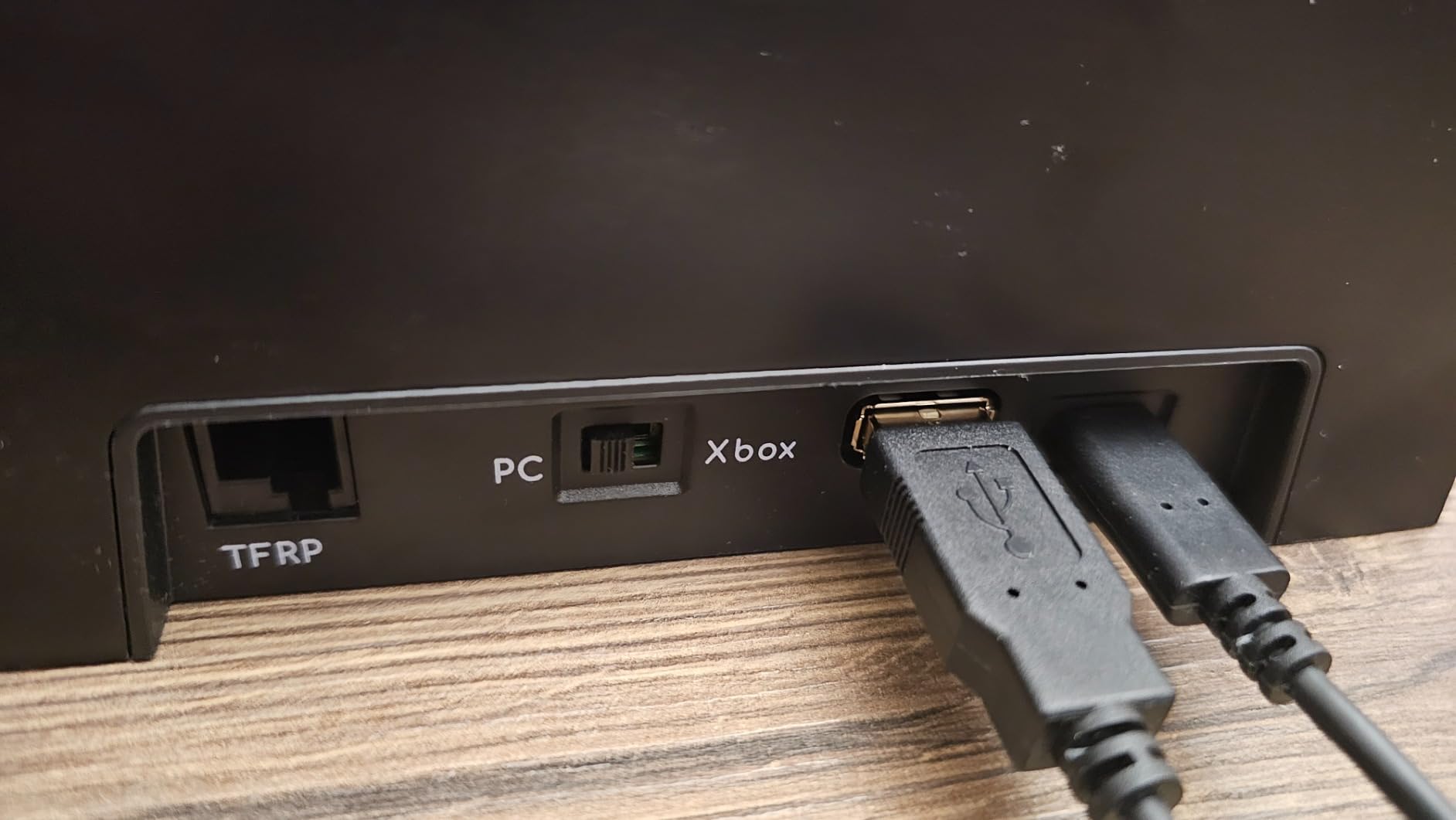
It works on Xbox Series X and S as well as Windows, which is why many buyers picked it over PC-only premium yokes. Our cockpit build guide covers the frame options once you outgrow a desk.
The throttle quadrant is the honest weak point. Owners describe cheap-feeling buttons, a jumpy autopilot trim knob and a wobble in the assembly, and it exposes only three axes, so flaps and spoilers cannot be operated at the same time. It also needs a factory calibration to bring the throttle axes into sync, and that procedure is not documented clearly in the manual. A documented roll-axis twitch has also appeared on a small number of yokes after warranty expiry.
What you gain by choosing it
You gain a genuinely different feel rather than a better version of the same one. Pendular movement and adjustable spring tension make sustained high-banking turns and slow final approaches feel like they do in a widebody, and the long travel means you can hold a turn without running out of hand room.
You also gain console support in a premium package. For a cockpit on an Xbox, this is the one with the most airliner detail on the wheel itself, and the autopilot function in the throttle is a real time-saver on a long sector.
Where it frustrates people
Ergonomics depend on your seat. Because of the pendular design, the lower jaw of the yoke can sit in your abdomen depending on how far forward you sit, and in a shallow cockpit frame you may need to raise the unit and re-check your sightline to the panel.
The throttle quadrant is the other soft spot, and the missing fourth axis is a functional limit rather than a preference. If your flying depends on simultaneous flap and spoiler input, budget for a different quadrant rather than planning around this one.
4. Turtle Beach VelocityOne Flight — The One That Works on Xbox and PC
Turtle Beach VelocityOne Flight Universal Control System – Xbox Series X & Xbox Series S, Xbox One & Windows 10 & 11 PCs with Yoke Handle, Throttle Quadrant, Trim Wheel & Rudder Controls
180-degree hall effect rotation
Yoke, throttle, trim wheel and rudder
12 analog axes
Pros
- Yoke throttle trim wheel and rudder controls in one package
- Hall effect sensor avoids the potentiometer drift found in cheaper yokes
- True 180-degree rotation matches real yoke travel
- Works on both Xbox and Windows PC
- Integrated rudder and brake controls remove a separate purchase
Cons
- At 10 pounds it needs a solid desk and a large footprint
- Highest one-star share in the group at 13%
- No force feedback so resistance does not scale with aircraft dynamics
Console support is the reason to buy this one, and it is a decisive one. It runs on Xbox One, Xbox Series X and Series S, and on Windows 10 and 11, which means you can move a saved career between the living room and the desk PC without changing hardware.
The 180-degree yoke handle uses a non-contact hall effect sensor, so you get real travel without the potentiometer wear that degrades cheaper units over time. On compatibility alone, it is the broadest device in the group.
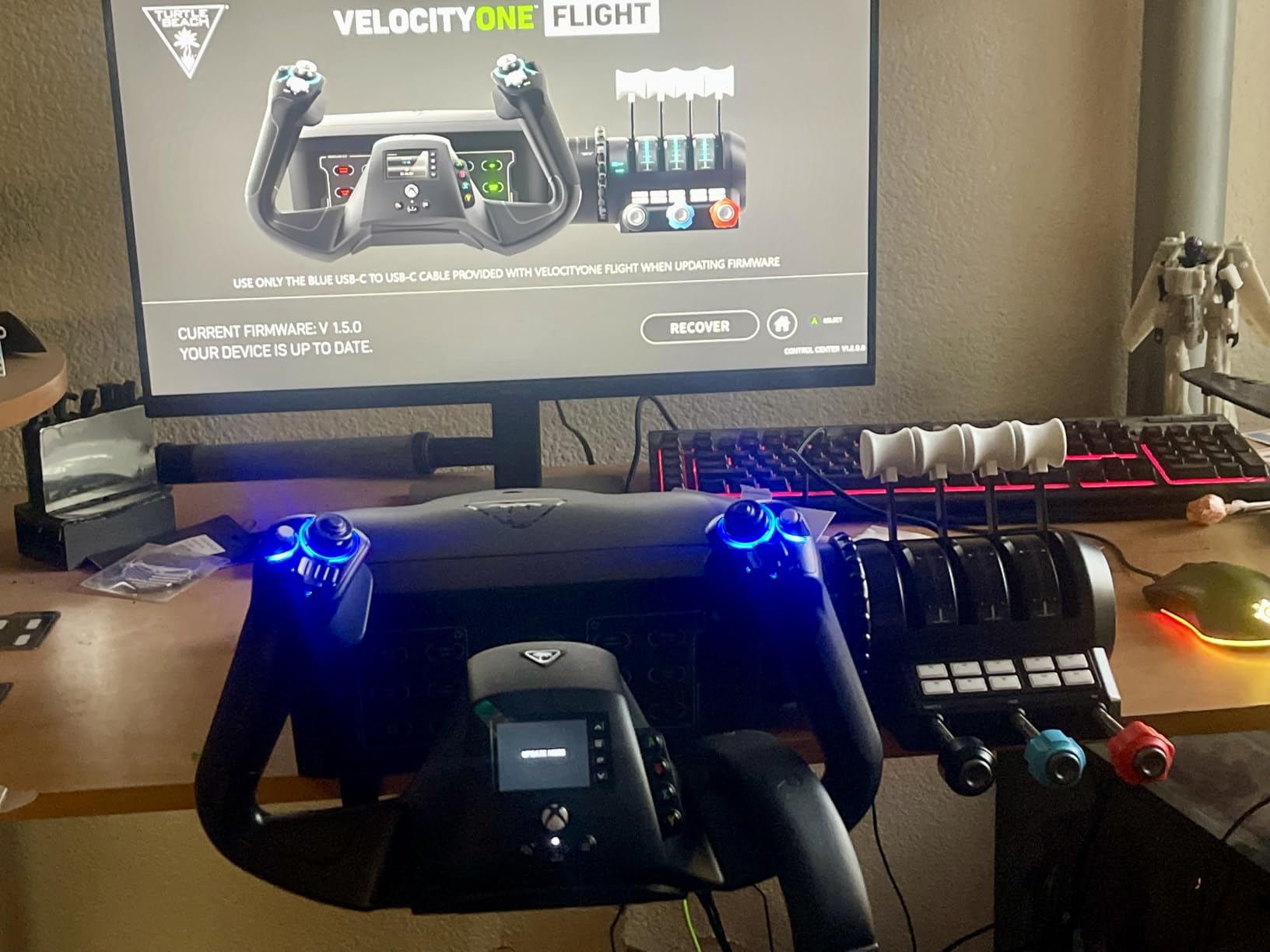
The package is unusually complete for a single purchase: yoke, a modular throttle quadrant with customisable lever handles, a dedicated pitch trim wheel for fine control surface adjustment, and integrated rudder and brake controls at your fingertips.
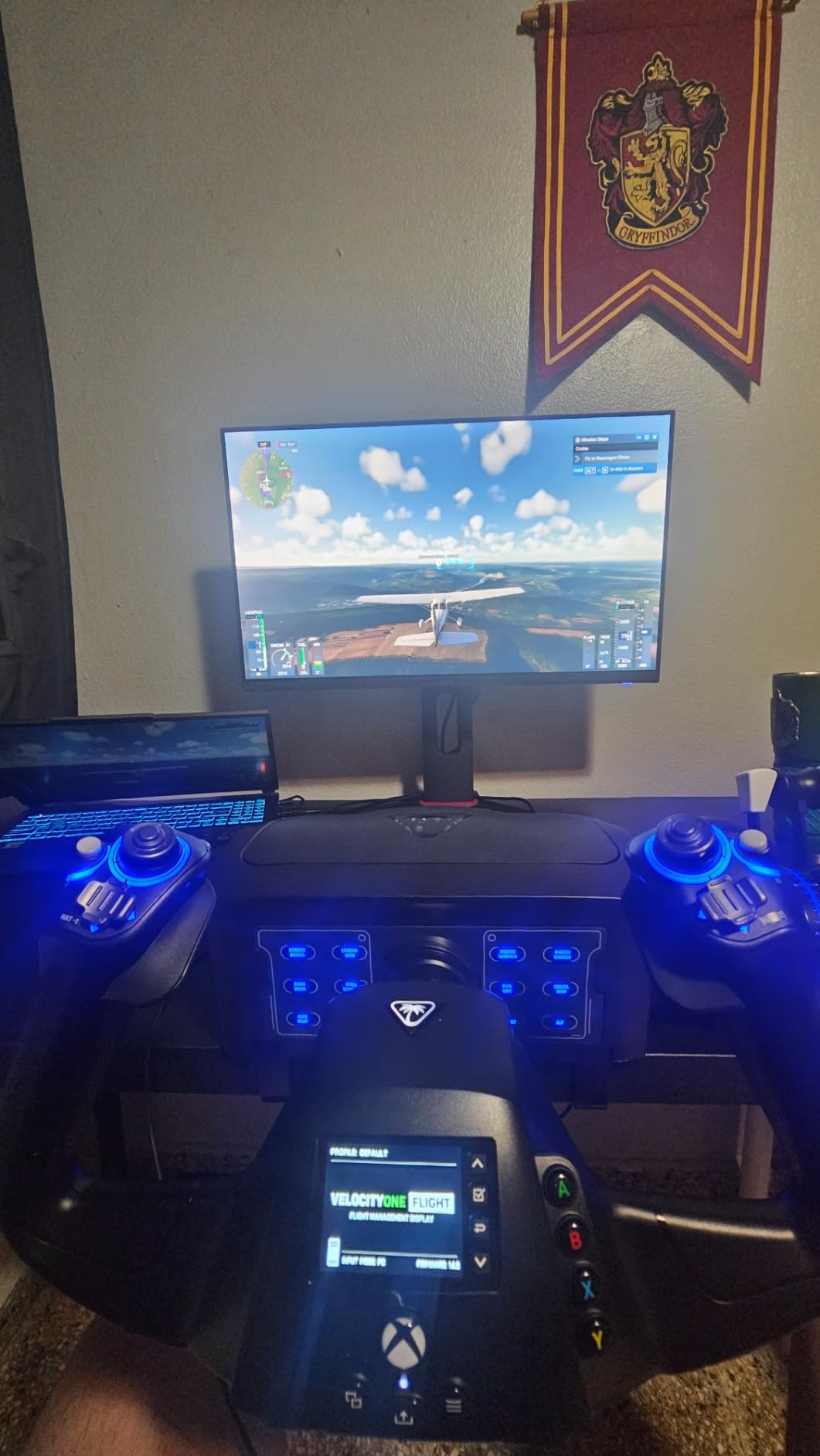
Twelve analog axes, two POV switches, two 4-way hat switches and 26 buttons give you far more inputs than most people will map. The full colour flight management display and the authentic status indicator panel are what you use to learn the system and configure it, which is why this is a popular first upgrade from a gamepad.
The 4.1 average is the lowest of the six, and the reason shows up in the distribution: 13% one-star reviews, the highest share here. Reading the owner feedback, the recurring themes are physical.
At 10 pounds with a 19.5-inch height and 19-inch width, it is a large object that needs a genuinely solid desk, and the clamping system is described as secure but demanding to set up. The display and status panel add a learning curve that beginners report as confusing in the first hour, even though they find it useful later.
There is also no force feedback, so resistance never scales with aircraft dynamics. That is a fair trade for a cheaper, simpler, lighter-weight approach, but it is the ceiling on realism here. Force feedback is the feature to look at next.
What you gain by choosing it
You gain one box that covers four control jobs, which is unusual. Yoke, throttle, trim and rudder in a single package removes the most common first-setup frustration, and the rudder controls at your fingertips are a genuine convenience for taxiing and parking in tight spots.
You also gain freedom of platform. Being able to fly the same session on Xbox or on a Windows PC, with a trim wheel and analog inputs that a gamepad cannot provide, keeps the hardware relevant beyond a single console generation.
Where it frustrates people
Size and weight are the practical limits. On a small desk, on a riser, or on anything with a modest load rating, the 10-pound unit and the broad clamping footprint are the first things owners complain about, and moving it between locations is a two-person job rather than a one-person one.
Complexity is the second. The flight management display and the status panel are excellent references once configured and a barrier before that, and the 13% one-star share suggests durability complaints do exist alongside the enthusiasm. If you want a simpler first step, our joystick guide covers sticks, but a stick will not give you rudder or throttle.
5. MOZA AY210 Force Feedback Yoke Base — Real Resistance, Sold Separately
MOZA AY210 Force Feedback YOKE Base Flight Simulator FFB Controls, Black
Dual servo motors, 9 Nm torque
15-bit magnetic encoder
150 mm travel
Pros
- The only true force feedback yoke base in this group with 9 Nm torque
- 15-bit magnetic encoder and 280 MHz processor for very high resolution input
- Aircraft-grade aluminum body with a quick-release mounting system
- Owners report a large realism jump when replacing a non-force-feedback yoke
- Deep software customization for per-aircraft profiles
Cons
- Sold as a base only so a separate yoke handle is required
- Deep software tuning is required and wrong settings destabilize aircraft
- Very high vibration output can shift other desk items
Everything else on this page is a passive input device that tells the simulator what your hands are doing. This one pushes back, using dual high-torque servo motors delivering 9 Nm of torque and 210 N of push force, so a stall break, a heavy landing or a crosswind gust can be felt in the control column rather than just read on an instrument. If you have ever wondered whether a non-force-feedback yoke is holding you back, this is the direct answer to that question.
The input hardware underneath matches the motors. A 15-bit magnetic encoder paired with a 280 MHz processor gives very high resolution, and the 150 mm travel distance is the longest throw here.
The aircraft-grade aluminum body uses MOZA’s quick-release system so the whole unit swaps fast. Owners describe a step change in immersion after replacing a non-force-feedback yoke, and at 4.6 with an 86% five-star share it scores well.
Thirteen reviews is a very thin evidence base, so treat the enthusiasm as early-adopter rather than proven long-term.
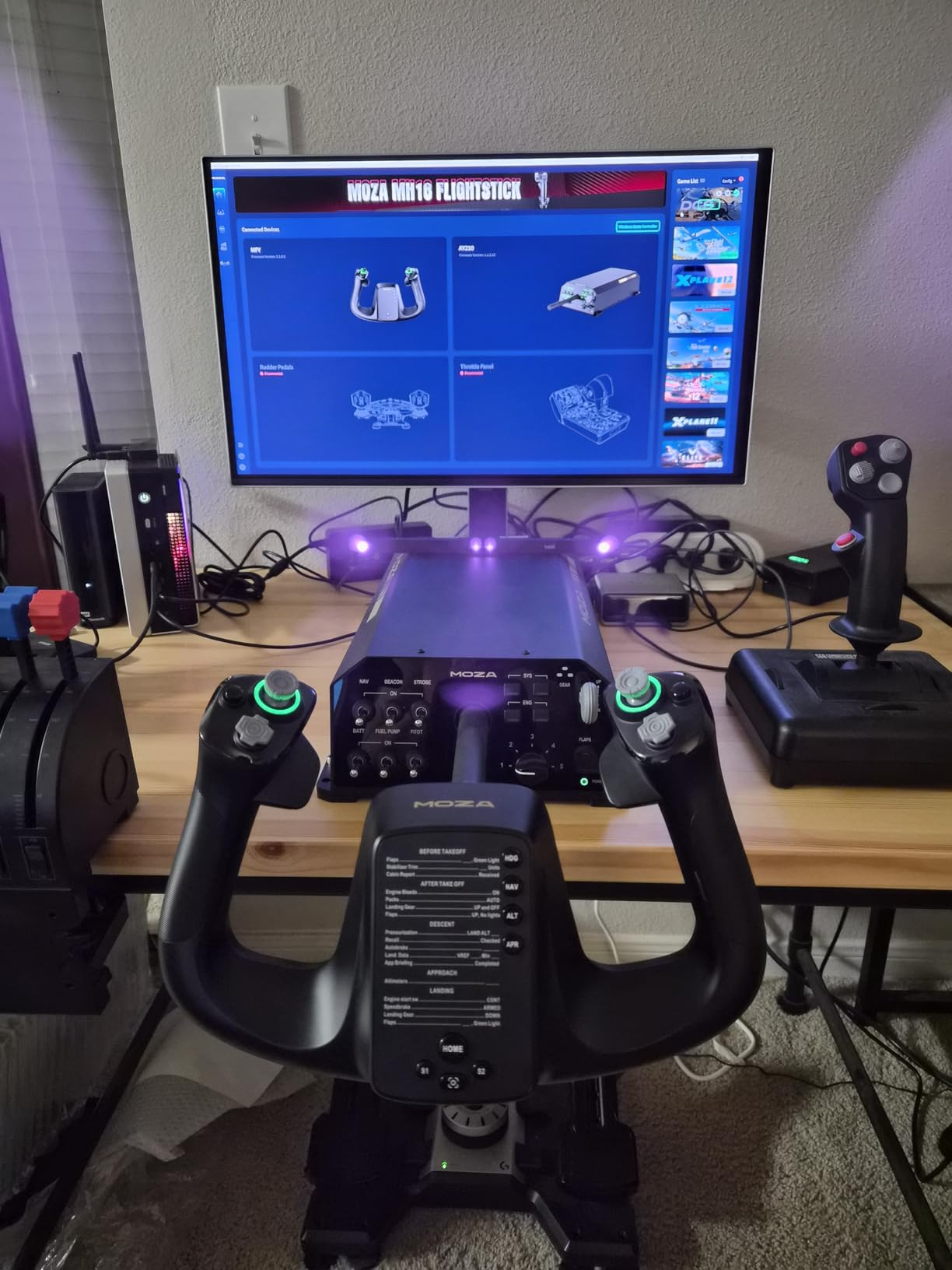
Read the specification carefully before you plan around it, because this is a base, not a yoke. A matching MOZA handle is required for full operation, which is a second purchase and a second decision. The software also demands real attention: deep customisation of force feedback profiles is possible per aircraft, but poorly tuned settings can destabilise a simulated aircraft rather than improve it, and budget an evening with the calibration tools before your first serious flight.
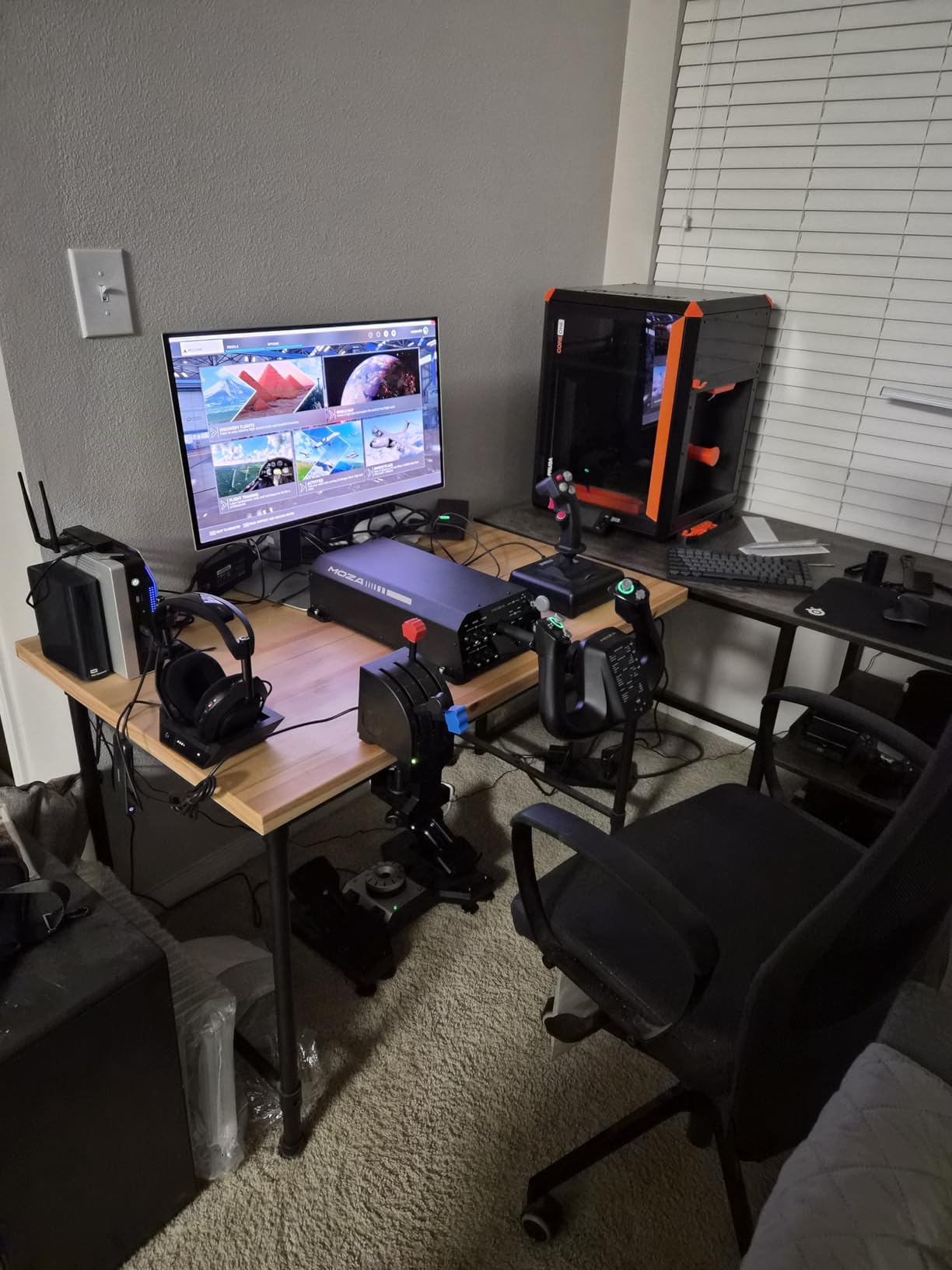
Two practical notes. A permanent desk installation needs longer screws than the included hardware, because the torque is high enough to work against short fixings. And owners warn that the vibration output is powerful enough to shift other items on the desk, which is worth considering in a shared room or on a surface with loose equipment. It is a desktop-scale device that behaves like a cockpit component.
What you gain by choosing it
You gain physical feedback, which is the one input channel a keyboard, mouse or non-force-feedback yoke simply cannot deliver. For heavy transports, for practising crosswind technique, or for a sim racer who wants to feel the aircraft fight back, that is a category of information no other product here provides.
You also gain per-aircraft tuning. Thirteen mappable switches and customizable force feedback profiles let you keep distinct setups for a light single, an airliner and a fighter on the same hardware, and the encoder resolution keeps the centre of the axis precise once the forces are set correctly.
Where it frustrates people
It frustrates people who expect a plug-and-play device. Buying a base and then realising you need a handle is the single most common misunderstanding we can foresee, and the tuning curve is real: this is not hardware you will fly well in the first hour.
The review count of 13 is the other caution. Nobody has yet owned this through five years of use, and force feedback mechanisms in general are the part of a control system most likely to need maintenance over that horizon. Buy it because you specifically want force feedback, not because the average rating is the highest here.
6. Honeycomb Alpha LITE — The Same Feel, Fewer Switches
Honeycomb Alpha LITE
180-degree self-centering rotation
Minimal dead zone
POV switch and four buttons
Pros
- Keeps the Honeycomb hallmark 180-degree self-centering rotation with minimal dead zone
- Entry-level pricing well below the full Alpha Yoke and Switch Panel
- Simplified button layout that is easy to learn and remap
- Same build quality approach as the flagship Honeycomb line
- Official Honeycomb Guides walk new users through MSFS 2020 and 2024 setup
Cons
- No switch panel so you lose the ignition
- avionics and light switches
- Only 62 reviews so far so the track record is thin
- PC only with no console support
The question this answers is simple: do you need the switch panel yet? If you are a beginner who has just left the mouse and keyboard, you do not, and the Alpha LITE keeps the part of the full Alpha that matters most.
You get 180-degree rotation with a self-centering mechanism and minimal dead zone, which is the same core feel as the flagship model, at an entry-level cost. That self-centring is what makes a first-time simmer’s inputs look controlled rather than frantic.
The rest has been deliberately simplified. The grip on one side carries a POV switch, a 2-way rocker and two programmable buttons; the grip on the other side has a 2-way rocker and two programmable buttons. Four buttons and two rockers is a modest control count, and it is also a friendly one, because there is almost nothing to learn and nothing to remap. Official Honeycomb Guides walk you through Microsoft Flight Simulator 2020 and 2024 configuration, which removes most of the setup friction a new user would otherwise hit.
The obvious trade is the missing switch panel. You lose the ignition, avionics and light switches, so on a Cessna you will be clicking through a UI dialog or reaching for a keyboard to start up. That is an acceptable nuisance for a first hundred hours and a genuinely irritating one for a regular general aviation flyer, which is the core audience the full Alpha was designed for. At 9.9 pounds it also needs a stable desk, so plan the mounting before you unbox it.
The second caution is evidence, not design. With 62 reviews and a recent first availability date, this is a new listing and nobody has yet reported five years of ownership. The 4.5 average and 78% five-star share are encouraging, and the sentiment is exactly what you would hope for, but the durability picture does not exist yet. PC only, with no console support of any kind.
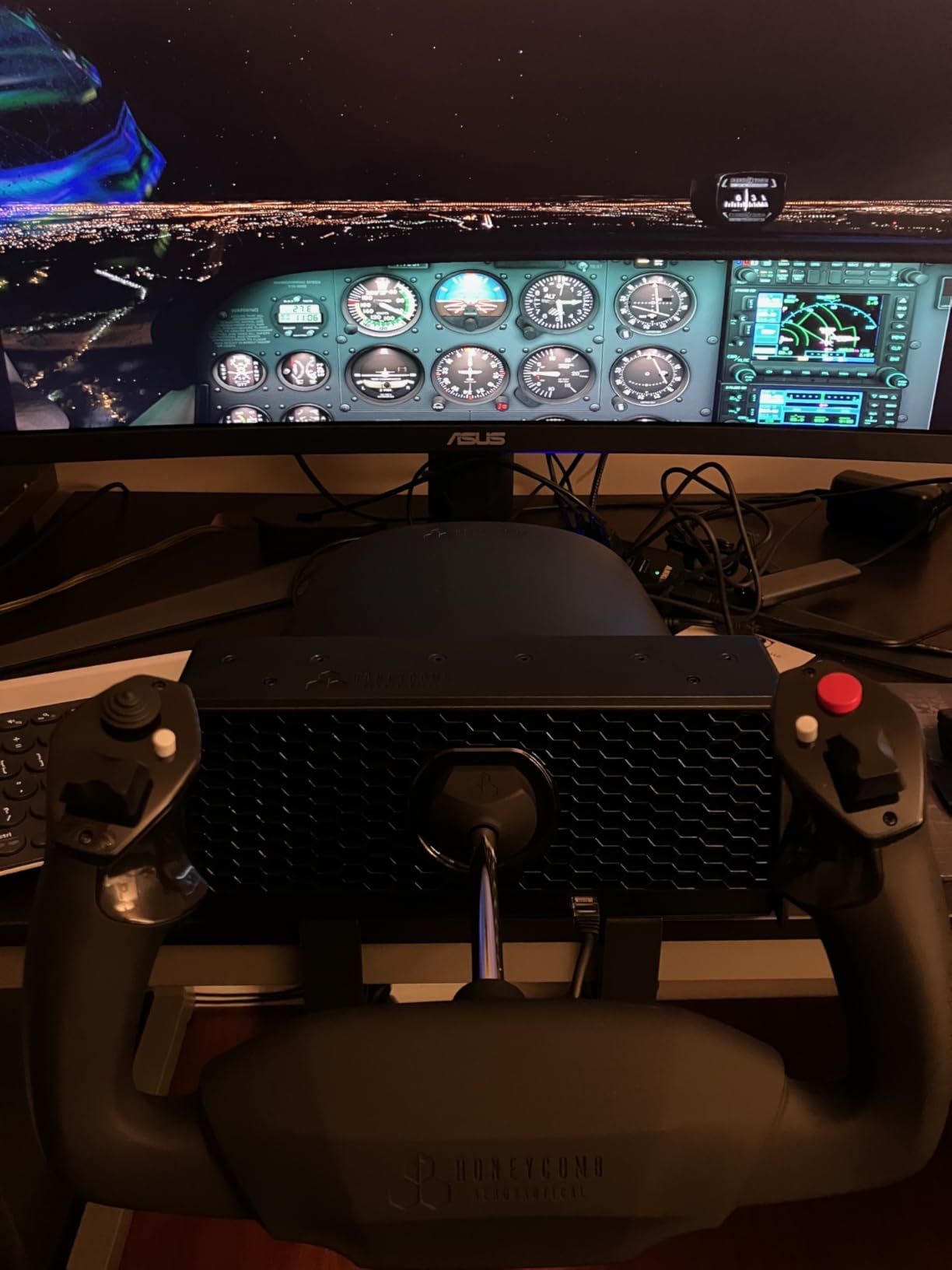
What you gain by choosing it
You gain the most important feature at the lowest commitment. Self-centring, 180-degree travel and minimal dead zone solve the problem that makes new simmers feel like they are fighting the controls, and you get them without buying a switch panel you would not use yet.
You also gain a short learning curve. A small number of inputs means you can be flying a full checklist within an hour, and the Honeycomb Guides mean the first configuration session is guided rather than experimental.
Where it frustrates people
It frustrates people who outgrow it. The step up to the full Alpha means a new yoke and a new switch panel, so buying this first is a genuine two-step cost if you end up where the full Alpha fits. If you are already flying approaches, buy the Alpha.
Console players should look elsewhere entirely, since this is PC only. And anyone who cares about long-term durability evidence is making a bet on a young design, because 62 reviews cannot tell you how the mechanism holds up in 2026.
Features to Look For in a Flight Simulator Yoke
This is the checklist. Ordered by how much each one affects your daily flying, not by how often it appears on a spec sheet. If you are reading this before buying rather than after, start at number one and stop reading once you have narrowed the field to the features your simulator needs.
1. How the yoke returns to centre. A yoke should spring back to straight and level wings and sit there. A centre deadzone, a weak return, or an offset that stays where you left it means every flight starts with a correction that is not yours. This is the number one complaint in the flight sim forums and the number one feature to test in the first ten minutes of ownership. Push it to full deflection, let go, and watch what happens.
2. Hall effect sensors rather than potentiometers. A potentiometer reads position through a physical contact that wears and drifts with use, which is why older entry-level yokes slowly stop holding centre and need constant recalibration. A hall effect sensor reads a magnet across an air gap, so nothing touches and nothing drifts. Three of the six yokes here use hall effect sensors, and it is the single strongest predictor of how the unit feels in year three rather than year one.
3. Shaft material and bearing support. A plastic shaft flexes under load and can develop a wobble at the grip; a steel shaft does not. Owners in the flight sim forums repeatedly contrast that solidity with the cheap-feeling, low-precision feel of plastic-shelled predecessors.
4. Axis throw, and whether it is 90 or 180 degrees. Most real aircraft yokes travel about 90 degrees from lock to lock; a full control-column yoke travels roughly 180. A 180-degree throw means your hands map one-to-one to full control deflection with no software scaling, which is why it appears on every premium pick here. A 90-degree throw is not fatal, but it needs a deliberate axis curve before short, precise inputs feel natural.
5. Centre detent behaviour. A centre detent is a magnetic or mechanical notch that snaps the yoke to neutral. It feels precise on the ramp and it is wrong on an instrument approach, where you want the yoke to hold still while your attention is inside. Pilot-style smooth self-centring with no detent suits IFR work, which is the design choice the Honeycomb Alpha makes explicitly.
6. Throttle and rudder coverage. A yoke alone is not a flight deck. The realistic purchase order is yoke, then throttle quadrant, then rudder pedals, then everything else, because those are the controls you physically touch. Whether the throttle is bundled matters enormously to the total cost, and it is where the Logitech G PRO and the VelocityOne pull ahead of yokes sold as bare controls.
7. Mounting and desk fit. Check the clamp range against your desk thickness and the load it can carry before you buy. A clamp that cannot reach a thick desk, or a suction pad on a surface that will not hold it, ends your sim experience on day one. For a full frame, budget for a top-mount plate rather than assuming a desk clamp will carry a heavy unit like the MOZA base.
8. Platform support. PC-only yokes are cheaper and better specified because console certification is a separate process. If your flying happens on an Xbox, the platform column is not a nice-to-have, it is a filter that removes most of the premium category outright. Check your simulator’s requirements before the brand, not after.
9. Programmability and software support. Dozens of buttons are only useful if you can map them. A vendor with maintained software for your simulator beats a richer device with abandoned support, and the free control software that comes with the Logitech G PRO is a genuine advantage when you are mapping 54-plus inputs. Software support for a specific simulator is the feature most often overlooked and most regretted later.
10. Force feedback, if you want it. Real resistance changes what a stall or a gust feels like. Only the MOZA AY210 base in this group delivers it, and it costs you a separate handle and a tuning evening. For most people learning to fly, a passive yoke with tight self-centring teaches more than an untuned force feedback unit.
Yoke vs Joystick vs HOTAS
Short answer: a yoke is the right choice for anything with a control column, a joystick is right for helicopters, fighters and anything flown with one hand, and a HOTAS is right for space and combat sims. Yokes also have a lower learning curve, because a two-handed wheel matches the hand position most people picture when they think of flying.
A yoke matches general aviation and airliner controls, which is why Cessna, 737 and A320 sims all feel natural with one. A joystick, by contrast, mirrors fighter and helicopter cyclic inputs, and using a yoke for a jet sim is like steering a car with a rudder: workable, but fighting the training. If your simulator time is split between a Piper and a chopper, you will want both, and our joystick roundup covers the stick side.
A HOTAS consolidates throttle, rudder and switches onto one grip beside a stick, which keeps your eyes on the screen in a fast combat scenario. That is its entire case, and it is a strong one in Elite Dangerous or a fighter sim where looking away costs you. For a commercial airliner or a light single, a HOTAS is the wrong shape entirely, because the reference in the real aeroplane is a column in front of you.
The practical rule: match the control to the aircraft type you actually spend time in, and buy pedals regardless of which one you choose. Rudder is the axis most often left on a keyboard axis, and it is the one that teaches coordination.
How to Mount a Yoke Without Damaging Your Desk
Most desk-clamp yokes need a top surface of a workable thickness and a surface that can take the load. The clamps in this group are designed for it, but the failure mode is usually a desk that is too thin, too soft, or already fitted with a cable tray where you wanted the plate. Measure before you unbox anything, because a clamp that will not reach is not a warranty issue, it is a wasted evening.
If you have a glass, laminate or composite top, use the suction approach. The Honeycomb Alpha ships with a micro-suction pad rated at 40 lbs tensile strength, which is a genuine option and removes the clamp entirely. Clean the surface properly first, because the pad is only as good as the bond it makes. A heavy force feedback base is a different matter: for a permanent install, use a top-mount plate with longer screws than the ones supplied, and check that your desk frame can carry it.
Keep cables clear of the yoke sweep. A USB-C or USB lead that crosses the travel path will be pulled tight and eventually fail at the connector, which is the most common long-term hardware complaint in this category after deadzone drift. Routing the cable behind the clamp rather than beside it takes a minute and prevents it.
Frequently Asked Questions
What are the best yokes for a flight simulator?
The best flight simulator yokes available today are the Honeycomb Alpha Yoke and Switch Panel for overall feel, the Logitech G PRO Flight Yoke System for value and completeness, the Thrustmaster TCA Yoke and Quadrant Boeing Edition for airliner simulation, and the MOZA AY210 for true force feedback. The Honeycomb Alpha leads on steel shaft construction, 180-degree rotation and tight self-centering. The Logitech wins by bundling a throttle quadrant, which most competitors do not.
Is yoke or stick better?
A yoke is better for general aviation and commercial airliner simulation because most real aircraft in those categories use a control column, so the two-handed wheel matches the hand position you are training. A joystick is better for helicopters, fighters and anything flown one-handed. Choose based on the aircraft you actually fly, and buy rudder pedals either way, since rudder is the axis most often left on a keyboard.
Which yoke is better, the Honeycomb or the Logitech?
The Honeycomb Alpha is better on feel: a solid steel shaft on two linear ball bearings, 180-degree rotation, and dampened self-centering with no centre detent and minimal deadzone. The Logitech G PRO is better on value and completeness, because it includes a throttle quadrant and desk clamps, and it has far more owner history at 2903 reviews. Choose the Alpha if feel matters most, the Logitech if you want a complete rig immediately.
Which yoke is better, Honeycomb or Turtle Beach?
The Honeycomb Alpha is the better all-round flight control, with a steel shaft, ball bearings, minimal deadzone and an integrated Cessna-style switch panel. The Turtle Beach VelocityOne is the better choice if you fly on an Xbox, because it works on both console and PC, and it bundles throttle, trim wheel and rudder controls in one package. It is heavier, has a larger footprint and a lower average rating than the Alpha.
What is the best force feedback yoke for flight simulators?
The MOZA AY210 is the best force feedback yoke base here, delivering 9 Nm of torque and 210 N of push force from dual servo motors, with a 15-bit magnetic encoder and 150 mm of travel. It is sold as a base only, so you need a separate matching yoke handle, and its software needs real tuning. Every other product in this guide is a passive control, meaning resistance never scales with aircraft dynamics.
Conclusion
There is a short answer and a long answer to the best features to look for in flight simulator yokes, and they point the same way. The short answer is the list above: tight self-centering with minimal deadzone, contactless hall effect sensors, a steel shaft with proper bearing support, 180 degrees of travel, mounting that fits your desk, and software support for the simulator you actually fly. Get those six right and the remaining differences are preferences.
Our pick, the Honeycomb Alpha Yoke and Switch Panel, is the one we recommend first, because its steel shaft, ball bearings, 180-degree throw and detent-free self-centring solve the problems that make long flights tiring, and the switch panel gives you real system access hands-on. Buy the Logitech G PRO Flight Yoke System if you want a complete rig today and would rather not source a throttle separately. Choose the Thrustmaster Boeing Edition for jets, the VelocityOne if you fly on Xbox, the MOZA AY210 if you specifically want force feedback, and the Alpha LITE if you are building a first setup on a budget.
Whatever you pick, test the self-centring first and calibrate the axis curve second. Those two habits do more for your flying than any feature on a spec sheet, and they take about an hour in 2026.