
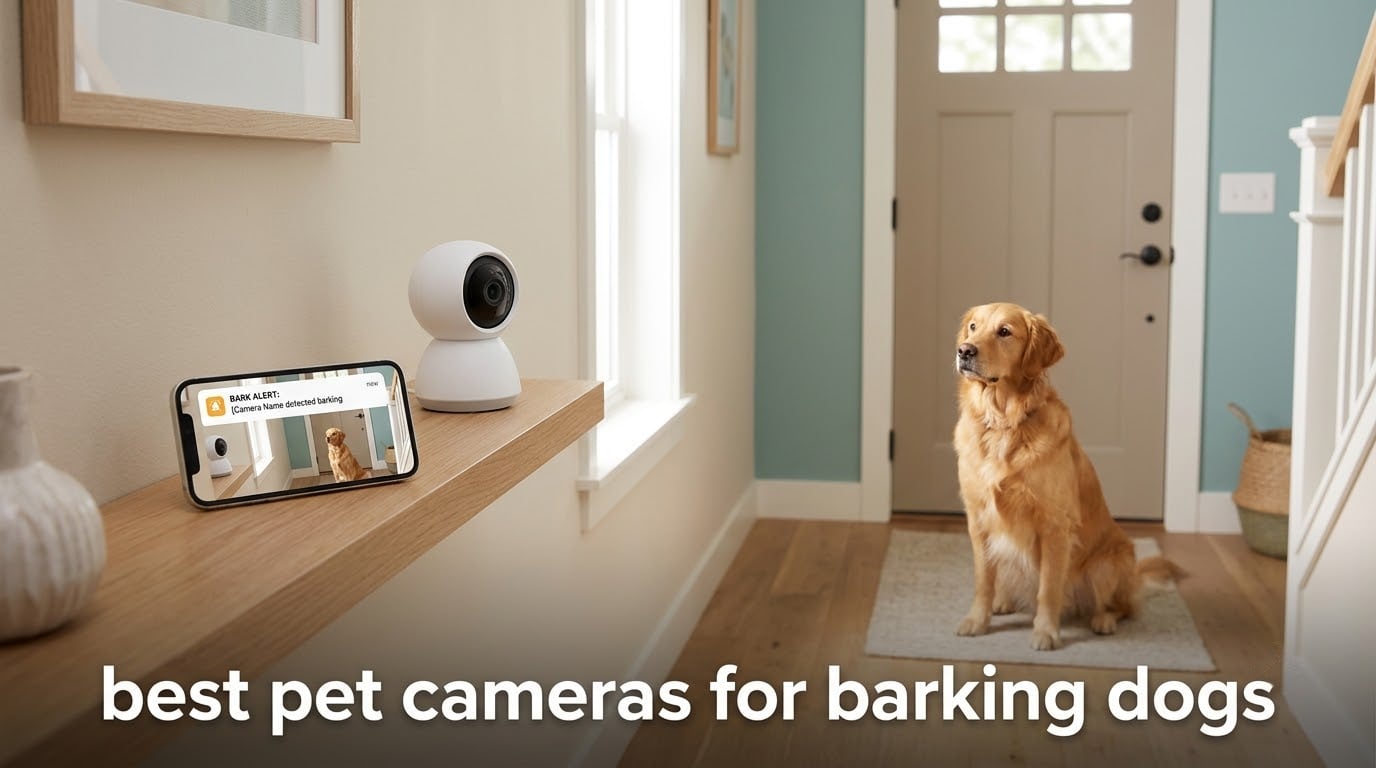
Yes, there is a pet camera that notifies you when your dog is barking, and the models worth buying sit in a narrow band: they run continuous sound detection, flag barking separately from movement, and push an alert you can open instantly. Most of the cameras on the market advertise pet monitoring but only send you a motion ping. That difference decides whether a camera is useful to you or just an expensive window into a dark hallway.
That is the whole problem this roundup is built around. A barking dog is a camera-audience problem first and a fix second, and the best pet cameras for barking dogs in 2026 are the ones that tell you what triggered the noise and when. We compared eight indoor cameras on the only criteria that matter for barking: whether bark alerts are real, whether a paid plan gates them, whether the microphone can actually be heard by your dog when you talk back, and whether you can review the footage afterwards.
Two honest warnings before the picks. First, none of these cameras stops a dog barking, and a camera that dispenses treats can reinforce the behaviour if you time it badly. Second, a large share of barking searches are really about a neighbour’s dog, and no camera you own inside your own home will help with that. We cover both cases honestly further down.
Top 3 Best Pet Cameras for Barking Dogs 2026

Tapo C210 2K Pan Tilt Camera
- Free sound and baby-cry detection
- 2K clarity
- 360 degree pan tilt
- microSD up to 512 GB

blurams 2K Indoor 360 Camera
- Separate sound alert for barking
- 360 degree view
- Free 24-hour clip tier
- 4x optical zoom

Petcube Cam Indoor Camera
- Pet-tuned sound alerts
- No subscription for live view
- 110 degree lens
- 30 ft night vision
All 8 Cameras Compared for Bark Monitoring
Every camera below was checked against its own product record for alert type and subscription gating, which is exactly the specification our research found missing from every competing roundup on this topic. Motion-only models are included deliberately, because picking the wrong alert type is the most expensive mistake in this category.
| Product | Specifications | Action |
|---|---|---|
| Tapo C210 2K Pan Tilt Camera |
|
Check Latest Price |
| blurams 2K Indoor 360 Camera |
|
Check Latest Price |
| Petcube Cam Indoor Camera |
|
Check Latest Price |
 PETLIBRO Dog Camera PETLIBRO Dog Camera |
|
Check Latest Price |
 Furbo 360 Dog Camera Furbo 360 Dog Camera |
|
Check Latest Price |
 Petcube Bites 2 Lite Petcube Bites 2 Lite |
|
Check Latest Price |
 Armorcope 2K Pan Tilt Camera Armorcope 2K Pan Tilt Camera |
|
Check Latest Price |
 Tapo C200 1080p Camera Tapo C200 1080p Camera |
|
Check Latest Price |
1. Tapo C210 2K Pan Tilt Camera – The Bark Detection Value Pick
Tapo TP-Link 2K Pan Tilt Security Camera for Baby Monitor, Dog Camera w/Motion Detection, 2-Way Audio Siren, Night Vision, Cloud &SD Card Storage (Up to 256 GB), Works with Alexa & Google Home (C210)
2K 1296p video
360 degree horizontal and 114 degree vertical pan tilt
Sound and person alerts at no extra fee
microSD up to 512 GB
Pros
- Sharp 2K picture that identifies pets clearly
- Whole-room pan tilt coverage from one position
- Reliable motion filtering that cuts useless alerts
- Clear night vision reaching 30 feet
- Local microSD recording means no forced cloud plan
Cons
- Continuous two-way audio playback needs the app open on screen
- Wired design needs a nearby outlet
- 2.4GHz Wi-Fi only
- microSD card sold separately
We spent the most time on this one because it is the model that changes the answer to the question most people arrive with. The C210 does not market itself as a pet camera, yet its alerting is closer to what a barking dog needs than most products that do. It runs sound detection alongside motion and person detection and sends those notifications at no extra charge, so you are not choosing between a bark ping and a storage plan.
The picture is 1296p rather than the 4K some newer pet models claim, and in practice the extra resolution buys you less than the number suggests. What it does buy is a clear enough image at 30 feet of night vision to see whether your dog is standing at the door, lying at the threshold, or reacting to something in the yard. The 360 degree horizontal sweep with 114 degree vertical pan tilt means a single position covers a whole room, which matters when the trigger moves.
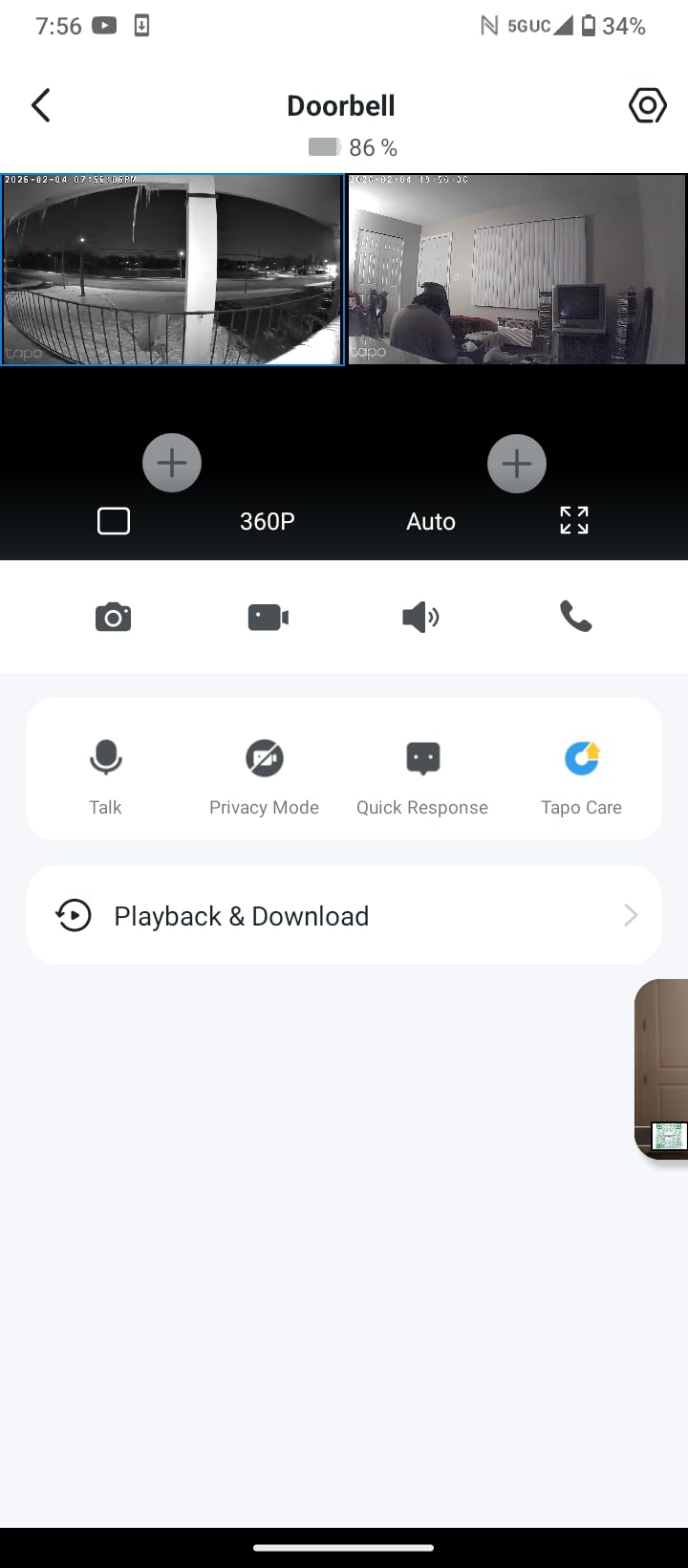
Coverage is the quiet hero here. A fixed-lens camera pointed at a dog’s bed tells you almost nothing about barking at a front door, because the door may be entirely out of frame when the trigger fires. A pan and tilt unit that can be steered back toward the entryway is the difference between a usable alert and a mystery notification with no footage attached.
The one genuine friction point is two-way audio. On this model, continuous playback of your voice requires the app to stay open and on screen, so you cannot put your phone down and keep talking. For a dog that responds to a familiar voice that is a real limitation, and it is the most repeated complaint among owners who want to calm a barking dog remotely.
What you get for the bark monitoring specifically
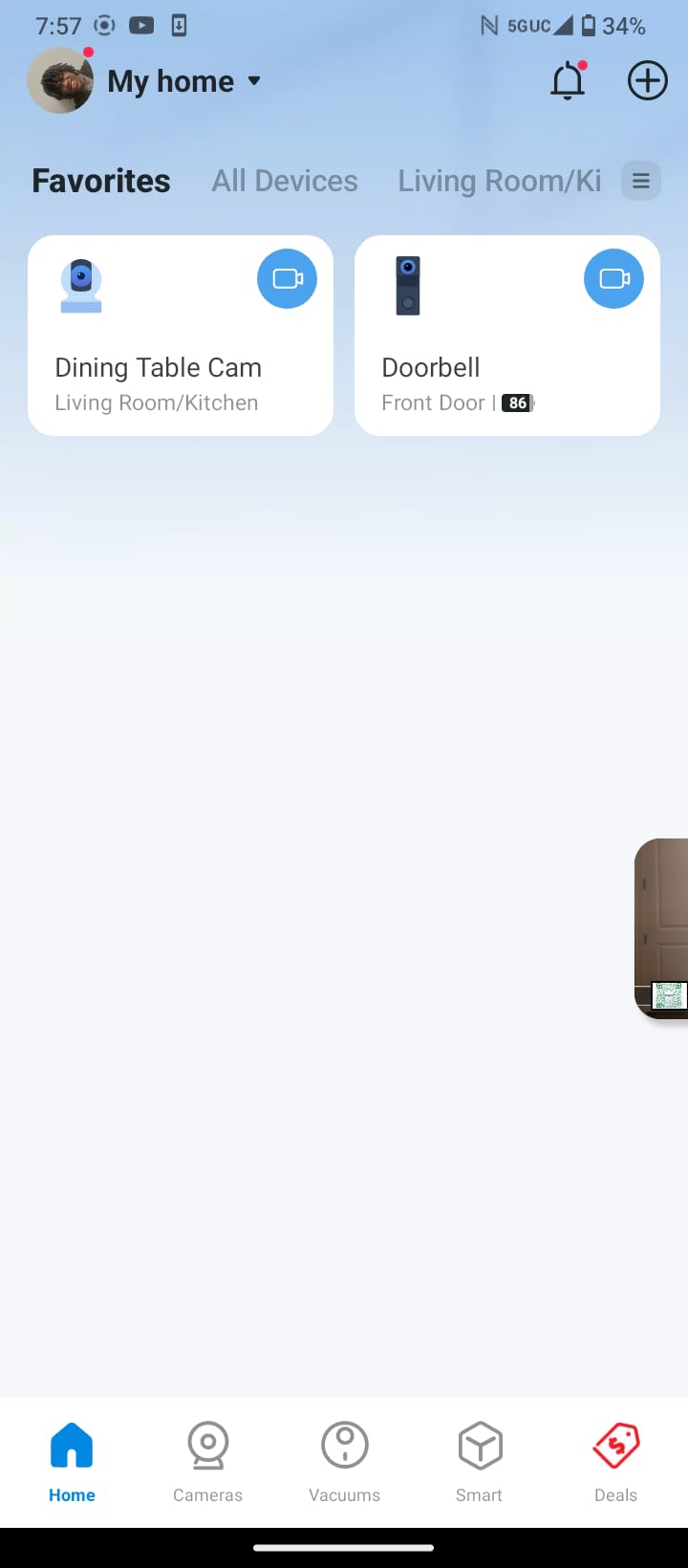
You get audio detection that is not treated as a premium feature, plus 2.4GHz-only Wi-Fi, a 2 year manufacturer warranty, and local microSD storage that accepts cards up to 512 GB. The camera is rated #2 in its dome surveillance category, which tells you how much competition it faces. Local recording is the part most bark-focused buyers care about: it means you can go back and review the morning the neighbour’s dog set your dog off without paying for cloud history.
Cloud storage is still there as an option with 30-day history, and Alexa and Google Assistant both work for pulling up the live stream by voice. Setup is a straightforward app flow, and device sharing between two phones is supported, which is useful if one person handles the alerts while another handles the training.
Where it falls short for barking dogs
The app-open requirement for continuous audio is the main one. The second is that you must accept a 2.4GHz network, which means a separate network from a modern dual-band router or an extender. The third is that pet alerts are labelled generically as person and motion rather than as identified dogs, so a bark alert is something you infer from the sound and the behaviour, not something the camera names for you.
For a dog that barks at the door or at passers-by, point the pan tilt toward the entryway, enable sound alerts, and set motion zones so a street tree does not fill your phone with noise. For a dog with separation anxiety, the same alerts tell you when the barking starts, which is the moment worth logging.
2. blurams 2K Indoor 360 Camera – Sound Alerts That Actually Flag Barking
blurams Security Camera, 2K Indoor Camera 360° Pet Camera for Home Security
Audio and motion alerting
1296p 2K video
360 degree coverage
27 ft night vision
Pros
- Sound alert is separate from motion and flags barking reliably
- 2K video stays sharp when zoomed
- Free tier keeps 12-second clips for 24 hours
- Good performance in full darkness
- Four cameras on one app with unlimited sharing
Cons
- Longer recordings need a paid cloud plan
- App is heavy on subscription promotions
- Some feed dropouts and black frames
- Control response can be slow
This is the camera owners mention when they describe a bark alert that worked as intended. Reviewers repeatedly single out the fact that the sound alert is a separate channel from the motion alert, and that it reliably flags barking. That single design decision is what separates it from the two Tapo models in this list, one of which alerts on sound and one of which does not.
Video is 1296p 2K with a 360 degree view and 4x optical zoom, and the tracking follows a moving dog accurately enough that the notification usually arrives with the dog already in frame. Night vision reaches 27 feet, which covers most of a hallway and a crate area without needing a second light source.
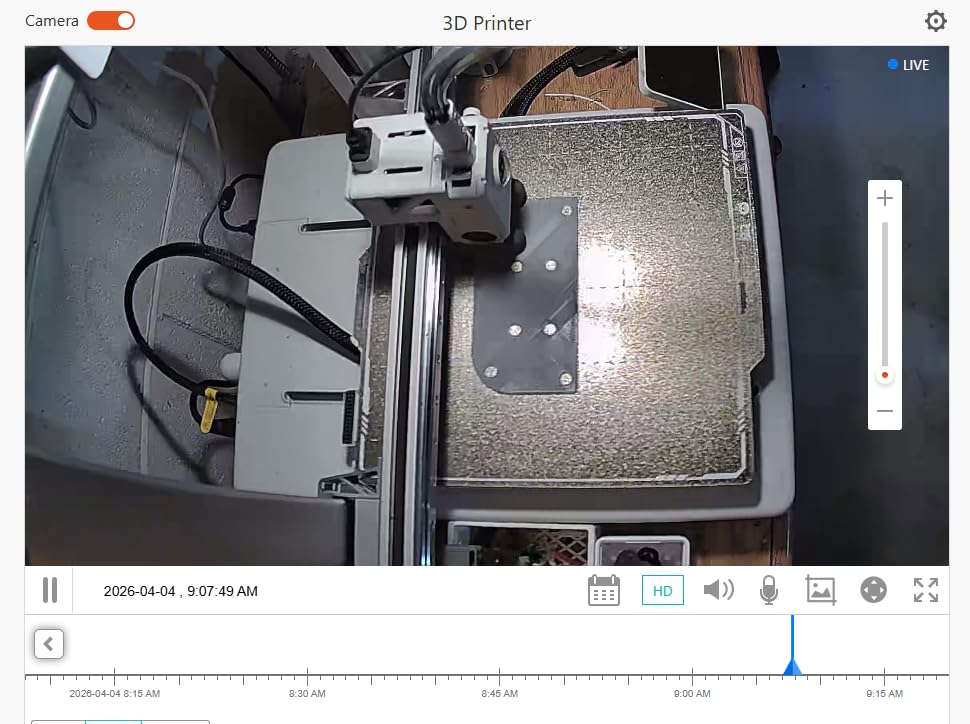
Where this camera is genuinely generous is the free tier. It records a 12-second alert clip to the cloud for 24 hours with no subscription, which is not much history, but it is enough to catch the moment a barking episode started. Owners who need more buy the continuous recording plan or use local microSD storage, which is limited to 128 GB on this model.
It also runs on dual-band Wi-Fi in practice, which removes the 2.4GHz-only restriction that trips up several competing models. Alexa, Google Assistant and IFTTT are all supported, and you can view four cameras at once in the app, which suits multi-room setups.

Why the split sound alert matters more than the resolution
A single combined motion-and-sound alert tells you something happened. A separate sound channel tells you that the noise matched a bark pattern, which is the difference between an alert you act on and one you swipe away. For a dog that barks at the door, that channel is how you learn whether the barking starts before or after the doorbell sound.
The trade is clear: you get sound detection on the free tier, and you pay for recording length rather than for the alert itself. Owners who primarily want to know when barking starts will find that arrangement more useful than the reverse.
Where it falls short for barking dogs
The app is aggressive about promoting the paid cloud plan, and 12 seconds is genuinely too short to judge an episode. Reviewers also report feed dropouts, black frames and the need to restart the app, plus a controller that responds slowly. Control response lag matters if your plan is to talk the dog down, because a delayed response to a barking dog does not help.
It is also worth knowing that some dogs are unsettled by a camera whose lens visibly moves. Owners in dog communities have raised this repeatedly, and a fixed view is calmer for an anxious animal. If your dog startles at the device, this is not the model for that dog.
3. Petcube Cam – Best Bark Alerts With No Subscription
Petcube Cam – Indoor Wi-Fi Pet & Security Camera with App
Pet-tuned sound alerts
1080p video
110 degree field of view
30 ft night vision
Pros
- Sound alerts tune to pet noise and owners report reliable bark notifications
- Live view and camera access work with no subscription
- Compact cube with magnetic base and metal ring
- Clear 1080p day and night picture
- Survives a drop without damage
Cons
- Video history and Smart Filters need the paid Care plan
- No pan tilt motor so the view is fixed
- Talk-and-listen creates audio feedback
- Needs a nearby outlet
- 2.4GHz Wi-Fi only
If the question is whether there is a pet camera without a subscription, the honest answer is that live monitoring is free on this model and everything useful for after-the-fact analysis is not. Bark alerts themselves are tuned to pet noise and owners report them working reliably, which is why this sits in the top three despite the paywall on history.
Video is 1080p with a 110 degree wide-angle view, 8x digital zoom and night vision to 30 feet. Alexa compatibility is supported. The cube is small at just over two inches wide and light enough at 8.4 ounces to mount on a wall or stick under a cabinet with the included metal ring, which makes it far easier to place near a door than a larger dome unit.
Support is a genuine strength here, with owners reporting fast resolution of plan transfers and refunds. That matters more than it sounds if you buy the wrong configuration, because the free tier and the Care plan differ mainly in retention length and Smart Filters.
For a bark-monitoring workflow, the sensible use is this: keep the free tier, let the sound alerts come through, and treat the camera as a live diagnostic. When you need evidence, such as a log of barking times over several days for a trainer or a nuisance complaint, that is the moment a plan earns its place.

What a no-subscription setup actually gives you
It gives you live view, two-way audio and pet-specific sound alerts without paying a monthly fee. What it does not give you is recorded history beyond short clips, the Daily Diary recaps, Smart Filters, motion zones or the 90-day history that makes post-hoc analysis possible. Owners who only want to catch a bark in the moment are fine; owners building evidence are not.
There is also an AI vet chat feature, with the option to switch to a live certified veterinarian 24/7 on the Premium plan. For a dog whose barking appeared suddenly, that is worth knowing about, though it is not a substitute for a real veterinary appointment.
Where it falls short for barking dogs
No pan and tilt motor is the big one. The left-to-right view has to be set by hand and cannot be moved from the app, so if the dog barks somewhere outside the initial 110 degrees you get an alert with nothing to watch. Simultaneous talk and listen creates audio feedback, so one side has to be muted, which makes live conversation with a barking dog awkward rather than smooth.
Because only short snippets are recorded on the free tier, an episode can begin and end between clips, and the microphone can auto-enable when the phone view is expanded, which some owners find intrusive. Placement is also limited by the corded power supply.
4. PETLIBRO Dog Camera – Best for Multi-Dog Homes
PETLIBRO Dog Camera with Phone App, 360° Auto Tracking Pet Camera Indoor with Phone App for Home Alone Pets, Cat & Puppy Camera with 2-Way Audio, Night Vision, Indoor Camera WiFi
AI recognition for up to 5 individual pets
360 degree auto tracking
1080p HD day and night
Two-way audio
Pros
- Identifies up to 5 individual cats and dogs by name
- Auto tracking follows a pet around the house
- Daily highlight reels and timeline clips save hours of footage watching
- Activity summaries show changes in movement and rest
- Dependable two-way audio with 1080p day and night video
Cons
- Feature set depends on the phone app more than standalone hardware
- Coverage here describes one indoor unit
- Clip saving goes to your phone rather than built-in storage
With two or more dogs, the question that matters is not whether the camera hears barking but whether it can tell you which dog is barking. This model is the only one in our list with per-pet AI recognition, identifying up to five individual cats and dogs, and that is the reason it earns a place in a barking roundup rather than a general pet-monitor roundup.
The 360 degree pan and tilt auto-tracking follows a pet around the house and sends real-time pet and human detection alerts, so a bark notification arrives with the animal already in frame rather than pointed at an empty corner. Video is 1080p HD with two-way audio and night vision, which covers the core specification set for barking work.

The genuinely useful feature for barking specifically is the recap system. Daily highlight reels and timeline clips summarise the day, and activity tracking summarises movement and rest patterns. When you are trying to work out whether your dog barks more on days when you are out longer, that summary is a better starting point than scrolling through hours of footage, and it directly addresses the evidence-building habit owners describe in forums.
It also lets you save clips to your phone, so the barking evidence that matters can leave the app and go to a trainer or a vet. That is a small feature with real behavioural value.
What multi-pet recognition changes in practice
With one dog, a bark alert is just a bark. With several, knowing which animal started it changes the interpretation entirely, because separation distress in one dog often triggers a second dog to answer. Naming the pet in the notification also lets you judge severity: an alert naming a puppy and an alert naming a senior dog do not deserve the same response.
Rest pattern summaries are equally useful. A dog whose rest pattern changes noticeably over several days is showing you something, and one of the harder questions owners bring to vets is whether behaviour has shifted. Having that already tracked in a summary shortens that conversation.
Where it falls short for barking dogs
The feature set leans heavily on the app and its AI summaries rather than on standalone hardware, so if the app is the weak link you lose most of the value at once. The coverage described here applies to one indoor unit, and treat and fountain variants are separate products, so this is not an all-in-one box.
There is no dedicated bark classification in the product record either. The alerts are pet and human detection, which means a dog barking is registered as pet activity, and you still interpret the sound yourself. If your priority is an alert that literally says bark, this is not the camera that does it.
5. Furbo 360 Dog Camera – Best AI Bark Alerts and Treat Interaction
Furbo 360° Dog Camera [Paid Plan Required to Activate]
1080p video with 5x optical zoom
360 degree viewing angle
Barking and emergency AI alerts
Treat toss function
Pros
- AI alerts are highly specific including barking and emergencies
- Treat toss works well for puppy training and separation anxiety
- Good video day and night with 360 degree coverage
- Two-way audio is clear enough for the dog to hear
- Simple fuss-free setup
Cons
- A paid plan is required to activate the camera
- Video history is short and clips are not auto-saved
- Some units lose feed for long periods
- 2.4GHz Wi-Fi only
- USB power adapter not included
This is the only camera in the roundup whose alerts explicitly name barking, and the product record says so directly. Reviewers describe notifications for barking, sitting, lying down, eating, paw-licking and emergencies such as a smoke alarm, which is a far richer event vocabulary than the generic person-and-motion alerts on the cheaper models. If your question is whether any of these can tell you the dog is barking, this is the clearest answer in the list.
The trade is a paid plan. The listing title itself states that a plan is required to activate the camera, with a yearly or monthly option after an activation fee. That detail alone disqualifies it for anyone who wants zero ongoing cost, and it explains a lot about how this brand performs in owner reviews despite strong hardware.
![Furbo 360° Dog Camera [Paid Plan Required to Activate] customer photo 1](https://www.wearesalt.org/wp-content/uploads/2026/09/B0BWN22T25_customer_1.jpg)
Hardware-wise it is competent rather than class-leading. Video is 1080p with a 360 degree viewing angle and 5x optical zoom, night vision is night colour with an infrared light source, and the unit stands just over nine inches tall at 0.75 kg. Connectivity is 2.4GHz only, and the USB power adapter is not included, so plan for a spare cable. The app supports iPhone and Android.
The treat toss is the feature that changes behaviour, and it is also the feature that carries the biggest risk. Tossing a treat the instant a dog barks teaches the dog that barking produces food, which is precisely the wrong association. We get to this further down, but it is the single most important caveat anywhere in this article.
![Furbo 360° Dog Camera [Paid Plan Required to Activate] customer photo 2](https://www.wearesalt.org/wp-content/uploads/2026/09/B0BWN22T25_customer_2.jpg)
What the AI alert vocabulary is genuinely worth
Reviewers consistently praise the specificity of the alerts, and for barking work that specificity is the product. A camera that says the dog is barking gives you a timestamp; a camera that says there was motion gives you a guess. Over a week, that difference is the difference between a usable behaviour log and a folder of clips to sort through.
Health and behaviour trends are also reported, with the ability to save clips to share with a vet. For a dog whose barking changed suddenly, having a short clip of the event in hand is more useful to a clinician than a verbal description.
Where it falls short for barking dogs
The mandatory subscription is the headline drawback, and video history on the plan runs only a few days with clips that are not auto-saved. Owners also report units that lose feed and show as disconnected for long stretches, plus laggy wireless connection, and treats that jam or fail to launch on the first attempt. Setup is simple, but 2.4GHz-only Wi-Fi and the missing power adapter are real preparation items.
Because the alerts are gated behind a paid plan, the camera is not a good fit for a first purchase on a tight budget or for anyone who might abandon the subscription after a few weeks. Check the plan terms for your region before committing, since the tiers have been restructured more than once.
6. Petcube Bites 2 Lite – Best for Treat-Assisted Bark Training
Petcube Bites 2 Lite – WiFi Pet Camera with Treat Dispenser & App
1080p with 110 degree view
1.5 lb treat container
Real-time motion and sound alerts
30 ft night vision
Pros
- Camera
- two-way audio and treat dispenser in one unit
- Dishwasher-safe 1.5 lb container with short medium and long toss
- Dispensing can be scheduled through the app
- Real-time motion and sound detection for pets and people
- Bank-grade encryption with a one-year warranty
Cons
- Smart alerts and video history need the optional Care plan
- No pan tilt motor so the view is fixed once placed
- 2.4GHz Wi-Fi only with no 5 GHz support
If your plan is to use a treat as part of a training protocol, this is the camera that puts the tool and the reward in the same box. It combines 1080p live streaming, a 110 degree wide-angle view with 8x digital zoom, night vision to 30 feet, two-way audio and a treat dispenser in a single unit, which removes the coordination problem of triggering treats from a separate device.
The dispenser is the reason this is on the list. The container holds 1.5 lb, is dishwasher safe, and tosses at short, medium or long distance, and you can schedule automatic dispensing through the app. That scheduling capability is what makes it usable for systematic work rather than spontaneous.
Alerts are real-time motion and sound detection designed for pets and people, though they sit behind the optional Petcube Care subscription, as does video history. Live view and the basic camera functions work without paying. Setup is plug in, link Wi-Fi, download the app, and encryption is included. Support runs 24/7 with a one-year warranty, and Alexa voice control is compatible.
At 5.7 by 3 by 10.6 inches and 1.5 pounds, it is a substantial object, and the height helps because the toss needs some distance. It can sit on a table or be wall mounted.

When a treat camera helps a barking dog
It helps when you are teaching a dog that silence pays, because you can deliver the reward at a precise moment without leaving the room. That is a legitimate use of remote treats, and combined with the two-way audio it means a dog can hear you and get the reward in the same interaction rather than reacting to a delayed message.
It also helps with a puppy, where the association between a calm, quiet state and a treat is still being built. For that use, the scheduling function has real value, since consistency of timing matters more than volume of treats.
When a treat camera makes barking worse
It makes barking worse if you toss a treat the moment the dog barks. You have then trained barking to produce food, and owners describe exactly this failure. The correct sequence is to wait for the quiet, then reward, and the discipline is hard to hold in the moment when your dog is loud and you are stressed.
The 110 degree view is fixed with no pan tilt motor, so if the dog barks out of frame you are rewarding blind. Recording history is gated behind the Care plan, which limits post-hoc review, and the unit needs 2.4GHz-only Wi-Fi plus a current mobile operating system to run the app.
7. Armorcope 2K Pan Tilt Camera – Best for Small Indoor Spaces
Pet Camera, 2K HD Dog Camera with Phone APP, 360° Pan/Tilt View Puppy Cam, One Click Call for Baby Monitor, MagivPix Night Vision,Motion Tracking Alarm with Cloud/Local SD,Home Indoor Security Cam
2K video with 8x zoom
355 degree horizontal and 100 degree vertical pan tilt
MagicPix night vision to 32 feet
Pet and human detection
Pros
- Sharp 2K picture in colour and night view
- Quiet 355 degree pan tilt movement controlled from the app
- Tells you whether a pet or a person triggered it
- One click two-way talk with instant notifications
- Core motion clips work with no subscription
- Two-year warranty
Cons
- Motion detection is unreliable when ceiling-mounted
- Sensor is over-sensitive to background movement
- Wi-Fi drops and playback has time gaps
- Video library needs a paid subscription
- Clips run about 10 to 20 seconds
This is a compact 2K unit that punches above its weight on image quality, and at 3 by 3 by 4 inches with 355 degrees of horizontal pan and tilt it covers a small room convincingly from a shelf. Night vision reaches 32 feet, the longest in this group, and the MagicPix processing keeps the day-to-night transition clean.
The alert type here is motion only, so be clear about what that means for barking. It will not send you a bark alert. What it will do is tell you that movement occurred, show you whether a pet or a person caused it, and let you open two-way talk with one click to intervene. For a small apartment or a single-room setup that is workable, but it is a different tool from a bark-classifying camera.
Auto tracking follows motion across the room, and core motion-activated 20-second clips are available without a subscription, which is a generous free tier. Additional users can be invited, though each needs their own account. There is a full two-year warranty, which is longer than most competitors in this list offer.
Storage is either optional encrypted cloud or a local SD card up to 128 GB. If you want to review footage without paying, the SD route is the one to plan for, and the card is not included.
What small-space owners gain from it
Physical size is the practical win. A 355 degree sweep in a unit this small means you can mount or shelf-place it in a hallway, a studio or a small flat and still see the door, the sofa and the dog bed at once. For barking at a front door in a compact home, being able to point the lens at the door and keep the dog in frame is worth a lot.
One-click two-way talk is also quicker than most apps, which matters when the dog is already going and you are trying to interrupt.
Where it falls short for barking dogs
Motion detection is the weak point, particularly when the camera is ceiling-mounted, and the sensor is sensitive enough to trigger on background movement such as tree branches. For a camera being bought to watch a dog, an over-sensitive motion sensor produces notification fatigue quickly.
Owners also report Wi-Fi drops and time gaps in recorded playback, and the clip length of roughly 10 to 20 seconds is short with a delay between closely spaced events. Clarity drops noticeably when you zoom in, and 8x is listed as optical where the digital result is what you see. The video library requires a paid subscription.
8. Tapo C200 1080p Camera – Best Value, but No Bark Detection
TP-Link Tapo Pan/Tilt Security Camera for Baby Monitor, Pet Camera w/Motion Detection, 1080P, 2-Way Audio, Night Vision, Cloud & SD Card Storage, Works with Alexa & Google Home (Tapo C200)
1080p video with 3x optical zoom
360 degree horizontal and 114 degree vertical pan tilt
Infrared night vision to 30 feet
microSD up to 512 GB
Pros
- Clear 1080p video across a full room
- Local microSD up to 512 GB keeps storage costs at zero
- Two-way audio for checking in from anywhere
- Advanced infrared night vision for overnight monitoring
- Light and sound alarm can deter visitors
- Two-year warranty
Cons
- Motion only alerting with no bark or sound detection
- 2.4GHz Wi-Fi only
- microSD card not included and cloud history needs Tapo Care
- Wired corded power limits placement
- Entry-level 3x optical zoom
We are including this one as a deliberate counter-example, and the reason is worth being blunt about: this is the best-rated camera in our list by owner satisfaction, with a very large review base, and it will not send you a bark alert. Its alert type is motion only. If you buy it expecting barking detection, you have bought the wrong camera, however good the picture is.
What it does exceptionally well is the fundamentals. 1080p video with a 360 degree horizontal and 114 degree vertical pan sweep, advanced infrared night vision reaching 30 feet, two-way audio, and local microSD recording up to 512 GB at no ongoing cost. The light and sound alarm is a small extra for deterring unwanted visitors rather than calming a dog.
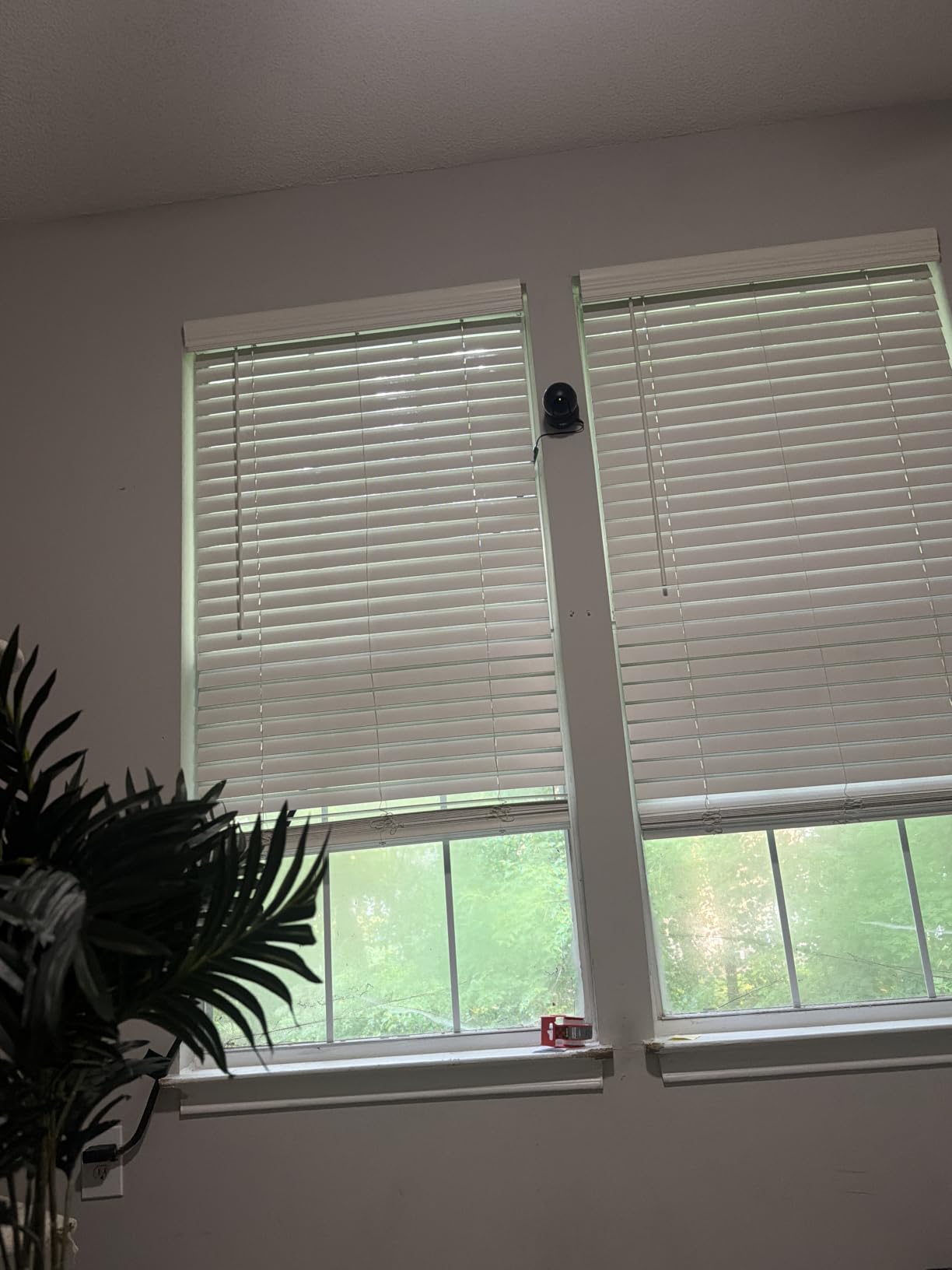
It sits at #14 in pet cameras and monitors and #7 in dome surveillance cameras, and reviewers describe it as a well-regarded budget pet camera. The two-year manufacturer warranty, 9 ounce weight and tabletop footprint make it the easiest unit here to place anywhere near a socket.
For a dog that barks, this camera is still useful in one specific way. Set it recording to microSD, and you can review the day afterwards and find the trigger yourself, which is the evidence-building habit owners value. It just will not tell you in the moment.
Why a highly rated camera can still be the wrong one
Owner ratings measure satisfaction with the product as a whole, and on picture, value and reliability this one is excellent. They do not measure fit for a specific job, and bark detection is a specific job. The motion-only alert type is stated plainly in the product record, which is why we put this warning in the card rather than burying it in a review paragraph.
If your dog is bark-prone and you want to be told, the two Tapo models are not interchangeable. The C210 adds sound detection to the same pan tilt platform, and that single difference is the whole decision.
Where it falls short for barking dogs
There is no dedicated bark or sound detection on this model, which is the decisive limitation. Beyond that, it is 2.4GHz only, the microSD card is not included, cloud storage for longer history needs a Tapo Care subscription, and the corded power limits placement to near an outlet.
Entry-level 1080p with 3x optical zoom is also a step down from the 2K model above it. If your interest in this list is barking alerts specifically, skip this one. If you want cheap, dependable, no-subscription monitoring that you review later, it remains a strong buy.
Buying Guide: What Actually Matters for a Barking Dog
Most of the disappointment in this category comes from buying on resolution and ignoring alert type. The specification that decides whether a camera is any use to you is not the megapixel count, it is whether the device runs sound detection, whether it distinguishes barking from other noise, and whether that feature is behind a paywall. Everything below is organised around those questions.
We have covered a lot of ground in the eight reviews above, so this section is for the reader who has not chosen yet. If you are still furnishing a new puppy’s space rather than solving a barking problem, our guides to pet playpens and pet strollers cover containment and outings, which solve more barking triggers than any camera.
Bark alerts versus sound detection versus motion detection
These three are not the same thing, and product pages blur them constantly. Motion detection notices that something in the frame changed. Sound detection notices that the noise level crossed a threshold. Bark alerts are a specific classification on top of sound detection, where the camera tries to match the audio against a bark pattern and label the event.
For your purposes, a separate sound channel is nearly as valuable as a true bark label, because a barking dog is by far the loudest thing in most homes. Two cameras in this roundup take that middle position with a dedicated sound alert that owners confirm flags barking, and one goes further with alerts that name barking explicitly. The two motion-only models are included so you can recognise them and avoid them if barking is the reason you are shopping.
Two-way audio quality decides whether calming works
Two-way talk is listed as a checkbox feature on every camera here, which makes it useless for comparison. What actually matters is microphone pickup, speaker volume and whether the audio is full duplex. If your dog cannot hear you clearly, the whole remote-calming workflow collapses and you are just making noise at a dog.
Reviewers raise two specific problems. On one model, continuous playback needs the app open on screen, so you cannot put the phone down while talking. On another, simultaneous talk and listen creates feedback, so one side has to be muted. Neither is fatal, but both change the experience from a conversation to a series of bursts. Owners who rate a camera highest for calming tend to be the ones who mention clear audio in reviews, and that is worth weighting when you read them.
You can also ask what dog camera you can talk to your dog with more simply: any of the eight here have a microphone and speaker, but the ones with two-way audio reported as dependable in owner reviews are the Tapo C210, the PETLIBRO unit, the Furbo 360 and the blurams 2K.
Subscriptions, and which plan is genuinely required
The most useful thing you can learn before buying is which of the three things a subscription actually buys: the alert, the recording, or the analysis. Very few cameras put a plain bark alert behind a paywall. Many put the video history behind one, and that is where the cost lives.
In this roundup, the Furbo 360 requires a paid plan to activate at all, with a yearly or monthly option after an activation fee, so its bark alerts are genuinely gated. The Petcube Cam offers pet-tuned sound alerts and live view free, with history and Smart Filters on the Care plan. The Petcube Bites 2 Lite and the Armorcope unit offer working alerts and core clips without a subscription, with longer recording behind a plan. The Tapo models and blurams record locally to microSD, so ongoing cost can genuinely be zero if you supply a card.
Buyers who want zero recurring cost should also weigh how they will review footage. Local recording is free and unlimited in length, but it is only useful if you know roughly when to look, which is exactly what a bark alert tells you. If you cannot rely on alerts, the free cloud clip tiers on the blurams and Petcube models are the better compromise.
Where to point the camera so you can see the trigger
Placement matters more for barking than for any other pet camera use, because you need to see what caused the noise. A camera pointed at a sleeping dog records the dog but never the reason. Aim the lens at the trigger, and accept a narrower view of the dog as the trade.
For a dog that barks at the door or at passers-by, position the unit where the entryway is in frame, ideally with a wide sweep so you can turn back toward the dog. A unit that pans, tilts or rotates lets you cover both. For a dog that barks when you leave, angle the camera across the room rather than at the door, so the footage shows posture and pacing rather than an empty hallway. For a crated dog, mount at crate height, since a high camera looking down distorts the picture and can unsettle some animals. For night barking, check the stated night vision range against the distance from the camera to the dog’s normal sleeping spot, and add a low light rather than assuming infrared alone will be enough.
Two placement warnings. Corded power limits all of these decisions to within a few feet of an outlet, and every model here is corded except none. And a visibly rotating lens unsettles some dogs, an issue raised repeatedly in dog communities, so if your dog is already anxious about household devices, choose a fixed-lens model and place it carefully rather than buying the widest sweep available.
Five steps to cut false alerts
False alerts are the top reason owners abandon these cameras, because a device that notifies you twenty times a day for a sighing dog is worse than no device. The fix is usually settings rather than hardware. First, enable sound detection and set the sensitivity to its lowest useful level, then raise it gradually. Second, use motion zones to exclude windows, hallways and anything with street traffic. Third, turn off any alert category you will not act on, because every enabled channel competes for the same attention. Fourth, set your phone to focus on the camera app during the hours your dog actually barks, so the alerts arrive when you are awake to respond. Fifth, give it two weeks before judging it, because most false alerts cluster in the first few days while sensitivity is set too high.
Privacy, and a short referral note
These cameras sit inside your home with a live feed and often a microphone, so treat them like any other connected device. Change the default password on day one, enable two-factor authentication if the app offers it, keep firmware updates on, and use a separate app password rather than reusing your main one. Most of the cameras here support shared access, so give family members their own accounts and revoke them when they stop needing access. Avoid placing one in a bedroom or anywhere a microphone recording overnight is not something everyone in the home has agreed to.
One more thing. A camera diagnoses barking, it does not treat it. If barking appeared suddenly, follows a change in health, or comes with pacing, panting, scratching or destructiveness, speak to your vet. If the barking is a trained behaviour, talk to a qualified trainer. Both are more effective than any camera on this list, and a camera is at its best as the record you take to that appointment.
When a Pet Camera Is the Wrong Purchase
A large share of searches on this topic are about somebody else’s dog, and no camera inside your home will help there. If the barking you care about belongs to a neighbour, the useful steps are entirely different, and they start with documentation. Log the times, note whether the barking is continuous or triggered by passers-by, and record duration. A white noise machine, a radio or a television left on can mask the trigger sound from a dog on the other side of the wall, and one owner in a homeowners forum reported solving a door-barking problem by silencing a smart doorbell chime rather than adding any camera at all.
Beyond that, local animal control or a noise bylaw is the route for sustained disturbance, and enzymatic yard treatment addresses scent marking that can invite a dog to revisit and re-bark. A neighbour conversation, framed around the shared nuisance rather than the dog as a problem, resolves more cases than people expect.
There is also a case where a camera is wrong for your own dog. If the device itself unsettles the animal, adding coverage makes things worse, not better. Watch your dog’s behaviour around the unit during the first week, and if the dog startles, hides or patrols near it, remove it. A cheap fixed camera positioned quietly, or simply a neighbour checking in, may serve better.
Frequently Asked Questions
Is there a pet camera that notifies me when my dog is barking?
Yes. The cameras in this roundup that send a true bark alert are the Furbo 360 Dog Camera, whose AI alerts name barking and other dog behaviours, and the blurams 2K Indoor 360, whose separate sound alert owners confirm flags barking. The Tapo C210 adds sound detection alongside motion and person alerts at no extra fee, and the Petcube Cam offers pet-tuned sound alerts free. All of these require you to enable sound detection in the app before notifications arrive.
Can I monitor my dog’s barking remotely?
Yes, in real time, from any indoor camera with two-way audio and a live feed. You open the app, see and hear your dog, and talk to them. To be useful for barking specifically, you also want sound detection switched on so you are notified when it starts, and video history so you can review the episode afterwards rather than only reacting to it.
What camera can I use to record my dog barking?
Any camera that records video history will capture barking as part of the scene, but the useful answer is a camera with sound detection that saves a clip automatically when barking is heard. The blurams 2K keeps free 12-second alert clips for 24 hours, and the Armorcope 2K gives motion-triggered clips without a subscription. For longer recordings without ongoing cost, add a microSD card to either Tapo model, which accept cards up to 512 GB.
What is the best pet camera without a subscription?
The Petcube Cam is the clearest no-subscription option in this roundup, offering live view, two-way audio and pet-tuned sound alerts at no ongoing cost, with video history and Smart Filters on an optional paid plan. The blurams 2K and the Armorcope 2K also give working alerts and short clips free. The Tapo C210 and Tapo C200 record locally to microSD for no recurring cost. The Furbo 360 is the one model here that requires a paid plan to activate.
Can a pet camera stop my dog from barking?
No. A camera tells you when barking starts, what triggered it, and whether your response helped. It does not change the behaviour. If your plan involves a treat-dispensing camera, timing matters enormously, because tossing a treat the moment a dog barks teaches the dog that barking produces food. For barking that started suddenly or comes with other symptoms, speak to your vet, and for trained barking, a qualified trainer is the right call.
What is the best device to stop a neighbor’s dog from barking?
No pet camera you own will help with a neighbour’s dog. Start by logging the times and duration, since documentation is what any complaint needs. A white noise machine, a radio or a television left on can mask the trigger sound through a wall, and silencing a smart doorbell chime has solved the problem for some households. For sustained disturbance, your local animal control or noise bylaw is the formal route, and enzymatic yard treatment removes scent marking that invites a dog to return and bark again.
The Verdict for Barking Dogs in 2026
The Tapo C210 is our overall pick, and the reason is specific rather than generic. It is the only camera here that gives you audio detection alongside motion and person detection without a subscription attached, at 2K resolution, with a 360 degree horizontal and 114 degree vertical sweep and local recording up to 512 GB. For a dog that barks, that combination covers the three things that matter: you are told it is happening, you can see the whole room to find out why, and you can review it later without paying.
Take the blurams 2K if barking detection is your single priority, because its dedicated sound alert is the piece reviewers praise most for flagging barking, and its free 24-hour clip tier needs no plan. Take the Petcube Cam if you refuse to pay anything monthly and are content with short clips and live monitoring. Take the PETLIBRO unit for multi-dog homes where knowing which animal is barking changes everything, and the Furbo 360 only if you are comfortable with a plan required to activate the camera, because its AI alert vocabulary is the most detailed available.
Skip the Tapo C200 for this particular job. It is a good camera with excellent owner satisfaction and motion-only alerting, which is the wrong tool for barking. And whatever you choose, set up a treat protocol carefully if you use a dispenser, because rewarding a bark teaches a bark.
Our other buying guides cover electronic pet doors for medium dogs and heated pet beds for senior dogs, which both reduce the triggers that produce barking, and luxury pet strollers for the days out. For barking specifically, the camera is a diagnostic tool, and pairing it with a vet visit or a qualified trainer is what actually changes the behaviour.