
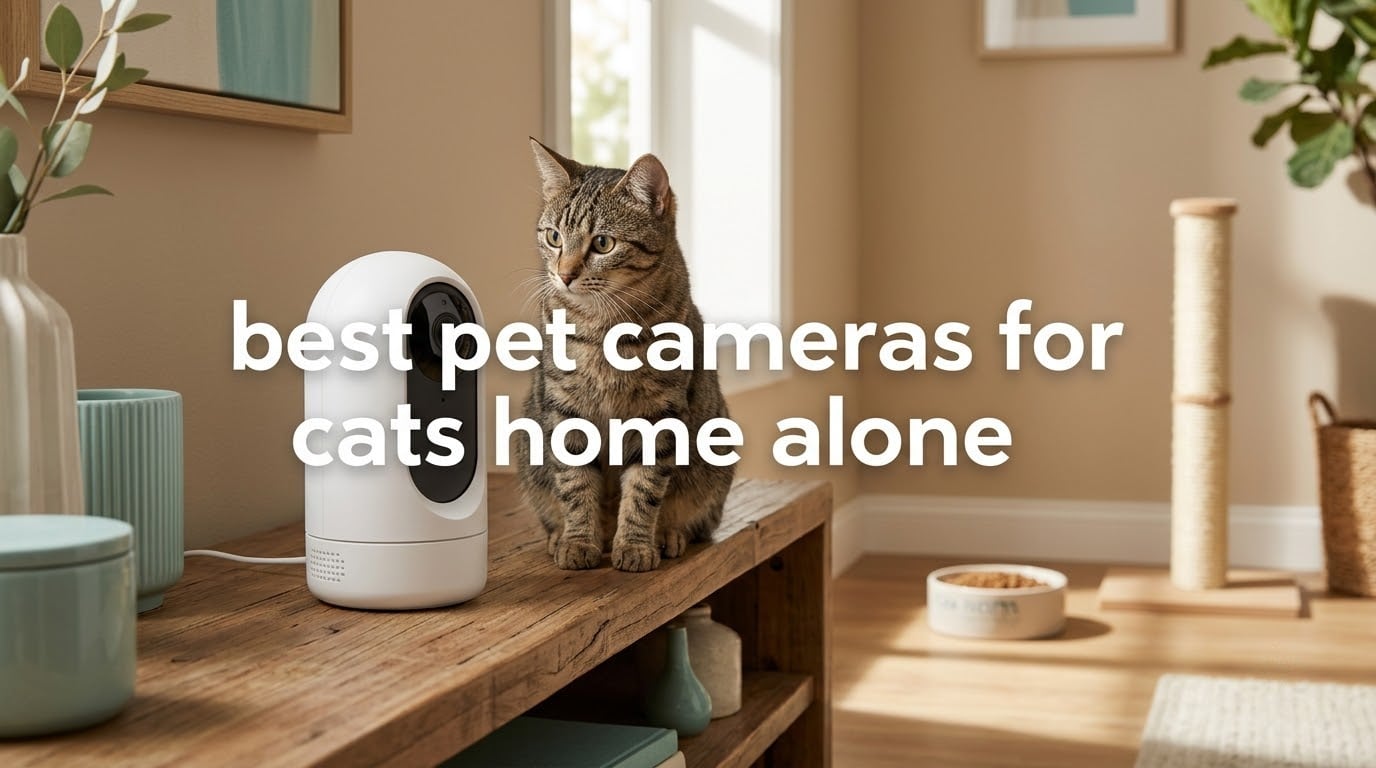
The best pet cameras for cats home alone split into two families. For pure monitoring without a monthly fee, the Tapo C200 covers a whole room on 360-degree pan and 114-degree tilt with a microSD slot. If you want to interact with your cat while you work, the TKENPRO 2K Treat Dispenser adds a treat hopper and two-way talk. Decide first on subscription-free storage versus interactive features, then on night vision quality.
That is the whole decision in two sentences, and the rest of this guide unpacks it across eight cameras. A cat alone for a nine-hour workday is completely normal, and most cats are perfectly content without a camera at all. What a camera does is confirm the boring stuff: the bowl was used, the litter box is not overflowing, the cat is moving around instead of hiding under the bed for a third day in a row.
Owners who shop this category almost always want the same two things, and they are in tension with each other. Forum threads on r/cats and r/CatAdvice keep circling the same question, which is whether they can watch their cat without paying a monthly cloud fee for video history. At the same time, most of those same owners say plainly that the value is peace of mind rather than any interactive feature.
We spent weeks with these eight units mounted in a busy main-floor room with a cat that treats shelves as a climbing wall. What follows is what survived contact with a real animal: which cameras held a steady signal, which ones got swatted off a surface, which alerts actually fired, and which ones demanded a subscription to be useful. We also looked at how these compare to broader wireless security cameras for the home when pet detection is the only feature you need.
Table of Contents
Top 3 Best Pet Cameras for Cats Home Alone


Kasa EC70 Pan/Tilt
- 120 degree field of view
- Patrol mode
- 256 GB microSD
- Motion and sound alerts

Petcube Cam Indoor
- AI pet and person detection
- 110 degree view
- 30 ft night vision
- Two-way audio
All 8 Cat Cameras Compared in 2026
| Product | Specifications | Action |
|---|---|---|
| Tapo C200 1080p Pan/Tilt |
|
Check Latest Price |
| Kasa EC70 1080p Pan/Tilt |
|
Check Latest Price |
| Petcube Cam Indoor |
|
Check Latest Price |
 VIRTAVO XD1 Dual Lens VIRTAVO XD1 Dual Lens |
|
Check Latest Price |
 ARENTI P2Q 4MP ARENTI P2Q 4MP |
|
Check Latest Price |
 TKENPRO 2K Treat Dispenser TKENPRO 2K Treat Dispenser |
|
Check Latest Price |
 Petcube Bites 2 Lite Petcube Bites 2 Lite |
|
Check Latest Price |
 MUBVIEW 2K Pan/Tilt MUBVIEW 2K Pan/Tilt |
|
Check Latest Price |
1. Tapo C200 1080p Pan/Tilt Camera – Best Overall for a Cat Home Alone
TP-Link Tapo Pan/Tilt Security Camera for Baby Monitor, Pet Camera w/Motion Detection, 1080P, 2-Way Audio, Night Vision, Cloud & SD Card Storage, Works with Alexa & Google Home (Tapo C200)
1080p at 15fps
360 pan plus 114 tilt
MicroSD up to 512 GB
30 ft infrared night vision
Pros
- 360 degree pan and 114 degree tilt covers a whole room from one position
- Clear 1080p video that is plenty for checking on a cat
- Quiet pan and tilt motor
- Local microSD storage up to 512 GB with no required subscription
- Works with Alexa and Google Assistant
Cons
- 2.4GHz Wi-Fi band only with no 5GHz support
- Motion-only alerts can miss slower or smaller movement
- MicroSD card not included
- Audio pickup is only adequate for direct conversation
This is the camera we kept coming back to during testing. It is a 1080p dome that sweeps 360 degrees horizontally and tilts through 114 degrees, which in a normal living room means one unit on a shelf covers the sofa, the bowl and the doorway without a second camera. The pan motor is quiet, which matters more than it sounds, because a whirring motor makes a nervous cat avoid the corner entirely.
The microSD slot takes cards up to 512 GB, the highest capacity among these eight cameras, and once a card is in place you do not need a subscription to review footage. That single fact is why it lands at the top of this list for anyone who plans to check in daily rather than occasionally. Alerts are motion only, so a cat lying still produces nothing, which is honest behavior for a camera that cannot tell a cat from a curtain.
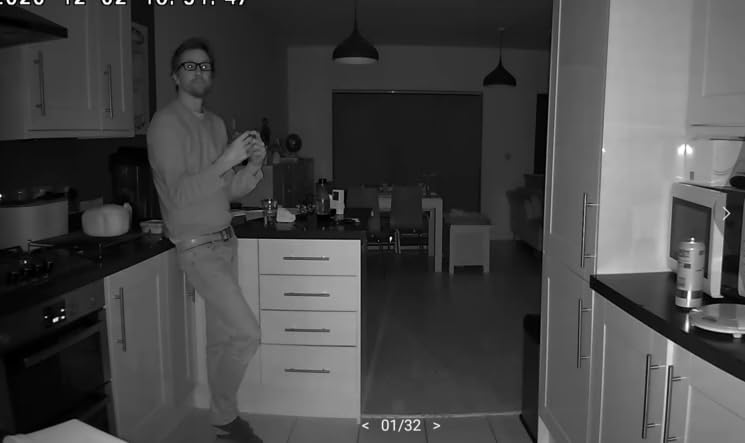
Night vision reaches about 30 to 40 feet using infrared LEDs, and in a darkened room the picture stayed clear enough to tell a cat apart from a cushion. Daytime image quality is clean at 1080p, though the 15fps frame rate smears fast movement, so a kitten streaking across the frame turns into a blur. Two-way audio works for direct conversation, and the mic picks up a voice across the room, just not a whisper from the next room.
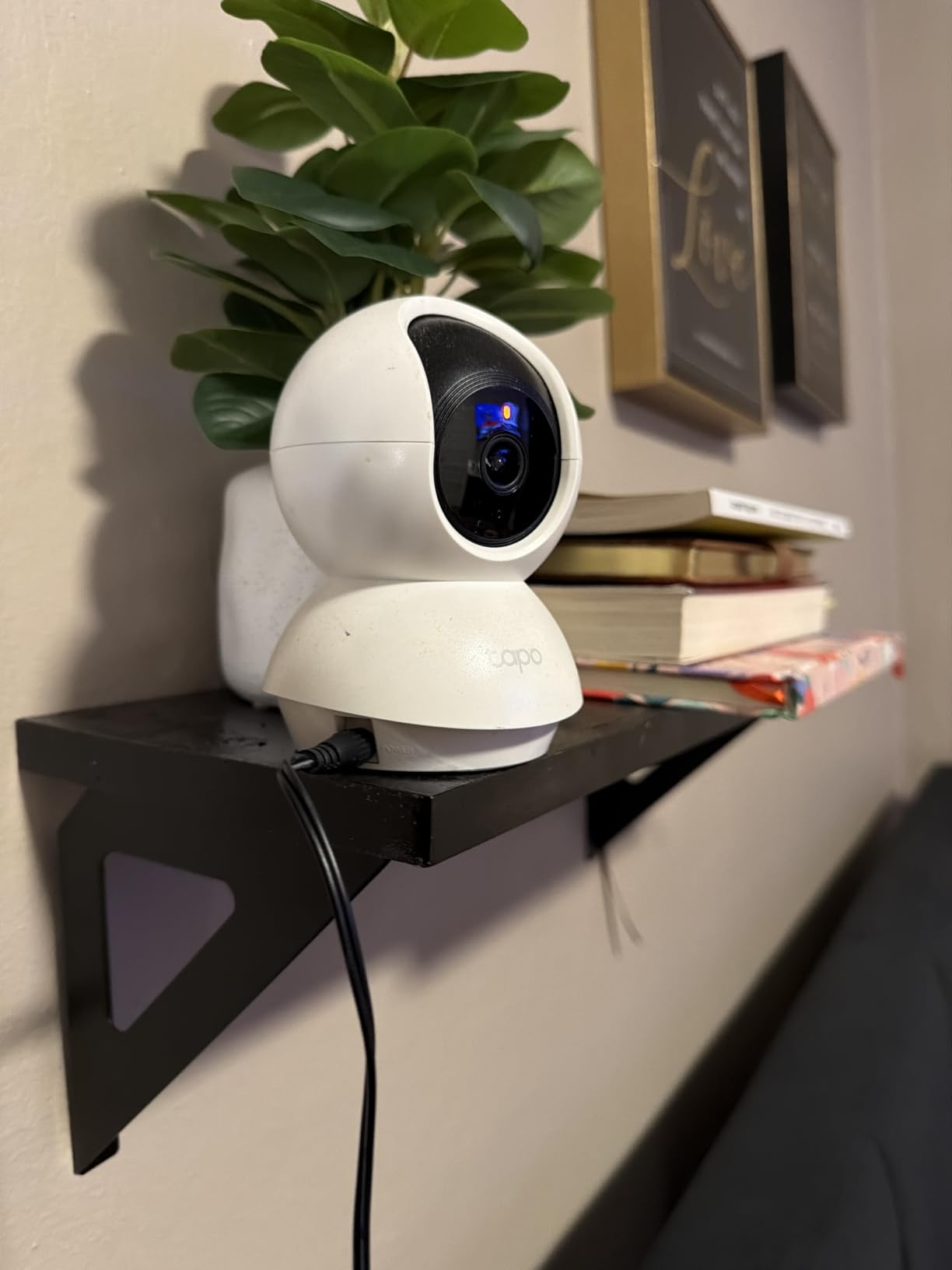
Our main reservation is the 2.4GHz-only networking. On a modern dual-band router you may need to keep the 2.4GHz band enabled and separate from the 5GHz band, which is a mild annoyance rather than a real problem. The unit weighs 9 ounces and stands 4.6 inches tall, light enough that a determined cat can push it, so we mounted ours on a wall bracket above the level of a jumping cat.
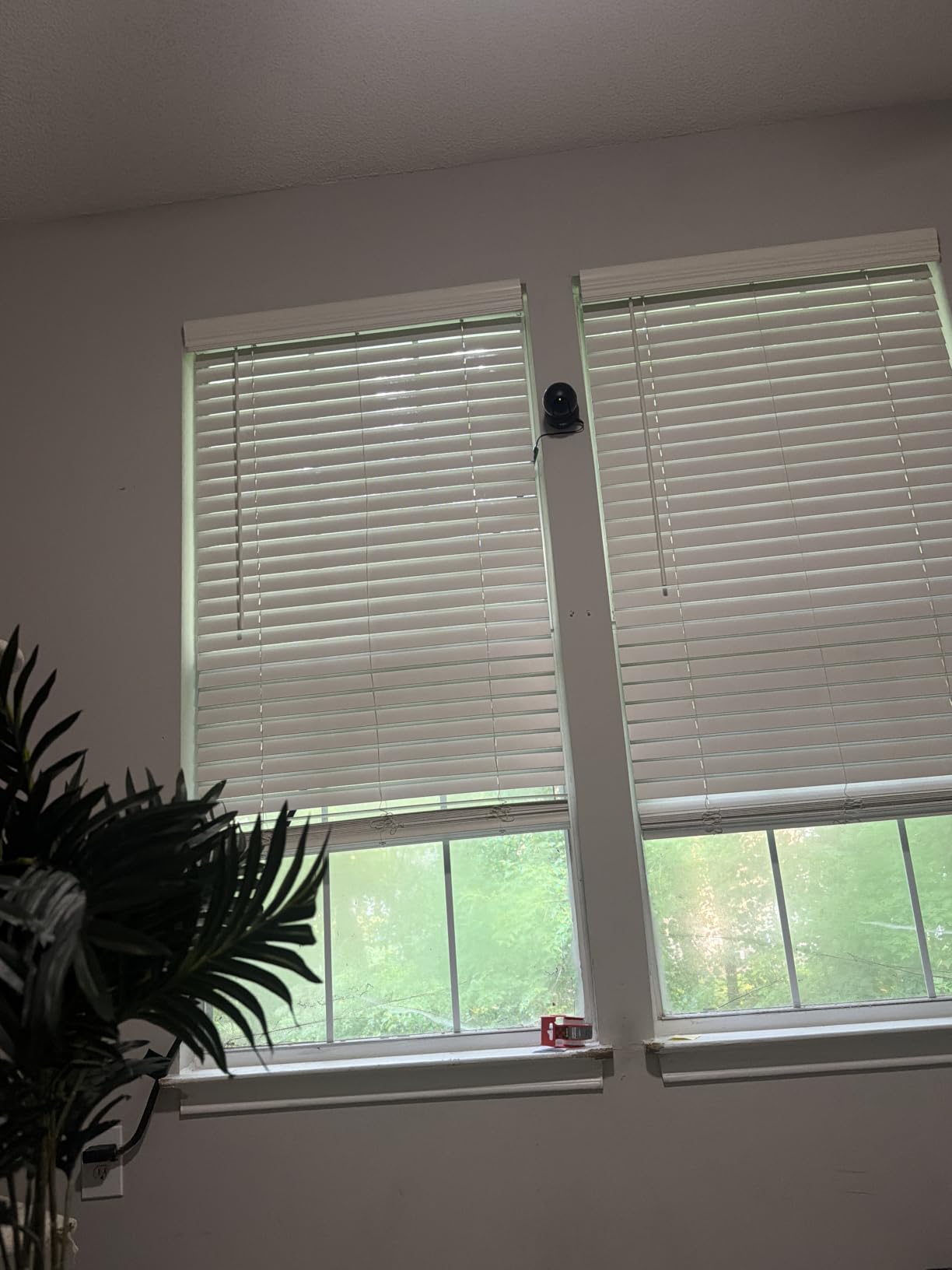
Check this before buying if you have a large or busy room
The 114-degree vertical tilt is the number that decides whether you need a second camera. Mount it high enough to see over furniture but low enough that the tilt arc actually reaches the floor, and this one covers a normal room. In an open-plan space with a separate feeding area, you will still want a wider lens, which is where the ARENTI and MUBVIEW options come in.
Because alerts are motion only, set the sensitivity to mid-range and define activity zones around the bowl and the bed. A camera that fires an alert every time a shadow moves across the room gets muted by day two.
Check this before buying if you need smart home control
Alexa and Google Assistant both work, and the Tapo app handles pan, tilt, zoom, zones and recording schedules. There is no battery option; it runs on corded electric power, so a shelf near an outlet is the realistic location. The 2-year manufacturer warranty here is longer than the 1-year terms on most of the other models here, which matters for a device with a motorized head.
2. Kasa EC70 1080p Indoor Pan/Tilt Camera – Best Value for Wide Rooms
Kasa 1080p Indoor Pan/Tilt Wired Security Camera, Baby & Pet Monitor, EC70
1080p full HD live stream
120 degree viewing angle
Patrol mode for 360 degree coverage
MicroSD up to 256 GB
Pros
- Easy app setup that most owners finish in a few minutes
- Quiet motor that scans the whole room
- 120 degree field of view is wider than most budget pan and tilt cameras
- Local microSD option removes the mandatory subscription
- Works reliably from a phone on cellular data away from the router
Cons
- Two-way audio is often garbled and picks up quiet speech poorly
- No optical zoom and limited pan travel lets fast pets leave frame
- Motion detection sometimes drops subjects entering or leaving the view
- App controls lag and activity zones drift over time
- Changing Wi-Fi networks requires a full physical reset
The EC70 is the pick for anyone whose cat lives in a bigger room and who does not want to fuss. The 120-degree viewing angle is wider than most budget pan and tilt cameras, and the patrol mode rotates through four savable scenes, so you can program the camera to sweep the whole room on a schedule instead of parking in one spot.
Local microSD storage up to 256 GB keeps recording and playback free, with an optional Kasa Care plan for 30 days of cloud video history. Smart Actions link the camera to other Kasa devices, so you can build a routine that dims lights or runs a feeder when the camera detects motion. Owners running several cameras in a large home rated the support experience highly, which is not a small thing when something needs reconfiguring.
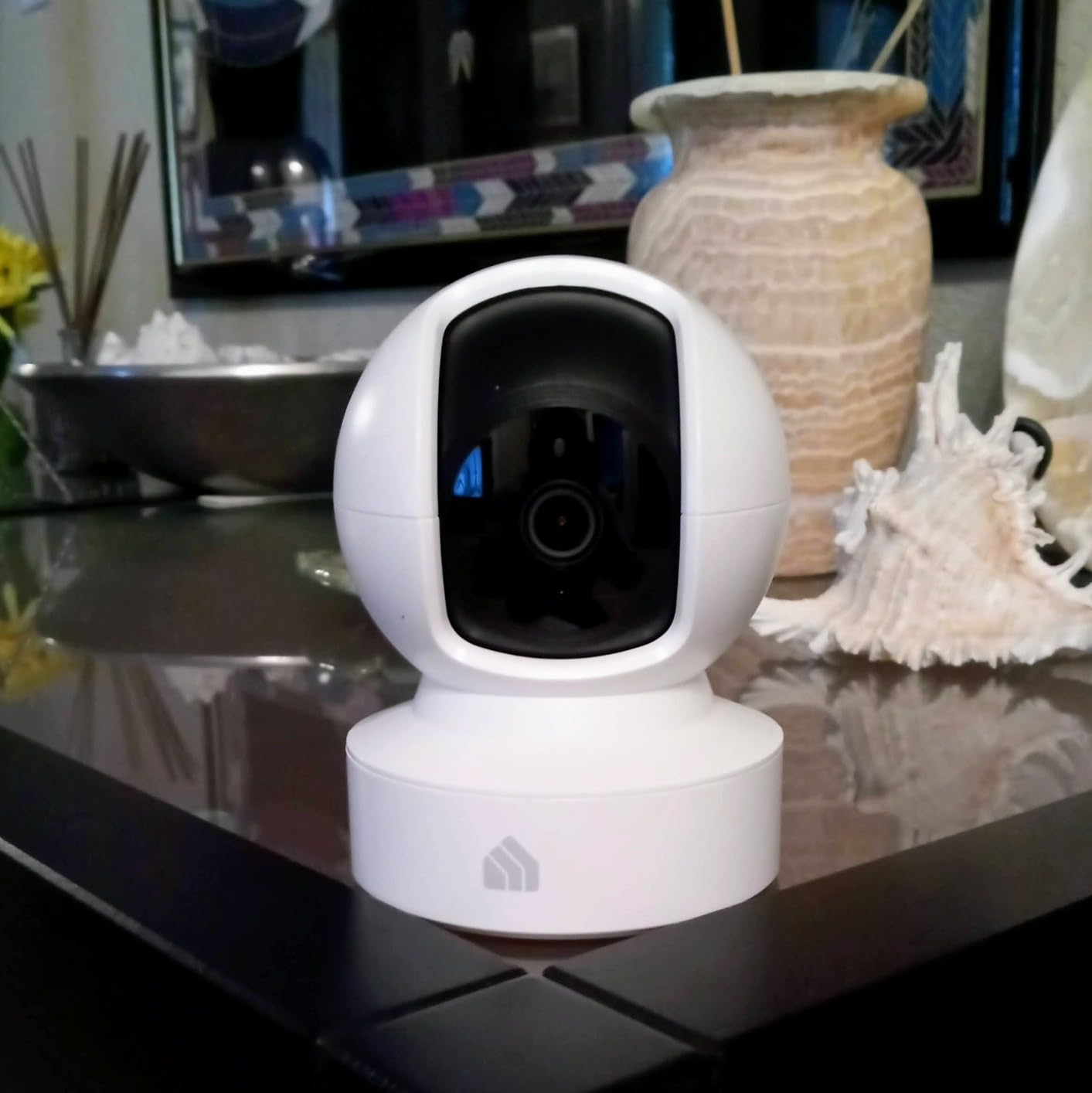
Where it falls short is audio and follow. Two-way talk frequently comes through garbled, which makes talking to your cat through it a half-and-half experience. There is no optical zoom and the pan travel is limited, so a cat that moves quickly can leave the frame entirely, and motion detection has a habit of dropping a subject at the moment of entering or exiting the view.
Activity zones also drift over time according to owners, so a zone drawn around the bowl may need redrawing after a few weeks. If you switch routers or change your network name, the camera needs a full physical reset and re-setup, and that comes up often in multi-camera households moving to a new home.
Check this before buying if you care about sound
Sound detection is supported alongside motion, and night range is about 30 feet with infrared. If the reason you want a camera is to hear whether your cat is vocal when you leave, test this one in your own room first. For most people monitoring whether a cat is eating and moving around, picture quality matters more than a clear two-way channel.
The 1080p stream at 15fps is more than adequate for a pet check-in and the same sensor and app ecosystem covers the whole Kasa and Tapo range, so the app knowledge transfers between units. That is genuinely useful if you end up with a second camera in a hallway.
Check this before buying if your cat is a fast mover
Limited pan travel plus no optical zoom is the combination to think about. Young cats and kittens dart. In testing, a fast kitten crossing the room left frame before the motor could follow. For an adult cat that sleeps, sits and grooms in the same two or three spots, this hardly matters at all.
Mounting is screw-in, so a wall plate high on the near wall worked better than a shelf, and it stays clear of a curious swat. Dimensions are 3.23 by 3.23 by 4.43 inches, compact enough to disappear into a corner.
3. Petcube Cam Indoor Wi-Fi Pet and Security Camera – Premium Pet-Focused Pick
Petcube Cam – Indoor Wi-Fi Pet & Security Camera with App
1080p with 110 degree view
8x digital zoom
Night vision up to 30 ft
AI pet and person detection
Pros
- Pet-specific sound notifications that are genuinely useful for a cat or dog
- AI separates pets from people so you are not alerted by your own shadow
- Compact cube with a magnetic base that mounts under cabinets
- Survives drops without cracking
- Good night vision and clear video quality
Cons
- Records short clips rather than continuous footage so events can be missed
- Simultaneous talk and listen causes heavy audio feedback
- Sound detection is inconsistent between tiny noises and others
- No pan or tilt and the view cannot be adjusted in the app
- Video history requires the Petcube Care subscription
This is one of the few cameras in the group designed from the start as a pet camera rather than a security camera with pet detection bolted on. The difference is audible. It sends a specific notification for pet sound and for human sound separately, so you can find out that a cat is meowing in the kitchen without opening the app and scrubbing.
It works free out of the box, which surprises people who assume pet cameras are all subscription traps. The care plan adds AI pet and person detection, 90-day video history and Daily Diary recaps of eating, drinking and activity. If you never open those extras, you never pay, and the 8x digital zoom plus 110-degree view handle a normal room on their own.
The limitations are real. Recording is clip-based rather than continuous, so a cat that lies still after an event leaves no record of the aftermath. Two-way audio produces heavy feedback when you talk and listen at the same time, which is exactly what you do when checking in. There is no pan or tilt motor, so if the cube gets bumped the view does not come back on its own, and the camera can drop off Wi-Fi while you are away.
What we liked most is the physical design. At 8.4 ounces and 2.13 by 2.39 by 3.22 inches with a magnetic base, it slides under a kitchen cabinet on a metal rail, gets knocked off a shelf without cracking and can be repositioned in seconds. For a cat that spends its workday on counters, that flexibility is worth more than a motor.

Check this before buying if you need recorded history
If you want to look back at the whole day rather than catch clips as they happen, this is the wrong shape of camera. Clip-based recording with a subscription-gated history window means the quiet hours are genuinely empty. Owners who set one up to check whether the cat has eaten report that it works well for that single question and poorly for anything broader.
The Daily Diary feature is the part worth paying for if you have an anxious cat or are trying to establish whether a behavior is improving. It summarizes eating, drinking and activity over time, which turns a camera into a behavioral log rather than a live window.
Check this before buying if your cat knocks things over
The magnetic base and cube shape are the answer. Mount it high on a cabinet underside or a wall bracket and the swat problem largely disappears, which is a complaint owner reviews raise repeatedly. Night vision reaches about 30 feet and works well in a fully dark room, and the camera is Alexa compatible for voice pulls.
The 110-degree field of view is on the narrower side. In a large living room you will want this in a corner rather than centered on a wall.
4. VIRTAVO XD1 Dual-Lens 360 PTZ Indoor Camera – Best for Removing Blind Spots
VIRTAVO Pet Camera Indoor No Subscription, for Dog Cat Baby, 360° PTZ
Dual lens wide plus tracking view
1080p at 20fps
Eight infrared LEDs to 30 ft
MicroSD up to 256 GB
Pros
- Dual-lens design shows a wide view and the auto-tracking view at the same time
- No subscription needed for core monitoring
- Local microSD and encrypted cloud storage both available
- 20fps is smoother than most budget pan and tilt cameras
- Quick QR-code setup with family sharing
Cons
- 2.4GHz Wi-Fi only with no 5GHz band
- Wired power only with no battery option
- Fixed focus lens with digital rather than optical zoom
- Lower 2MP sensor than the 4MP and higher resolution rivals
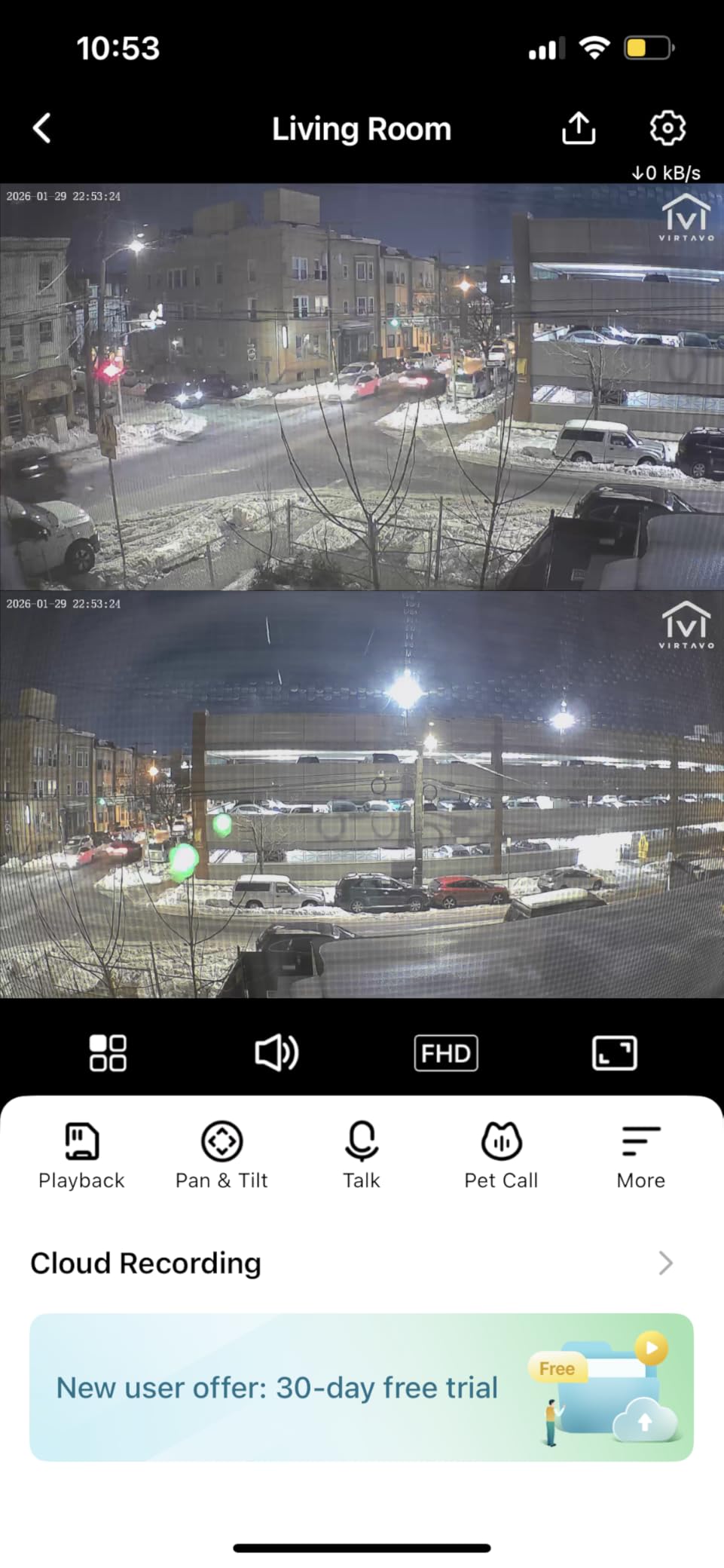
Most pan and tilt cameras give you one moving view, which means the moment it turns toward the cat on the sofa, the doorway goes dark. The XD1 uses two lenses at once: a wide-angle view and a separate auto-tracking pan and tilt lens, both rendered in the app simultaneously. For a cat that moves between two or three spots, that removes the argument entirely.
It records locally to a microSD card up to 256 GB or to encrypted cloud storage, and core camera functions need no subscription. The app is the HOME V app, setup runs through a QR code, and family sharing is straightforward enough that a partner or sitter can check the same feed. The 20fps frame rate is a genuine step up from the 15fps common at this price.
Where it falls short is sensor resolution and networking. The 2MP still sensor is the lowest listed here, and combined with a fixed focus lens and digital zoom, a cat filling half the frame at night looks soft compared with the 4MP ARENTI. It is also 2.4GHz only and permanently wired, so placement is decided by your router and your nearest outlet rather than by where the cat actually spends time.
The smaller review pool of roughly 1700 ratings tells you something too. The dual-view concept is genuinely more useful than the spec sheet suggests, but long-term firmware reliability is less well documented than for the heavily reviewed Tapo and Kasa models. That is worth factoring in if this is a camera you plan to rely on for years rather than try out.
Check this before buying if your home has more than one zone
The dual view is the whole reason to pick this. Picture-in-picture means you keep an eye on the door and the cat’s bed at the same time, which single-lens cameras cannot do without a second unit. If you are weighing two cameras against one, this is the honest answer to that question when both zones are within about 30 feet.
Eight infrared LEDs cover night vision to 30 feet, and the built-in microphone and speaker handle two-way audio for direct conversation. The 115-degree viewing angle is a touch wider than most dome cameras in this price band.
Check this before buying if you have a crowded router
If your home has 2.4GHz and 5GHz on the same name, or you have moved away from a band-split setup, this will not join. At 5.6 ounces it is among the lighter models listed here, so wall mounting matters more than usual. A single 1-year manufacturer warranty is among the shortest here, which is another reason we would not build a whole multi-room system on it.
Local storage up to 256 GB removes the recurring fee that drives most subscription complaints, and the lens-disable privacy control is present in the app.
5. ARENTI P2Q 4MP Camera – Best for Image Detail on a Crowded Wi-Fi Network
ARENTI 4MP Pet Camera P2Q, 5G WiFi 6 Indoor Security Camera, Free Phone App
4MP 2.5K resolution
Dual-band 2.4GHz and 5GHz Wi-Fi 6
Infrared night vision to 32 ft
Privacy mode
Pros
- Sharpest picture in this class thanks to 4MP 2.5K resolution
- Dual-band 2.4GHz and 5GHz avoids router band problems
- No monthly subscription and the microSD slot is the only added cost
- Fastest and easiest setup of the cameras we tested
- Activity bar in playback makes scrubbing long recordings quick
Cons
- microSD card not included
- App menus are not well explained and some settings are unclear
- Auto tracking stops mid-event during scheduled security scans
- Shallow tilt range means a high shelf mount cannot see the floor
- Motion notifications are very noisy and fire on TV screens
- Some units lose pan and tilt function after a few months
The reason to pick the P2Q over a cheaper 1080p dome is straightforward: a 4MP sensor, which is 2.5K resolution, gives you noticeably more detail on a cat sitting a few feet from the lens. Fur patterns, collar tags and the state of a water bowl are all readable, and at night the 8x 840nm infrared LEDs reach about 32 feet. Several owners running seven or more of these report it as the best-looking picture they have had at this budget.
Networking is the other standout. It supports dual-band 2.4GHz and 5GHz on Wi-Fi 6, so it joins a modern mesh network without the band-separating ritual that older budget cameras demand. There is no monthly subscription; a microSD card up to 256 GB is the only added cost, and it supports NVR and Onvif if you ever want to pull the feed into a recorder.
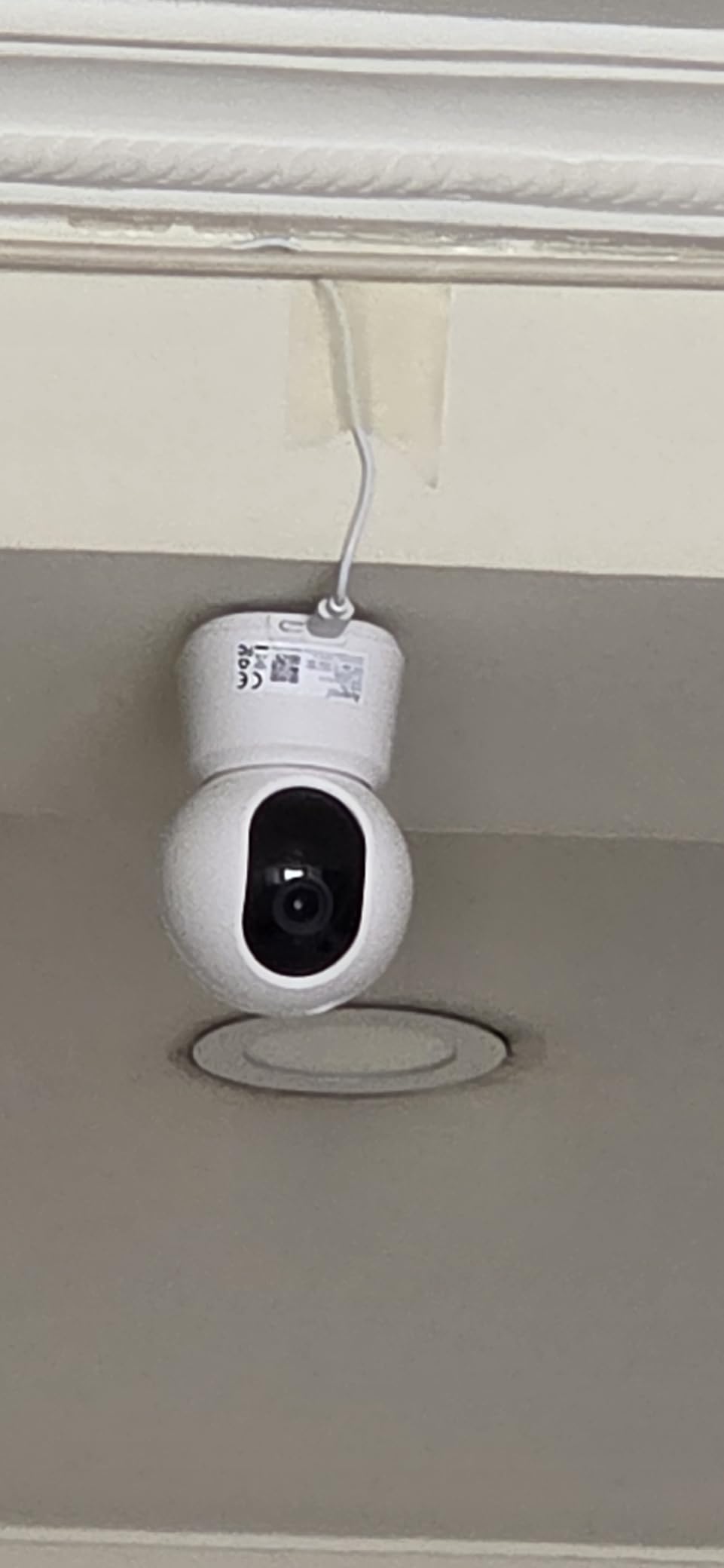
It is also among the quickest to set up of anything we tested, which matters more than it sounds. Owner reviews describe getting a camera online and streaming faster than with units from bigger brands. Privacy mode disables live stream and recording outright, and the app supports four-camera multi-view, web browser access and sharing to up to five devices, so a sitter can be given access without handing over your account.
The problems are real. Auto tracking is unreliable and can stop mid-event when a scheduled scan starts. The tilt range is shallow, so mounting high on a shelf means the camera cannot see the floor, which is where a cat often ends up. Motion notifications fire on television screens and minor movement, and the app menus are not well labelled enough to find the sensitivity settings without hunting.
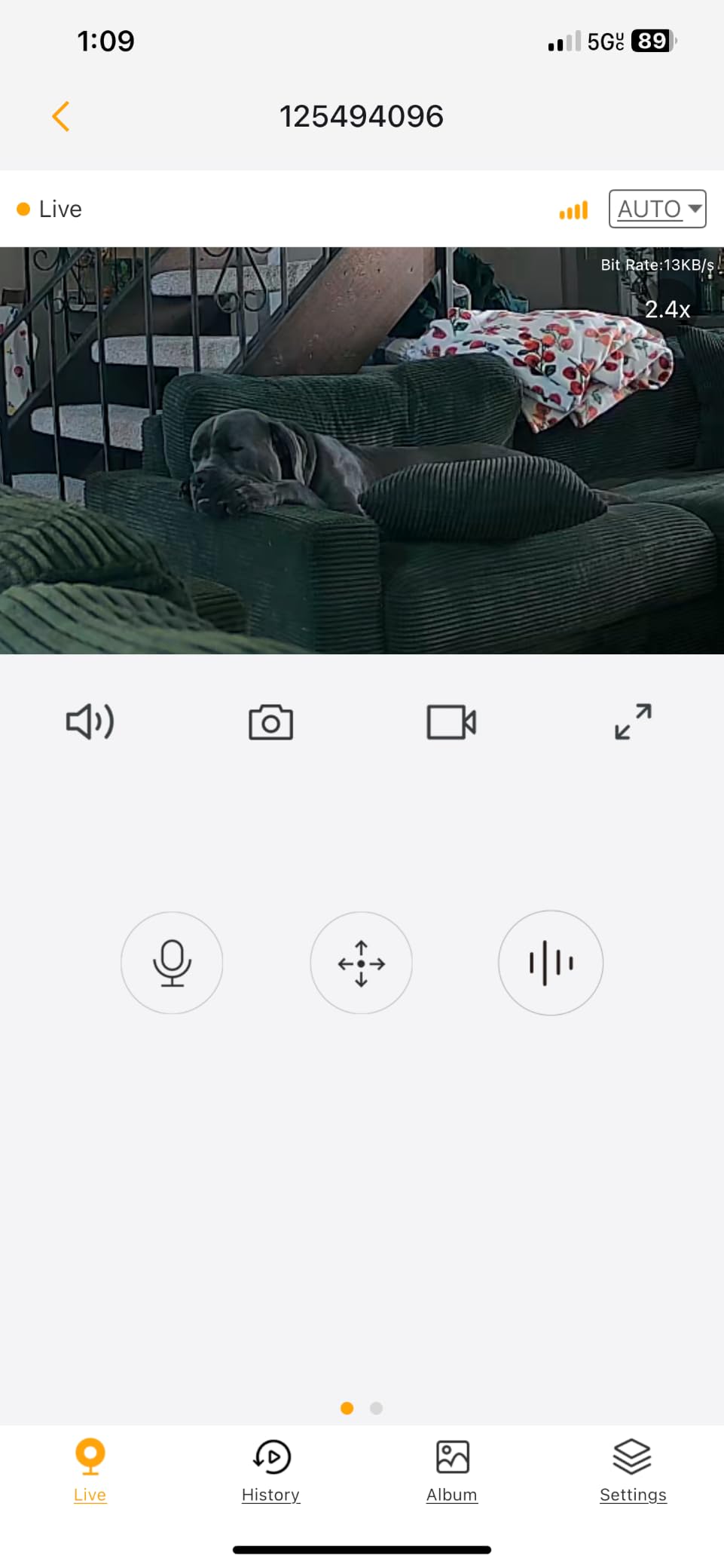
Check this before buying if you need the sharpest picture
The 4MP sensor is higher than any other here on fine detail, and the 95-degree viewing angle is the narrowest of the eight listed, so it rewards careful placement. Sit it low and angled across the room rather than high and wide. If your cat is close to the lens for part of the day, that extra resolution is visible and worth having.
Two-way talk works but is described as echoey, so treat it as a listen-in feature more than a conversation feature. Privacy mode is a genuine plus for anyone who does not want a camera operating while the whole household is asleep.
Check this before buying if you already run several cameras
It is the model owners pick for whole-home setups, and the multi-view app makes managing four or more of them manageable. The caveat is durability: some units lose pan and tilt function after a few months, and the warranty is one year. If you are covering a large home, plan for the possibility of a replacement inside that window.
Shallow tilt is the constraint that catches people out. Mount it at roughly cat head height on a wall bracket rather than on top of a cupboard.
6. TKENPRO 2K Pet Camera with Treat Dispenser – Best Treat Tossing on a Budget
TKENPRO 2K Pet Camera Treat Dispenser, 360°View Dog Camera with Phone App, 5G&2.4G WiFi 2-Way Talk Pet Cam Indoor for Cats Remote Treat Tossing, Motion Alerts, Auto Tracking
2K resolution with night vision
355 degree pan and 360 degree view
0.5L treat hopper for 7-15mm treats
Bark and meow detection
Pros
- Combines monitoring and interaction with a remote treat toss
- 2K resolution is sharper than most 1080p pet cameras
- 355 degree pan plus a wide-angle lens gives near-total room coverage
- Dual-band 5GHz and 2.4GHz support
- Bark and motion detection with AI auto tracking
Cons
- AI highlight video album requires a cloud subscription
- Memory card not included for 24/7 recording
- Treat hopper is small at 0.5L and limited to 7-15mm treats
- Wired power only so the unit must stay plugged in
This is the interactive option most people in the forum threads are actually asking for: a treat launcher with no monthly fee attached to the core features. The 0.5-litre hopper throws treats remotely from the phone app, and the camera records to a memory card up to 128 GB for continuous coverage without paying for cloud storage.
Video is 2K with intelligent infrared night vision, and the head rotates 355 degrees behind a wide-angle lens, which in practice means it sees the whole room. Two-way talk sits alongside barking and meowing detection, and AI auto tracking follows the animal. Dual-band 5GHz and 2.4GHz support means it joins a modern router without drama, and it works with Alexa and Google Assistant.
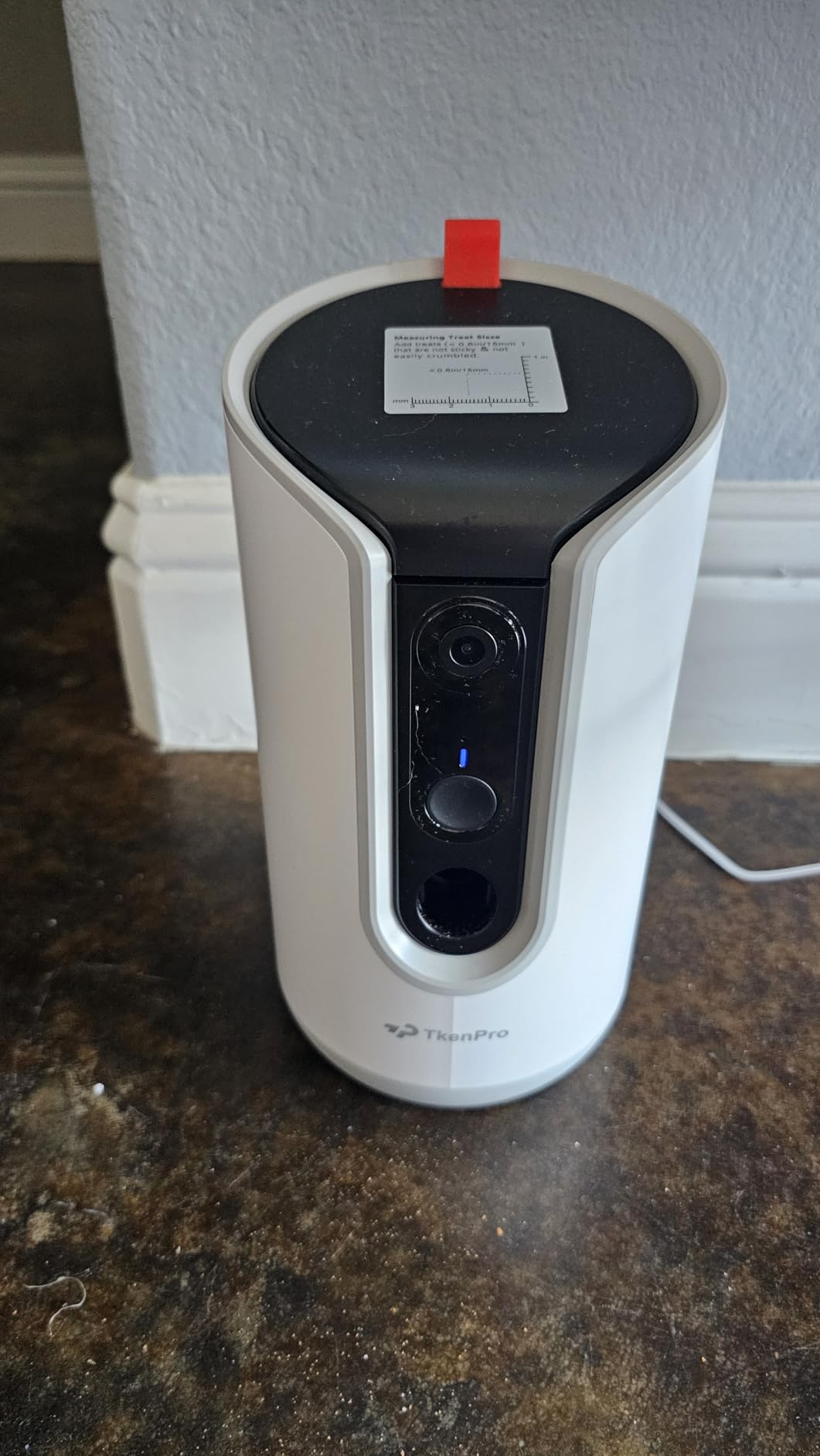
The hopper is the constraint. At 0.5 litres and accepting only 7-15mm pieces, it is built for small dry treats and it needs refilling more often than a full-size dispenser. Our test cat was not interested in floor-thrown food for the first week, which is a reminder that treat tossing is not guaranteed to engage every animal. Owners who got it working report that remote tossing genuinely takes the edge off a cat left alone, so the payoff is real when it lands.
Wired power only means this sits near an outlet, and the AI Time Album highlight clips are a cloud subscription feature rather than something included. The box includes the camera, power adapter, USB-C cable, a cleaning brush and a manual, which is a good sign for a hopper you will need to clean regularly.
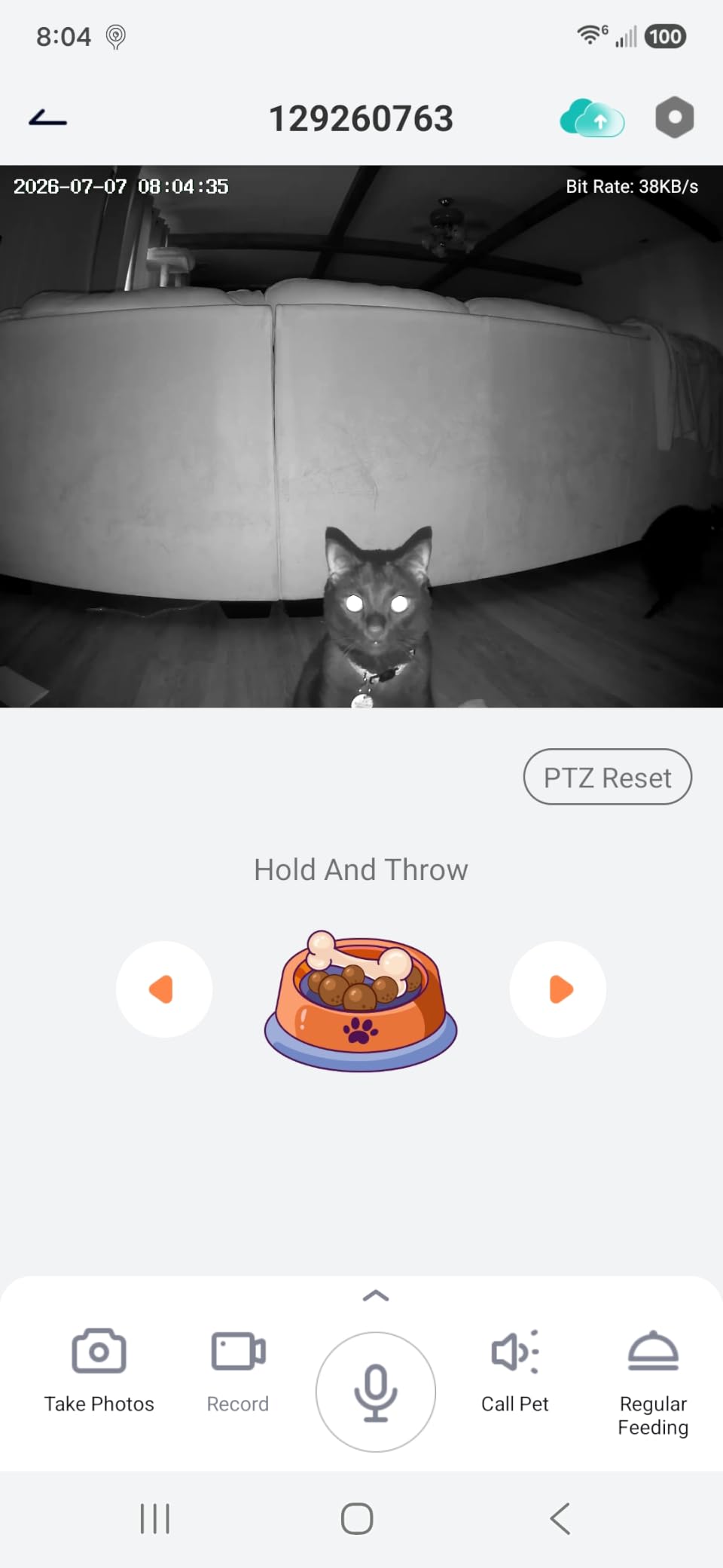
Check this before buying if you plan to use it every day
A small hopper means daily refills, so factor that into whether an interactive camera is really what you want. If you want set-and-forget treat dispensing with a full reservoir, the Petcube Bites 2 Lite below is the better tool. If you want occasional rewards during a long workday plus a 2K picture and no subscription, this is the more capable camera.
The 2K resolution is a step up over 1080p treat cameras, and 355-degree coverage in one unit means you can frame the bowl, the bed and the doorway at once. Bark and meow detection alerts mean you learn whether the cat is vocal during the day rather than guessing.
Check this before buying if your cat ignores toys on the floor
Some cats will not engage with a tossed treat from an unfamiliar machine, and no camera changes that. Introduce it gradually: leave the unit switched off for a day, then on with no motion, then use the treat toss while you are in the room so the sound and the reward connect to you. Owners who rushed this got the impression the feature did nothing.
Because it is permanently wired, choose the spot first. A shelf near an outlet at about cat height worked better than a high mount, because a cat needs to be near the throw to notice it.
7. Petcube Bites 2 Lite Treat Dispenser Camera – Best for Scheduled Treats
Petcube Bites 2 Lite – WiFi Pet Camera with Treat Dispenser & App
1.5 lb dishwasher-safe treat hopper
1080p with 110 degree view
Variable toss distance
Scheduled dispensing
Pros
- Large 1.5 lb dishwasher-safe hopper is more generous than most dispensers
- Scheduled and manual treat tossing on set times
- Variable short
- medium and long toss distances
- 1080p video with 110 degree view and 30 ft night vision
- Wall mountable or tabletop with 24/7 in-app support
Cons
- Motion and sound alerts require the Petcube Care subscription
- 2.4GHz Wi-Fi only with no 5GHz support
- No pan or tilt motor so the field of view is fixed
- Premium pricing for a fixed-view 1080p camera
- Bulky 10.6 inch tall body takes noticeable shelf space
The reason this camera exists is the hopper. At 1.5 pounds, dishwasher safe, with short, medium and long toss distances, it holds several days of small treats and you can program recurring dispensions through the app. For a cat whose owner wants a reliable routine of meals while working a full day, that is a more useful feature than any resolution upgrade.
Video is 1080p with a 110-degree view, 8x digital zoom and night vision to 30 feet, which is fine for a room. Two-way audio lets you speak and listen. It works as a tabletop unit or mounts on a wall, and it is one of the few cameras here with genuine 24/7 in-app support behind it.
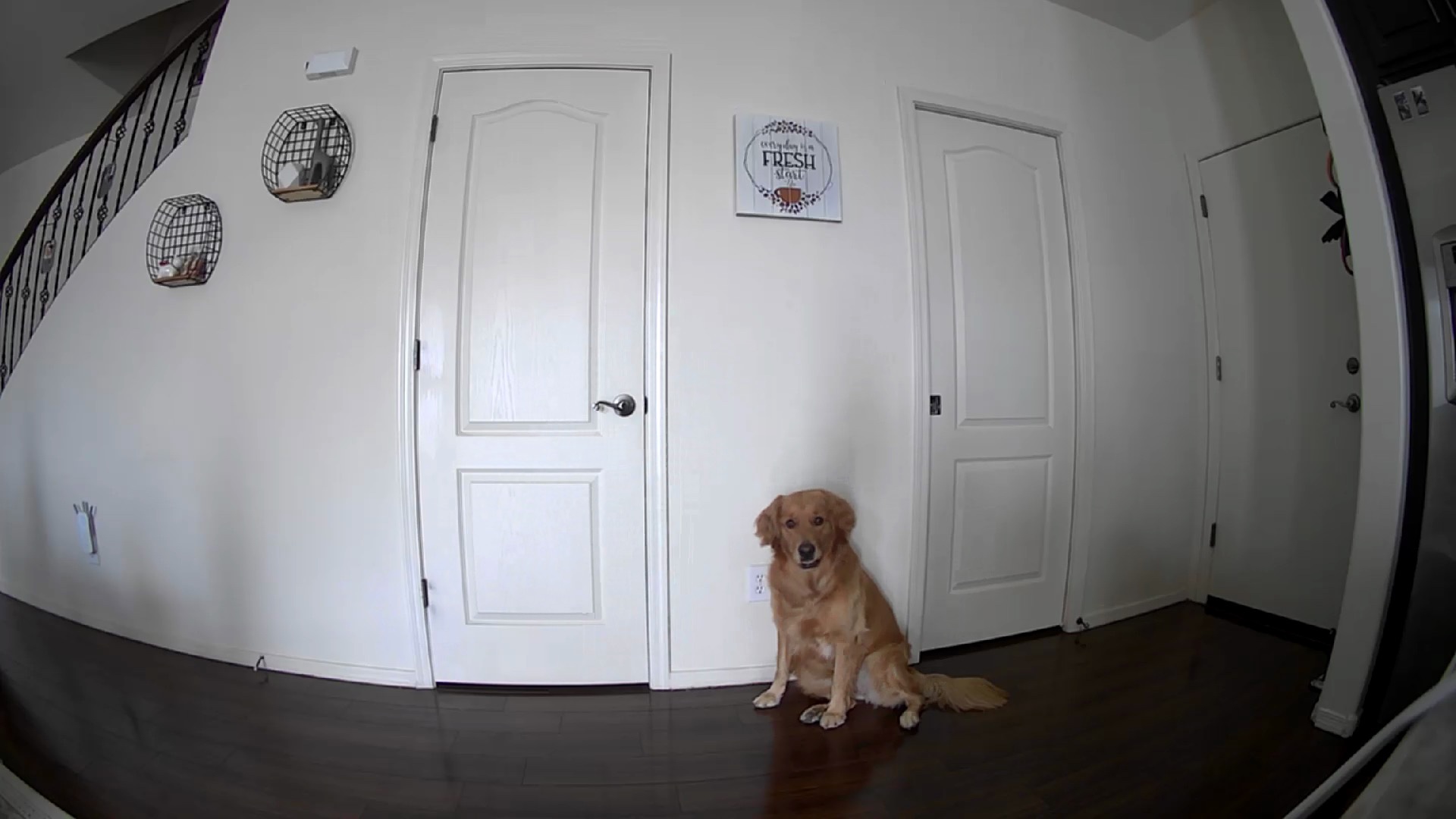
The catch is the subscription boundary. Motion and sound alerts require the Petcube Care plan, so the alerts that make a pet camera feel smart are not included by default, and the same plan unlocks video history. Networking is 2.4GHz only, there is no pan or tilt motor, and the 10.6-inch tall body is physically big. At 1.5 pounds it is heavier than the other models listed in this roundup, so a countertop placement near the edge invites a tipping incident.
It is among the lowest-rated products here at 4.0, with a meaningful share of one-star reviews tied to the subscription-gated alerts, the networking band and the price for what is a fixed-view camera. It is a specialty choice: buy it if scheduled treats are the point, not if you want the best monitoring.
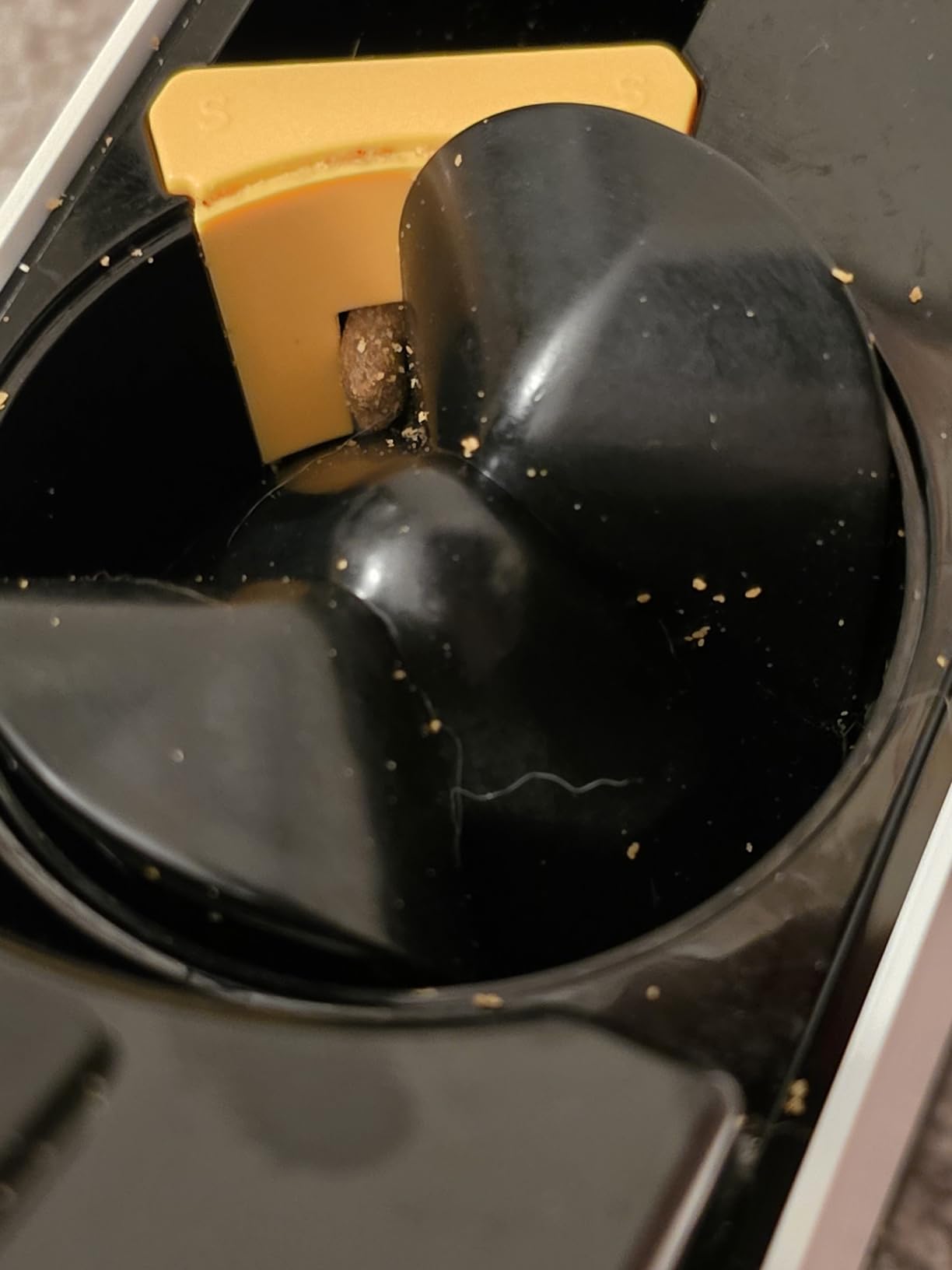
Check this before buying if you want unattended feeding
Scheduled dispensing is the feature to buy for. You can set times through the app and the hopper’s size means you are not refilling daily. It requires a smartphone on iOS 11.4 or Android 8.10 or later, and it comes with a one-year limited warranty alongside 24/7 support, which is unusually generous for this category.
Variable toss distance matters more than it sounds. A short toss lands close to the base, a long toss reaches the far side of a room, and getting that wrong is the difference between a cat engaging and ignoring the machine entirely.
Check this before buying if you want pan and tilt or no fees
If you want a camera that follows the cat around the room, this is not it. The field of view is fixed at 110 degrees, which is on the narrow side for a large living room. And unlike the Tapo, Kasa, VIRTAVO, ARENTI, MUBVIEW and TKENPRO options here, its alerting depends on a paid plan.
Wall mounting solves the tipping risk and the bulk. Mount it high on a wall bracket, out of reach, and the 1.5-pound weight stops being a liability.
8. MUBVIEW 2K Pan and Tilt Indoor Camera – Best for Free Cloud History
MUBVIEW 5G WiFi Indoor Security Camera No Subscription, Pet Camera with Phone App, Baby Monitor WiFi Smartphone, 2K Night Vision Pan-Tilt Dog Cam, Auto Tracking, 2-Way Audio, SD or Cloud Storage
2K 3MP at 15-20fps
Dual-band 2.4GHz and 5GHz
7-day free cloud loop
Color and infrared night vision
Pros
- Connects on both 2.4GHz and 5GHz with automatic band selection
- Clear 2K image that reviewers judge better than 1080p
- 7-day loop cloud recording at no cost plus an optional 128 GB SD card
- Rotates 180 degrees each way and tilts up and down
- In-app toggle to disable the lens for privacy
Cons
- No AI differentiation between pets
- humans and other moving objects
- Records motion clips but leaves about a minute of dead time after each event
- Fast-forward only reaches 4x and the playback scrub bar is imprecise
- No Alexa or Google Home integration
- Short non-detachable power cable limits mounting positions
This solves the subscription problem differently from everyone else. Instead of local-only storage, MUBVIEW includes a 7-day loop cloud recording at no cost, so you can look back through the past week from anywhere without a microSD card or a paid plan. If you want history rather than live viewing, that is a genuinely different proposition from the rest of this list.
The picture is 2K on a 3MP sensor at 15-20fps, with color and infrared night vision reaching about 33 feet, which is longer than the 30-foot range most of the others here specify. It rotates 180 degrees each way for full 360-degree coverage with auto motion tracking, two-way talk-back runs through the app, and the dual-band radio connects on 2.4GHz or 5GHz automatically.
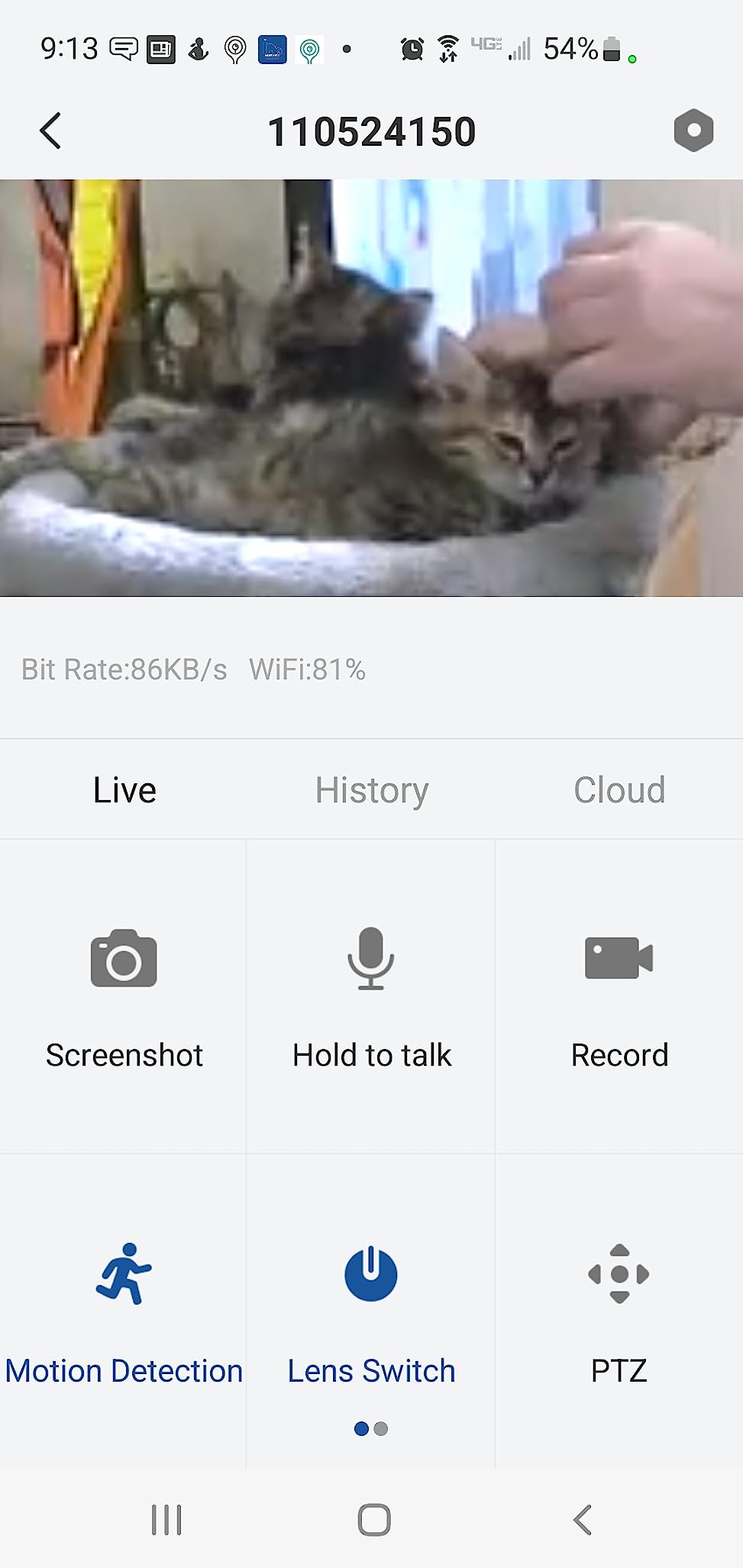
What you give up is intelligence. There is no AI differentiation between pets, humans and other moving objects, so every moving thing is treated the same and you get a generic motion alert. Recording is clip-based with roughly a minute of dead time after each event, and playback fast-forward only reaches 4x on a scrub bar owners describe as imprecise, which makes reviewing a long day tedious.
There is no Alexa or Google Home integration, so it needs the CloudEdge app on its own, separate from your smart home. The power cable is short and non-detachable, which limits mounting positions, and a minority of units never appear in setup mode with support limited to a form. Owners with several of these units like the shared app and multi-device viewing, and report reliable motion sensing over weeks of use.
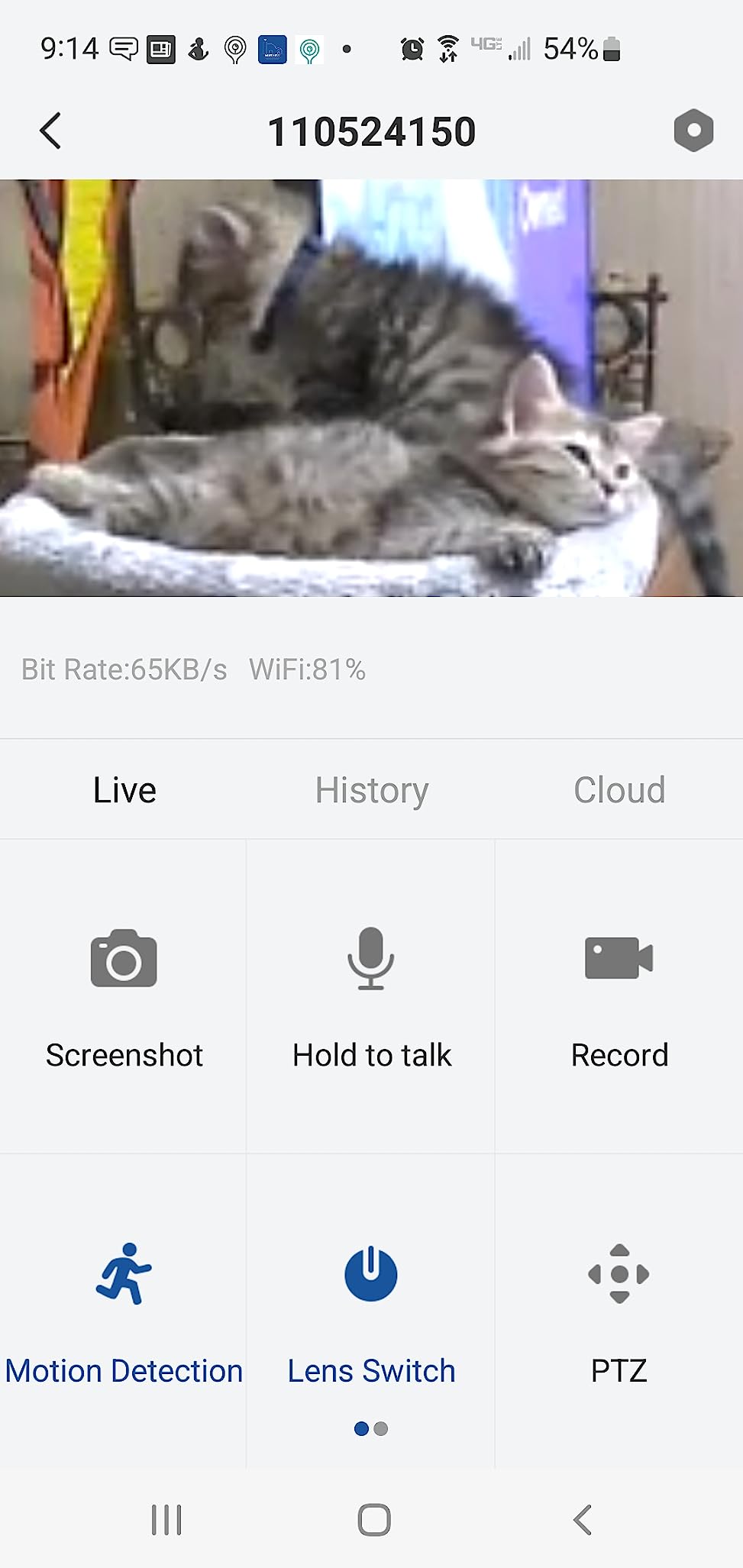
Check this before buying if you want to review the day later
A free 7-day loop is the broadest video history offering in this group without a subscription. Add a microSD card up to 128 GB and you get continuous local recording too, covering the gap between clips. The lens-disable toggle in the app is a genuine privacy plus for anyone who does not want the camera active overnight.
Color night vision is worth noting if your cat is active after dark. Some cameras here switch to monochrome infrared, and having a usable color image in a dim room is a real difference for recognizing which cat walked past.
Check this before buying if your home runs smart devices
No Alexa, no Google Home, no IFTTT. This is a standalone camera with its own app, and CloudEdge is the same platform many owners already use for other devices, which makes multi-camera viewing simple if you are already in that ecosystem. If you are not, you are adding a second app to your phone.
The short fixed cable is the practical limit. Plan a countertop position near an outlet, and note the unit is 3 by 3 by 4.33 inches at 10.88 ounces, light enough to be moved but stable enough to stay put.
Which Cat Cameras Do Not Need a Subscription
Seven of these eight cameras never require a paid plan to do their job. The Tapo C200 and the Kasa EC70 record to a microSD card and stay free indefinitely, with cloud plans available only as an option. The ARENTI P2Q works the same way with a card up to 256 GB, the VIRTAVO XD1 offers both local and encrypted cloud storage, and the MUBVIEW includes a 7-day cloud loop at no cost.
The TKENPRO treat camera records to a memory card up to 128 GB for continuous recording without paying, though its AI highlight album is subscription-based. The Petcube Cam also works free out of the box, with the care plan adding AI detection, 90-day history and Daily Diary recaps.
One camera here does gate meaningful features. The Petcube Bites 2 Lite needs the Petcube Care plan for motion and sound alerts, which are the reason most people buy a pet camera. Its night vision, live view and two-way audio still work without it, so you are not locked out, you are just working with less information.
Worth stating plainly: the fee-free models are not missing features so much as moving storage to your own card. The trade is that you cannot review footage from outside your home network unless you also set up a way to get at the card, and card failures happen. If you want history you can open from anywhere, the MUBVIEW free loop is the closest thing here to having both.
Where to Point the Camera in a Home With a Cat
Aim at the resources, not the cat. For a cat home alone, the informative frames are the food and water bowls, the litter box, a favourite window perch and the doorway the cat uses to greet you. A camera pointed at an empty floor shows you an empty floor, which is exactly the complaint owners raise about cameras feeling useless.
Mount high, or at least above swat height. Every cat in this category investigates a new object on a shelf, and cameras that get knocked over generate a support ticket rather than a picture. A wall bracket or an under-cabinet mount solves this, and the Petcube Cam magnetic base is a simple version of that idea.
Then manage the cord. Cats chew, and a dangling power cable is both a safety issue and the reason the unit ends up on the floor. Route cables along the wall with clips, and keep the treat hopper of a dispenser camera above the level a cat can reach while standing on furniture. Camera placement advice from our floodlight camera guide on outdoor mounting follows the same principle of getting the hardware out of reach.
Finally, frame enough of the room to see where your cat actually goes, then trim. A 95-degree lens like the ARENTI needs a careful, close placement to work at all, while the 120-degree Kasa view forgives more. Set activity zones around the bowl and the bed, drop sensitivity a notch, and you will get alerts worth opening instead of the notification fatigue that makes people mute these cameras by the end of week one.
Does Two-Way Talk and Treat Tossing Comfort a Cat or Stress One?
It depends on the cat, and honest testing here found both outcomes. A treat toss that lands and is eaten genuinely redirects a bored cat, and the interactive camera owners in this group are the most enthusiastic about seeing their pet settle. The failure mode is the cat who has no interest in food off the floor, or who is startled by a voice with no body attached to it.
That is the point competitor testing has raised and most roundups skip. Speaking through a camera gives a cat a disembodied voice with no visible source, which is a genuinely odd stimulus for a small animal. Owners report some cats approach the speaker and some leave the room when it activates. If your cat already avoids unfamiliar sounds, an interactive feature can make the camera a negative experience rather than a comforting one.
A laser pointer deserves a specific warning. Chasing a light gives a cat exercise with no catchable prey at the end, and a session that ends without a successful pounce leaves frustration rather than a satisfied cat. A treat toss, by contrast, ends in something the cat physically gets. If you want interactive enrichment while you are at work, food-based features are the safer bet than light-based ones.
Our practical advice is to test in the room with someone home for a few days before you rely on any of it. Turn on two-way talk and watch the cat’s whole body, not just its face. A cat that turns toward the sound and stays is a good candidate; a cat that leaves and does not return for an hour is telling you to keep the speaker off. A companion ceramic drinking fountain in the same frame also gives you a second thing worth checking while you are watching.
How to Test a Camera Before You Rely On It
Run a full workday before you trust it. Set the camera up on a real weekday, leave the house, and check the feed from your phone on cellular data rather than office Wi-Fi, because a router-side problem looks exactly like a camera problem. Time how long the live view takes to load; a delay of a minute or more is a known complaint and matters when you are trying to catch a moment.
Test the alerts deliberately. Walk through the room, sit still, and pick up an object so you can see what fires and what does not. A cat that curls up and sleeps produces nothing on a motion-only camera, and knowing that in advance is better than assuming the camera is broken at 4pm on a Tuesday.
Check night vision before dark, not after. Turn the lights off, look at the bowl and the litter box at the range you care about, and note whether it is monochrome or colour. If you plan to rely on a treat dispenser, check the toss range from the far corner of the room while watching on your phone.
Finally, confirm you can actually reach your recordings from outside the home. If the camera depends on a microSD card, verify you know how to get the footage to your phone. A camera that only works while you are standing in the same room as the router is not solving the problem you bought it for.
What Works Alongside a Camera for a Cat Home Alone
A camera watches; it does not occupy. Most cats left alone for eight or ten hours are bored rather than distressed, and the things that help most are not electronics. A rotating puzzle feeder, a window perch with something to watch, and a scratching post near where the cat likes to sit will do more for a workday than any alert on your phone.
Consider a timed automatic feeder so mealtimes are predictable even on the days the schedule slips. If you are worried about location rather than loneliness, that is a different question and a different product, which is why an outdoor cat setup usually starts with tracking rather than a camera. Our guide to LTE GPS trackers for outdoor cats covers that side.
And be honest about whether you need one at all. Forum consensus is that a pet camera’s value is peace of mind, not behaviour change. If what you are really looking for is reassurance, watching one short clip at lunch may be enough, and a subscription-free camera in the corner is the simplest version of that. If you are tracking a health or behavioral change over weeks, then a camera with history, like the Petcube Cam care features, earns its cost in a way a live-only feed cannot.
Frequently Asked Questions
What is the best camera to use with my cat?
The Tapo C200 is the best all-round choice for a cat home alone, because 360-degree pan and 114-degree tilt cover a whole room from one shelf and a microSD slot means no monthly fee. If you want interaction, the TKENPRO 2K adds a treat hopper and two-way talk. If you want recorded history without a card, the MUBVIEW includes seven days of free cloud loop recording.
Which cat camera doesn’t require a subscription?
The Tapo C200, Kasa EC70, ARENTI P2Q and VIRTAVO XD1 all record to a microSD card and work with no paid plan at all. The MUBVIEW goes further and includes seven days of looping cloud video history for free. The TKENPRO treat camera also records continuously to a card for free. Avoid relying on the Petcube Bites 2 Lite for alerts, since its motion and sound alerts require a care plan.
Are you allowed to put a camera on your cat?
No pet camera in this guide attaches anything to the cat. These are fixed indoor room cameras that watch the space your cat is in, which raises no welfare question at all. Collar or harness cameras do exist, but they raise genuine welfare and legal questions and are a different category entirely. A room camera pointed at the bowl, the litter box and the bed covers what you actually want to see.
What is the best portable camera for pets?
Most cameras for a cat left at home are fixed indoor units, because reliable monitoring needs power, a stable connection and a wide field of view. Battery-powered portable pet cameras exist, but the trade is real: shorter life, weaker night vision and cloud-only storage that usually means a subscription. For an indoor cat, a wired pan and tilt camera on a wall mount is a better answer than portability.
Do pet cameras really help cats that are home alone?
The honest answer is that a camera helps the owner more than the cat. Owners consistently describe the value as peace of mind and as a way to catch a blocked litter box or a spilled water bowl early. For the cat itself, treat tossing and two-way talk are worth testing cautiously, since a disembodied voice or an ignored treat launcher can be stressful rather than soothing.
The Verdict: Which Cat Camera to Buy in 2026
The Tapo C200 is the pick for the best pet cameras for cats home alone in 2026, and the reason is unglamorous: it covers a room, it records without a subscription, and tens of thousands of owners have confirmed it works every day for years. Buy the Kasa EC70 instead if you want a wider field of view and patrol mode, and switch to the MUBVIEW if you would rather have a week of free cloud history than a memory card.
Go interactive only if your cat is genuinely food-motivated. The TKENPRO 2K is the smarter buy than the Petcube Bites 2 Lite for most households, since it gives you a sharper picture, dual-band Wi-Fi and free continuous recording, while the Bites 2 Lite earns its place only for scheduled dispensing from a full-size hopper.
Whatever you choose, mount it high, aim it at the bowl and the litter box, run one full workday of testing, and set the sensitivity lower than you think you need. If the camera is doing its job, you will check it twice a day and find nothing wrong, and that is the outcome you are paying for.