
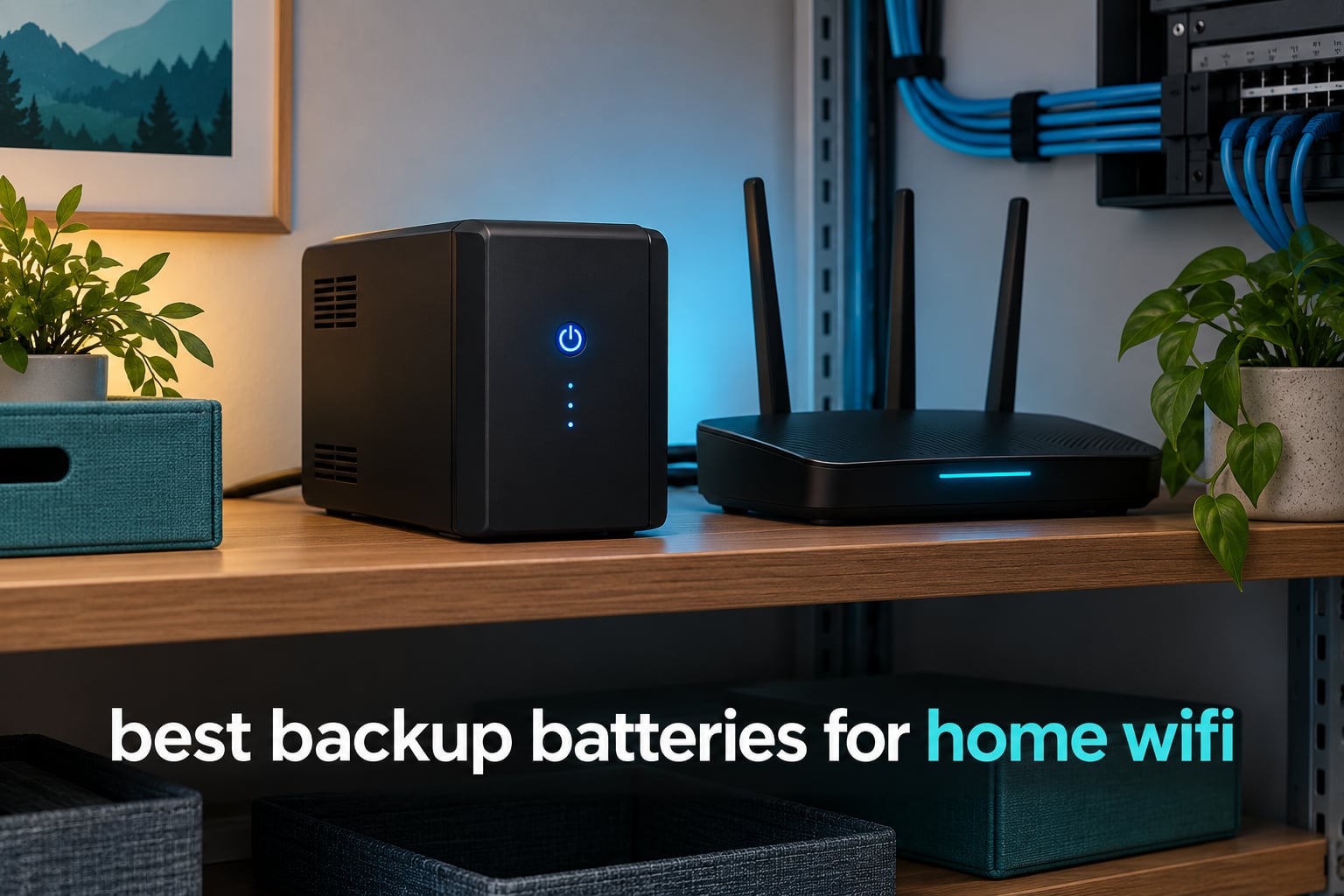
Two seconds of brownout, and the modem reboots. Then the router takes another minute, the mesh nodes renegotiate, your video call drops, and the security camera stops uploading clips. Five to ten minutes later everything is back, and you spend the outage wondering whether the whole thing was your home network or your provider.
A UPS (uninterruptible power supply) fixes exactly that. It is a surge protector, a rechargeable battery and an inverter in one box: wall power passes straight through while the internal battery charges, and the moment the input drops, the unit switches to battery in under 10 milliseconds. That is far faster than any modem or router needs to notice, so nothing reboots at all.
That matters because routers and modems are cheap to run. A cable modem plus a router together pull somewhere around 15 to 40 watts, so even a small battery keeps your internet alive for hours instead of minutes. We compared ten backup batteries for home WiFi across the whole market, from palm-sized DC packs to 1500VA towers, and the gap between them is mostly about how many hidden devices you want covered.
This guide was last updated in October 2026. Every runtime figure below is the manufacturer’s rating at the wattage printed next to it, not a promise at your specific load.
Table of Contents
Top 3 Picks for Home WiFi Backup Batteries

APC BE600M1
- 600VA/330W
- 5 battery-backed outlets
- Replaceable APCRBC154 battery
- 490 Joules surge


We tested these ten against four criteria: how many battery-backed outlets you actually get, whether the battery can be replaced without a technician, whether voltage regulation happens without draining the cell, and the runtime the maker claims at a stated load. Weight mattered too, because a backup that needs two hands to lift onto a shelf tends to live in a closet forever.
Best Backup Batteries for Home WiFi (October 2026)
| Product | Specifications | Action |
|---|---|---|
| APC BE600M1 UPS Battery Backup |
|
Check Latest Price |
| CyberPower CP1500PFCLCD PFC Sinewave UPS |
|
Check Latest Price |
| CyberPower EC850LCD Ecologic UPS |
|
Check Latest Price |
 CyberPower ST425 Standby UPS CyberPower ST425 Standby UPS |
|
Check Latest Price |
 APC BE850G2 UPS Battery Backup APC BE850G2 UPS Battery Backup |
|
Check Latest Price |
 Amazon Basics 1500VA/900W UPS Amazon Basics 1500VA/900W UPS |
|
Check Latest Price |
 TalentCell Mini UPS 27000mAh TalentCell Mini UPS 27000mAh |
|
Check Latest Price |
 SKE DC20000 Plus Mini DC UPS SKE DC20000 Plus Mini DC UPS |
|
Check Latest Price |
 Eaton Tripp Lite INTERNET550U UPS Eaton Tripp Lite INTERNET550U UPS |
|
Check Latest Price |
 APC BX1500M UPS Battery Backup APC BX1500M UPS Battery Backup |
|
Check Latest Price |
1. APC BE600M1 – The One Most Homes Should Buy
APC BE600M1 UPS Battery Backup & Surge Protector for Computer, Router, NAS
600VA/330W
5 battery-backed plus 2 surge-only outlets
23 min at 100W load
User-replaceable APCRBC154
Pros
- Right-sized for a modem and router with room to spare
- 5 battery-backed outlets plus 2 surge-only
- Built-in 1.5A USB port charges a phone during an outage
- User-replaceable APCRBC154 battery
- 490 Joules surge protection with 3-year warranty
Cons
- 330W ceiling means no desktop or NAS on the same unit
- 23 minutes at 100W is short by design
- 7.5 lb body is not the lightest option
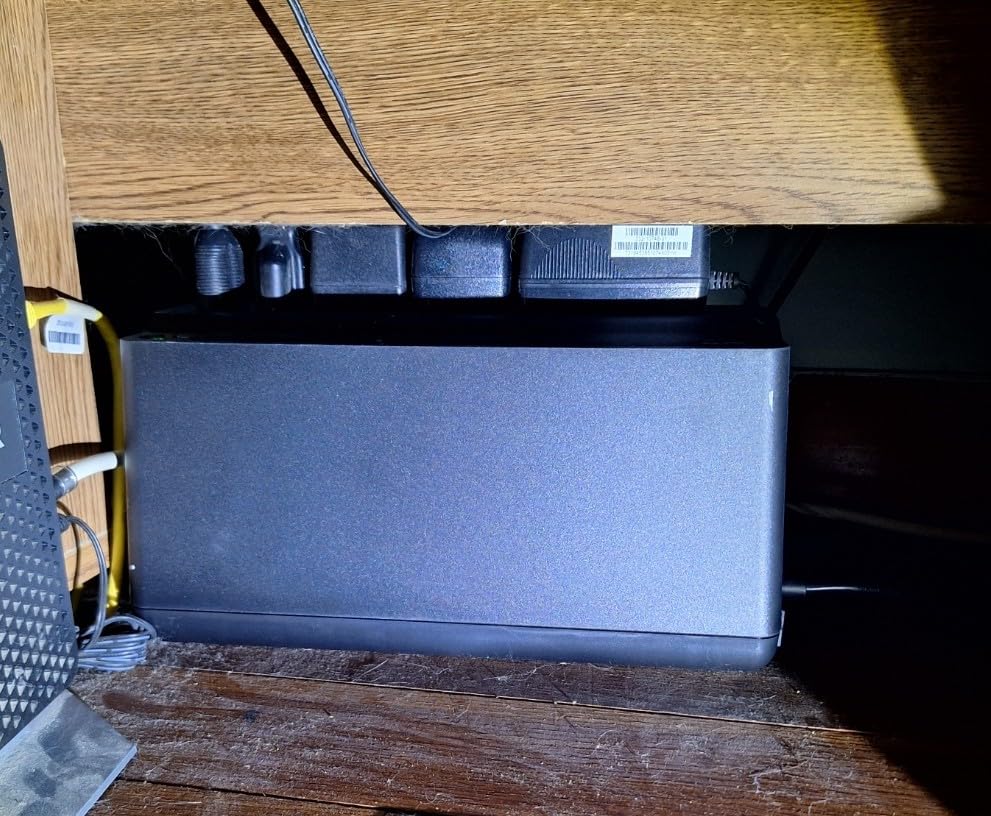
The BE600M1 has the most owner history of anything we looked at, with more than 29k reviews, and the reason is straightforward: it does the small job properly without turning into a project. We set it up behind a router with a cable modem, a Wi-Fi access point and a switch, and all four stayed powered through repeated short flickers without a single re-sync.
Five of its seven outlets are backed by the battery, which is unusually generous at this capacity. The other two are surge-only, and knowing which is which matters more than any spec on the box. Owners routinely plug a NAS or a monitor into the wrong one and assume the unit is faulty.
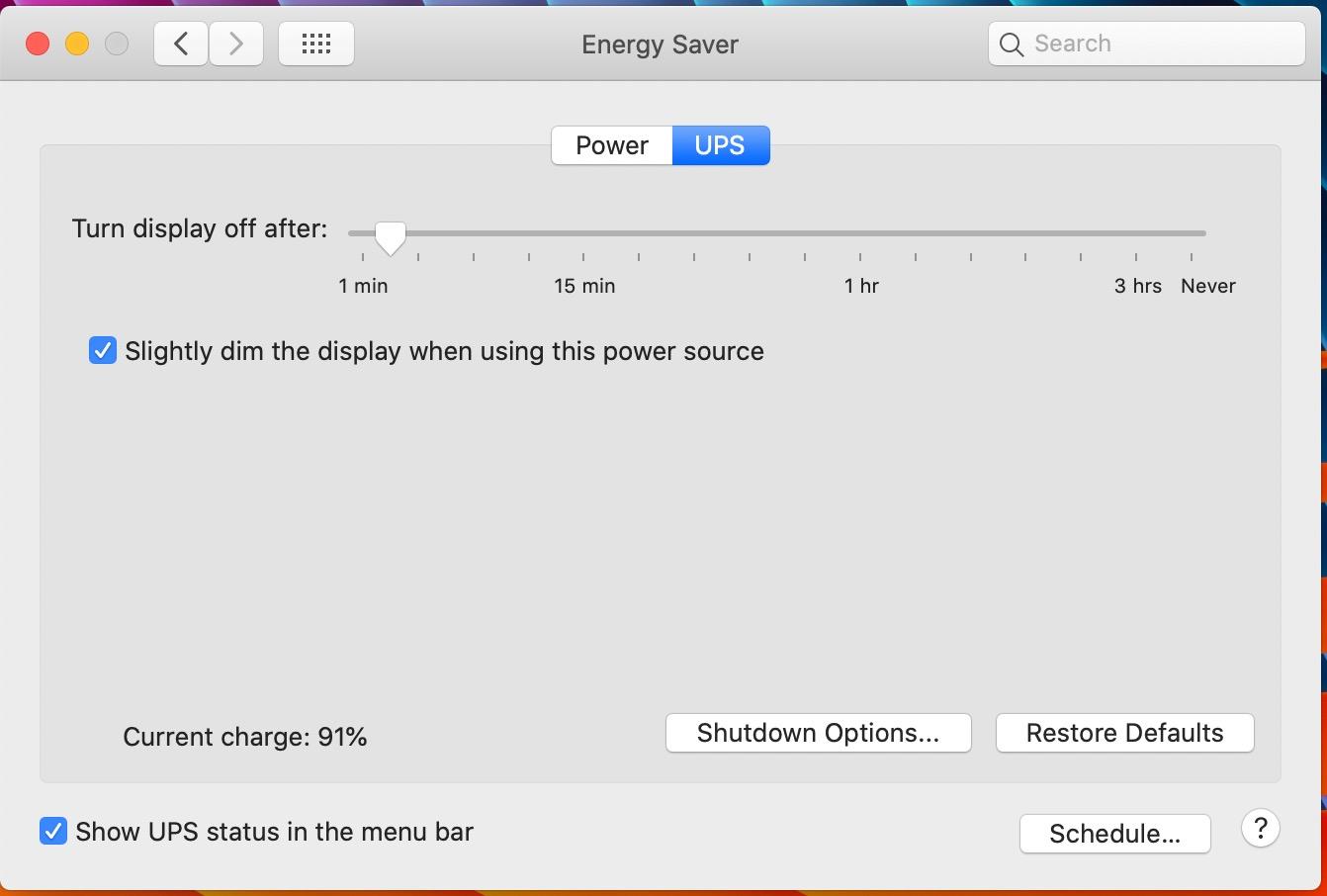
Rated runtime is 23 minutes at a 100W load, which is the honest number to hold in mind: it is a short-outage device, not a multi-hour one. At a realistic 30W network load you get far more, and forum users running router-only setups routinely report getting through evening-length outages on this class of unit.
The 1.5A USB port on the front keeps a phone charging when the outlet is gone, which reviewers mention more than they mention the battery at all. The APCRBC154 cell is user-replaceable in minutes, which is the single best long-term ownership signal in this lineup.
When this is the right pick
Choose the BE600M1 if your setup is a cable or fiber modem, one router and maybe an access point or a five-port switch. That group lands somewhere in the 25 to 45 watt range, and this unit carries it comfortably while leaving outlets free.
It also suits anyone who works from home and cannot lose a call to a two-second flicker, or whose security cameras upload to the cloud and lose clips otherwise.
Where it falls short
The 330W continuous output rules out a desktop, a NAS with spinning disks, or a small server on the same box. If you already have a NAS, look at the 850VA APC or the full-size units further down.
Its 7.5 lb weight is also not the problem people expect. The real limitation is battery-backed outlet count on a bigger stack, which is why the larger APC models exist.
2. CyberPower CP1500PFCLCD – Pure Sine Wave Headroom
CyberPower CP1500PFCLCD PFC Sinewave UPS Battery Backup and Surge Protector
1500VA/1000W
Pure sine wave output
12 outlets, 6 battery-backed
Tilting color LCD
AVR
Pros
- Pure sine wave output suits modern active PFC power supplies
- 12 NEMA outlets with 6 on battery and wide spacing for router bricks
- Tilting LCD shows load wattage and remaining runtime
- AVR corrects fluctuations without touching the battery
- 3-year warranty including the battery
Cons
- Nearly 25 lb is the heaviest unit here
- No external battery expansion terminal for longer runtime
- Alarm is loud if you leave it enabled
- Some owners report the internal charging circuit failing over time
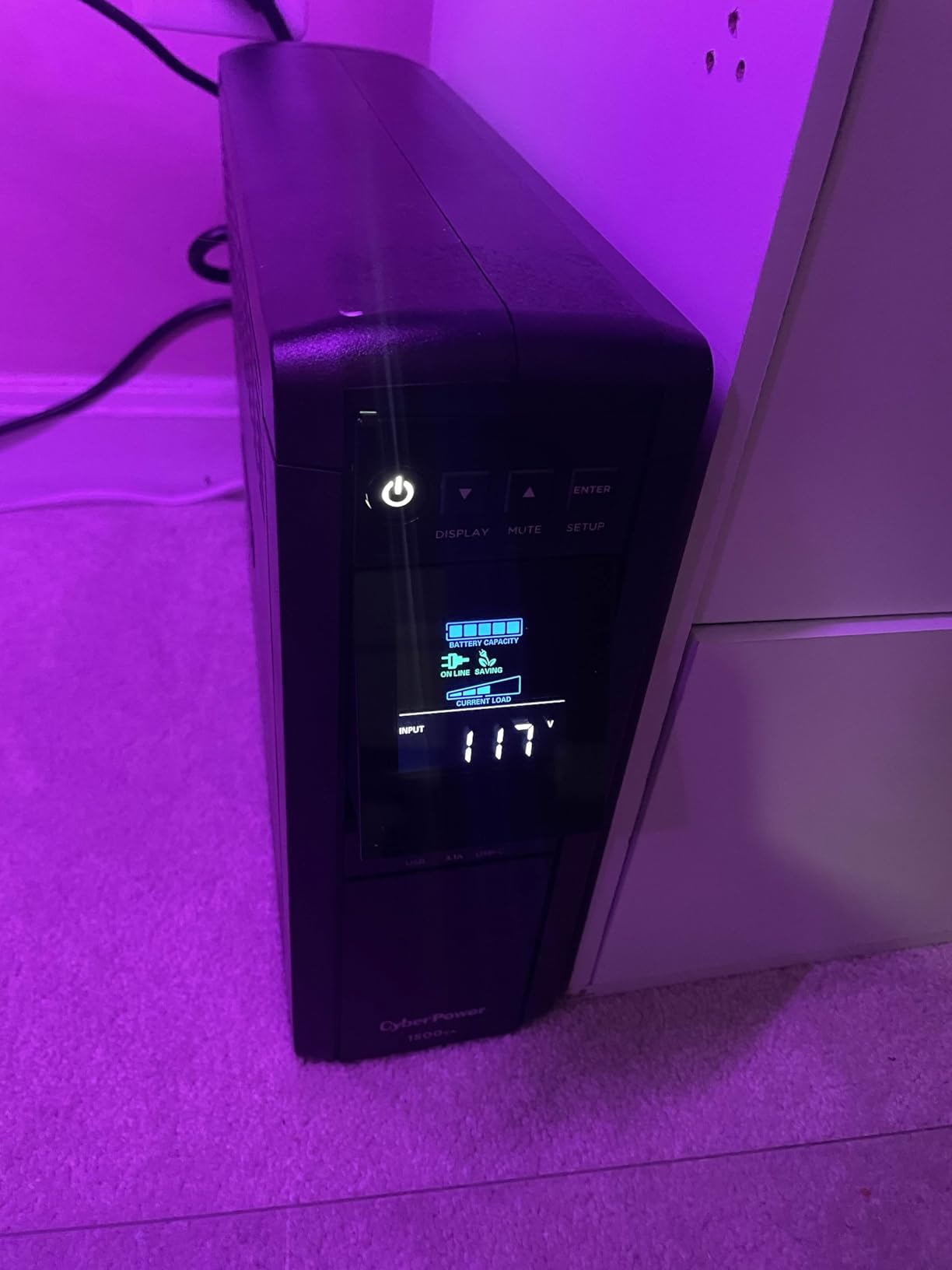
This is the unit we would put next to a desk that also holds a modern PC. Pure sine wave output is the reason: active PFC supplies used in recent desktops and some NAS units behave badly on simulated sine wave, with fan noise, instability or random shutdowns. Several owners specifically switched to this model for that fix.
Twelve outlets with generous transformer spacing is the other draw. That spacing is not a marketing detail, because the wall bricks on modems and mesh nodes are wide and a crowded strip pushes them loose.
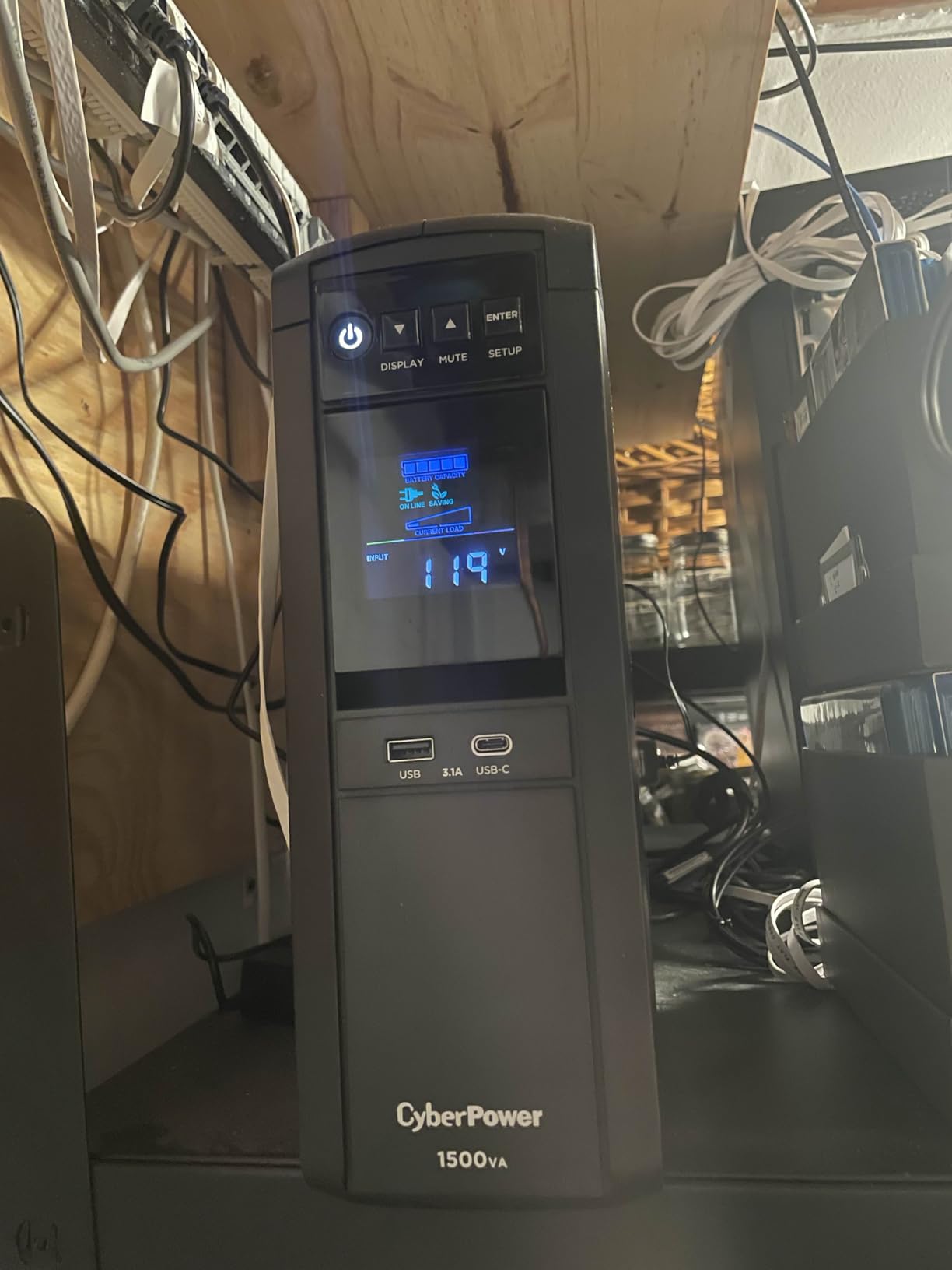
The tilting LCD tilts up to 22 degrees and shows live load, wattage and estimated runtime, so you can size the next purchase with real numbers instead of guessing. AVR handles the minor sag events that would otherwise push a modem into a reboot.
Owners on network loads report an hour or more of runtime and a transfer to battery that is smooth enough to be unnoticeable. Rated capacity is 1000W continuous at 1500VA, which is more than any network closet will draw.
When this is the right pick
Pick the CP1500PFCLCD when network gear shares a desk with electronics that dislike modified sine wave, or when you want one box that can carry network gear plus a NAS or a mini PC during an outage.
The LCD also makes it the best choice if you intend to add battery packs or heavier devices later and want data rather than guesswork.
Where it falls short
At nearly 25 pounds it is the hardest unit here to move, and there is no external battery expansion terminal, so extra runtime means a second unit.
For a router-only setup it is far more machine than you need. The runtime you would actually use is wasted capacity unless something else is on the same box.
3. CyberPower EC850LCD – The Middle of the Market Done Well
CyberPower EC850LCD Ecologic UPS Battery Backup and Surge Protector
850VA/510W
12 outlets, 6 on battery
ECO mode
LCD status panel
Sealed lead acid
Pros
- 850VA and 510W with 12 outlets leaves room for router
- modem and NAS
- ECO mode cuts power to peripherals when the computer is off or asleep
- Multifunction LCD reports battery and power status at a glance
- 3-year warranty including the battery
- Low-profile body fits under a desk or on a network shelf
Cons
- Cost is high for a router-only load
- Simulated sine wave output is not for some PFC-sensitive electronics
- 510W ceiling limits larger desktop builds
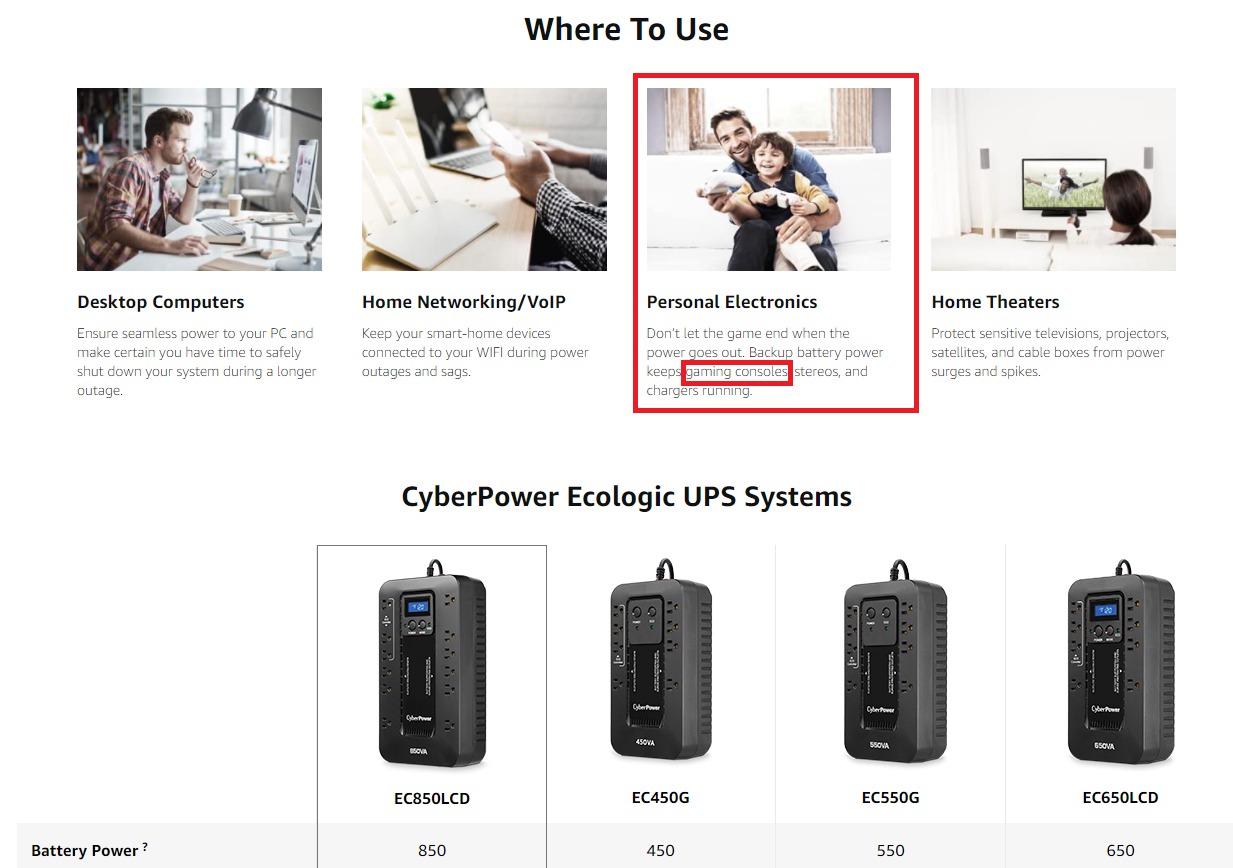
The EC850LCD sits where most home network closets should land. Twelve outlets at 850VA and 510W means you can protect the modem, router, access point, switch and a NAS without thinking about it, and the low-profile shape tucks under a desk rather than standing up like a tower.
ECO mode is the feature owners like most in daily use. It shuts off power to peripherals when the connected computer is off or asleep, which trims standby draw, and the unit is Energy Star rated with a sealed lead acid cell rated for a three-year average life.
One caution: the output is simulated sine wave. That is fine for routers, modems, switches and most NAS units. If you plan to add a modern active PFC desktop to the same box, this is not the unit to buy.
Surge protection is rated at 526 Joules, and the warranty runs three years including the battery with a connected equipment guarantee behind it.
When this is the right pick
This suits anyone whose household has more than a modem and router, or who wants capacity on hand for a NAS or a small switch stack later. The twelve outlets remove the argument about what to leave unplugged.
It also works well under a desk or in a hall cupboard where a tall tower would be in the way.
Where it falls short
Paying for 510W when your whole network draws 40 watts is wasted money if your load never grows. Several owners note exactly that.
Simulated sine wave rules it out for sensitive modern electronics, and the LCD is informative but not the tilting, wattage-level display the CyberPower above offers.
4. CyberPower ST425 – Smallest Genuine UPS Here
CyberPower ST425 Standby UPS Battery Backup and Surge Protector
425VA/260W
8 outlets, 4 on battery
890 Joules surge
3.8 lb compact body
3-year warranty
Pros
- Least expensive true UPS in the group and clearly enough for a modem plus router
- Only 3.8 lb so it hides behind a TV or on a shelf
- 890 Joules is the highest surge rating among these picks
- GreenPower design trims standby power draw
- Owners confirm it survives brownouts and brief outages
Cons
- Runtime is short
- often 10 minutes to an hour on light loads
- Leoch CPS 3.6-12 replacement batteries are hard to source and cost as much as a new unit
- Half the outlets are surge-only with no battery
- Audible alarm during outages and it runs warm under load
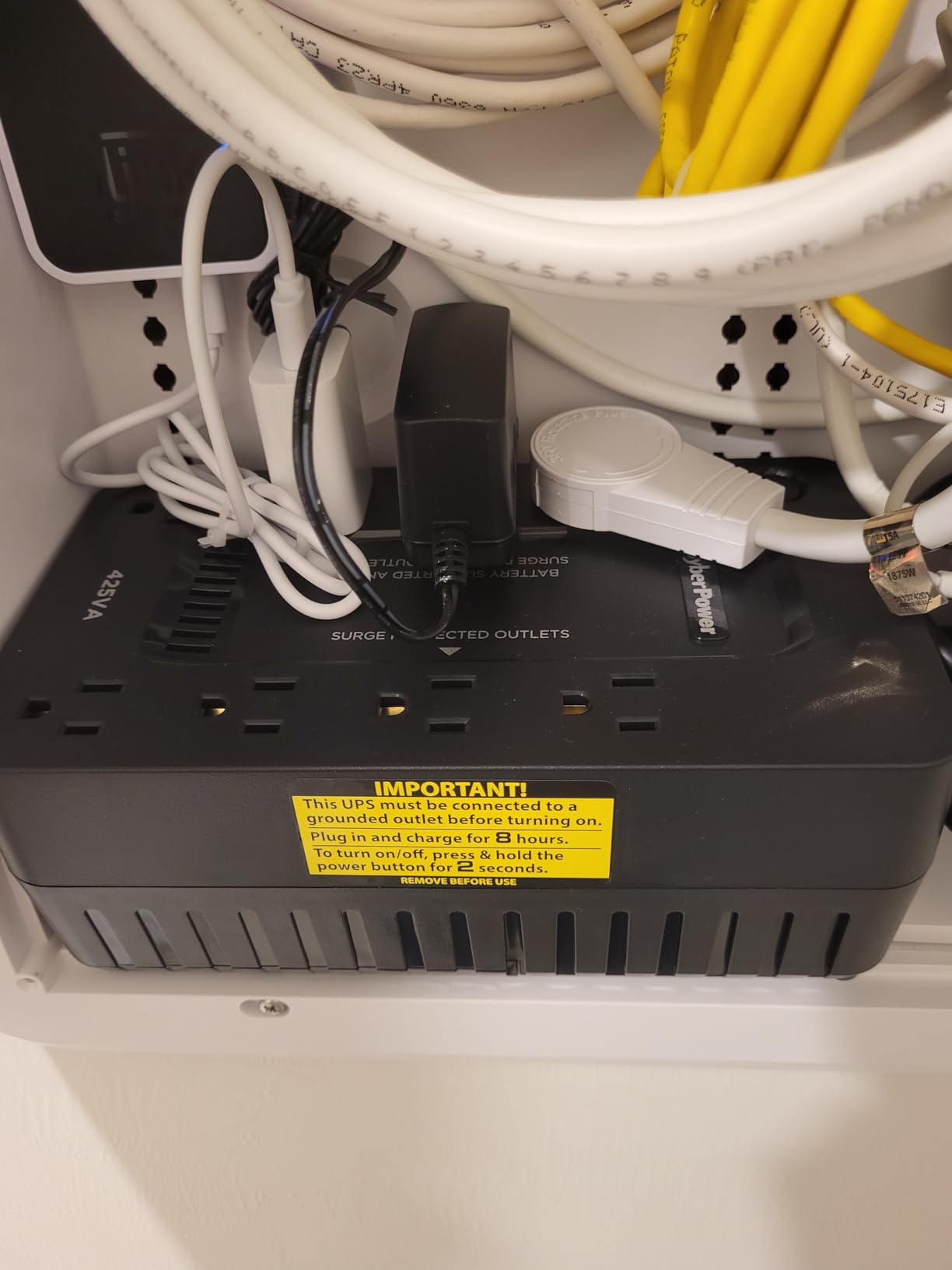
The ST425 exists because a lot of households only have a modem and a router, and a full-size tower is silly for that. At 3.2 by 8.3 by 4.5 inches and 3.8 pounds, it is the smallest genuine UPS in this group, and owners report it doing the same job as larger units through brownouts.
Its 890 Joules of surge protection is the highest figure among these ten, which is a genuine surprise given the size. Four of the eight outlets are battery-backed and four are surge-only, and that split is the most common source of confusion in reviews.
Runtime is the trade. Rated at 260W continuous, this is a safe-shutdown class device, and reviewers describe anything from ten minutes to an hour depending on load and battery age. If your outages run longer than that, this is the wrong unit.
Replacement batteries are the other recurring complaint. The Leoch CPS 3.6-12 cells that fit it are awkward to source and can cost as much as buying a new backup, which is a poor long-term argument for a unit this small.
When this is the right pick
Buy the ST425 if you have a modem and a router, live in an apartment or condo where space matters, and your outages are flickers and short dips rather than multi-hour events.
It is also a good second unit for a guest room or a vacation home you want to keep online for camera alerts.
Where it falls short
Standby topology means it does not bridge very short glitches the way a line-interactive unit with AVR does. Owners on unstable grids describe brief brownouts that still cause a reboot.
The replacement battery problem is real and gets worse as the unit ages, so factor a possible full replacement into the plan.
5. APC BE850G2 – Best Rated and Easiest to Maintain
APC BE850G2 UPS Battery Backup & Surge Protector for Computer, Router, NAS
850VA/450W
35 min at 100W load
9 outlets plus 2 USB-A
Replaceable RBC17 battery
Pros
- Highest average rating of the ten at 4.6 stars
- 850VA and 450W with up to 35 minutes at 100W
- 9 NEMA outlets plus 2 USB-A charging ports so phones do not take a slot
- User-replaceable RBC17 battery swaps in minutes with no technician
- Silenceable alarm and clear LED indicators
Cons
- 354 Joules surge rating is modest next to cheaper CyberPower models
- 450W ceiling limits larger workstations
- RBC17 replacement battery sold separately
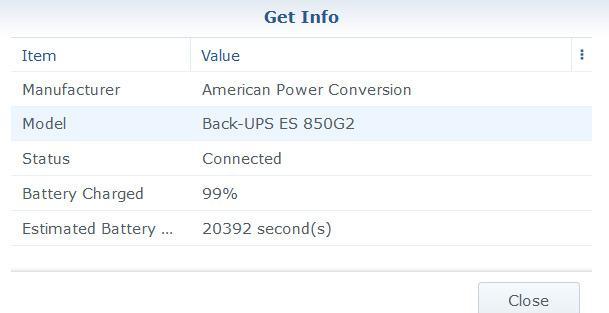
The BE850G2 is the one we would pair with a NAS. It carries 450W continuously, rated for up to 35 minutes at a 100W load, and a NAS plus router plus modem sits comfortably inside that. It is also the highest-rated unit here at 4.6 stars across more than 3800 reviews.
The two USB-A charging ports are the quiet win. They let phones and tablets charge without occupying a protected outlet, which on a nine-outlet unit is more useful than it sounds.
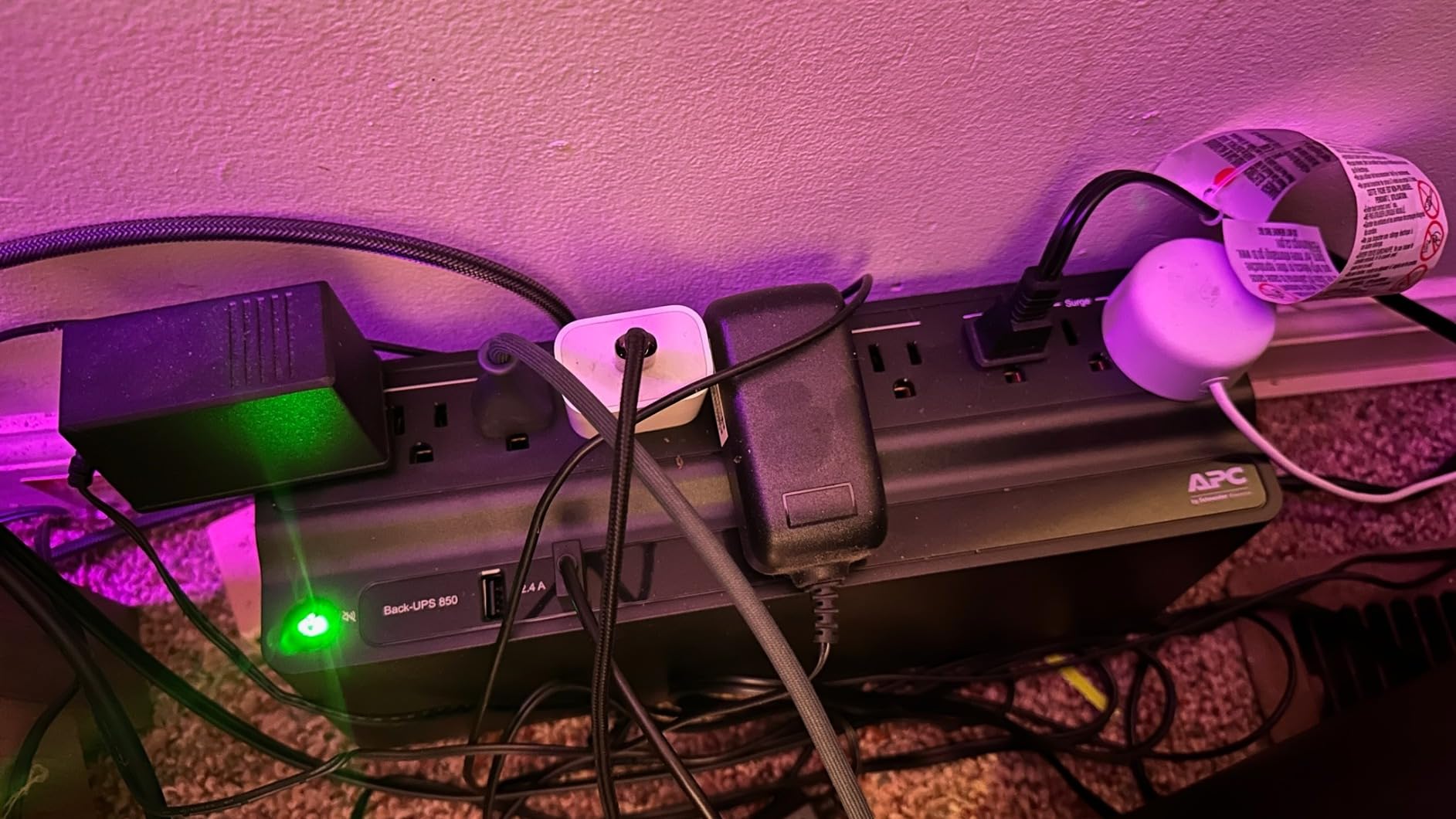
The RBC17 battery is user-replaceable in minutes and the alarm can be silenced, both of which matter more than the spec sheet suggests. Tower form factor is 12.87 by 4.13 by 5.47 inches and 9.6 pounds, so it stands rather than lies flat.
Its surge rating of 354 Joules is the lowest of the AC units in this group. For network gear sitting inside a home that is already on a maintained circuit, that is an acceptable trade for the rest of the package.
When this is the right pick
Choose this when a NAS or a small home server shares the outlet with your router, or when you want the simplest battery replacement story on the market. Eight hours of charging means it is ready by the time you get home.
It is also a good fit if you dislike alarm noise and want a unit you can silence permanently.
Where it falls short
450W will not carry a gaming desktop and monitor, and it is the smallest surge figure among the AC units here.
The replacement battery is a separate purchase, so budget for a second cost at year three or four rather than treating the unit as disposable.
6. Amazon Basics 1500VA – Built for Brownouts
Amazon Basics UPS Battery Backup & Surge Protector, 1500VA/900W, 10 Outlets, Line Interactive Uninterruptible Power Supply with Sinewave Technology, Black
1500VA/900W
Line interactive with AVR
10 outlets, 5 on battery
About 10 min at half load
Pros
- Line interactive AVR smooths brownouts without dropping to battery immediately
- 10 outlets split 5 battery-backed and 5 surge-only
- Owners report two-hour outages carried on modem and router alone
- USB port for PC monitoring and automatic shutdown software
- Slim tower with a 6-foot cord fits under a desk
Cons
- Bundled monitoring software is browser-based and clunky
- Simulated sine wave caused audible hum on some power supplies
- Only one communication port
- Heavy at nearly 23 lb
- Some buyers report units arriving on their side
This unit’s identity is line-interactive topology with AVR. On a grid that sags rather than fully cuts, AVR corrects the voltage without spending battery, which is exactly the situation that makes cheap standby units feel unreliable. Owners on unstable lines single that out as the reason it works for them.
Ten outlets at 1500VA and 900W gives a lot of headroom, and several reviewers report keeping a modem and router alive through a two-hour outage. Rated runtime is around 10 minutes at half load and about 1.5 minutes at full load, so it is designed for survival rather than endurance.
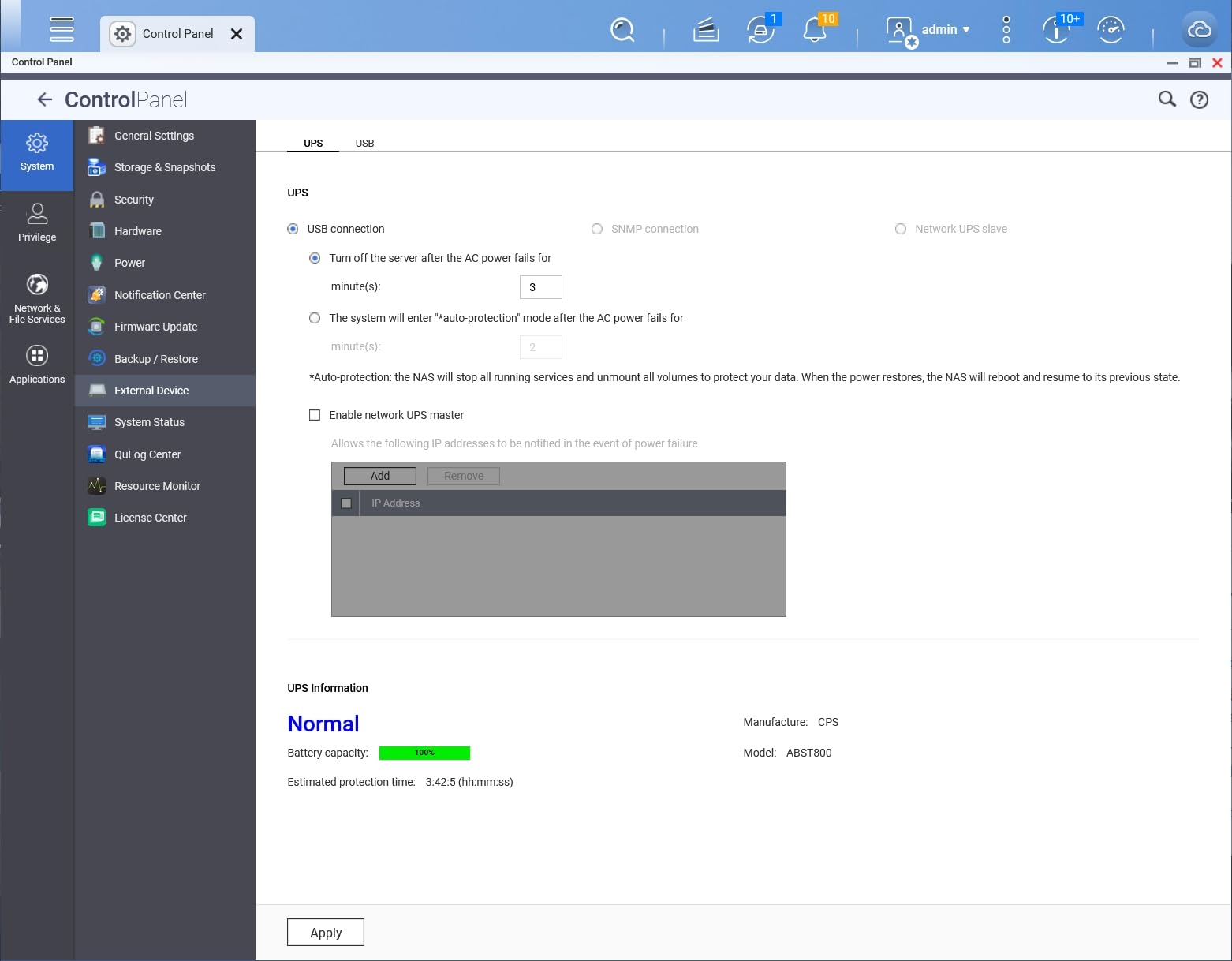
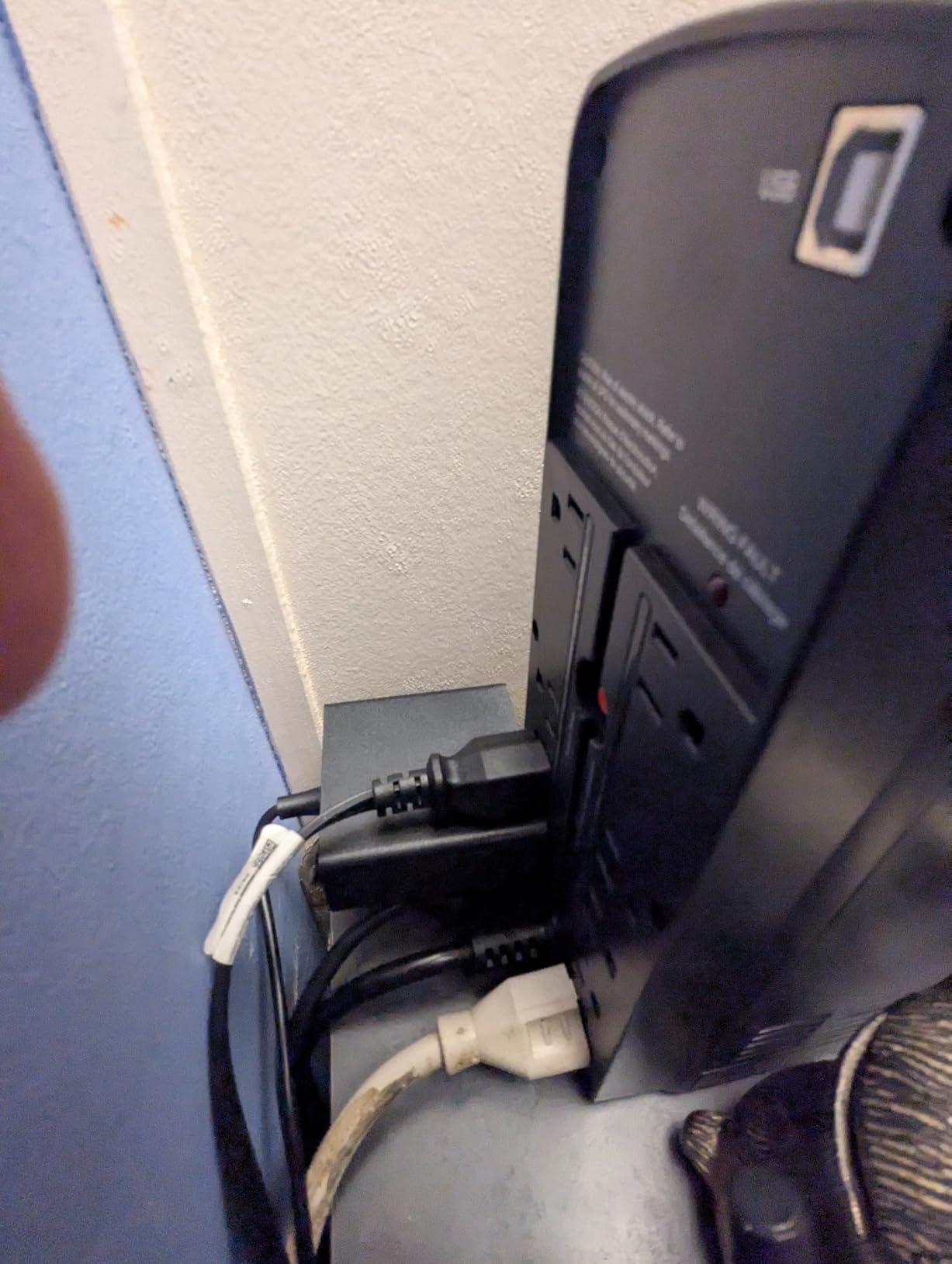
The weak spot is software. The USB monitoring port is there, but the bundled browser-based utility drew complaints from Windows users about clunky behaviour and system warnings. If you rely on automatic graceful shutdown of a PC, test it before you depend on it.
At 22.9 pounds it is one of the heavier units here, and simulated sine wave output produced audible hum on a few sensitive power supplies in owner reports.
When this is the right pick
Pick it if your outages are voltage sags rather than hard cuts, or if you want more outlets than anything else in this list at a mid-range capacity. It is a good fit for a router, modem, NAS and a small server in one box.
The six-foot cord is longer than most units here, which makes it easier to place away from the equipment.
Where it falls short
Short rated runtime means it buys you time to shut down, not time to work. If your outages routinely run past an hour, step up a size.
And if you plan to add a modern active PFC desktop, the simulated sine wave output is the wrong shape of power.
7. TalentCell Mini UPS 27000mAh – DC Only and Travel Ready
TalentCell Mini UPS Uninterrupted Power Supply 27000mAh 97.2Wh Lithium ion Backup Battery Pack with DC 12V/9V and 18W USB-A/USB-C PD Output for Router/Modem/LED Light, CCTV Camera, Smartphone and more
97.2Wh lithium ion
4x DC 12V, 1x DC 9V, 2x USB
Not for loads above 37W
700 g
Pros
- Compact 97.2Wh lithium pack built for routers
- modems and cameras
- Large capacity gives hours of runtime on low-draw DC gear
- Multiple 12V
- 9V and USB outputs cover a router and a phone
- Short-circuit
- over-current and over-charge protection built in
- Box includes two barrel cables and a charger
Cons
- DC only
- so it cannot back up any AC wall equipment
- Needs 5.5 by 2.1mm barrel connectors and adapters cost extra
- Not for anything above 37W or the battery drains fast
- Not a surge protector for AC line protection
- Lowest average rating in this group
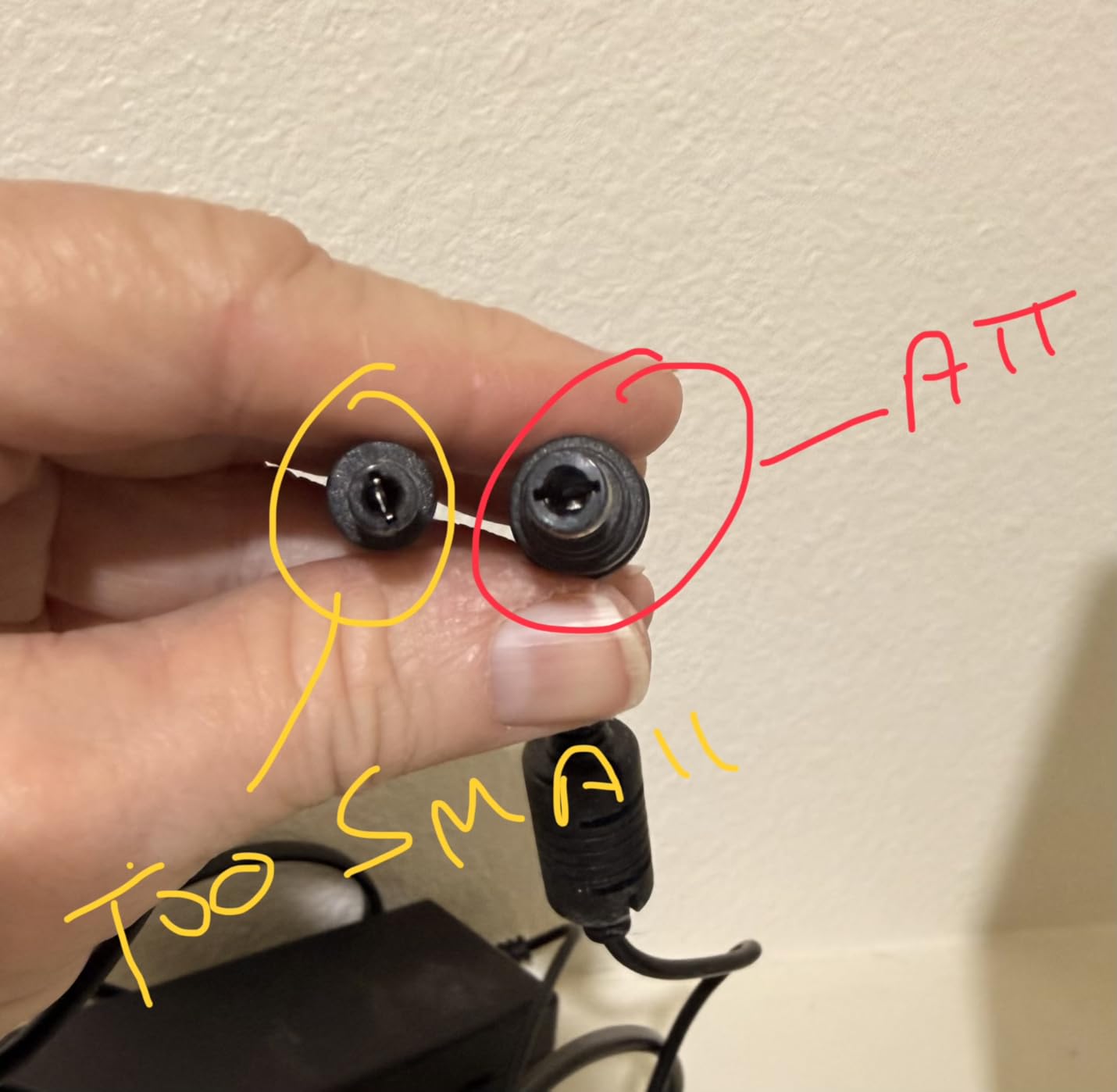
This is the DC UPS category, and it behaves nothing like an AC UPS. There is no inverter and no wall outlets. There are four 12V DC outputs, one 9V and two USB ports, feeding gear through 5.5 by 2.1mm barrel connectors.
The 97.2Wh lithium ion pack is the interesting part. Owners running it against a router report long runtimes, because a router is a genuinely tiny load and a watt-hour figure like that goes a long way at 10 to 15 watts.
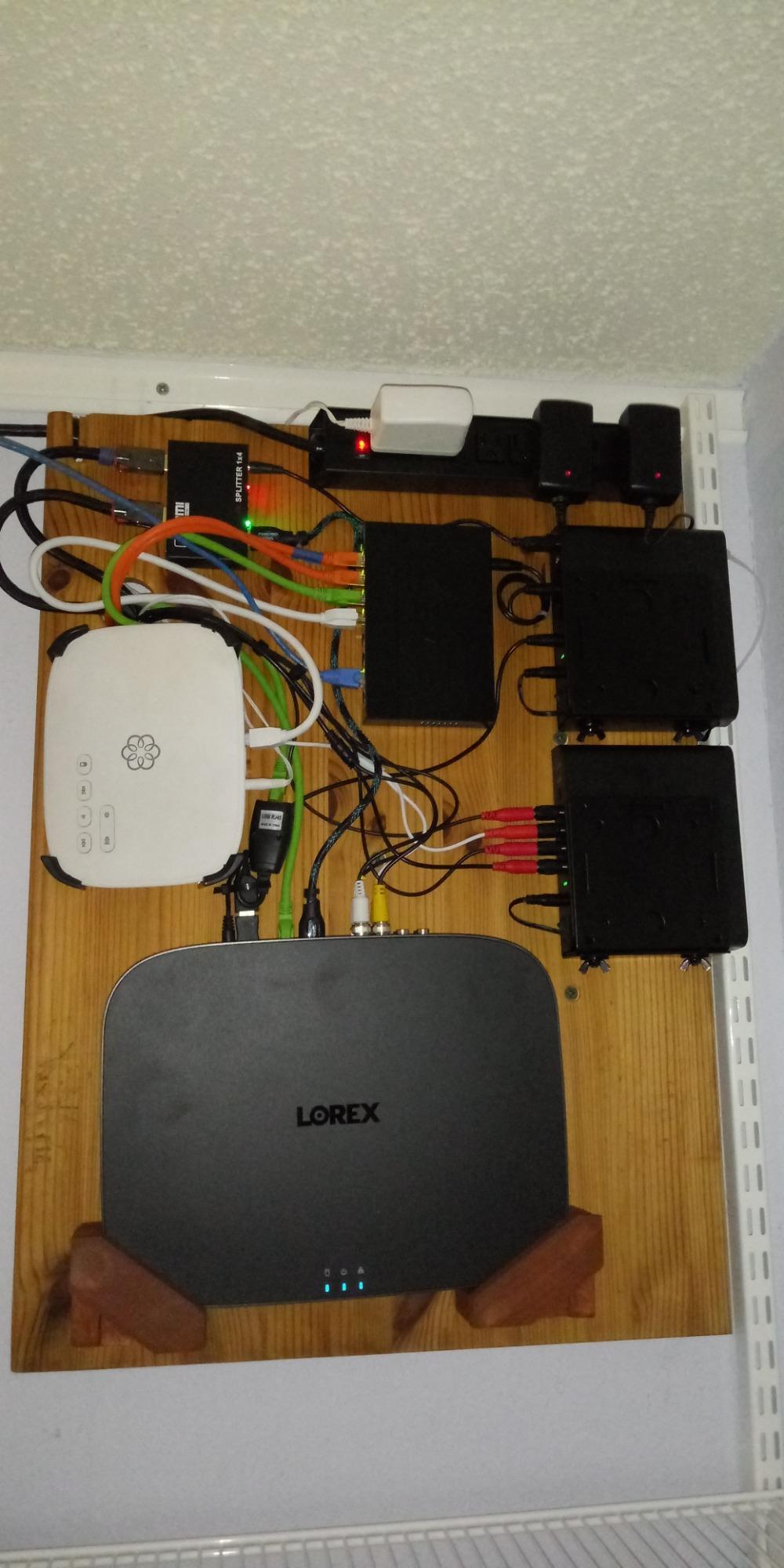
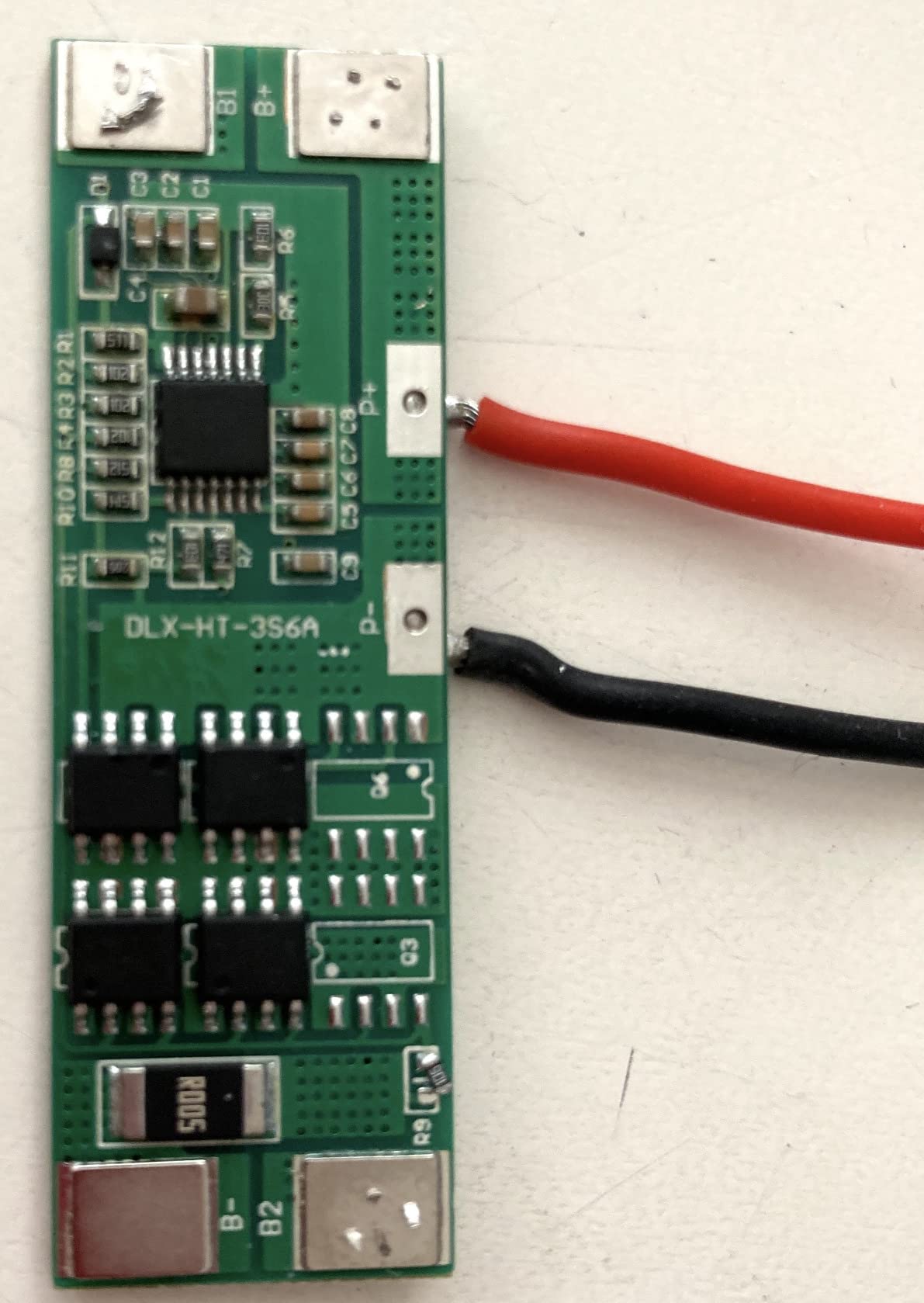
Rated output is 10.5W continuous, and the manufacturer caps it at loads above 37W. That ceiling is the reason forum builders keep flagging output current: a DC UPS with a weak supply can make a router drop WiFi throughput or behave oddly under load. Several threads on r/Electronicsinindia catalogued exactly this failure mode in low-cost units.
Forum users on r/homelab raise the same DC versus AC trade-off constantly, and the honest summary is that DC packs win on cost and size and lose on flexibility. Nothing AC plugs in here.
When this is the right pick
Choose it if your router and modem both take a barrel connector, you want something light enough to travel with, and you only need to cover a handful of DC devices.
At 700 g and 6.3 by 5.51 by 1.3 inches it fits in a drawer or a bag, which no tower UPS here does.
Where it falls short
If your ISP gear uses a wall wart instead of a barrel plug, or if you want to cover a NAS, an access point with a brick, or anything else with an AC plug, this cannot do the job.
It is also the lowest-rated unit in the group, with a visible share of one-star reviews, so expect more variance between units.
8. SKE DC20000 Plus – Router-Only DC Backup
SKE DC20000 Plus Altair – Mini DC UPS 20000mAh Battery Backup & Surge Protector for Router & Modem – Compact, Portable Uninterruptible Power Supply with 5V/9V/12V Outputs, USB & Type-C Charging, WiFi
20000mAh lithium
5V, 9V and 12V DC plus USB and Type-C
20W maximum output
0.65 kg
Pros
- Purpose-built for routers and modems with 5V
- 9V and 12V DC outputs
- Up to 7 hours of stated backup on low-draw networking gear
- Slim 0.65 kg body fits behind a router or in a network cabinet
- USB and Type-C ports charge phones and tablets
- LED indicator shows remaining battery capacity
- Built-in AVR steadies the output during fluctuations
Cons
- 20W maximum output rules out PCs
- NAS units and access points
- DC-only design needs the correct barrel connector for your router
- Shortest review history of the ten at 350 reviews
- Only a 1-year warranty
The SKE DC20000 Plus is more focused than the TalentCell and states its limits more clearly: 20W maximum output, five outlets, and DC only. In exchange for that ceiling it fits into a network cabinet at 4.2 by 8.1 by 1.3 inches and 0.65 kg, where no tower will go.
The stated backup figure is up to 7 hours, which is the kind of number you will see for router-only loads. Treat it as a best case on light gear, since forum users consistently report shorter real-world figures than marketing claims once the cell ages.
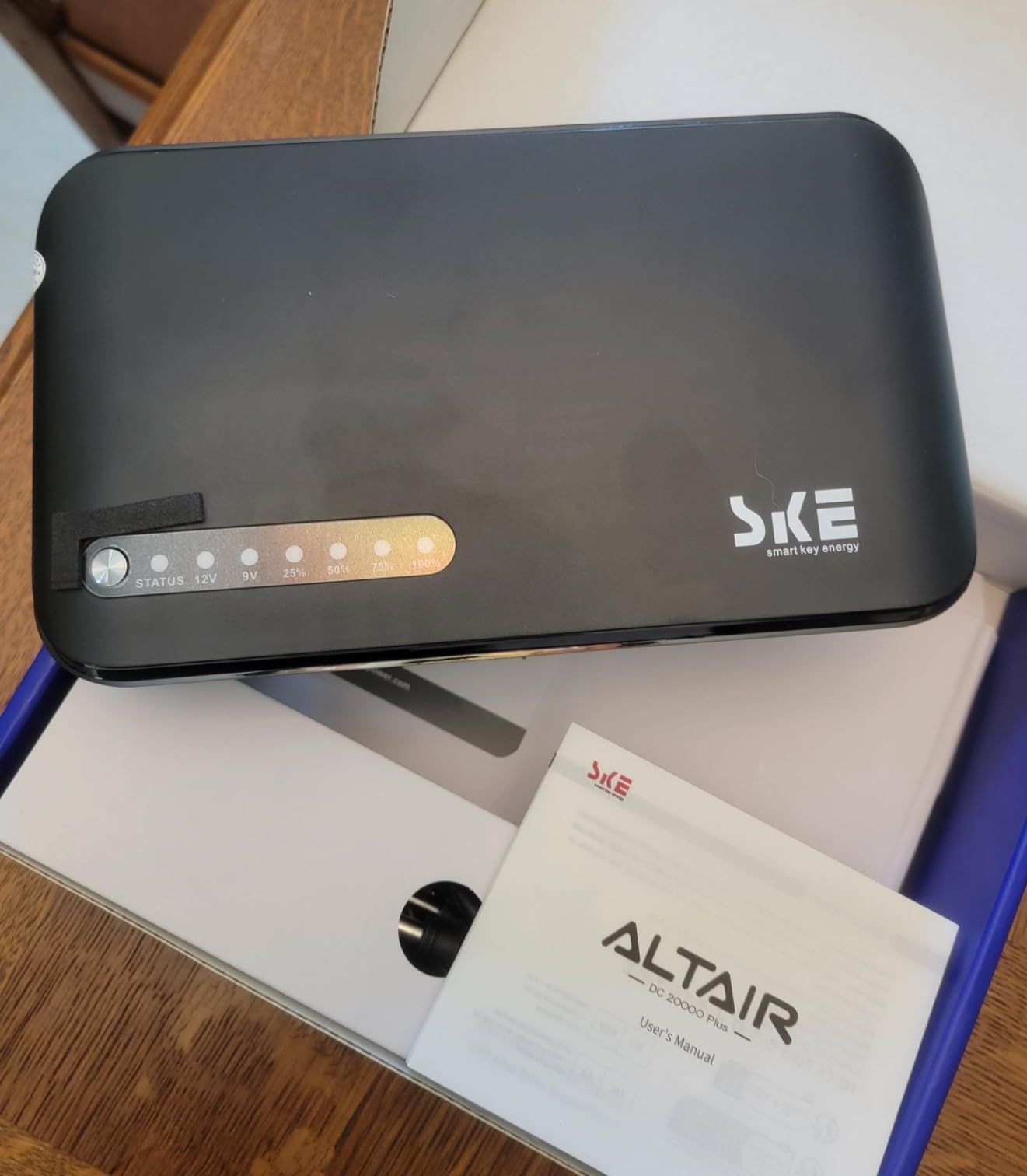
Output selection covers 5V, 9V and 12V DC plus USB and Type-C charging, so the same box can feed a router and top up two phones. An LED indicator reports remaining capacity, which on a pack this small matters more than a display.
The built-in AVR keeps the DC output steady during fluctuations, which addresses one of the complaints leveled at cheaper mini units. The warranty is only one year, though, and there are 350 reviews on record, the thinnest history in this group.
When this is the right pick
Buy it when your ISP equipment and router both run on barrel power and you want maximum runtime from the smallest box. It is a good fit for a wall-mounted fiber ONT setup with a router alongside it.
The Type-C port is a nice addition for anyone whose phone cable is USB-C rather than Lightning.
Where it falls short
Twenty watts is the hard limit. Add a NAS, an access point or a small switch and it is simply the wrong box.
With a one-year warranty and a short review history, you are taking more risk on a smaller brand than with APC or CyberPower, so keep the receipt.
9. Eaton Tripp Lite INTERNET550U – Built to Hang on a Wall
Eaton Tripp Lite INTERNET550U 550VA UPS 300W Battery Backup Surge Protector
550VA/300W
About 67 min at a 20W router
10 outlets, 5 on battery
Only 2 lb
Pros
- Only 2 pounds and wall-mountable using the built-in keyhole tabs
- The one unit here with a published runtime for a 20W WiFi router at about 67 minutes
- 10 outlets split 5 battery-backed and 5 surge-only
- Silent in normal operation and only alerts on low battery or faults
- EMI and RFI filtering plus a resettable circuit breaker
- Internal battery is replaceable
Cons
- Standby topology does not bridge very short glitches or dropouts
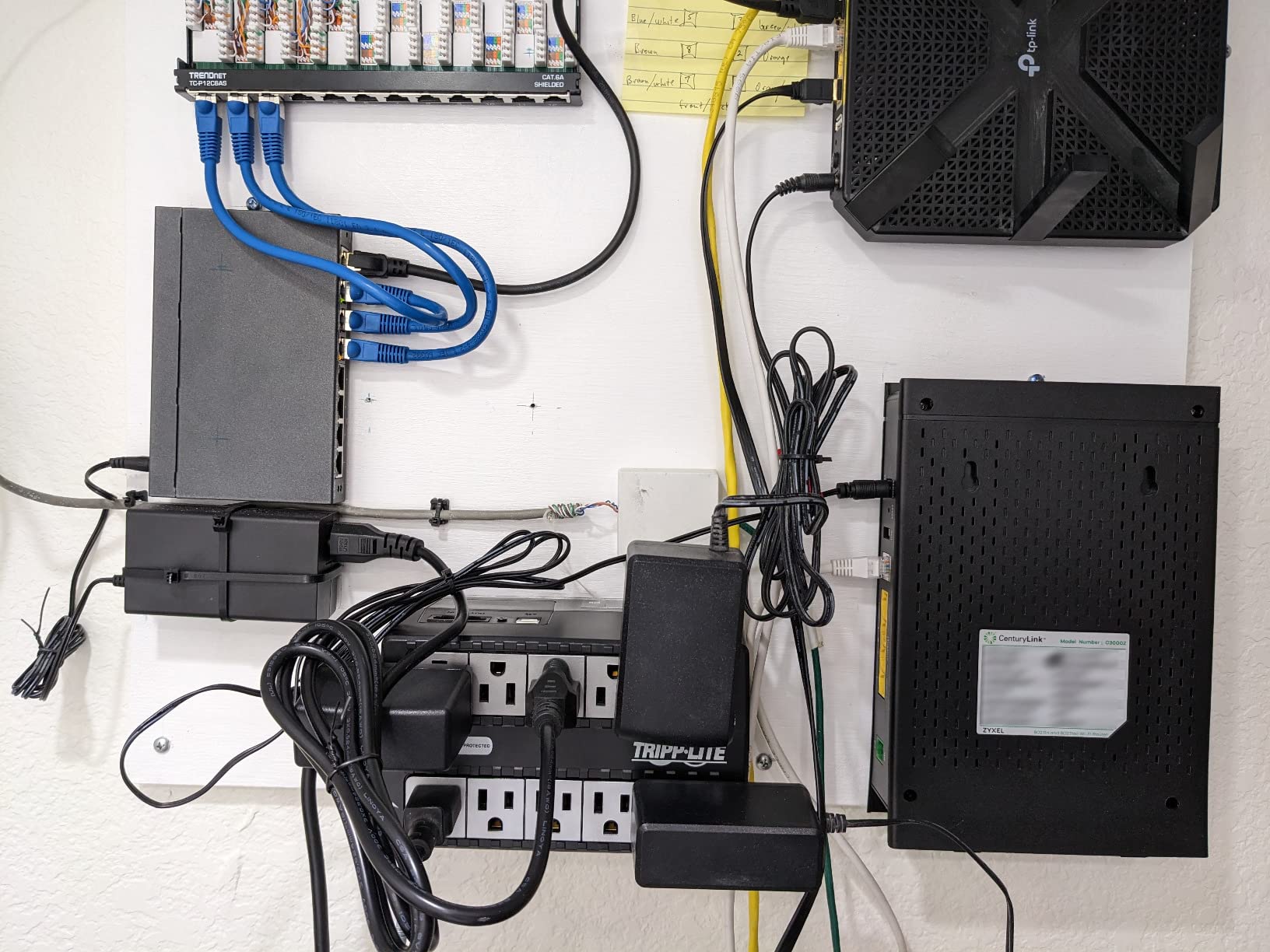
- 5 ft cord is short and outlet spacing is tight for large wall adapters
- 316 Joules surge protection is low next to rivals
- PowerAlert software and support response have been inconsistent
- 300W output covers network gear only
This is the only unit in the group with a manufacturer figure for exactly the load most readers care about: about 67 minutes for a 20W WiFi router. The same spec sheet lists 9.2 minutes for a 100W television and 2.9 minutes for a 200W PC, which gives you an honest sense of how fast runtime falls away as load climbs.
At two pounds, with keyhole mounting tabs on the bottom, it can go under a desk or on a wall out of sight. It stays silent in normal operation and only makes noise on a low battery or fault condition.
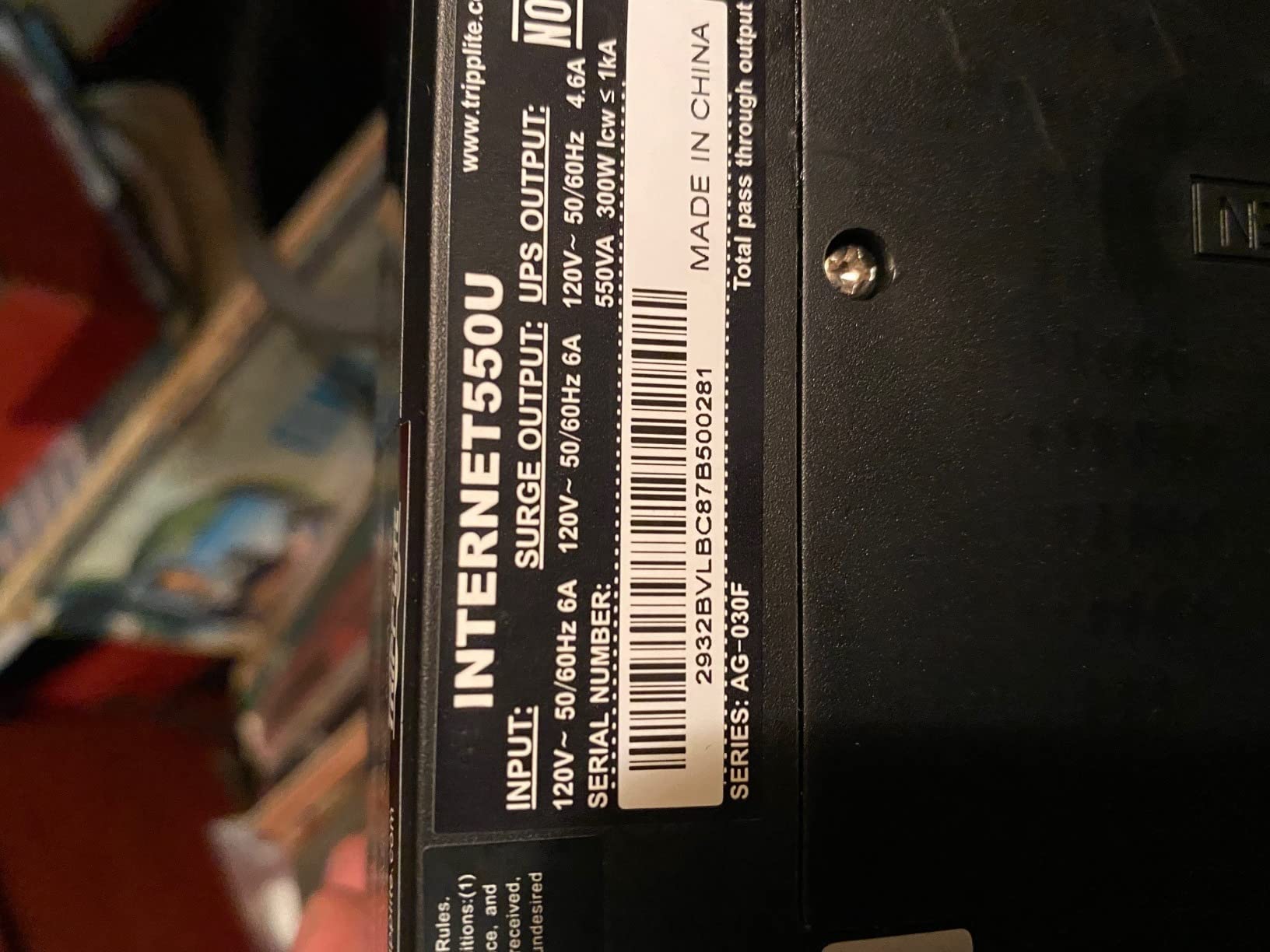
It charges in about 6.5 hours and filters EMI and RFI interference with a resettable circuit breaker. The internal battery is replaceable, and the warranty is three years with connected equipment insurance behind it.
The complaint that comes up most is standby topology. Very short dropouts can still trigger a reboot, and the 5 ft cord is short enough that you may end up using an extension cord, which you should not do with a UPS.
When this is the right pick
Choose it for a router-only setup where space is the constraint, and where you would rather mount the backup out of sight than stand a tower on a shelf.
It is also a reasonable pick for a second home you want to keep pinging to the cloud for camera alerts.
Where it falls short
Standby topology is the trade for the low weight and low cost. On a flaky grid you will still see the occasional reboot from a very brief dropout.
Outlet spacing is tight for large wall adapters, so check the shape of your router brick before you commit. More on why whole-home systems are a different conversation in our home battery backup guide.
10. APC BX1500M – Most Capacity and Coax Protection
APC BX1500M UPS Battery Backup & Surge Protector for Computers, Electronics
1500VA/900W
Up to 68 min at 100W
10 outlets plus coax and Ethernet surge
AVR and LCD
Pros
- Highest capacity in the group at 1500VA and 900W with up to 68 minutes at a 100W load
- Ten protected outlets plus built-in coaxial and Ethernet surge protection
- AVR corrects brownouts from 88V and surges within 13 percent without draining the battery
- LCD shows charge level
- estimated runtime
- load capacity and input voltage
- Energy Star certified at 92 percent plus efficiency with a user-replaceable APCRBC124
Cons
- Heavy at 24.2 lb with the largest footprint here
- Replacement battery is sold separately
- Overkill if you only have a modem and a router
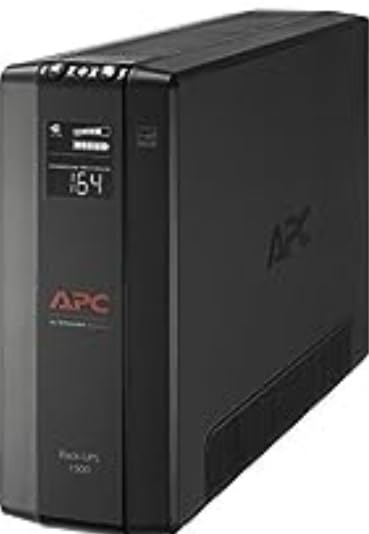
The BX1500M is the most capable unit here, and the reason is the built-in coaxial and Ethernet surge protection. Cable and fiber runs pick up surge on the line side, and protecting those paths is something almost no other unit in this group does.
Rated at up to 68 minutes at a 100W load, it carries a router, modem, NAS and small server through an evening outage without drama. Owners treat it as the long-outage option and accept the size for the headroom.
The LCD is unusually informative, showing charge level, estimated runtime, load capacity and input voltage. That runtime estimate is the feature that changes how people use the unit, because it tells you how much time you actually have rather than guessing.
AVR corrects brownouts from 88V and surges within 13 percent without touching the battery, and the APCRBC124 cell is user-replaceable for a swap with no downtime. Efficiency is rated above 92 percent and the unit is Energy Star certified.
When this is the right pick
This is the right unit for a network closet that also houses a NAS or a small server, for anyone on cable internet whose coaxial run is exposed, and for households planning to add hardware later.
If your outages routinely run past four hours, this is where you should be looking rather than a compact model.
Where it falls short
At 24.2 pounds and 15.04 by 3.94 by 9.84 inches it is the largest item we tested, and a router-only household will never use a fraction of it.
The replacement battery is a separate purchase, so treat the first three years as a running cost rather than a one-off.
How to Size a Backup Battery for Your WiFi Setup
Start with a rough wattage budget for everything you want kept online, then leave room for a peak spike when a router reboots and every device renegotiates at once.
Cable or fiber modem: roughly 10 to 20W
Standard Wi-Fi router: roughly 10 to 25W
Mesh node: roughly 5 to 15W each
Wi-Fi access point: roughly 10 to 20W
Five-port network switch: roughly 5 to 15W
Security camera base station or NVR: roughly 20 to 60W
VoIP adapter or smart home hub: roughly 5 to 10W
The hidden devices are where most people go wrong. A three-node mesh system plus a fiber ONT, a switch and a camera base station can push you to 90 or 100 watts without a single obvious power-hungry component, and that is the load the 850VA and 1500VA units are designed for.
On the 8-hour question: none of the units here is rated for that at a full network load. A 100W draw for eight hours needs 800 watt-hours of usable battery, which is portable power station territory rather than a desktop UPS. If your outages regularly run that long, compare the portable power stations for home backup or our roundup of solar generators instead. Forum users on r/SolarUK describe a very different problem: outages of half an hour, one or twice a month, which any of the AC units here covers.
Mini DC UPS vs AC UPS: Which One Your Setup Needs
A DC UPS has no inverter at all. It takes mains power in, charges a lithium cell, and feeds low-voltage DC straight to your gear through barrel connectors. That is why they are small, light and long-running at low loads.
An AC UPS does the opposite: it charges a lead acid cell, runs an inverter to manufacture mains voltage, and gives you standard wall outlets. More waste, more size, far more flexibility.
Use a DC UPS if your router and modem both take barrel power and you want the smallest possible box. Use an AC UPS for everything else, including access points with wall warts, NAS units, monitors and any desk PC. The one trap forum builders keep running into is output current: a DC pack rated too low will make a router drop WiFi throughput or drop the connection, which is worse than no backup at all.
One more difference worth knowing: DC packs are not surge protectors. Lightning and switching surges arrive on the AC line, and only the AC units here have joule ratings. If you are on a long cable run, that matters.
What a Backup Battery Cannot Fix
A UPS restores power to your equipment. It cannot restore your internet if the equipment down the line has no power. Street cabinets, neighborhood aggregation points and remote fiber nodes all sit between you and the provider, and a dead cabinet means no signal no matter how long your battery runs. This is the single most common misunderstanding we saw across forum threads.
Two safety rules apply to everything above. Never plug a UPS into an extension cord, a power strip or another surge protector, and never put a space heater or a laser printer on one. High inrush currents trip the internal breaker, and a daisy-chained UPS is a fire risk.
A note for regional providers whose optical network terminal sits inside the home: that ONT is a single point of failure. If it has power and your router has power, you usually have internet. If you are not sure where yours sits, it is worth checking before you pick a backup.
Battery Life, Replacement and Recycling
Every AC unit here uses sealed lead acid. It is cheap, proven and heavy, and the cells are rated for an average life of about three years. The units with a longer working life are the ones with a documented, user-replaceable battery: the APCRBC154 in the APC BE600M1, the RBC17 in the BE850G2 and the APCRBC124 in the BX1500M.
That replaceability is the environmental argument. A sealed battery turns the whole unit into waste when the cell fails. A replaceable cell turns a failure into a small part swap, and the unit stays in service for a decade instead of three.
The DC packs in this group use lithium ion, which holds more energy by weight and cycles more comfortably, but the packs themselves are not user-replaceable, so the same e-waste problem applies at the end of their life.
Take spent cells to a proper recycling point rather than the household bin, and check whether your local program covers small UPS and battery packs before you buy replacements in bulk. If you want the broader picture on chemistry and cycle life, our guide to lithium battery backup systems goes into the difference in detail.
How to Set Up and Test Your Backup Battery
Plug the modem and router into battery-backed outlets first, and check the outlet labelling before you connect anything.
For a cable modem, use a unit with coaxial passthrough so the line signal still reaches the modem.
If your provider’s equipment sits in another room, run one UPS to that location and a second to your network gear rather than sharing outlets across a long extension.
Leave the unit on the wall for a full charge cycle before you rely on it.
Test once a year by pulling the plug from the wall, confirming your connection survives, then reconnecting it.
Write the date on the unit with a sticker. Most batteries want attention somewhere between year three and year four.
Silent alarms are worth enabling at the same time. Owners repeatedly complain about beeping that cannot be muted during brief outages, and every unit here with a silenceable alarm saves the irritation.
Frequently Asked Questions
What is the best power backup for a WiFi router?
The best power backup for a WiFi router is a line-interactive UPS with at least four battery-backed outlets, automatic voltage regulation and a user-replaceable battery. Most home networks draw 25 to 45 watts combined, so a 600VA to 850VA unit is plenty. A mini DC UPS also works, but only when your router uses a barrel connector rather than a wall plug.
Can you put battery backup on WiFi?
Yes, and it is the most common use for these devices. Plug your modem, router and access points into a UPS and they stay powered when the wall loses voltage, so your WiFi keeps broadcasting. The catch is that a backup restores power to your equipment only. If the provider’s cabinet or fiber node has no power, you still have no internet.
How long does a mini DC UPS last?
It depends almost entirely on the load. A router drawing 10 to 15 watts can run for hours on a 97Wh lithium pack, and one small DC unit states up to 7 hours of backup on low-draw networking gear. Expect materially less once the cell ages, and remember that DC packs are not designed for loads above their stated maximum, often 20W or 37W depending on the model.
Is a surge protector enough for a router?
No. A surge protector stops voltage spikes but has no battery, so it does nothing during an outage or a brownout. What you want is line-interactive topology with automatic voltage regulation, which corrects minor sags without spending battery and only drops to battery power when input power genuinely fails.
How often should I replace a UPS battery?
Sealed lead acid cells in these units are typically rated for an average life of about three years, and heavy or warm conditions shorten that. Replace sooner if the unit cuts out early, alarms about the battery, or will not hold a charge after a full charge cycle. Units with a documented user-replaceable battery cost far less to maintain than sealed ones.
What are some common issues with UPS batteries?
The usual complaints are runtime shorter than the printed figure, batteries that are sealed and not user-replaceable, alarms that cannot be muted, and units with too little output current for the device. On DC UPS models, insufficient output current makes routers throttle or drop WiFi performance during backup, which is the most damaging failure mode because it looks like the backup failed.
Bottom Line: What We Would Buy
For most homes, the APC BE600M1 is the pick. Five battery-backed outlets, a 490 Joule surge rating, a replaceable APCRBC154 cell and more owner history than anything else in this guide, sized exactly for the 25 to 45 watts a modem and router actually draw.
If your network closet also holds a NAS, step up to the APC BE850G2 for user-replaceable batteries and a 35-minute rating at 100W. If your outages are voltage sags rather than hard cuts, the Amazon Basics 1500VA handles brownouts best. And if you only need to cover DC gear with barrel connectors, the SKE DC20000 Plus gives you the most runtime per cubic inch.
Whichever you choose, plug it in now rather than during the next storm, and test it once a year. For whole-home outages rather than a single network closet, our whole home battery backup roundup covers the next step up.