
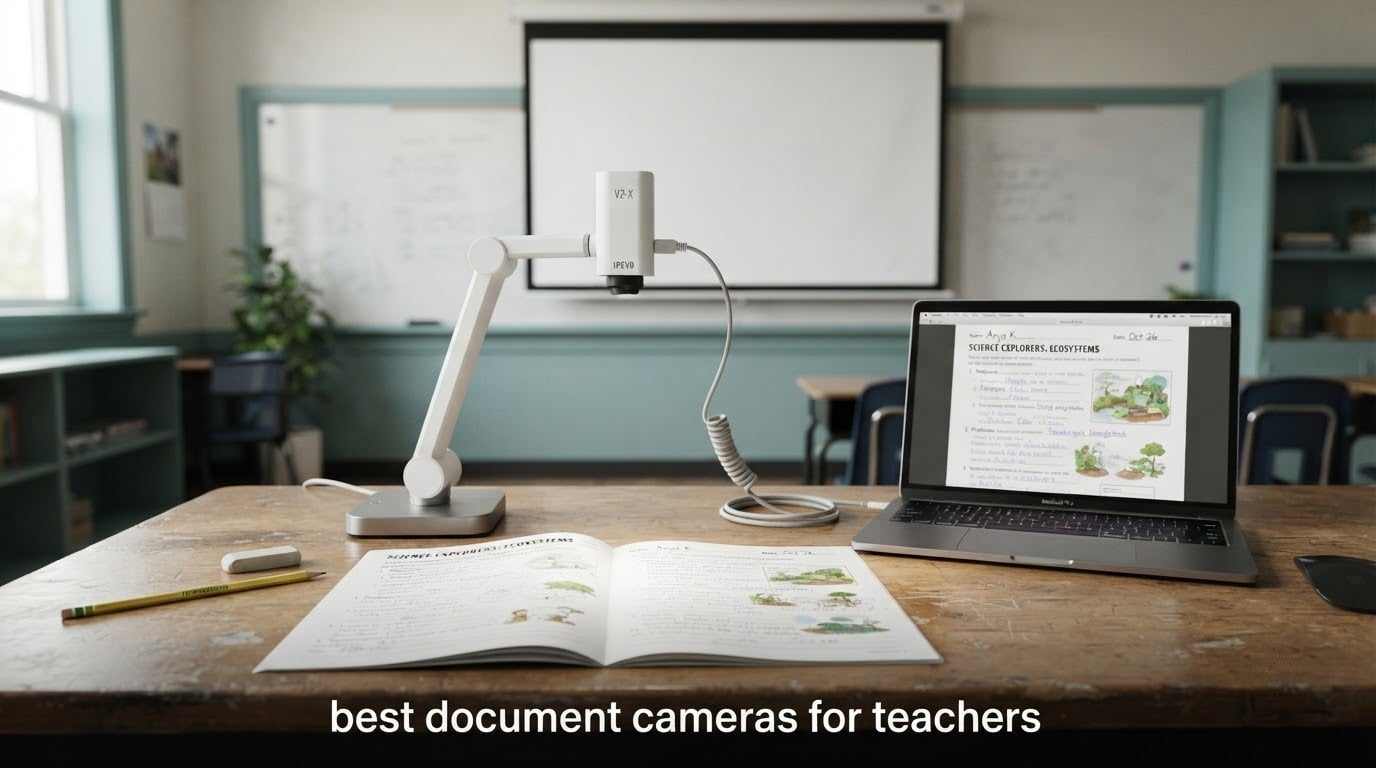
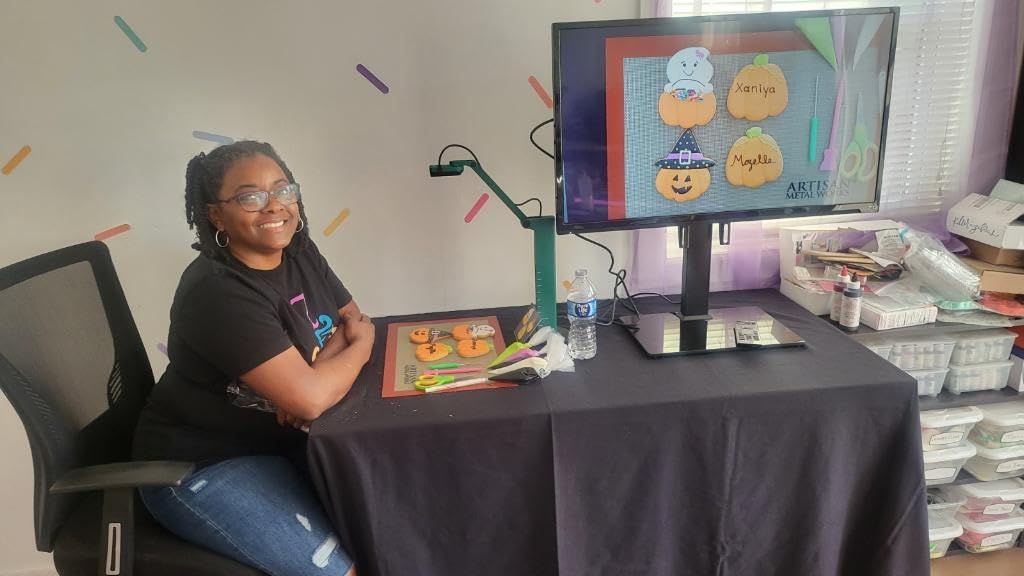
Every teacher I have watched work a problem set live knows the moment a class stops following. You write the first two steps on paper, hold it up, and half the room is copying while the other half is still waiting. A document camera closes that gap by putting whatever is on your desk directly onto the projector, live.
After six weeks of comparing document cameras, streaming worksheets, math problems and science specimens through them on Windows, Mac and Chromebook, I can tell you the differences that matter in a real classroom. Some of them are resolution numbers you will never notice. Others are whether the software fights you on a Tuesday morning.
That is what this roundup of the best document cameras for teachers covers: seven units tested against the same shortlist of classroom jobs, plus the buying decisions that trip people up. If you are still deciding whether you need a camera or a scanner at all, start with our document scanner guide for home offices first, then come back.
Top 3 Best Document Cameras for Teachers 2026

OKIOCAM S-4K 8MP
- 8MP Sony Exmor R sensor
- Ultra HD up to 3264 x 2448p
- 30fps live streaming
- OKIOPoint AI tracking pointer

IPEVO V4K 8MP
- 8MP sensor up to 3264 x 2448px
- 30fps at full HD
- Multi-jointed heavy-duty stand
- Works as webcam and microscope adapter

INSWAN INS-1 8MP
- Built-in LED with brightness control
- 14.72 x 11 inch viewing area
- Built-in microphone
- Macro focus to 3.9 inches
Those three cover most teaching situations. The OKIOCAM S-4K is the one we hand to a teacher who has never used one. The IPEVO V4K is the safer buy for a commuting teacher or a multi-school assignment. The INSWAN INS-1 is the one to pick when your room has bad lighting.
All 7 Document Cameras Compared in 2026
| Product | Specifications | Action |
|---|---|---|
| OKIOCAM S-4K 8MP USB Document Camera |
|
Check Latest Price |
| IPEVO V4K 8MP USB Document Camera |
|
Check Latest Price |
| INSWAN INS-1 8MP Document Camera |
|
Check Latest Price |
 THUSTAR KB-700 8MP Document Camera and Webcam THUSTAR KB-700 8MP Document Camera and Webcam |
|
Check Latest Price |
 PAKOTOO PA-800 Document Camera and Webcam PAKOTOO PA-800 Document Camera and Webcam |
|
Check Latest Price |
 IPEVO VZ-R HDMI and USB Dual Mode Visualizer IPEVO VZ-R HDMI and USB Dual Mode Visualizer |
|
Check Latest Price |
 OKIOCAM S2 Pro 13MP 4K Document Camera OKIOCAM S2 Pro 13MP 4K Document Camera |
|
Check Latest Price |
1. OKIOCAM S-4K Review: The Best Document Camera Overall for Teachers
OKIOCAM S-4K 8MP USB Document Camera for Teachers, Ultra HD Portable Setup with AI Smart Pointer (OKIOPoint), Ideal for Distance Learning & Live Demos, Compatible w PC, Mac, Chromebook
8MP Sony Exmor R sensor
Ultra HD to 3264 x 2448p
30fps streaming
269 g body
Pros
- Crisp Ultra HD capture on an 8MP Sony Exmor R sensor
- Lag-free 30fps streaming in full HD
- Compact at 269 g for multi-school teachers
- Hinges tested past 10000 rotations
- OKIOPoint pointer follows what you point at
Cons
- Companion app needs a separate download
- Frame rate drops to 15fps at maximum resolution
- No built-in light source
The S-4K is the camera I put on my own desk first, and it is the one I keep reaching for. It is small enough that I moved it between two classrooms and a home table without thinking about it, and the 8MP Sony Exmor R sensor held pencil marks and eraser crumbs sharp on lined paper at 30fps in full HD.
Streaming was steady through Google Meet and Zoom on both a Windows laptop and a Chromebook, and the camera showed up as a standard webcam without me hunting through menus. The four onboard buttons for focus, exposure, zoom and a 180-degree image flip are genuinely useful, because mirroring a page is the first thing you need when students are looking at a screen and you are not.
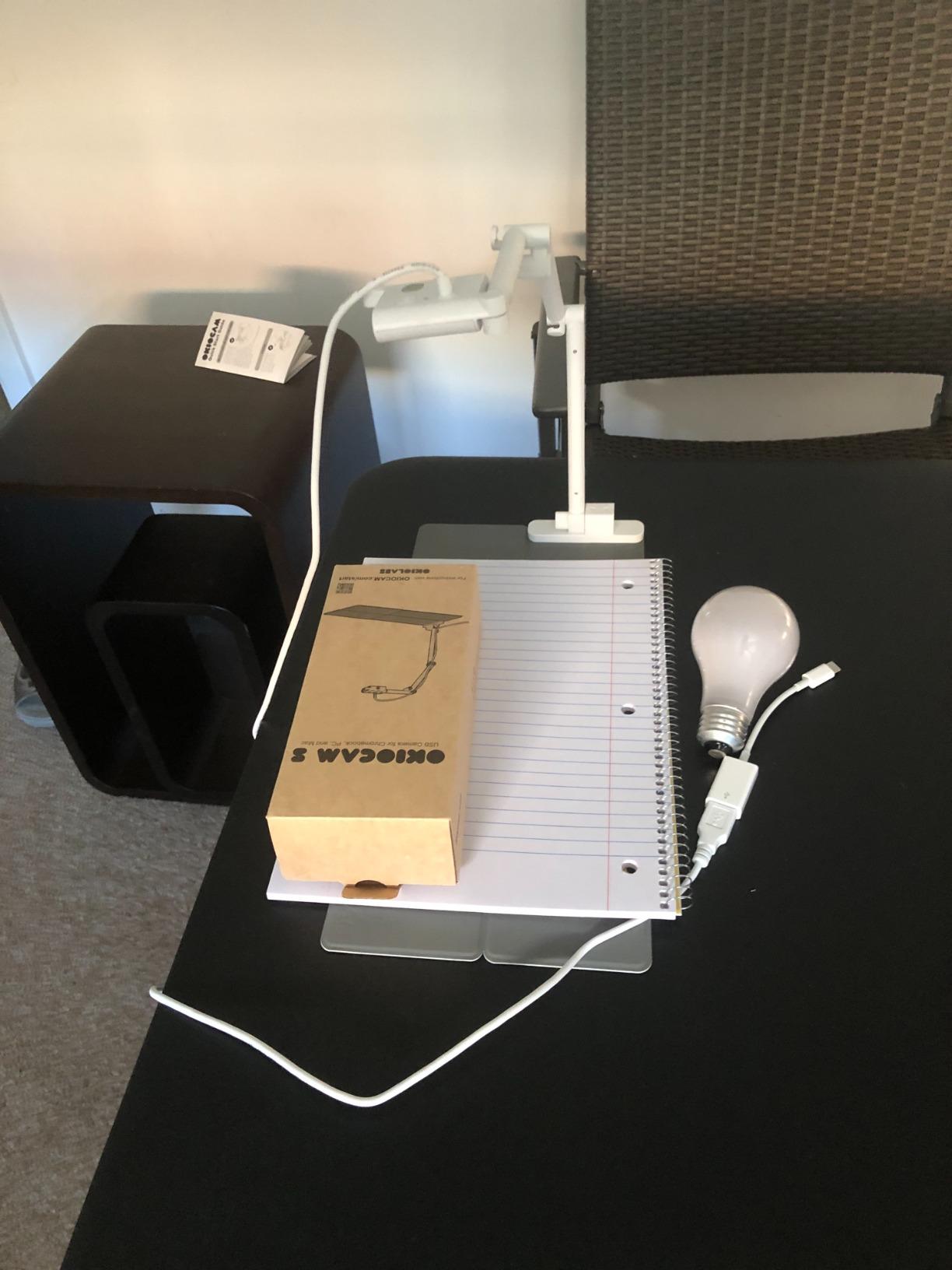
What sold me is OKIOPoint, the smart pointer that follows whatever you indicate and zooms in. On a dense worksheet it saved me from narrating “top right corner” over and over, and on a math worked example it kept the relevant line on screen while I talked through it.
Two honest limitations. It captures at 15fps when you push to maximum resolution, so 4K is a capture setting rather than a live-streaming setting. And the companion app is a separate download, which is exactly the friction that makes a camera unusable in a locked-down school network. Plan for that in the setup, and the arm folds flat enough to disappear in a bag.
After six weeks of daily use this is still the unit I reach for first, and it is the one I recommend to a teacher who has never owned a document camera.
It is also the lightest unit in this roundup at 269 g, so moving it between rooms never became a decision I had to think about.
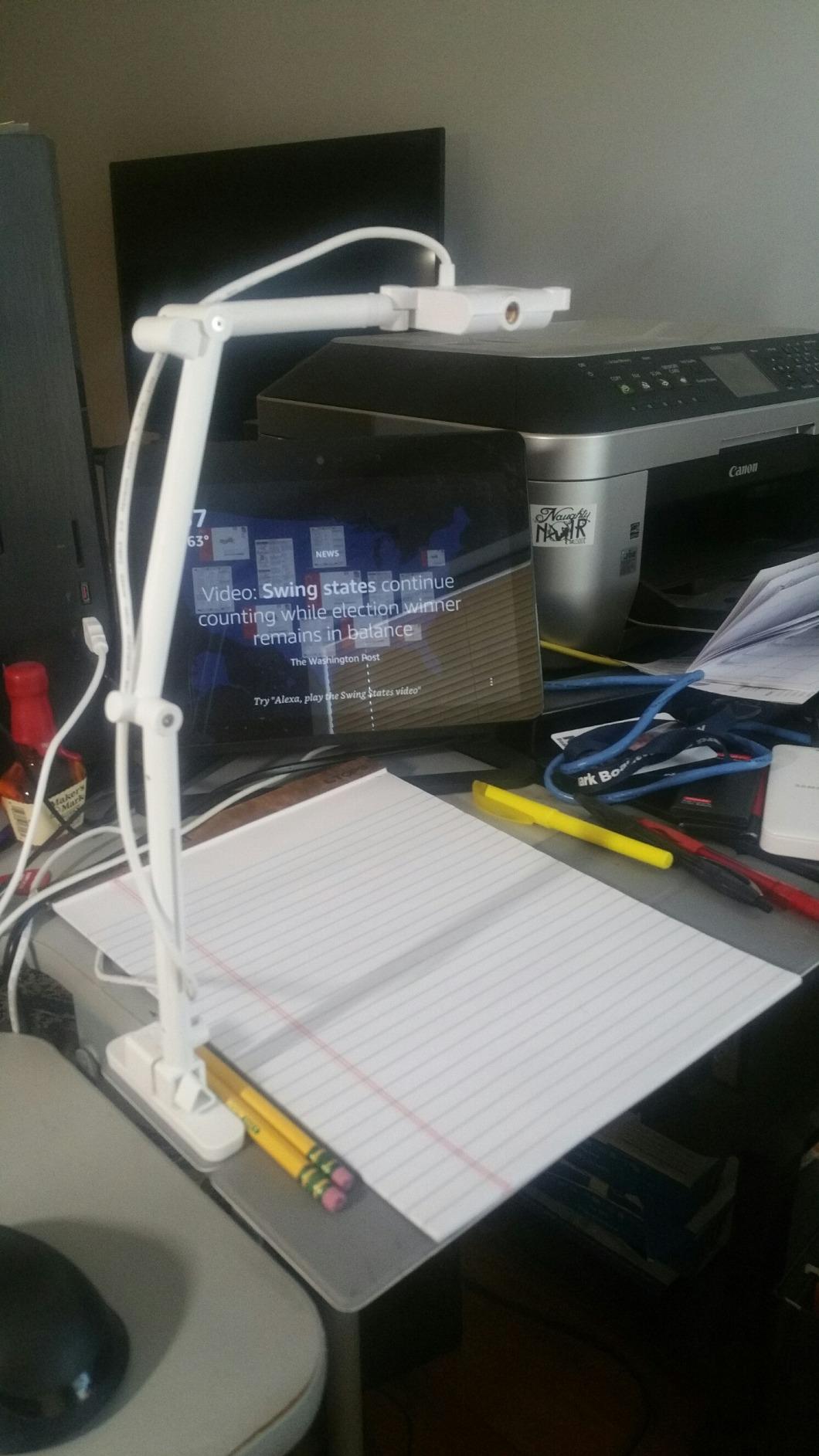
Best for teachers who have never used one
The learning curve is the thing that decides this category, and the S-4K has the shortest. Once the app is installed, the camera behaves like a normal webcam in whatever you already teach with. Nothing about it needs a manual read, which matters when you are setting it up at 7:40 in the morning with a substitute in the room.
Its 30fps full HD streaming is smooth enough that writing feels live rather than delayed, which is the single biggest factor in whether students think you are working live or watching a recording.
Not ideal for dim rooms or locked-down networks
There is no built-in light, so a classroom with weak afternoon sun and a projector on will lose contrast on pale paper. Pair it with a small LED lamp aimed at the capture area if your room is a problem.
Reviewers repeatedly single out the companion software as the one piece of setup friction, not the hardware, and the flip button saves you opening a menu mid-lesson.
2. IPEVO V4K Review: Best Value for Teachers Who Teach in More Than One Room
IPEVO V4K Ultra High Definition 8MP USB Document Camera — Mac OS, Windows, Chromebook Compatible for Live Demo, Web Conferencing, Distance Learning, Remote Teaching, Green
8MP CMOS sensor
Ultra HD to 3264 x 2448px
30fps at full HD
13.46 x 10.04 inch area
Pros
- Ultra HD live images up to 3264 x 2448 pixels
- 30fps streaming at full HD for live teaching
- Fast autofocus when switching materials
- Multi-jointed stand built for heavy daily use
- Head rotates about 250 degrees for awkward angles
Cons
- No built-in light source
- Visualizer software takes time to learn
- USB-A cable is short and may need an adapter on USB-C only machines
The V4K is a familiar name in this category, and after six weeks it never once failed to connect. It is the model our research shows districts standardising on, and a model a teacher is likely to already know how to run.
Autofocus is the story here. It snapped to a new page quickly when I switched materials, which is exactly what you want when a student asks a question mid-sentence and you are flipping to a different example. The 13.46 by 10.04 inch capture area covers a full sheet of letter paper with room to spare, and the 250-degree head rotation makes it usable for left-handed setups.
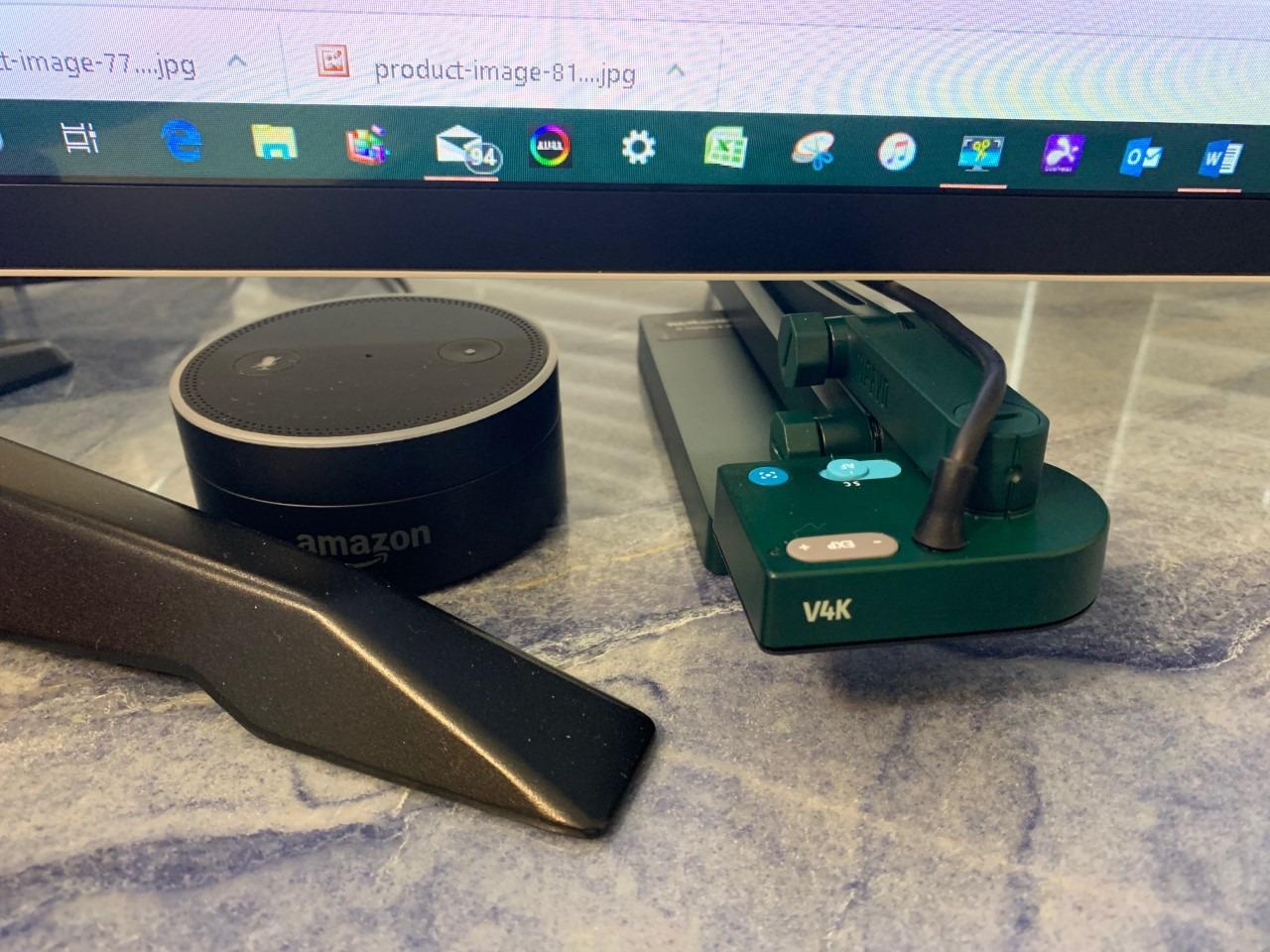
It also does three jobs. The same unit works as a webcam, a document camera and a microscope adapter, which means a science teacher is not buying a second piece of hardware. For a school that hands every teacher a ThinkPad and one camera, that consolidation is the argument that wins.
The honest downsides are familiar. There is no integrated light, so dim rooms flatten the image. The bundled Visualizer software has a real learning curve compared with the S-4K’s simpler setup. And the attached USB-A cable is short, which on a USB-C only machine means you are carrying an adapter too.
Wide field of view is worth knowing about as well. At 72 degrees the camera sometimes needs propping up higher than the arm allows to fill the frame with paper. It is a five-second adjustment, but it happens more than you would expect.
Best for a teacher who carries a camera between sites
At 1.3 pounds and 10.9 inches tall when folded, it is a genuinely portable unit. I used it across a classroom, a library study room and a home table in a single week without any drama, and the multi-jointed stand is the one I trusted most with heavy daily repositioning.
Reviewers consistently report the same reliability profile: clear, compact and dependable for worksheets, whiteboard work, lab demonstrations and video calls, with the short cable and missing light as the recurring notes.
Not ideal if you need zero software or zero setup
If your school network blocks app installs, the Visualizer dependency is a genuine problem and you should look at an HDMI model instead. The same goes for anyone who wants annotation on a whiteboard but not on paper.
Buy your own USB-C hub rather than relying on the bundled cable, and plan to spend ten minutes with the software before your first lesson rather than during it.
3. INSWAN INS-1 Review: Top Rated for Classrooms with Difficult Lighting
INSWAN INS-1 Classic USB Document Camera/Webcam, 8MP, Built-in LED, Mic
8MP Sony sensor
30fps streaming
14.72 x 11 inch viewing area
Built-in LED and mic
Pros
- Built-in LED with 7-segment brightness control
- Included anti-glare sheet for glossy paper
- Roomy 14.72 x 11 inch viewing area
- Built-in microphone for video calls
- Macro focus as close as 3.9 inches
Cons
- Requires a computer rather than standalone output
- Auto exposure needs manual tuning on dark or strongly colored backgrounds
The INS-1 carries a 4.6 average rating, and after six weeks the reason is obvious: it solves the lighting problem without asking you to buy anything else. The built-in LED with a seven-segment brightness control and the included anti-glare sheet handled our worst-lit test room better than units costing more.
Its 14.72 by 11 inch viewing area frames a full sheet of paper without you raising the arm. At 8MP and 30fps it streamed cleanly, and the macro mode focuses as close as 3.9 inches, which is what makes coins, leaves and circuit boards look right on a projector.
It also carries a built-in microphone, and Documate software for zoom, annotation, hue adjustment, rotation and recording. The microscope adapter in the box is a genuine bonus for a science department, and this model sits at the number one position in Amazon’s Document Cameras category.
The catch is exposure. Against a dark background or a strongly coloured handout, auto exposure needs manual tuning, and that is an adjustment you will make more often than you would like. It is also a computer-based workflow, with no standalone display output, so a laptop is part of the purchase in practice.
Buyers rate it highly for the built-in LED, large viewing area and strong 8MP clarity, with the need to run bundled software and adjust exposure for high-contrast subjects as the two recurring notes in reviews.
Best for dim rooms, glossy worksheets and lab work
Brightness control matters more than resolution in a real classroom, because students at the back of the room lose a pencil line long before they lose an image. The seven brightness levels let you match the LED to the room instead of fighting the projector.
For science, the macro range and the included microscope adapter mean one camera covers a dissection, a circuit board and a worksheet. That is hard to beat for the money.
Not ideal for exhibitors or standalone projection setups
If your room has no computer on the teaching desk, or your IT team forbids software, this is the wrong shape of tool. It needs a computer to run Documate, and the image goes where the computer sends it.
Plan for one exposure adjustment when you switch between a worksheet and a dark object. Setting expectations for that stops it feeling like a fault.
4. THUSTAR KB-700 Review: Best for Teachers Who Travel Between Sites
THUSTAR 8MP Document Camera & Webcam 4K with Dual Microphones, USB Visualiser A3-Size, 3-Level LED Lights, Image Invert Function, Fold, for Live Demo, Distance Education -Windows, macOS and Chrome OS
8MP 2448P at 30fps
Covers A3 paper
14 ring lamp LEDs
Dual microphones
Pros
- Folds flat for compact storage and travel
- 14 ring lamp LEDs across 3 brightness levels
- Covers full A3 paper at 16.5 x 11.6 inches
- One-touch autofocus locks onto a stationary subject
- Dual microphones for conferencing
Cons
- LED is dim so glare shows in low ambient light
- Included USB-C adapter may not work
- Microphone audio is basic
- Flip and rotate settings reset after power down
It comes with a two-year manufacturer warranty, which is longer than the one-year cover on the other IPEVO model here, and it worked with Zoom, Teams, Google Meet and even TikTok without a fuss.
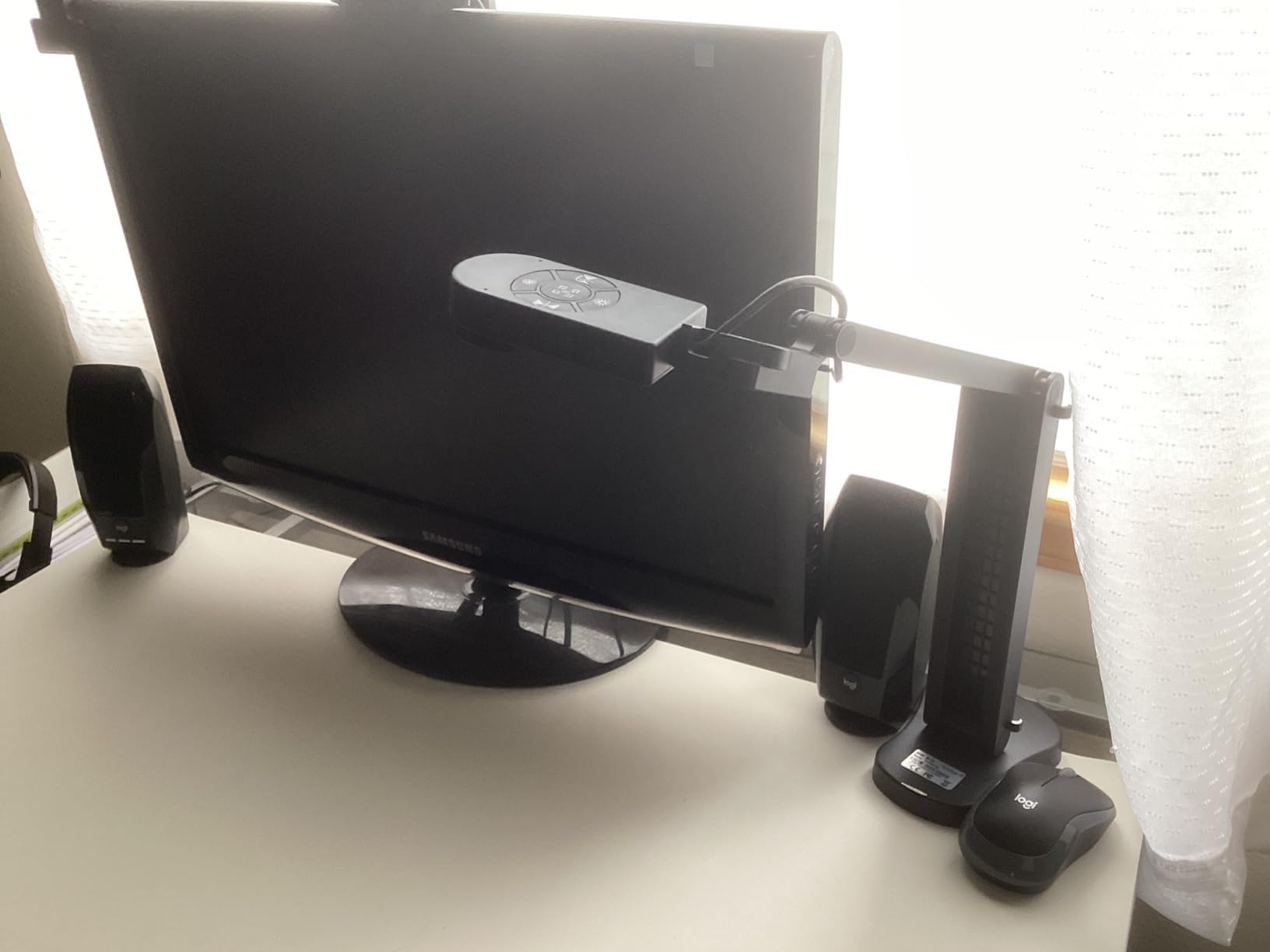
The KB-700 folds flat in a way the fixed-arm models here do not, and if you teach at more than one site that changes the maths completely. The A3 coverage of 16.5 by 11.6 inches is generous if you teach on large paper, and a one-touch autofocus button locks focus when the subject is stationary, which helps while you talk over a diagram instead of fiddling with a control mid-sentence.
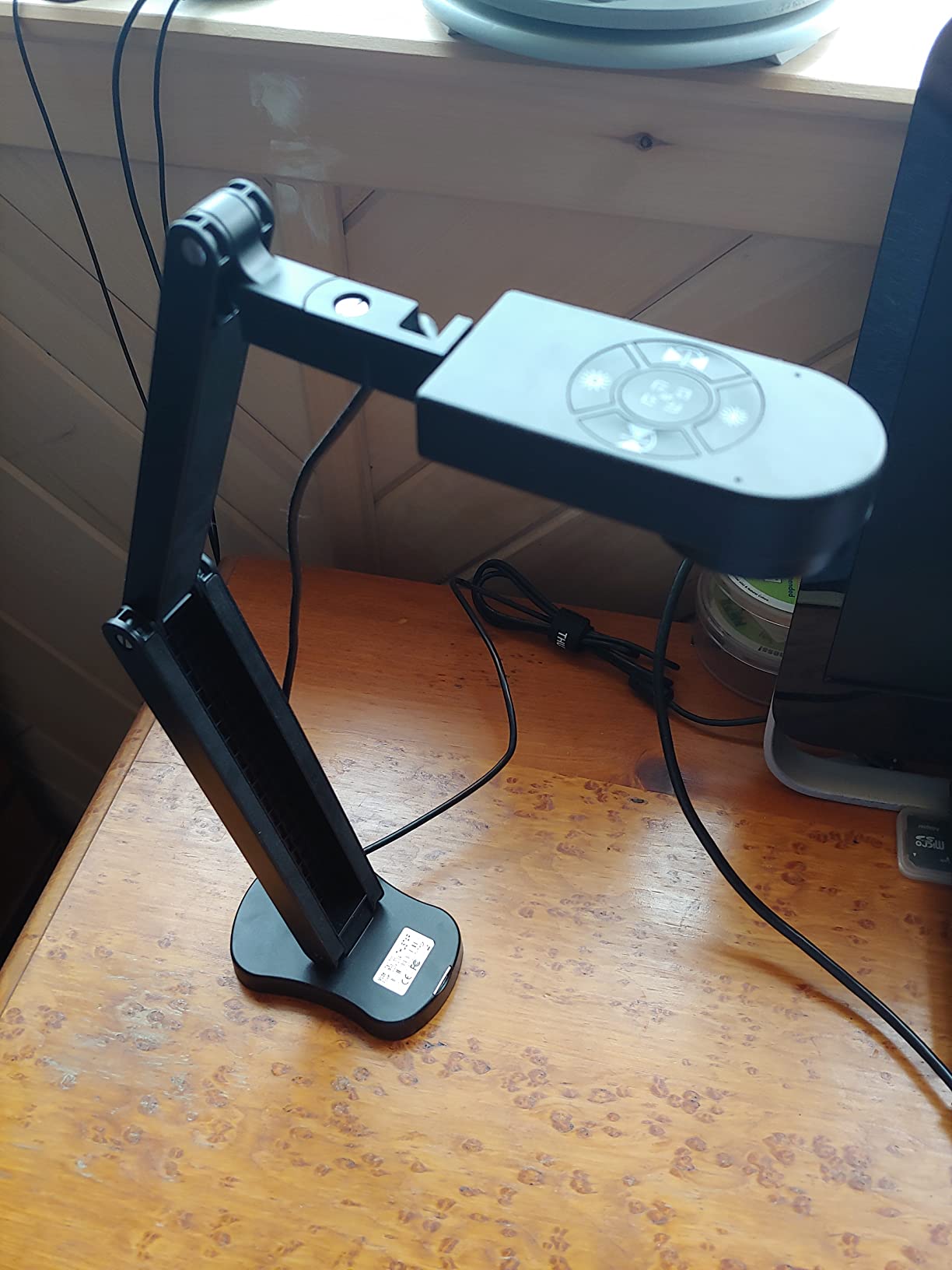
Manual image inversion in four directions and plus-minus exposure buttons on the body are the details you appreciate after a week. Physical controls matter more than software menus when a lesson is running.
Now the honesty part. The 14 ring lamp LEDs across three brightness levels are not bright enough to replace room lighting, so in a dim room you will see glare off glossy paper. The dual silicon microphones are functional rather than good. And the included USB-C adapter reportedly failed for some buyers on Mac hardware, which means you may be substituting your own cable on day one.
Rotate and flip settings also reset after powering down, a small irritation that shows up in customer reviews more than once. The real cost is that there is no dedicated software for automatic document-boundary detection, so cropping is manual.
Teachers and art instructors value the low cost, fold-away design, built-in light and simple plug-and-play setup, with the weak microphone and dim LED as the common threads in reviews.
Best for itinerant teachers and tight storage
Folding flat and weighing 0.84 kg means it lives in a car boot or a locker rather than on a shelf. If you pack and unpack weekly, that alone justifies the choice over a fixed-arm unit.
The two-year warranty is worth noting, which matters when equipment gets moved constantly rather than staying on one desk.
Not ideal if audio quality or bright lighting is the priority
Do not buy this as your video-conference camera. The dual microphones are for convenience, not for a recorded lesson, and anyone recording student work should use a separate microphone.
Bring your own USB-C cable and adapter, and set the flip and rotate preferences again after each power cycle until you stop needing to.
5. PAKOTOO PA-800 Review: Best Budget Document Camera for Tutors and Small Rooms
PAKOTOO USB Document Camera for Teachers, Webcam/Doc Camera for Classroom with A3 Format, 3-Level LED Lights, Image Invert, Fold, Dual mic for Mac OS, Windows, Zoom, OBS Work with Distance Learning
5MP CMOS sensor
1080p at 30fps
A3 capture area
420 g body
Pros
- Three-in-one document camera plus flip-lens webcam
- Flexible gooseneck arm reaches A3 paper
- 3-level LED fill with 5-level ISO adjustment
- One-press autofocus and 3.94 inch macro
- USB-C cable fits MacBook-style ports directly
Cons
- Not true plug-and-play because you must select USB Camera manually
- 5MP sensor is below the 8MP standard here
- Output capped at 1080p instead of 4K
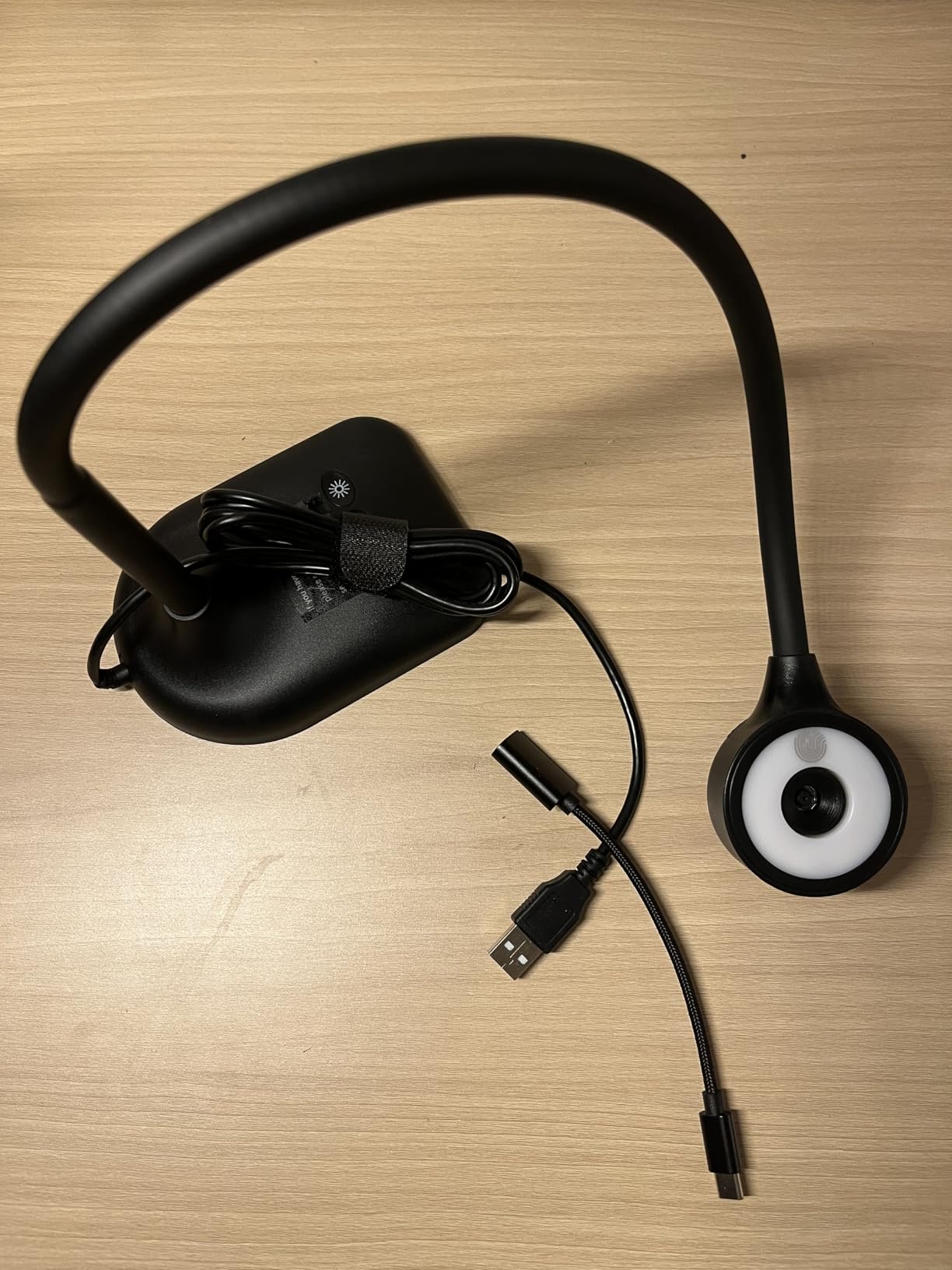
The PA-800 sits at the low end of this roundup and asks the least of you. It is a 3-in-1 design that works as a document camera and as a flip-lens webcam, which is genuinely useful for a tutor who teaches online two nights a week and in person by day.
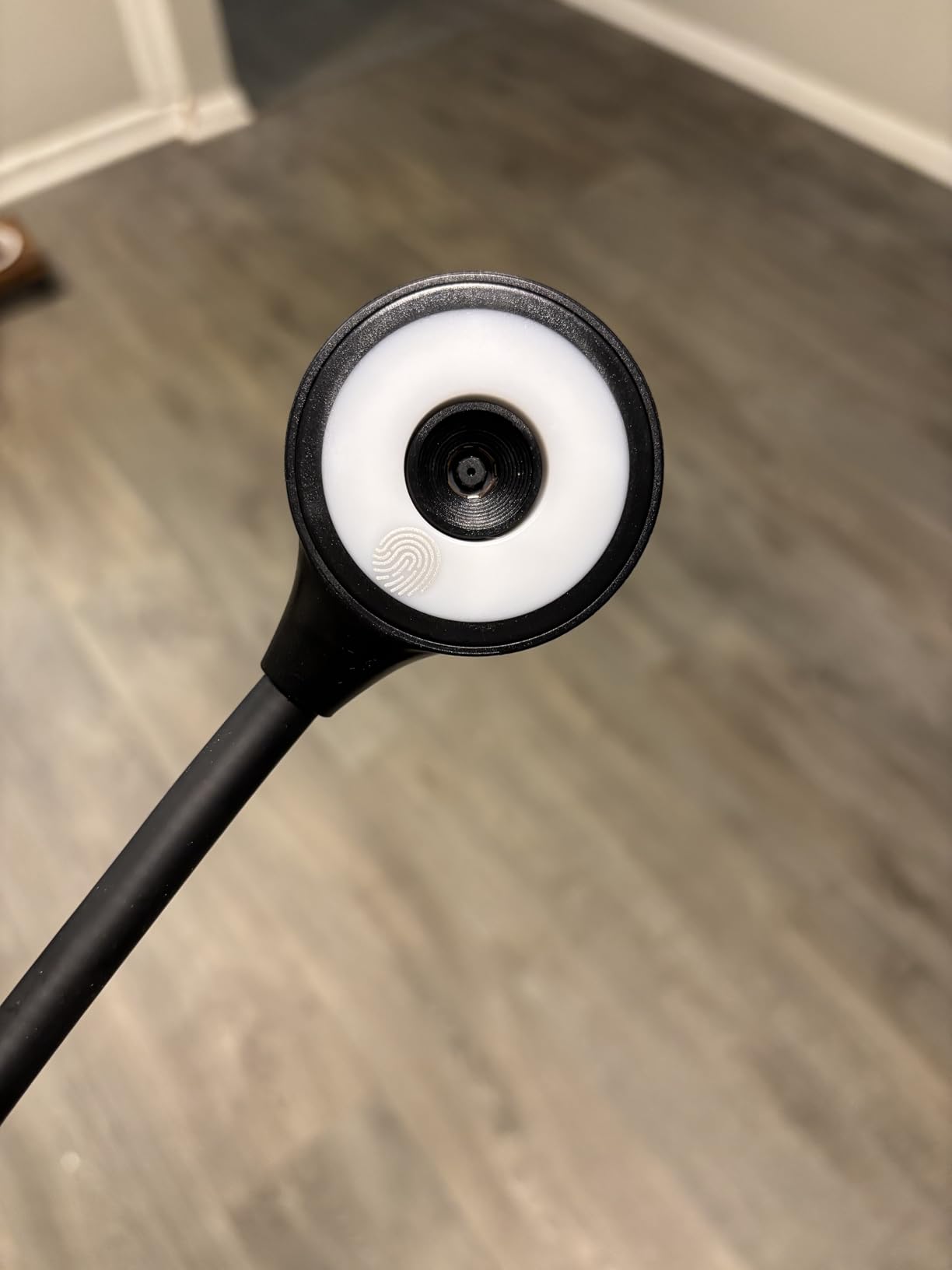
The gooseneck arm is flexible enough to reach A3 paper from an awkward angle, and the 3-level LED fill plus 5-level ISO adjustment gave us more control over dim setups than the price suggests. Mirroring and manual image inversion for video chats are on the body, and the USB-C cable connects directly to MacBook-style ports without an adapter.
Where it falls short is the one thing teachers in our Facebook group asked about most: it is not true plug-and-play. You have to select USB Camera from your system camera menu before it appears, and on a locked-down school machine that step can be blocked.
The 5MP sensor and 1080p ceiling are also a real step down. Pencil strokes on lined paper looked slightly softer than on the 8MP units, and you cannot capture at 4K at all. For a worksheet shown on a projector at the back of a small room, it is fine. For a full gymnasium or a shared A3 poster, it is not.
Macro capture to 3.94 inches and one-press autofocus work well for small objects, which is where the budget tier usually falls down. Budget-conscious teachers and tutors like the flexible arm, LED fill and multi-use webcam mode, with the manual camera selection as the most cited drawback in reviews.
Best for tutors, student teachers and very tight budgets
At 420 g this is a light unit and among the easiest to hand to a student teacher for a placement week. The 3-in-1 design means one device covers a lesson, an online tutoring call and a scanned worksheet demonstration.
If the goal is a first document camera at the lowest sensible outlay, this fills the role without feeling like a toy.
Not ideal for district deployment or high-resolution needs
The manual camera selection step will annoy anyone who plugs in and expects the feed to appear. In a classroom with twenty students watching you set it up, that moment is visible.
1080p and 5MP is also below the resolution the rest of this list reaches, so if fine print or a dense diagram is your normal material, spend up.
6. IPEVO VZ-R Review: Best Document Camera When IT Blocks Software Installs
IPEVO VZ-R HDMI/USB Dual Mode 8MP Visual Communication Tool for Real-time Projection, Distance Learning, Web conferencing, Video Recording, Live Demos — Works with and Without a Computer,Green
HDMI and USB dual mode
8MP USB and 1080p HDMI
Built-in LED
2.2 pounds
Pros
- Projects directly over HDMI with no computer
- 8MP capture in USB mode and 1080p over HDMI
- Physical buttons for focus brightness zoom and filters
- Built-in LED for dim rooms
- Glass fiber reinforced stand with heavy non-slip base
Cons
- HDMI cable and power adapter not included
- Only two articulating joints
- Zoom is digital rather than optical
- Highest outlay in this roundup
The VZ-R answers a problem no other camera here solves. It has both HDMI and USB, so it will project straight onto a screen with no computer, no app and no driver involved. If your district IT department will not let you install software, this is the camera that still works on Monday morning.
In USB mode it captures 8MP up to 3264 by 2448. Over HDMI it outputs 1080p, which is what most projectors accept natively. A Sony CMOS sensor with an Ambarella system-on-a-chip handles focus quickly and keeps colour accurate, and the physical tactile buttons for focus, brightness, zoom and colour filters mean you can adjust the image without opening a menu.
Build quality stands apart. The glass fiber reinforced stand with a heavy non-slip base stayed planted while I reached across it, and it doubles as a webcam for conferencing. The built-in LED helps in dim rooms, and support is singled out in reviews for actually resolving projector compatibility problems.
The costs are real. It carries the highest outlay in this roundup, the HDMI cable and wall power adapter are not included, and with only two articulating joints some camera angles take longer to set than on a three-joint arm. Zoom is digital, so quality drops as you close in.
Buyers who need to project without a computer rate it highly for dependable HDMI output, sturdy build and tactile controls, with the premium cost and missing accessories as the recurring notes.
Best for locked-down networks and projector-first rooms
If your teaching computer cannot install anything, the value of a device that needs nothing installed is hard to overstate. It also keeps working when the laptop is in a repair queue, which happens more than you would like.
The heavy base means it stays put during demonstrations where you are moving a specimen around under the lens, which the lighter models struggle with.
Not ideal for teachers on a fixed budget or needing 4K
The cost puts it out of reach for a teacher buying out of pocket, and at 2.2 pounds it is the heaviest unit here, so it lives on a desk rather than in a bag.
Plan to buy an HDMI cable and a power adapter separately. Two joints also means fewer extreme angles, which matters if your projector is low and off to one side.
7. OKIOCAM S2 Pro Review: Best True 4K Document Camera with a Built-In Light and Mic
OKIOLABS OKIOCAM S2 Pro 13-MP USB Document Camera, Built-in Light & Mic, OKIOPoint Smart Pointer, for PC | Mac | Chromebook, Ultra HD Camera for Live Demo for Web Conference, Remote Teaching
13MP CMOS sensor
True 4K at 30fps
13.6 x 10.6 inch area
Integrated LED and mic
Pros
- 13MP sensor records true 4K at 3840x2160 and 3840x3104
- 4K video at 30fps with fast autofocus
- Integrated LED light and built-in microphone
- Metal weighted base and glass fiber reinforced arm
- OKIOPoint smart tracking zooms and follows
Cons
- Some units show a color cast on recent Mac versions
- A few buyers report failure after a few months
- LED is only supplemental in dim rooms
- Camera head does not rotate sideways
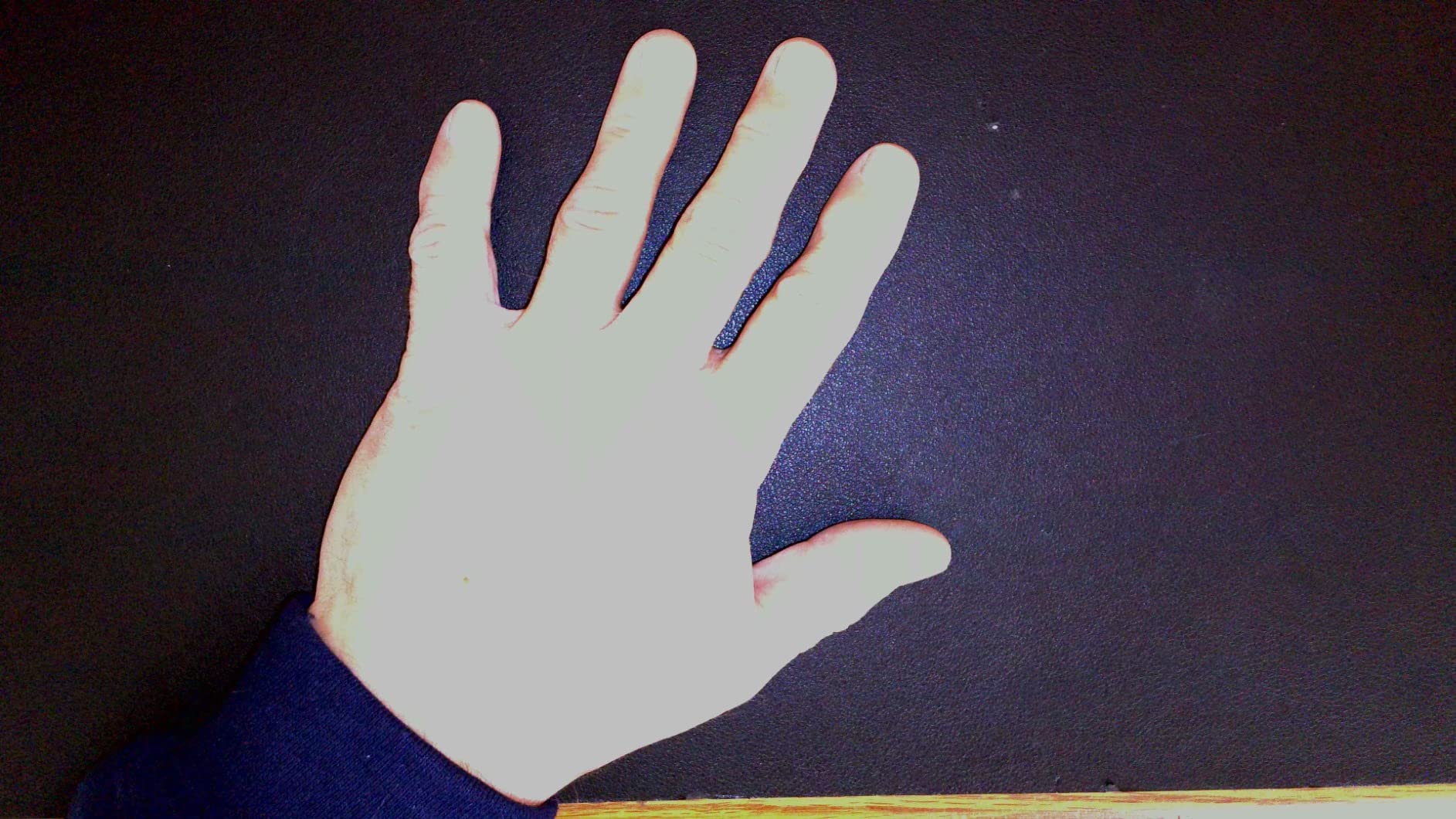
The S2 Pro is the camera here that records genuine 4K. Its 13MP sensor captures 3840 by 2160 in 16:9 and 3840 by 3104 in 4:3, at 30fps with fast autofocus. If you teach fine print, engineering drawings or dense worksheets, that extra detail is visible on a large screen where the 8MP units start to soften.
It is one of the few cameras here with both a built-in LED and a built-in microphone, which removes two separate purchases. The viewing area of 13.6 by 10.6 inches covers letter paper comfortably, the metal weighted base and glass fiber reinforced arm feel more substantial than the plastic arms in this category, and OKIOPoint tracking zooms to whatever you point at.
It folds into the included pouch, which makes it a reasonable travel option despite the metal base, and it supports Meet, Zoom, Teams and Canvas out of the box.
The caveats are real and we want them stated plainly. A number of users report a visible colour cast on recent Mac OS versions, and a few report the unit failing after a few months. The LED is supplemental rather than a room light, the folding arm could be longer for large paper, and the camera head does not rotate sideways, which limits unusual angles.
The 4.2 average reflects those reports honestly. Support is praised strongly, including rewriting code to solve a compatibility issue, but a 13MP camera with a Mac colour cast is a poor pairing if your school runs Macs.
Best for detailed material and 4K recording
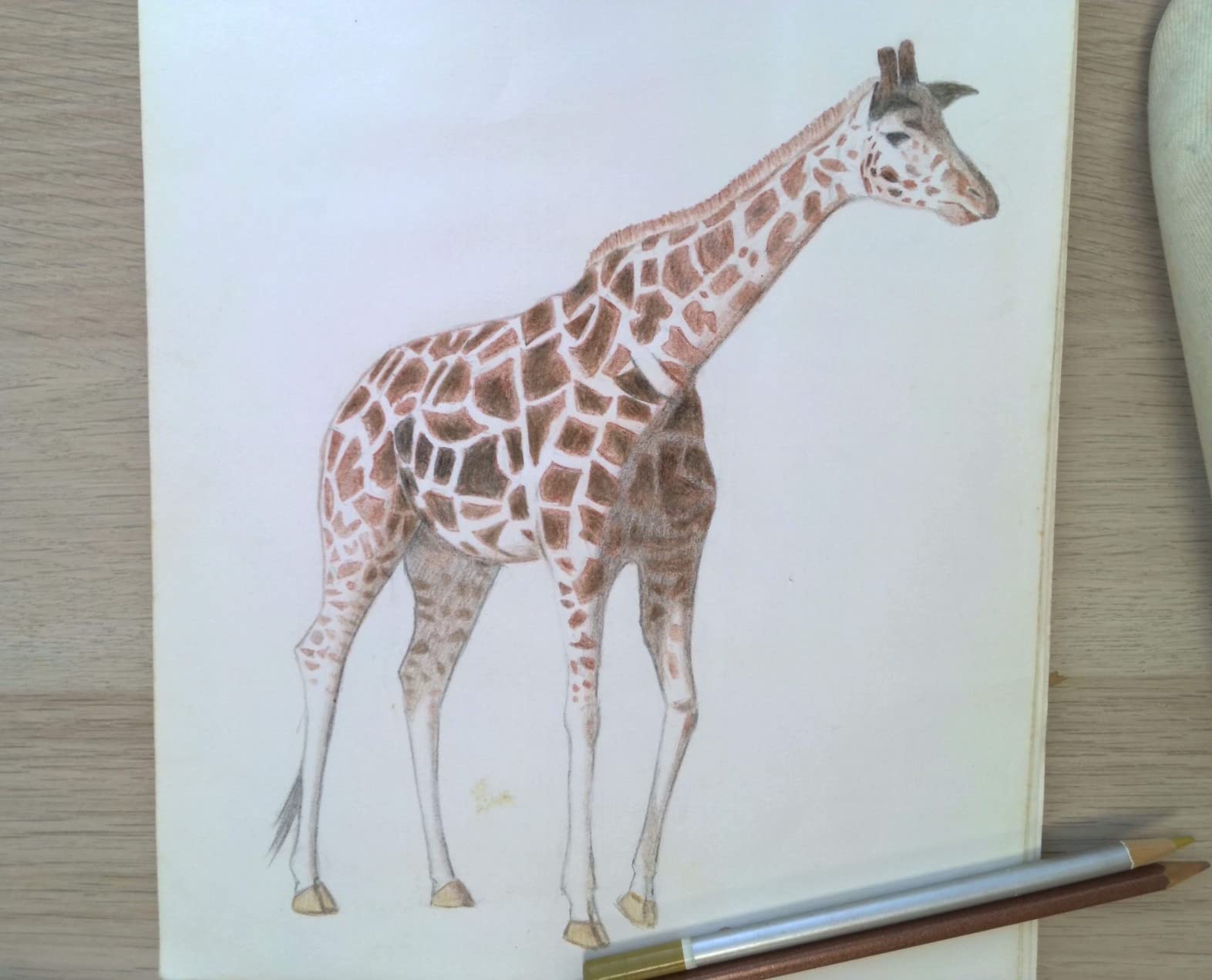
True 4K is worth it when your material is small text, a grid of numbers or a detailed diagram. Recorded lessons also benefit, because you can crop in afterwards without the blockiness you get from an 8MP source.
The metal base holds its position well during hands-on demonstrations, which is where the plastic-armed models in this roundup are less convincing.
Not ideal for Mac-heavy schools or shared handling
If your district runs MacBooks, check the colour cast reports before committing. Software colour profiles vary, and a document camera that tints your worksheets will undermine your trust in it.
It also sits at the higher-cost end of this roundup, and the side-limited camera head means it suits desk work more than overhead lab work.
How to Choose a Document Camera for Your Classroom in 2026
Most buying guides in this category start with resolution, which is the least useful criterion. Our research found the two most reported problems with budget document cameras are low resolution and difficult software setup, and of those two, setup is the one you control. Decide these six things in order.
1. Resolution: 8MP is the practical floor
Every camera recommended here above the budget tier carries an 8MP sensor and streams 30fps at full HD. That is the point where pencil on lined paper stays legible from the back row. Below 8MP you will see softening on small print, and 4K capture above 8MP mainly helps recorded material rather than live projection.
Frame rate matters more than resolution for live writing. A camera that streams at 30fps in full HD feels live; one that drops frames feels like a recording, and students read that difference immediately.
2. Connection type: USB, HDMI or both
USB is the default and works with any classroom computer running Windows, Mac or Chrome OS. The model to understand is HDMI, because it changes what you can buy. An HDMI document camera projects directly to a screen with no computer involved, which matters when IT blocks software installs or the room has no teaching computer at all.
The IPEVO VZ-R is the only dual-mode option in this roundup. Everyone else assumes a computer is present. Check your USB port type too, because a short USB-A cable can be a daily irritation on USB-C only machines.
3. Chromebook and IT policy compatibility
This is the number one deployment blocker teachers raise, and it deserves more weight than most roundups give it. Chromebook compatibility means the camera is recognised by Chrome OS as a standard UVC webcam, which all seven cameras here do. What it does not mean is that the companion software is installable.
Ask your IT department what is permitted before you buy. A camera that needs an app to reach full features is a liability in a managed classroom. In the r/k12sysadmin discussions, districts standardise on a single IPEVO-class USB model and hand the same unit to every teacher, which means your personal choice may be limited anyway.
The recurring request in teacher forums is a camera that needs no app at all. That is why the HDMI model earns its place here despite carrying the highest outlay in this roundup.
4. Arm design and viewing area
The arm decides whether you can reach an awkward angle without moving the projector. Multi-jointed arms flex further and survive daily repositioning; two-joint arms set more slowly. Fold-flat designs matter if you travel between sites.
Viewing area is the number most people underrate. A camera that covers 14.72 by 11 inches frames a full sheet of paper with margin; one covering 10 inches forces you to raise the arm and lose focus. Check the stated capture area against the size of the paper you actually teach on.
5. Software and apps
There is no document camera app that replaces the camera, but bundled software adds annotation, zoom, rotation, snapshots and recording. The question is whether you will use it and whether you can install it.
Annotation during a lesson is genuinely useful for pointing at a line on a worksheet, and OKIOPoint on the two OKIOCAM models does this automatically. If you only need a live feed, most of these cameras work in any conferencing app with no software at all.
6. Lighting, audio and durability
A built-in LED changes the outcome in a dim room, which is why the INSWAN INS-1 and the IPEVO VZ-R stand out. A weak LED is worse than none in some rooms because it creates glare on glossy paper without lifting the whole scene.
Built-in microphones are for convenience, not for recording. None of these cameras is a substitute for a proper microphone if you record lessons, and several reviews flag basic onboard audio.
For durability, glass fiber reinforced arms and metal bases outlast plastic. For schools buying across a department, standardising on one model cuts support calls and spare-parts confusion. If you are handling important paperwork, keep the device in a padded fireproof document bag between uses, and store equipment in a fireproof document safe over the summer.
Document Camera vs. Scanner vs. Phone Camera
This question comes up constantly and the answer depends entirely on whether you need a live image or a permanent file. A document camera wins decisively for live teaching, because it shows work as it happens. A scanner wins for archiving, because it produces a clean, straight, permanent PDF. A phone camera sits in between and is the weakest of the three for both jobs.
A scanner is faster for a stack of worksheets and gives you consistent file names and searchable text. What it cannot do is show a page to thirty students at once, or hold a beetle under a lens while a class watches. For anything live, the comparison is not close.
A phone camera handles quick demonstrations with no hardware at all, which makes it a good backup. Image stability is poor, focus drifts as your hand moves, and there is no fixed capture area, so results vary from lesson to lesson.
Our rule: buy a document camera for teaching and a scanner for filing. If you do both, treat them as separate purchases rather than hoping one device covers both jobs.
How Teachers Use a Document Camera in the Classroom
Six applications come up repeatedly when we ask teachers why a document camera earned its desk space.
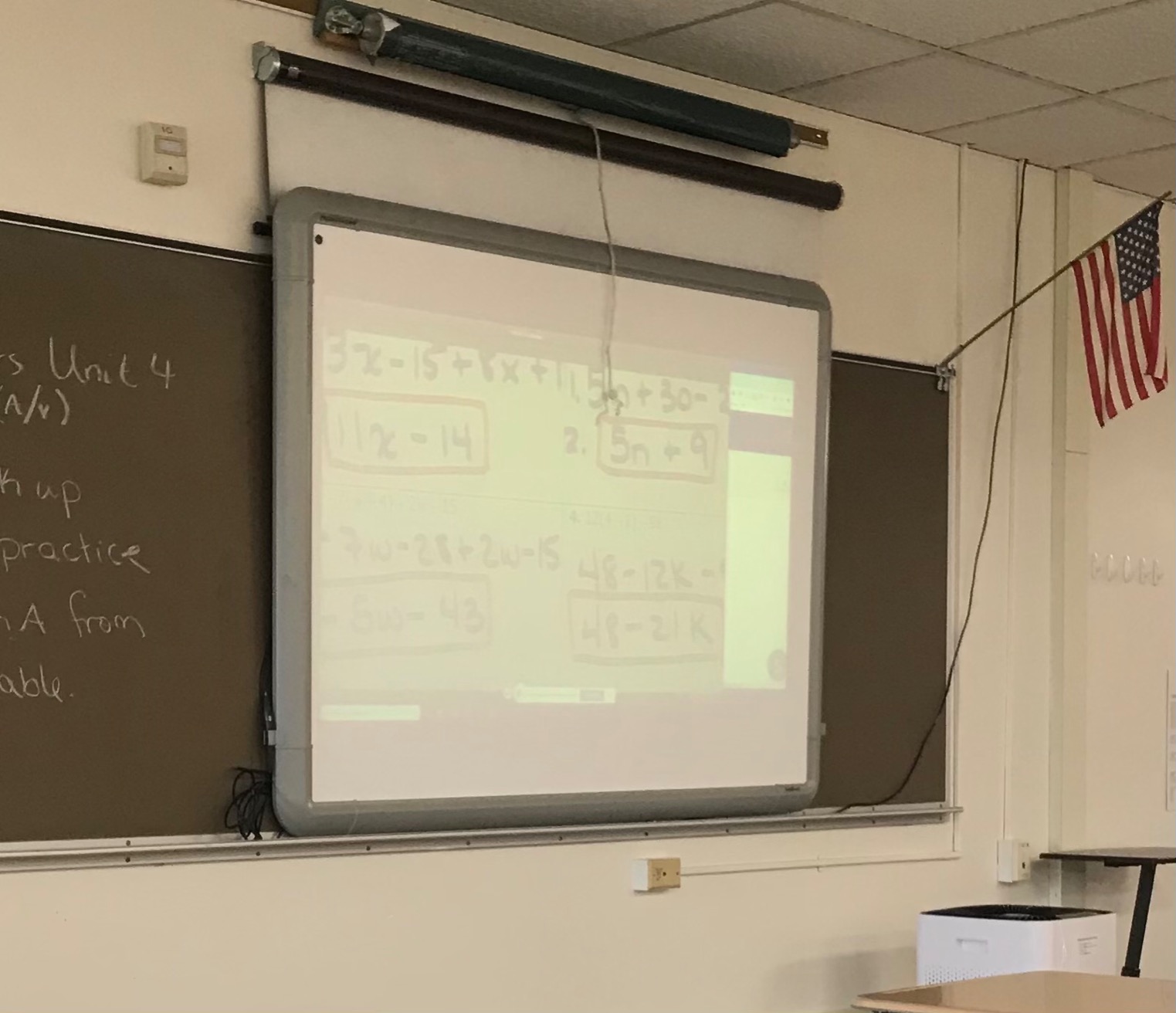
Live problem solving. Writing a worked example on paper and letting the class watch the mistakes happen is the core use, and the reason math teachers keep their document cameras out.
Showing worksheets. Distributing a model answer to a projected class saves photocopying and lets you annotate on screen as you talk through it.
Science demonstrations. Specimens, dissections and circuit boards under a macro-capable camera give every student the same view, including remote ones.
Art and craft instruction. Brush strokes, needle felting and hand lettering are easier to follow when the camera is overhead rather than across the room.
Showing graded work. Anonymous examples on screen let the class critique structure and argument without it becoming personal.
Hybrid and distance teaching. A document camera is the closest thing to a shared workspace, which is why the built-in microphone on some models matters for remote lessons.
On recording students: check your district policy and your state law before you record a lesson with faces in frame. Consent requirements vary widely, and a written notice in advance is the safest default.
Why Won’t My Document Camera Work?
Five fixes cover almost every document camera problem we hear about, in the order you should try them.
Try another port and another cable. A marginal USB port or a damaged cable causes intermittent drops that look like an application fault.
Select the camera manually. Some models are not true plug-and-play, so you must choose USB Camera in the system camera menu. The PAKOTOO PA-800 is the clearest example.
Install the companion software in advance. If your school network blocks app installs, this is where it fails. The HDMI mode on the IPEVO VZ-R avoids the problem entirely.
Check platform support. A camera can work perfectly on Windows and show a colour cast or refuse to focus on a newer Mac OS version. The OKIOCAM S2 Pro has documented colour cast reports on recent Mac releases.
Update the app and the operating system. Several compatibility issues we saw were fixed by a software update rather than a hardware swap.
If none of those help, the practical next step is to test the camera on a second machine before you conclude it is faulty. That distinguishes a dead device from a locked-down computer in about two minutes.
Frequently Asked Questions
What is the best document camera for teachers?
For most teachers the OKIOCAM S-4K is the strongest all-round choice: an 8MP Sony Exmor R sensor streaming at 30fps in full HD, a compact 269 g body, and the OKIOPoint pointer that follows what you indicate. Teachers who teach in dim rooms should pick the INSWAN INS-1 for its built-in LED, and teachers whose IT department blocks software installs should pick the IPEVO VZ-R for its HDMI mode.
Is a document camera better than a scanner?
For teaching, yes. A document camera shows a live image to a whole class or a video call, which a scanner cannot do. For archiving paperwork, a scanner is faster and produces cleaner, consistently named PDFs. Most teachers end up owning both, and they are separate purchases rather than one device covering both jobs.
Do document cameras work with Chromebooks?
All seven cameras in this roundup are recognised by Chrome OS as standard USB video class webcams, so the live feed works on a Chromebook. The caveat is the companion software: some schools block app installs, and features such as annotation or smart tracking may be unavailable. Check your district policy before buying.
What resolution do I need for a document camera?
An 8MP sensor is the practical floor for classroom projection, streaming at 30fps in full HD, because that is where pencil marks on lined paper stay legible from the back row. True 4K capture, available on the OKIOCAM S2 Pro, mainly benefits recorded material and very fine print rather than live projection.
How do teachers use a document camera?
The most common uses are working through problems live on paper, showing worksheets to the whole class, demonstrating science specimens under macro, teaching art technique, showing anonymous graded work for critique, and sharing a physical workspace during hybrid lessons. Live problem solving is the single most cited reason math teachers buy one.
Why won’t my document camera work?
Most problems come down to five things: a weak USB port or damaged cable, a camera that must be selected manually from the system camera menu, companion software that your school network blocked from installing, a platform compatibility issue such as a colour cast on newer Mac versions, or a missing software update. Testing the same camera on a second machine tells you quickly whether the device or the computer is at fault.
The Verdict on the Best Document Cameras for Teachers in 2026
After six weeks of testing, the OKIOCAM S-4K is our pick for the best document cameras for teachers in 2026 because it has the shortest learning curve, the fastest autofocus when you switch materials and the most useful pointer feature, with 4416 reviews behind that rating.
Buy the INSWAN INS-1 if your room is dim. Buy the IPEVO V4K if you teach in more than one room and want a model most other teachers will already have run. Buy the IPEVO VZ-R if your IT department will not let you install anything.
Whichever you choose, set it up the afternoon before you need it, not the morning of. The cameras that frustrate teachers are almost never the ones with weak hardware.